 ChatGPT,
  Claude,
  Gemini,
  Grok — all four for
 Installing WHMCS
Setting up WHMCS starts with securing a valid license and preparing your hosting environment. Since Bluehost no longer provides a complimentary WHMCS license, you’ll need to purchase one directly from WHMCS. Before applying for a license, ensure your domain is properly pointed to your hosting account by updating your nameservers at your registrar.
How to Get a WHMCS License
Before requesting for a license, make sure your domain name resolves to your hosting account. This typically requires changing the name servers for your domain to our name servers at your registrar.
How to Install WHMCS
There are two ways for installing WHMCS:
- Softaculous
- Manual Installation
Softaculous
You can easily install WHMCS through the cPanel software installer. Check the steps below to get started.
- Log in to your Bluehost Portal.
- In the left-hand menu, click Hosting, then select My Plans.
- On the hosting details page, click the cPanel button.
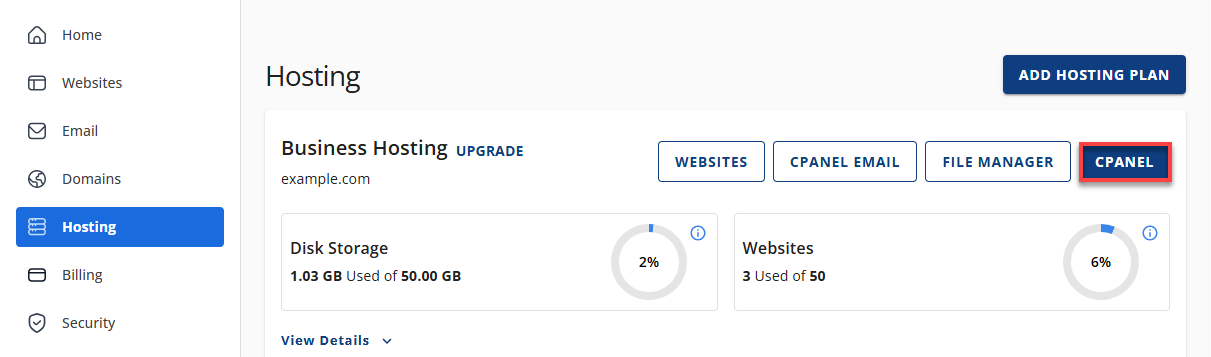
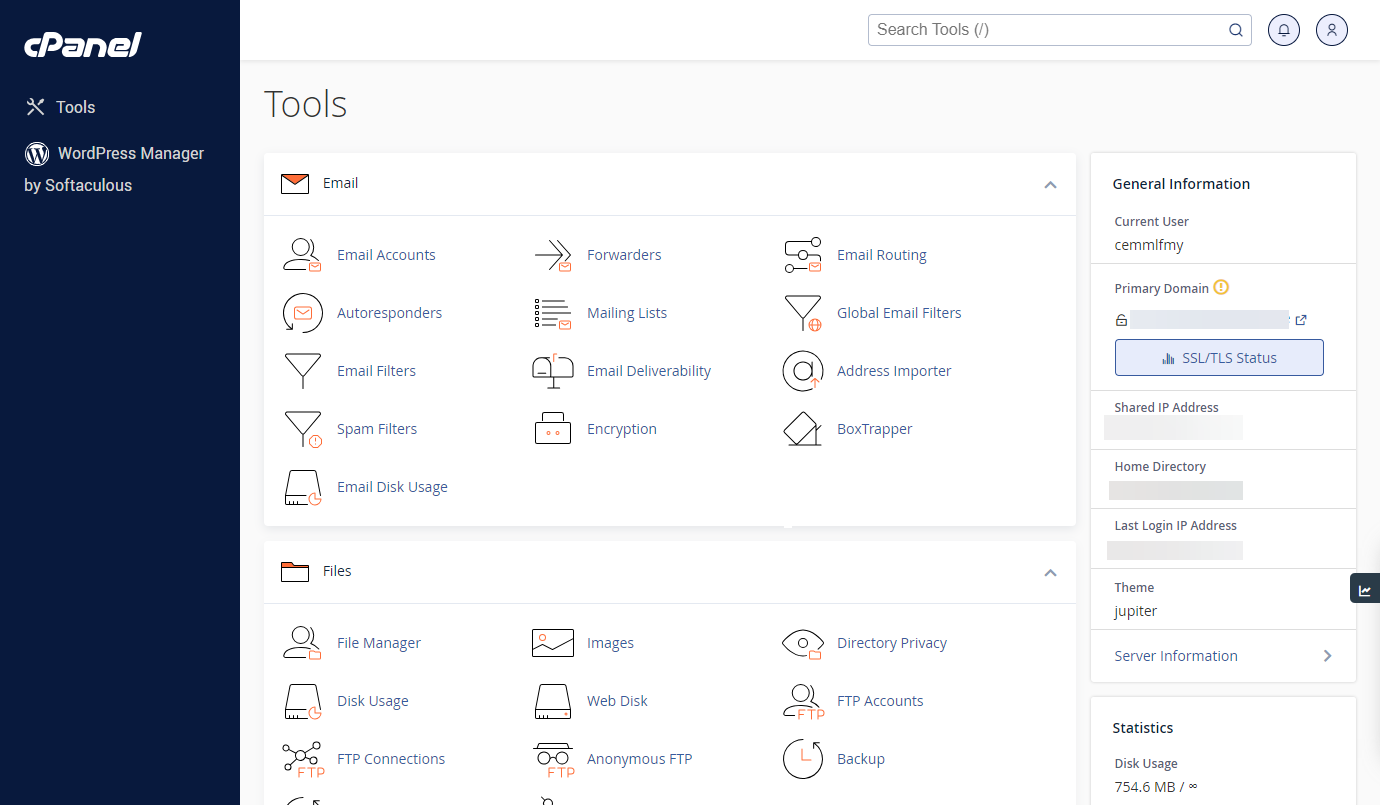
- Your cPanel will open in a new tab.
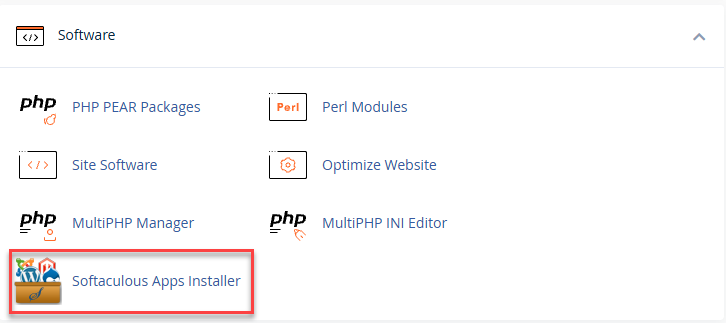
- Find the Software section, then click Softaculous Apps Installer.
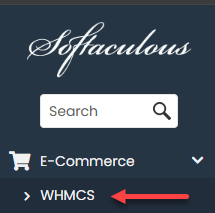
- Use the search bar at the top left menu to search for WHMCS, which is found under Ecommerce.
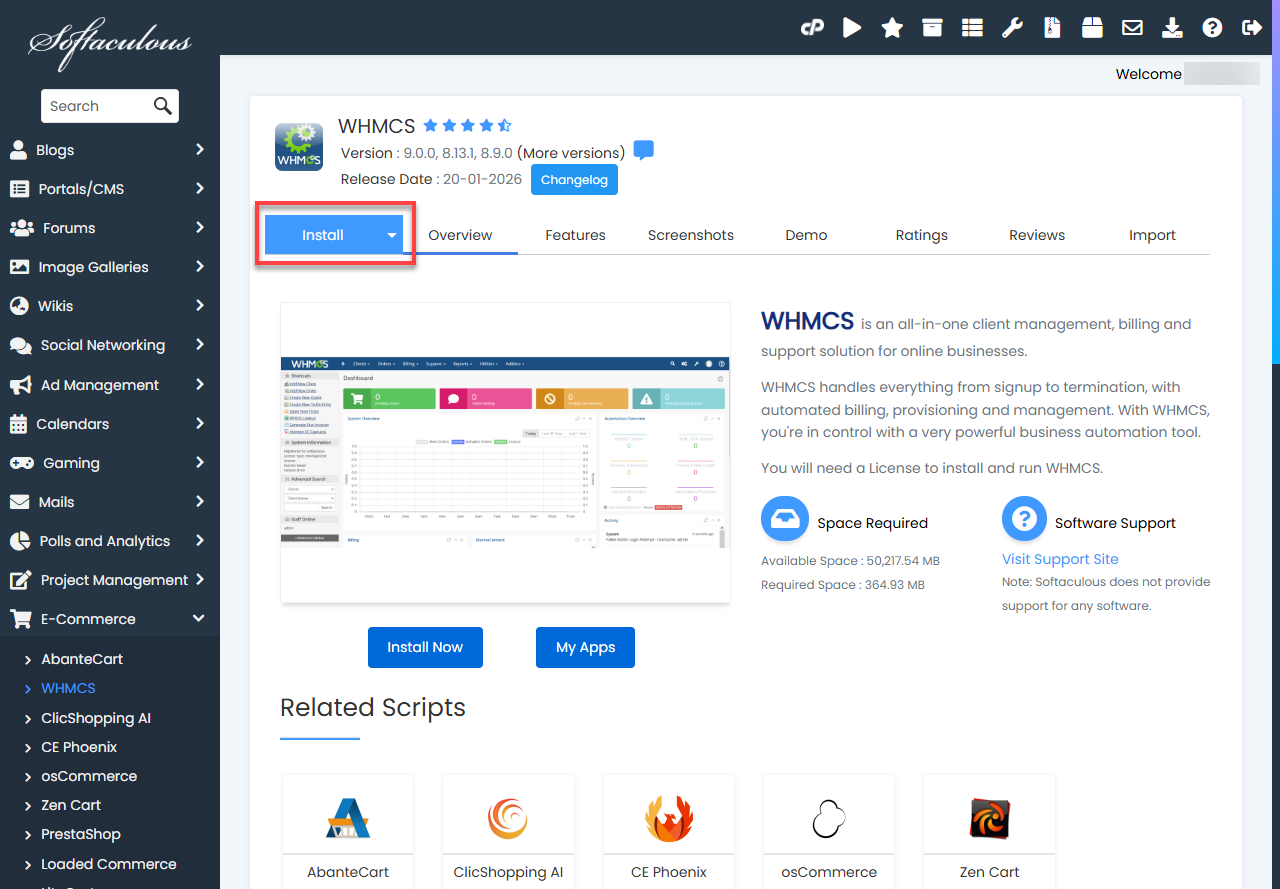
- On the WHMCS page, click Install.
- Fill out the installation form.
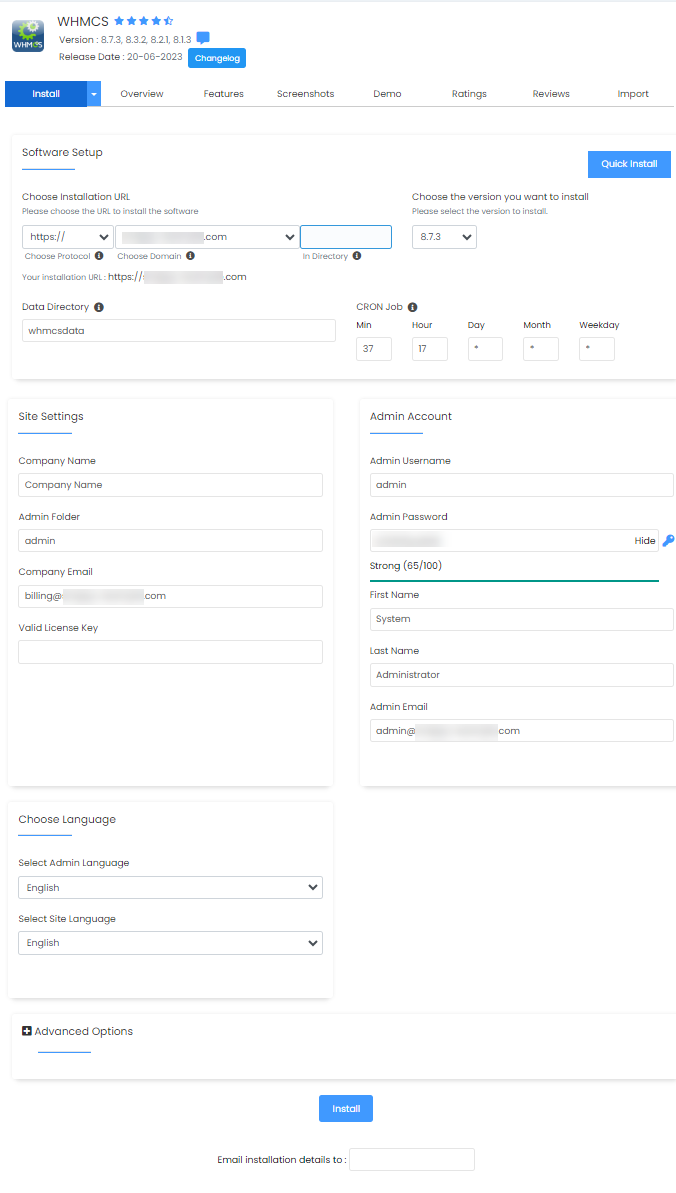
- After filling out the required fields, click Install at the bottom.
Congratulations! WHMCS is now set up.
Manual Installation
If you prefer to install WHMCS manually, you have to download the application from https://www.whmcs.com/members/clientarea.php. Visit this article for a more detailed instruction.
If you're looking for a consolidated guide of WHMCS-related articles, please check out the WHMCS Guide.
Summary
Installing WHMCS can be done either through Softaculous in cPanel or by completing a manual setup. Softaculous offers a quick, automated installation, while manual installation allows more control for users who prefer it. Once your license is active and your domain is correctly configured, you can proceed with either method to get WHMCS up and running on your hosting account.
If you need further assistance, Bluehost Chat Support is available 24 hours a day, 7days a week while Bluehost Phone Support is available 7 days a week from 7 am-12 midnight EST.
- Chat Support - While on our website, you should see a CHAT bubble in the bottom right-hand corner of the page. Click anywhere on the bubble to begin a chat session.
- Phone Support -
- US: 888-401-4678
- International: +1 801-765-9400
You may also refer to our Knowledge Base articles to help answer common questions and guide you through various setup, configuration, and troubleshooting steps.