 ChatGPT,
  Claude,
  Gemini,
  Grok — all four for
 VPS & Dedicated Hosting: Managing Contact Settings & Notifications in WHM
If you're on a VPS or Dedicated hosting hosting with cPanel, you can modify your cPanel settings in your WebHost Manager (WHM). Within WHM, the Tweak Settings » Notifications tab enables you to control how and when cPanel alerts you about important events. For example, you can set up email alerts when your account is getting close to reaching its disk space limit.
This article discusses the different notification options available in WHM and how to configure them so you can keep your server running smoothly and efficiently.
Manage Notifications in Tweak Settings
Here are the steps in managing notifications in the Tweak Settings section of your WHM.
- Log in to your WHM.
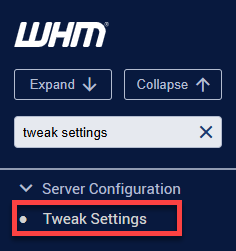
- Look for Tweak Settings, which can be found in the Server Configuration category of WHM.
- Click the Notifications tab.
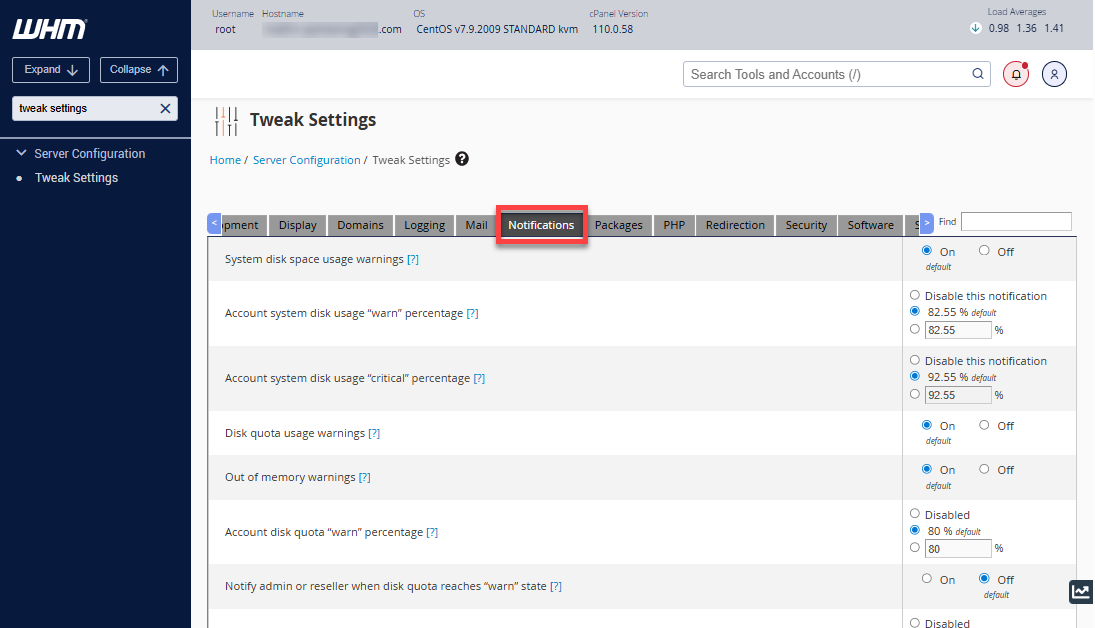
- Set up your preferred notification settings by choosing the options available in the right panel.
Update Contact Information Settings
Notifications are sent to the contact information associated with a website, with the primary contact being the email address. You can update this email address for each cPanel account within WHM.
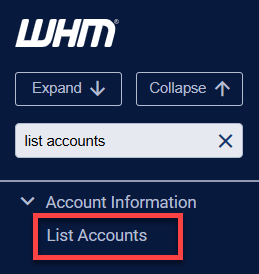
- In your WHM, look for List Accounts using the search bar.
- The List Accounts section will show a list of cPanel accounts that have been created within your VPS or Dedicated server.
- Look for the cPanel account you need to manage, then click on the "+" (plus) icon in the far left column.
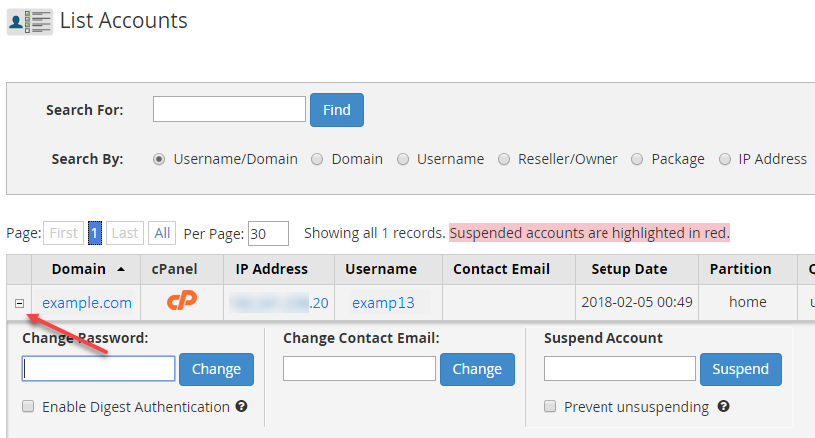
- A new row will open beneath the selected cPanel account. Remove the existing entry, then enter the email address in the Change Contact Email field.
- Click Change to save your changes.
Summary
This article explains how VPS and Dedicated hosting users can configure notifications through WebHost Manager (WHM). By adjusting settings in the Notifications tab under the Tweak Settings section, root users can control alerts for critical events, such as disk space limits. It also covers updating contact information to ensure notifications reach the correct email address.
If you need further assistance, Bluehost Chat Support is available 24 hours a day, 7days a week while Bluehost Phone Support is available 7 days a week from 7 am-12 midnight EST.
- Chat Support - While on our website, you should see a CHAT bubble in the bottom right-hand corner of the page. Click anywhere on the bubble to begin a chat session.
- Phone Support -
- US: 888-401-4678
- International: +1 801-765-9400
You may also refer to our Knowledge Base articles to help answer common questions and guide you through various setup, configuration, and troubleshooting steps.