 ChatGPT,
 Claude,
 Gemini,
 Grok — all four for
Key highlights
- Discover the benefits of Google Workspace for unifying communication, collaboration and daily business operations in one integrated platform.
- Explore tools that help teams work faster with real-time editing and seamless file sharing.
- Learn how professional email improves brand credibility and trust with every interaction.
- Explore Google Workspace features for secure cloud storage and built-in protection of business data.
- Know how Bluehost Google Workspace makes setup easy and scalable for growing businesses.
Running a business today is less about where you work and more about how smoothly everything connects. Emails, meetings, documents and deadlines are all part of the same flow, yet they often live in disconnected tools. That disconnect quietly slows things down. Google Workspace changes that by bringing everything into one ecosystem where communication, collaboration and organization happen seamlessly. It is designed for modern teams that need flexibility without losing structure, whether they are working from one office or across multiple locations.
What is Google Workspace?
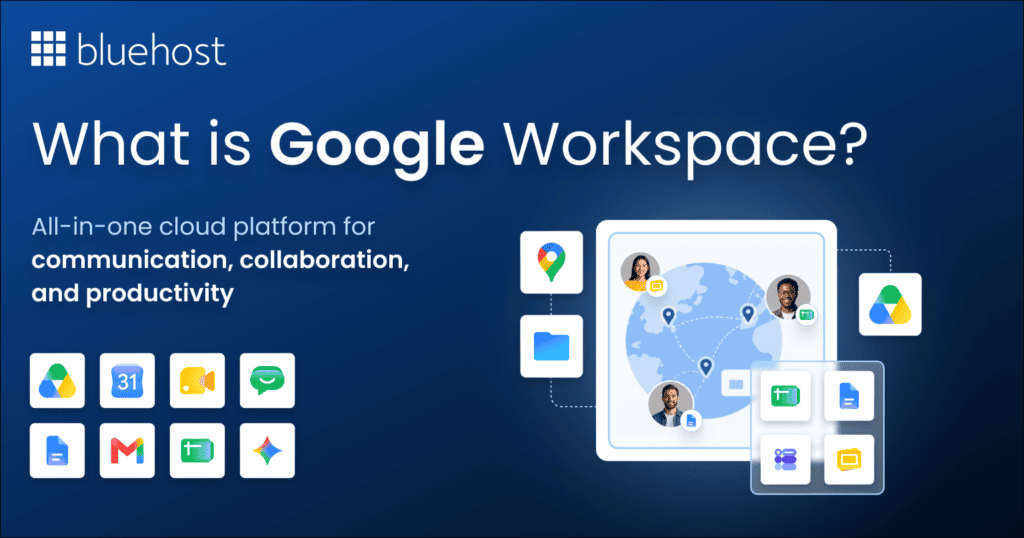
Google Workspace is a cloud-based suite of productivity and collaboration tools that includes Gmail, Google Drive, Docs, Sheets, Slides, Meet, Calendar and Chat. Instead of juggling multiple platforms, everything works together in a unified environment. Files are stored in the cloud, communication happens in real time and collaboration becomes a natural part of the workflow rather than an extra step.
- Professional branding: Google Workspace lets you create custom email addresses using your business domain name through Gmail.
- Centralized storage: Google Drive gives your team a secure place to store, organize and share files.
- Live editing: Your team can work inside the same document simultaneously to finish projects faster.
- Smart scheduling: Google Calendar helps you coordinate meetings and view colleague availability at a glance.
- Google Workspace security features: You gain tools to manage user permissions and keep your business information safe.
- AI capabilities: You can use Gemini AI to summarize emails and Google Vids to create content using artificial intelligence.
Key benefits of Google Workspace
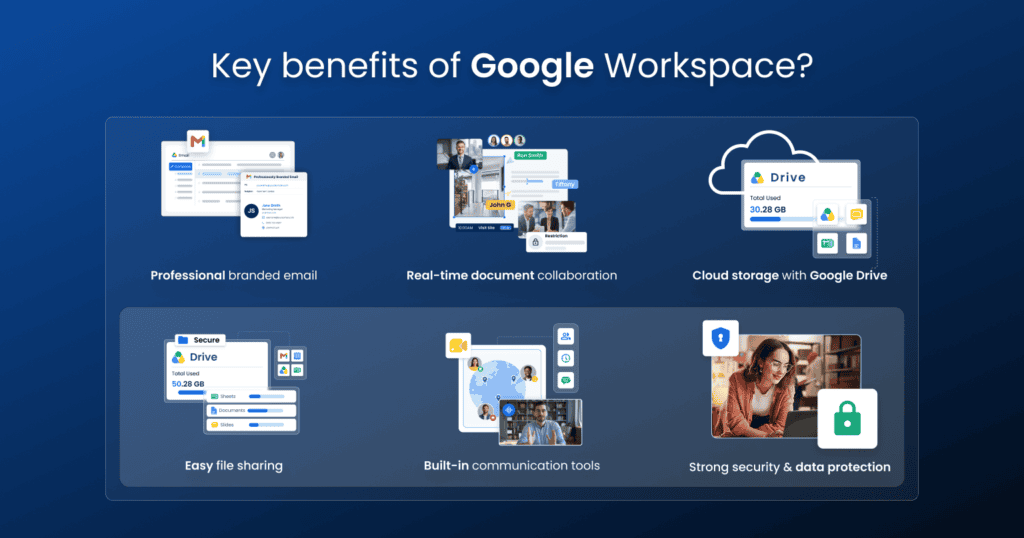
Exploring the key benefits of Google Workspace reveals why so many modern teams and growing businesses rely on it to boost productivity, streamline collaboration and drive sustainable growth.
1. Professional email that builds trust
A branded email address like [yourname]@[yourbusiness].com immediately creates a stronger impression than a generic email. With Gmail powered by your domain, businesses can maintain professionalism while using a familiar and easy-to-use interface. It strengthens credibility and helps build trust with clients from the very first interaction.
2. Real-time collaboration that improves efficiency
Google Docs, Sheets and Slides allow multiple users to work on the same file simultaneously. Edits appear instantly, comments stay organized and version history ensures nothing is lost. This eliminates the need for endless file sharing and reduces confusion around multiple versions. Work becomes faster, clearer and more collaborative.
3. Cloud storage for easy access anywhere
Google Drive, one of Google Workspace’s collaboration tools, keeps all your files securely stored in the cloud, making them accessible from any device. Whether working remotely, traveling or switching between devices, your data stays within reach. Automatic saving and version control reduce the risk of losing important files and ensure continuity in your workflow.
4. Integrated communication and meetings
Google Meet and Chat are built directly into the ecosystem, making it easy to move from conversation to collaboration. Schedule meetings through Calendar, join video calls instantly and communicate with your team without switching platforms. This integration reduces friction and keeps everything connected.
5. Strong security and data protection
Google Workspace includes advanced security features like two-step verification, spam filtering and secure cloud infrastructure. Data is continuously backed up and protected, helping businesses maintain reliability and safeguard sensitive information without needing complex setups.
6. Scalability for growing businesses
Google Workspace adapts as your business grows. You can add users, increase storage and access more advanced features without migrating to a new system. It provides flexibility for startups while supporting long-term expansion.
Google Workspace products and how they help teams
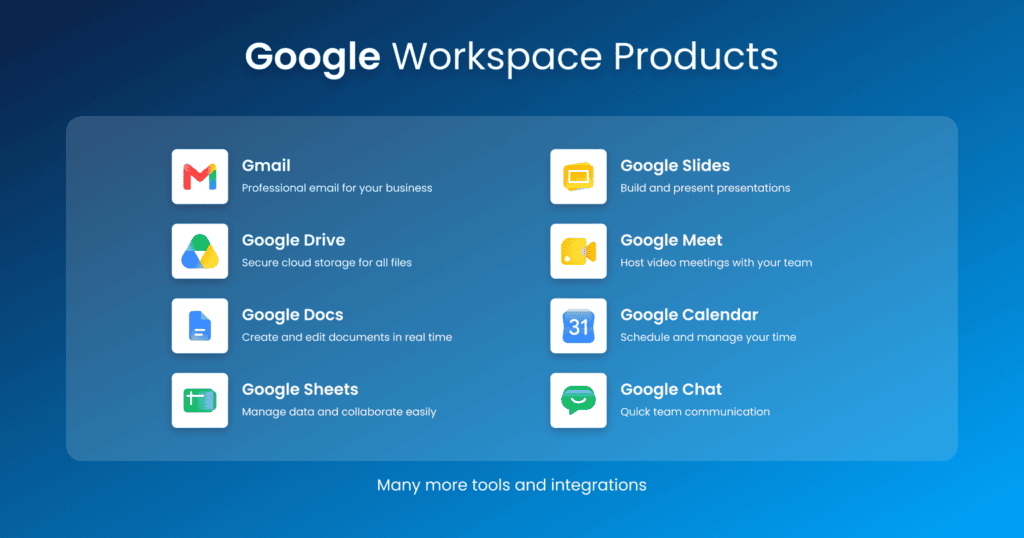
Beyond the overall ecosystem, each tool within Google Workspace plays a specific role in improving team productivity and collaboration.
1. Gmail for professional communication
Gmail provides a clean, reliable and professional email experience with your custom domain. It helps teams manage conversations efficiently with smart filters, labels and integrations with other Workspace tools.
2. Google Drive for centralized storage
Google Workspace Drive acts as a secure hub where all files are stored and organized. Teams can easily upload, access and share documents without worrying about device limitations or file loss.
3. Google Docs for collaborative writing
Google Workspace Docs allows teams to create and edit documents in real time. Whether drafting content or reviewing proposals, everyone can contribute simultaneously with comments and suggestions.
4. Google Sheets for data management
Google Workspace Sheets helps teams manage data, track performance and collaborate on reports. It is especially useful for analytics, budgeting and project tracking.
5. Google Meet for video conferencing
Google Workspace Meet enables seamless video meetings with team members or clients. It supports screen sharing, scheduling and integration with Calendar for a smoother meeting experience.
6. Google Calendar for scheduling
Google Calendar helps teams stay organized by managing meetings, deadlines and events. Shared calendars make it easier to coordinate schedules and avoid conflicts.
7. Google Chat for team communication
Google Chat provides a space for quick conversations, reducing the need for long email threads. It keeps communication organized and accessible within teams.
8. Google Slides for presentations
Google Workspace Slides helps teams create professional presentations collaboratively. Multiple users can edit slides in real time, making it easier to prepare pitches, reports and training materials together.
9. Google Forms for data collection
Google Workspace Forms allows businesses to create surveys, feedback forms and questionnaires quickly. Responses are collected automatically and can be analyzed easily within Workspace tools.
10. Google Sites for internal websites
Google Workspace Sites enables teams to build simple and professional websites without coding knowledge. It is useful for creating internal portals, project hubs and company resource pages.
11. Google Tasks for task management
Google Workspace Tasks helps users organize daily work and manage priorities efficiently. Teams can create task lists, set deadlines and stay on top of ongoing responsibilities.
12. Google Keep for note-taking
Google Workspace Keep provides a simple way to capture ideas, reminders and quick notes. Notes can be organized with labels, checklists and color coding for better productivity.
13. Google NotebookLM for AI-powered research
Google Workspace NotebookLM helps users organize information and generate insights using AI assistance. It is useful for summarizing research, brainstorming ideas and managing knowledge more effectively.
14. Google Vids for video creation
Google Workspace Vids helps teams create and edit professional videos for communication and training. It simplifies video production with collaborative editing and easy sharing across teams.
Google Workspace features businesses rely on every day
These Google Workspace features support daily work without adding separate apps.
| Feature | App | Business use | User benefit | Plan availability |
|---|---|---|---|---|
| Domain email | Gmail | Send branded messages | Builds client trust | Starter, Standard, Plus |
| AI email help | Gmail with Gemini | Draft and summarize threads | Reduces reply time | Gemini-enabled plans |
| Cloud storage | Drive | Keep files accessible | 30 GB, 2 TB or 5 TB per user | Starter, Standard, Plus |
| Live editing | Docs, Sheets, Slides | Co-author deliverables | Keeps work current | All plans |
| Revision history | Docs, Sheets, Slides | Restore earlier work | Protects against mistakes | All plans |
| Shared calendars | Calendar | Coordinate availability | Reduces scheduling conflicts | All plans |
| Meeting capacity | Meet | Host team or client calls | Supports 100, 150 or 500 participants | Starter, Standard, Plus |
| Meeting controls | Meet | Record sessions and use breakout rooms | Supports structured meetings | Standard, Plus |
| Adaptive audio | Meet | Join from the same room | Reduces audio feedback | Available where supported |
| Chat summaries | Chat with Gemini | Review conversations and action items | Speeds up follow-through | Gemini-enabled plans |
| Response collection | Forms | Gather feedback or requests | Keeps answers organized | All plans |
| Internal hubs | Sites | Publish team resources | Makes information easier to find | All plans |
| Personal follow-ups | Tasks and Keep | Track priorities and capture notes | Prevents small details from slipping | All plans |
| Source-based research | NotebookLM | Summarize uploaded materials | Accelerates team knowledge | 3 audio discussions daily on Starter, 20 on Standard and Plus |
| AI video and retention | Vids and Vault | Create videos or retain business data | Supports training and compliance | Vids: Standard, Plus. Vault: Plus |
Professional business solutions with Bluehost Google Workspace
Bluehost Google Workspace benefits include professional business solutions, some of which include:
1. Streamlined onboarding and domain integration
Setting up professional business infrastructure can be daunting for entrepreneurs and small teams. Bluehost eliminates this complexity by serving as a verified partner, providing a seamless integration that connects your domain name directly to the Google Workspace ecosystem. This unified approach ensures that even those without deep technical expertise can launch a professional presence in minutes, backed by Bluehost’s industry-leading setup wizards and automated configuration tools that guarantee your MX records and DNS settings are perfectly aligned from day one.
2. Enterprise-grade tools and robust security features
When you choose Bluehost for your Google Workspace needs, you gain access to a powerhouse suite of productivity tools designed for scalable growth. This includes custom professional email addresses that match your brand, 30GB of secure cloud storage per use and the full collaborative power of Gmail, Drive, Docs, Sheets and Slides. Beyond standard features, you benefit from enterprise-level security protocols, including advanced phishing and malware protection, two-step verification and robust administrative controls to manage user access. Users also receive the latest innovations, such as Gemini AI integration in Gmail and Docs to enhance writing productivity and high-definition video conferencing via Google Meet for up to 100 participants, all running on a network with a 99.9% uptime guarantee.
3. Scalable growth and dedicated expert support
The primary advantage of managing Google Workspace through Bluehost is the consolidation of your digital assets into one secure dashboard. By housing your domain, website hosting and communication tools under one roof, you simplify management and ensure consistent billing. More importantly, Bluehost provides 24/7 dedicated support from experts who understand the specific intersection of hosting environments and Google’s cloud services. This partnership provides a reliable foundation that allows startups and growing teams to scale their operations without worrying about technical friction, ensuring your business remains credible, protected and reachable at all times.
By combining Google’s world-class productivity technology with Bluehost’s customer-centric hosting environment, businesses receive a high-performance solution that perfectly balances professional branding, ironclad security and administrative simplicity to drive long-term growth.
Is Google Workspace worth it? Why it’s the gold standard for business productivity
For most modern organizations, Google Workspace is far more than a simple collection of office tools; it is the fundamental system that supports every facet of daily operations. The true google workspace benefits lie in its ability to create a seamless, interconnected workflow where communication and creation happen in one unified space, significantly reducing errors and driving overall efficiency.
- Seamless ecosystem integration: Enjoy a workspace where every tool is perfectly synced, allowing you to launch video meetings directly from your calendar and link relevant documents to emails without ever switching tabs.
- Real-time collaborative power: Empower your team to co-author files simultaneously from any location, providing a “single source of truth” that eliminates versioning issues and keeps projects moving at lightning speed.
- Enterprise-grade security: Protect your valuable business data with sophisticated security protocols, including 2-step verification, encrypted cloud storage and centralized administrative controls that give you total peace of mind.
- Professional brand identity: Build instant trust with clients by using custom business email addresses that align with your company domain, ensuring your brand looks professional in every single interaction.
- Cost-effective scalability: Access a flexible suite of Google Workspace tools, including smart features, that grows alongside your business, providing powerful storage options and advanced features that adapt to your expanding needs without the need for expensive hardware.
- Streamlined management: Save time and reduce IT overhead with Google Workspace’s centralized admin console, which makes it easy to manage users, devices and security settings across your entire organization.
Google Workspace pros and cons for small businesses
For small teams, the recurring per-user cost makes sense when professional communication, shared work and simpler administration replace several separate subscriptions. The benefits of Google Workspace depend on your internet reliability, training time and the plan features your team actually needs.
| Decision factor | Advantage | Potential limitation | Best-fit situation |
|---|---|---|---|
| Professional email | A domain-matched Gmail address helps clients recognize and trust your business. | Each mailbox adds a recurring cost as you hire. | Client-facing teams that need a consistent brand presence. |
| Collaboration and access | Docs, Sheets and Drive support live work from office, home or the field. | Internet outages can interrupt access and meetings. | Distributed teams that regularly share files and feedback. |
| Administration and security | Central controls help manage accounts, permissions and two-step verification. | An owner or administrator must manage users and security settings. | Businesses ready to standardize account ownership and offboarding. |
| Growth and plan limits | You can add users and move to higher storage or meeting-capacity tiers as needs change. | Features such as meeting recordings and Google Vids vary by plan, so upgrades may be necessary. | Growing businesses that can review needs before expanding subscriptions. |
| Bluehost management | Dashboard access, 24/7 live-agent support and a 30-day money-back guarantee reduce setup risk. | Teams still need time to adopt new processes and settings. | Owners who prefer hosting, domain and Workspace administration in one place. |
Google Workspace Gemini AI benefits
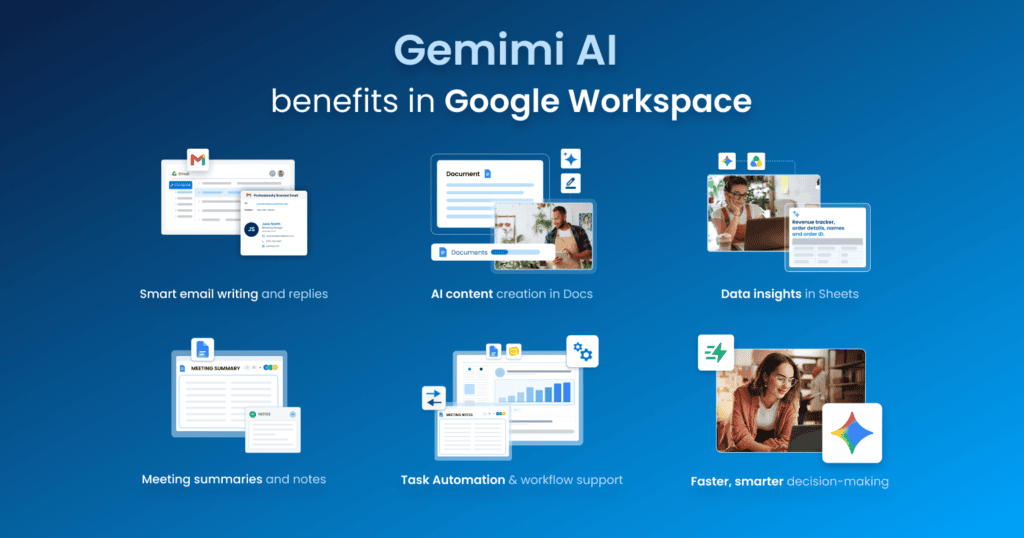
Here’s how Gemini AI enhances productivity and transforms the way teams work within Google Workspace.
1. Smart email writing and replies
Gemini AI in Gmail helps draft emails, suggest replies and refine tone instantly. It saves time on repetitive communication while ensuring messages sound clear and professional.
2. Faster content creation in Docs
With Gemini AI, you can generate drafts, summaries and ideas directly inside Google Docs. It helps overcome writer’s block and speeds up content creation for reports, proposals and more.
3. Data insights in Sheets
Gemini AI can analyze data, suggest formulas and highlight trends in Google Sheets. This makes data interpretation easier, even for non-technical users.
4. Meeting assistance in Meet
Gemini AI enhances meetings by helping with note-taking, summaries and key highlights. It ensures nothing important is missed and reduces the need for manual follow-ups.
5. Workflow automation and efficiency
Gemini AI helps automate repetitive tasks, organize information and streamline workflows across tools. This allows teams to focus more on strategic work rather than routine tasks.
6. Better decision-making with AI insights
By providing quick summaries, suggestions and contextual insights, Gemini AI helps teams make faster and more informed decisions without digging through large amounts of information.
Final thoughts
Google Workspace provides a cohesive environment where collaboration and growth happen naturally. Overall, the suite transforms how teams interact by centralizing communication and documentation in one secure space. These applications help teams stay organized while providing the professional image necessary to build trust with clients through custom email addresses and reliable collaboration tools.
Choosing the right productivity tools determines how effectively a business scales. By focusing on integrated workflows and shared storage, your company can reduce friction and spend more time on strategic objectives. Every feature within the ecosystem works together to support a modern workforce that values flexibility and speed.
You can simplify your business operations by integrating these professional tools directly with your website hosting. Sign up for Google Workspace by Bluehost to access professional email, secure cloud storage and AI powered productivity tools that help your team build with confidence.
FAQs
Google Workspace is used for business communication, collaboration, file storage and productivity. It includes tools like Gmail, Google Drive, Docs, Sheets, Meet and Calendar that help teams work efficiently in one place.
Yes, Google Workspace offers additional features like custom domain email, increased storage, enhanced security and admin controls, making it more suitable for businesses compared to free Gmail.
Yes, Google Workspace is designed for businesses of all sizes, including startups and small teams. Its scalability makes it easy to start small and expand as needed.
Yes, Google Workspace includes cloud storage through Google Drive, allowing users to store, access and share files securely from anywhere.
Bluehost simplifies the setup process by integrating Google Workspace with your domain. It reduces technical complexity and allows businesses to quickly create professional email and start using collaboration tools.

Write A Comment