 ChatGPT,
 Claude,
 Gemini,
 Grok — all four for
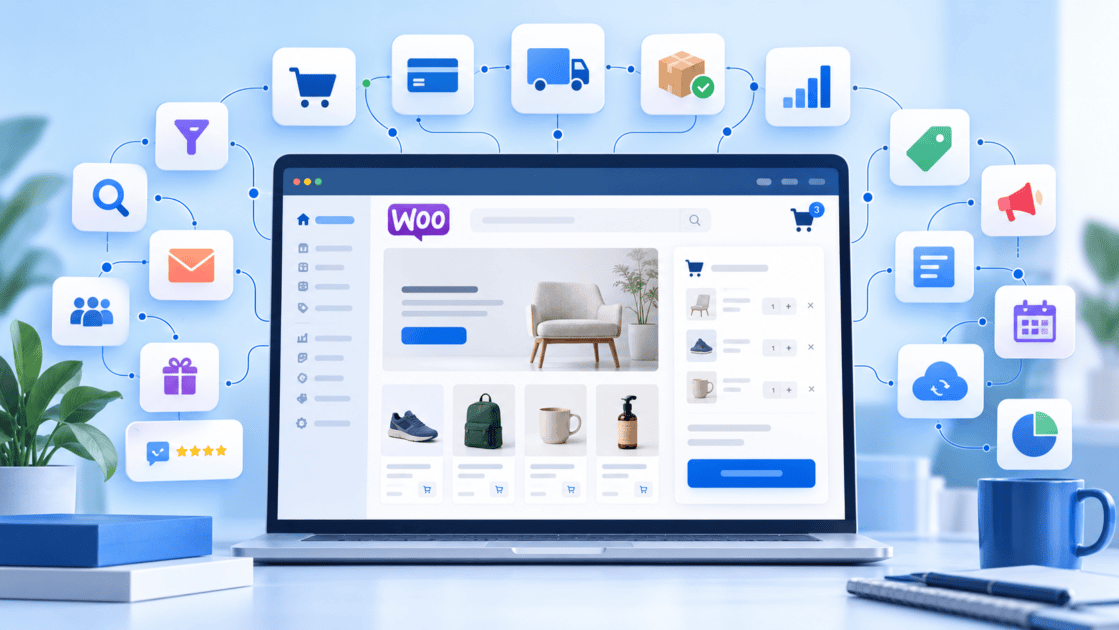
WooCommerce gives online sellers significant flexibility, but that flexibility can also make store setup more complicated. As businesses add subscriptions, bookings, customer reviews, gift cards, product customization and other functionality, they often need to find, install and configure multiple plugins.
Bluehost’s approach is designed to reduce that setup burden. By combining WooCommerce with a curated suite of 16 premium eCommerce plugins, Bluehost gives sellers access to commonly needed commerce capabilities without requiring them to build their entire plugin stack from scratch.
The product lesson is simple: simplifying WooCommerce does not mean limiting what sellers can do. It means making powerful eCommerce functionality easier to access, understand and use.
Key facts
- Bluehost WooCommerce Hosting is designed to help sellers launch and manage an online store through a guided experience.
- Bluehost’s WooCommerce offering includes a suite of premium eCommerce plugins that support common online-selling workflows.
- These capabilities can support subscriptions, memberships, bookings, gift cards, product discovery, reviews, customer engagement and checkout optimization.
- Different businesses can use different combinations of commerce tools depending on their business model.
- Bluehost combines WooCommerce tools with hosting, security, performance and WordPress management capabilities.
- The overall goal is to reduce the amount of technical setup required before a seller can focus on products, customers and growth.
Why WooCommerce setup can become complicated
WooCommerce provides the foundation for turning a WordPress website into an online store. For many businesses, however, installing WooCommerce is only the beginning.
A subscription business may need recurring payment functionality. A consultant may need customers to book appointments online. A retailer may want gift cards, product reviews and wishlists. A creator may want to sell memberships or online courses.
Also read: Best WooCommerce Subscription Plugins for 2026
WooCommerce can support these use cases because of its extensible plugin ecosystem. That flexibility is one of its major strengths.
At the same time, it introduces more decisions for the merchant.
Which plugin should you choose? Will it work with the rest of the store? How should it be configured? Does another license need to be purchased? Which features should be enabled first?
For an experienced WooCommerce developer, that level of control can be valuable. For a small business owner trying to launch a first store, it can create unnecessary friction.
That is the broader setup challenge Bluehost aims to address.
Lesson 1: Build around merchant goals, not plugin names
An eCommerce platform can easily become a collection of features and extensions. Sellers, however, rarely think about their businesses in terms of plugin names.
They think about outcomes.
They want to sell subscriptions. They want customers to book an appointment. They want shoppers to find products more easily. They want to encourage repeat purchases. They want to improve the checkout experience.
That difference matters when designing a WooCommerce experience. Rather than requiring sellers to start with a list of extensions, commerce functionality can be organized around the business goals those tools help accomplish.
Bluehost’s WooCommerce positioning reflects this approach. Its commerce toolkit supports needs such as subscriptions, memberships, courses, affiliate programs, gift cards, bookings, product customization, reviews and customer engagement.
The broader product lesson is clear:
The plugin provides the functionality, but the merchant goal should define the experience.
Lesson 2: Installation is only one part of setup friction
Installing a WordPress plugin is relatively straightforward. Building a complete eCommerce stack is more complicated. A merchant creating a store independently may need to research multiple plugins, compare features, check compatibility, purchase licenses, install extensions and configure each tool.
That process adds work before the business has even started using the functionality.
A more streamlined approach changes the starting point.
Instead of moving through:
Install WordPress → install WooCommerce → research plugins → install plugins → configure the store
the experience can move closer to:
Start with a commerce-ready environment → configure the store around the needs of the business
That is an important distinction.
Reducing setup friction is not simply about reducing the number of clicks required to install software. It is also about reducing the number of technical decisions a merchant has to make before they can begin selling.
Lesson 3: Multiple plugins should feel like one commerce system
Including multiple plugins does not automatically make WooCommerce easier to use.
In fact, a collection of disconnected plugins can create more complexity if merchants need to learn a completely different workflow for every capability.
The better approach is to think about how those tools support a complete customer journey.
A product filtering tool can help shoppers find the right item. Product add-ons can allow them to customize it. Reviews can provide additional information before purchase. A wishlist can help preserve buying intent. A streamlined checkout can reduce friction when the customer is ready to order.
Each feature addresses a different task, but together they support the same commerce journey.
That leads to an important product principle:
The value of a plugin stack should be measured by how well it supports the customer journey, not simply by how many features it includes.
Lesson 4: Different businesses need different combinations of tools
There is no single WooCommerce configuration that works for every online business.
A membership site has different requirements from a retail store. A consultant offering appointments needs different functionality from a merchant selling physical products. A creator selling educational content may need a different combination again.
For example, a creator could combine memberships, subscriptions and paid courses.
A service business could prioritize bookings, customer communications and account management.
A retailer might focus on product filters, wishlists, customer reviews, gift cards and shipping.
A store selling customizable products may rely more heavily on product add-ons and comparison functionality.
The strength of WooCommerce is that these businesses can build different experiences on the same underlying WordPress ecosystem.
The product challenge is therefore not to make every merchant use every tool.
It is to make relevant capabilities easy to access when the business needs them.
Lesson 5: Make advanced capabilities available without making setup overwhelming
A new merchant usually needs fewer tools on the first day than they will need as the business grows.
The initial priorities may be relatively simple:
- Build the store.
- Add products or services.
- Configure payments.
- Set up shipping or delivery.
- Start selling.
Over time, the business may introduce subscriptions, loyalty programs, bookings, advanced product discovery or other functionality.
A streamlined WooCommerce experience should support both stages.
The goal is to make it easy to start without limiting what the merchant can do later.
This is where a curated plugin approach becomes valuable. Sellers can begin with the capabilities that matter immediately and expand into additional functionality as their business model becomes more sophisticated.
The principle is straightforward:
Advanced functionality should be available when needed, but it should not become a requirement for getting started.
Lesson 6: Good eCommerce tools improve both store management and shopping
It is easy to evaluate WooCommerce plugins only from the merchant’s perspective.
However, many commerce capabilities are valuable precisely because they improve the experience for both the business and the customer.
Product filtering can make a large catalog easier to navigate.
Wishlists can help shoppers save products for later.
Customer reviews can provide additional information during the buying process.
Product add-ons can enable more personalized purchases.
Gift cards create another way for customers to buy.
Booking functionality can simplify the process of purchasing services.
A more efficient checkout can make completing an order easier.
These tools may solve different problems, but they all contribute to a smoother commerce experience.
A useful question when evaluating any eCommerce capability is therefore:
Does this make the store easier to operate, easier to buy from or both?
The strongest commerce tools often accomplish both.
Lesson 7: Store infrastructure is part of the eCommerce experience
WooCommerce setup does not stop at plugins.
The store still depends on the website infrastructure underneath it.
Customers need to be able to access the store. Pages and product information need to load efficiently. Transactions need appropriate security protections. Merchants need ways to test changes before pushing them to the live site.
That means the hosting environment is part of the overall eCommerce experience.
Bluehost’s WooCommerce positioning combines commerce functionality with features such as SSL, malware scanning, malware detection and removal, a web application firewall, DDoS protection, backups and WordPress staging.
Bluehost also provides WordPress-focused hosting capabilities such as caching, CDN functionality, managed WordPress updates and access to expert support.
The question for merchants therefore becomes larger than simply choosing plugins.
It becomes:
What foundation does my business need to build, operate and grow an online store?
What a 16-plugin approach changes
The value of an integrated commerce toolkit is not simply that the merchant receives more features.
It changes how the seller approaches WooCommerce.
A completely DIY WooCommerce implementation often starts with an open-ended question:
What should I add to my store?
A curated commerce environment allows the merchant to begin with a more practical question:
What does my business need to accomplish?
If the goal is recurring revenue, subscriptions may be relevant.
If the goal is selling expertise, memberships or paid courses may make sense.
If the business sells appointments or services, booking functionality becomes important.
If the goal is repeat purchasing, gift cards, wishlists or customer engagement tools may help.
If customers need more control over what they purchase, product add-ons can support greater customization.
The experience moves away from plugin discovery and toward business configuration.
That is ultimately what streamlining WooCommerce should achieve.
Bluehost WooCommerce Hosting vs. building a plugin stack yourself
A completely DIY WooCommerce setup can make sense for experienced developers and businesses with highly specific technical requirements.
It provides significant control over which plugins are selected, how they are configured and how the overall WordPress environment is maintained.
The tradeoff is that the merchant or developer takes responsibility for more of the research, setup and ongoing management.
Bluehost WooCommerce Hosting takes a more packaged approach. It combines WooCommerce with a curated set of commerce capabilities, guided onboarding and hosting infrastructure intended to help sellers reach a functional starting point faster.
The flexibility of WooCommerce remains important.
What changes is the amount of work required before the merchant can begin using that flexibility to run the business.
Final thoughts
WooCommerce’s extensibility is one of its greatest strengths. The challenge is making that flexibility accessible without requiring every business owner to become their own plugin architect.
Bluehost’s approach to WooCommerce brings together guided setup, commerce functionality, hosting, performance and security within one WordPress-focused environment. Its eCommerce positioning is designed around helping sellers build a powerful online store while reducing some of the setup work that would otherwise need to be handled independently.
The real measure of a streamlined WooCommerce experience is not simply how many plugins are included.
It is how effectively those tools help a merchant move from:
“How do I build this?”
to:
“How do I grow this?”
Explore Bluehost WooCommerce Hosting to build an online store with WooCommerce and integrated eCommerce tools designed to support your business as it grows.
FAQs
WooCommerce provides the core commerce platform, while plugins extend it for specific business requirements. Plugins can add functionality for areas such as subscriptions, bookings, memberships, reviews, product customization, gift cards and customer engagement.
A curated toolkit can reduce the amount of research, installation and configuration merchants need to complete independently. It gives sellers a more practical starting point for building common commerce workflows.
No. Different stores have different requirements. The benefit of a broader commerce toolkit is that merchants can use the capabilities relevant to their business rather than having to find new solutions every time a requirement emerges.
The functionality can support a range of business models, including traditional product stores, subscription businesses, membership sites, course creators and appointment-based businesses.
The main benefit is reducing setup complexity. Merchants can start with more of their commerce foundation already available instead of treating hosting, WooCommerce and individual plugins as separate projects.
Yes. WooCommerce remains an extensible WordPress commerce platform. A curated starting point can simplify common workflows while still allowing businesses to extend their store as requirements change.

Write A Comment