 ChatGPT,
 Claude,
 Gemini,
 Grok — all four for
Key highlights
- Understand how to set up a professional domain-based email for agencies to build instant credibility and foster trust with your target audience.
- Learn the essential steps for selecting and purchasing a domain name that aligns with your brand’s long-term identity.
- Explore the top email service providers to find a reliable solution that supports your business growth and communication needs.
- Uncover the technical requirements for domain authentication to ensure your emails are delivered securely and avoid spam filters.
Think about it! Which email inspires more confidence: [xyzz]@[gmail].[com] or [xyzz]@[youragency].[com]? Your email address appears on every proposal, invoice, client communication and marketing material. It’s a 24/7 advertisement for your professionalism or lack thereof.
This comprehensive guide will walk you through everything you need to know about how to buy an email for new business, including how to buy a domain, set up professional email addresses and avoid common pitfalls that trip up new agencies.
Whether you’re starting fresh or finally making the switch from free email providers, you’ll learn exactly how to get a domain email that elevates your agency’s brand and builds trust with every message you send.
Understanding domain-based email and why it matters for agencies
A domain-based email is simply an email address that uses your own custom domain name rather than a generic provider like Gmail, Yahoo or Outlook. Instead of [yourname]@[gmail].[com], you get [yourname]@[youragency].[com]. This seemingly small change makes a massive difference in how clients, partners and prospects perceive your agency.
For agencies specifically, professional email addresses serve multiple critical functions. First, they establish immediate credibility. When a potential client sees an email from [contact]@[creativestudio].[com] rather than [creativestudionyc123]@[gmail].[com], they perceive an established, legitimate business.
Second, domain-based emails strengthen your brand with every interaction. Your domain name appears in every sent message, reinforcing brand recognition organically.
Also read: How to Choose a Professional Email Address for Your Business
What are the benefits of buying your own email domain?
- Professional appearance: Custom email domains signal that you’re serious about your business and have invested in proper infrastructure
- Brand consistency: Your domain appears across your website, business cards, social profiles and every email you send
- Enhanced security: Business email solutions typically offer better spam filtering, encryption and security features than free alternatives
- Complete control: You own your email infrastructure and aren’t subject to policy changes from free providers
- Scalability: Easily add team members with consistent email addresses as your agency grows
- Better deliverability: Emails from custom domains are less likely to land in spam folders compared to free email addresses
The distinction between free and professional email extends beyond appearances. Free email providers scan your messages for advertising purposes, offer limited storage and provide minimal support when issues arise.
Business email solutions give you dedicated support, robust security measures and features designed specifically for commercial use. For agencies managing client communications, proposals and confidential information, these differences aren’t just nice-to-have, they’re essential.
Taking the next step toward professional domain-based email for agencies
Moving from free services to domain-based email for agencies is a strategic decision that enhances your credibility, security and branding while improving operational efficiency. Every professional email sent reinforces that your agency is a legitimate, established business worth the investment.
| Feature | Agency benefit |
|---|---|
| Credibility | Builds instant trust with potential clients |
| Security | Protects sensitive data and operational efficiency |
| Branding | Maintains a consistent and professional identity |
Learning how to buy a domain and email has been simplified by modern hosting providers. These services offer bundled setup tools, ensuring you don’t need technical expertise to get professional email running for your business quickly and effectively.
Your email domain is a long-term investment. By selecting a provider that supports scalability, you ensure the overall growth of your agency is never hindered.
Bluehost provides integrated solutions to streamline this transition, offering everything needed to secure your domain and professional email in one workflow. Don’t let generic accounts undermine your agency; start building a professional foundation today that matches your ambition.
What are the steps to purchase a domain name from Bluehost?
Securing your digital identity is a straightforward process when you follow a structured approach. Here is the most efficient workflow to buy a domain from Bluehost and set the foundation for your agency’s online presence:
- Head to our domain name search page and type the domain name you want into the search field.
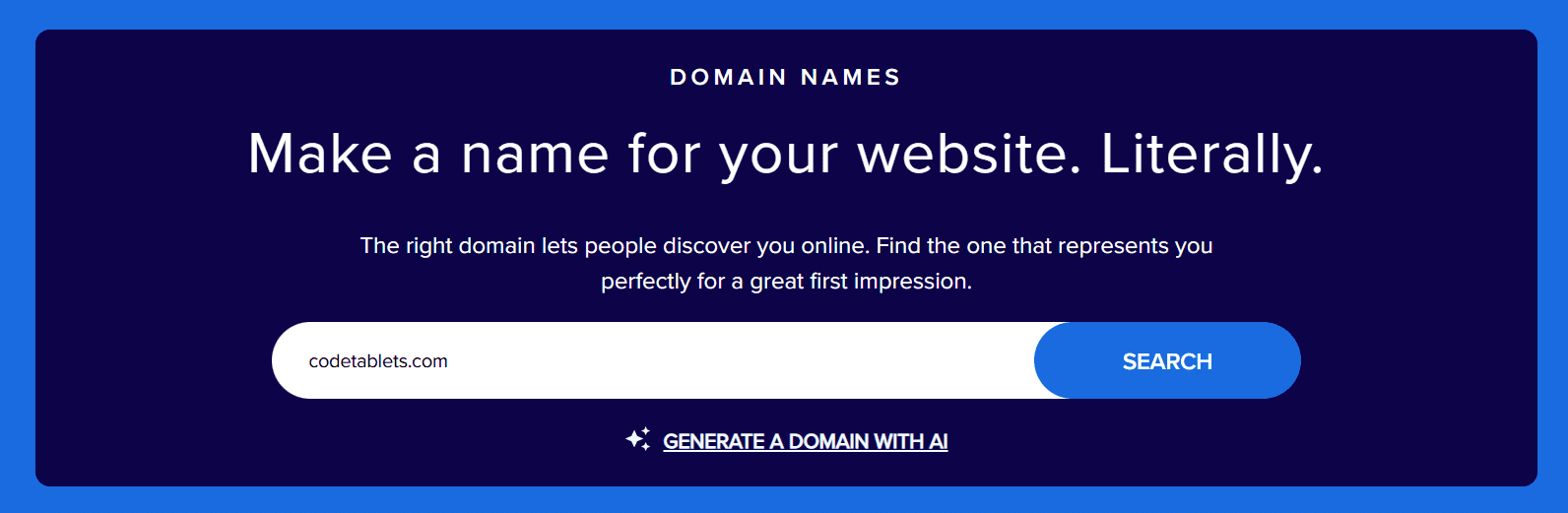
2. Check availability or explore variations if your first choice is taken.
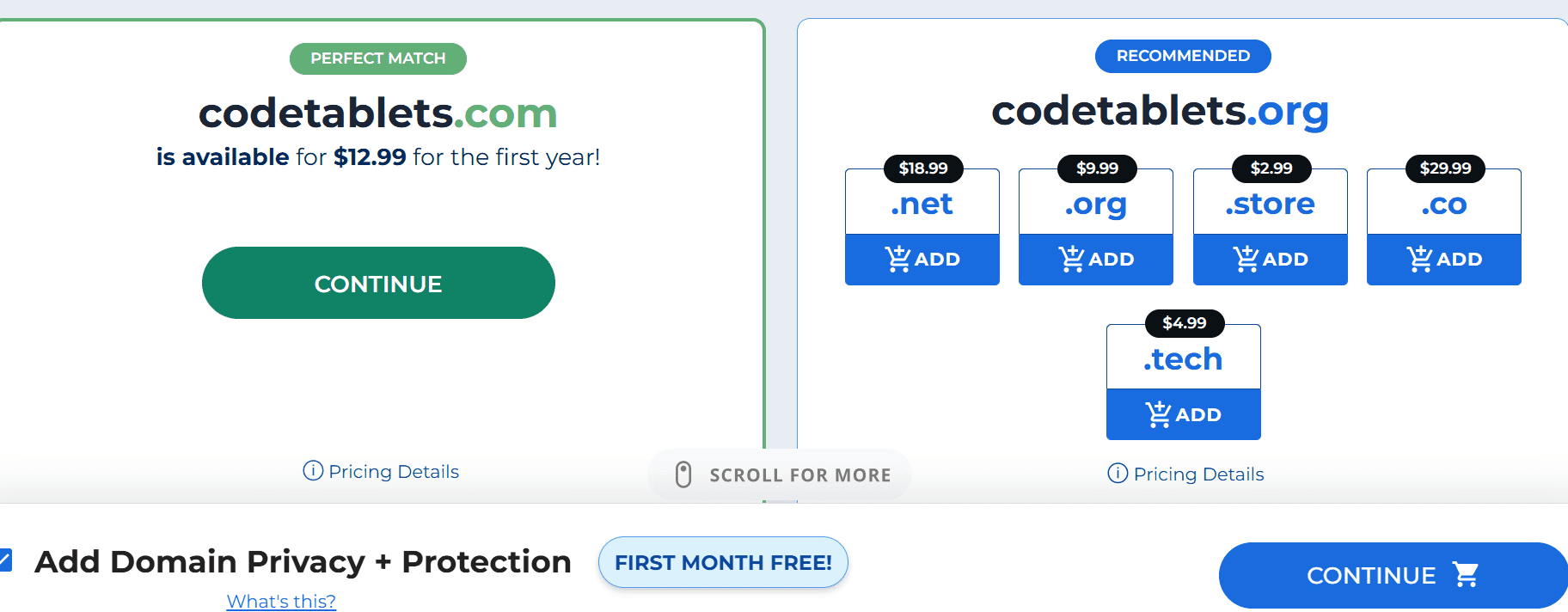
3. Complete the checkout process to secure your name instantly. Finalize the transaction to ensure your brand name is locked in and ready for use.
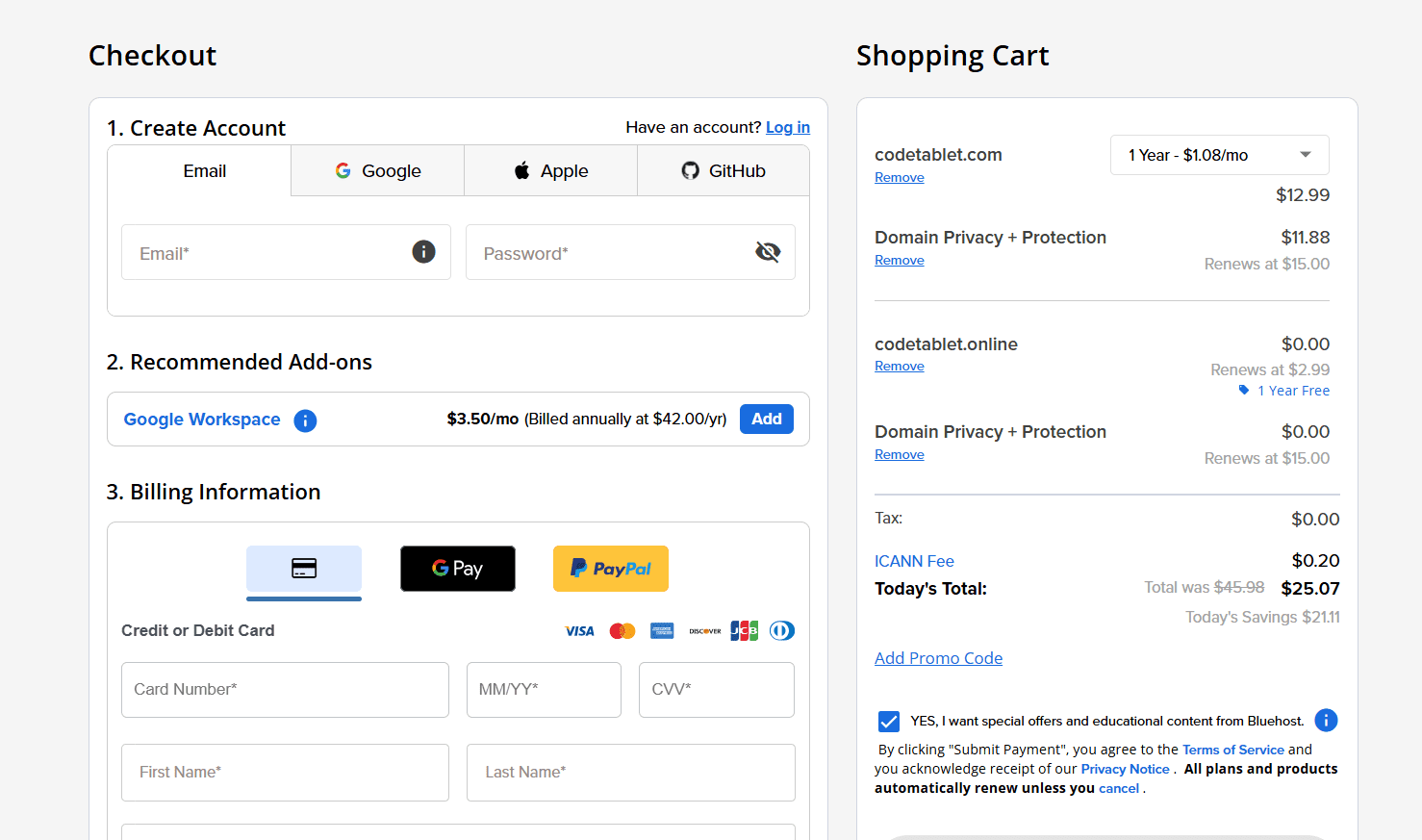
Pro tip: While you can purchase a domain separately, combining it with your hosting plan is often the smartest route for those learning how to buy an email for new business. This method eliminates the need to manually point DNS records, allowing you to focus on building your site rather than troubleshooting technical settings.
It’s time to secure your domain. Search now!
How to purchase a professional email?
This guide will show you how to create a professional email address, step-by-step, starting with logging in to your Bluehost account.
- Head to Bluehost account manager.
- Look around the dashboard for a section called “Email”. It is on the left side of your screen and click on it.
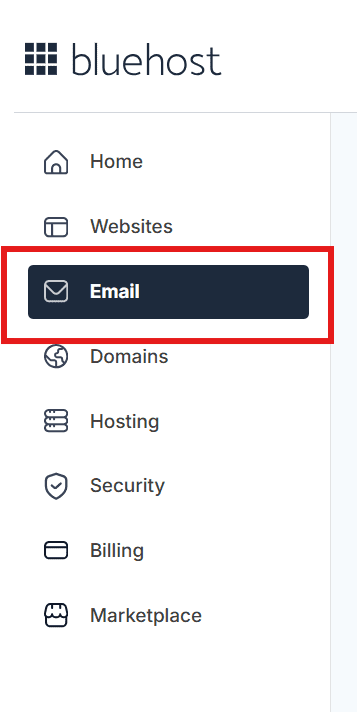
3. You will land to “Professional Emai” section. Click on “Choose A Plan”.
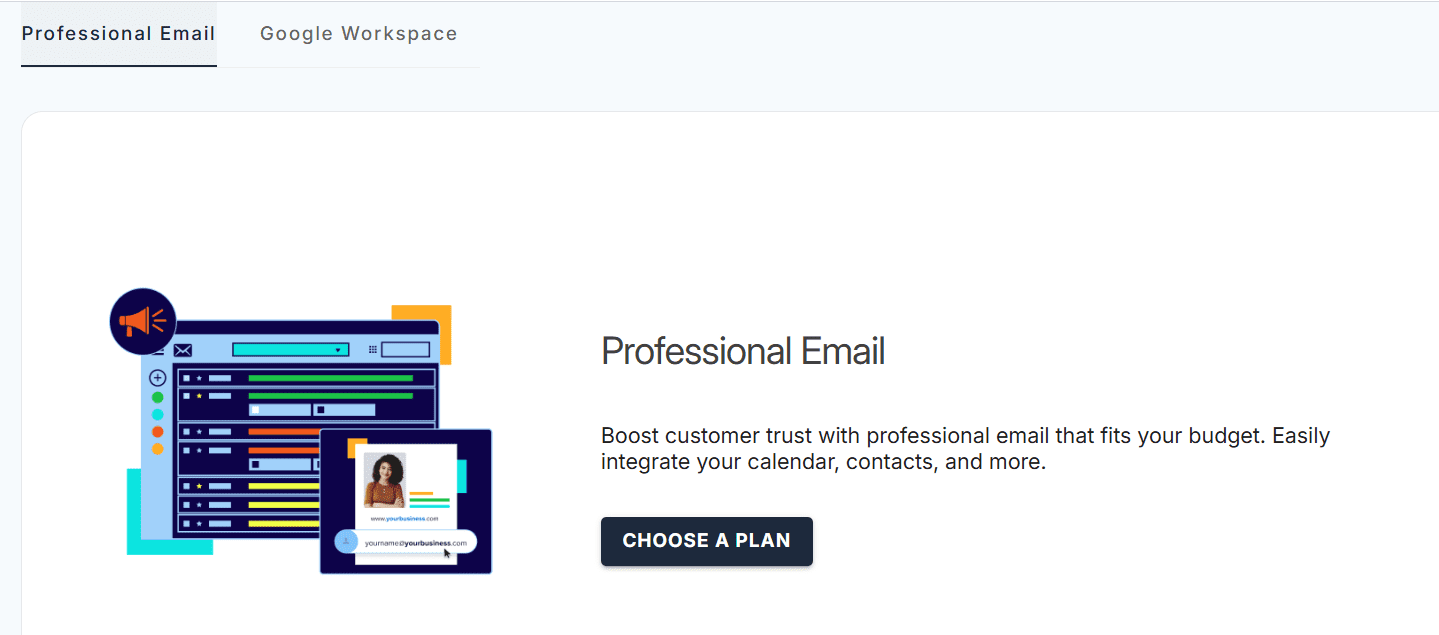
4. The three plans that we offer will pop up like this.
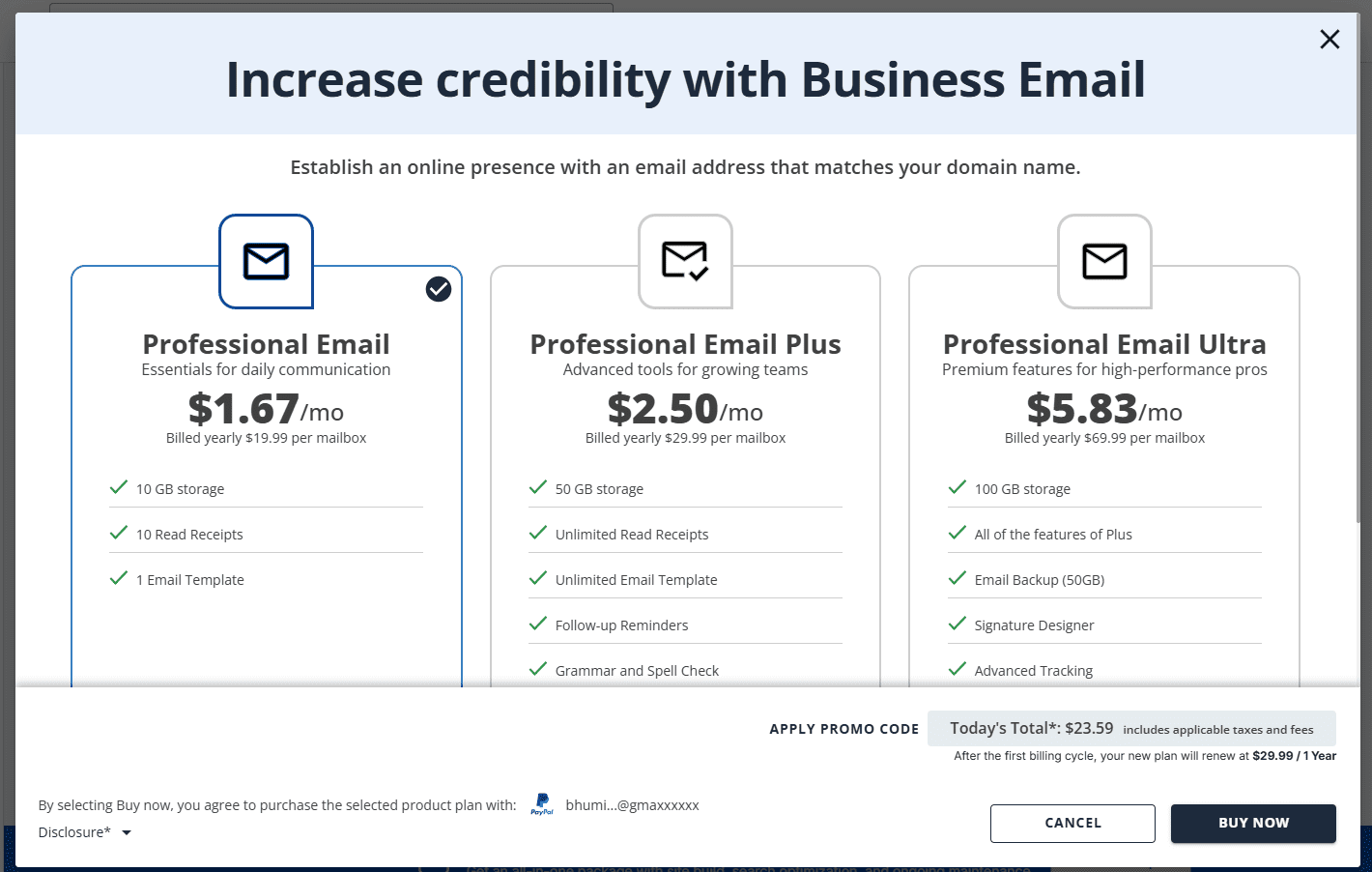
5. Complete the checkout process to claim your professional email.
Bluehost is there for all your professional email needs! Explore now!
Best practices for agency email structure
How you structure your email addresses affects both functionality and professionalism. Every agency should have at least these core addresses:
- [info]@[youragency].[com]: A general contact point for inquiries that can be monitored by multiple team members
- [contact]@[youragency].[com:] Alternative general contact or use [hello]@, which feels more personable)
- [support]@[youragency].[com]: Dedicated channel for client support requests
- Individual addresses: [firstname]@[youragency].[com] or [firstname].[lastname]@[youragency].[com] for each team member
Consider creating role-based addresses for different functions: [billing]@, [projects]@, [careers]@ or [partnerships]@. These addresses can forward to the appropriate team members while presenting a polished, organized front to the outside world. They also allow for smoother transitions when roles change, you update the forwarding rather than asking clients to use a new address.
Configuring email on your devices
After you buy business email services, you’ll want to access them across all your devices. Most email providers offer detailed setup guides for popular email clients and mobile devices. You’ll typically need your full email address, password and incomingoutgoing mail server addresses (provided by your host).
For mobile setup, both iOS and Android devices have built-in email apps that work with any standard business email account. Simply add a new account, select “Other” or “Manual setup,” and enter your credentials. Most modern hosting platforms also offer webmail interfaces accessible from any browser—useful when you’re on the go or using a shared computer.
Google Workspace vs Professional Email: What’s the difference?
Bluehost offers two email services that cater to different business needs: Google Workspace and Professional Email.
Google Workspace is a comprehensive suite of tools designed to enhance team collaboration and efficiency. It features Gmail for Business, allowing you to create professional email addresses using your own domain name while maintaining the familiar and user-friendly Gmail interface.
- Cloud storage starting at 30GB per user with scalable options available as your needs grow.
- Real-time collaboration tools including Google Docs, Sheets and Calendar.
- Integrated video conferencing capabilities through Google Meet.
- Advanced security features like two-step verification and centralized domain controls to keep data safe.
On the other hand, the Professional Email service focuses on providing the essential features needed for business communication. This option allows you to set up custom email addresses like [yourname]@[yourdomain].[com], which helps maintain a credible and professional appearance for your brand.
- A straightforward and intuitive interface for efficient message management.
- Built-in security protections, including robust spam filtering and virus protection.
- Sufficient storage for business emails with easy options to upgrade.
- Access to dedicated customer support to ensure help is available when you need it.
Overall, both options have distinct strengths depending on your business requirements. Google Workspace excels in providing integrated collaboration tools and expansive storage, while Professional Email offers a secure and focused way to manage communications. Your choice will ultimately depend on your budget and how you prefer to handle your business workflow.
Also read: Google Workspace benefits for business: pricing, plans and perks
Why agencies must avoid free email addresses?
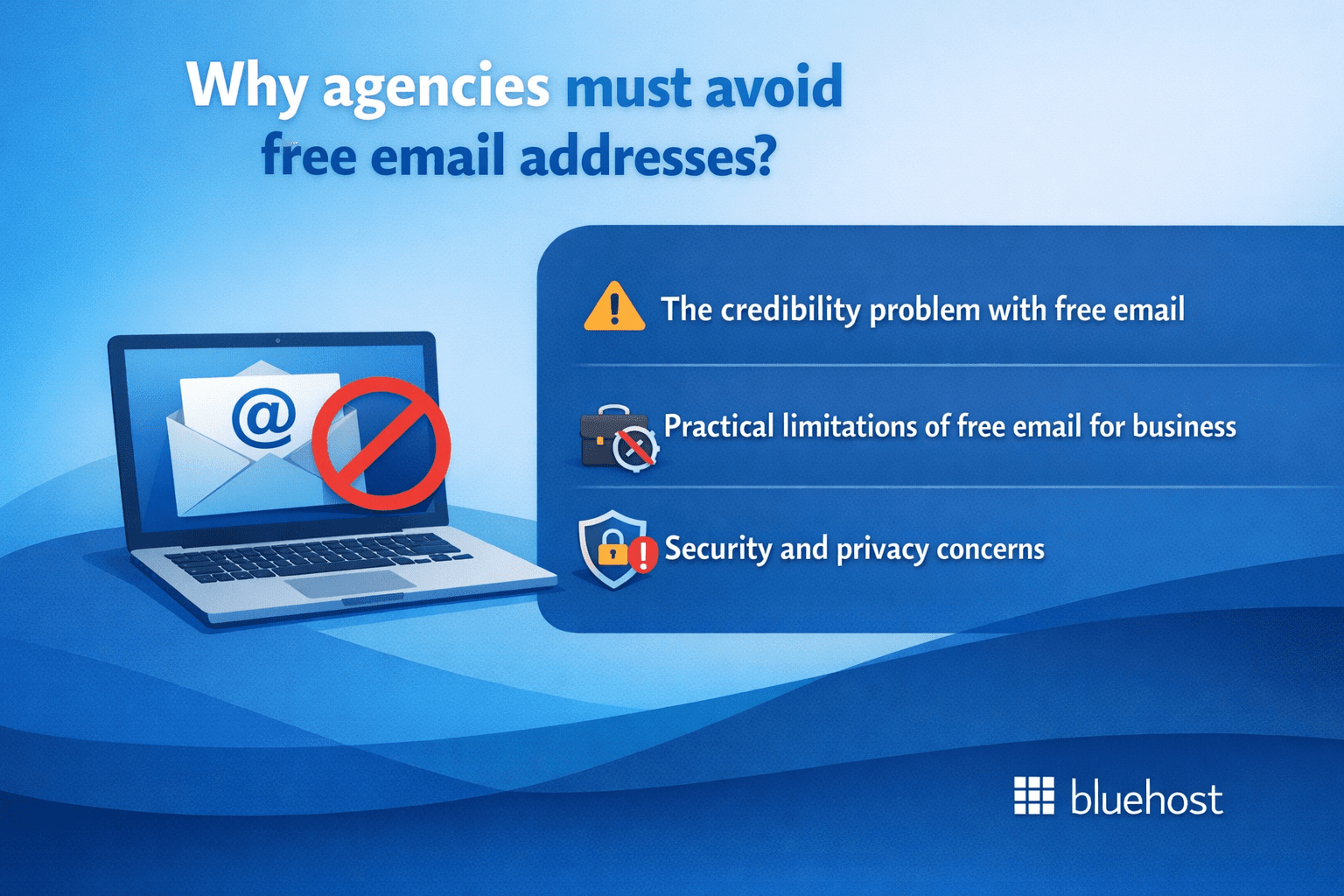
The list of freemail domains is extensive: Gmail, Yahoo, Outlook, AOL and dozens of others. While these services work fine for personal communication, using them for your agency sends problematic signals to potential clients and creates practical limitations that impact your business.
1. The credibility problem with free email
When a potential client receives a proposal from [johnsmith]@[gmail].[com] instead of [john]@[smithagency].com, they subconsciously question your legitimacy. Are you a hobbyist? A side hustle? A fly-by-night operation? Professional services demand professional presentation. Your email address appears on literally every message you send, why would you choose to undermine your credibility with each interaction?
Free email addresses also create confusion. Is that Gmail account really associated with your agency or could it be anyone claiming to represent you? With a domain-based email, there’s no ambiguity. Every message clearly comes from an official representative of your registered business.
2. Practical limitations of free email for business
Beyond perception, free email services impose real constraints on business users. You have no control over the service, providers can change terms, discontinue services or suspend accounts with little notice. Your business email shouldn’t depend on the whims of a free provider’s policy changes.
Free services also lack features businesses need. Try setting up a professional email signature with your agency branding in a free account, you’ll hit limitations quickly. Need to send emails to large contact lists? Free providers impose strict sending limits. Want priority support when email stops working during a critical proposal deadline? Free users wait in line behind paying customers or get redirected to help forums.
3. Security and privacy concerns
Free email providers make money by analyzing your communications for advertising purposes. While they’ve moved away from showing ads directly based on email content, the scanning continues for other purposes. Do you really want an algorithm analyzing confidential client communications, proprietary strategies and sensitive business information?
Business email solutions offer enhanced security features including advanced spam filtering, mandatory encryption and compliance tools required for handling client data. When you buy email account services designed for businesses, you get infrastructure built for commercial use rather than consumer convenience.
Also read: How to Create a Business Email for Free: 2026 Guide
Best practices for managing your agency’s email domain
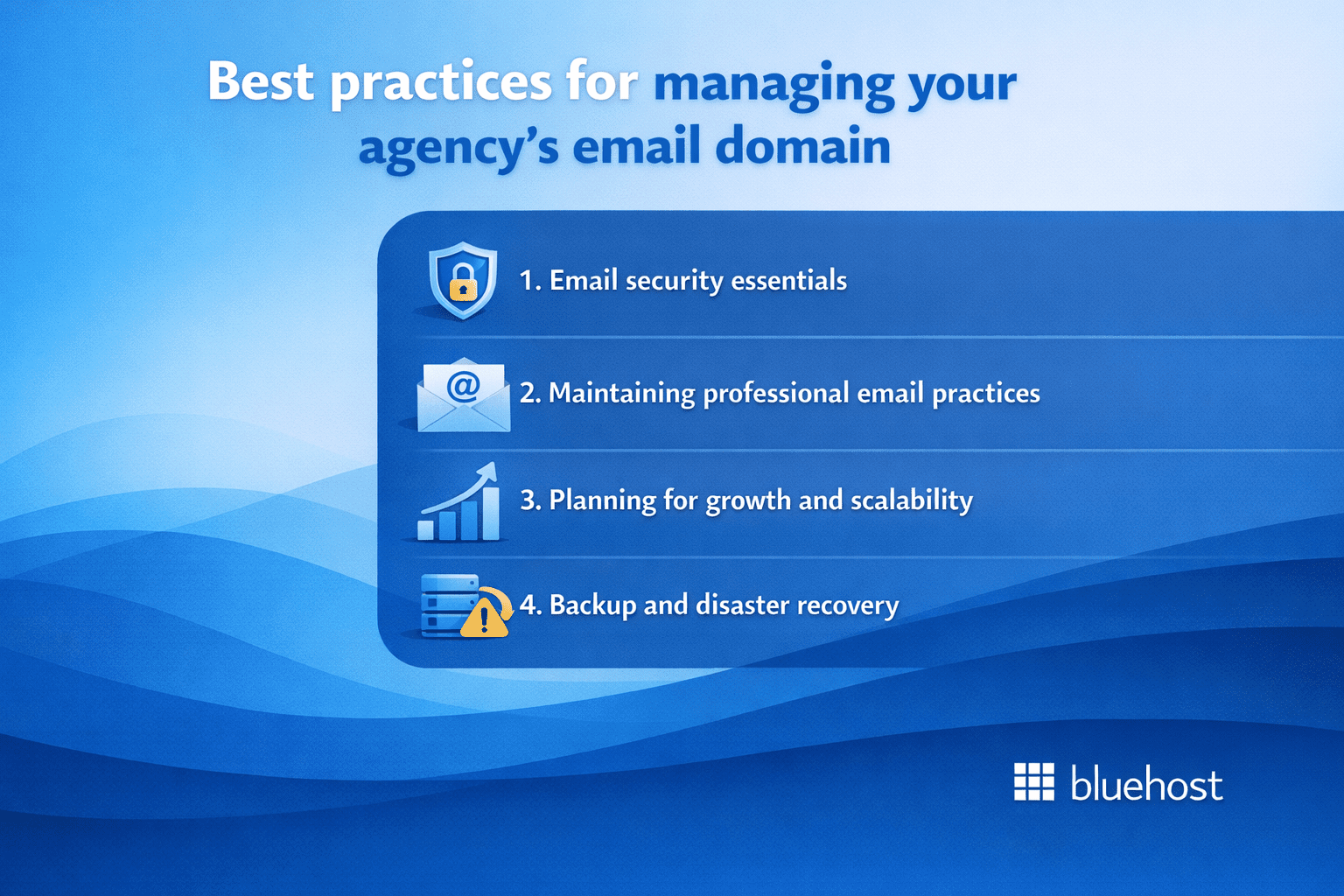
Successfully purchasing email address services is just the beginning. How you manage and utilize your domain-based email determines whether it becomes a powerful business asset or just another checkbox on your setup list.
1. Email security essentials
Implement strong password policies for all email accounts. Each team member should use a unique, complex password, ideally managed through a password manager. Enable two-factor authentication wherever available to add an extra security layer against unauthorized access. Remember, your email account is often the gateway to password resets for other business services, making it a high-value target for attackers.
Regularly review who has access to which email accounts. When team members leave or change roles, immediately revoke access to agency email accounts. For shared addresses like [info]@ or [support]@, change passwords periodically and limit access to only those who truly need it.
Also read: How to Enable and Disable Two Factor Authentication
2. Maintaining professional email practices
Create email signature templates that all team members use consistently. Include your name, position, agency name, website URL and phone number. Consistent signatures reinforce brand recognition and make it easy for recipients to contact you through their preferred channel.
Establish response time expectations for different types of inquiries. Clients who email [info]@ or [contact]@ should hear back within 24 business hours at minimum. Set up auto-responders for general inquiry addresses that acknowledge receipt and set expectations: “Thanks for contacting Creative Agency. We’ll respond within one business day.”
Also read: How to Write a Professional Email (Real Examples and Pro Tips)
3. Planning for growth and scalability
As your agency grows, your email needs will evolve. Choose email hosting solutions that scale easily, you don’t want to migrate to a new provider because you hit arbitrary mailbox limits. Look for providers that make it simple to add new addresses, increase storage and integrate with team collaboration tools.
Consider how your email system integrates with other business tools. Can you connect it to your CRM for tracking client communications? Does it work with project management platforms your team uses? Integration capabilities become increasingly important as your agency matures and your tech stack expands.
4. Backup and disaster recovery
Your email contains irreplaceable business communications, contracts, approvals and client history. Don’t rely solely on your email provider’s infrastructure. Implement a backup strategy, many email clients can archive messages locally or you can use dedicated email backup services.
If your email hosting ever experiences issues or you need to migrate providers, having complete backups prevents data loss and business disruption.
Final thoughts
Your agency’s digital identity depends on a custom email address that commands respect. Switching to domain-based email for agencies signals to clients that you are secure and professional, turning every message into a branding opportunity that builds immediate trust and sets you apart in a crowded inbox.
Ready to launch? Claim your custom domain and professional email from Bluehost to establish a seamless, expert presence from day one. By securing both through Bluehost, you gain the reliability and support needed to scale your agency and project the expert image your clients expect.
FAQs
To buy an email for your new business, you first need to register a domain name through a reliable hosting provider like Bluehost. Once your domain is secured, you can create professional email accounts directly from your dashboard or integrate with platforms like Google Workspace. Bundling your domain registration with a hosting plan is often the most efficient way to manage both your website and email infrastructure.
A .email extension serves as a direct call to action that clearly identifies the purpose of your communication channel to clients. Since traditional .com names are becoming scarce, this extension allows you to secure a memorable, domain-based email for agencies without resorting to complex variations. Using a specialized TLD like this helps your contact details stand out in crowded inboxes while signaling innovation.
Yes, you can seamlessly connect Microsoft 365 to your new domain to access essential tools like Outlook, Teams and Excel. The integration process requires updating your domain’s DNS settings within your hosting dashboard to replace default mail settings with Microsoft’s MX records. This configuration grants you full access to enterprise-grade productivity suites while maintaining your custom professional address.
Using a custom domain-based email establishes immediate credibility and professionalism compared to generic free email providers. It reinforces your brand identity with every message sent, ensuring clients recognize and trust your business communications. Additionally, owning your email domain provides greater control over your data and allows for scalable growth as your team expands.
Many hosting providers, including Bluehost, allow you to create professional email accounts as part of their hosting packages. By selecting a plan that includes a free domain for the first year, you can set up custom email addresses without incurring separate monthly fees immediately. This bundled approach simplifies the technical setup and reduces upfront costs for new business owners.

Write A Comment