 ChatGPT,
 Claude,
 Gemini,
 Grok — all four for
Key highlights
- Know how leading AI customer service automation tools differ across service businesses, eCommerce and enterprise support, so you can shortlist options based on your actual needs.
- Learn which customer service tasks AI can automate, from repetitive questions and ticket routing to lead qualification, appointment booking and 24/7 self-service.
- Understand how to choose the right AI customer service automation tool by evaluating your customer journey, business knowledge, integrations, resolution quality and ease of implementation.
- Explore how Bluehost AI Receptionist helps businesses answer customer questions, qualify leads and manage appointment bookings using business-trained AI.
Customer service automation used to mean chatbots that followed scripts and ticketing systems that routed requests. In 2026, the bar is much higher. Businesses are now using AI to answer questions, qualify enquiries, summarize conversations, schedule appointments, prioritize tickets and decide when a customer needs a human instead.
Some AI customer service automation tools are built for high-volume support teams, others for eCommerce or SaaS and some are better suited to small businesses that simply want to respond faster without adding more manual work.
This blog compares the best AI customer service automation tools based on what they actually help you automate. We’ll look at their standout capabilities, best-fit use cases and limitations so you can quickly narrow down which platform makes sense for your business.
Best AI customer service automation tools at a glance
Not every customer service automation tool solves the same problem. Some are built to deflect support tickets, others help agents work faster and newer AI agents can answer questions, take actions or move a customer toward a booking without waiting for your team.
Use this quick comparison to narrow the field before we look at each platform in detail.
| Tool | Best for | Key automation |
|---|---|---|
| Bluehost AI Receptionist | Service businesses, agencies and appointment-based teams | Answers business-specific questions, qualifies leads, captures prospects and manages appointment booking |
| Freshdesk | Support teams managing high ticket volumes | Ticket routing, AI responses, categorization and self-service |
| Zendesk | Enterprise customer service operations | Ticket automation, AI assistance, routing and support workflows |
| Intercom Fin | Conversational customer support | AI-powered answers, issue resolution and support workflows |
| Gorgias | eCommerce businesses | Order support, repetitive enquiry automation and eCommerce workflows |
| Tidio | Small businesses using live chat | Automated conversations, AI answers and chat workflows |
| Zoho Desk | Teams that need customizable workflows | Ticket routing, workflow automation and AI-assisted support |
| Help Scout | Human-led support teams | AI answers, self-service and agent assistance |
| Chatbase | Businesses building knowledge-trained AI agents | Answers from company content, actions and automated conversations |
| Ada | High-volume self-service operations | Automated resolutions, multi-step workflows and AI customer interactions |
For businesses that depend on enquiries, lead capture and appointments, AI Receptionist offers a more front-desk-focused approach by combining business-trained responses with lead qualification and calendar-based booking.
10 best AI customer service automation tools for 2026
The best AI customer service automation tools do more than generate replies. The strongest platforms can understand what a customer needs, use business context to respond, automate repetitive actions and know when a task should stay with your team.
Here’s how the 10 tools on our list compare when you look beyond the AI label.
1. Bluehost AI Receptionist
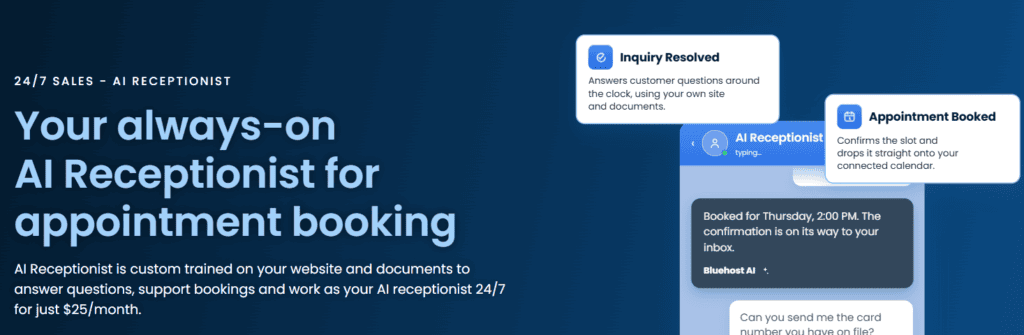
Bluehost AI Receptionist tackles the part of customer service that many smaller businesses struggle to cover consistently: the gap between someone arriving on your website and a member of your team being available to respond. It works as an always-available AI receptionist that can answer questions, capture and qualify leads and help customers book appointments.
Unlike a generic chatbot working from broad AI knowledge, AI Receptionist responds specifically to your services, policies and customer information rather than relying on a fixed collection of scripted answers. You can also customize its tone, personality and communication style to better match your brand.
Key automation features
- Answers repetitive customer and service questions 24/7
- Captures leads and helps qualify customer intent
- Guides prospects toward booking an appointment
- Supports booking, rescheduling and cancellation
- Uses real-time calendar availability and blackout dates
- Keeps its knowledge current as business content changes
- Tracks bookings, chat trends and lead volumes through analytics
AI capabilities: The agent draws from business-specific content and can carry on conversational interactions rather than forcing visitors through predefined menus. This makes it particularly useful when customers need an answer before deciding whether to book or take the next step.
Pros
- Strong fit for appointment and lead-driven businesses
- Combines customer Q&A, lead capture and scheduling
- Trained around your own business information
- Customizable brand voice
- No coding required
- Assisted implementation from Bluehost AI experts
- Can be used even when the website is hosted elsewhere
Best for: Small and service-based businesses, agencies, consultants and appointment-driven teams that want to automate front-desk conversations and convert more website visitors into booked appointments.
Also read: AI Receptionist vs Traditional IVR/Auto-Attendant
2. Freshdesk
Freshdesk combines a traditional help desk with Freddy AI, giving teams automation on both sides of the customer conversation. AI agents can handle customer requests directly, while Freddy AI Copilot assists human agents with tasks such as summaries, translations and suggested replies.
Key automation features
- AI-powered ticket categorization and prioritization
- Automatic routing by channel, skill or workload
- Automated ticket and workflow triggers
- AI-generated summaries and replies
- Self-service and knowledge base support
- Autonomous resolution of repetitive requests
AI capabilities: Freddy AI Agents can move beyond answering FAQs and take actions in connected systems, including updating records and handling common service workflows. When a human is needed, Freshdesk can pass the conversation across with its existing context.
Pros
- Strong combination of ticketing and AI automation
- Useful for both customer self-service and agent productivity
- No-code AI agent options
- Built for structured support operations
Considerations
- Its breadth may be more than a small business needs if the main goal is simply answering website questions and booking customers
- Getting full value from its AI and workflow capabilities requires more support-process configuration than a focused front-desk tool
Best for: Customer support teams that manage a steady volume of tickets and want AI to automate triage, routing, repetitive resolutions and agent busywork.
3. Zendesk

Zendesk places AI inside a broader customer service platform rather than treating it as a standalone chatbot. Its AI agents can understand customer requests, work through multi-step problems, perform authorized actions and route unresolved issues to the appropriate human team with context.
Key automation features
- Autonomous AI resolutions
- Intelligent ticket classification and routing
- Generative replies and ticket summaries
- Agent assistance through Copilot
- Automated multi-step service workflows
- Knowledge-powered self-service
- Quality assurance and AI performance analytics
AI capabilities: Zendesk’s agentic AI is designed to reason through customer problems and adapt as conversations develop instead of relying entirely on rigid dialogue trees.
Pros
- Built for sophisticated customer service operations
- Strong human-agent and AI-agent collaboration
- Omnichannel capabilities
- Advanced routing, analytics and quality controls
Considerations
- Likely more platform than a small team needs for straightforward front-desk automation
- The breadth of configuration and service features can add complexity for businesses without dedicated support operations
Best for: Larger support organizations that need AI automation across complex workflows, multiple channels and established customer service operations.
4. Intercom Fin

Fin is designed around autonomous customer conversations rather than simple scripted chatbot flows. It can answer questions, take part in workflows, triage enquiries and decide when a conversation should move to human support.
Key automation features
- AI-generated customer answers
- Automated triage
- Workflow-based actions
- Audience and channel targeting
- Configurable escalation rules
- Human handoff based on customer intent or predefined guidance
AI capabilities: Fin can interpret natural-language requests and use configured knowledge and procedures to determine how to respond or what action should happen next.
Pros
- Strong conversational experience
- Flexible escalation controls
- Works well alongside human support
- Good fit for digital product and SaaS customer journeys
Considerations
- Best suited to businesses already comfortable building their support operation around Intercom’s ecosystem
- More support-focused than appointment-driven
Best for: SaaS and digital-first businesses that want an AI agent to resolve customer questions conversationally while working alongside an existing support team.
5. Gorgias
Gorgias’ AI Agent is built specifically around eCommerce rather than generic customer service. It can use real-time information from systems such as Shopify, including order history, inventory, product catalogs and customer information, to automate support and shopping conversations.
Key automation features
- Automated order and product enquiries
- Shopper self-service
- Troubleshooting and exchange support
- Product recommendations
- Ticket routing based on topic, sentiment and capacity
- Brand-trained responses
AI capabilities: Its AI Agent is designed to understand eCommerce intent and take account of live store and shopper data rather than answering from a static FAQ alone.
Pros
- Purpose-built for eCommerce
- Combines sales and support automation
- Uses real-time store and order context
- Strong fit for Shopify-centered businesses
Considerations
- Its eCommerce specialization makes it less relevant for many professional or appointment-based service businesses
- Businesses outside online retail may not benefit from many of its strongest capabilities
Best for: eCommerce businesses that want AI to combine shopper support with product, order and customer data.
6. Tidio
Tidio combines live chat, help desk functionality and its Lyro AI Agent, giving smaller teams a relatively accessible path from basic chat into conversational customer service automation. Lyro can be trained using website content and other business information to answer common customer questions.
Key automation features
- Automated responses to repetitive questions
- Website chat
- AI-assisted self-service
- Lead and visitor conversations
- Live agent support alongside AI
- Customer service workflows
AI capabilities: Lyro uses conversational AI to provide responses from the business information supplied to it rather than relying only on predefined chatbot branches.
Pros
- Accessible for smaller support teams
- Combines AI with live chat
- Can learn from existing website content
- Useful entry point into customer service automation
Considerations
- Larger support organizations may need more advanced workflow and case-management depth
- Teams with highly specialized service processes should check whether Lyro’s integrations cover the actions they need to automate
Best for: Smaller businesses that want to introduce AI-powered website support without moving immediately to an enterprise help desk.
7. Zoho Desk
Zoho Desk’s Zia AI works across customer self-service, human-agent assistance and support administration. It can answer customer questions from a knowledge base, summarize tickets, analyze sentiment, help write responses and use predicted ticket information to trigger workflows.
Key automation features
- Knowledge-based Answer Bot
- Ticket summarization
- Sentiment and tone analysis
- Automated tagging and ticket-field prediction
- Workflow triggers
- AI-generated responses
- Autonomous Zia Agents
AI capabilities: Zoho combines generative AI with its existing support automation tools, allowing businesses to use AI for both customer-facing conversations and behind-the-scenes support tasks.
Pros
- Broad range of AI support features
- Strong workflow customization
- Combines agent assistance and customer-facing automation
- Useful for businesses already using Zoho
Considerations
- The number of capabilities and configuration options can take time to learn
- Businesses wanting a narrowly focused AI receptionist may find the full help desk approach heavier than necessary
Best for: Businesses that want AI assistance combined with configurable ticketing, workflow automation and the wider Zoho ecosystem.
8. Help Scout
Help Scout takes a measured approach to automation. Its AI Answers feature uses support content to respond to common website questions through Beacon, while its guardrails and handoff behavior allow teams to direct account-specific or more involved issues back to people.
Key automation features
- AI answers from support documentation
- Website self-service
- Relevant help-content recommendations
- Configurable guardrails
- Escalation to human support
- Knowledge improvement tools
AI capabilities: AI Answers uses the team’s support knowledge to handle straightforward questions while allowing businesses to refine how it answers and where it should stop automating.
Pros
- Keeps human support easy to access
- Straightforward knowledge-based automation
- Useful controls for AI responses
- Good fit for teams that prioritize personal service
Considerations
- Less focused on autonomous multi-system actions than some agentic AI platforms
- Businesses looking to automate complex operational workflows may require additional tools
Best for: Teams that want AI to reduce repetitive questions while keeping human customer support at the center of the experience.
9. Chatbase
Chatbase is focused specifically on creating customer-facing AI agents. Businesses can train an agent on their knowledge, deploy it without coding and use it across support, sales and product-guidance conversations.
Key automation features
- Knowledge-trained AI answers
- 24/7 customer support
- Automated customer email responses
- Customer-facing actions and workflows
- Human escalation
- Sales and product-guidance conversations
AI capabilities: Chatbase focuses on grounding AI responses in company information while providing controls designed to keep the agent aligned with business policies.
Pros
- Purpose-built for custom AI agents
- Strong knowledge-training capabilities
- No-code setup
- Flexible across support and sales use cases
Considerations
- Teams that need a complete traditional help desk may still need to pair it with other service software
- How useful the agent becomes depends heavily on the quality and completeness of the knowledge provided
Best for: Businesses that want to build and deploy an AI customer support agent around their own help content, policies and product knowledge.
10. Ada
Ada is built around high-scale autonomous service rather than simple FAQ deflection. Its AI agents can use business content, execute multi-step workflows and work across messaging, email and voice while handing conversations to human service platforms when required.
Key automation features
- Autonomous customer resolutions
- Multi-step workflows
- Knowledge-based responses
- Email automation
- Voice AI
- Omnichannel messaging
- Context-preserving human handoff
AI capabilities: Ada’s agents can use structured Playbooks to work through multi-step processes involving real-time data instead of being limited to scripted question-and-answer interactions.
Pros
- Built for high-volume automation
- Strong omnichannel capabilities
- Supports complex multi-step actions
- Extensive enterprise integration options
- Smooth human handoff across supported systems
Considerations
- Designed primarily for sophisticated enterprise customer service environments
- Its capabilities may be excessive for a small business that primarily needs to answer enquiries, capture leads or book appointments
Best for: Enterprise organizations that want AI agents to autonomously resolve customer interactions across multiple channels and connected systems.
Also read: 15+ Best ChatGPT Alternatives in 2026 (Tested, Compared & Ranked)
What can you automate with AI customer service automation software?
AI customer service tools can automate both customer-facing conversations and the repetitive work happening behind them. The most useful automations are the ones that remove friction without making the experience feel impersonal.
- Answer repetitive customer questions: AI can handle common questions about services, policies, availability, orders or troubleshooting using information from your website or knowledge base.
- Route and prioritize support requests: AI can identify customer intent, categorize requests and route them to the right team. Some tools can also prioritize conversations based on urgency, sentiment or workload.
- Book and manage appointments: Appointment-based businesses can use AI to move customers from enquiry to booking without manual coordination.
- Capture and qualify leads: AI agents can engage website visitors, answer initial questions and collect useful information before your team gets involved.
- Provide 24/7 self-service: Customers can get answers or complete simple tasks even when your team is offline. The key is choosing a tool that can resolve common needs rather than simply acknowledge the enquiry.
- Automate ticket categorization: For support teams, AI can tag, categorize, prioritize and summarize tickets before an agent reviews them, reducing administrative work and speeding up resolution.
- Send follow-ups and status updates: Automation can handle routine confirmations, appointment updates, ticket notifications and follow-up messages triggered by specific customer actions.
- Summarize customer conversations: AI can condense long email or support threads into key points, helping agents understand the issue and previous actions without rereading the entire conversation.
- Escalate complex enquiries to people: Strong customer service automation should make it easy to move sensitive, unusual or complex conversations to a human when judgment or empathy is required.
Also read: What Is an AI Chatbot? A Beginner’s Guide
How to choose the right AI customer service automation tool?
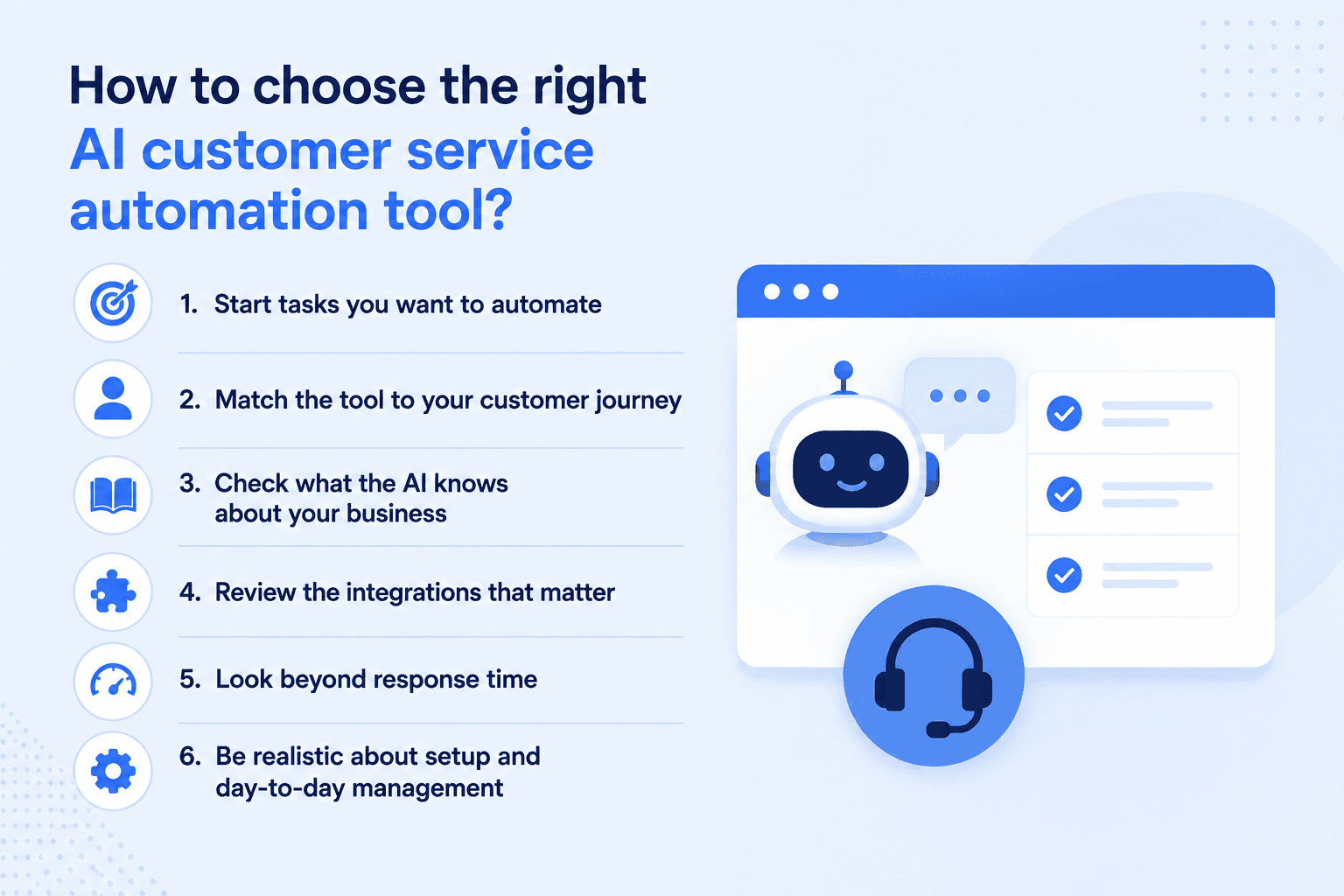
A tool can look brilliant in a demo and still be completely wrong for the way your customers actually ask for help. So before comparing AI agents, automations and integrations, look at where your team is losing time today and what customers are trying to get done.
1. Start tasks you want to automate
Begin with your most common customer interactions. Are people repeatedly asking the same questions? Are leads arriving after hours? Is your team spending too much time sorting tickets, checking order details or coordinating appointments?
That gives you something useful to compare against. If your main problem is missed bookings, advanced ticket routing probably shouldn’t influence your decision much. If you’re managing hundreds of support requests a day, it probably should.
2. Match the tool to your customer journey
Next, look at what normally happens after a customer reaches out.
A service business may need AI to answer a question, understand what the visitor needs and move them toward an appointment. An eCommerce business is more likely to need access to order, shipping and return information. A larger support team may need ticket triage, agent assistance and clear escalation paths.
In other words, don’t just ask “What can this tool automate?” Ask “Can it automate the next step my customer actually needs?”
3. Check what the AI knows about your business
Fast answers aren’t much help if they’re vague or wrong. Look at where the AI gets its information and how much control you have over it.
Can you train it on your website, help center or business documents? Can you update that information easily when a policy, service or process changes? This matters because the quality of an AI support experience is closely tied to the quality of the knowledge behind it.
4. Review the integrations that matter to you
A long integrations page can look impressive, but you probably only care about a handful of them.
For a support team, that might be your CRM or help desk. eCommerce businesses may need the AI to work with their store and order data. Appointment-based businesses may care much more about calendar access.
The point is to remove steps from the workflow. If your team still has to copy information between the AI tool and the system where the work actually happens, you haven’t automated very much.
5. Look beyond response time
Almost any modern AI tool can reply quickly. The better question is whether the customer gets somewhere.
Can the tool answer the question accurately? Can it complete the next action when needed? And when the request becomes too complex, can the conversation move to a person without making the customer start again?
That’s why measures such as resolution rate, escalation rate and customer satisfaction are more useful than response speed on its own when you test a platform.
6. Be realistic about setup and day-to-day management
If you’re a smaller team without dedicated support operations or technical resources, look closely at onboarding, ease of setup and the amount of ongoing work the tool needs. A slightly simpler platform that your team can actually launch and manage can be a much better choice than a powerful system that spends months half-configured.
The best AI customer service automation tool is ultimately the one that fits into your existing customer journey with the least friction. Start with the problem, then look for the AI that solves it, not the other way around.
Also read: ChatGPT vs Claude: Coding, Writing and Reasoning Compared
How Bluehost AI Receptionist help you automate customer interactions?
Bluehost provides AI Receptionist, an AI-powered receptionist designed to help service-based businesses automate customer conversations, capture leads and support appointment booking from their website.
Instead of a generic scripted chatbot, the agent is trained on your website, documents and business knowledge base. It can answer service-related questions, qualify customer intent, capture leads and support appointment booking through Google Calendar based on real-time availability. Businesses can also customize its tone and communication style to better match their brand.
Bluehost also provides assisted onboarding rather than leaving businesses to configure the system entirely on their own. Our team helps connect the calendar, upload the knowledge base and configure the agent before launch.
Here is what Bluehost AI Receptionist helps your business:
- 24/7 customer conversations: Answer common questions and engage website visitors outside normal business hours.
- Business-trained responses: Use your website, documents and knowledge base to provide answers specific to your business.
- Lead qualification: Understand what visitors are looking for and help move relevant prospects further along the customer journey.
- Appointment booking: Let customers book appointments directly through the conversation instead of waiting for your team to respond.
- Google Calendar integration: Use real-time availability and blackout dates to support booking, rescheduling and cancellations.
- Custom brand voice: Set the tone, personality and communication style you want the agent to use with customers.
- No-code setup: Launch without needing to build or configure the AI from scratch yourself.
- Analytics and retraining: Track bookings, lead volumes and chat trends, then retrain the agent as your website or business information changes.
For service businesses, that means fewer routine conversations falling back on your team and a clearer path from customer question to qualified lead to booked appointment. If that is the part of your customer journey you want to automate, Bluehost AI Receptionist Agent gives you a focused way to do it without adding another complicated support system.
Final thoughts
AI is becoming an important part of customer service automation because it can do more than speed up replies. It can help businesses stay available, reduce repetitive work and move customers toward the next step without adding more pressure on the team.
Bluehost AI Receptionist brings that automation to the front of the customer journey. It uses your business content to answer questions, qualify leads and support appointment booking through Google Calendar, helping you turn more website conversations into meaningful customer actions.
Ready to automate your front desk and stay available around the clock? Get started with Bluehost AI Receptionist.
FAQs
AI can automate customer service by handling common questions, categorizing and routing requests, providing self-service support, summarizing conversations and triggering routine workflows. For customer-facing businesses, AI can also help capture leads and move customers toward actions such as booking an appointment.
AI can take over repetitive and predictable tasks, but it does not eliminate the need for people. Complex complaints, unusual requests and conversations requiring judgment or empathy are usually better handled by a human. The most effective approach is to automate routine work while keeping your team available for higher-value interactions.
Start with tasks that happen frequently and follow a predictable process. These may include answering FAQs, routing enquiries, confirming appointments, categorizing tickets or responding to common service questions. Automating these first can reduce workload without making the customer experience unnecessarily complicated.
Yes. Some AI customer service tools can move beyond answering questions and help customers schedule appointments. Bluehost AI Receptionist, for example, integrates with Google Calendar so customers can book, reschedule or cancel appointments based on real-time availability and blackout dates.
Start with the customer journey you want to improve. Compare tools based on the tasks they can automate, the information they can learn from, integrations with your existing systems, ease of setup and what happens when AI cannot resolve an enquiry. A tool that fits your actual workflow is usually more valuable than one with the longest feature list.
Yes. Service businesses can use AI automation to respond to enquiries after hours, answer questions about services, capture potential leads and reduce appointment-related admin. Bluehost AI Receptionist is designed specifically around this type of front-desk workflow and can be trained on your website and business documents to provide business-specific responses.

Write A Comment