 ChatGPT,
 Claude,
 Gemini,
 Grok — all four for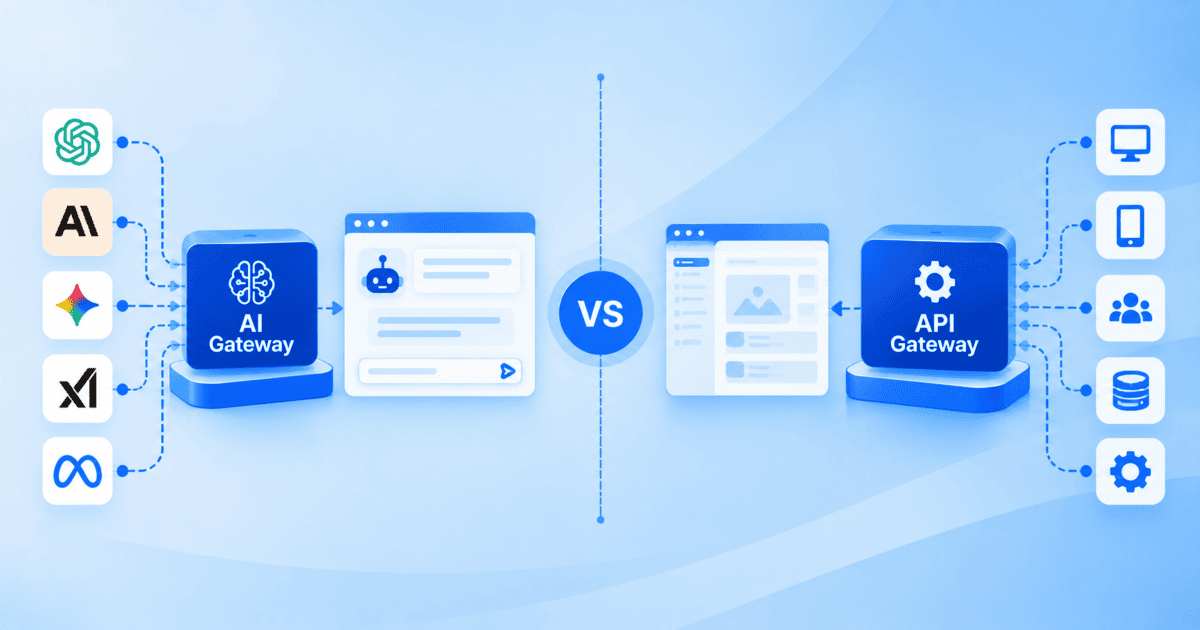
Key highlights
- Compare how an API gateway and an AI gateway differ across traffic, cost and control.
- Learn why LLM and agent workloads strain the request-based tools you already run.
- Discover how token metering and semantic caching change the way you budget AI traffic.
- Explore the security gaps that prompt injection and data leakage open beyond authentication.
- Know when to add an AI gateway, keep your API gateway or run both.
- Choose where to run gateways and agents on infrastructure you control.
The AI gateway vs API gateway question comes up as soon as LLM features reach production. You already govern traffic coming into your services. Now you need the same control over the calls going out to models, and over the tool calls your agents make on their own.
These solve related problems on opposite sides of your application. An API gateway governs the model and tool traffic leaving them, where the cost is variable, failure modes are different and the content itself needs inspecting.
In this guide, you will get a side-by-side comparison, a security and cost breakdown and a clear decision checklist.
Lastly, it also shows where Bluehost Agent Hosting fits if you need to run both layers.
What is an API gateway?
An API gateway is a single entry point between your clients and your backend services. Instead of calling each service directly, traffic passes through the gateway. The gateway applies consistent policy before requests reach their destination.
This pattern became standard as teams split monoliths into microservices. A single control point keeps shared concerns consistent. If you know how REST APIs work, the request and response flow will feel familiar.
The gateway handles work that would otherwise repeat across every service. Its core responsibilities usually include the following:
- Routing: directs each request to the correct backend service.
- Authentication: validates API keys, tokens or certificates before access.
- Rate limiting: caps how many requests a client can make.
- Traffic management: balances load and applies retries, timeouts and circuit breaking.
- Observability: collects logs, metrics and traces for each client.
These controls act on the shape of a request. The gateway reads headers, paths, methods and size, then forwards the call. It does not need to read the payload, since policy is built around structure and volume.
API gateways sit in front of many familiar systems. Mobile and web apps route through them to reach backend services. Partner integrations and internal microservices rely on the same entry point.
You can run an API gateway as a managed service, a self-hosted project or part of a service mesh. Common options include Kong, Apache APISIX, NGINX and the managed gateways from AWS, Azure and Google Cloud. Where you run it matters, since it sits on the hot path for every request.
Many teams host an API on a VPS for dedicated resources and root-level control. That keeps the environment that fronts their services under their own management.
The key point is scope. An API gateway is content-agnostic by design.
It measures traffic in requests and bytes and enforces policy on identity and rate. It treats the body of a call as opaque data to deliver, not interpret.
An API gateway has clear limits with AI traffic. It cannot count tokens or read prompts. Those gaps are exactly what an AI gateway fills.
What is an AI gateway?
An AI gateway is a control layer between your applications and the AI models they call. It manages keys, routing, spending and safety for model calls in one place.
It plays the coordinating role an API gateway plays, then adds model-specific controls. Those models may run with a third-party provider or on your own servers.
LLM traffic looks different from ordinary API traffic. Calls are priced per token, not per request. Latency is higher and often streamed, and responses vary for the same input.
A gateway that counts requests cannot see token cost. It cannot tell you one prompt cost forty times more than another. An AI gateway is built to see and act on that.
Monitoring also changes at this layer. You care about tokens per minute, model latency and error rates by provider. Standard request metrics miss most of that.
A typical AI gateway offers controls that map to how models are used and billed. Common capabilities include the following:
- Multi-provider routing: sends requests to different models based on cost, latency or task.
- Token metering: tracks input and output tokens per request, user and model.
- Semantic caching: returns a stored response when a new prompt matches in meaning.
- Prompt and response inspection: scans inputs and outputs for injection, sensitive data or policy issues.
- Fallbacks and retries: reroutes to a backup model when a provider fails or times out.
- Unified observability: reports spend, tokens and latency across every model in one place.
Two terms deserve a precise definition. Token metering counts the tokens a model reads and generates, since providers bill on tokens. Semantic caching stores responses by the meaning of a prompt.
A reworded but equivalent question can then reuse a cached answer. That avoids a fresh, billed generation.
These controls become essential in production. A support assistant, a research agent and a coding tool can all share one AI gateway. Each still gets metering, routing and safety.
This traffic usually starts in application code and agent frameworks. Tools such as LangChain, CrewAI and LlamaIndex make multi-step, multi-model calls. If you build on open-source AI agent frameworks, the AI gateway keeps their model usage observable.
AI gateway vs LLM router vs LLM proxy
These three get used interchangeably in marketing copy, but they describe three widths of the same layer. A proxy forwards, a router decides, and a gateway governs. Each one contains the one before it.
| What it does | What it leaves out | Use it when | |
| LLM proxy | Forwards calls to a provider through one endpoint, centralizing keys and logs. A self-hosted AI agent often sits behind an endpoint like this. | Traffic shaping, cost control, content inspection | You need a shared key and a record of calls, nothing more |
| LLM router | Adds decision logic on top of forwarding, picking the model or provider per request on cost, latency, context length or task. | Metering, caching, safety controls, observability | You call more than one model and want the choice made per request |
| AI gateway | Combines proxying and routing with token metering, semantic caching, prompt and output inspection, fallbacks and unified observability. | Nothing at this layer, though it is more to run | You need governance across models, providers, cost and safety |
Most teams arrive at the gateway by outgrowing the other two. A shared key stops being enough once spend needs attributing, and routing stops being enough once prompts need inspecting.
AI gateway vs API gateway: What are he key differences?
An API gateway manages traffic to backend services, while an AI gateway adds specialized controls for AI model calls, such as token tracking, model routing and prompt inspection. The key differences lie in how they measure usage, manage costs, cache responses and enforce security policies.
| Dimension | API gateway | AI gateway |
| Primary traffic | Requests to backend services and microservices | Calls to LLMs and AI agents, across one or more providers |
| Unit of measurement | Requests, endpoints and payload size | Tokens consumed and generated, per model and user |
| Cost model | Priced per request or per provisioned capacity | Priced per token, variable by model and response length |
| Routing basis | Path, method, host and headers | Model, provider, cost, latency, task type and context length |
| Caching | Exact-match on request keys and headers | Semantic caching on prompt meaning, plus exact match |
| Payload handling | Content-agnostic; body treated as opaque | Content-aware; inspects prompts and responses |
| Latency profile | Low-latency, typically short request/response | Higher latency, often streamed token by token |
| Determinism | Same input returns the same routed response | Same input can return different generated output |
| Core security focus | Auth, rate limiting, quotas, transport security | Prompt injection, data leakage, output filtering, plus the above |
| Failure handling | Retries, timeouts, circuit breaking per service | Fallbacks to backup models and providers |
| Typical traffic source | Web and mobile clients, partner integrations | Application code and agent frameworks in decision loops |
API gateways manage service traffic, while AI gateways add controls for token usage, model costs and prompt inspection. Features such as semantic caching and provider fallbacks address AI-specific needs. Teams running both APIs and AI workloads can use the two as complementary layers for traffic management and model governance.
Security: how each gateway handles threats
An API gateway focuses on the security of traffic and identity. It authenticates callers, enforces authorization and applies rate limits. It also terminates TLS so transport stays encrypted.
These controls protect the boundary of your services. They remain necessary whether or not AI is involved.
Token-based auth is a good example. Our guide to token validation covers how signatures, expiry and HTTPS protect API access. An AI gateway keeps these controls and adds content-aware ones.
A language model acts on the content of a prompt, so the prompt itself becomes an attack surface. Industry risk catalogs for LLM applications summarize these threats, and the most widely referenced edition was updated in November 2024.
That edition ranks prompt injection as the top risk, listed as LLM01:2025. A prompt injection vulnerability occurs when user prompts alter a model’s behavior or output in unintended ways.
The list is a prioritized risk ranking, not a count of real-world frequency. Treat it as guidance on where to focus effort.
The security work an AI gateway takes on usually includes the following:
- Prompt inspection: checks inputs for injection and instruction-override attempts.
- Output filtering: scans responses for sensitive data or unsafe content.
- Data-leakage controls: detects and redacts personal information where policy requires.
- Usage guardrails: caps tokens per user and model to limit abuse.
Model access is part of the picture too. An AI gateway can limit which users and services reach which models. That reduces the blast radius if a key leaks.
These controls add to the identity and rate controls an API gateway provides. Applications that handle sensitive or regulated data generally need both layers. Authentication protects who can call the model, while inspection protects what passes through.
No gateway removes risk entirely. Each one narrows a specific set of threats.
Cost and performance: Tokens vs requests
Cost is where the two gateways diverge most in daily operation. An API gateway frames cost as request volume and provisioned capacity. Scaling is mostly about handling more calls per second.
That kind of capacity planning is a hosting decision. Options such as scalable cloud hosting add resources as request volume grows.
An AI gateway has to reason about a variable-cost resource. Providers bill per token. Two requests that look identical can differ a lot in cost.
Prompt length, context and output size all change the bill. Token metering makes this visible by attributing spend to models, features and users.
Several levers help control that spend:
- Model routing: sends simple tasks to smaller, cheaper models.
- Semantic caching: reuses a stored answer for a near-identical prompt.
- Token budgets: caps tokens per user, feature or window.
- Fallback tiers: defines cheaper backup models for outages.
Visibility is the first payoff. Dashboards that track tokens, spend and latency per model help you spot waste. Budget alerts warn you before a runaway loop turns into a large invoice.
Cost data also supports team accountability. You can attribute spend to features, teams or clients. That makes chargeback and forecasting far easier.
Performance differs too. API traffic is usually low-latency request and response. Model traffic is slower and often streamed, so an AI gateway handles long-lived connections.
Semantic caching helps cost and latency, because a cache hit skips a model call. The size of that benefit depends on your traffic and thresholds. Measure it against your own workload rather than assuming a fixed saving.
The pattern is simple. An AI gateway manages a metered, variable, higher-latency resource. An API gateway moves a high volume of fast, cheap requests.
Why and when to use an AI gateway
Add an AI gateway once models are a production dependency. Common triggers:
- Cost visibility: metering and routing turn unpredictable token spend into a managed budget.
- Multi-provider resilience: routing and fallbacks keep features up during outages.
- Safety and governance: prompt/output checks reduce injection and data-leak risk.
- Agent traffic: agents multiply calls, so central control contains cost and abuse.
Typical use cases:
- Customer-support chatbots: open-ended chats that need safety and logging.
- Document analysis: summarize long legal, medical or financial text.
- Code assistants: generate and review code across repos and models.
- Content generation: draft copy or images under human review.
Common thread: real user input in production, where metering, safety and logging matter.
Agents, like when you build n8n AI agent workflows, call tools and models in loops, so one action can spawn many billed calls.
An AI gateway gives you one place to meter, cap and observe that fan-out.
Regulation is another driver (see the EU AI Act timeline). Phased obligations raise the bar on logging, safety and control.
Penalties are material, and the scope covers AI systems placed on or used in the EU.
The Act does not name gateways, but centralized logging and inspection help compliance.
Governance also depends on secure infrastructure. See our guide to securing a self-hosted AI agent.
Quick checklist:
- If model spend is significant or hard to predict, add metering and routing.
- If you call more than one provider, use routing and fallbacks.
- If your AI features are user-facing, add prompt inspection and output filtering.
- If agents make chained calls, centralize metering and guardrails.
- If you face compliance obligations, capture logs and controls auditors expect.
- If none of these apply yet, your API gateway with basic logging may be enough.
Rule of thumb: one low-volume model rarely needs a new layer; multi-provider, agent-driven or regulated workloads usually do.
Start simple and add controls as usage grows.
How do an API gateway and an AI gateway work together?
Teams that run both usually place them on opposite sides of the application. The API gateway sits at the edge and governs requests arriving from clients. The AI gateway sits behind the services and governs the model calls those services send out to providers. One user action commonly passes through both.
Here is what a single support chat message touches on its way through a layered setup:
- The browser sends the question. The API gateway authenticates the session, applies rate limits and routes the call to the support service.
- The support service builds a prompt and calls the AI gateway rather than the provider directly, so no provider key sits in application code.
- The AI gateway inspects the prompt for injection attempts and sensitive data, checks the semantic cache for an equivalent question already answered, then selects a model on cost, latency and task.
- The provider streams tokens back. The AI gateway meters input and output tokens, attributes the spend to that team and feature, and scans the response before it is released.
- The support service returns the answer, and the API gateway delivers it to the browser.
Separating them keeps each layer doing only the work it was built for. The API gateway stays content-agnostic and fast, reading headers, paths and methods without opening the body. The AI gateway carries the content-aware logic, because it has to read prompts and responses to meter tokens and enforce safety. Merging the two would mean putting prompt inspection on the hot path of every login and every image request.
The split also means the layers scale and fail independently. A traffic spike from a marketing campaign pressures the API gateway. A runaway agent loop pressures the AI gateway. Neither event should be able to take down the other, and when they share a layer, they can.
What do you gain from running both?
Running both gives you one governance surface across service traffic and model traffic. Logs from each land in the same place, which is what makes cost attribution and audit trails workable once several teams are calling models on their own budgets.
Keep the policies aligned across the two layers. Separate rules for authentication, rate limits and data handling drift apart within a quarter, and every audit after that starts with reconciling them.
How do you roll out a layered gateway setup?
Roll it out in stages rather than switching both layers on at once. Classify your workloads first, mapping which traffic is service calls and which is model calls, because that mapping is what tells each gateway what it must handle.
Start with non-critical read-only services to prove the path end to end. Use canary releases and parallel running before you move production traffic across. Where you run each layer changes cost, latency and control, and we cover those options below.
Is an API gateway the same as API management?
They are different, though the terms are often used loosely. An API gateway is the runtime component in the request path. It routes, authenticates and rate-limits each call.
API management, often shortened to APIM, is the broader lifecycle layer. It covers a developer portal, keys, versioning, documentation and analytics. The gateway is its enforcement component.
Managed platforms such as Azure API Management bundle the two, which is why the names blur. The gateway enforces policy at runtime, while API management governs how APIs are published and consumed.
Emerging standards: MCP and agent protocols
As agents reach production, the industry is converging on shared protocols. The most prominent is the Model Context Protocol.
Anthropic’s introduced MCP in November 2024. It is an open standard for connecting AI assistants to external tools and data.
Adoption spread beyond its author. OpenAI adopted MCP around March 2025, and Google DeepMind followed around April 2025. That moved it toward a common interface.
MCP is a standard for connecting agents to tools. It defines the protocol your infrastructure must speak, instead of describing a gateway product feature.
Standards like this matter because they define the traffic your AI layer will carry. As agents use MCP to reach tools, an AI gateway is a sensible place to observe and rate-limit those connections.
Other agent-to-agent protocols are emerging alongside MCP. The practical takeaway is to keep your AI layer flexible. Support the standards your frameworks adopt rather than betting on one format.
Where to run your AI gateway and agents
Persistence is the deciding factor. Gateways sit on the hot path and agents hold context between steps, so anything that goes cold between requests will fight you.
Serverless: Good for spiky, stateless work. Cold starts and execution limits break agents that must stay warm.
Self-managed VPS: Root access and dedicated resources. You can run AI agents on a VPS as always-on processes, keep n8n or Hermes Agent online with memory intact, and self-host models on the same box. Most control, most setup.
Managed agent platform: Agent Hosting gives you always-warm compute, persistent vector memory and an integrated API gateway, with one-click presets and root access if you want it.
Managed AI gateway: Bluehost AI Gateway covers the model layer alone: token metering, model routing, semantic caching, prompt and output inspection and unified observability. Drop it in front of apps you already run.
Choose on data control, cost predictability, latency and how much state your workload holds. Own the stack with a VPS, skip the assembly with Agent Hosting, or add Bluehost AI Gateway to either when you want model governance handled for you.
Final thoughts
An API gateway and an AI gateway work together at different layers. The API gateway governs requests to your services. The AI gateway governs calls to models and agents, adding token metering, routing, caching and prompt safety.
If your model use is small and single-provider, your existing gateway may carry it for now. As spend and providers grow, run both in layers for visibility and control. The two categories are also converging over time.
Map your workloads, then choose where to run each layer. For turnkey model governance across providers, add Bluehost AI Gateway to centralize token metering, model routing, semantic caching, prompt and output inspection and unified observability, without new infrastructure.
FAQs
No, they do not. Different layers call for both, so most teams run them together. An AI gateway handles model and agent calls with token and prompt controls, while an API gateway still authenticates, routes and rate-limits service traffic.
Partly. It can proxy, authenticate and rate-limit model calls, which suits a single low-volume model. It cannot meter tokens, cache by meaning or inspect prompts, so growing AI usage tends to need a dedicated AI gateway.
No. An application gateway is usually a layer 7 load balancer that routes and secures web traffic. An API gateway focuses on API concerns such as keys, quotas, versioning and per-endpoint policy.
Not always. With one provider and modest volume, a proxy or your existing gateway may cover keys and logging. Token metering, caching and prompt inspection still help, and the case grows with spend or user-facing features.
Yes. Several AI gateways are open source and run well on a VPS with root access. That keeps model traffic on infrastructure you own, and our Agent Hosting adds an integrated API gateway if you prefer a ready-made setup.

Write A Comment