 ChatGPT,
 Claude,
 Gemini,
 Grok — all four for
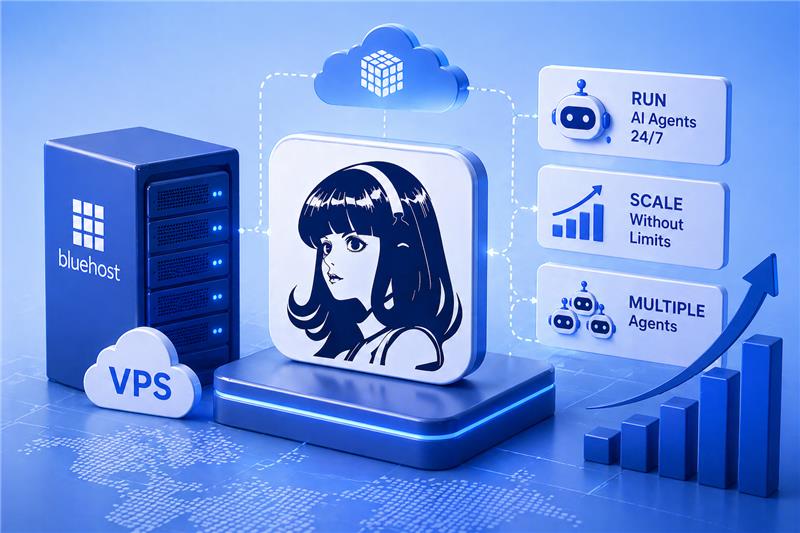
Bluehost now supports Hermes Agent on VPS, giving developers a persistent, self-managed environment for running always-on AI agent workflows with full control. Developers can deploy persistent agents, manage workloads and build reliable systems on dedicated infrastructure.
Hermes Agent can run locally, which is useful for experimentation and early workflow building. But local setups depend on one device staying powered on, connected and available. For long-running agentic workflows, that can limit reliability, continuity and scale.
As AI workflows evolve, static automation is no longer enough. Teams need systems that can reason, adapt and operate continuously. Running Hermes Agent on VPS enables exactly that. It offers the performance stability, control and flexibility modern AI agent workflows need.
Our self-managed VPS hosting gives you the foundation to build and manage self hosted AI agent workflows with confidence. Let’s explore why running Hermes Agent on Bluehost makes a difference.
Why run Hermes Agent on Bluehost?
Hermes Agent can run on a laptop, which works well for experimentation and early workflow testing. But laptop-based setups depend on one device staying powered on, connected and available. For persistent AI workflows, that can limit uptime, continuity and scale.
Bluehost self-managed VPS, on the other hand, gives Hermes Agent a dedicated environment for running long-lived workflows. It gives Hermes Agent a stable VPS environment with full root access, dedicated resources and the flexibility to configure the stack around your workflow..
Running Hermes Agent requires more than basic hosting. You need consistent performance, control and an environment that supports long-running processes.
Bluehost self-managed VPS provides the foundation to run Hermes agent hosting setups without compromise.
- Simpler Hermes Agent deployment
Launch Hermes Agent on Bluehost VPS with less setup friction, so you can move faster from configuration to building persistent AI workflows.
- Dedicated resources for performance
Your Hermes Agent runs on isolated CPU and RAM, ensuring stable execution for AI workloads.
- Always-on environment for agents
Persistent uptime allows agents to run continuously, handle events and execute long-running workflows.
- Full control with root access
Configure your environment, install dependencies and manage your stack exactly how your workflow requires.
- Secure, isolated setup
Keep your AI agent workloads isolated in a VPS environment, reducing risk and improving reliability.
- Scalable infrastructure for growing workloads
Start with the resources you need today and scale your VPS as your Hermes Agent workflows become more complex.
This setup makes it easier to build and scale self-hosted AI agent workflows with confidence. Setup and performance may vary based on your configuration, workload and model provider. Next, let’s explore what you can actually build with Hermes Agent on Bluehost.
What can you build with Hermes Agent on Bluehost?
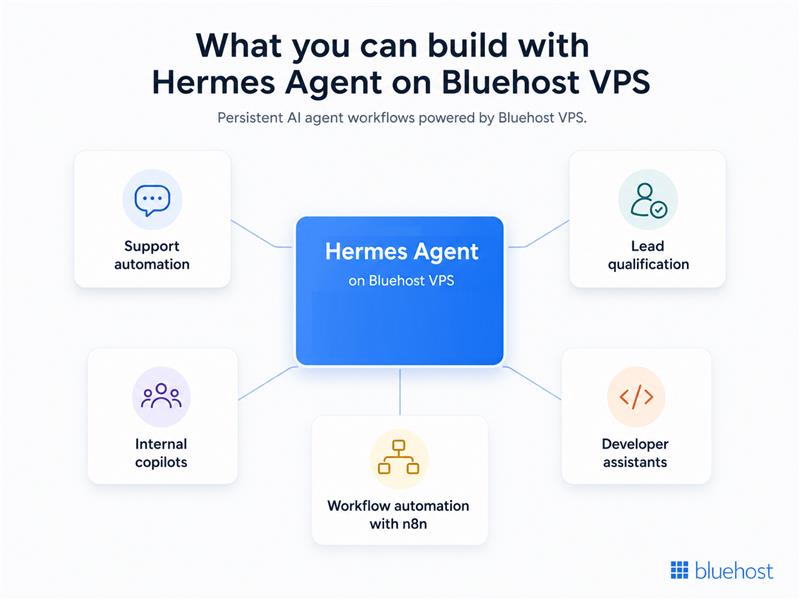
Once you run Hermes Agent on VPS, you can move beyond basic automation and build systems that adapt to real-world inputs.
- Support automation – Handle incoming queries, prioritize requests and generate context-aware responses automatically.
- Lead qualification – Evaluate leads based on data, intent and context before routing them to your sales team.
- Internal copilots – Assist teams with tasks, answer queries and trigger workflows across internal tools.
- Developer assistants – Analyze logs, suggest fixes and support debugging with contextual understanding.
- Workflow automation with n8n – Combine Hermes Agent with tools like OpenClaw, n8n to build smarter AI workflow automation systems.
These use cases highlight how Hermes agent hosting enables more flexible and intelligent workflows. Now that you know what you can build, let’s look at what running Hermes Agent on Bluehost VPS feels like.
Also read: Hermes Agent + n8n: Build Automated Workflows That Actually Think
From setup to control: What running Hermes Agent on Bluehost VPS feels like
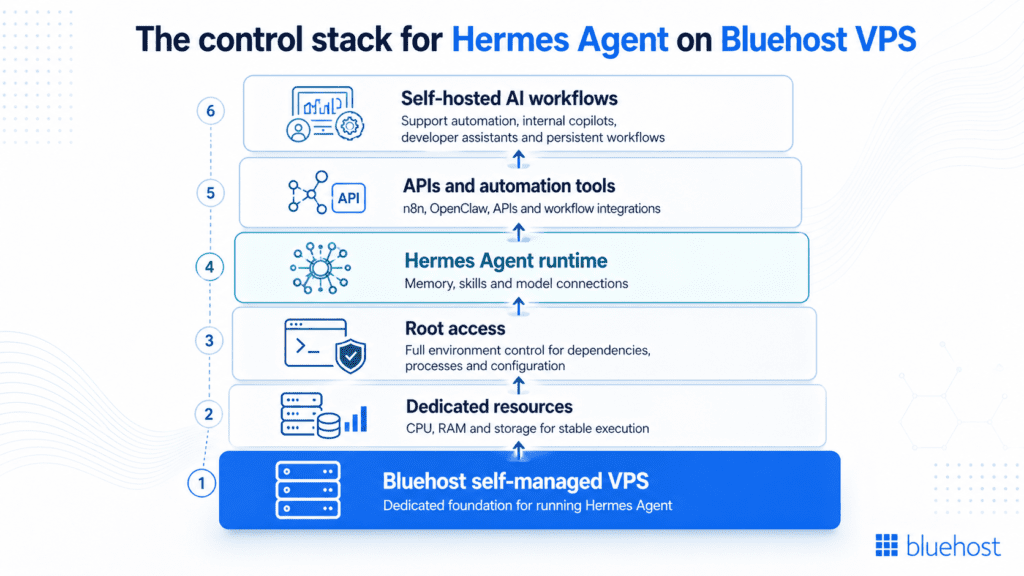
Running Hermes Agent on Bluehost VPS is designed to feel straightforward at the start and flexible as your workflows grow. You can begin with a self-managed VPS, configure the environment around your needs and keep full control over how your AI agent operates.
- Launch a self-managed VPS with dedicated resources
Choose your configuration based on performance needs and scale as your AI workloads grow. - Get full root access for complete environment control
Install dependencies, manage processes and customize your setup without restrictions.
- Install Hermes Agent and configure your stack
Set up your agent, connect model providers and define how your system should operate.
- Connect APIs, tools and automation workflows
Integrate with your existing stack and build seamless AI workflow automation pipelines.
- Run and manage AI agents on your own terms
Control uptime, monitor performance and optimize your self-hosted AI agent workflow as it evolves.
With Bluehost VPS, the experience moves from simple setup to deeper control. You get the flexibility needed for reliable AI agent on VPS deployments, while keeping the freedom to shape your environment around real workflow needs.
Get started with Hermes Agent
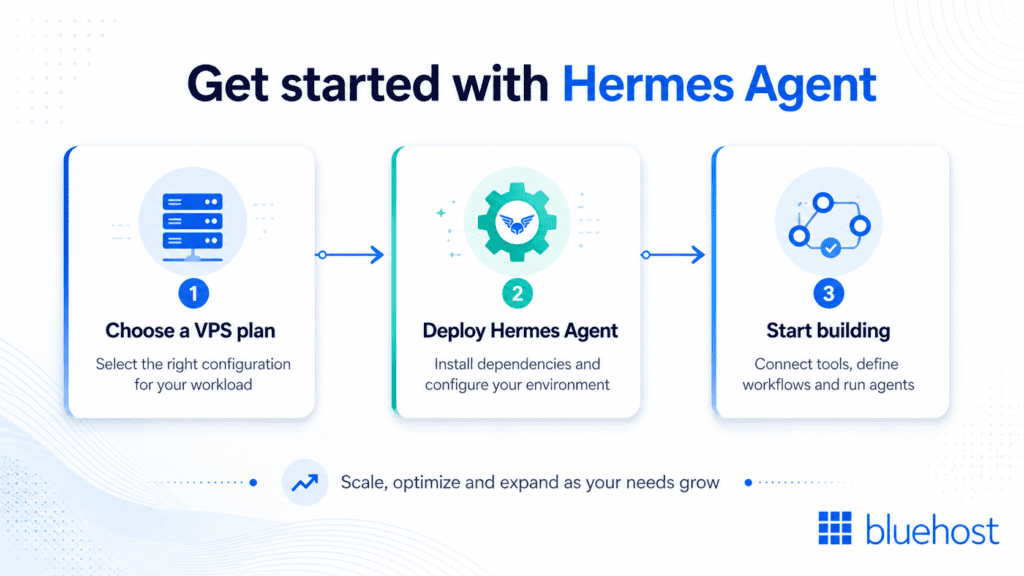
Getting started with Hermes Agent on VPS is straightforward. You can go from setup to running workflows in just a few steps.
- Choose a VPS plan – Select a configuration that matches your performance needs and expected workload.
- Deploy Hermes Agent – Install the agent, set up dependencies and configure your environment for your use case.
- Start building – Connect tools, define workflows and begin running your self-hosted AI agent workflows.
Once set up, you can scale, optimize and expand your system as your requirements grow.
Note: Running Hermes Agent on VPS requires configuration and ongoing management. You are responsible for system setup, security, updates and monitoring. Hosting support applies to infrastructure based on your selected plan.
References:
FAQs
Yes, you can run Hermes Agent on Bluehost VPS. It provides the dedicated resources, control and uptime needed for reliable Hermes agent hosting. This is especially useful for workflows that need uptime, recurring execution, memory continuity or background agent activity.
A GPU is not required if you use Hermes Agent with external model providers or lightweight CPU-friendly workflows. If you plan to run large models directly on the server, hardware needs will vary by model size and workload.
Yes, Hermes Agent can be connected with tools like OpenClaw, n8n using APIs and workflows. This allows you to build more advanced AI workflow automation systems. For example, Hermes Agent can support reasoning and memory-driven tasks, while other tools can help with orchestration, routing or workflow execution.
Running Hermes Agent locally is useful for testing and experimentation. But local setups depend on your device staying powered on, connected and available. A VPS gives Hermes Agent an always-on environment where it can keep running, manage workflows and support longer-running agent tasks even when your personal device is offline.
You can build support automation, lead qualification workflows, internal copilots, developer assistants and AI workflow automation systems. Running Hermes Agent on VPS gives these workflows a persistent environment where they can operate across sessions and scale as usage grows.
With Bluehost self-managed VPS, you get root access and control over your environment. You can install dependencies, configure model providers, connect APIs, manage processes and customize your stack based on your workflow needs.
Yes. Hermes Agent is designed around persistent memory and self-improving skills. It can retain context across sessions and turn repeated work into reusable skills, which makes it useful for workflows that improve over time.

Write A Comment