 ChatGPT,
 Claude,
 Gemini,
 Grok — all four for
Key highlights
- Start your free trial early enough to finish the build before you plan to go live.
- Plan the pages and main action your site needs before Black Friday.
- Use a copy-ready prompt brief to describe your business clearly and get a stronger first draft.
- Discover how to budget your AI edits so the homepage and contact page get attention first.
- Explore a holiday checklist, a buy-or-wait decision and launch checks for a site that works on phones.
Picture a neighborhood bakery owner who takes holiday orders by phone and wants shoppers to find her hours online. The holiday rush is weeks away, and she still has no website. Black Friday lands on Nov. 27 this year, and Cyber Monday follows on Nov. 30.
To have your site live before Black Friday shoppers arrive, start your Bluehost AI Website Builder free trial early enough to finish the build. Then describe your business, refine the draft, add your holiday details and decide whether to buy.
This guide shows you how to build a website with AI for Black Friday in seven steps. Along the way, you’ll get a prompt brief, an edit budget and launch checks.
Quick summary: Use this table to see each step and when to do it.
| Step | What you do | Timing |
|---|---|---|
| 1 | Decide what the site must do | Early in your build |
| 2 | Start the free trial | At the start |
| 3 | Generate the first version | At the start |
| 4 | Refine with your edits | While you refine |
| 5 | Add holiday essentials | While you refine |
| 6 | Decide whether to buy during the sale | Once the site meets your goals |
| 7 | Publish and check | Before you publish |
1. Decide what the site must do before Black Friday
Pick one main action for visitors and the few pages that support it. A small site is easier to finish and review during your trial.
Write these down first. They become the core of your prompt in step 3.
- Main action: Choose the one thing a visitor should do, such as call, book, visit, buy or sign up.
- Must-have pages: Plan a homepage, an about page, a services or products page and a contact page.
- Holiday details: List your holiday hours, offers and any shipping or pickup cutoffs.
- Assets to gather: Collect your logo, a few real photos and short facts about your business.
Use this split to keep the build small.
| Live by Black Friday | Can wait until January |
|---|---|
| Homepage with your main action | Blog posts |
| Contact details and location | Extra service pages |
| Holiday hours and offer details | Photo galleries |
| Clear calls to action | A detailed FAQ page |
If a page doesn’t help a holiday visitor take your main action, it can likely wait. Holding those pages back keeps your trial days for the parts shoppers use.
2. Start your free trial early enough to finish the build
Start the 14-day free trial when you have enough time to build, refine and test your site. Count backward from the day you want to go live.
Our product page lists these trial terms. Each one affects your timing.
- No credit card: You can sign up without entering payment details.
- Consecutive days: Your trial starts the day you sign up, and the days run in a row without extending.
- Grace period: After the trial ends, we keep your website as it is for 4 more days.
- Trial allowance: The Free Trial includes a temporary domain and 10 AI edits.
When you’re ready for a paid plan, our help center explains how to upgrade from the free trial.
Pro tip: If a free first-year domain matters more to you than trying first, read step 6 before you sign up.
3. Describe your business and generate the first version
Give the builder a specific description of your business, then review the first version before changing anything. A concrete brief can reduce later editing.
AI Website Builder gives you three ways to start, and you can combine them. Using more than one gives the builder a fuller picture of your business.
- Plain-language idea: Type a description of your business the way you’d explain it to a customer.
- Logo or images: Upload your brand files and photos so the draft reflects your business.
- A site you like: Share a site that inspires you. The builder uses it for layout, color and tone and doesn’t copy text or images.
Copy this prompt brief, fill in the brackets and paste it into the builder. Each line covers a detail holiday visitors might look for.
- Business name: [Your business name]
- What you sell: [Your products or services, in one sentence]
- Who you serve: [Your typical customer and where they live]
- Location and hours: [Your address or service area, plus regular hours]
- Holiday hours or offer: [Your special hours, closures or holiday offer and its terms]
- Tone: [Your tone, such as friendly, professional, playful or calm]
- Pages you need: [Your pages, such as home, about, services and contact]
- Main action: [Your main action, such as call, book, visit, buy or sign up]
For ideas, browse the prompt gallery of real prompts and the sites they produced. When the first version appears, read every page and list what to change.
When your brief is ready, start your build with AI Website Builder.
4. Refine with your edit allowance
Use your AI edits for the changes that matter most and make small fixes by hand. The Free Trial includes 10 AI edits, so a little planning helps you avoid running out.
You can tell the AI agent to change an image, adjust a color or rewrite a section. You can also fine-tune copy, images and design yourself, so you direct and review every change.
Get Online includes 20 AI edits per month plus 10 bonus edits in the first month. During the trial, these habits stretch your 10 edits.
- Batch related changes: Combine related fixes for one page into a single clear request.
- Edit by hand when it’s quicker: Fix small typos, phone numbers and dates yourself.
- Fix in priority order: Start with the homepage and contact page, since they carry your main action and contact details.
- Track your count: Keep a simple list of each AI edit you use and what it changed.
Here’s one way to split 10 edits on a four-page site.
| AI edits | Where to use them |
|---|---|
| Edits 1–3 | Homepage headline, main image and main button |
| Edits 4–5 | Contact page details and layout |
| Edits 6–8 | Services or products page |
| Edits 9–10 | Held back for final fixes |
Two reserve edits leave room for last-minute holiday changes. For more ideas, see our guide to refining your AI-built draft.
5. Add what holiday visitors need
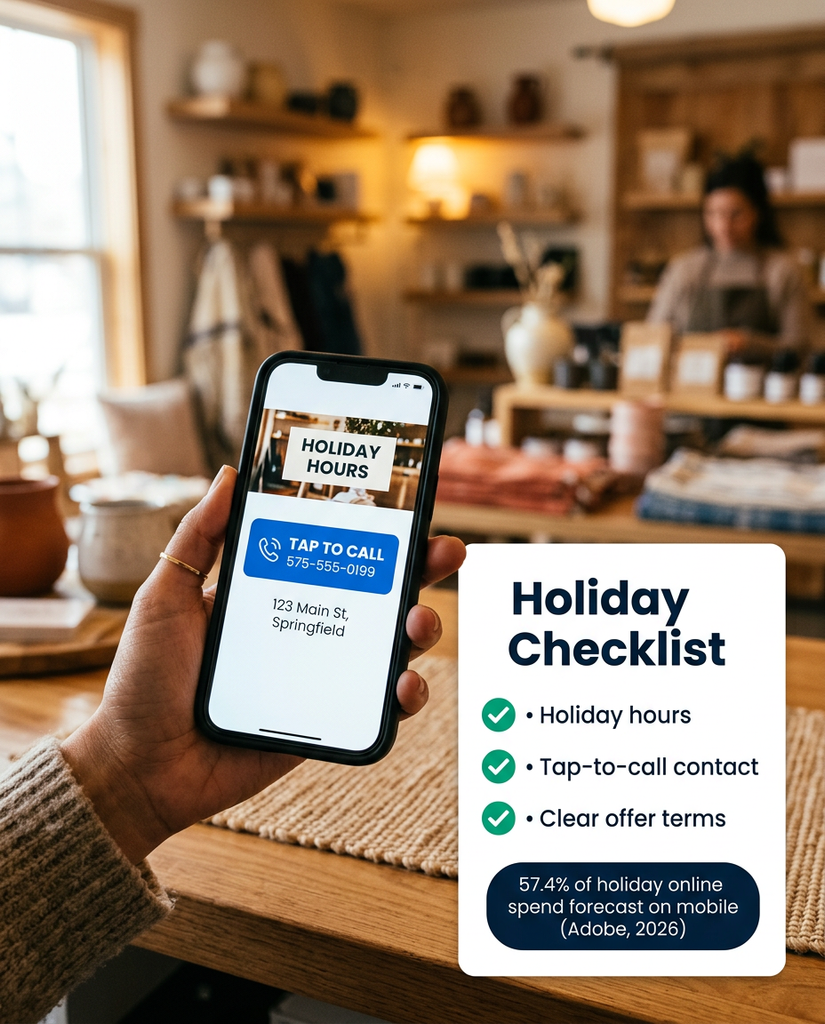
Add the details a holiday shopper looks for first: your hours, how to reach you and what you’re offering. Then review each page on a phone before you check it on a computer.
Adobe’s 2026 holiday forecast expects mobile to account for 57.4% of United States (US) holiday online spend in 2026, up from 56.4% in 2025. That forecast covers US online retail, but it suggests many of your visitors may arrive on phones. Make sure buttons, hours and contact details are easy to tap on a small screen.
Use this checklist before you call the build finished. It helps you catch holiday details that are easy to miss on a new site.
- Holiday hours and closures: Show special hours and closed days on the homepage and contact page.
- Contact options and location: Add your phone number, email and address or service area.
- Offer details and terms: State the dates and limits of any holiday offer in plain words.
- Shipping or pickup cutoffs: List the last day to order for delivery or pickup.
- Clear calls to action: Use one button label per page that matches your main action.
- Trust signals: Show real photos, reviews you have permission to share and your store policies.
- Fast-loading images: Upload images at a sensible size so pages load quickly on phones.
Keep your hours and contact details the same everywhere customers look. If you haven’t yet, set up Google Business Profile so your listing matches your site.
6. Decide whether to buy during the sale
Buy during the sale if your site meets your step 1 goals and a 12-month term fits your plans. If you’re still testing, keep refining and make your AI website builder Black Friday decision once the site meets your goals.
Our Black Friday offer for AI Website Builder reads: 15% off a 12-month plan through Nov. 30. 20% or 25% off when you buy 2 or 3 eligible products.
The AI Website Builder product page lists Get Online at $8.49/mo on a 12-month term, shown as Save 15%. Use that figure as a starting point, then confirm your total at checkout.
Note: Bluehost pricing was verified in October 2026 and may change. See current Bluehost plans and pricing.
The first-term price and the renewal price can differ, so check the renewal line at checkout before you pay.
Our product page lists these Get Online inclusions. Compare them with what your site needs before you choose a term.
- Domain: A free domain for 1 year and Domain Privacy for 1 year.
- Security: Free Secure Sockets Layer (SSL) plus malware detection and removal.
- Hosting and speed: Hosting for 1 website and a free content delivery network (CDN).
- Backups: Weekly backups of your site.
- AI edits: 20 AI edits per month plus 10 bonus edits in the first month.
- Search tools: Yoast SEO Premium, pre-installed.
- Support: Help from real people, 24/7.
The free first-year domain applies when you buy directly without starting a trial, and you should confirm at checkout that the sale applies to your plan. If you start a trial first, confirm at checkout whether the sale price applies to your upgrade. If you already own a domain, this condition may matter less to you.
Buy now if each line below is true for you. If one isn’t, keep working on the site until it is.
- Goals met: Your site does what you planned in step 1.
- Term fits: You’re comfortable committing to a 12-month term.
- Renewal checked: You’ve read the renewal line at checkout.
- Edits estimated: You know roughly how many AI edits you’ll need each month.
For background on how past Bluehost holiday sales worked, see the Bluehost Black Friday deals hub. To plan past the first term, read about what AI website builders cost over time.
7. Publish and check your site
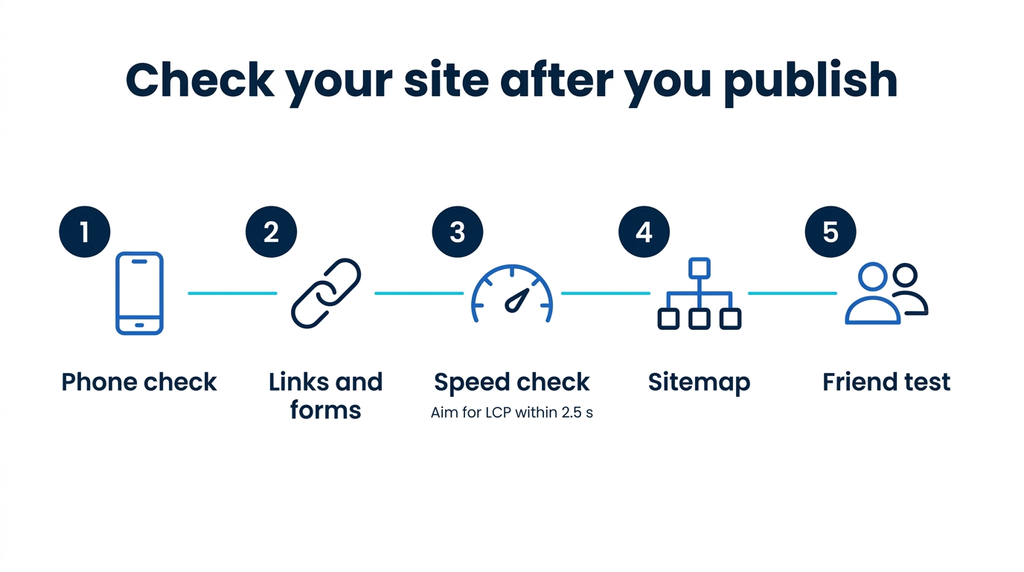
On Get Online, you can publish with one click to your custom domain, and hosting is included. Then test the live site the way a holiday visitor would. Buy your plan with enough time to test the live site before Black Friday.
Run these checks in order and fix anything that fails before Black Friday. The early checks cover what shoppers notice first.
- Phone check: Open every page on your phone and tap through it like a shopper.
- Links and forms: Test each link, contact form and click-to-call button.
- Speed check: Measure how fast your homepage loads on a phone.
- Sitemap: Submit your sitemap in Google Search Console.
- Friend test: Ask a friend to complete your main action and tell you where they got stuck.
Phone checks come first. Google’s mobile-first indexing guidance says Google uses the mobile version of a site’s content for indexing and ranking. Your phone view should show the same hours, offers and contact details as desktop.
For speed, Google’s Core Web Vitals guidance suggests striving for Largest Contentful Paint (LCP) within 2.5 seconds. It also suggests Interaction to Next Paint (INP) under 200 milliseconds and Cumulative Layout Shift (CLS) under 0.1. Meeting these targets aligns with what Google’s ranking systems reward, though it doesn’t guarantee a position.
Next, submit a sitemap to Google through the Sitemaps report in Search Console. A sitemap is a hint, so Google may not index your pages by a set date.
Also read: How to submit your site to Google with Search Console
Final thoughts
A workable AI website builder Black Friday plan puts building first and buying second. Start your trial early, write your prompt brief and save your edits for the pages holiday visitors use most.
Bluehost AI Website Builder fits that plan because you describe your business, direct each change and publish on Get Online when the site is ready. Our support team is available around the clock if you get stuck. Start your AI Website Builder trial and have your holiday site ready before the rush.
FAQs
Choose the Get Online plan on a 12-month term from the AI Website Builder page while the offer runs. Confirm the discount appears at checkout before you pay, and contact our support team if the price looks wrong. If you started a free trial first, confirm at checkout that the sale price appears on your upgrade.
For this offer, neither day has an edge because the offer covers both Black Friday and Cyber Monday. The better buying day is the one when your site is ready. Build during the trial, then buy when the site meets your goals and the checkout total fits your budget.
Bluehost’s holiday offer runs through Nov. 30, which is Cyber Monday. Read the checkout page for the final terms on your purchase.
The renewal price can differ from the first-term price, so check the renewal line at checkout before you pay. Compare the first-term price with the renewal price shown there, then estimate your cost over two or three years. Our support team is available 24/7 if you have questions.
Yes, AI Website Builder offers a 14-day free trial with no credit card required, including a temporary domain and 10 AI edits. Before you sign up, you can browse the prompt gallery of real prompts and the sites they produced. After the trial, a 4-day grace period gives you time to decide on Get Online.
Hostinger’s Black Friday page lists AI Builder deals (checked Oct. 13, 2026). Wix: Not announced (checked Oct. 13). Offers on other brands’ pages can change, so check each provider’s site directly and compare the same plan term. Look at renewal prices too.
The lowest-priced AI website builder depends on term length, renewal price and what each plan includes. A low first-month price can look different once you add a domain, security or renewal costs. Compare the total cost over the full term and the first renewal, and check which features you’d need to pay extra for.
The best AI website builder depends on your business needs, such as how much editing control you want, what each plan includes and your budget. A local service business may need different tools than an eCommerce shop. To weigh the options side by side, compare top AI website builders in our guide.

Write A Comment