 ChatGPT,
 Claude,
 Gemini,
 Grok — all four for
Key highlights
- Understand what customer service automation is and how it handles routine support tasks without requiring a human agent for every interaction.
- Learn the key benefits of automating your support operations, including faster response times and lower costs for businesses of all sizes.
- Explore the most effective automated customer support solutions available today, from AI-powered chatbots to self-service portals and automated ticketing tools.
- Discover how to automate customer support workflows step by step, so your team can focus more time on high-value customer needs.
- Know when automation helps most and when a human agent should step in, so every customer gets the right level of support.
A customer messages your business at 11 p.m. asking where their order is. Nobody on your team is awake to answer. By morning, that customer has already left a one-star review and bought from a competitor.
That scenario is more common than many business owners realize. In fact, 29% of consumers say they stopped using or buying from a brand due to poor customer experience, whether online or in person.
Customer service automation is the use of technology to handle customer inquiries, route tickets and deliver support without requiring a human to respond to every interaction manually. It closes that midnight gap and dozens of others like it.
For a small or growing business, the appeal is obvious. You cannot hire a 24-hour support team, but your customers expect fast answers anyway. Below, you will learn what this technology actually does, the real benefits it delivers, the types of tools available, a practical setup process and the honest limits of where machines should hand the conversation back to a person.
What is customer service automation?
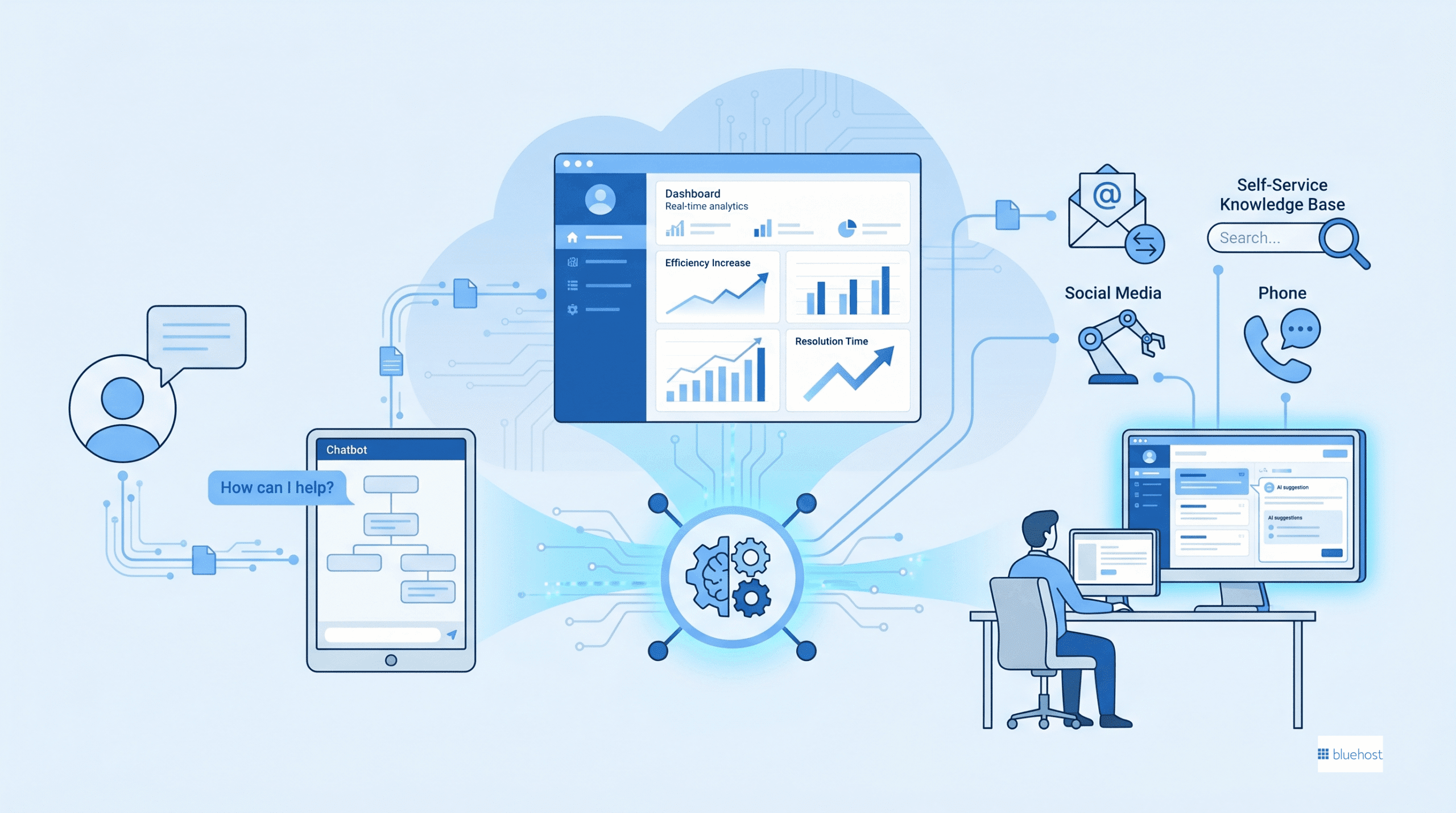
Customer service automation is any technology that resolves or organizes a support request with little or no human effort. That includes a chatbot answering a common question, a system that tags and routes an email to the right agent or a help article that pops up before a customer ever opens a ticket. The goal is not to remove people. It is to handle the repetitive, predictable work so your team spends time on the human customer service interactions.
Think of it as a set of “if this, then that” rules layered with smarter language tools on top. When a trigger happens, such as a customer typing “reset my password,” an automated action follows, such as sending the reset link instantly. Some of these systems run on simple rules. Others use AI in customer support to understand messy, real-world phrasing and respond in a more natural way.
Core components of customer service automation explained
Most automated support setups combine a few core pieces. Understanding them helps you see where automation fits in your own business before you spend a dollar.
- Triggers: An event that starts the process, like a new message, a keyword or a form submission.
- Rules and logic: The decision-making that decides what happens next, such as routing a billing question to the finance queue.
- Knowledge sources: The FAQs, help docs and past tickets the system pulls answers from.
- AI language understanding: The layer that interprets what a customer means even when they phrase it oddly.
None of these work in isolation. A chatbot without a good knowledge base gives weak answers, and routing rules without clean data send tickets to the wrong place. The strongest setups connect all four so a customer feels guided rather than bounced around.
How AI makes customer service automation more capable?
AI takes customer service automation beyond simple if-then logic. It recognizes what people actually mean, picks up on how they’re feeling and handles the endless variety of ways customers phrase the same question. Rule-based systems need an exact keyword match to work. AI doesn’t.
Here’s what that looks like in practice:
- Intent recognition: A customer types “I never got my stuff” and the system knows that means the same thing as “order not received.” AI models trained on real conversation history map casual, everyday language to the right answer automatically, so your automation stops breaking every time someone phrases things differently.
- Sentiment detection: Natural language processing reads message content for signals like frustration or urgency. When those signals show up, the system routes that conversation to a human agent faster than a calm, neutral request would travel. Getting an upset customer to a real person quickly is what stops a tense moment from turning into a public complaint.
- Agent-assist drafts: The AI doesn’t fire off a response on its own. Instead, it surfaces a suggested reply for your human agent to review and approve before anything goes out. Your team replies faster, and you keep full control over what actually gets sent.
- Continuous learning: This is the part that compounds over time. Modern AI engines analyze new interactions, customer feedback and conversation outcomes to sharpen their accuracy. The answers get better, the routing gets smarter and the gap between what customers ask and what the system understands keeps closing.
Now that you understand how AI handles the language layer, the business outcomes it unlocks become easier to see.
Key benefits of customer service automation
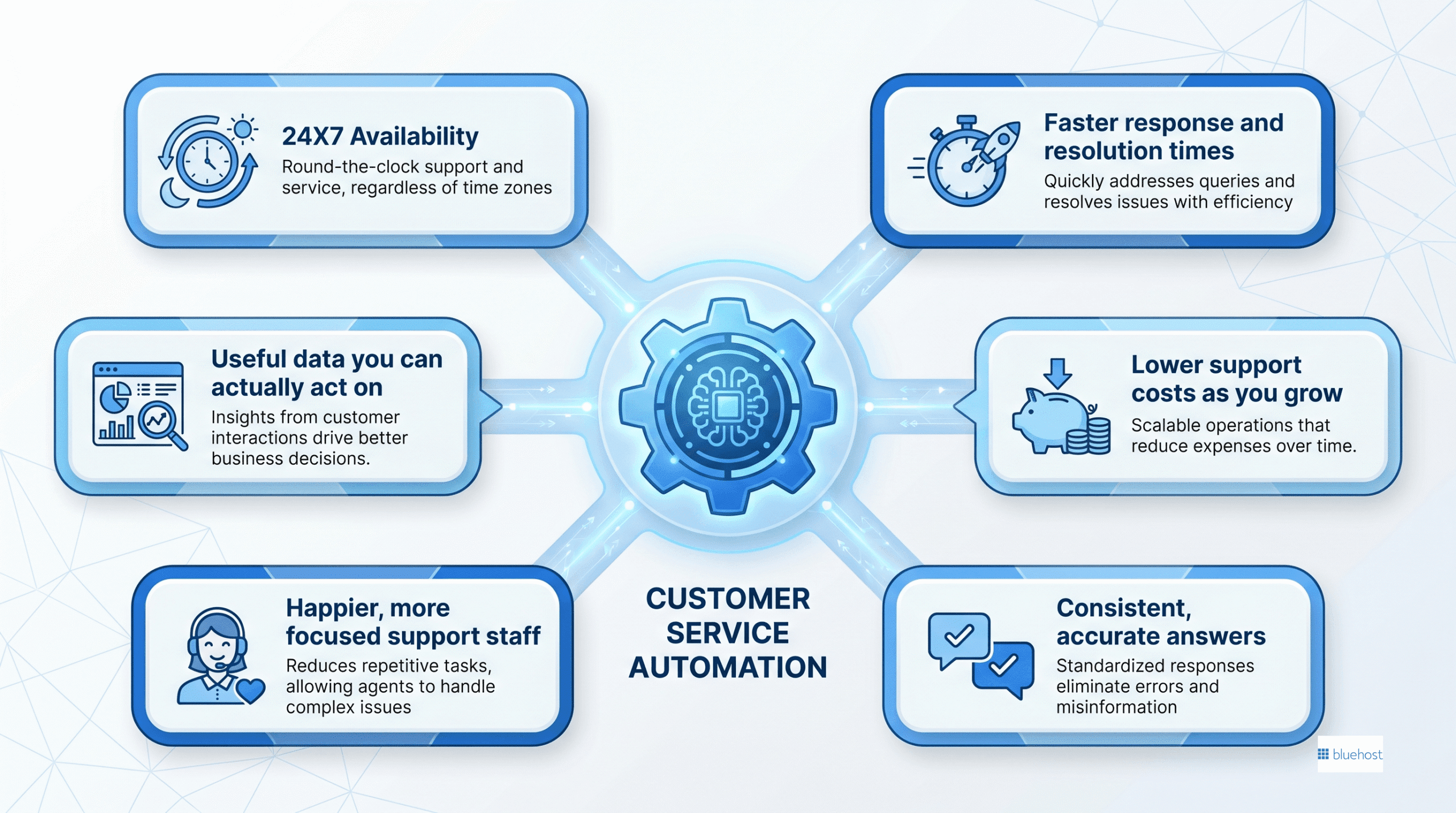
The benefits of customer service automation go well beyond saving a few minutes here and there. When you reduce manual handling on routine requests, you change the economics of your entire support operation. A HubSpot report on customer service trends (2024) found that the majority of service teams already use some form of automation to keep up with rising customer expectations. Here is where the value shows up most clearly.
1. Round-the-clock availability
Your customers do not all shop during business hours. Automated support answers questions at 2 a.m. on a Sunday just as easily as it does at noon on a Tuesday. That always-on coverage captures sales and solves problems while you sleep, which is something no single human team can match without enormous payroll cost.
2. Faster response and resolution times
Speed is one of the strongest drivers of customer satisfaction. When a bot answers an instant question or a routing system sends a ticket to the right agent immediately, customers wait less. AI support automation tools that suggest answers also help your human agents reply faster, which shortens the whole queue.
3. Lower support costs as you grow
Hiring one agent for every spike in volume gets expensive fast. Automation absorbs the high-volume, low-complexity questions so you can grow your customer base without growing your headcount at the same rate. You reduce support costs per ticket while keeping quality steady.
4. Consistent, accurate answers
Two human agents might explain a refund policy in two slightly different ways. An automated response pulls from a single source of truth, so every customer gets the same correct answer. That consistency protects your brand and cuts down on confusion.
5. Happier, more focused support staff
Answering the same “how do I track my order” question 40 times a day burns people out. When automation takes those repetitive tickets, your team handles the interesting, meaningful problems instead. Agents who feel useful stay longer, and lower turnover saves you the cost of constant rehiring.
6. Useful data you can actually act on
Every automated interaction leaves a trail. You learn which questions come up most, where customers get stuck and which issues drive the most tickets. Those patterns tell you what to fix in your product, your checkout or your help content.
If you want to understand how faster reply times tie into a broader customer engagement plan, an article on how AI tools improve customer response times is a useful next read. Knowing the benefits is one thing, but choosing the right tool is where most owners get stuck, so let us map the landscape.
Types of customer service automation solutions
The phrase “customer service automation solutions” covers a wide range of tools, and they are not interchangeable. Picking the wrong category for your problem is the most common early mistake. The table below gives you a scannable overview before we dig into each type.
| Solution type | What it does | Best for | Limitation to be aware of |
|---|---|---|---|
| Chatbots and virtual agents | Answer questions in a chat window on your site or app | High-volume, repetitive questions | Struggle with complex or emotional issues |
| Helpdesk and ticketing automation | Tag, sort and route incoming requests to the right person | Teams juggling many channels at once | Needs clean rules and data to work well |
| Self-service knowledge bases | Let customers find answers themselves through search | Reducing ticket volume at the source | Only as good as the content inside it |
| AI Receptionist and voice agents | Capture leads, book appointments and field calls | Service businesses and lead capture | Best for structured tasks, not open-ended chat |
| Workflow and integration tools | Connect apps so data moves automatically | Removing manual copy-paste between systems | Setup takes planning and testing |
1. Chatbots and virtual agents
These are the front-line responders most people picture first. A rules-based chatbot follows scripted paths, while an AI-powered one understands natural language and handles a wider range of questions. They shine on FAQs, order status checks and simple troubleshooting, but they should always offer a clear path to a human when the conversation gets tricky.
2. Helpdesk and ticketing automation
When messages arrive by email, chat, social media and phone, somebody has to sort them. Automated ticketing does that sorting instantly. It assigns priority, routes a shipping issue to the logistics queue and sends an acknowledgment so the customer knows you received their message. An article explaining what a helpdesk ticketing system is can help if you are starting from scratch here.
3. Self-service knowledge bases
Many customers would rather solve a problem themselves than wait for a reply. A well-organized help center with searchable articles, guides and videos lets them do exactly that. Every question answered by self-service is one ticket your team never has to touch.
4. AI Receptionist and voice agents
Service businesses, clinics and contractors often lose opportunities from missed inquiries. The Bluehost AI Receptionist engages website visitors around the clock, answers questions, captures leads and can book appointments through a connected calendar. For appointment-based businesses, that always-on coverage can help reduce missed booking opportunities.
5. Workflow and integration tools
Sometimes the bottleneck is not answering customers but the manual work behind the scenes, like copying order data from one app to another. Workflow automation connects your tools so information flows without anyone retyping it. Self-hosted options give technical teams full ownership of those workflows rather than paying per action, which matters as volume climbs.
No single category solves everything. Most businesses blend two or three, usually a chatbot, a knowledge base and ticketing routing, into one connected setup. Knowing the categories is the foundation for the part most readers actually came for: putting it into practice.
Where customer service automation delivers the most value in practice?
Knowing which tool categories exist gives you vocabulary, but seeing where each type gets applied in a real business context is what tells you which problem to solve first. The table below maps seven common support scenarios to the automation type that handles them best, what each one replaces and the outcome your business can expect.
| Use Case | Automation type used | What it replaces | Outcome for the business |
|---|---|---|---|
| Order status inquiries | Chatbot with live order data integration | Manual agent lookup | Instant answers available around the clock |
| Appointment and callback booking | AI Receptionist or voice agent | Phone tag and manual calendar management | Fewer missed leads and faster booking |
| Password and account resets | Rule-based trigger plus self-service portal | Agent-handled resets | Near-zero cost per interaction |
| Returns and refund requests | Chatbot with knowledge base | Repetitive agent scripting | Consistent policy delivery every time |
| Billing and invoice questions | Ticketing automation with queue routing | Manual ticket sorting | Billing queries reach the right team immediately |
| After-hours lead capture | AI Receptionist | Unanswered calls and lost contact details | Leads collected and passed to sales without a human on call |
| Product FAQs and basic troubleshooting | Self-service knowledge base | Ticket creation for common questions | Lower incoming ticket volume |
Where you start depends on your business model. An eCommerce businesses typically see the fastest return from automating order tracking and returns, since those two use cases alone drive the bulk of incoming requests. Service businesses such as contractors, clinics and consultants often begin with appointment booking and after-hours lead capture, because a missed call translates directly into lost revenue. SaaS teams frequently prioritize account and billing routing first, since those queries involve account-specific data that benefits most from tight CRM integration.
Real-world automated customer service examples
To fully grasp what customer service automation is, you need to see it working in everyday situations. One of the biggest benefits of customer service automation is how it frees up your time while giving buyers instant answers. Whether you run a busy local clinic or a growing online shop, finding the right customer service automation solutions changes how you operate. If you are exploring how to automate customer support practically, here are three common scenarios showing the process in action.
| Business scenario | The trigger | The automated outcome |
|---|---|---|
| eCommerce store order tracking: A buyer wants an update on their package delivery at midnight. | The customer types their specific order number into the website chatbot. | The system retrieves shipping data from the carrier and instantly tells the buyer exactly when their package will arrive. |
| Local service appointment booking: A customer wants to schedule a service after the business has closed for the day. | The customer starts a conversation with Bluehost AI Receptionist on the business website. | The AI answers questions, captures the lead and books an available appointment through the connected calendar. |
| Service agency billing inquiry: A client needs to update an expired credit card for a monthly service retainer. | The client emails the main support address with a message about updating their payment method. | A ticketing system tags the message and replies immediately with a secure link to the billing portal so the client can update their details. |
How to automate customer service: a step-by-step approach
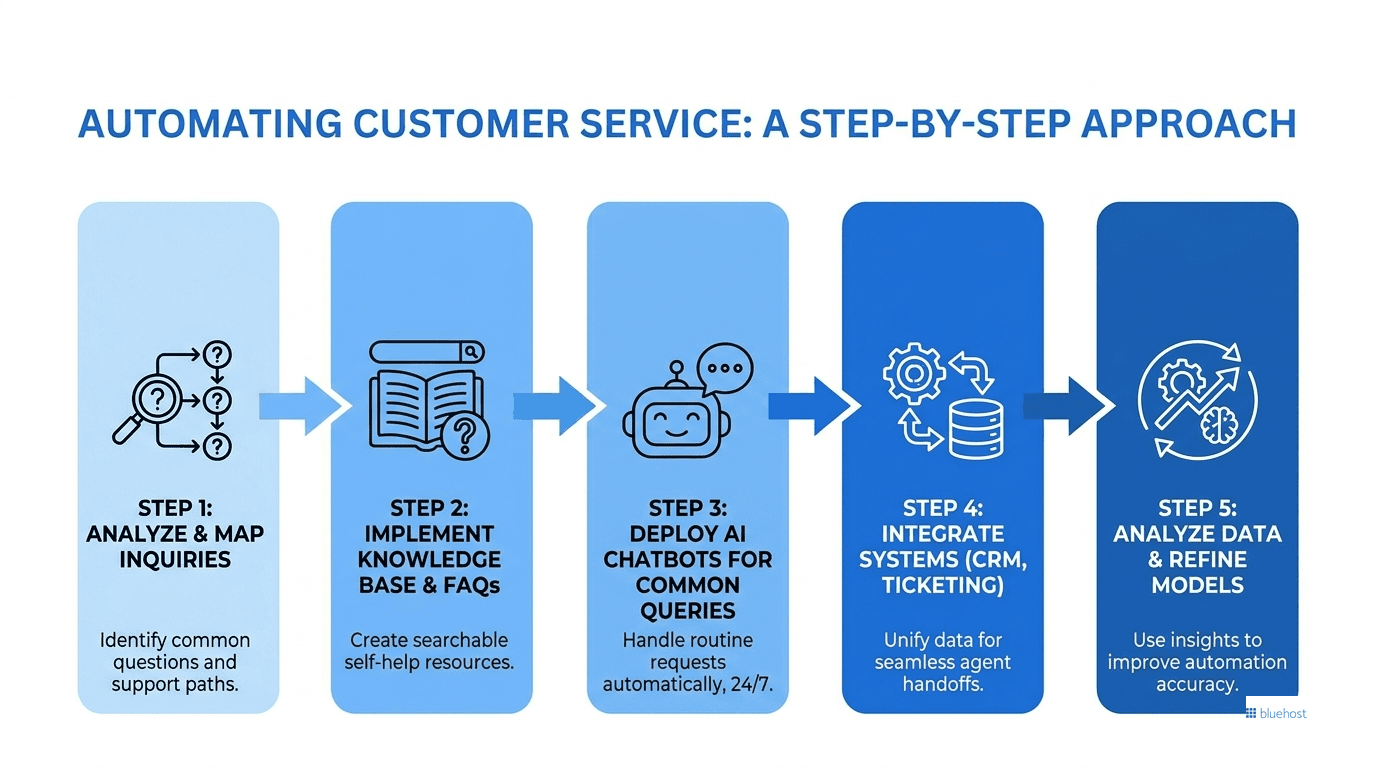
Learning how to automate customer service is less about buying software and more about understanding your own support patterns first. Rushing to install a chatbot before you know what customers ask is how teams end up with automation that frustrates everyone. Follow these steps in order and you will build something customers actually appreciate.
1. Map your most common customer questions
Pull your last few hundred tickets, emails and chats. Group them by topic and count how often each one appears. You will almost always find that a small handful of questions, often order status, returns, password resets and pricing, make up the bulk of your volume. Those high-frequency, low-complexity questions are your automation starting line.
2. Choose the right tool for the job
Match the problem to the category. If most of your volume is repeat questions, start with a chatbot and a knowledge base. If your team is drowning in misrouted emails, ticketing automation matters more. Do not buy a tool because it is popular. Buy the one that solves the pattern you found in step one.
3. Build your knowledge foundation first
Automation is only as smart as the information feeding it. Write clear answers to your top 20 questions before you switch anything on. This is the same content that powers your chatbot, your help center and your agents’ suggested replies, so getting it right once pays off everywhere.
4. Set clear handoff rules to humans
Decide in advance when a conversation should leave automation and reach a person. Common triggers include an angry tone, a complex billing dispute or a customer simply asking for a human. A clean, fast handoff is the single biggest factor in whether customers trust your automated support or resent it.
5. Launch small, then measure and expand
Start with one channel and one set of questions. Watch how customers respond, where the bot fails and which handoffs happen most. Use that data to refine your answers and slowly widen the scope. Knowing how to automate customer support well means treating it as an ongoing improvement loop, not a one-time install.
Pro tip: Test your automation as if you were a confused, slightly frustrated customer. If you can break it in five minutes, your customers will break it in two. Fix those gaps before launch, not after the complaints arrive.
This phased method keeps risk low and lets you prove value before expanding. If you are looking for automation tools that connect with your existing website and systems, exploring the best workflow automation tools for small businesses is a sensible next step. Still, automation is not the right answer for every interaction, and pretending otherwise damages trust.
Core best practices for automating customer service
Knowing how to automate customer support successfully requires looking past the technology itself. The most effective customer service automation solutions function as assistants to your human team rather than standalone replacements. When setting up your workflows, following a few core rules keeps the experience helpful and prevents customer frustration.
- Treat AI as an assistive enabler: One of the main benefits of customer service automation is handling volume and speed so your staff can tackle complex problems. Position your tools to support your team instead of trying to replace human judgment entirely.
- Maintain a helpful specialist tone: Customers want clear and polite answers without robotic formality. Program your automated responses to sound professional but approachable, avoiding overly rigid scripts that make users feel ignored.
- Update knowledge sources regularly: An automated answer is only as accurate as the data behind it. Review your FAQs, product details and return policies monthly to ensure your system provides correct information.
- Avoid dead-end bot loops: Never trap a user in a cycle where a system repeats the same unhelpful answer. Always provide an obvious option to transfer the chat to a live agent or leave a ticket if the issue remains unresolved.
Customer service automation vs. human support: knowing when each works best
The honest truth most vendors skip is that automation has clear limits. AI is an enabler that handles volume and speed, but it is not a replacement for human judgment in the moments that matter most. Knowing the difference is what separates a support setup customers love from one they dread.
Automation works best when the task is predictable, high-volume and emotionally neutral. A person needs to step in when stakes are high, emotions run hot or the situation is genuinely unusual. The table below shows where each approach belongs.
| Lean on automation when | Keep a human in the loop when |
|---|---|
| The question is common and has a clear answer | The customer is upset, grieving or in crisis |
| Customers want a fast, simple response | The issue is complex with many moving parts |
| The task is repetitive, like order tracking | A judgment call or exception is needed |
| You need 24/7 coverage for basic requests | A high-value account needs a personal touch |
The businesses that get this right do not force a choice between robots and people. They use automation to clear the routine work so their human agents have the time and energy to handle the conversations that build loyalty. When a customer with a delicate problem reaches a knowledgeable person quickly, that experience often becomes the reason they stay. Use automation to protect your team’s attention, not to wall customers off from it.
Common challenges with customer service automation
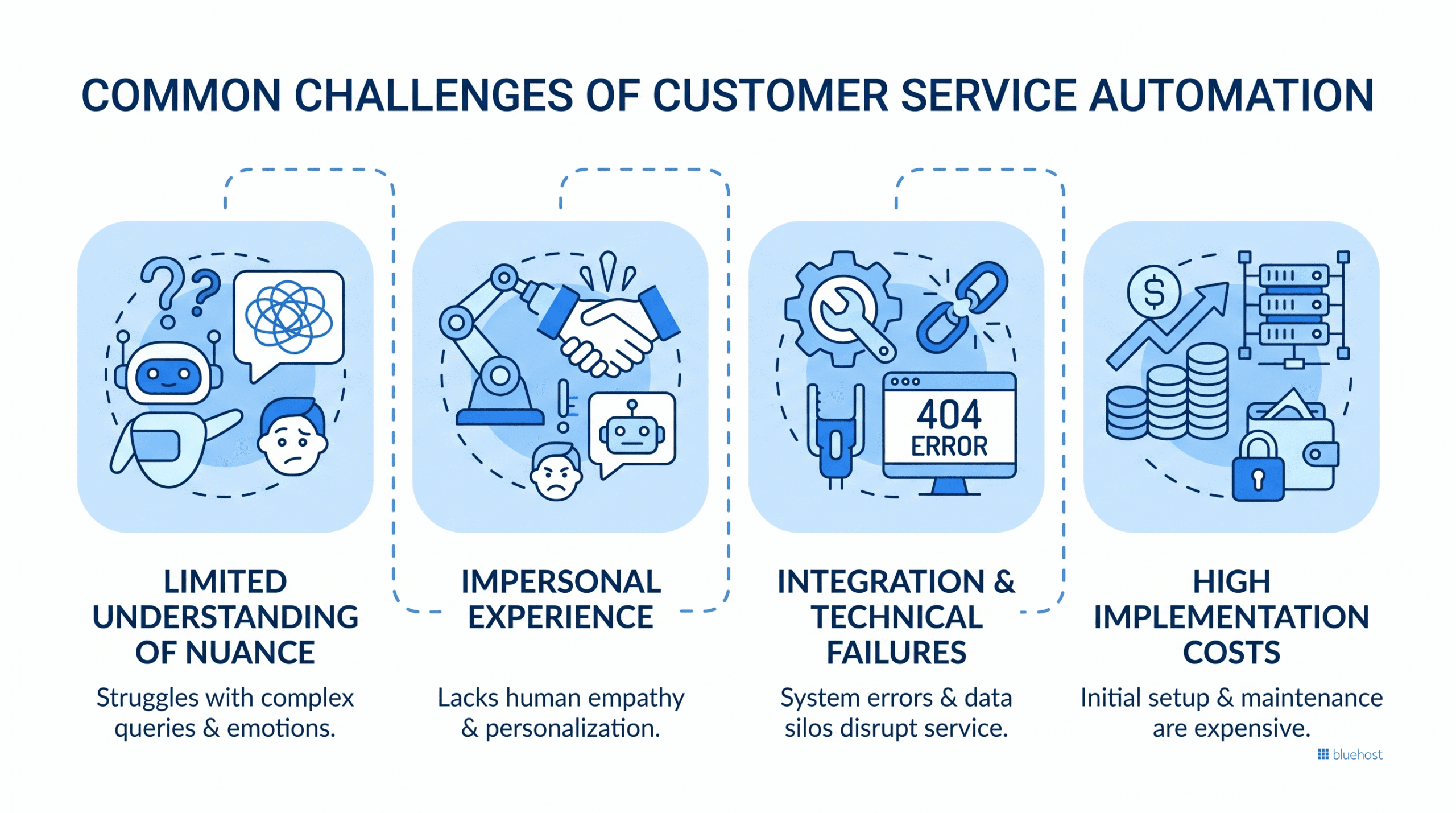
One of the biggest mistakes businesses make when setting up customer service automation? Buying too many disconnected tools at once. You end up with a chatbot on your website, a separate system for emails and an isolated calendar for bookings. None of them talk to each other. So when a customer switches channels, they have to repeat their problem from scratch. That’s the fragmentation tax, and it’s a silent killer for customer experience.
Poor data routing is just as damaging. Picture this: a customer asks your bot about a delayed order, but the bot only has access to a generic script with no live shipping data. Frustrating, right? The real issue usually isn’t the tool itself. It’s that the technology got implemented before anyone mapped out how data actually needs to move behind the scenes. Without that groundwork, automated support creates more friction than it solves.
So what actually works? Here’s what to focus on from the start:
- Prioritize integration first. Before adding any new tool, check whether it natively connects to the platforms and databases you already use.
- Map your data flows early. Know exactly how customer data moves between your inventory, billing and support systems before you automate anything.
- Avoid tool overload. More tools don’t mean better support. A single connected helpdesk that routes information correctly will outperform five siloed apps every time.
- Give your bots real context. Automated responses are only helpful when the system has access to live, accurate data, not just pre-written scripts.
Understanding what customer service automation is really about means recognizing that the tools are only half the picture. The connections between them are what actually make or break the experience for your customers.
The future of customer service automation
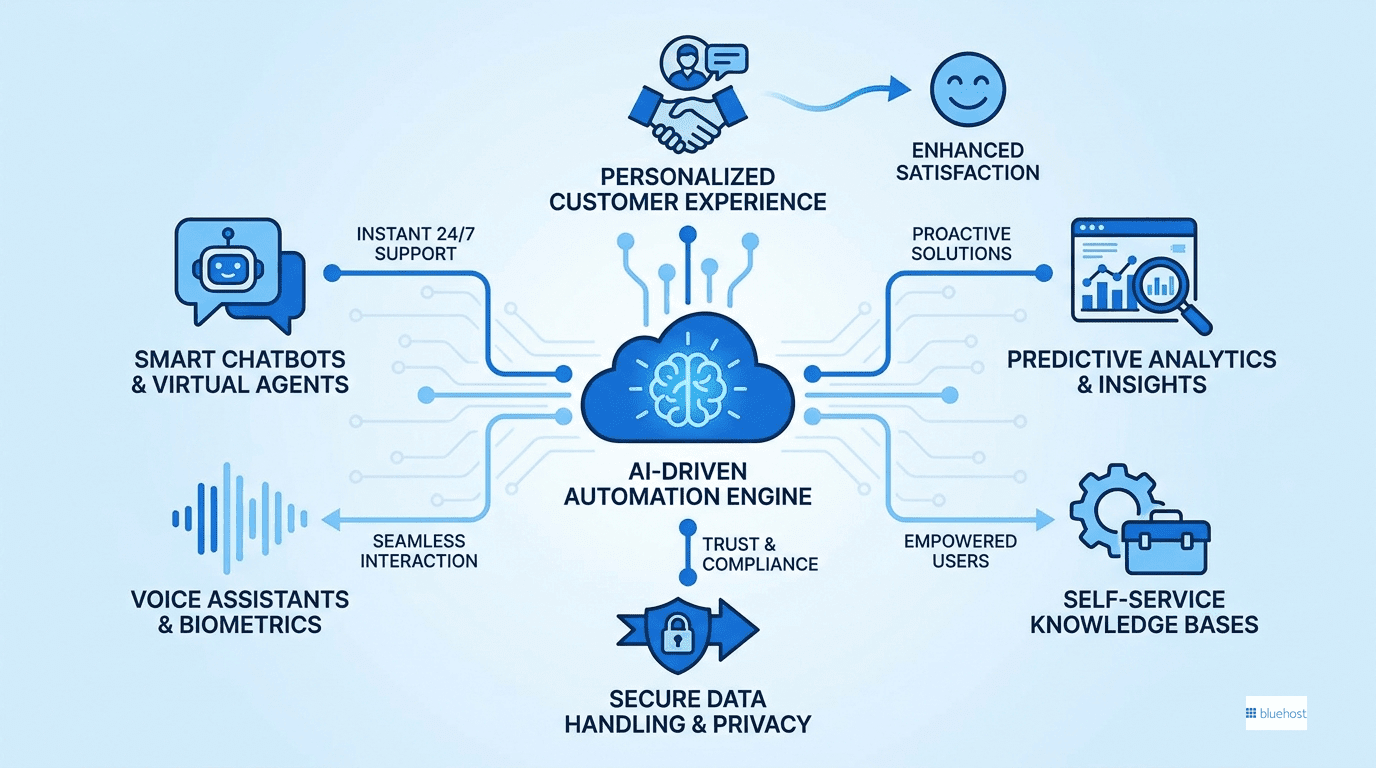
The next big shift in customer support isn’t about adding more tools. It’s actually about using fewer of them. Right now, a lot of businesses are paying per-action fees across a tangle of overlapping apps that barely talk to each other. That gets expensive fast.
Where things are headed: ownership over rental
The real direction here is tool consolidation and data control. Instead of renting software from a dozen vendors, more companies are starting to host their own AI infrastructure directly. Here’s why that matters:
- You own your customer data instead of handing it off to third-party platforms
- Costs become predictable because you’re not hit with surprise scaling fees every month
- You control what the AI does and how it behaves, rather than working around vendor limitations
It’s a meaningful difference. Renting AI is convenient until it isn’t. Owning it puts you in the driver’s seat.
Why customer service automation works best alongside human support
Understanding customer service automation also means being honest about what it can’t do. These systems are genuinely good at handling high ticket volumes, routing requests and answering repeat questions. But complex, high-stakes situations? Those still need a real person.
Machines recognize patterns. Humans exercise judgment. Both are necessary. The smartest businesses use automation to handle the predictable stuff so their team can focus on the conversations that actually require expertise. Think of it less as replacing people and more as protecting their time for the work that counts.
- Automation handles repetitive, pattern-based requests at scale
- Human agents stay available for nuanced or sensitive issues
- Your team works as dedicated consultants, not entry-level ticket sorters
- The result is faster resolutions across the board, for everyone
How Bluehost AI Receptionist handles customer service automation for business?
If you’re looking for a practical way to automate customer support without building a complex tech stack, Bluehost AI Receptionist combines lead capture, appointment scheduling and customer communication in one solution.
Key capabilities of Bluehost AI Receptionist are:-
- 24/7 customer engagement: Answer customer questions and capture leads even when your business is closed.
- Instant appointment scheduling: Connect with Google Calendar to let customers book, reschedule or cancel appointments without staff involvement.
- Lead qualification automation: Collect customer details and qualify prospects before they reach your team.
- Custom knowledge base training: Train the agent on your business information so it provides accurate, company-specific responses.
- No-code setup: Get your AI Receptionist live without coding or complex technical setup.
- Brand voice customization: Deliver consistent responses that reflect your business’s tone and messaging.
- Expert implementation support: Get help from Bluehost Pro Services to configure and launch your AI Receptionist.
- Analytics and conversation insights: Track interactions, booking trends and customer inquiries to improve operations over time.
As your business grows, Bluehost AI Receptionist scales with demand, helping you deliver fast, consistent support while freeing your team to focus on higher-value customer interactions.
Final thoughts
Customer service automation works best when it handles the predictable so your team stays focused on the conversations that build real loyalty. Start with the questions your customers ask most, write clear answers, set firm handoff rules and expand only after you measure results. The businesses winning at support right now are not the ones with the most technology but the ones that apply the right tool to the right problem.
If after-hours inquiries are costing you leads, the Bluehost AI Receptionist answers questions around the clock, captures leads and books appointments through your connected calendar. Automation does not replace the human side of your business; keeping machines on routine tasks gives your team the time and focus to deliver support worth remembering.
FAQs
A common example is a automated support chatbot on a website that instantly answers “where is my order” by pulling the tracking number from your system. Other examples include automated email replies confirming a ticket was received and a system that routes a billing question straight to the finance team without anyone sorting it manually.
The main drawbacks are weak handling of complex or emotional issues, frustration when customers cannot reach a human and answers that sound generic. Poorly built automation can trap people in loops with no escape. These problems are usually caused by bad setup rather than the technology itself, and clear handoff rules prevent most of them.
Costs vary widely. Basic chatbots and help center tools can start free or run a modest monthly fee, while advanced AI automation tools with voice agents and deep integrations cost more. Many tools price by usage or contact volume, so your bill scales with how much you automate. Start with a small plan and grow as you prove value.
Automation is far more likely to reshape support roles than erase them. Routine tasks get handled by machines, while human agents move toward complex problem-solving, relationship building and overseeing the automation itself. Demand for empathy and judgment in support remains strong, so most teams shift their focus rather than shrink.
A chatbot is one tool within the broader practice of customer service automation. Automation also covers ticket routing, self-service knowledge bases, automated support workflows and AI Receptionists. The chatbot handles conversations, while customer service automation is the full system that manages, sorts and resolves requests across every channel.

Write A Comment