 ChatGPT,
 Claude,
 Gemini,
 Grok — all four for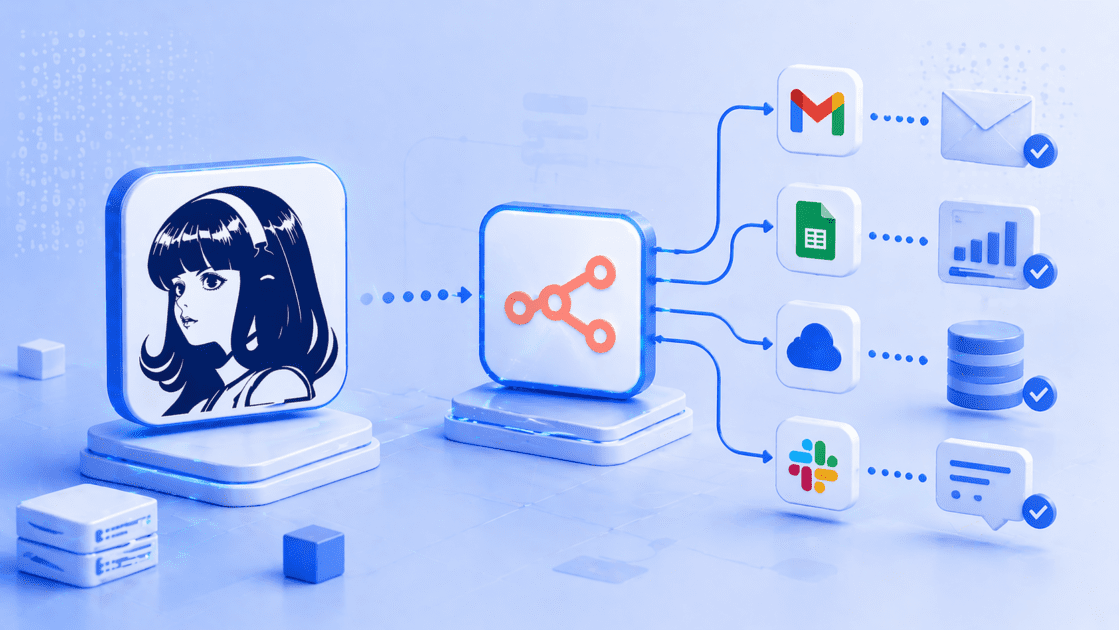
Key highlights
- Understand how Hermes agent n8n combines structured automation with intelligent reasoning to build smarter workflows.
- Learn when to use n8n AI agent workflow automation vs a persistent AI agent.
- Explore real architecture patterns used in self-hosted AI agent workflows.
- Uncover practical examples like support triage, lead scoring and incident analysis.
- Build safer systems with security-first design for AI agent on self-managed VPS deployments.
Most automations follow rules well, but they struggle with judgment. That is where the Hermes agent n8n combination changes how workflows behave. Instead of building rigid trigger-action chains, you can design systems that interpret context, make decisions and improve over time.
n8n handles structured automation like triggers, API calls and data routing. Hermes Agent adds reasoning, memory and adaptive decision-making. Together, they enable a new type of n8n AI agent workflow automation that blends deterministic execution with agentic intelligence.
This is not a native integration. It is an architectural pattern where n8n moves data and executes actions while Hermes Agent decides what those actions should be. In this guide, you will learn how to design a self-hosted AI agent workflow, when to use each tool and how to build production-ready systems that actually think.
What does Hermes Agent + n8n actually mean?
The hermes agent n8n workflow does not mean a built-in or native integration. It refers to an architectural pattern where two systems work together, each handling what they do best.
At a high level:
- n8n manages structured workflows
- Hermes Agent handles reasoning, memory and decision-making
This separation is important. It keeps your system predictable while still enabling intelligent behavior.
n8n is the workflow engine. Hermes Agent is the reasoning layer.
What does n8n handle in this setup?
n8n is designed for deterministic workflow automation. It works best when the steps are clearly defined.
It handles:
- Trigger-based automation (webhooks, schedules, app events)
- API orchestration across tools and services
- Data transformation and routing
- Conditional logic and branching
- Sub-workflows using features like “call n8n workflow tool”
In a typical n8n AI agent workflow, n8n acts as the system that moves data and executes actions reliably.
What does Hermes Agent handle?
Hermes Agent adds the agentic layer to your workflow.
It handles:
- Interpreting messy or incomplete input
- Making decisions based on context
- Maintaining persistent memory across interactions
- Creating and improving reusable “skills”
- Handling long-running or evolving tasks
This makes it ideal for agentic workflow automation, where decisions are not predefined.
How they work together
In a hermes agent n8n workflow, the interaction usually looks like this:
- n8n collects data and prepares context
- Hermes Agent analyzes that context and decides what to do
- n8n executes the final action based on that decision
This structure allows you to build n8n AI agent workflows that are not limited to static logic.
Why this distinction matters
Many developers try to force AI into traditional workflows. That often leads to fragile systems.
Instead:
- Use n8n when the process is predictable
- Use Hermes Agent when the outcome depends on judgment
This approach gives you flexible yet controlled automation, which is critical for production systems.
Now that the architecture is clear, the next question becomes, why should you combine these two systems in the first place? Let’s break that down next.
Why combine Hermes Agent and n8n?
The real value of a hermes agent n8n setup comes from combining structure with intelligence. Most automation tools solve one side of the problem, not both.
- n8n excels at structured, repeatable workflows
- Hermes Agent excels at decision-making and learning from context
When you combine them, you unlock n8n AI agent workflow automation that can both execute and decide.
What n8n is really good at
n8n works best when your workflow is clearly defined and repeatable.
Strengths of n8n:
- Trigger-based automation (webhooks, cron, app events)
- API orchestration across multiple tools
- Moving and transforming data between systems
- Deterministic logic (if/then conditions)
- Sub-workflows and reusable components
- Features like “call n8n workflow tool” for modular execution
This makes n8n ideal for workflow automation AI agent pipelines, where execution must be reliable.
What Hermes Agent is really good at
Hermes Agent is built for situations where logic is not fixed.
Strengths of Hermes Agent:
- Reasoning over ambiguous or messy input
- Persistent memory across sessions
- Creating and improving reusable skills
- Handling long-running workflows
- Supporting multiple model providers and endpoints
- Running as a self-hosted AI agent workflow on a self-managed VPS
This makes it ideal for autonomous workflow automation, where decisions evolve over time.
Side-by-side comparison
| Layer | n8n role | Hermes Agent role |
|---|---|---|
| Trigger | Starts workflows from events and schedules | Responds to prompts, messages, or cron |
| Data movement | Moves data between APIs and apps | Interprets and analyzes data |
| Logic | Deterministic, rule-based | Context-driven, adaptive |
| Tools | APIs, nodes, sub-workflows | Skills, tools, model providers |
| Memory | Session or workflow-level | Persistent, long-term |
| Hosting | Self-hosted automation engine | Self-hosted AI agent |
| Best use | Repeatable processes | Decision-making systems |
Where the combination becomes powerful
Here’s where n8n AI agent workflow automation starts to feel different:
- A workflow does not just execute steps
- It evaluates context before choosing the next step
- It improves decisions over time using memory
For example:
- n8n fetches customer data, ticket history and product details
- Hermes Agent decides urgency, intent and response strategy
- n8n executes the response through Slack or a helpdesk
This is not just automation. It is agentic workflow automation.
Key takeaway
If you rely only on n8n, your workflows remain predictable but rigid.
If you rely only on Hermes Agent, you lose structured execution and control.
The combination gives you:
- Reliability from n8n
- Intelligence from Hermes Agent
Now comes an important decision point for developers, should you use Hermes Agent or just the n8n AI Agent node? Let’s compare them directly next.
Also read: What is Hermes Agent? A self-hosted AI agent guide for developers
Hermes Agent vs the n8n AI Agent node
When building a hermes agent n8n setup, one common question comes up, do you really need Hermes Agent, or is the n8n AI Agent node enough?
The answer depends on where you want the intelligence to live.
- n8n offers an AI Agent node that works inside workflows
- Hermes Agent operates as a persistent external agent
Both support n8n AI agent workflow automation, but they solve different problems.
Quick comparison
| Feature | Hermes Agent | n8n AI Agent node |
|---|---|---|
| Main purpose | Persistent, self-improving AI agent | Agent inside an n8n workflow |
| Best for | Long-running tasks, memory, coordination | Tool-based decisions within workflows |
| Workflow control | Agent-driven or cron/gateway-based | Controlled by n8n workflows |
| Memory | Persistent, long-term | Session-based, workflow-limited |
| Self-hosting | Strong fit for self-managed VPS or cloud VM | Runs inside self-hosted n8n |
| Tool ecosystem | Skills, tools, model providers | n8n nodes, APIs, sub-workflows |
| Best use case | Adaptive AI operator | In-workflow decision making |
How the n8n AI Agent node works
The n8n AI Agent node is designed for workflow-local reasoning.
It typically:
- Runs inside a single workflow execution
- Uses tools via nodes and APIs
- Relies on session-based memory
- Can call sub-workflows using tools
This makes it ideal for:
- Short decision-making tasks
- Tool selection within workflows
- Controlled automation steps
In short, it enhances n8n AI agent workflows without leaving the platform.
How Hermes Agent works differently
Hermes Agent operates outside individual workflows.
- Persists across sessions
- Builds memory over time
- Creates reusable skills from experience
- Coordinates across multiple workflows and tools
This makes it ideal for:
- Long-running agents
- Cross-system decision-making
- Systems that improve with usage
It fits naturally into a self-hosted AI agent workflow, especially on a self-managed VPS.
When to use each
Use n8n AI Agent node when:
- The logic stays inside one workflow
- You need quick reasoning for a defined task
- Memory does not need to persist long-term
- You want full control within n8n
Use Hermes Agent when:
- The agent must remember past interactions
- Tasks are ambiguous or evolving
- You need coordination across workflows
- The system should improve over time
Simple way to think about it
- n8n AI Agent node = “smart step inside a workflow”
- Hermes Agent = “intelligent system across workflows”
Final verdict
Do not treat them as competitors.
Instead:
- Use n8n AI Agent node for in-workflow intelligence
- Use Hermes Agent for system-level intelligence
That combination gives you true agentic workflow automation. Now that you know when to use each, let’s get practical. How do you actually design systems using both together? Next, we’ll break down real architecture patterns for hermes agent n8n workflows.
Architecture patterns for Hermes Agent + n8n
There is no single way to design a hermes agent n8n workflow. Instead, you choose a pattern based on who controls the flow and where decisions happen.
The key idea stays consistent:
- n8n handles execution and structure
- Hermes Agent handles reasoning and decisions
Below are the most practical patterns used in n8n AI agent workflow automation.
Pattern 1: n8n triggers Hermes Agent
This is the most common and easiest pattern to implement.
Flow
Trigger → n8n workflow → API/HTTP call → Hermes Agent → decision → n8n executes actionHow it works
- n8n starts the workflow using a trigger (webhook, cron, app event)
- It gathers and prepares structured data
- It sends that context to Hermes Agent
- Hermes decides what should happen next
- n8n executes the final action
Best use cases
- Support ticket triage
- CRM updates and enrichment
- Slack or Discord alerts
- Scheduled summaries and reports
Example
A support ticket enters your system:
- n8n pulls customer data, past tickets and product info
- Hermes Agent analyzes the full context
- It decides urgency and drafts a response
- n8n sends the response to Slack or your helpdesk
Why this works
This pattern keeps control inside n8n while adding intelligence where needed. It is ideal for n8n AI agent workflow examples that start with clear triggers.
Pattern 2: Hermes Agent calls n8n workflows as tools
This pattern flips control. The agent decides when to run workflows.
Flow
Hermes Agent → decides action → calls n8n webhook → n8n executes → returns resultHow it works
- Hermes Agent receives a request or runs continuously
- It decides which action is needed
- It calls an n8n workflow through a webhook
- n8n executes API calls, database operations or integrations
- The result is returned back to Hermes
This is conceptually similar to “call n8n workflow tool” behavior.
Best use cases
- Internal operations assistants
- Multi-step decision-making systems
- Automation across multiple tools
Example
An internal assistant receives a request:
“Update pricing for enterprise clients and notify sales.”
- Hermes understands the intent
- It triggers the correct n8n workflow
- n8n updates the database and sends notifications
- Hermes confirms completion
Why this works
This pattern enables autonomous workflow automation, where the agent orchestrates tools instead of just responding.
Pattern 3: n8n normalizes data, Hermes Agent reasons
This pattern splits responsibilities cleanly.
Flow
n8n collects data → normalizes → Hermes reasons → n8n routes output
How it works
- n8n gathers data from multiple sources
- It cleans and structures the data
- Hermes Agent analyzes and decides
- n8n routes the output to the right system
Best use cases
- Lead qualification
- Content and SEO review
- Incident triage
- Competitive monitoring
Example
For lead qualification:
- n8n collects form data, CRM history and enrichment data
- Hermes evaluates company fit and intent
- It scores the lead and explains reasoning
- n8n updates CRM and notifies the sales team
Why this works
n8n ensures clean input. Hermes ensures intelligent output. This is a strong pattern for agentic workflow automation.
Pattern 4: Hermes runs 24/7, n8n runs workflows
This pattern is best for production-grade systems.
Flow
Hermes Agent (VPS) → events/cron/messages → n8n workflows → APIs and systems
How it works
- Hermes Agent runs continuously on a VPS
- It listens to events, schedules, or messages
- It decides when workflows should run
- n8n executes structured workflows as needed
Best use cases
- AI copilots for internal teams
- Continuous monitoring systems
- Long-running automation pipelines
Example
A developer assistant:
- Hermes monitors logs and alerts
- It detects anomalies based on past patterns
- It triggers n8n workflows for diagnostics
- n8n gathers logs, metrics and sends alerts
Why this works
This pattern supports self-hosted AI agent workflows that require uptime, persistence and control.
This is where hosting matters.
At Bluehost, our self-managed VPS hosting helps run:
- Long-running Hermes Agents
- Self-hosted n8n instances
- Secure, scalable automation systems
You get predictable performance, full control and a reliable base for AI agent on VPS deployments.
Quick summary of patterns
| Pattern | Who controls flow | Best for |
|---|---|---|
| Pattern 1 | n8n | Trigger-based workflows |
| Pattern 2 | Hermes Agent | Agent-driven automation |
| Pattern 3 | Shared | Data-heavy decision systems |
| Pattern 4 | Hermes Agent | Persistent AI systems |
Key takeaway
There is no single “correct” architecture.
Choose based on:
- Where decisions should happen
- Whether workflows are trigger-driven or agent-driven
- How much memory and persistence you need
Now that you understand the architecture, let’s make it real. Next, we’ll walk through real n8n AI agent workflow examples you can actually build.
Real workflow examples
To understand the real power of a hermes agent n8n setup, you need to see how responsibilities are split in production workflows.
In each example below:
- n8n handles structure, triggers and execution
- Hermes Agent handles reasoning, memory and decisions
These are practical n8n AI agent workflow examples, not theoretical concepts.
1. Intelligent support ticket triage
This is one of the most common n8n AI agent workflow automation use cases.
How it works
n8n handles:
- Trigger from helpdesk or webhook
- Fetch customer account details
- Pull previous tickets and interactions
- Route final output to Slack or support system
Hermes Agent handles:
- Identify user intent
- Summarize the issue clearly
- Detect urgency or sentiment
- Recommend next action
- Draft a human-friendly response
Why it matters
Instead of static rules, the system adapts to context. This improves response quality and reduces manual triage effort.
2. AI-powered lead qualification
This is a high-impact use case for sales teams.
How it works
n8n handles:
- Form submission trigger
- CRM lookup and enrichment APIs
- Data aggregation
- CRM or Slack updates
Hermes Agent handles:
- Evaluate company fit
- Score lead quality
- Explain reasoning behind the score
- Suggest next-best action
Why it matters
You move from rule-based scoring to context-aware qualification, which improves conversion quality.
3. Developer incident assistant
This is ideal for engineering and DevOps teams.
How it works
n8n handles:
- Alert trigger from monitoring tools
- Fetch logs and metrics
- Call system status APIs
- Notify teams
Hermes Agent handles:
- Interpret error patterns
- Compare with past incidents
- Suggest likely root cause
- Draft incident summary
Why it matters
This turns raw alerts into actionable insights, reducing response time during incidents.
4. Content and SEO review workflow
This is especially relevant for content teams.
How it works
n8n handles:
- Trigger from CMS or Google Docs
- Pull keyword brief and requirements
- Send draft for analysis
- Update task or workflow status
Hermes Agent handles:
- Review content against the brief
- Identify missing entities or gaps
- Suggest improvements
- Apply learned editorial preferences
Why it matters
You get consistent, scalable content reviews aligned with SEO goals and brand voice.
5. Internal operations copilot
This is where agentic workflow automation becomes powerful.
How it works
n8n handles:
- Webhook or chat-based trigger
- API calls to internal systems
- Database updates
- Notifications
Hermes Agent handles:
- Understand ambiguous user requests
- Select the correct workflow
- Ask follow-up questions when needed
- Remember recurring preferences
Why it matters
Instead of multiple tools and workflows, users interact with a single intelligent layer.
Key takeaway from these examples
Across all these n8n AI agent workflow examples:
- n8n ensures reliability and execution
- Hermes Agent ensures intelligence and adaptability
This combination enables autonomous workflow automation without losing control. Now that you’ve seen what’s possible, the next step is implementation. Let’s walk through how to connect Hermes Agent and n8n step by step.
How to connect Hermes Agent and n8n
There is no single official integration for hermes agent n8n. Instead, you connect them using flexible patterns like webhooks and APIs.
- n8n provides triggers, webhooks and workflow execution
- Hermes Agent interacts through prompts, tools, or external endpoints
Below are the safest and most practical ways to build a n8n AI agent workflow tutorial setup.
Option 1: Use n8n to trigger Hermes Agent
This is the simplest way to start.
Flow
n8n → prepares data → sends context → Hermes Agent → returns output → n8n continues
Step-by-step
- Create a workflow in n8n with a trigger
- Webhook, cron, or app event
- Add nodes to collect and normalize data
- CRM, database, APIs
- Send this data to Hermes Agent
- Use an HTTP request or your chosen interface
- Capture the response from Hermes
- Treat it as structured output
- Continue the workflow
- Send Slack message, update CRM, trigger next step
When to use this
- You want n8n to control the workflow
- You need reasoning at a specific step
- You are building structured n8n AI agent workflow automation
Option 2: Let Hermes Agent call n8n webhooks (recommended)
This is the cleanest architecture for scalable systems.
Flow
Hermes Agent → calls n8n webhook → n8n executes → returns result
Step-by-step
- Create a new workflow in n8n with a Webhook trigger
- Define a clear JSON input schema
- Example:
{ "action": "update_lead", "data": {...} }
- Example:
- Add required nodes
- API calls, database updates, notifications
- Return a structured JSON response
- Keep it predictable and clean
- Provide Hermes Agent with:
- Webhook endpoint
- Instructions on when to call it
- Expected input/output format
- Store this as a reusable “skill” in Hermes
Why this works best
- Keeps workflows modular
- Makes n8n behave like a tool
- Aligns with n8n call n8n workflow tool concept
This is ideal for agent-controlled workflow automation AI agent systems.
Option 3: Use n8n AI Agent nodes (workflow-local reasoning)
Sometimes, you do not need Hermes Agent at all.
How it works
- Use the n8n AI Agent node inside your workflow
- Connect tools using nodes or APIs
- Keep reasoning inside the workflow
When to use this
- Logic is simple and short-lived
- No need for persistent memory
- You want everything inside n8n
This is useful for lightweight n8n AI agent workflow nodes setups.
Best practices for connecting both
To build a reliable hermes agent n8n workflow, follow these:
- Keep inputs and outputs structured (use JSON)
- Avoid sending raw, unprocessed data to Hermes
- Define clear responsibilities for each system
- Log decisions and responses for debugging
- Start simple, then scale complexity
Where hosting becomes important
When running a self-hosted AI agent workflow, infrastructure matters.
You will often run:
- Hermes Agent as a long-running process
- n8n as a workflow engine
- APIs, databases and internal tools
AtBluehost, our self-managed VPS hosting supports:
- Persistent AI agents running 24/7
- Secure webhook handling
- Scalable AI agent on VPS deployments
- Full control over your automation stack
This becomes critical as your workflows move from testing to production.
Key takeaway
There is no “one-click” setup.
Instead, you:
- Use webhooks and APIs to connect systems
- Decide where control should live
- Build modular, reusable workflows
Now that you know how to connect everything, let’s go deeper into the core idea behind the title. What does it actually mean for a workflow to “think”?
What makes a workflow “actually think”?
Most automation systems follow predefined rules. They execute steps, but they do not evaluate context. A hermes agent n8n setup changes that by adding a reasoning layer to structured workflows.
- n8n executes defined steps
- Hermes Agent evaluates, decides and adapts
A workflow “thinks” when it goes beyond fixed logic and responds to context.
A workflow thinks when it can:
- Interpret messy or incomplete input
- Choose between multiple tools or actions
- Use context before making a decision
- Explain why a decision was made
- Ask for clarification when needed
- Learn reusable patterns over time
- Improve decisions using past interactions
- Avoid blindly following a static path
These capabilities define agentic workflow automation, not just automation.
What this looks like in practice
In a traditional workflow:
- Input → predefined condition → fixed output
In a n8n AI agent workflow:
- Input → context analysis → decision → dynamic action
This shift allows workflows to adapt instead of just execute.
Important clarification
“Thinking” does not mean consciousness or intelligence in a human sense.
It means:
- Adding a reasoning layer to automation
- Using models to evaluate context
- Making decisions based on available data
This keeps expectations realistic while still unlocking powerful capabilities.
Why this matters
Without this layer:
- Workflows break when inputs change
- Edge cases require manual handling
- Systems become hard to scale
With a self-hosted AI agent workflow:
- Systems adapt to variation
- Decisions improve over time
- Automation becomes more resilient
Key takeaway
A workflow “thinks” when it can decide what to do next, not just follow instructions.
That is the difference between:
- Automation → execution
- Agentic automation → decision + execution
Before you deploy these systems, there is one critical layer you cannot ignore. Next, let’s cover the security checklist for self-hosted AI workflows.
Security checklist for self-hosted AI workflows
When building a Hermes agent n8n system, security cannot be optional. You are connecting automation, AI agents, APIs and internal tools.
- n8n executes workflows and handles credentials
- Hermes Agent makes decisions and triggers actions
If not secured properly, this combination can expose sensitive systems.
1. Use scoped API keys only
Never give full access to your systems.
- Create limited-permission API keys
- Restrict access to only required actions
- Rotate keys regularly
This reduces damage if a key is exposed.
2. Keep webhook URLs private
Webhooks are entry points into your workflows.
- Treat webhook URLs as secrets
- Do not expose them publicly
- Use authentication or tokens where possible
3. Validate all incoming data
Never trust incoming payloads blindly.
- Validate JSON structure
- Check required fields
- Reject unexpected input
This prevents malicious or malformed requests.
4. Add approval layers for critical actions
Do not allow agents to perform irreversible actions directly.
- Add manual approval steps for high-risk actions
- Use confirmation workflows
- Log all approvals
Examples include deleting data or updating billing.
5. Log every agent decision
Visibility is essential in AI workflow automation.
- Log inputs, decisions and outputs
- Store logs for audit purposes
- Track errors and unexpected behavior
This helps debug and improve your system.
6. Use n8n credential storage
Never hardcode credentials inside workflows.
- Store secrets in n8n’s credential manager
- Avoid exposing keys in Code nodes
- Limit access to credentials
This is a core best practice for n8n AI agent workflow automation.
7. Separate environments
Do not run everything in one environment.
- Use separate dev, staging and production setups
- Test workflows before deployment
- Avoid experimenting in production
8. Restrict workflow access
Limit who can modify workflows.
- Use role-based access control
- Restrict editing permissions
- Monitor changes
This prevents accidental or malicious updates.
9. Keep systems updated
Outdated systems are vulnerable.
- Regularly update n8n and dependencies
- Monitor security advisories
- Patch known vulnerabilities
This is especially important for self-hosted setups.
10. Secure your hosting environment
When running a self-hosted AI agent workflow, infrastructure matters. Our self-managed VPS hosting helps you:
- Run isolated environments for AI agents
- Secure webhook endpoints and APIs
- Manage access and server-level controls
- Maintain uptime for long-running agents
This is essential for AI agent on self-managed VPS deployments that operate continuously.
Quick security checklist
- Use scoped API keys
- Protect webhook URLs
- Validate all inputs
- Add approval steps
- Log decisions
- Store credentials securely
- Separate environments
- Restrict access
- Keep systems updated
Key takeaway
The more powerful your automation becomes, the more responsibility it carries.
A secure Hermes agent n8n workflow ensures:
- Controlled execution
- Safe decision-making
- Reliable production performance
Final thoughts
The power of a Hermes agent n8n setup comes from combining structure with intelligence. Most tools focus on one, but this pairing delivers both. n8n handles triggers, APIs and execution. Hermes Agent handles reasoning, memory and decisions.
Instead of replacing automation with AI, combine them. Let n8n run workflows while Hermes Agent decides what those workflows should do. This approach turns static systems into n8n AI agent workflow automation that adapts and improves over time.
If you are building for production, keep roles clear and start simple. Then scale into more advanced, persistent systems. Our self-managed VPS hosting helps you run reliable, scalable self-hosted AI agent workflows with full control. The goal is simple. Build workflows that do not just run but actually think.
FAQs
Yes, hermes agent n8n can work together using APIs and webhooks. There is no native integration, but they connect through an architectural setup.
The best method is using webhooks. Hermes Agent can call n8n workflows, or n8n can send data to Hermes for reasoning.
No, they serve different roles. The n8n AI Agent node works inside workflows, while Hermes Agent provides persistent memory and system-level reasoning.
Yes, Hermes Agent can trigger n8n workflows through webhook endpoints, allowing agent-driven automation.
Yes, both can run on the same self-managed VPS. This setup is common for self-hosted AI agent workflows with full control and performance.

Write A Comment