 ChatGPT,
 Claude,
 Gemini,
 Grok — all four for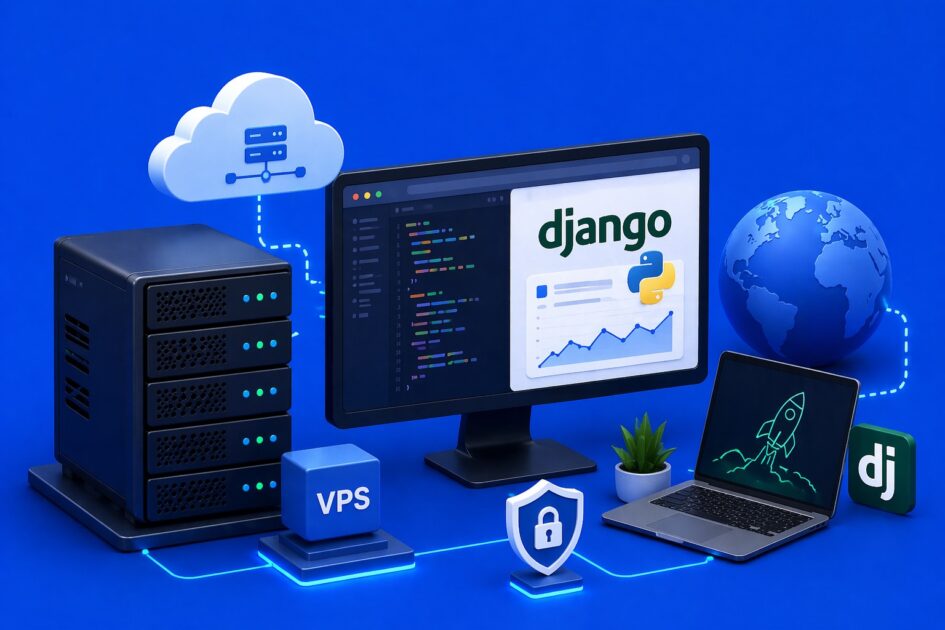
Key highlights
- Learn how to deploy and scale Django applications on a high-performance virtual private server.
- Discover the exact server requirements for running Python, Nginx and Gunicorn smoothly.
- Compare self-managed and managed VPS setups to balance infrastructure control with technical support.
- Explore workload-based plan recommendations to match your startup’s current growth trajectory.
- Understand the technical trade-offs and command-line proficiency required for self-managed deployments.
Technical founders building Python applications need infrastructure that can keep pace with their growth. Shared hosting simply lacks the dedicated resources and server-level access required to scale modern web frameworks. A virtual private server solves this by providing a fully isolated environment.
When you deploy Django on a VPS, you unlock full root access. This lets you install custom Python versions and configure the exact dependencies your application needs. The isolated environment ensures your web app runs with consistent, predictable performance.
A VPS gives you the dedicated power to handle complex database queries and concurrent user requests. Let’s look at exactly why this architecture makes sense for your next software project.
Why do technical founders choose VPS for Django apps?
Technical founders often choose VPS hosting for Django apps because it offers a strong balance of performance, control and cost. As a SaaS product grows, the hosting environment needs to support steady traffic, background jobs and flexible server configuration without becoming too expensive. A VPS makes that possible by giving developers a more isolated and customizable setup than shared hosting.
- Sets the stage for hardware planning
Once the hosting model is clear, the next step is understanding the hardware requirements needed to support the setup. - Predictable performance for scaling SaaS apps
A VPS gives your Django app dedicated CPU and RAM, so it does not compete with other users for resources. - Better handling of API requests and background tasks
Resource isolation helps keep requests, workers and scheduled jobs running smoothly without unexpected slowdowns. - Full control over the server environment
With root access, developers can configure the server exactly as needed for Django. - Easy setup for Django production tools
You can install and tune tools like Gunicorn and Nginx for better performance and reliability. - Clean dependency management
Custom Python virtual environments let you separate project dependencies and avoid conflicts.
This makes VPS hosting a cost-effective choice for startups that need reliable infrastructure as demand increases. Once the hosting model is clear, the next step is understanding the hardware requirements needed to support the setup.
What are the system requirements for a Django VPS?
A Django VPS should have enough processing power, memory and storage speed to support Python-based web applications in production. Since Django runs on Python and often handles web requests, database queries and background tasks at the same time, choosing the right server resources helps maintain consistent performance as the project grows.
Core requirements
- CPU: Modern processors such as AMD EPYC help handle concurrent requests and background processes efficiently.
- RAM: At least 2 GB RAM is a practical starting point for a basic production setup.
- Storage: NVMe SSD storage improves file access speed and database performance.
- Database support: Apps using PostgreSQL or MySQL often need more memory as data and traffic increase.
- Scalability: Higher-traffic Django apps will need additional CPU, RAM and storage to maintain steady response times.
The exact requirements depend on the size of your project. Here is a simple breakdown to help match VPS resources to small, medium and large Django deployments:
| Project size | CPU | RAM | Storage | Best for |
|---|---|---|---|---|
| Small projects | 1–2 vCPU | 2 GB | 20–40 GB NVMe SSD | MVPs, personal projects, internal tools, low-traffic apps |
| Medium projects | 2–4 vCPU | 4–8 GB | 50–100 GB NVMe SSD | Growing SaaS apps, business websites, moderate traffic |
| Large projects | 4+ vCPU | 8–16+ GB | 100+ GB NVMe SSD | High-traffic apps, larger databases, heavy background tasks |
Starting with the right VPS size makes it easier to keep your Django application fast and reliable. As traffic, database usage and background processing increase, you can scale your resources to support long-term growth. With the system requirements covered, the next step is getting your Django application up and running.
How do you deploy a Django application on a VPS?
Deploying a Django application involves connecting several distinct software components. You need to prepare the server, install Python and set up your web server stack.
1. Setting up the Python virtual environment
First, you should isolate your application dependencies. Using the virtualenv module allows you to create a self-contained directory for your project. This process begins after installing Python for Django on your chosen server tier. Once activated, you can safely install Django and your specific project requirements using pip.
2. Configuring Gunicorn as the application server
Django includes a development server, but it is not built to handle production traffic. You need an application server like Gunicorn to translate HTTP requests into Python calls. Gunicorn acts as the interface between your web server and your Django application. Following best practices for managing Django configuration files ensures that your settings remain secure and consistent.
3. Using Nginx as a reverse proxy
Finally, you need a robust web server to route incoming traffic. Nginx acts as a reverse proxy that stands in front of Gunicorn. It serves static files directly, reducing the load on your Python application. Nginx also handles SSL termination to keep connections secure. However, before you build, you must decide your preferred management tier.
Should you choose a managed or self-managed VPS for Django?
Choosing the right VPS management tier depends entirely on your technical comfort level. A self-managed VPS provides ultimate control over your server configuration. This is ideal if you want to customize every aspect of the software stack.
However, a self-managed VPS does require strong command-line proficiency. If server administration is not your core strength, managing updates can become overwhelming. Furthermore, self-managed plans do not include 24/7 expert human support to help fix configuration errors.
If you prefer to focus strictly on writing code, a managed plan handles the server maintenance for you. This allows you to scale your application while relying on technical experts for infrastructure support. Let’s look at how specific plans align with your application needs.
Why choose Bluehost for your VPS needs?
Bluehost VPS gives applications the performance and flexibility needed for production workloads. Our VPS plans are especially useful for founders and developers who want strong infrastructure, room to scale and full control over their hosting environment.
- Built for Python application performance
Bluehost VPS runs on AMD EPYC processors and DDR5 RAM, helping apps handle concurrent requests and background tasks more efficiently. - Fast storage for app and database speed
NVMe SSD storage supports quicker file access and faster database query execution. - Good starting point for MVPs
The Standard VPS NVMe 2 plan at $2.64/mo offers an affordable entry point for early-stage startups testing a Django MVP. - Easy to scale as your app grows
As traffic and workloads increase, you can upgrade resources without moving to a completely different hosting setup. - Strong balance of speed and reliability
Compared with many VPS hosting options, Bluehost offers a solid mix of performance, reliability and scalability for Django deployments. - Best for technical users
Self-managed VPS is a better fit for developers who are comfortable handling server setup, security and maintenance. However, if you do not have server administration experience, managing a technical deployment on a self-managed VPS may involve a steeper learning curve.
For developers who want a Django-ready VPS with room to scale, Bluehost offers a practical place to start.
Final thoughts on Django VPS hosting
A high-performance VPS gives Django applications the speed, flexibility and control needed to run smoothly in production. Because Django is a Python-based framework, it benefits from dedicated resources, fast storage and a server environment you can configure for your app’s exact needs.
For technical founders building a serious web application, VPS hosting is often the better long-term choice. Unlike shared hosting, a VPS gives you the root access and server control needed to run tools like Gunicorn, manage dependencies and scale your setup as your business grows.
If you are ready to launch on a hosting environment built for performance and growth, explore Bluehost VPS hosting and choose a plan that fits your project
FAQs
First, you must install Python on hosting environments and ensure pip is available. Next, use the pip install django command to download the framework. Finally, configure a web server like Nginx to serve your new application to the public.
Your server should have Python 3.6 or higher installed. A database engine like PostgreSQL or MySQL is also necessary. We recommend at least 2GB of RAM to ensure smooth operation under load.
Start by installing your chosen database software and creating a new user role. Then, open your Django settings.py file. Update the DATABASES dictionary with your new database credentials to establish the connection.
Yes, using a virtual environment is highly recommended. It isolates your project dependencies from the global server environment. You can create one easily using the python -m venv env command before installing your packages.
You should use Gunicorn as your application server to run the Python code. Then, configure Nginx to act as a reverse proxy and handle static file delivery. Finally, secure your live application with a trusted SSL certificate.

Write A Comment