 ChatGPT,
  Claude,
  Gemini,
  Grok — all four for
 Bluehost AI All- Access Pack: Adding New Users
The Bluehost AI All-Access Pack allows teams to collaborate using powerful AI tools. As an account administrator, you can purchase additional user seats and manage users directly from the AI All-Access Pack Admin Console.
Before You Begin:
- You must have an active Bluehost AI All-Access Pack subscription and have seats available.
- Only account administrators can manage users and access the Admin Console.
We've created a short video on how to manage users in your AI All-Access Pack account:
How to Add Seats
Here's how to add seats for each users who needs access:
- Log in to your Bluehost Portal.
- Click AI Agents in the left-hand navigation menu.
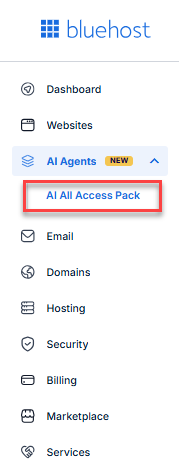
- Select Add Users.
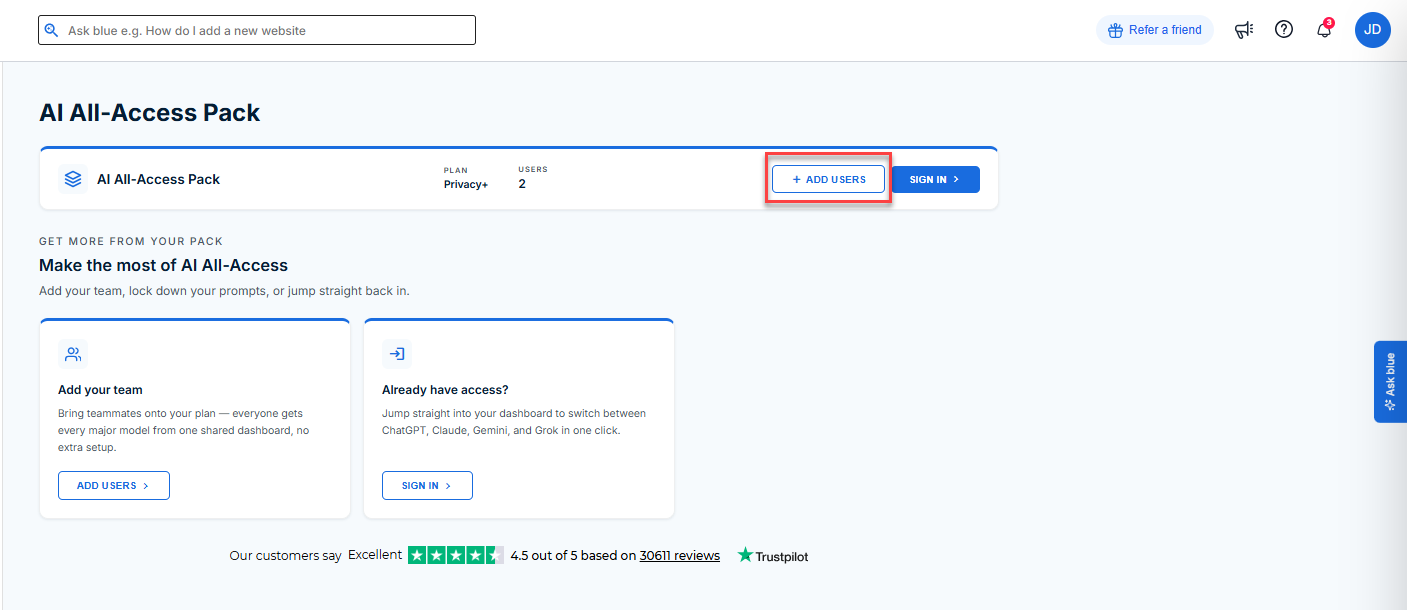
- Under Add users to your existing plan, choose the number of users you want to add.
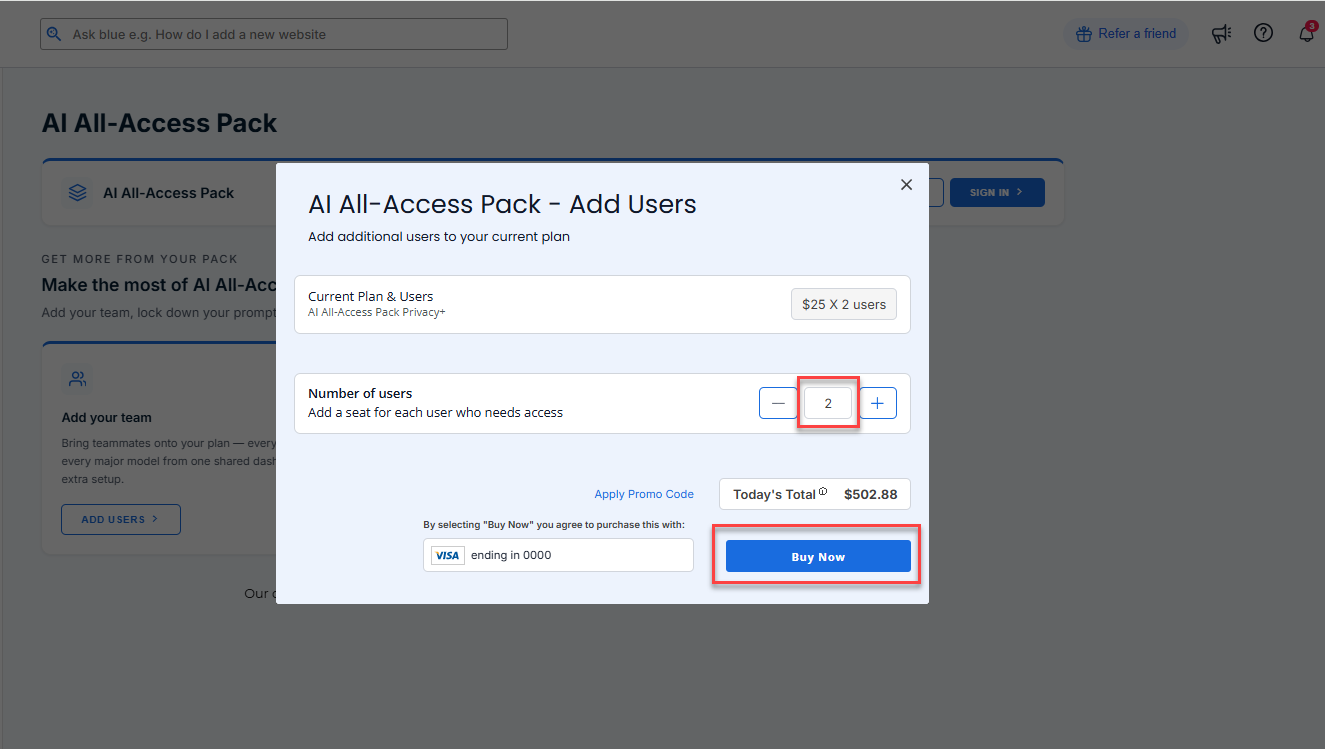
- Review the number of seats and charges, then click Buy Now to complete your purchase.
Once the transaction is complete, your additional user seats will be added to your AI All-Access Pack subscription. You will also receive an order confirmation email.
How to Add Users
- Follow these steps in this article: How to Sign in to the Bluehost AI All Access Pack.
- Navigate to the Admin Console from the left-hand menu.
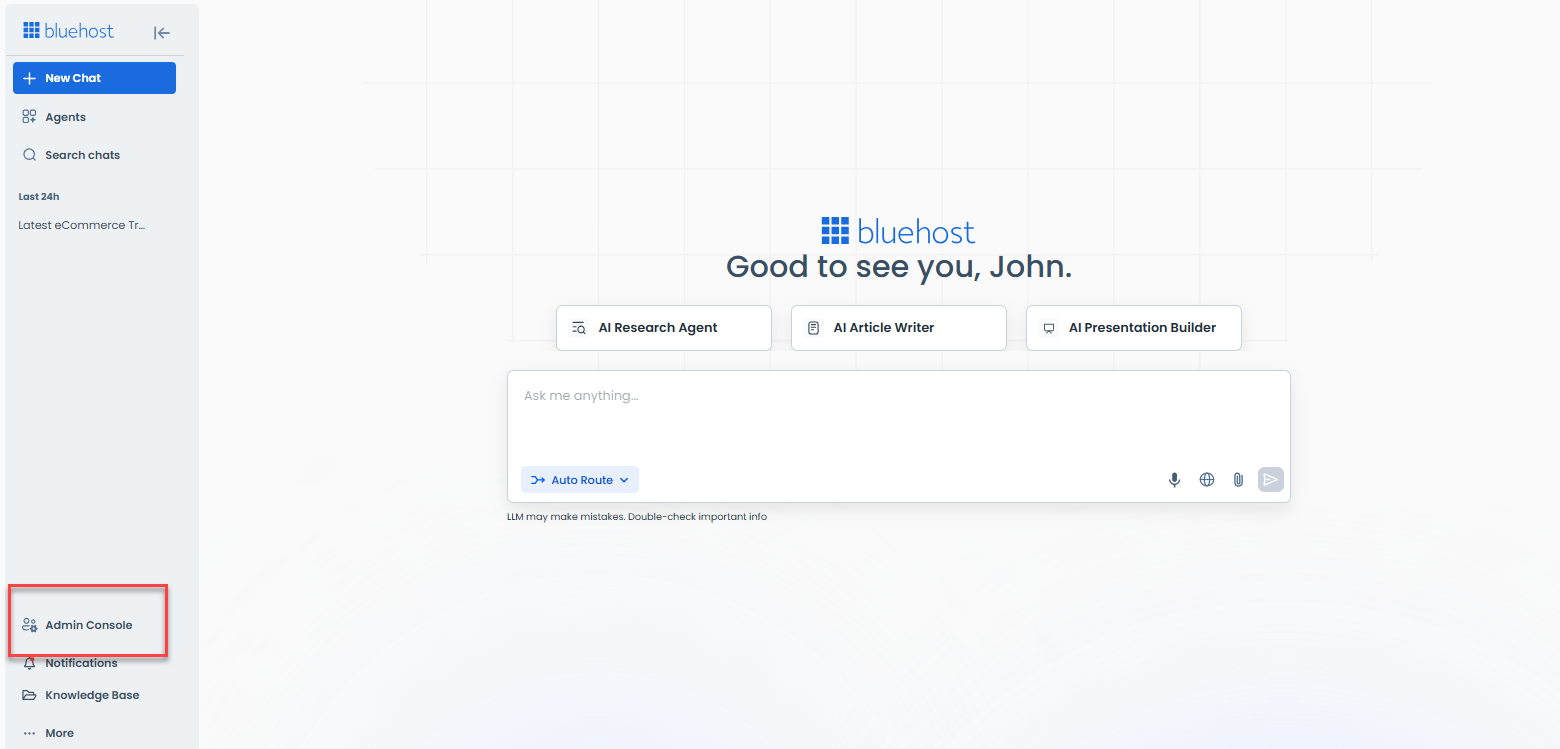
- From Users Stats, click the > icon beside Total Users.
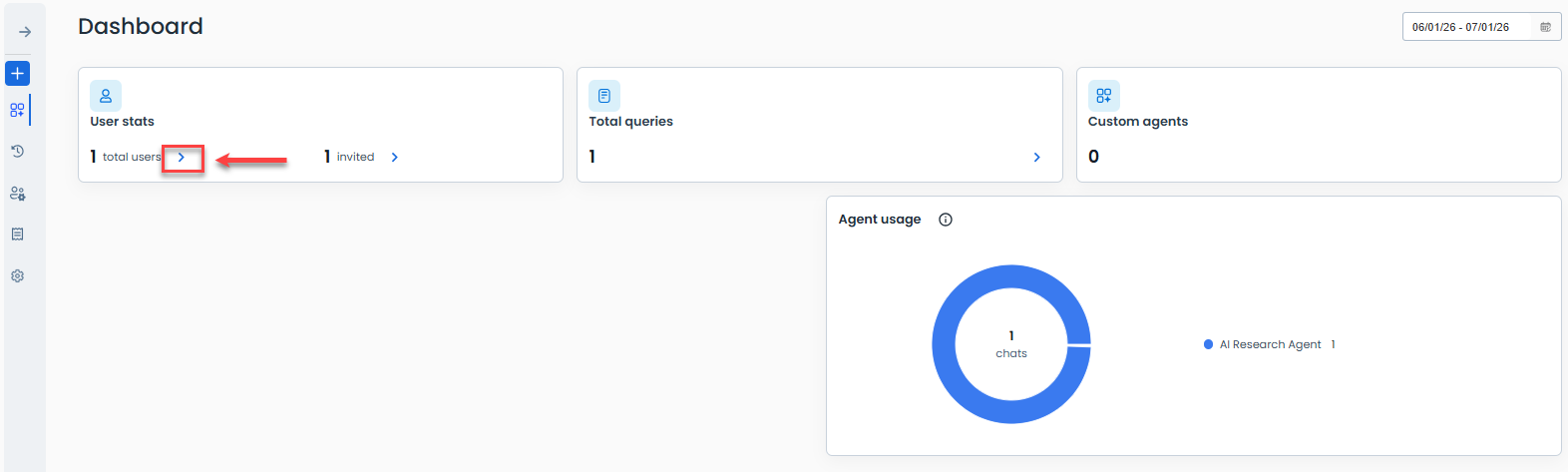
- The next page will show all active users in your account. Click the +Add Users button.
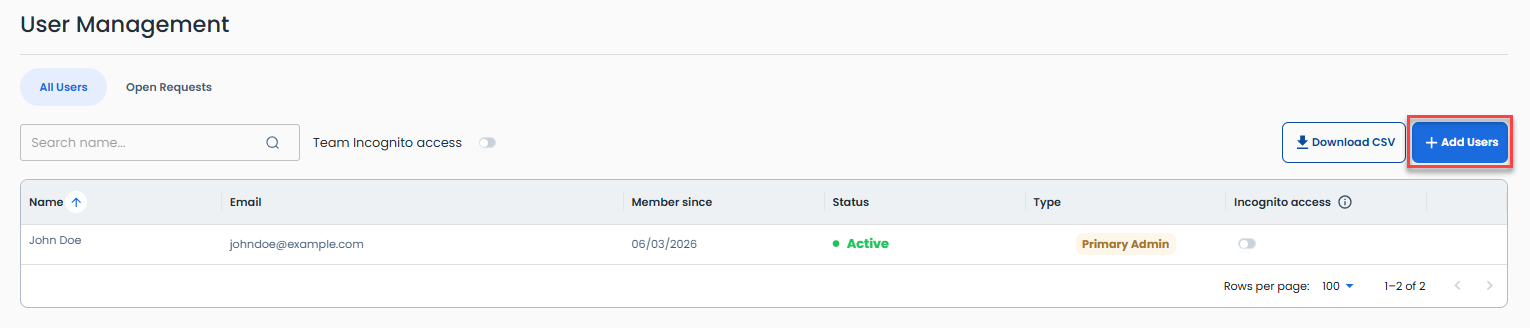
- Enter your new user's email address, you can also enable link sharing at this point and then click the Invite button.
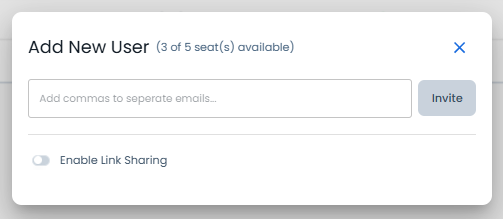
- The added user has to accept your invite in order to use the Bluehost AI All-Access Pack.
Key Features of User Management
The User Management section allows administrators to:
- View existing user accounts.
- Add new users to available seats.
- Manage team access to the AI All-Access Pack.
Summary
Adding users to the Bluehost AI All-Access Pack is simple. Purchase additional seats through the AI Agents section of your Bluehost account, then use the User Management page in the Admin Console to invite and manage users. This helps your team collaborate and access AI-powered tools more efficiently.
If you need further assistance, Bluehost Chat Support is available 24 hours a day, 7days a week while Bluehost Phone Support is available 7 days a week from 7 am-12 midnight EST.
- Chat Support - While on our website, you should see a CHAT bubble in the bottom right-hand corner of the page. Click anywhere on the bubble to begin a chat session.
- Phone Support -
- US: 888-401-4678
- International: +1 801-765-9400
You may also refer to our Knowledge Base articles to help answer common questions and guide you through various setup, configuration, and troubleshooting steps.