 ChatGPT,
  Claude,
  Gemini,
  Grok — all four for
How to Create an AI Agent with AI All-Access
Artificial intelligence (AI) is no longer limited to developers, engineers, or data scientists. Imagine being able to build your own AI agent that can answer questions, automate repetitive tasks, generate content, or even serve as a virtual assistant for your business.
Modern platforms like the AI All-Access make this possible by simplifying the entire process into a user-friendly, step-by-step experience. In this article, we will discuss what AI agents are, why they are important, and how you can easily create one with AI All-Access, no coding required!
To learn more about the key features of AI All-Access, visit the What are Bluehost AI All-Access Packs? article.
Watch this short video for a quick guide on creating an AI agent through the AI All-Access Dashboard.
What is an AI Agent?
An AI agent is basically a smart digital assistant that is designed to perform tasks based on user instructions. Modern AI agents are more flexible and contextual compared to basic chatbots. They can do the following:
- Understand user input
- Follow structured instructions
- Automate workflows
- Generate human-like responses
Benefits of Using an AI Agent
Efficiency. This is one of the key factors why AI agents are powerful and growing in popularity. Users can delegate repetitive tasks to an AI agent, such as:
- Automatically replying to frequently asked questions
- Generating blog posts, captions, or scripts
- Summarizing data or gathering insights quickly
This saves individuals or businesses time, reduces costs, and allows more focus on higher-value work.
Creating AI Agents Made Easy with AI All-Access
Before, building AI systems required programming knowledge and technical knowledge on machine learning frameworks, but that is no longer the case nowadays!
The AI All-Access dashboard provides a "no-code" user interface. Instead of writing lengthy lines of code, users can simply:
- Define what you want your AI agent to do
- Customize its personality and behavior
- Refine and test its response and output
With AI All-Access, the process of creating an AI agent was made simple—even for beginners!
How to Create an AI Agent
For detailed instructions on how to log into your AI All-Access dashboard, please visit the How to Sign In to Your Bluehost AI All-Access Pack article.
- Log in to your Bluehost Portal.
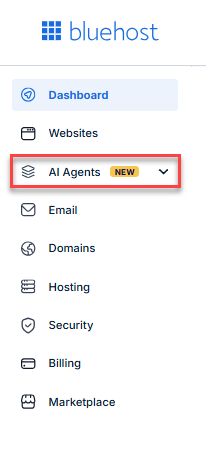
- Click AI Agents in the left menu.
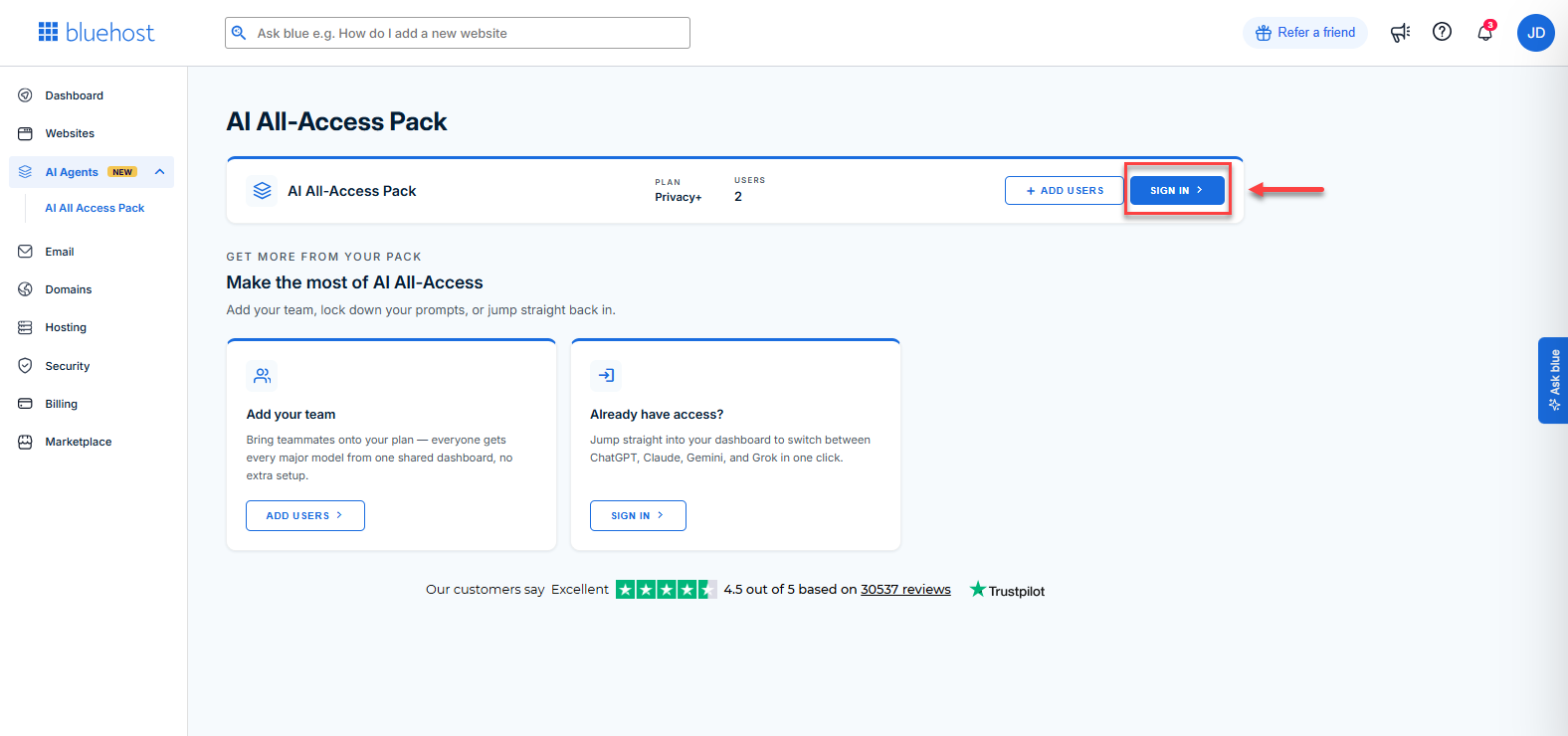
- Click the Sign In button.
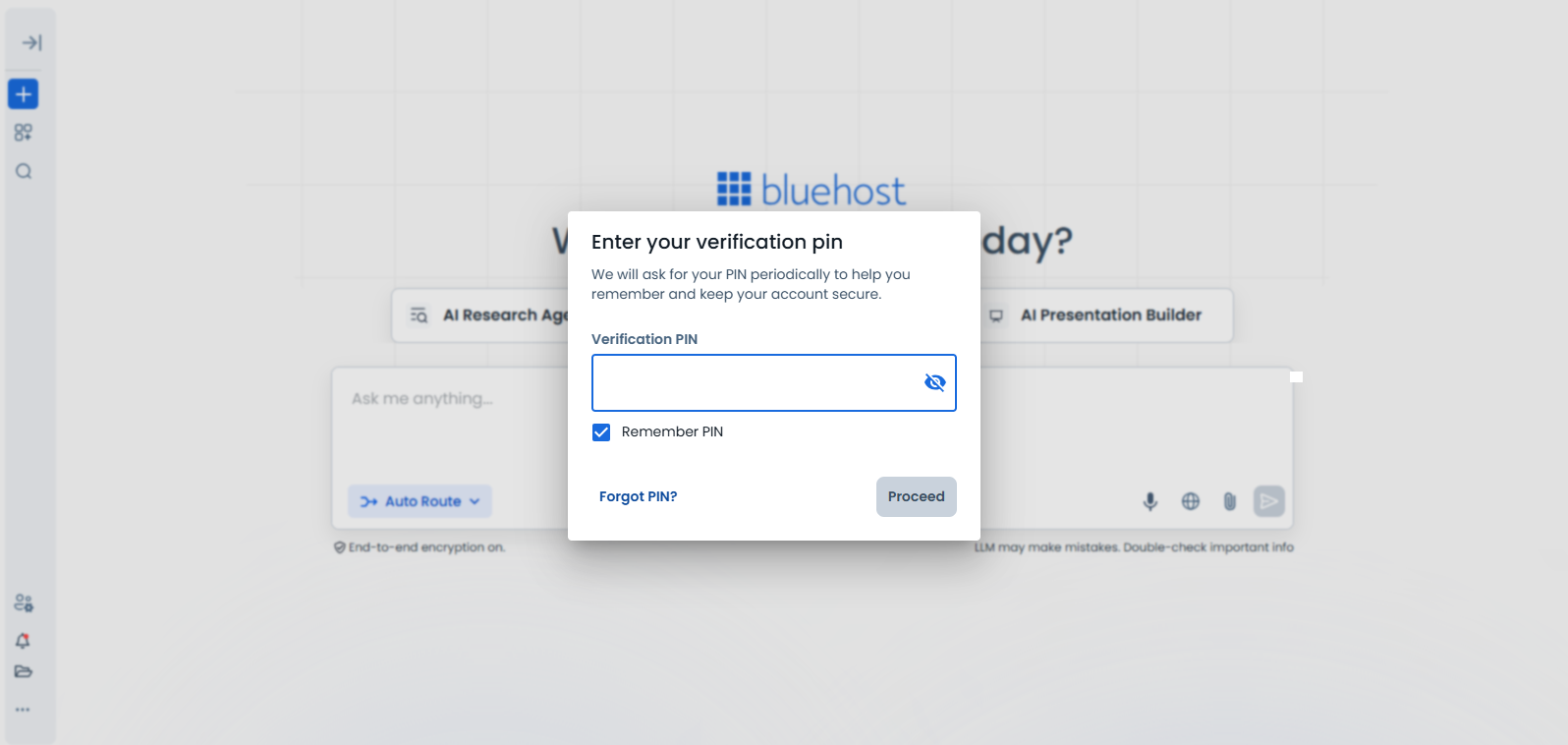
- Enter your Verification PIN when prompted.
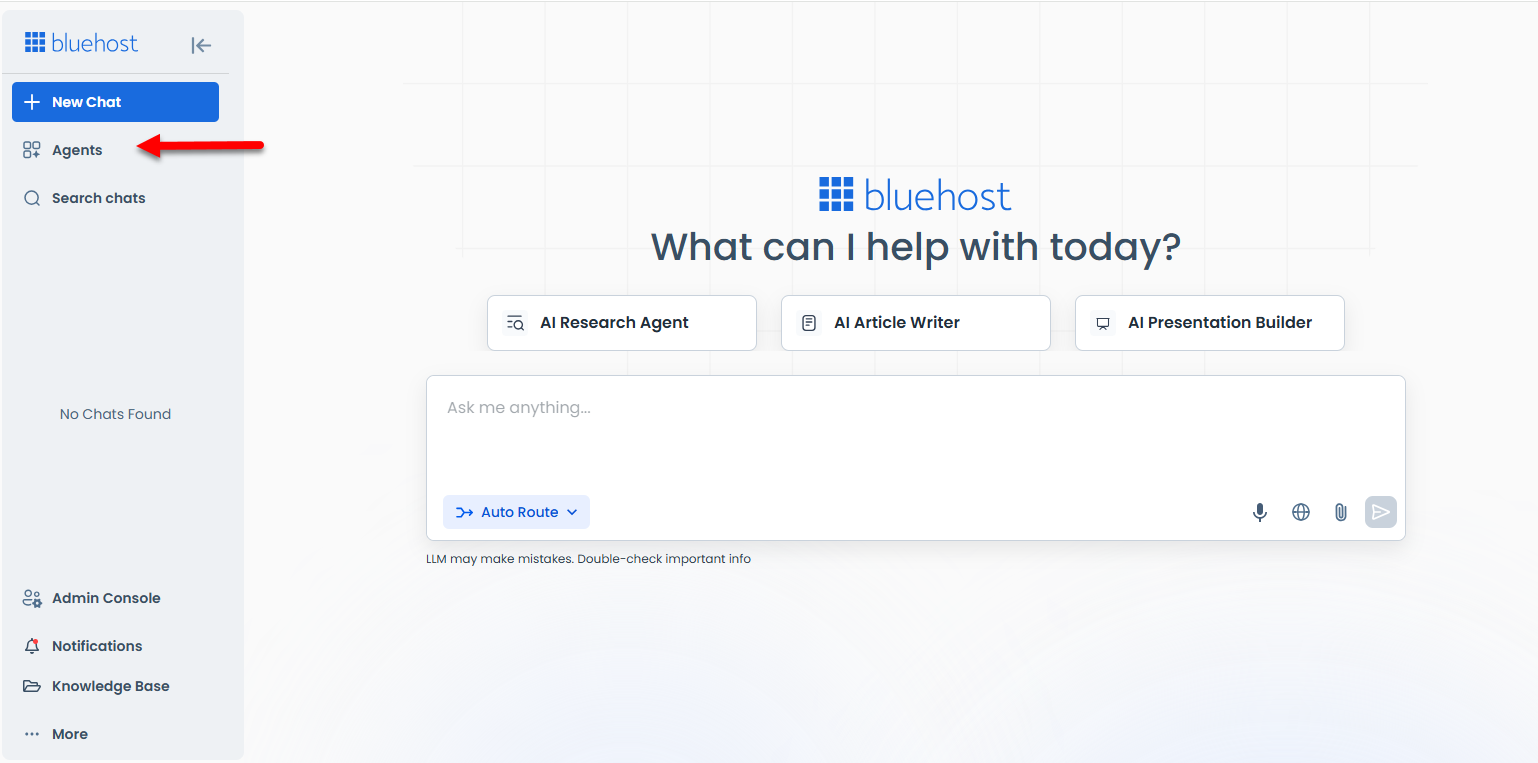
- Once logged in, click the Agents tab.
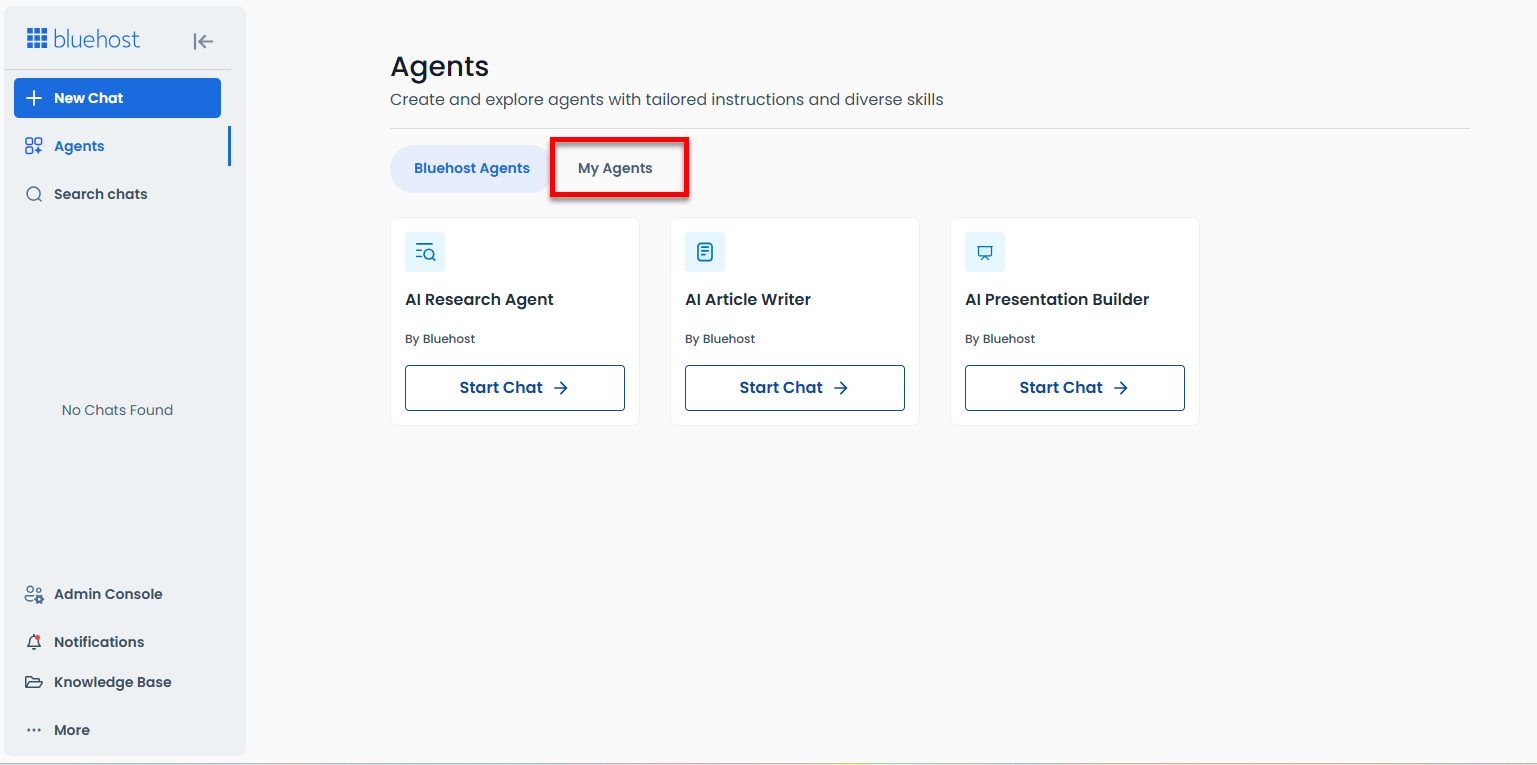
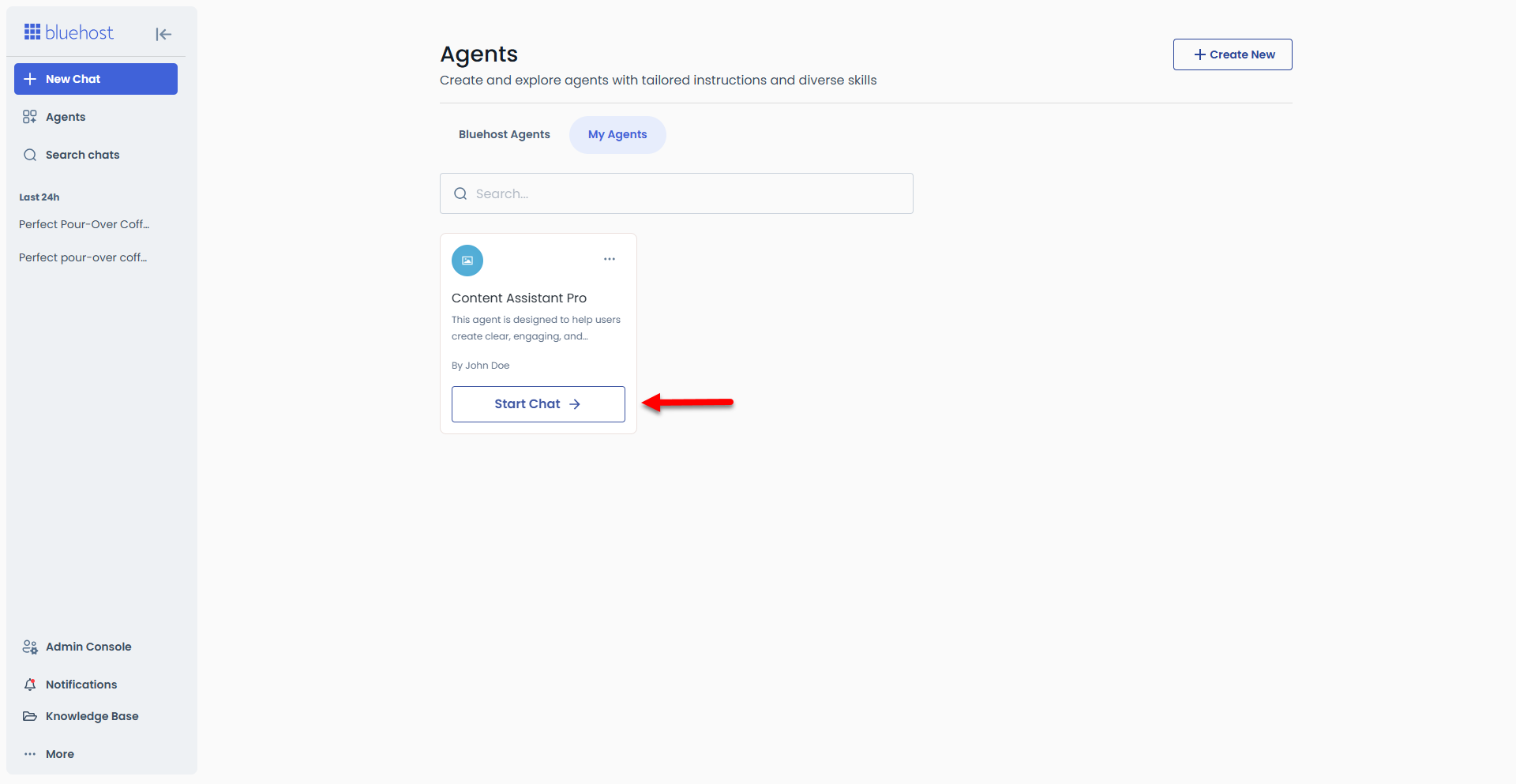
- Click the My Agents tab.
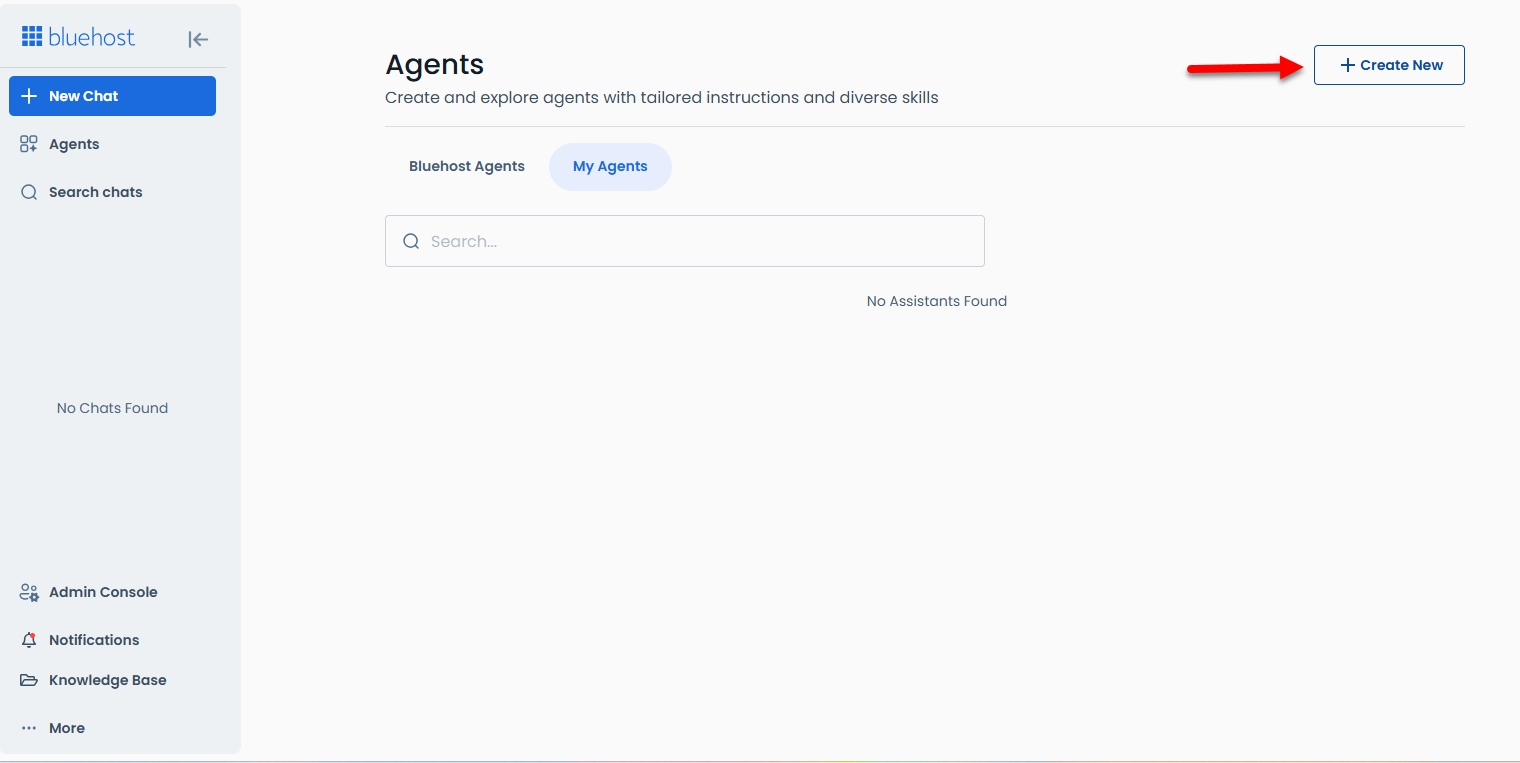
- Click the + Create New button.
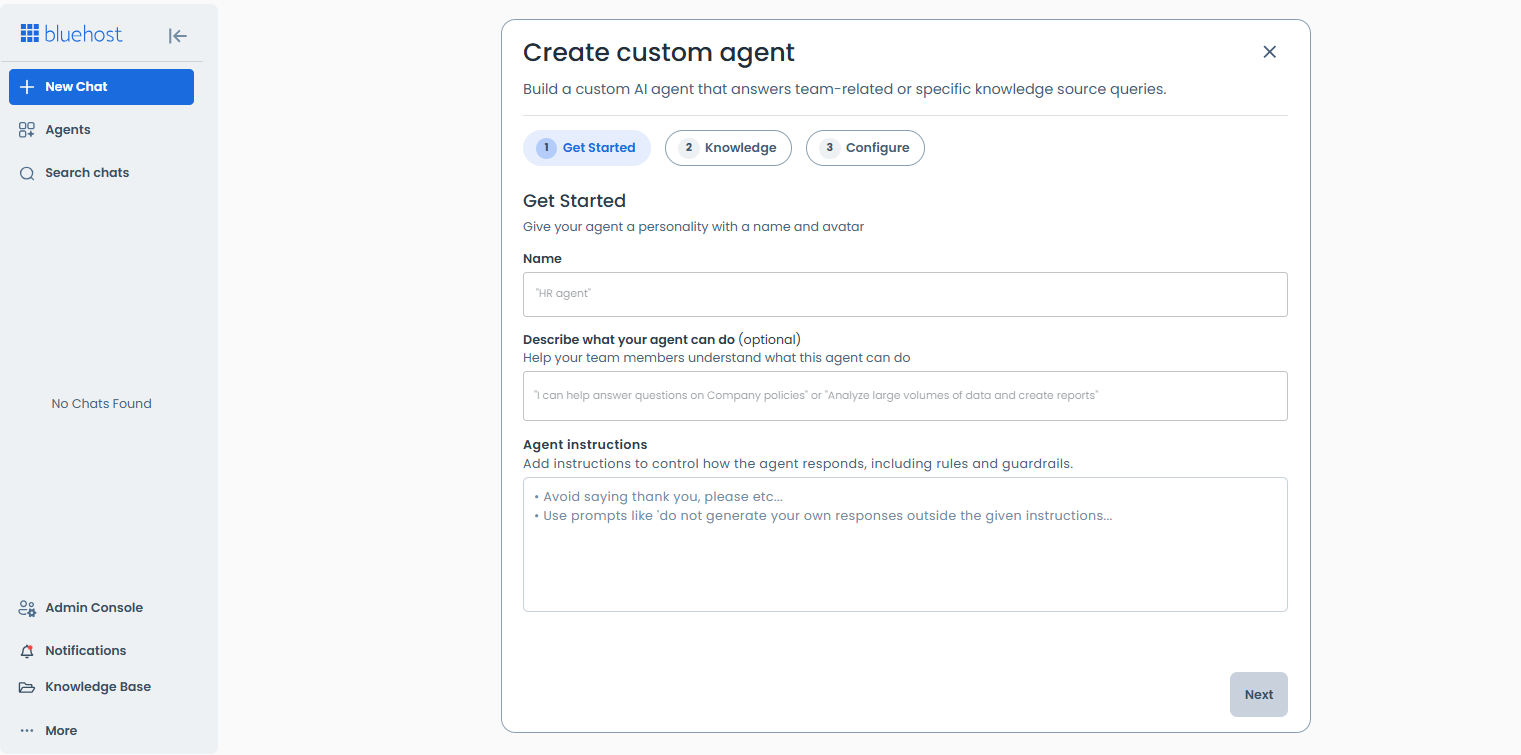
- Customize your AI agent.
- Give your agent a name and purpose. Describe its function and establish rules and guardrails. Add instructions on how the agent should respond.
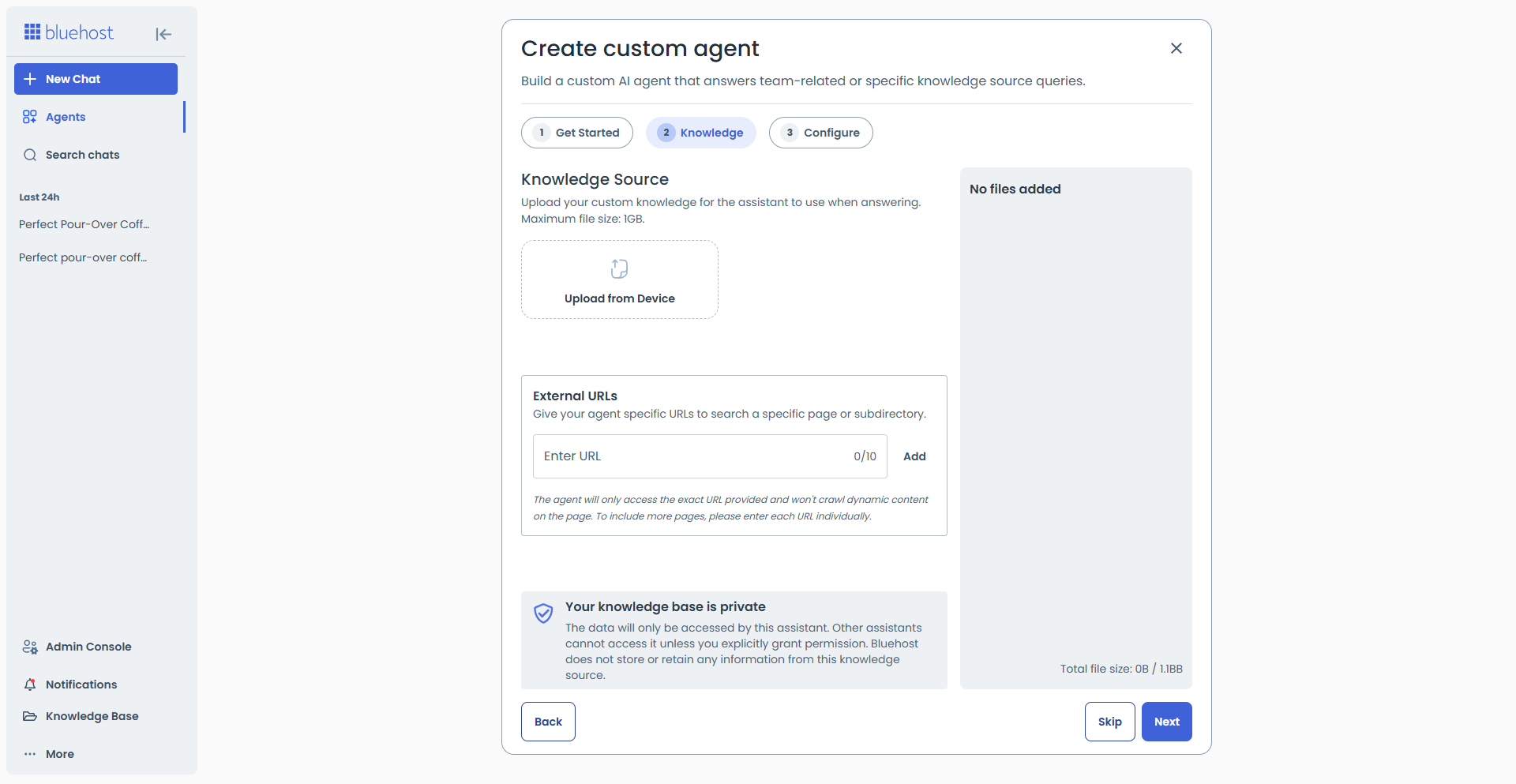
- Provide the agent with a knowledge source by uploading its file (maximum file size is 1 GB) or by entering the external URL.
- Specify the response style, structure, and the way the agent should present data.
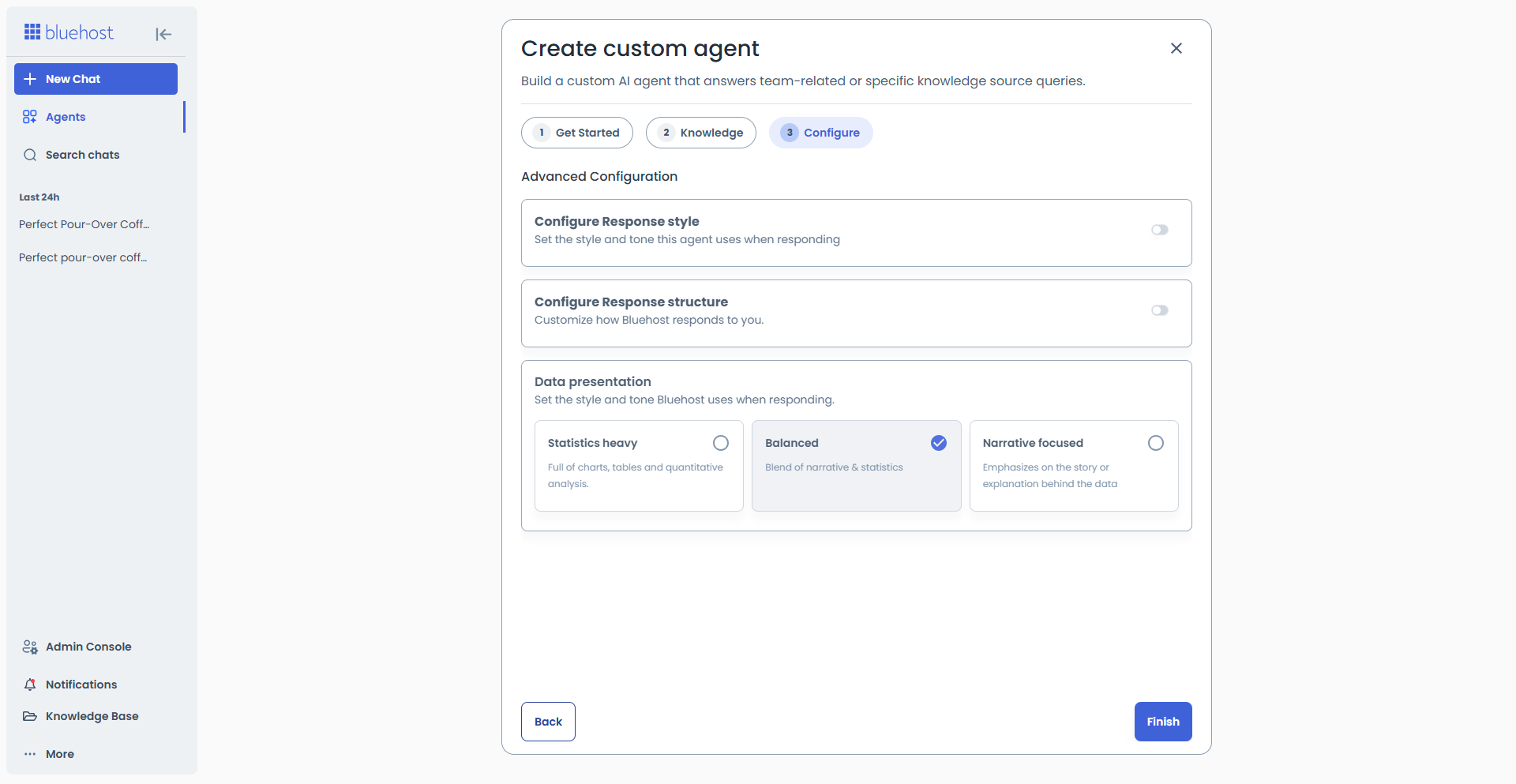
- Give your agent a name and purpose. Describe its function and establish rules and guardrails. Add instructions on how the agent should respond.
- Click Finish.
- The new AI agent has been created and can be found under the My Agents tab.
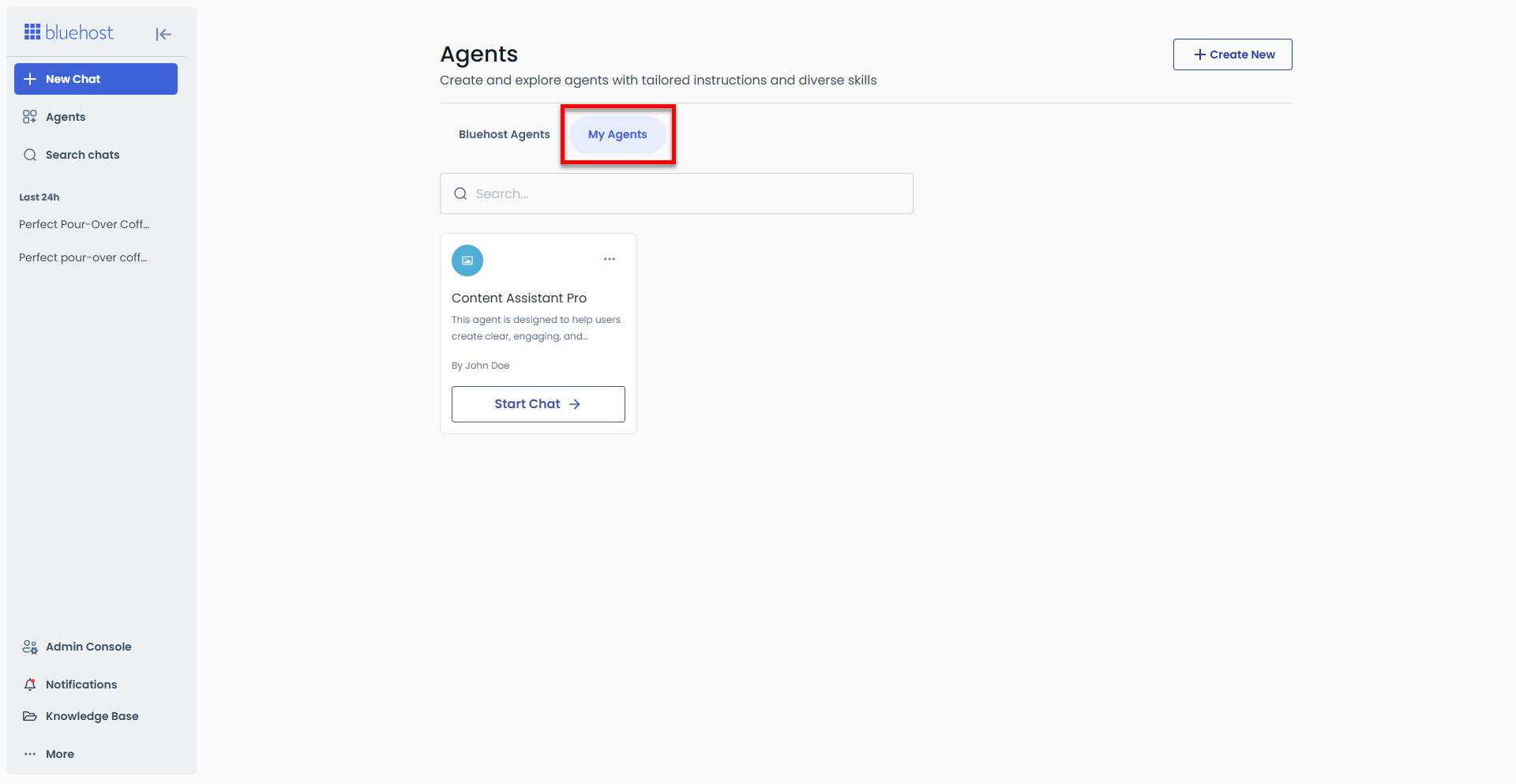
- If you need to edit or delete it, click the ellipsis icon for more options.
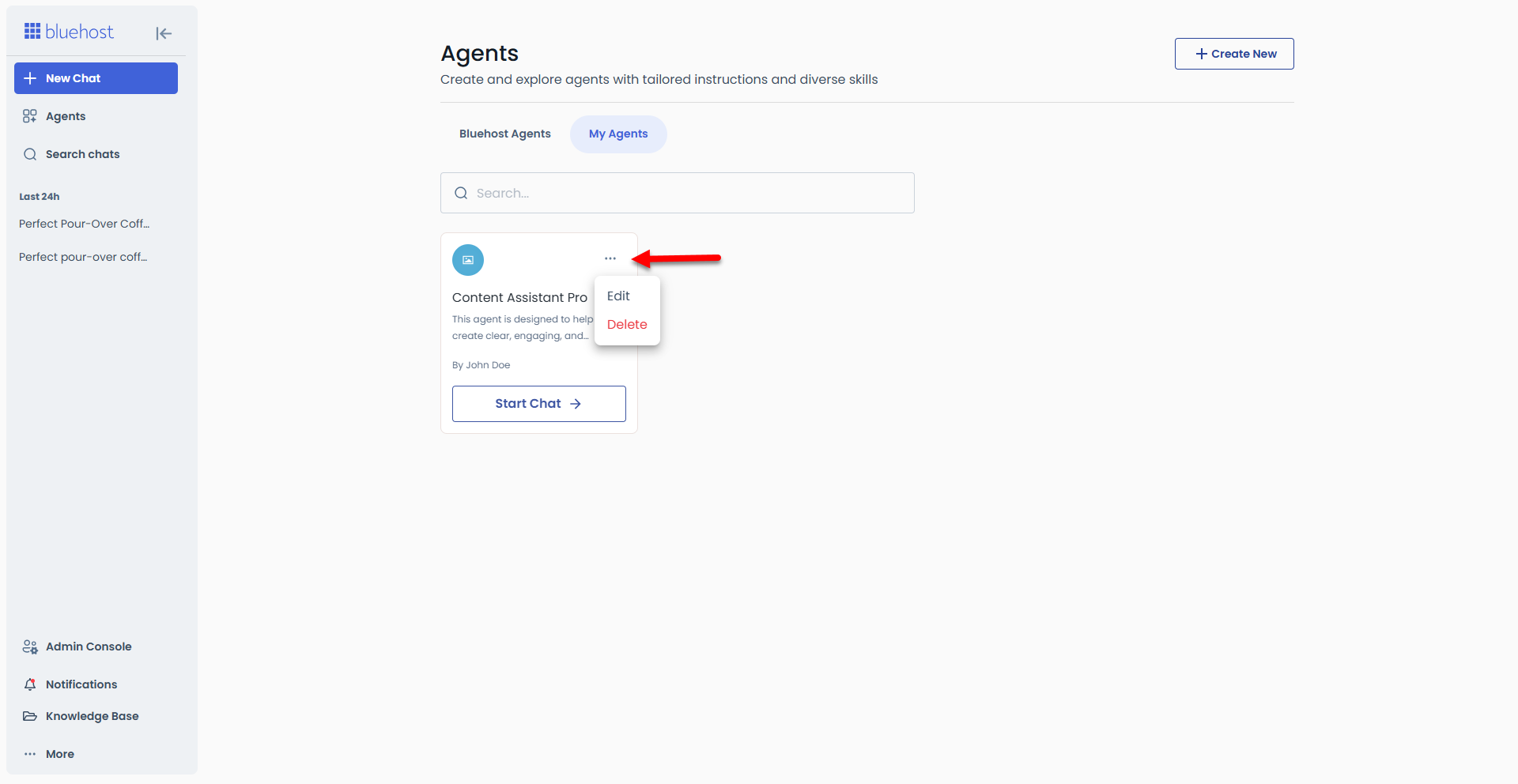
- Click on Start Chat to begin using the agent.
- You can now enter a prompt and ask your custom AI agent anything! Don’t hesitate to explore its full potential!
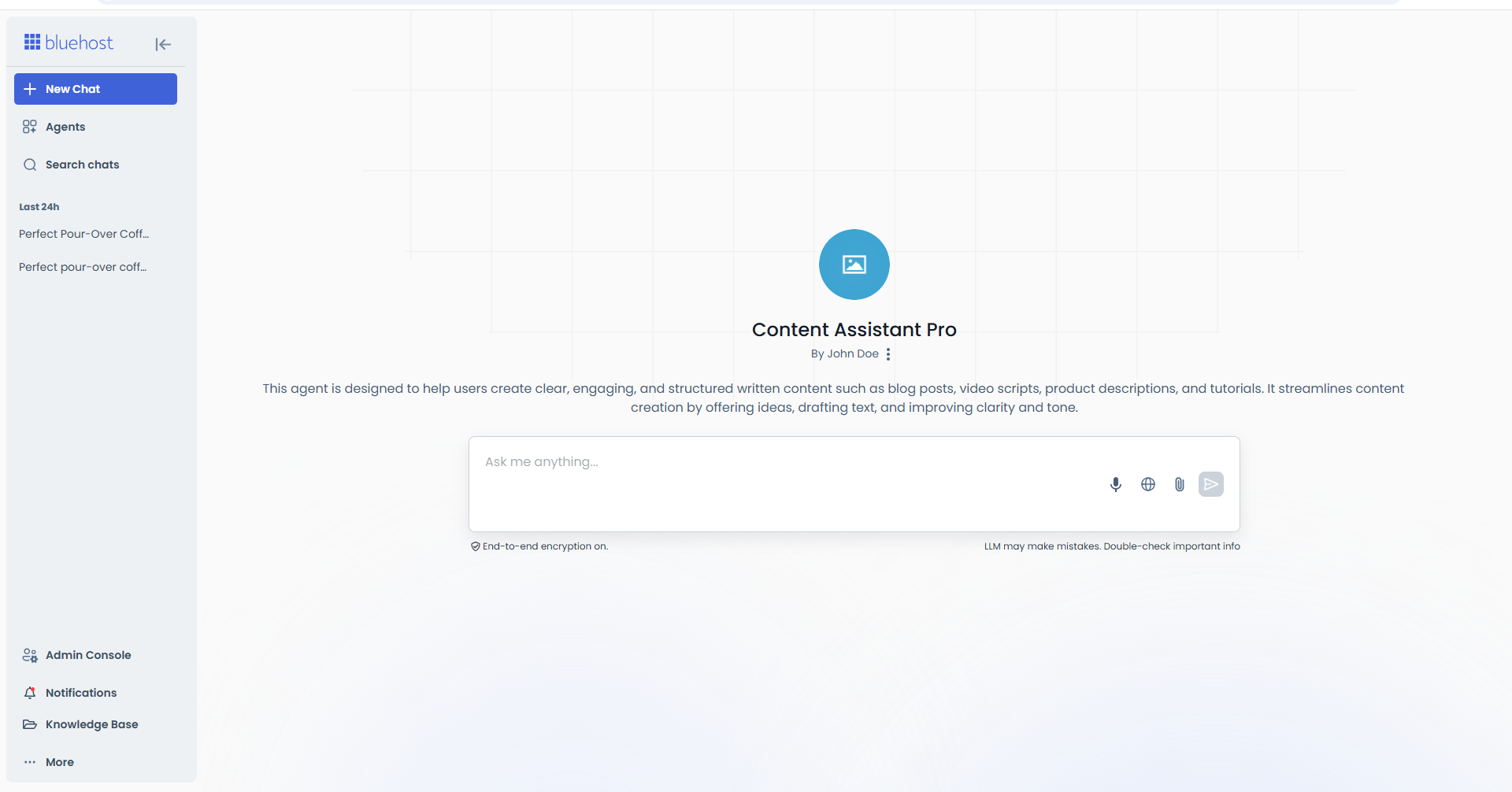
If you need help entering effective prompts, please refer to the following helpful guides.
Summary
An AI agent is a smart digital assistant that can automate tasks, generate content, and streamline workflows without requiring advanced technical skills. Creating an AI agent with platforms like AI All-Access has been made simple and accessible without coding. This allows users to define the agent's behavior, customize responses, and integrate knowledge sources in just a few steps. By utilizing an AI agent, individuals and businesses can boost efficiency, reduce manual work, and focus their time on high-value activities, making it an essential tool for modern productivity and automation.
If you need further assistance, Bluehost Chat Support is available 24 hours a day, 7days a week while Bluehost Phone Support is available 7 days a week from 7 am-12 midnight EST.
- Chat Support - While on our website, you should see a CHAT bubble in the bottom right-hand corner of the page. Click anywhere on the bubble to begin a chat session.
- Phone Support -
- US: 888-401-4678
- International: +1 801-765-9400
You may also refer to our Knowledge Base articles to help answer common questions and guide you through various setup, configuration, and troubleshooting steps.