 ChatGPT,
  Claude,
  Gemini,
  Grok — all four for
 Bluehost AI All- Access Pack: Using the AI Research Agent
The AI Research Agent is a built-in tool within the Bluehost AI All-Access Pack that can automatically browse sources, analyze information, and generate detailed reports with citations. It's designed to help you conduct research much faster than manually searching and compiling information yourself.
We’ve created this short video to help you explore the AI tools available in your Bluehost AI All-Access Pack.
Benefits of Using the AI Research Agent
With the AI Research Agent, you can:
- Conduct research faster with automated source gathering.
- Analyze information from multiple sources.
- Generate detailed reports with citations and references.
- Create research-backed content for articles, presentations, and business plans.
- Obtain actionable insights and recommendations.
How to Use the AI Research Agent
- Sign in to Bluehost AI All-Access Pack: Follow the instructions in this article: How to Sign in to the Bluehost AI All-Access Pack.
- From the AI dashboard, select Research Agent from the available AI tools.
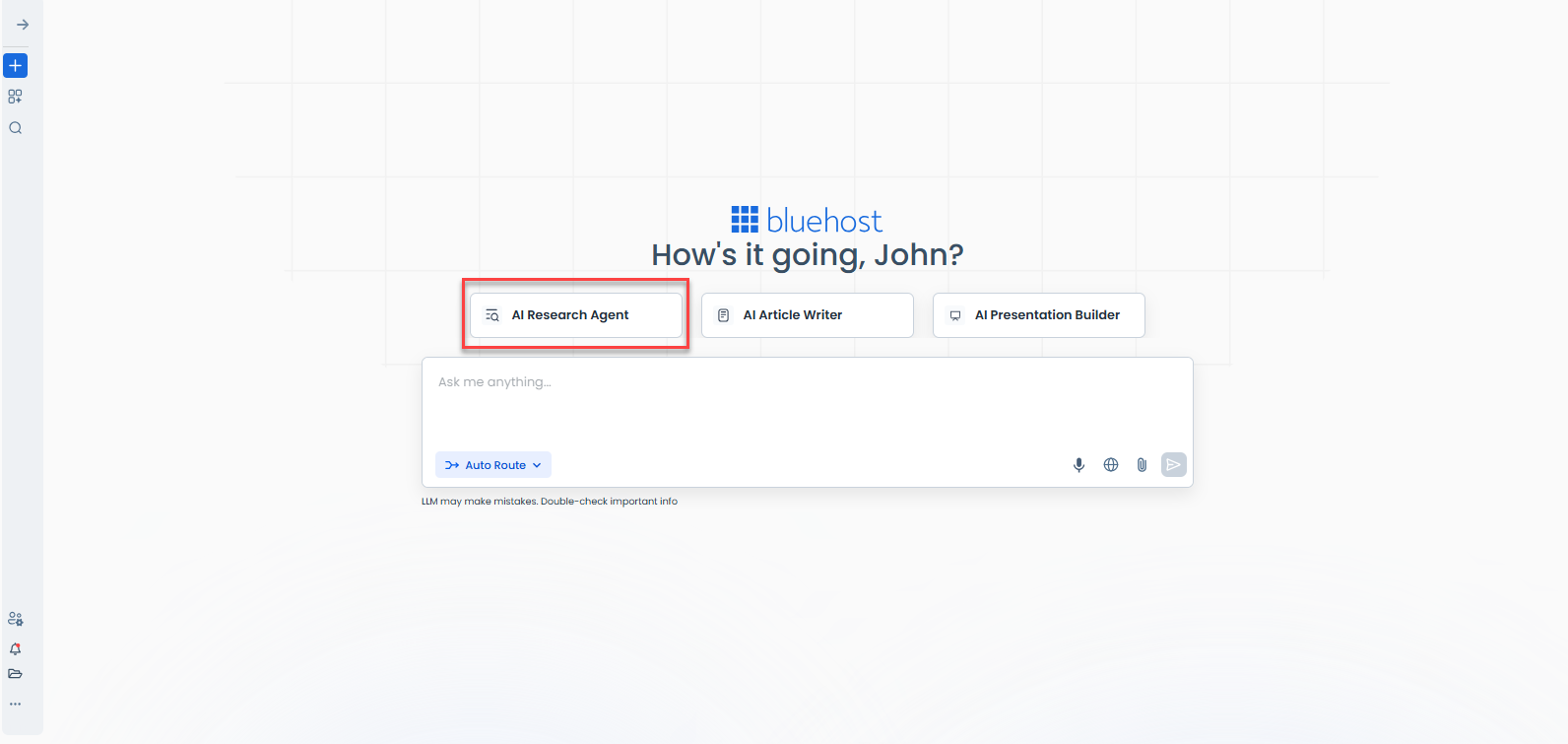
- Enter your Research Topic.
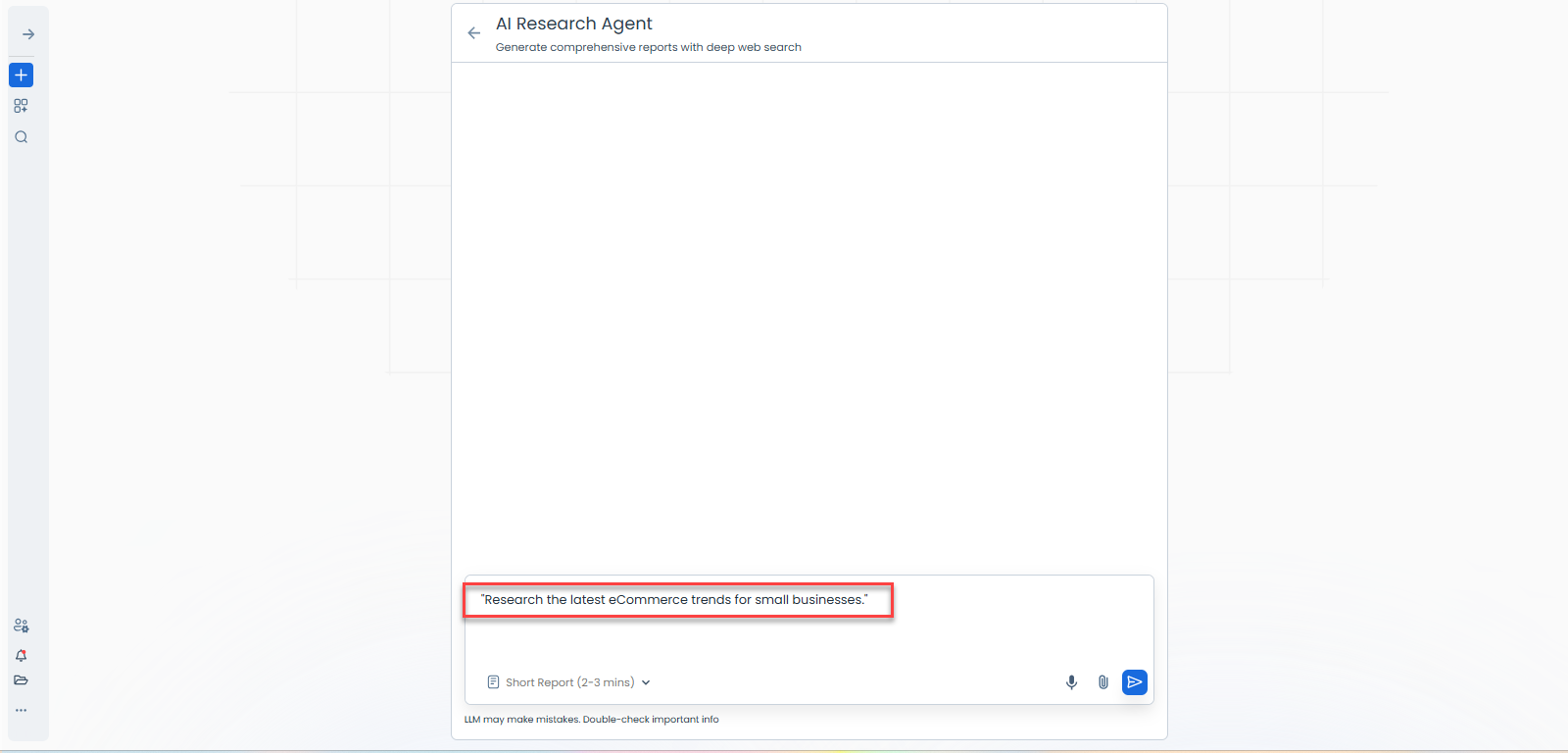
- Type a detailed prompt describing what you want to research.
- Examples:
- "Research the latest eCommerce trends for small businesses."
- "Analyze AI marketing tools for small business owners."
- Configure Your Research (if available)
- Specify:
- Research objective
- Target audience
- Depth of analysis
- Desired report format
- Specify:
- Run the Research.
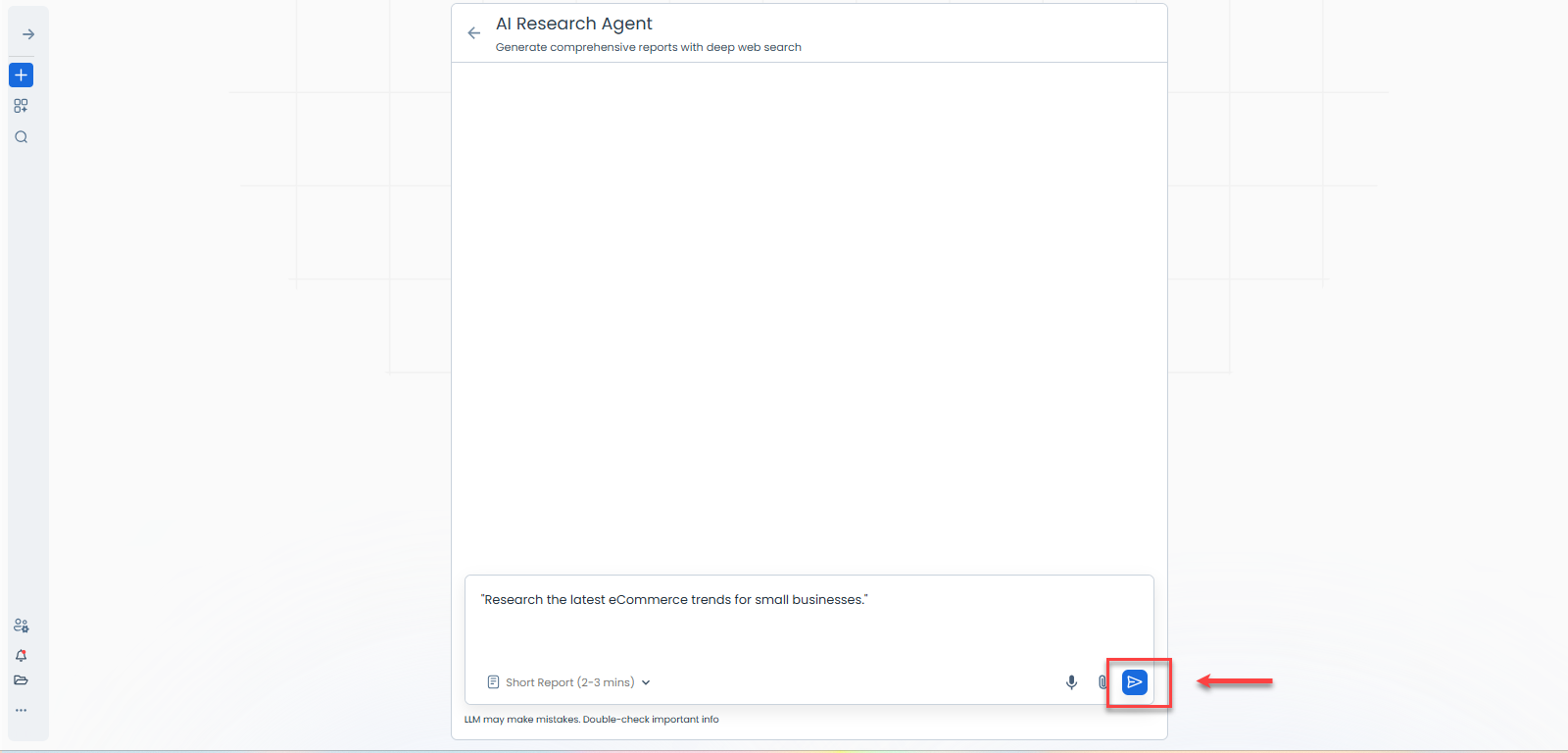
- Click the Play button. .
- The agent will gather information, analyze sources, and compile findings automatically.
- Review the Report.
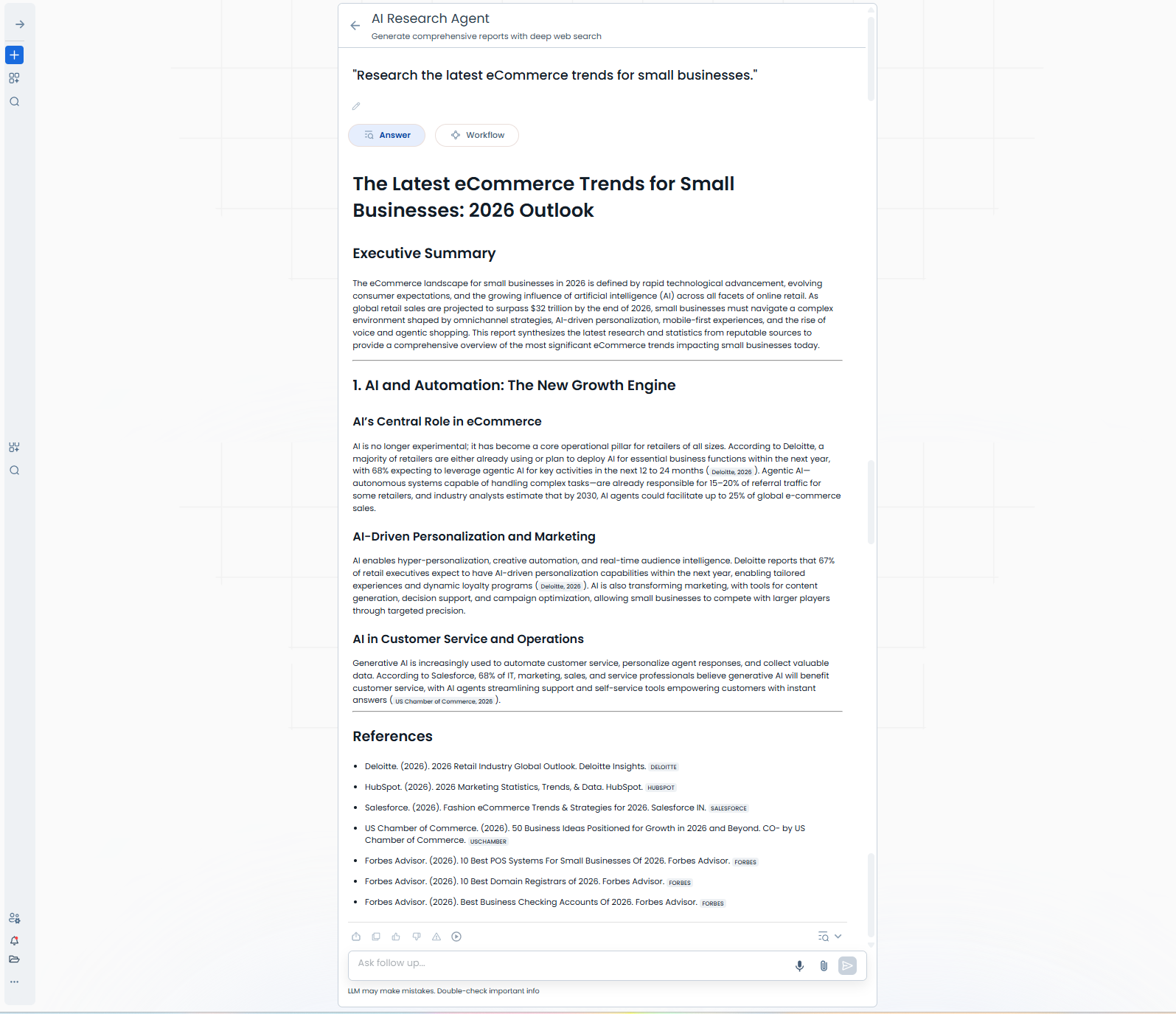
- The generated report typically includes:
- Executive summary
- Key findings
- Detailed analysis
- Source citations and references
- Actionable recommendations
- Use the report as-is or ask follow-up questions to expand specific sections.
- Copy findings into presentations, articles, business plans, or marketing strategies.
- The generated report typically includes:
- Export or Refine
- After reviewing the report, you can:
-
- Use the report as generated
- Ask follow-up questions to expand specific sections
- Refine your research topic for additional insights
- Copy findings into presentations, articles, business plans, or marketing strategies
-
- After reviewing the report, you can:
Best Practices
- Be specific with your research question.
- Include the desired outcome (report, comparison, recommendations, etc.).
- Specify a timeframe when researching trends (e.g., "2026 trends").
- Use the generated citations to verify important information.
- Combine the Research Agent with the Presentation Builder or Article Writer for faster content creation.
Summary
The AI Research Agent helps you quickly gather, analyze, and organize information into structured, citation-backed reports. Whether you're conducting market research, creating business plans, developing content strategies, or exploring industry trends, the AI Research Agent can save time and improve productivity by automating the research process.
If you need further assistance, Bluehost Chat Support is available 24 hours a day, 7days a week while Bluehost Phone Support is available 7 days a week from 7 am-12 midnight EST.
- Chat Support - While on our website, you should see a CHAT bubble in the bottom right-hand corner of the page. Click anywhere on the bubble to begin a chat session.
- Phone Support -
- US: 888-401-4678
- International: +1 801-765-9400
You may also refer to our Knowledge Base articles to help answer common questions and guide you through various setup, configuration, and troubleshooting steps.