 ChatGPT,
  Claude,
  Gemini,
  Grok — all four for
Bluehost AI Store: Accessing the Bluehost AI Store
The Bluehost AI Store provides an easy way to manage your online business—from tracking sales to updating your store’s design and settings. This guide will walk you through how to access your AI Store directly from your Bluehost account.
We’ve created a short video showing how to access the Bluehost AI Store.
How to Access Your Bluehost AI Store
Follow these steps to open your Bluehost AI Store Dashboard:
- Log in to your Bluehost Portal.
- There are two ways to locate your AI Store website in your Bluehost account:
- Option 1 – Dashboard:
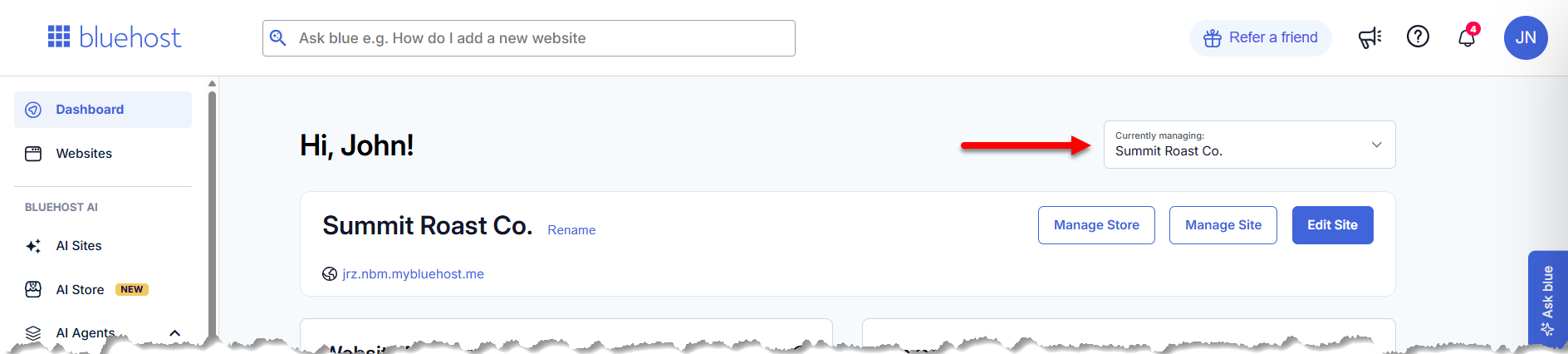
If you have only one website in your account, it will be displayed on the Dashboard tab along with quick action buttons to manage it.
If you have multiple websites, use the website selector in the top right of the page and choose the website you want to manage from the dropdown menu.
- Option 2 – Websites tab:
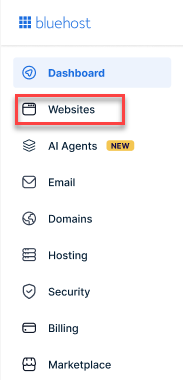
- From the left-hand navigation menu, click Websites.
- Locate the website associated with your Sell Online plan.
If you have multiple websites, scroll down and click Load More to view additional websites.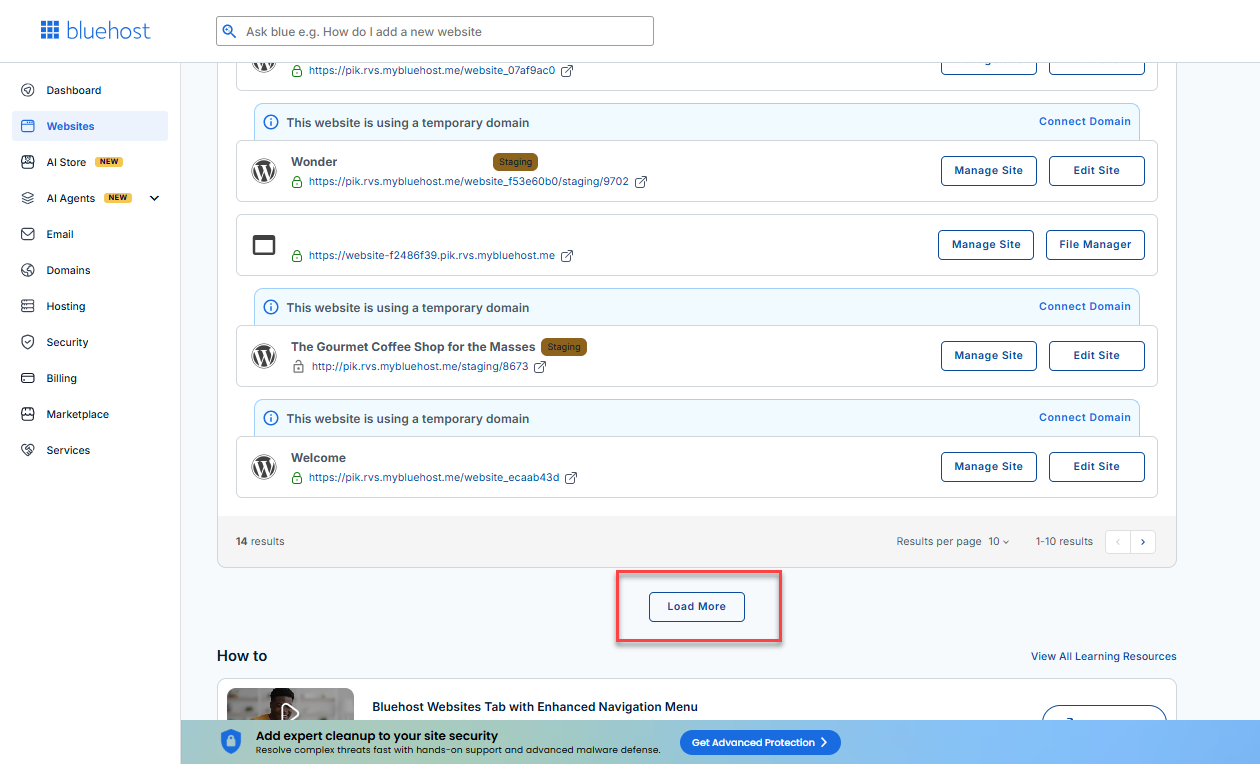
- From the left-hand navigation menu, click Websites.
- Option 1 – Dashboard:
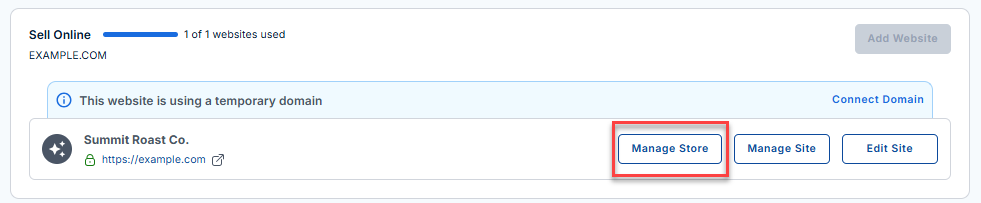
- Once you've located your AI Store website, you will see three available options:
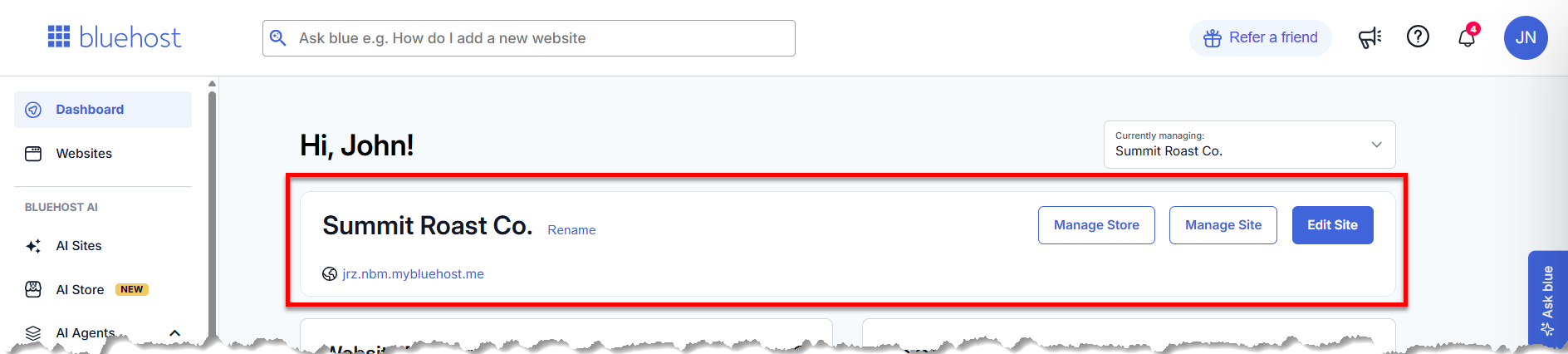
- Manage Store – Opens your AI Store Dashboard.
- Manage Site – Redirects you to the website management page.
- Edit Site – Opens the website builder, allowing you to edit your website just as you did during the initial setup process.
- Click Manage Store to access the AI Store Dashboard.
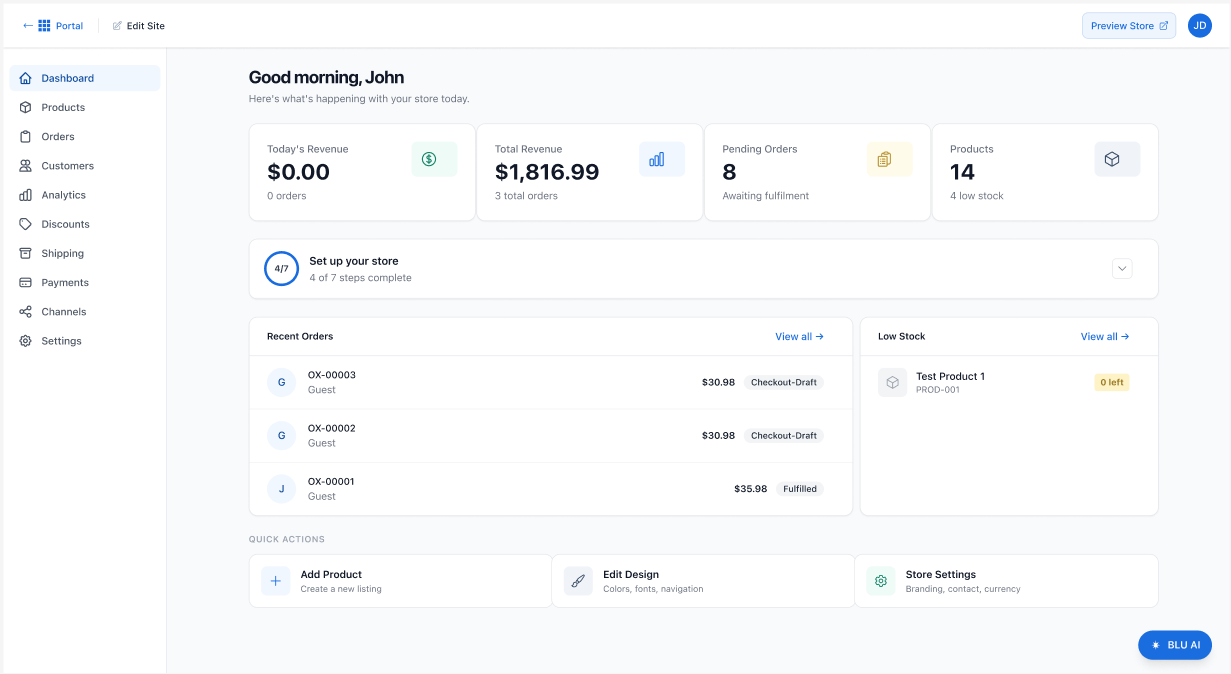
- Your Bluehost AI Store Dashboard will open in a new tab.
What You Can Do in the Bluehost AI Store Dashboard
Once inside the AI Store Dashboard, you can manage and monitor your store with ease:
Track Store Performance
- View daily and total revenue.
- Monitor pending and recent orders.
- Keep track of your products and inventory.
Use Quick Actions
The Quick Actions section lets you quickly make updates, including:
- Add a product to your store
- Edit store design (colors, fonts, navigation)
- Update store settings (branding, contact details, currency)
For more information on the features and how to navigate the AI Store Dashboard, please visit the Bluehost AI Store: Navigating the AI Store Dashboard article.
Summary
Access your AI Store Dashboard directly from your Bluehost Portal to manage your online store in one place. From the dashboard, you can track sales, monitor orders and inventory, add products, update store settings, and customize your store’s design, making it easy to keep your business running smoothly.
Start exploring your AI Store Dashboard today and see how easy it is to manage and grow your online business.
If you need further assistance, Bluehost Chat Support is available 24 hours a day, 7days a week while Bluehost Phone Support is available 7 days a week from 7 am-12 midnight EST.
- Chat Support - While on our website, you should see a CHAT bubble in the bottom right-hand corner of the page. Click anywhere on the bubble to begin a chat session.
- Phone Support -
- US: 888-401-4678
- International: +1 801-765-9400
You may also refer to our Knowledge Base articles to help answer common questions and guide you through various setup, configuration, and troubleshooting steps.