 ChatGPT,
  Claude,
  Gemini,
  Grok — all four for
Bluehost AI Store: How to Process a Refund
The Bluehost AI Store makes it easy to manage your online orders, including processing refunds for your customers through the AI Store dashboard. When a refund is initiated, the transaction is handled through Stripe, which is the Bluehost AI Store's payment processing platform.
This article explains how AI Store owners can issue a refund for a customer order from the Orders tab in the AI Store dashboard.
We've created a short video on how to process a refund in your AI Store:
How to Process a Refund
- Log in to your Bluehost Portal.
- From the left-hand menu, click the Websites tab.
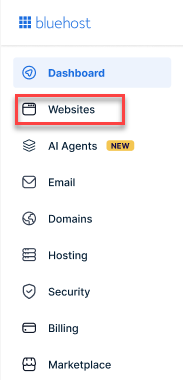
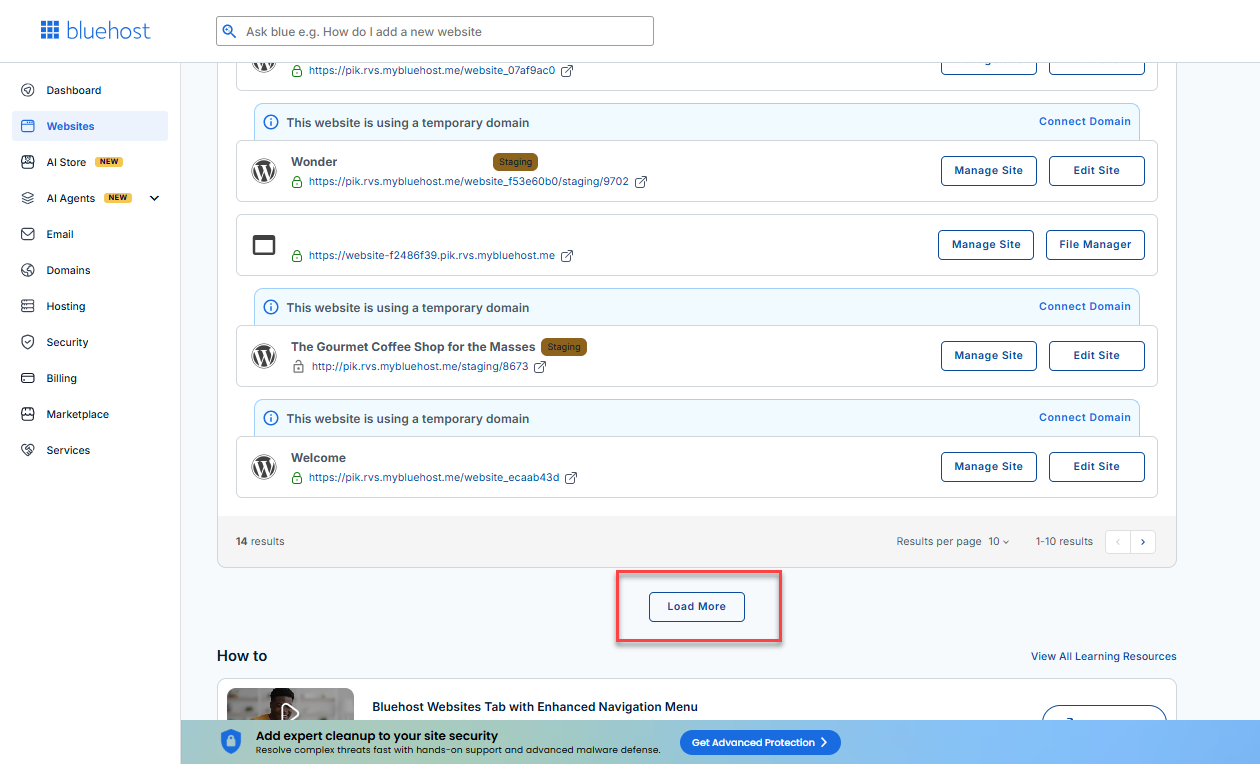
- Locate your Sell Online plan. If you have multiple websites, you need to scroll down and click the Load More link.
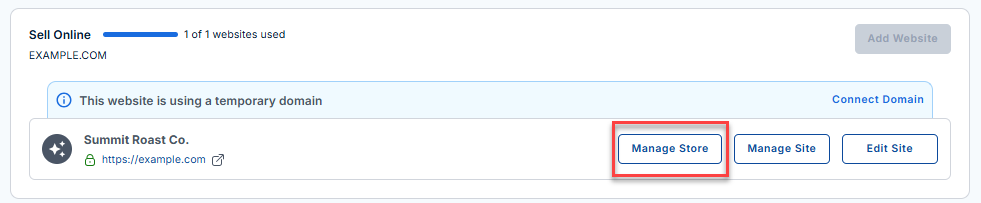
- Click the Manage Store button next to your site.
- You will be redirected to your Bluehost AI Store Dashboard.
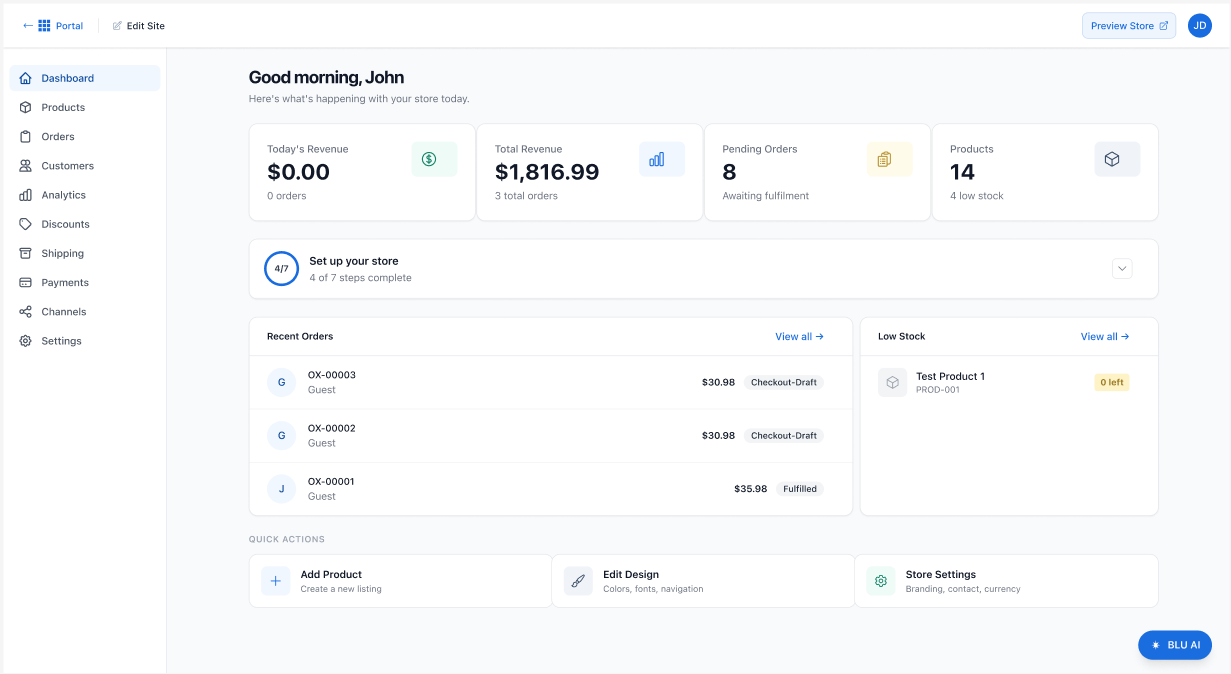
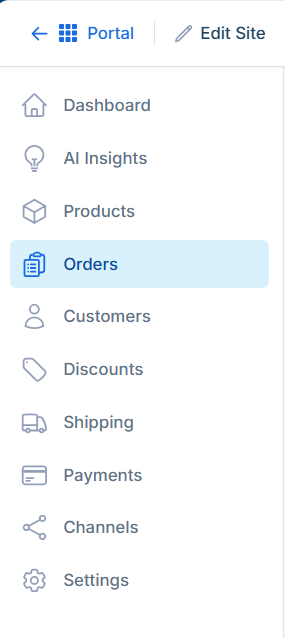
- Navigate to Orders: Click the Orders tab in the left-hand menu.
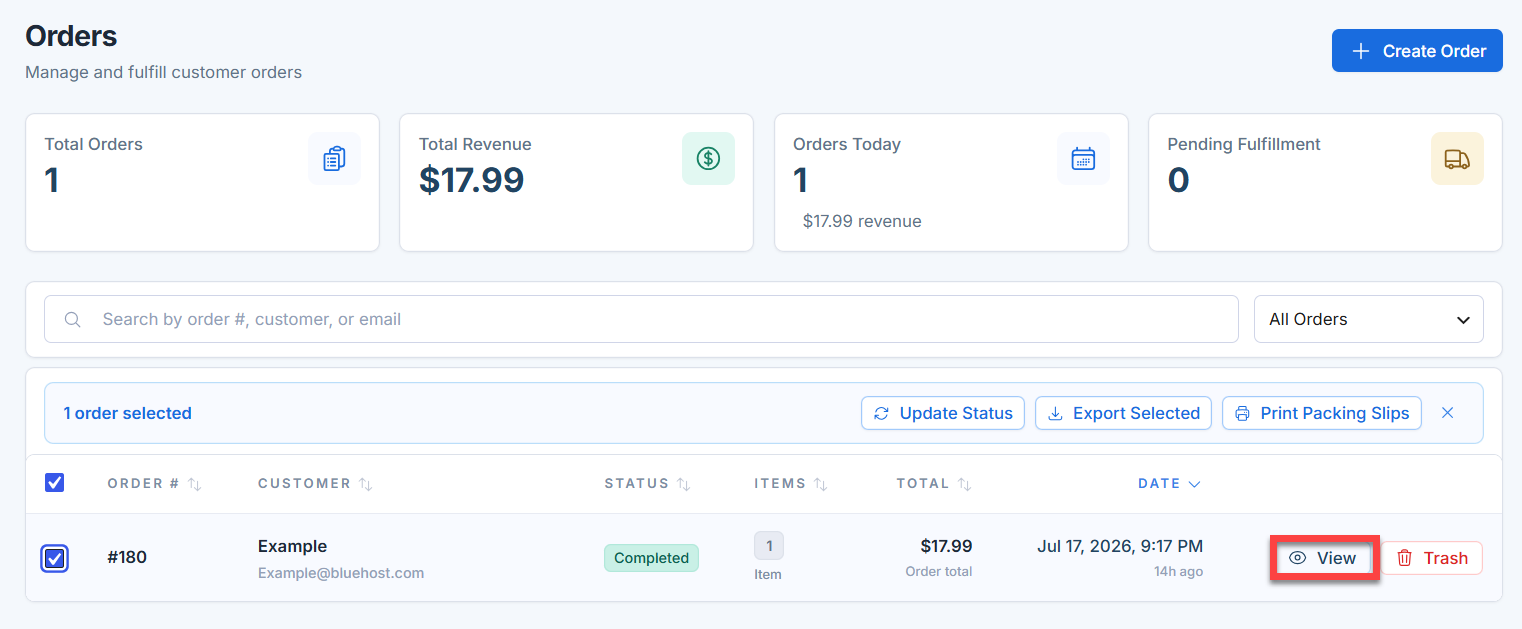
- Select the Order: Locate the customer order you need to refund from the order list. Click the View button.
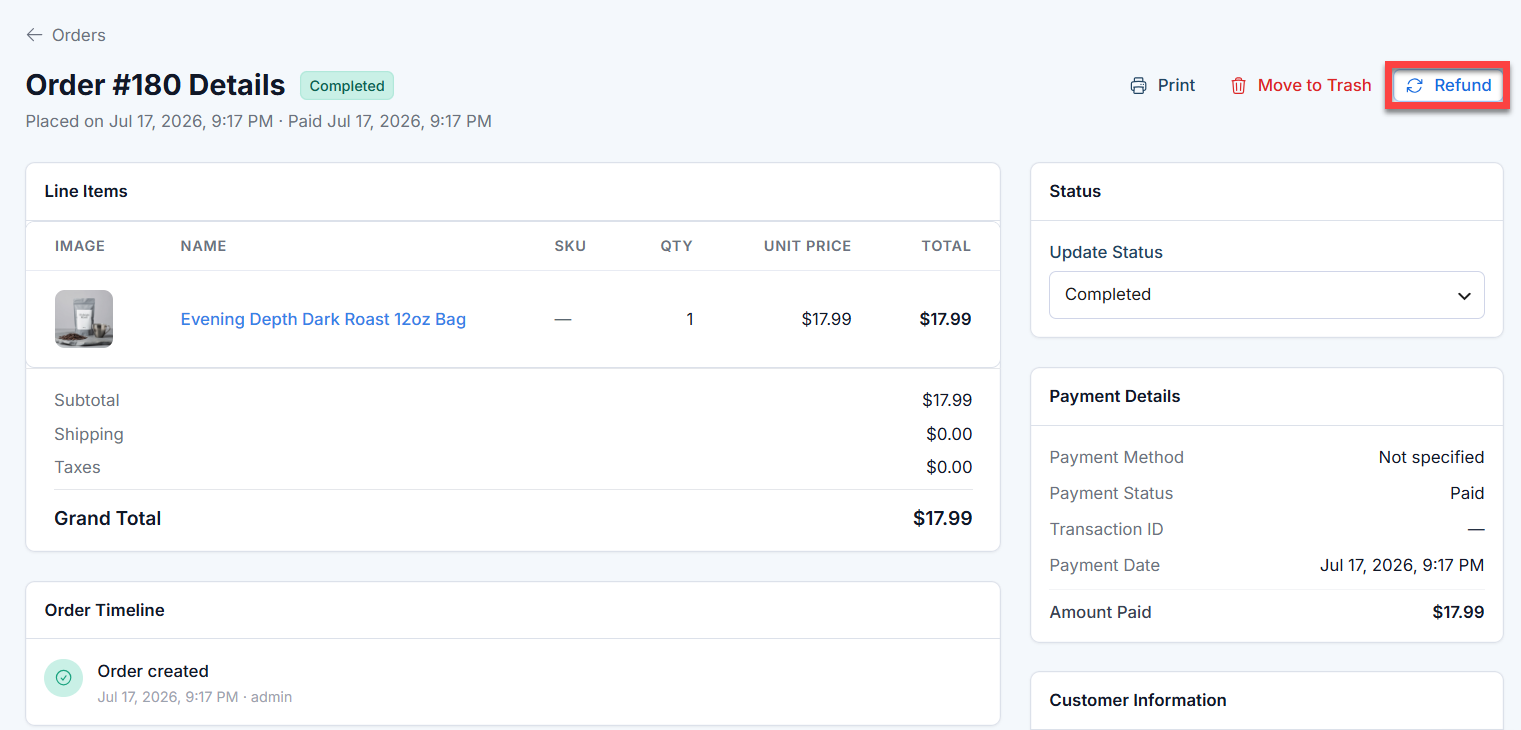
- Initiate the Refund: On the Order Details page, click Refund in the top-right corner of the screen.
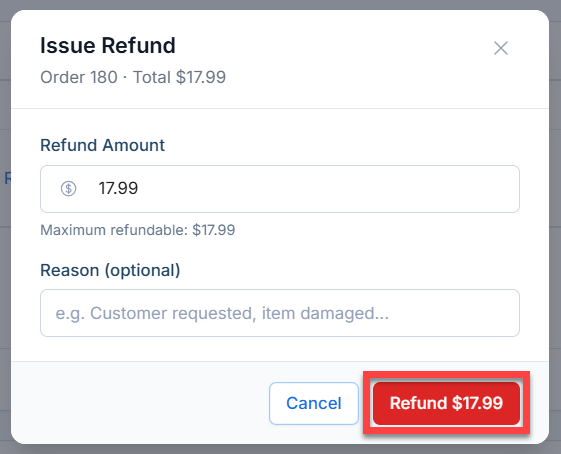
- Enter the Refund Details: An Issue Refund window will appear. Verify or adjust the refund amount, enter a reason for the refund (e.g., "Customer requested"), and then click the Refund button.
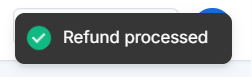
- Confirmation: A green pop-up notification stating "Refund processed" will appear at the bottom of your screen, confirming the action was successful.
Summary
Processing refunds in Bluehost AI Store is fast and secure, allowing store owners to issue customer refunds directly from the Orders section of the AI Store dashboard. After a refund is submitted, it is processed through Stripe, helping to ensure a secure and streamlined refund experience for both you and your customers.
If you need further assistance, Bluehost Chat Support is available 24 hours a day, 7days a week while Bluehost Phone Support is available 7 days a week from 7 am-12 midnight EST.
- Chat Support - While on our website, you should see a CHAT bubble in the bottom right-hand corner of the page. Click anywhere on the bubble to begin a chat session.
- Phone Support -
- US: 888-401-4678
- International: +1 801-765-9400
You may also refer to our Knowledge Base articles to help answer common questions and guide you through various setup, configuration, and troubleshooting steps.