 ChatGPT,
  Claude,
  Gemini,
  Grok — all four for
Bluehost AI Store: Orders Tab
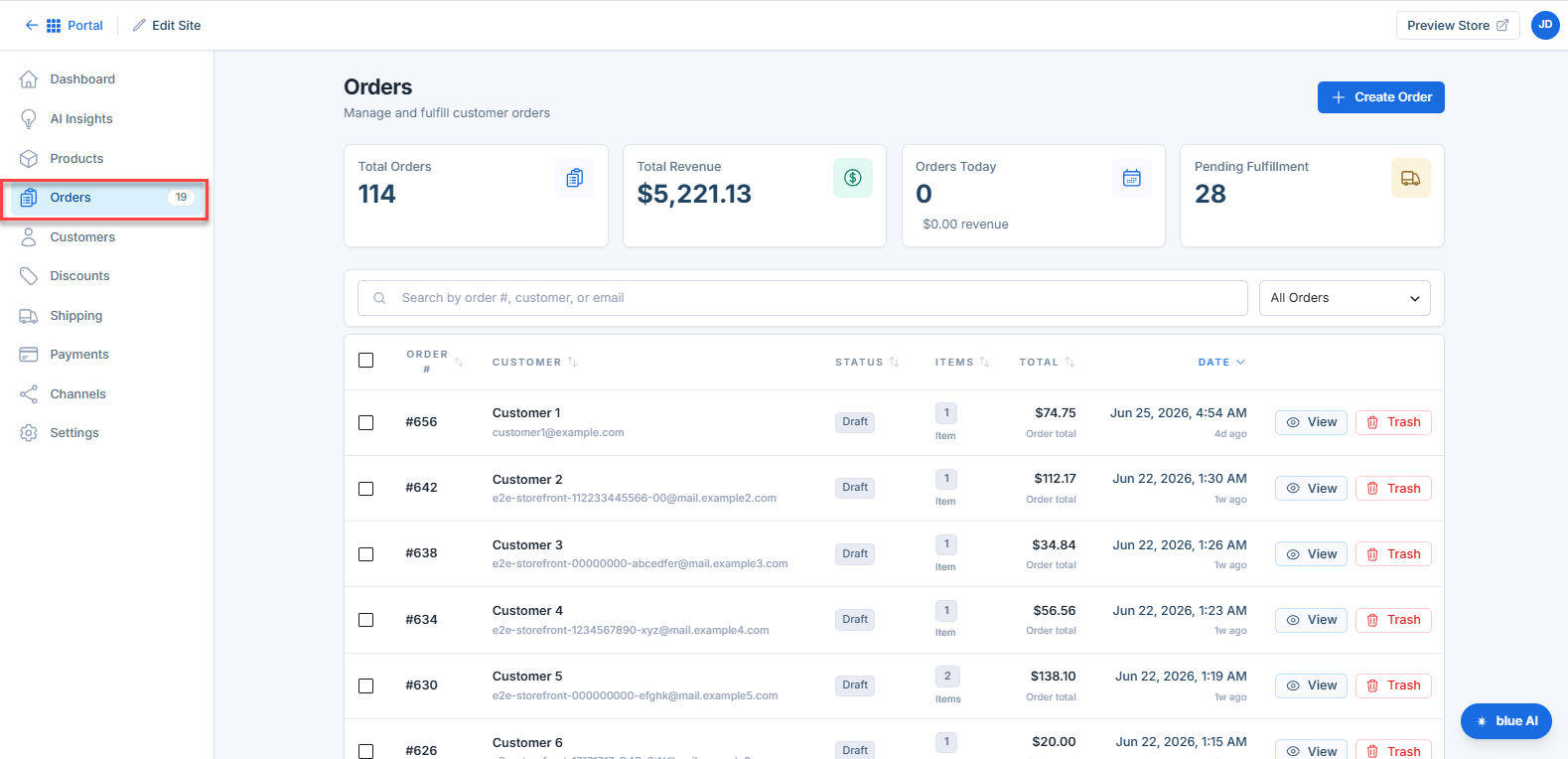
The Orders tab in your Bluehost AI Store lets you view, track, and manage all customer orders in one place. From monitoring sales performance to updating order statuses and creating new orders, everything you need is accessible here.
Key Features of Orders Tab
- Centralized Order Management: Manage all customer orders from one dashboard.
- Real-Time Sales Insights: View totals, revenue, and daily performance instantly.
- Advanced Search & Filtering: Quickly locate orders by customer or status.
- Detailed Order Tracking: Access complete order breakdowns and timelines.
- Flexible Status Updates: Easily update orders through the fulfillment lifecycle.
- Manual Order Creation: Add orders for offline or custom transactions.
- Customer Visibility: View customer details and order history in one place.
How to Access the Orders Tab
Follow these steps to open your AI Store dashboard directly from your Bluehost account:
- Log in to your Bluehost Portal.
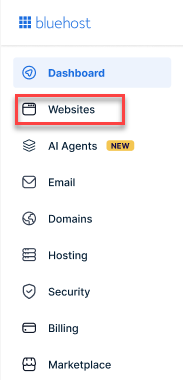
- From the left-hand menu, click the Websites tab.
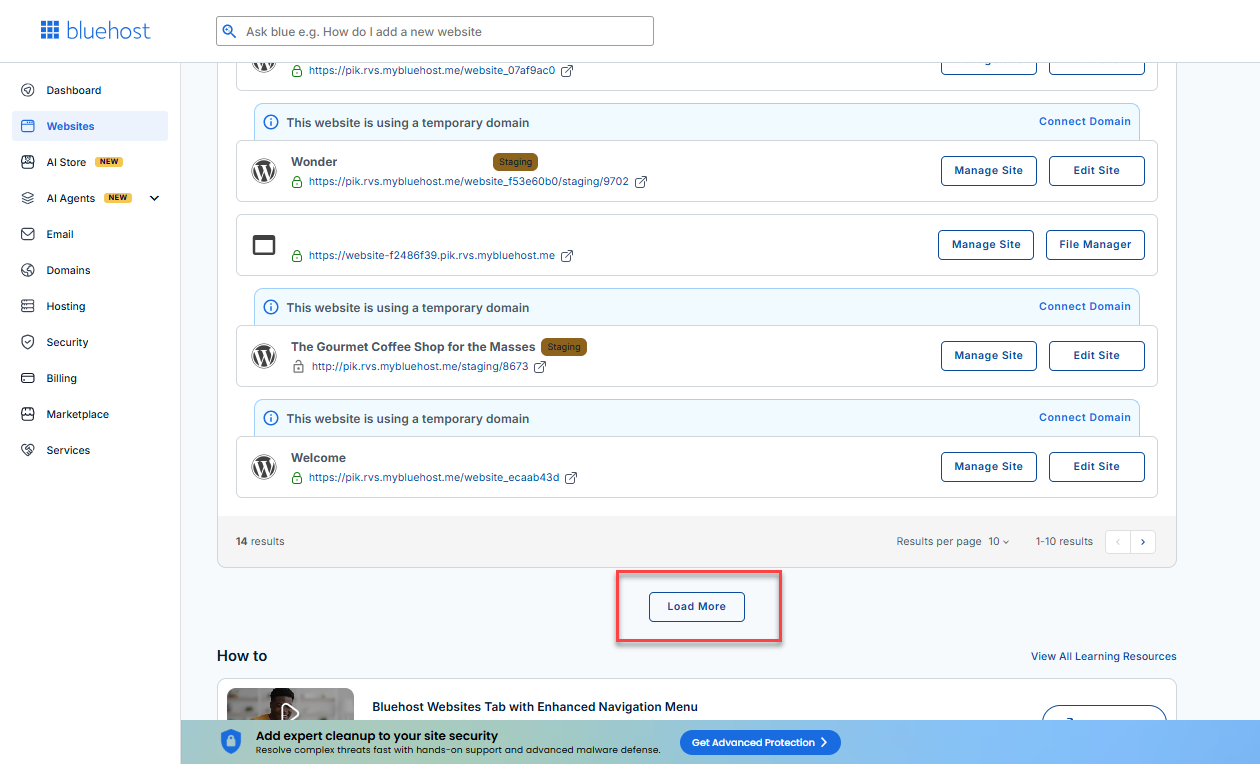
- Locate your Sell Online plan. If you have multiple websites, you need to scroll down and click the Load More link.
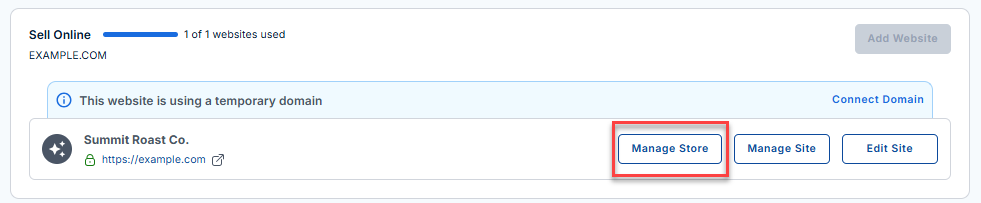
- Click the Manage Store button next to your site.
- You will be redirected to your Bluehost AI Store Dashboard.
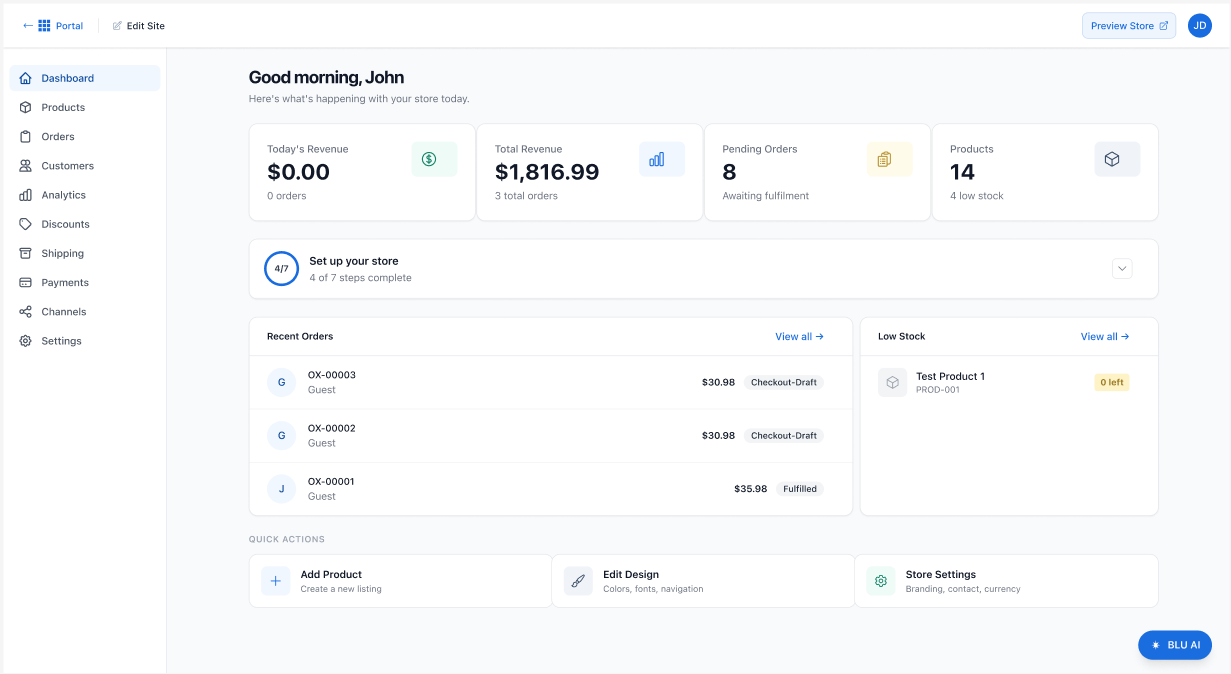
- Click the Orders tab in the left menu. And your store's Orders page will then be displayed.
Summary
The Orders tab in your Bluehost AI Store gives you full control over your store’s transactions—from tracking sales performance to managing fulfillment and customer details. With intuitive tools and real-time insights, you can efficiently handle every stage of the order process.
If you need further assistance, Bluehost Chat Support is available 24 hours a day, 7days a week while Bluehost Phone Support is available 7 days a week from 7 am-12 midnight EST.
- Chat Support - While on our website, you should see a CHAT bubble in the bottom right-hand corner of the page. Click anywhere on the bubble to begin a chat session.
- Phone Support -
- US: 888-401-4678
- International: +1 801-765-9400
You may also refer to our Knowledge Base articles to help answer common questions and guide you through various setup, configuration, and troubleshooting steps.