 ChatGPT,
  Claude,
  Gemini,
  Grok — all four for
 Bluehost AI Store: How to Set Up Taxes
The Bluehost AI Store includes a simplified tax configuration option within the Payments tab. This setting allows store owners to enable or disable tax calculation during checkout. When tax collection is enabled, the AI Store syncs the basic tax setting with WooCommerce. For more advanced tax configurations—such as tax classes, custom rates, or region-specific rules—you should manage these directly in WooCommerce.
This article will guide you through the process of setting up taxes in your AI Store dashboard. For additional assistance, we've also created a video tutorial to walk you through each step.
Basic Tax vs. Advanced Tax Settings
When tax collection is enabled, the AI Store syncs the basic tax settings with WooCommerce. These settings are managed in the AI Store dashboard.
For more advanced tax configurations, such as tax classes, custom rates, or region-specific rules, you should manage these directly in WooCommerce.
To learn how taxes apply when creating and managing orders, visit the Bluehost AI Store: How to Process and Fulfill an Order article.
How to Set Up Taxes in AI Store
- Log in to your Bluehost Portal.
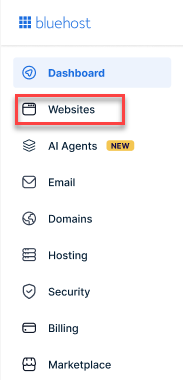
- From the left-hand menu, click the Websites tab.
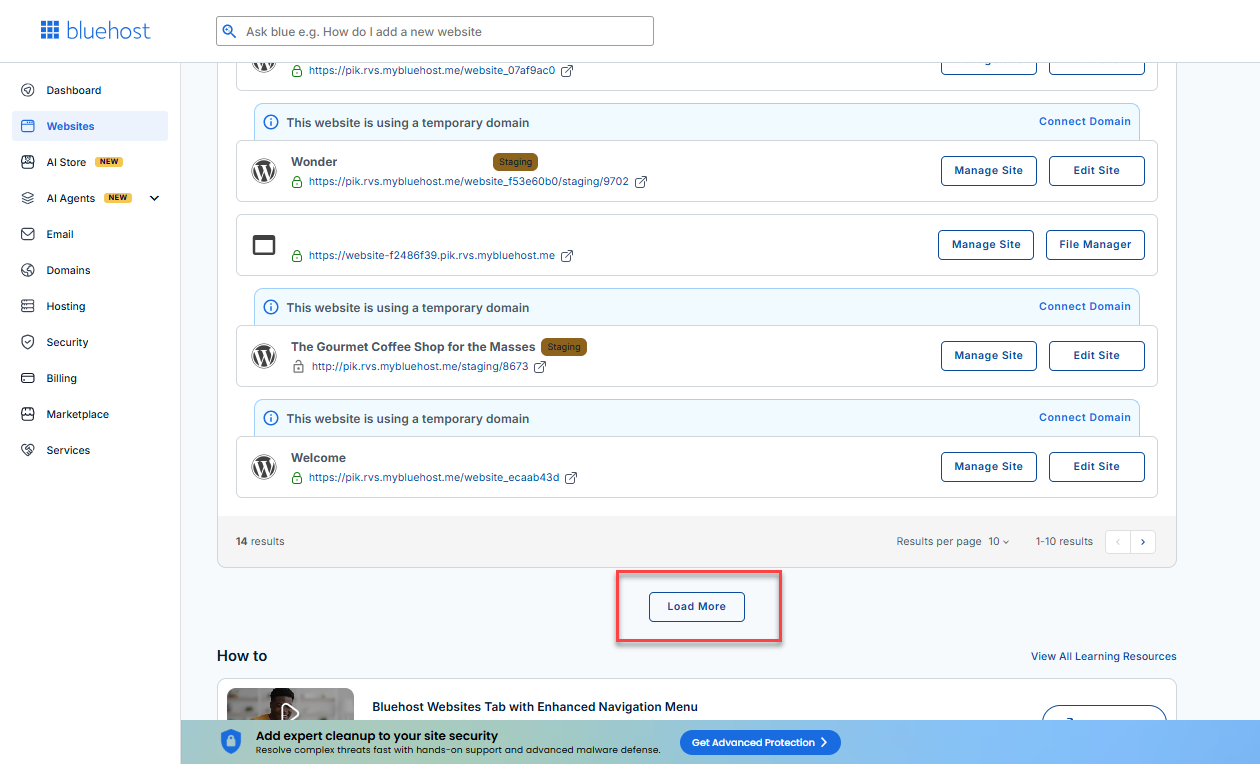
- Locate your Sell Online plan. If you have multiple websites, you need to scroll down and click the Load More link.
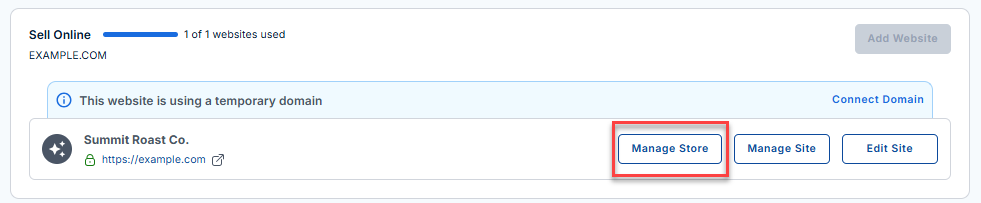
- Click the Manage Store button next to your site.
- You will be redirected to your Bluehost AI Store Dashboard.
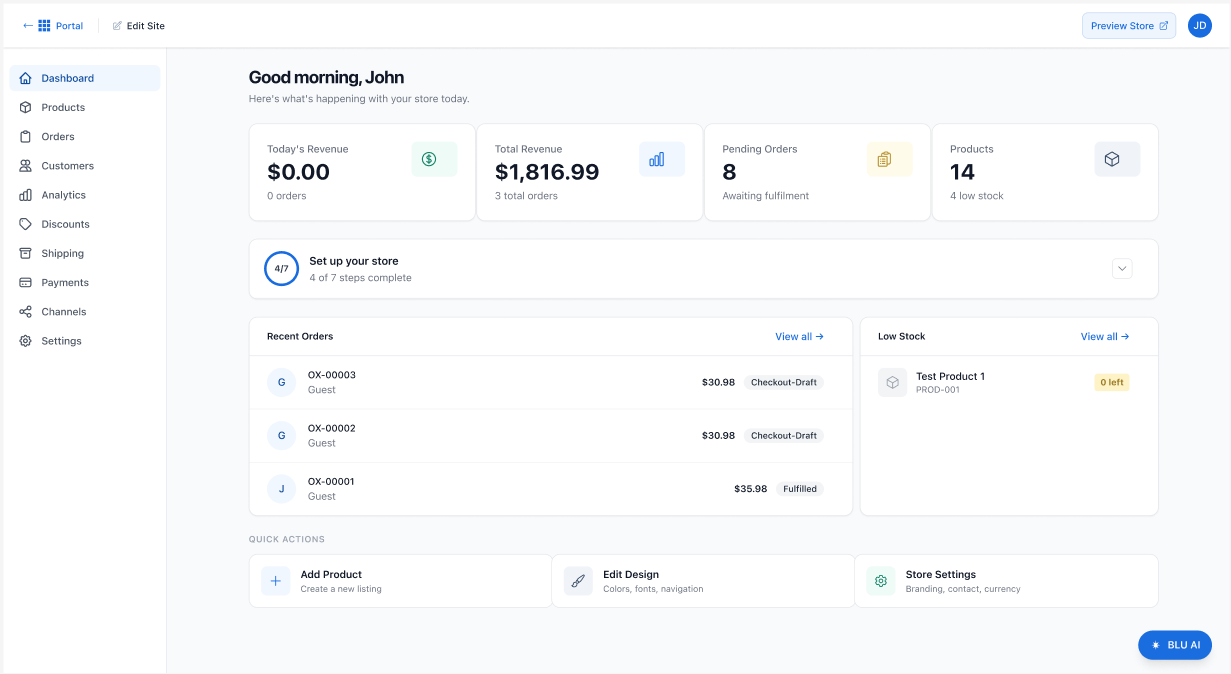
- In the AI Store dashboard, click Payments in the left menu.
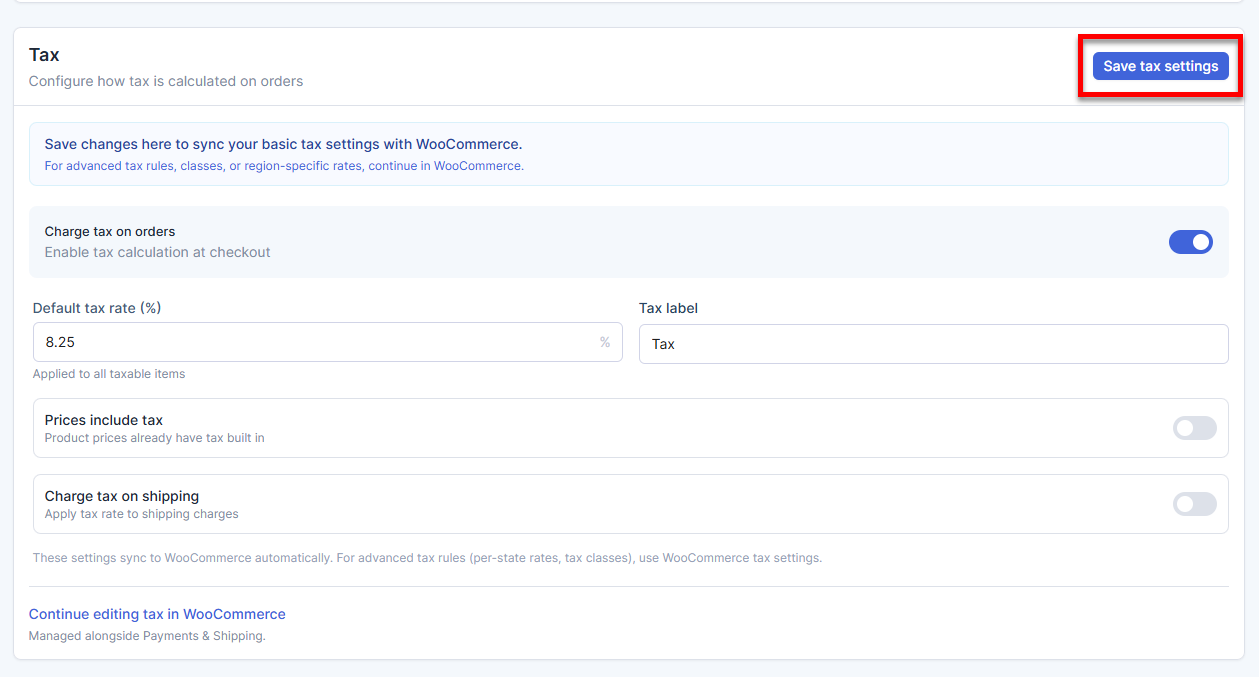
- Under the Tax section, use the toggle to enable or disable the tax calculator.
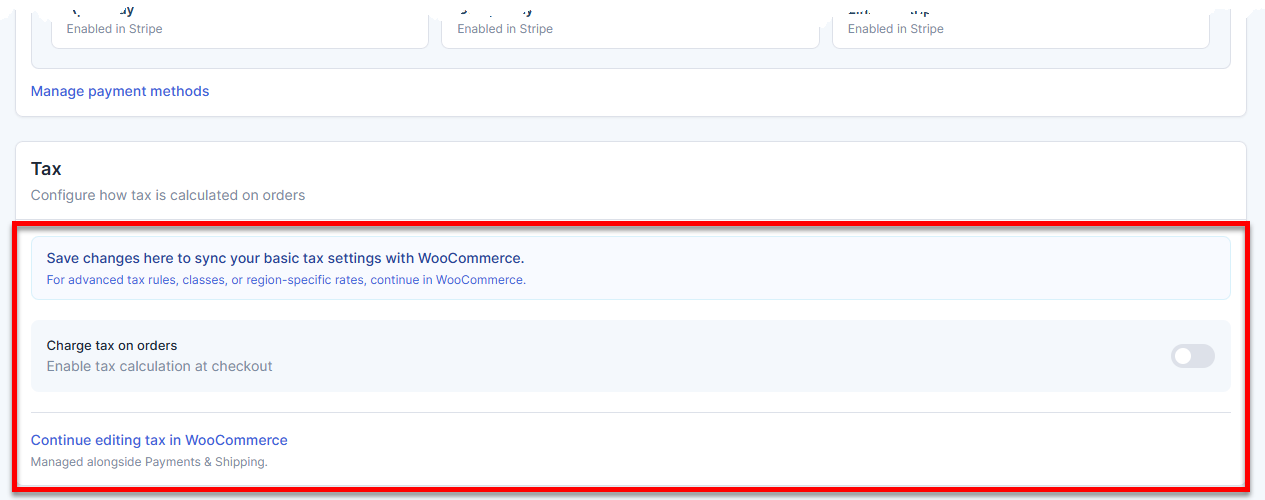
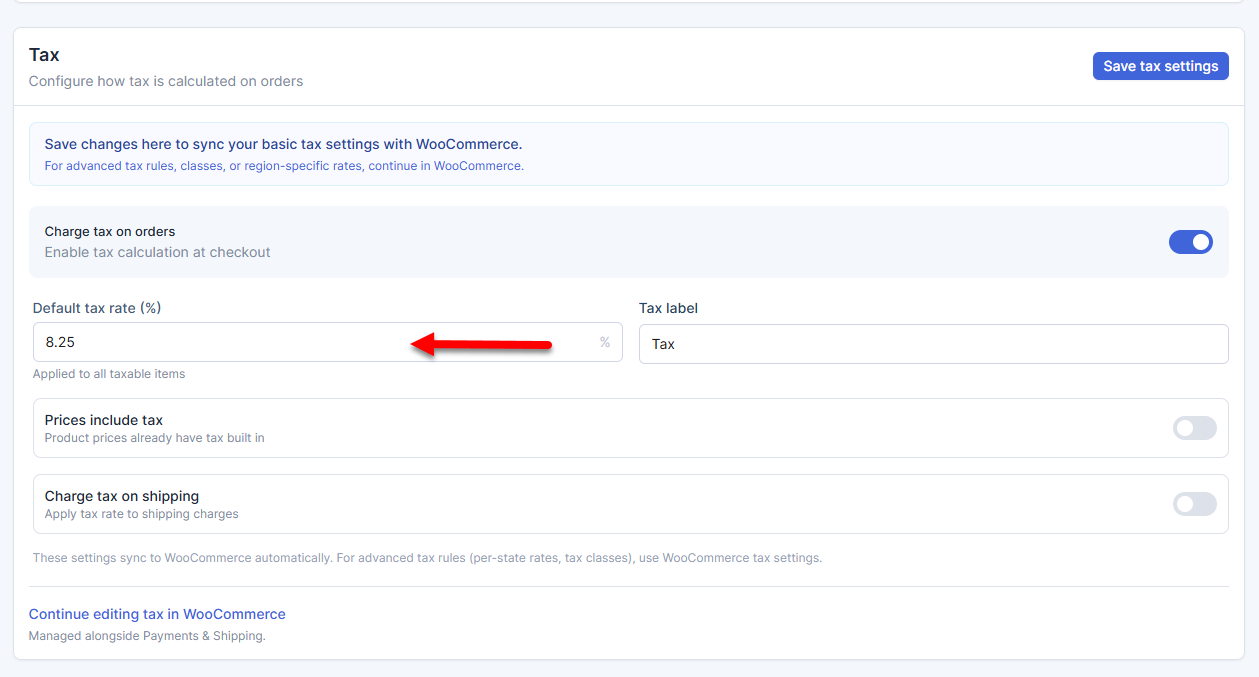
- Set the Default tax rate, which will be applied to all taxable items.
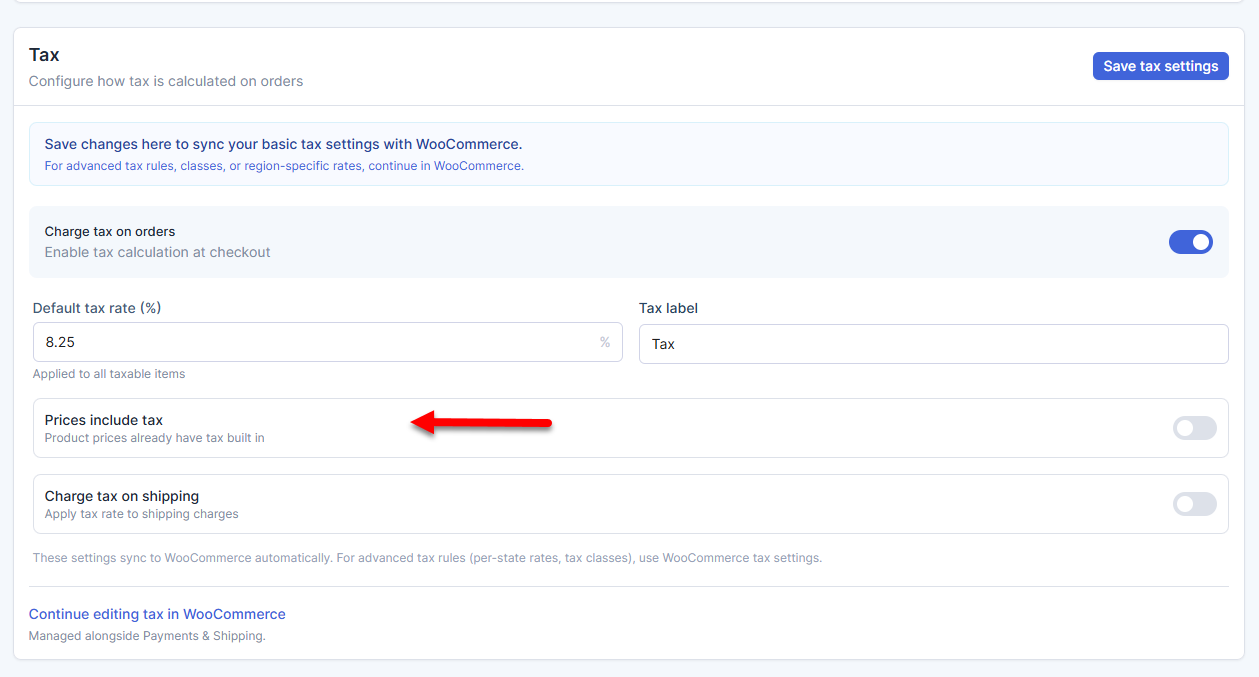
- If the product prices already include tax, select the Prices include tax option.
- If the shipping fees are taxable, use the toggle next to Charge tax on shipping to enable this option.
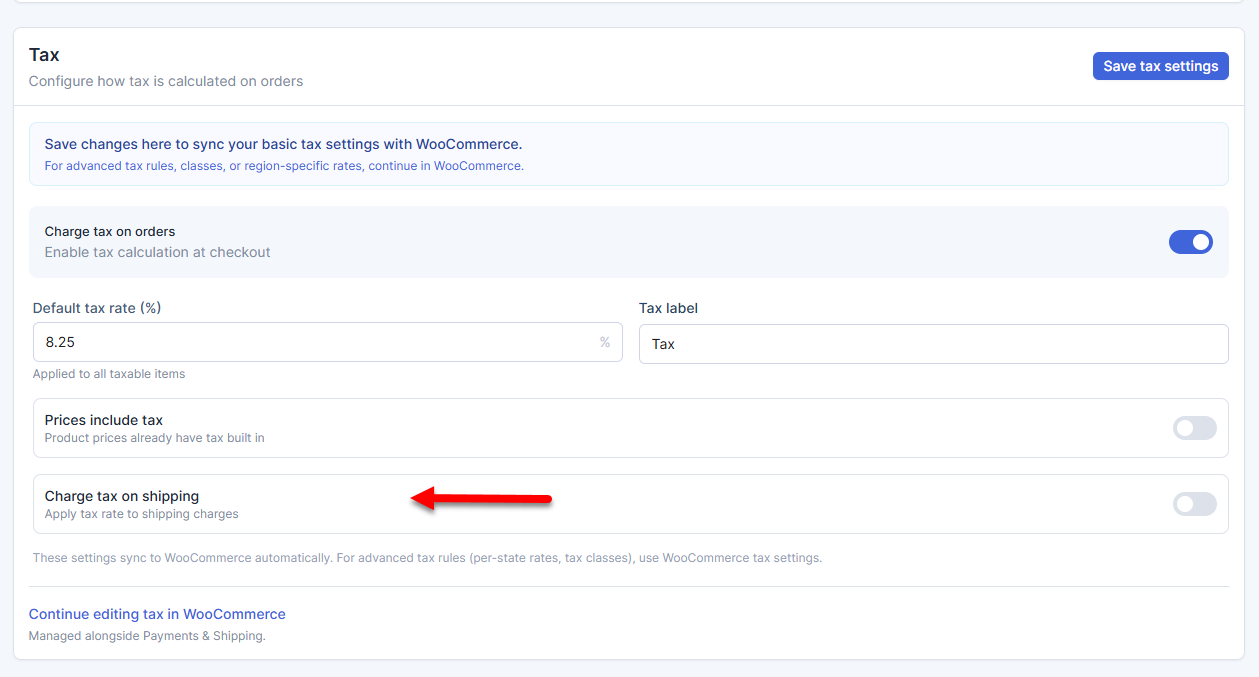
- Click the Save tax settings button to save your changes.
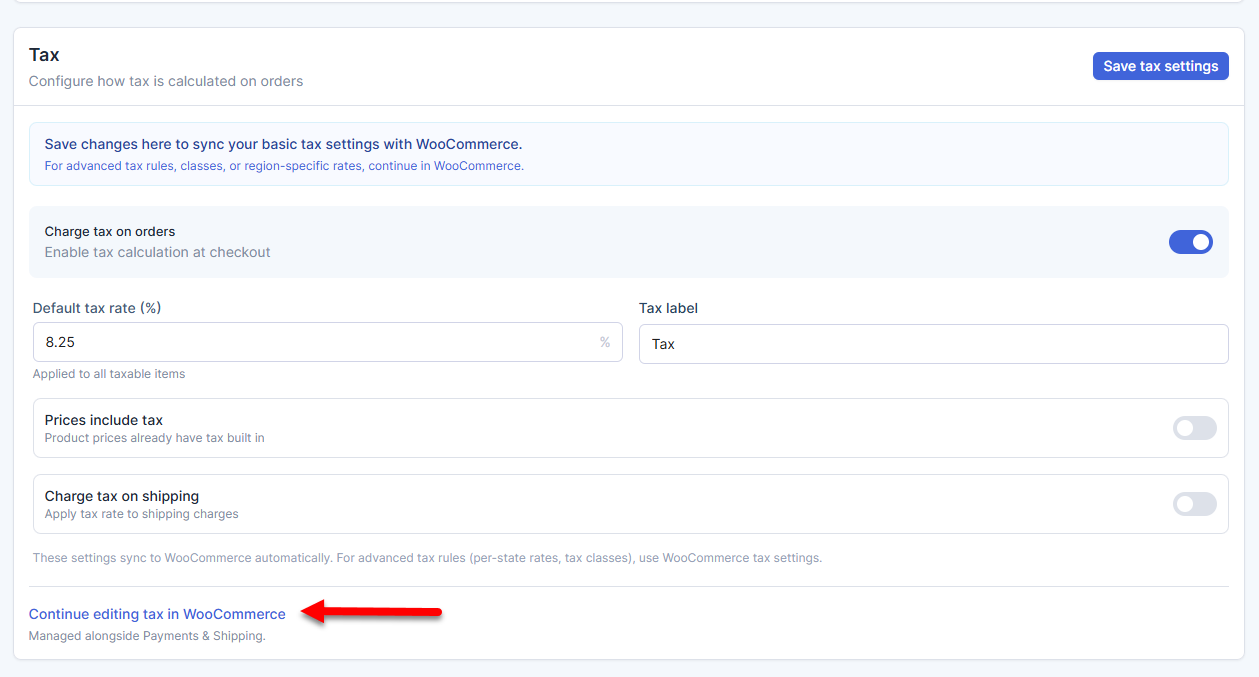
- To configure advanced tax settings, click Continue editing tax in WooCommerce to manage it directly there.
To learn more about setting up the AI Store dashboard, visit the Bluehost AI Store: Setting Up the AI Store Dashboard article.
Summary
Learn how to set up basic tax settings for your Bluehost AI Store using the Payments tab. This guide covers enabling tax at checkout, setting a default tax rate, including taxes in prices, and applying taxes to shipping. It also explains how these settings work with WooCommerce and when to use WooCommerce for more advanced tax options, such as custom rates and region-specific rules.
If you need further assistance, Bluehost Chat Support is available 24 hours a day, 7days a week while Bluehost Phone Support is available 7 days a week from 7 am-12 midnight EST.
- Chat Support - While on our website, you should see a CHAT bubble in the bottom right-hand corner of the page. Click anywhere on the bubble to begin a chat session.
- Phone Support -
- US: 888-401-4678
- International: +1 801-765-9400
You may also refer to our Knowledge Base articles to help answer common questions and guide you through various setup, configuration, and troubleshooting steps.