 ChatGPT,
  Claude,
  Gemini,
  Grok — all four for
Bluehost AI Store: Payments Tab
The Bluehost AI Store is a management dashboard for managing your online store. You can control products, orders, customers, payments, shipping, and settings all in one place.
In this article, we will walk you through the Payments tab of the AI Store Dashboard to set up payment processing, manage accepted payment methods, and review tax settings for your online store.
Key Features of the Payments Tab
- Stripe Integration Management - Connect, disconnect, and manage the Stripe account.
- Real-time Status Monitoring - Quickly verify payment readiness with clear indicators for charges, gateway status, and account setup.
- Multiple Payment Method Support - Accept major credit and debit cards.
- Digital Wallet Enablement - Offers fast checkout options through Apple Pay, Google Pay, and Link by Stripe.
- Centralized Payment Method Control - Manage all payment methods from a single, convenient location.
- Integrated Tax Configuration - Configure and sync basic tax settings with WooCommerce directly from the same screen.
How to Access the Payments Tab
- Log in to your Bluehost Portal.
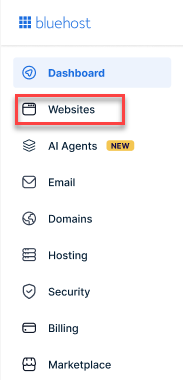
- From the left-hand menu, click the Websites tab.
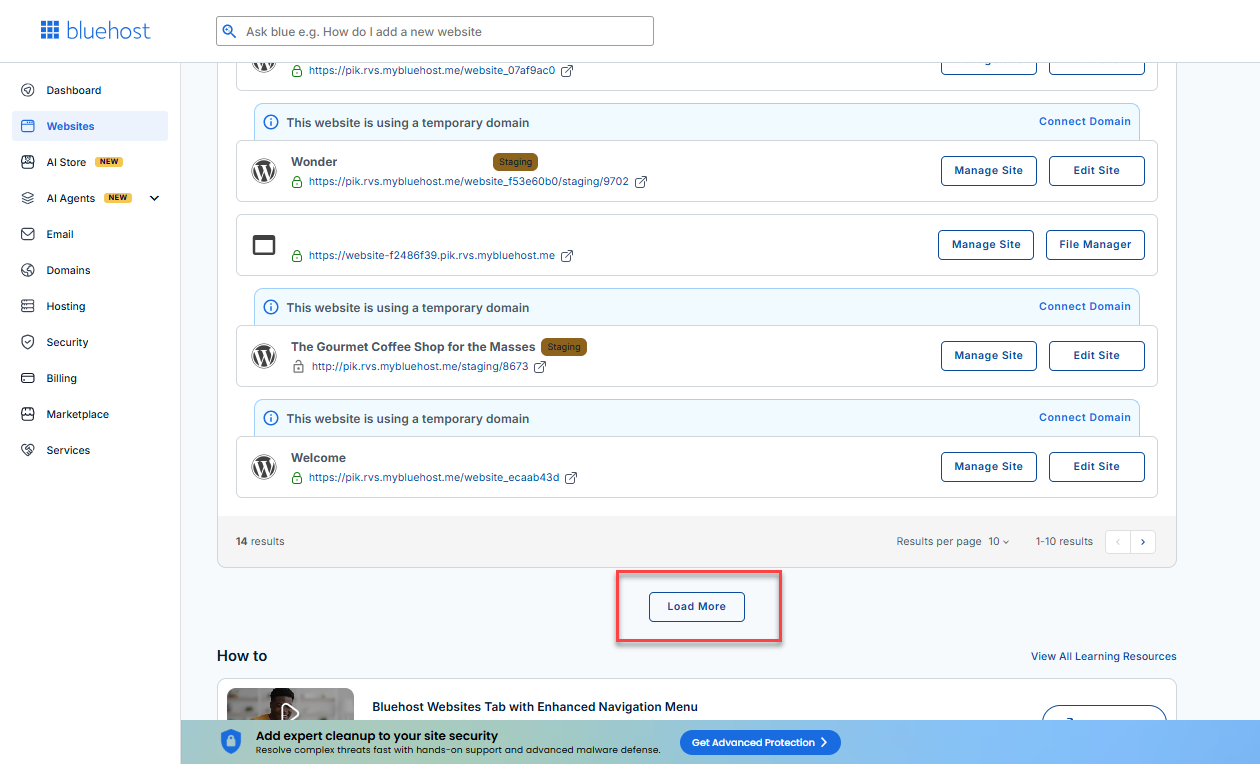
- Locate your Sell Online plan. If you have multiple websites, you need to scroll down and click the Load More link.
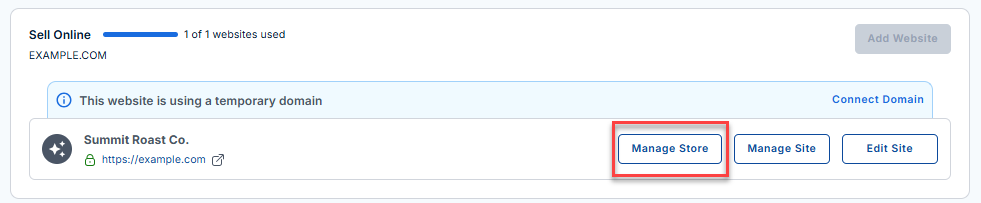
- Click the Manage Store button next to your site.
- You will be redirected to your Bluehost AI Store Dashboard.
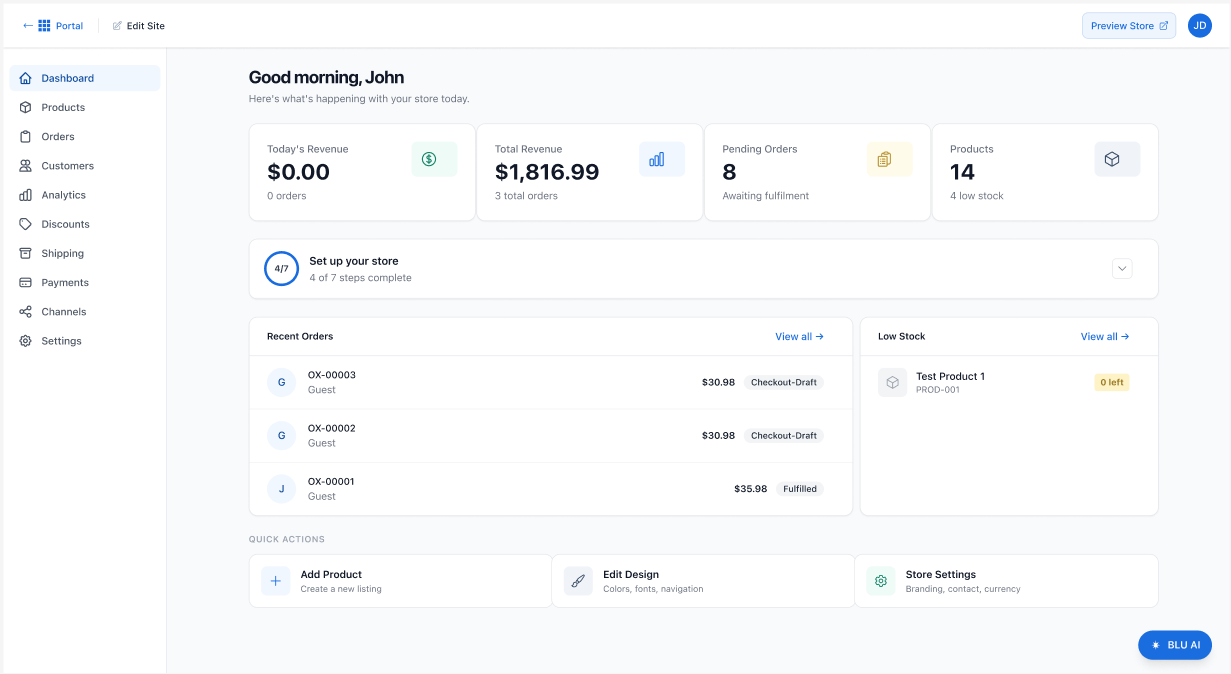
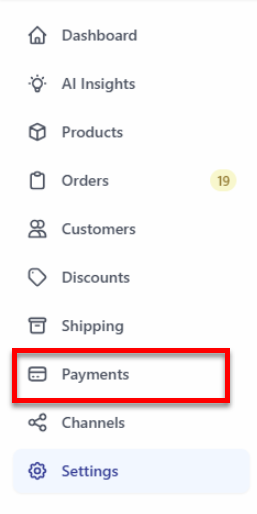
- In the dashboard, click Payments in the left menu.
- The Payments page will open, displaying the following sections:
- Payment Processing
- Tax
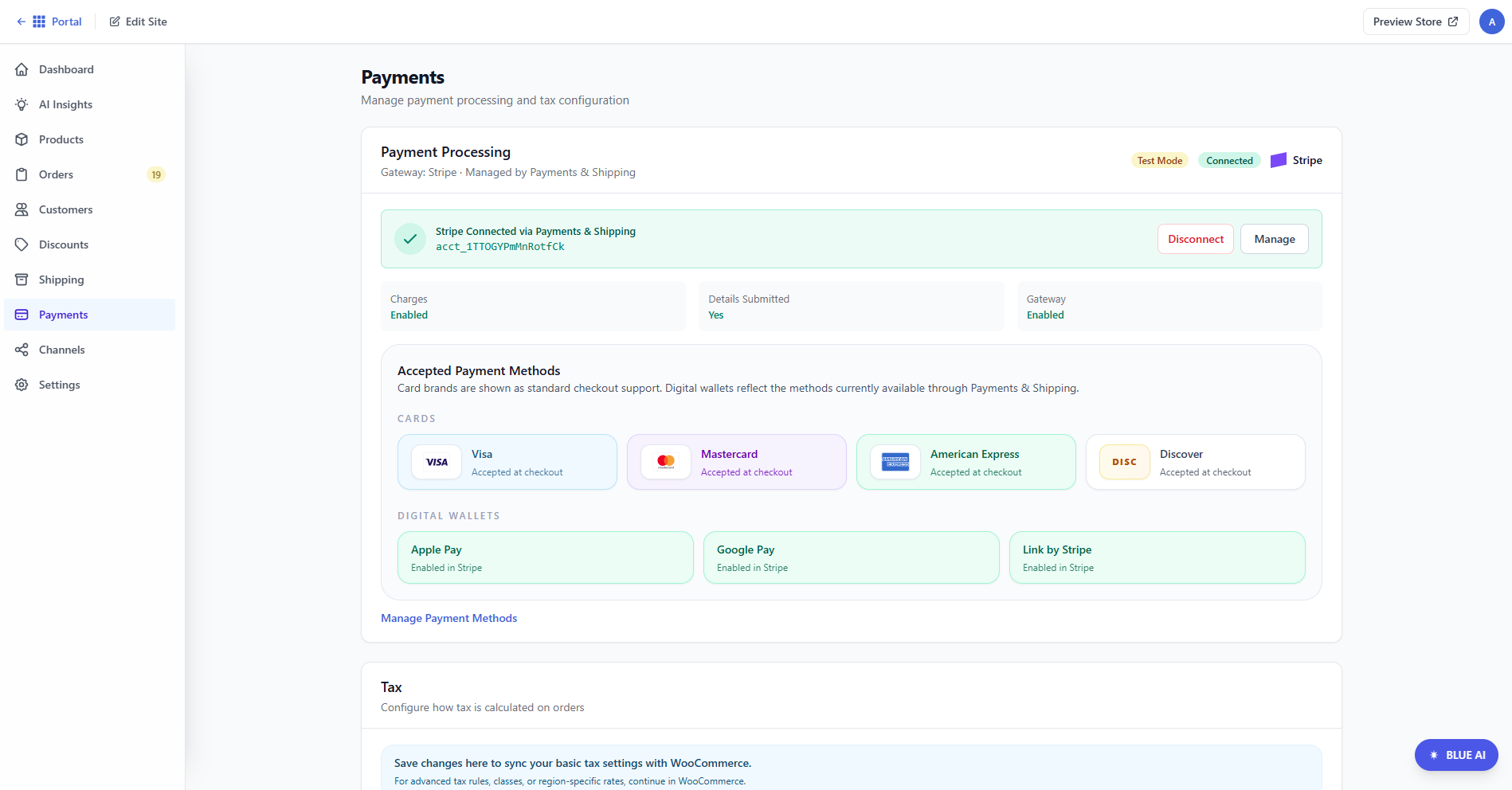
For detailed instructions on how to access the AI Store dashboard, please visit the Bluehost AI Store: Accessing the Bluehost AI Store article.
Payment Processing Setup
The Payment Processing section displays the current status of our payment gateway, which is currently Stripe, although we plan to add more payment methods in the future.
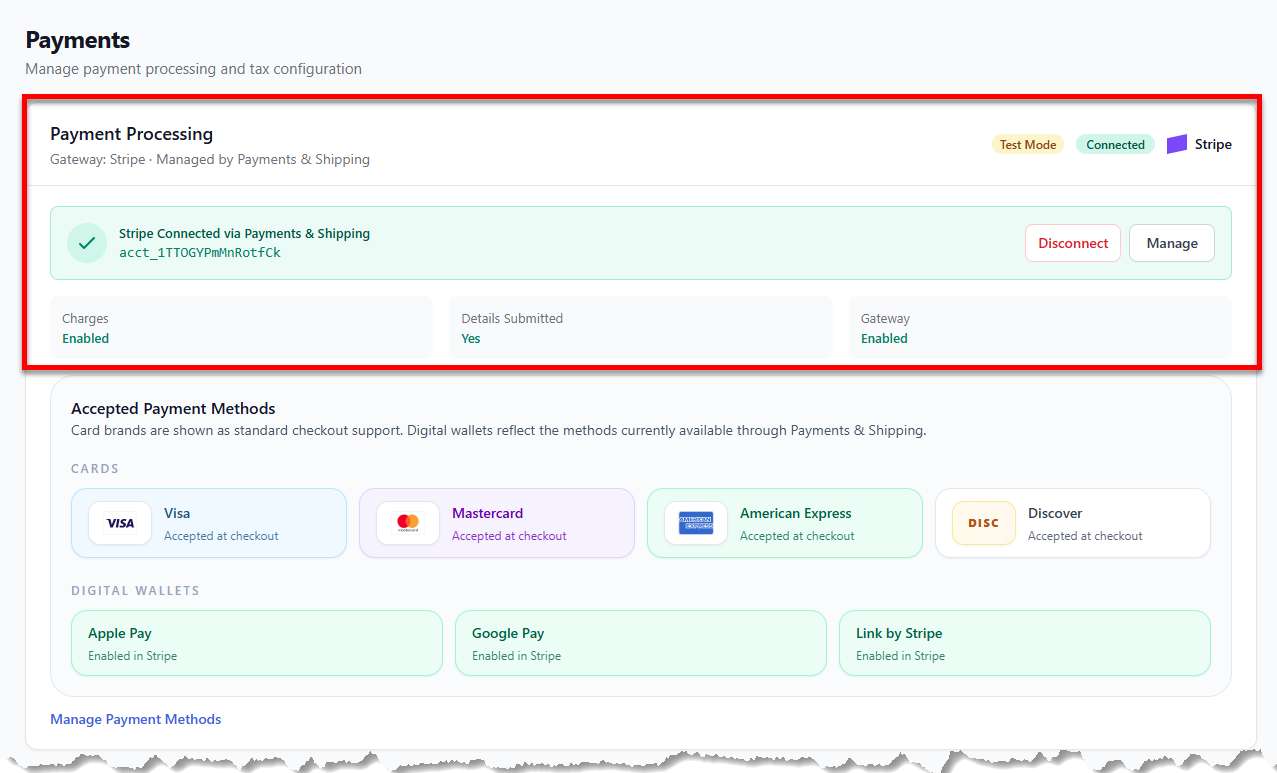
In this section, you can:
- Disconnect - To remove Stripe integration.
- Manage - To update Stripe settings or view account details.
Status indicators:
- Charge
- Details Submitted
- Gateway
Managing Accepted Payment Methods
This section shows which payment methods are available to customers during checkout.
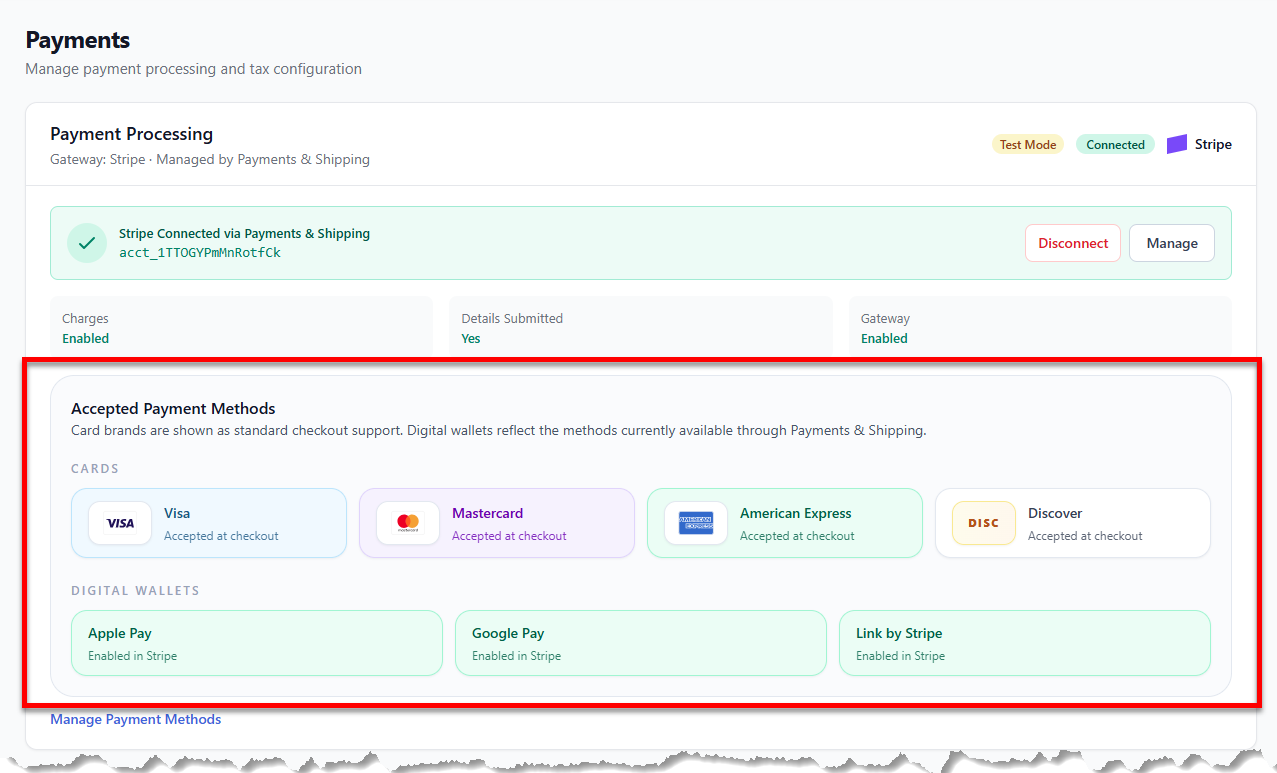
Supported card types include:
- Visa
- Mastercard
- American Express
- Discover
Digital payment options include:
- Apple Pay
- Google Pay
- Link by Stripe
Click the Manage Payment Methods link to add or remove payment methods.
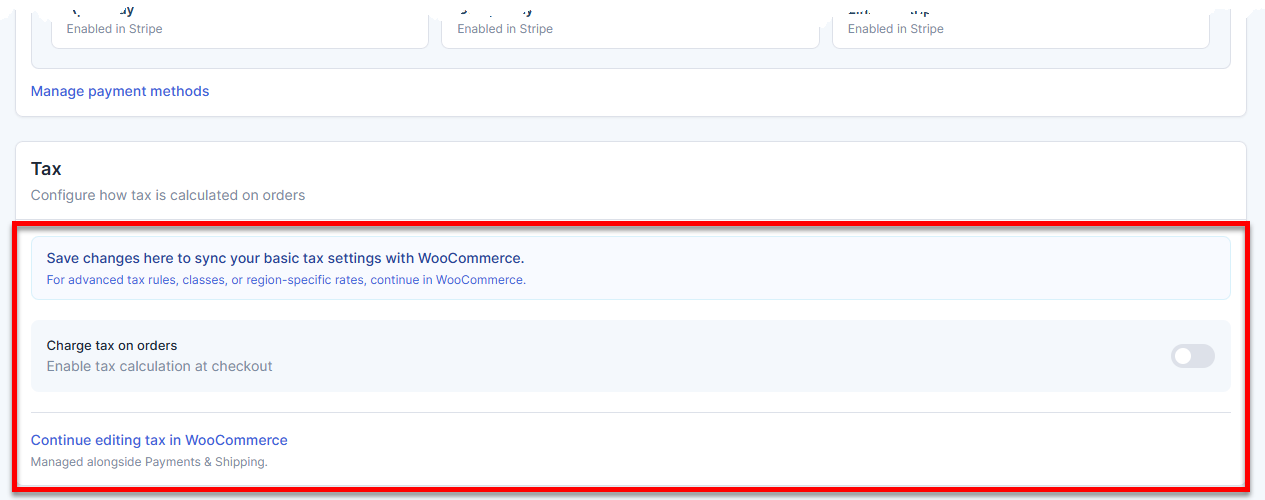
Apply Tax
The tax section controls how taxes are applied to orders. Changes made here are synced with WooCommerce, and any advanced setup must be done directly in WooCommerce.
Summary
The Payments tab of the Bluehost AI Store serves as a centralized hub for managing payment processing, accepted payment methods, and tax settings for your online store. In this section, admins can connect and manage Stripe, monitor gateway status, enable supported card and digital wallet payments, and configure basic tax settings to ensure a secure checkout experience for customers.
If you need further assistance, Bluehost Chat Support is available 24 hours a day, 7days a week while Bluehost Phone Support is available 7 days a week from 7 am-12 midnight EST.
- Chat Support - While on our website, you should see a CHAT bubble in the bottom right-hand corner of the page. Click anywhere on the bubble to begin a chat session.
- Phone Support -
- US: 888-401-4678
- International: +1 801-765-9400
You may also refer to our Knowledge Base articles to help answer common questions and guide you through various setup, configuration, and troubleshooting steps.