 ChatGPT,
  Claude,
  Gemini,
  Grok — all four for
Bluehost AI Store: Shipping Tab
The Shipping tab in your Bluehost AI Store allows you to view and manage the shipping methods available to customers during checkout. You can configure rates, define conditions, and control how shipping options are displayed.
Shipping Overview
At the top-right corner of the Shipping page, you’ll find two action buttons:
- Manage Zones — Configure geographic shipping zones
- + Add Shipping Method — Create a new shipping option
Before adding shipping methods, you'll need to create shipping zones to define where your products can be delivered. For step-by-step instructions, see Bluehost AI Store: How to Create and Configure Shipping Zones.
Key Features of the Shipping Tab
- Flexible Shipping Options — Offer standard, express, or free shipping methods.
- Customizable Rates & Conditions — Set pricing, delivery times, and order requirements.
- Drag-and-Drop Ordering — Control how shipping options appear at checkout.
- Zone-Based Configuration — Define shipping availability by geographic regions. To learn how to create and manage shipping zones, refer to the Bluehost AI Store: How to Create and Configure Shipping Zones article.
- Real-Time Status Control — Enable or disable shipping methods instantly.
- Centralized Management — View and edit all shipping options in one place.
- Seamless Checkout Integration — Ensure accurate shipping choices for customers.
How to Access the Shipping Tab
Follow these steps to open your AI Store dashboard directly from your Bluehost account:
- Log in to your Bluehost Portal.
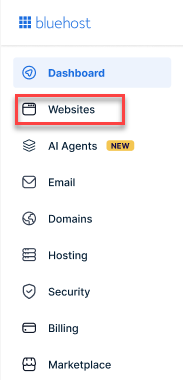
- From the left-hand menu, click the Websites tab.
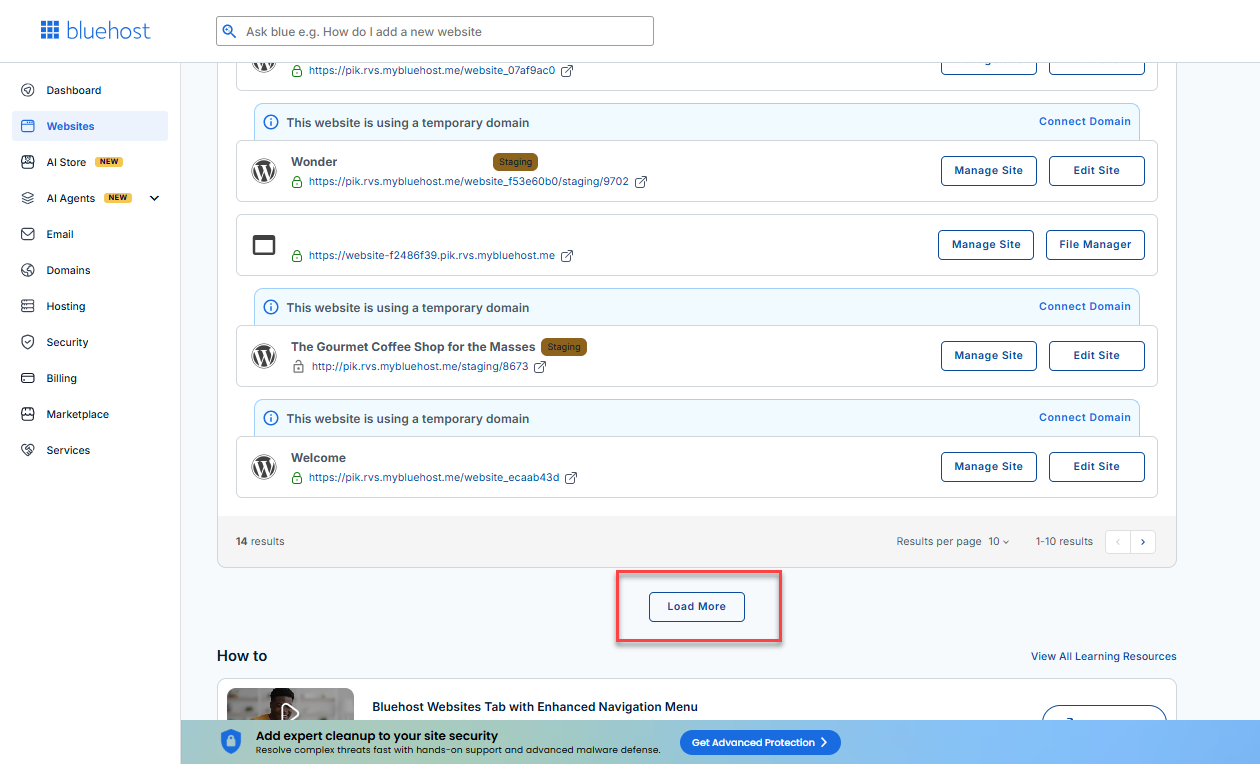
- Locate your Sell Online plan. If you have multiple websites, you need to scroll down and click the Load More link.
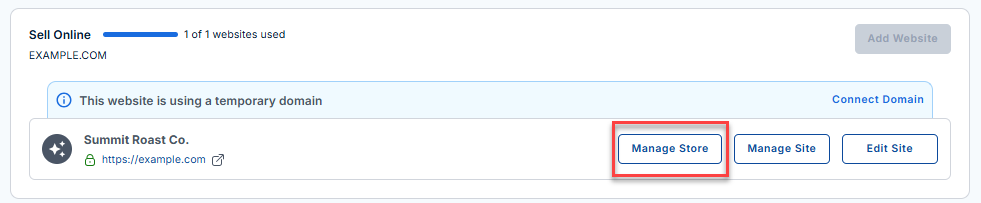
- Click the Manage Store button next to your site.
- You will be redirected to your Bluehost AI Store Dashboard.
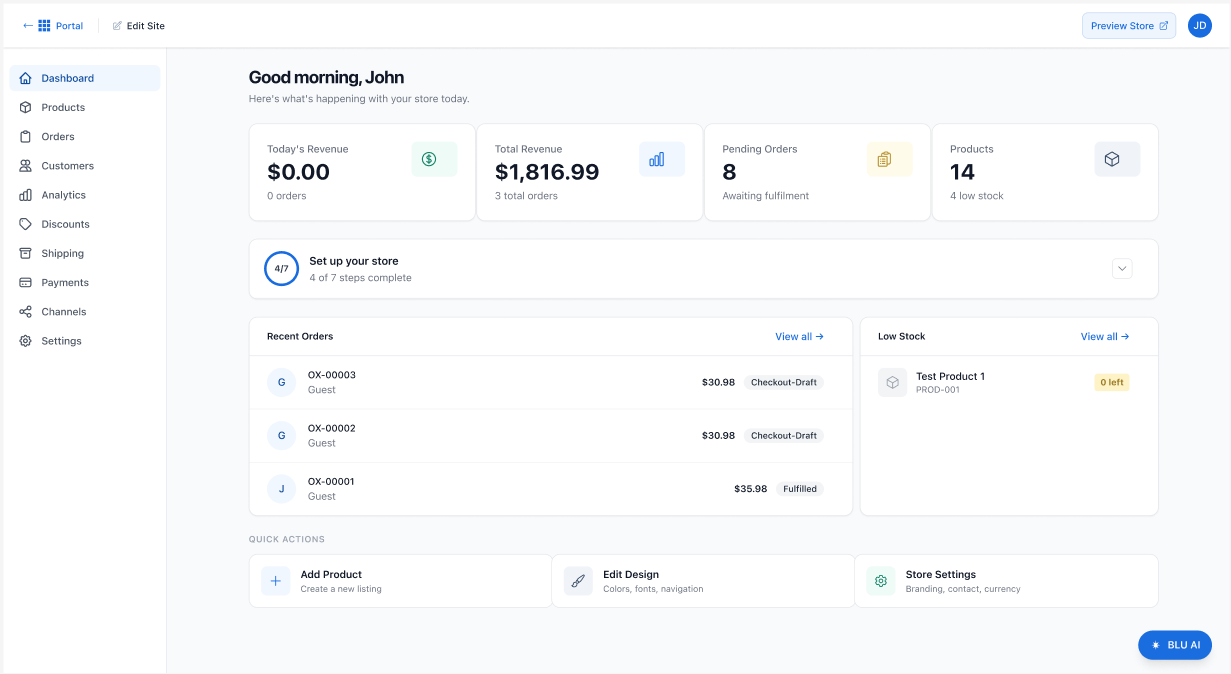
- Click the Shipping tab in the left-hand menu. Your online store's Discount page will then be displayed.
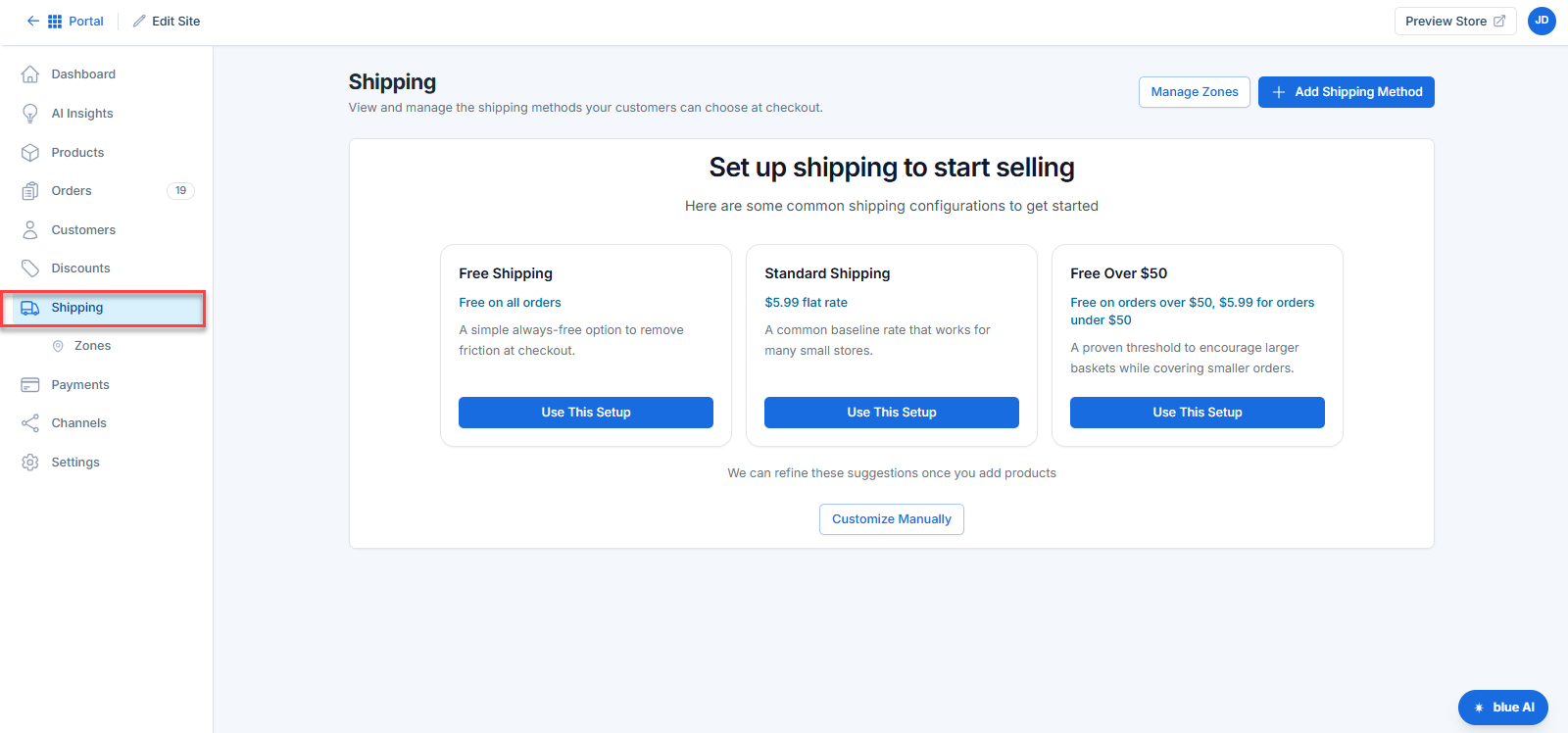
To offer delivery options to your customers, you'll first need to configure shipping methods and assign them to the appropriate shipping zones. For detailed instructions, visit the following articles.
Summary
The Shipping tab in your Bluehost AI Store makes it easy to configure and manage how products are delivered to your customers. With flexible options, zone-based controls, and simple customization tools, you can create a smooth and reliable checkout experience.
If you need further assistance, Bluehost Chat Support is available 24 hours a day, 7days a week while Bluehost Phone Support is available 7 days a week from 7 am-12 midnight EST.
- Chat Support - While on our website, you should see a CHAT bubble in the bottom right-hand corner of the page. Click anywhere on the bubble to begin a chat session.
- Phone Support -
- US: 888-401-4678
- International: +1 801-765-9400
You may also refer to our Knowledge Base articles to help answer common questions and guide you through various setup, configuration, and troubleshooting steps.