 ChatGPT,
  Claude,
  Gemini,
  Grok — all four for
 Bluehost AI Store: Viewing Customer Segments
Customer Segments in Bluehost AI Store help you organize your customers into groups based on shared characteristics, purchasing behavior, and activity. Segmentation allows you to better understand your audience, create targeted marketing campaigns, and deliver personalized customer experiences.
This article explains what Customer Segments are, how they work, and how to view and manage them in your Bluehost AI Store.
We’ve created a short video on how to view your AI Store's Customer Segments:
What Are Customer Segments?
Customer Segments are automatically or manually created groups of customers that share common attributes. These segments make it easier to analyze customer behavior and target specific audiences with promotions, discounts, and marketing campaigns.
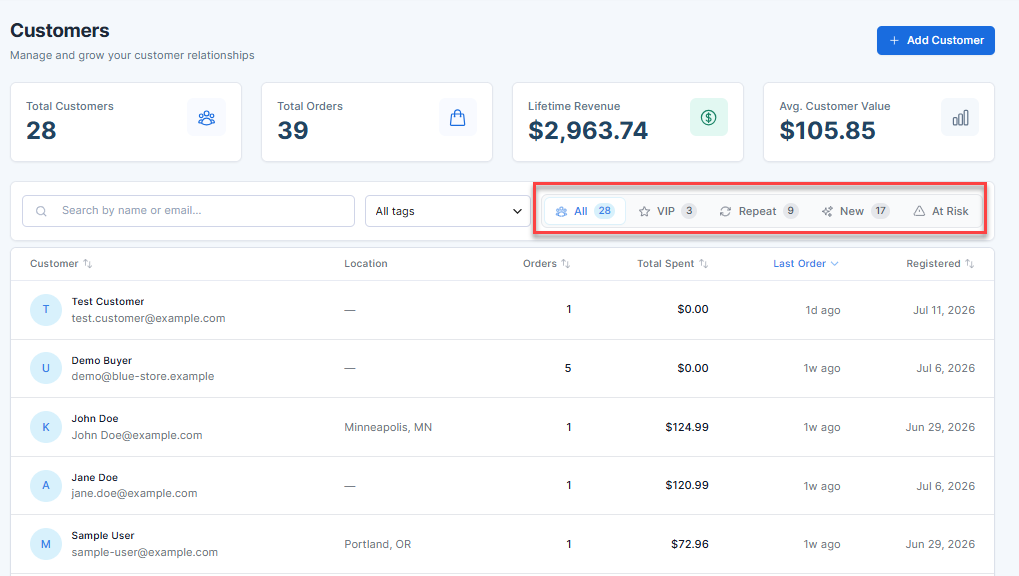
Examples of customer segments include:
- VIP
- Repeat
- New
- At Risk
Benefits of Customer Segmentation
Using customer segments can help you:
- Better understand customer purchasing patterns
- Create personalized marketing campaigns
- Target discounts to specific customer groups
- Improve customer retention and engagement
- Identify your most valuable customers
- Make data-driven business decisions
Accessing Customer Segments
To view customer segments:
- Log in to your Bluehost Portal.
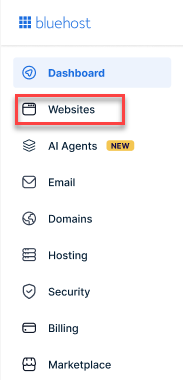
- From the left-hand menu, click the Websites tab.
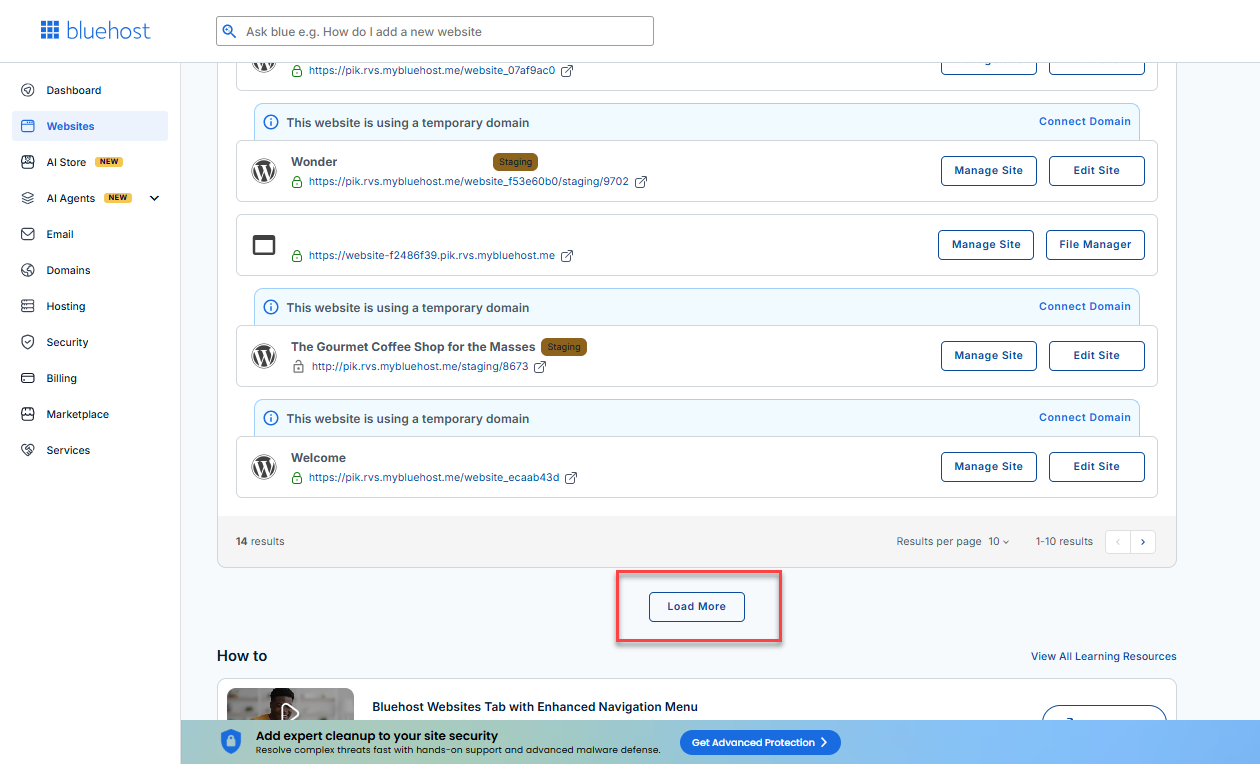
- Locate your Sell Online plan. If you have multiple websites, you need to scroll down and click the Load More link.
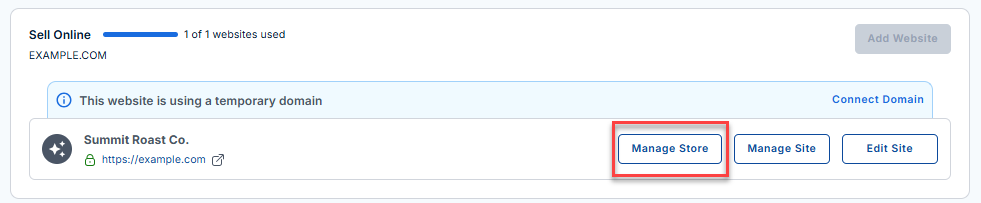
- Click the Manage Store button next to your site.
- You will be redirected to your Bluehost AI Store Dashboard.
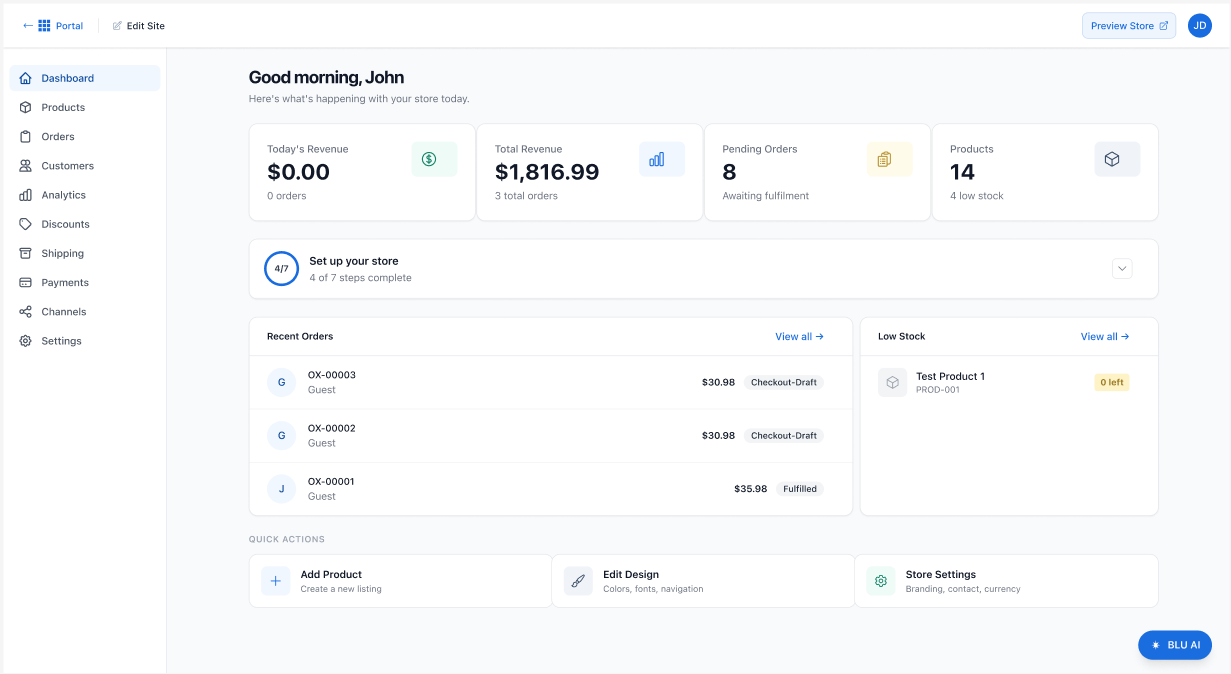
- Click Customers in the left-hand menu.
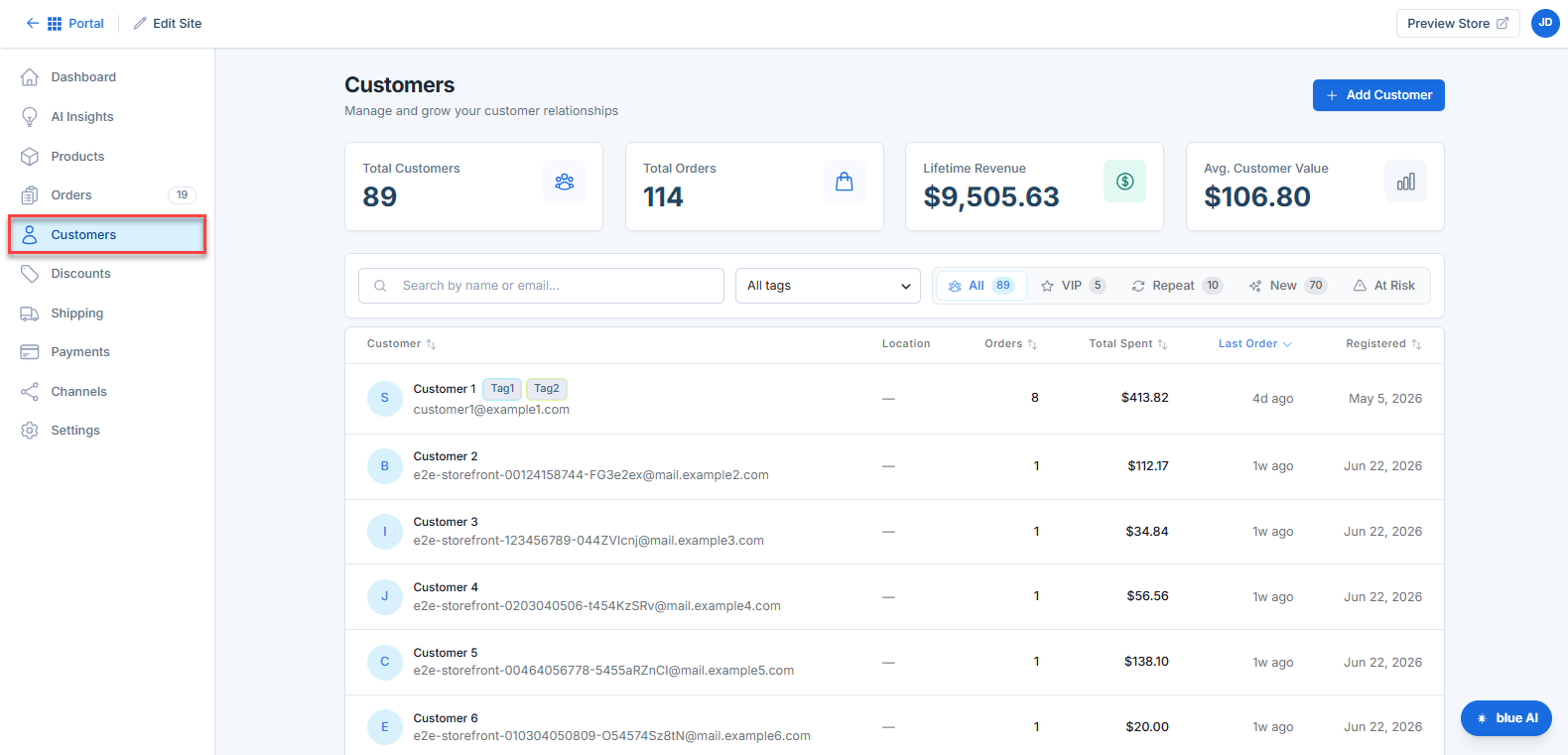
- Navigate to the Segments section.
Here, you'll find available customer segments and the number of customers assigned to each group.
Viewing Segment Details
Select a customer segment to view additional information, including:
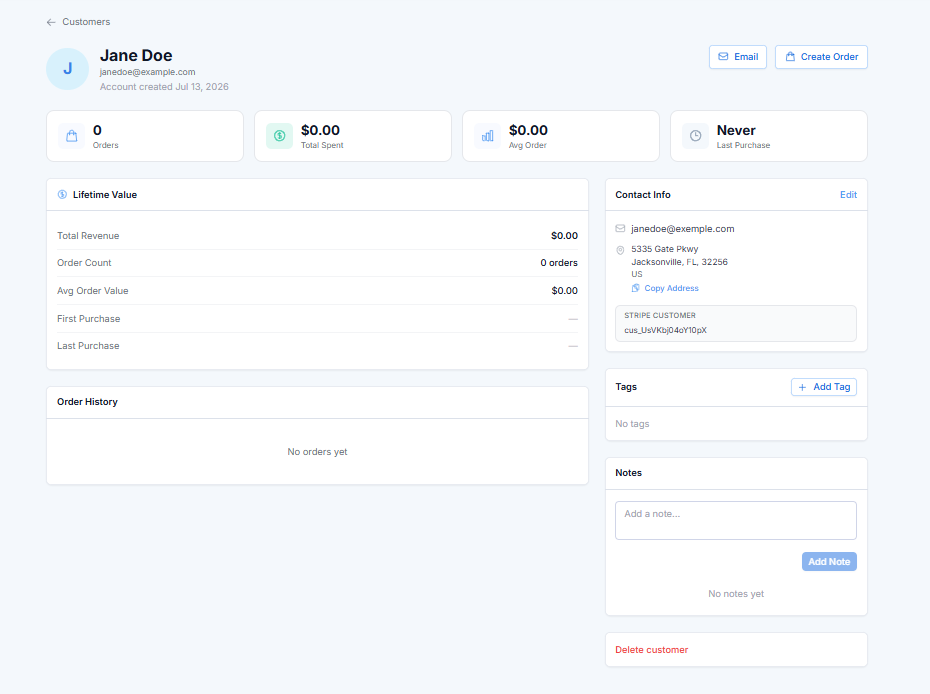
- Customers included in the segment
- Contact information
- Purchase history
- Total orders, revenue and spending data
This information can help you better understand the customers within each segment.
Using Customer Segments
Customer segments can be used to:
- Create targeted promotional campaigns
- Identify loyal customers for rewards programs
- Re-engage inactive customers
- Analyze purchasing trends
- Improve product recommendations and marketing efforts
Best Practices
For the best results when working with customer segments:
- Review segments regularly to track customer behavior changes.
- Use multiple segments to create more targeted campaigns.
- Monitor customer activity and purchasing trends.
- Combine segmentation data with promotions and discounts for better engagement.
Summary
Customer Segments in Bluehost AI Store provide valuable insights into your customer base by grouping customers with similar characteristics or behaviors. By understanding and utilizing these segments, you can create more targeted marketing strategies, improve customer engagement, and drive store growth.
If you need further assistance, Bluehost Chat Support is available 24 hours a day, 7days a week while Bluehost Phone Support is available 7 days a week from 7 am-12 midnight EST.
- Chat Support - While on our website, you should see a CHAT bubble in the bottom right-hand corner of the page. Click anywhere on the bubble to begin a chat session.
- Phone Support -
- US: 888-401-4678
- International: +1 801-765-9400
You may also refer to our Knowledge Base articles to help answer common questions and guide you through various setup, configuration, and troubleshooting steps.