 ChatGPT,
  Claude,
  Gemini,
  Grok — all four for
Directory Listing Denied: Fix Virtual Directory Error
Are you seeing the following message when trying to access your website?
Directory Listing Denied
This Virtual Directory does not allow contents to be listed.
This is a common 403 Forbidden error on Bluehost-hosted websites and usually means that your site does not have a valid index file or that directory indexing is disabled.
Why This Error Occurs
This error typically happens when Apache cannot find a default index file (such as index.html or index.php) in your domain’s root directory, and directory listing is disabled for security reasons.
The most common causes include:
- Directory Indexing is set to “No Indexing”
- Your homepage file is not named correctly
- The DirectoryIndex value is missing or misconfigured in
.htaccess
How to Fix the Directory Listing Denied Error
Below are the most effective solutions, starting with the simplest.
Solution 1: Disable “No Indexing” in cPanel (Recommended)
If directory indexing is disabled, your site cannot display its contents when no index file is present.
Steps:
- Log in to your Bluehost Portal.
- In the left-hand menu, click Hosting, then select My Plans.
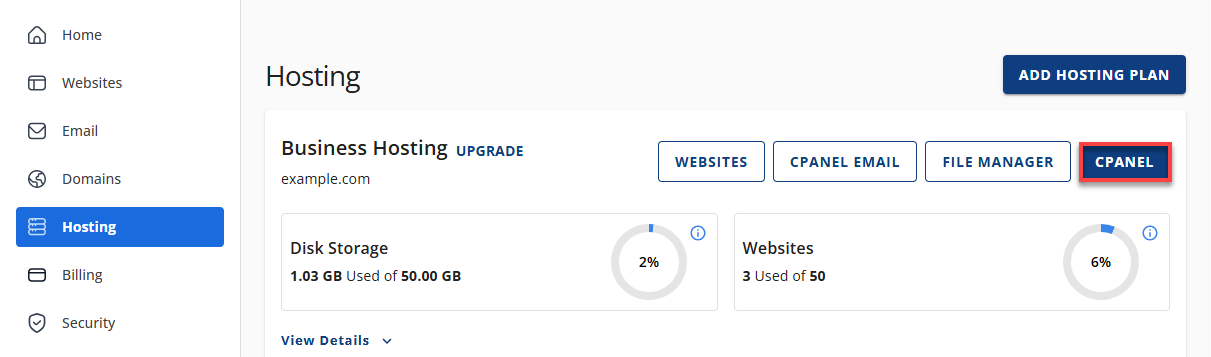
- On the hosting details page, click the cPanel button.
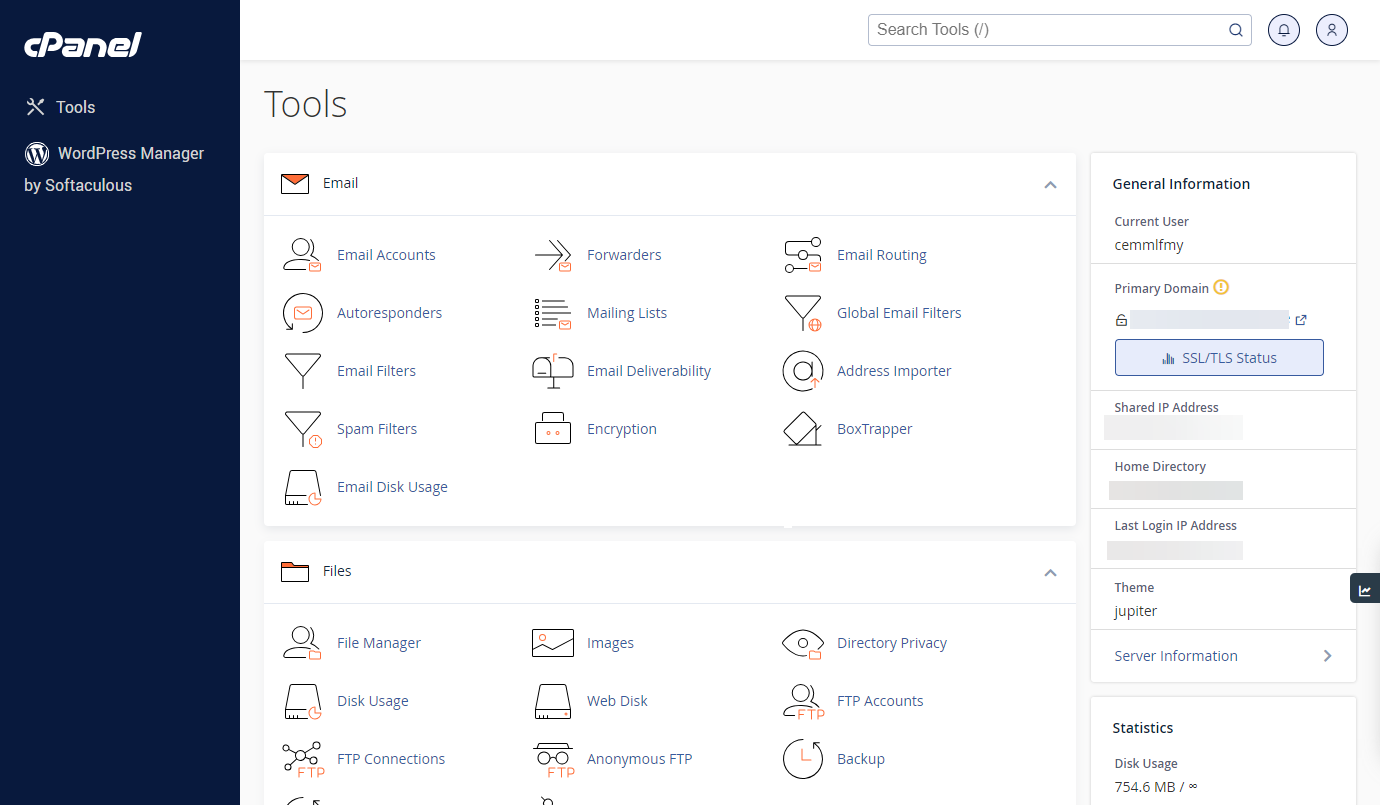
- Your cPanel will open in a new tab.
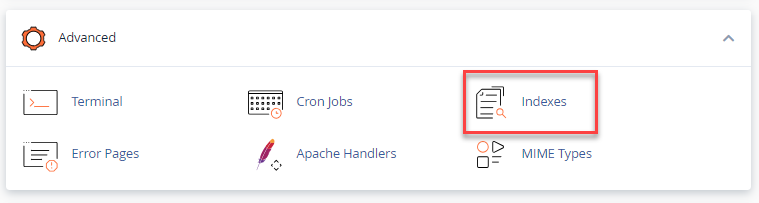
- Navigate to the Advanced section and click Indexes.
- Locate your domain’s root folder.
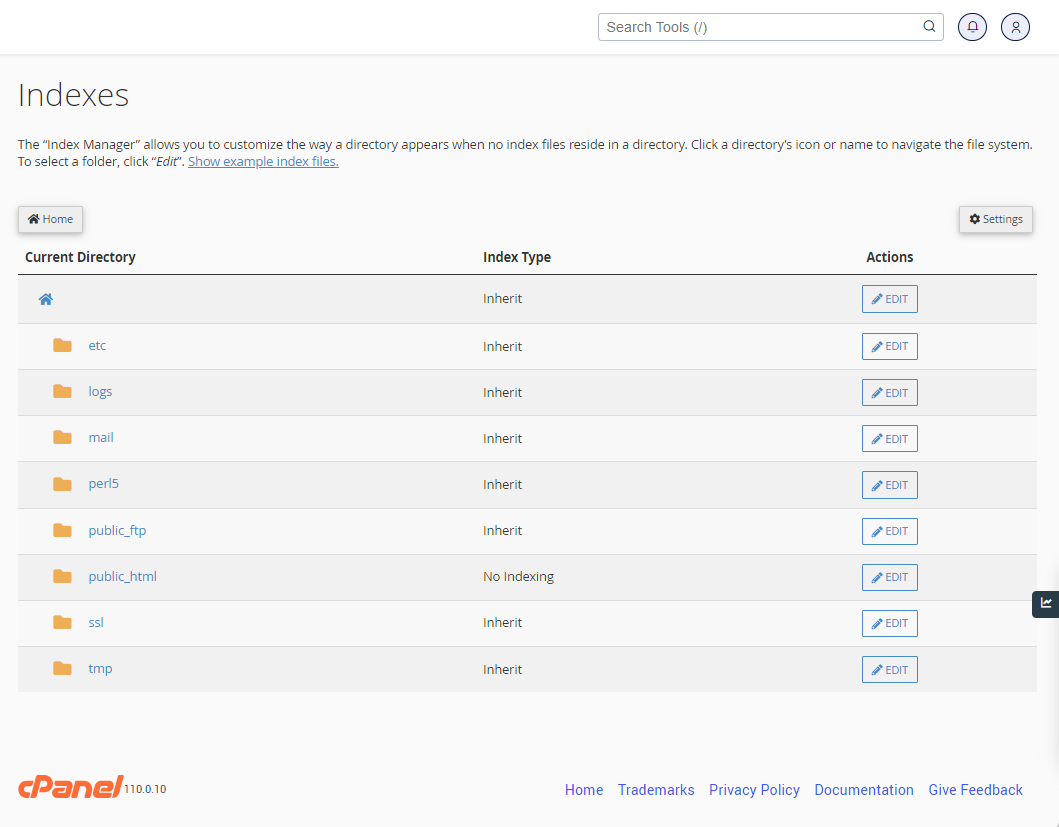
- Click the directory name and select Edit.
This will open the Index Manager, where you will be presented with four available options.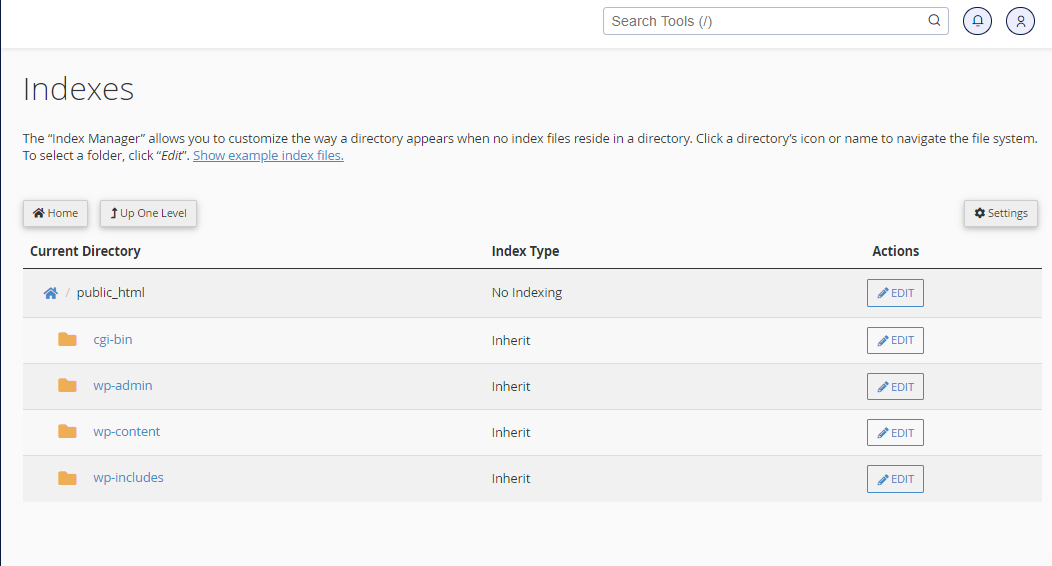
- Select Default System Setting.
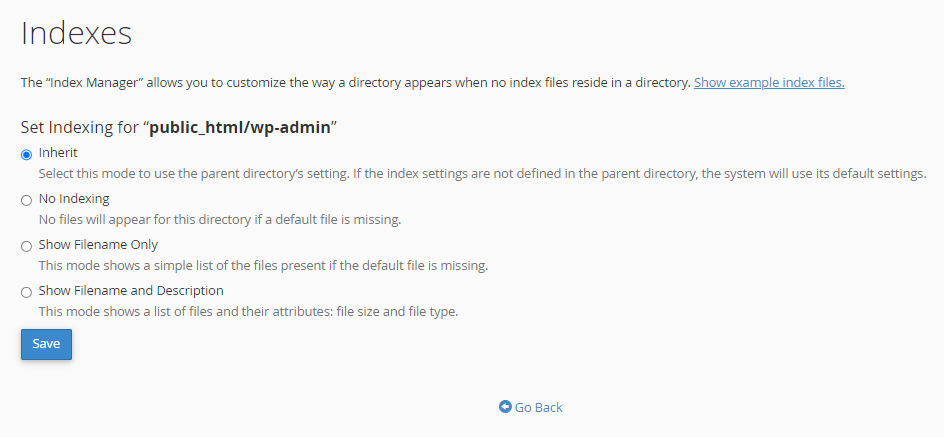
- Save changes.
This restores Apache’s default behavior and resolves many 403 errors immediately.
Solution 2: Rename Your Homepage File to a Default Index File
Your website expects a default index file to load automatically.
Supported default filenames include:
index.htmlindex.php
If your homepage is named something else (e.g., home.html), Apache won’t load it automatically.
Fix:
- Access your File Manager.
- Rename your homepage file to
index.htmlorindex.php
This is the simplest and most reliable fix.
Solution 3: Define a Custom Index File via .htaccess
If you prefer to keep your existing filename, you can tell Apache which file to load as the homepage.
Steps:
- Open your site’s
.htaccessfile. - Add the following line at the top:
DirectoryIndex home.html(Replace
home.htmlwith your actual homepage filename.)
This allows Apache to load your custom homepage without renaming files.
Summary
The Directory Listing Denied error is a security-related 403 message that occurs when your website lacks a recognized index file or directory indexing is disabled. By restoring default indexing settings, ensuring your homepage uses a standard filename, or defining a custom index file in .htaccess, you can quickly resolve the issue and restore site access. These solutions are safe, supported, and fully compatible with Bluehost hosting environments.
If you need further assistance, Bluehost Chat Support is available 24 hours a day, 7days a week while Bluehost Phone Support is available 7 days a week from 7 am-12 midnight EST.
- Chat Support - While on our website, you should see a CHAT bubble in the bottom right-hand corner of the page. Click anywhere on the bubble to begin a chat session.
- Phone Support -
- US: 888-401-4678
- International: +1 801-765-9400
You may also refer to our Knowledge Base articles to help answer common questions and guide you through various setup, configuration, and troubleshooting steps.