 ChatGPT,
  Claude,
  Gemini,
  Grok — all four for
 After you activate Yoast SEO on your WordPress site through Bluehost, you can run the plugin's first-time configuration wizard. This guide walks you through the setup process step by step so search engines can properly find, understand, and display your content in search results.
Why SEO Setup Matters
If Yoast SEO isn't configured correctly, search engines may have difficulty understanding, indexing, or ranking your content. Completing the first-time configuration wizard helps ensure your site starts off with recommended settings in place.
How to Access the First-Time Configuration Wizard
- Log in to your WordPress Dashboard.
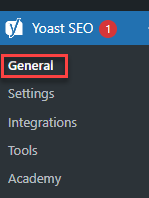
- Navigate to Yoast SEO > General.
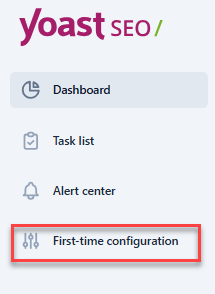
- Open the First-time configuration tab.
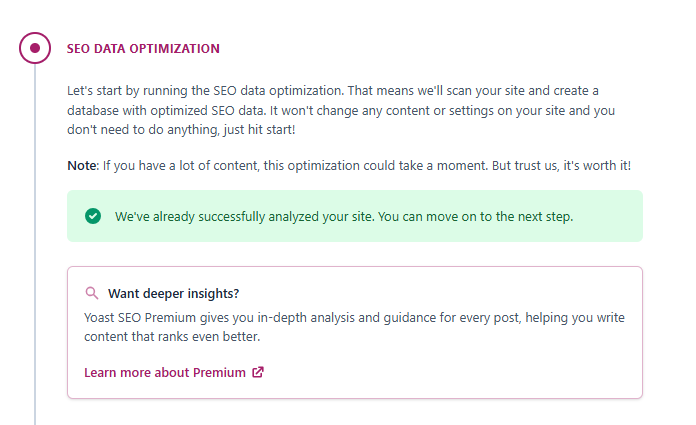
Step 1: Optimize Your Existing SEO Data
Yoast SEO automatically reviews and optimizes your site's existing SEO data before you continue with setup. This step runs in the background and requires no input from you.
Step 2: Tell Yoast About Your Site
Next, tell Yoast whether your site represents a person or an organization.
- Choose Person or Organization.
- Enter the name of the person or business.
- Upload a logo or profile image.
- Add any other relevant details Yoast requests.
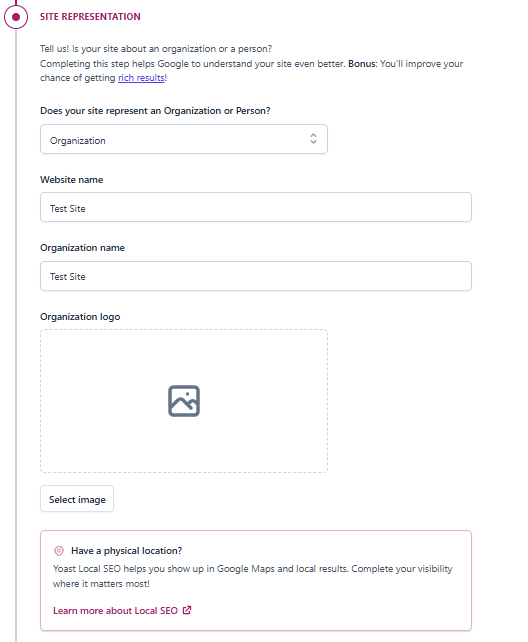
Yoast uses this information to automatically generate structured data, which helps search engines display your site correctly in search results.
Step 3: Set Up Your Content Types
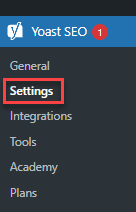
Go to Yoast SEO > Settings > Content Types to configure how your homepage, posts, pages, and products appear in search results.
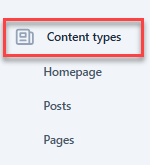
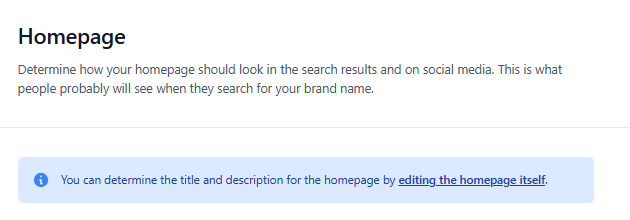
Homepage
Set an SEO title, meta description, and image for your homepage.
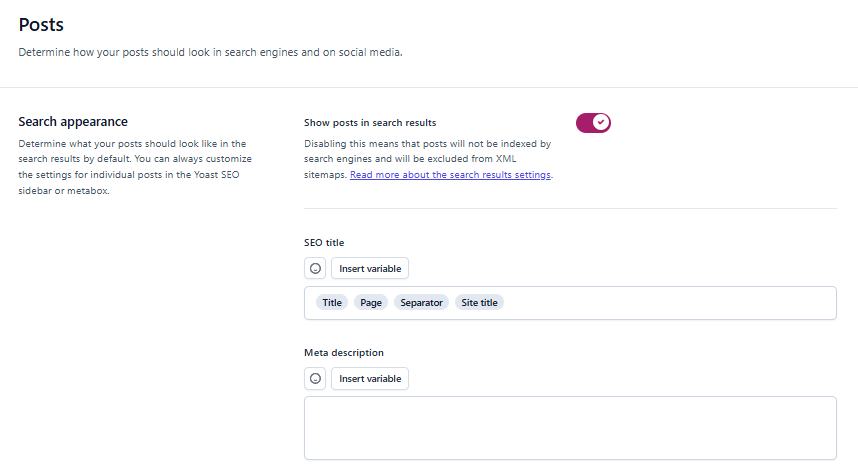
Posts, Pages, and Products
Set default titles and descriptions for blog posts, plus social media titles, descriptions, and images. The same options are available for pages and products.
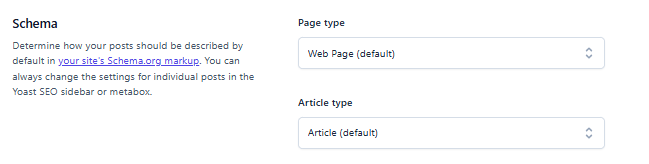
Schema Settings
Define how your content's structure is described to search engines.
Step 4: Complete the Setup
Once you finish these steps, your site has the essential SEO settings in place, and your content is better optimized for search engines to crawl and index.
Yoast SEO Free vs. Premium: What's the Difference?
The free version of Yoast SEO includes the core tools most sites need to get started with SEO, including SEO titles, meta descriptions, real-time readability analysis, single-keyword optimization, and automatic XML sitemaps.
Yoast SEO Premium builds on this with features like multiple focus keyphrases, internal linking suggestions, a redirect manager, social media previews, and AI-assisted writing tools.
Tip: Want to see how Yoast SEO Premium (and the newer AI+ tier) can help your content stay visible in AI-powered search tools like ChatGPT and Google AI Overviews? Read Yoast SEO Premium: Stay Ahead in the Era of AI Search. Also, you can check our Yoast SEO page for current price details.
Tips for Getting the Most Out of Yoast SEO Free
- Use the Yoast meta box while writing posts or pages to optimize your title, description, and keyword placement before you publish.
- Focus on readability and keyword relevance first — you can explore advanced features later.
- Set up consistent templates for posts and pages so new content is optimized automatically going forward.
Tip: Connect Google Search Console to Yoast SEO so you can track how your site is indexed and performing in search results, right from your WordPress dashboard.
Next Steps
With the setup wizard complete, Yoast SEO will continue to guide you with real-time SEO and readability feedback every time you edit a post or page. If you outgrow the free version's features, Yoast SEO Premium and AI+ offer more advanced tools to help you scale your content strategy.
Summary
Running Yoast SEO's first-time configuration wizard sets your WordPress site up with the SEO essentials it needs from day one. After activating the plugin through Bluehost, the wizard walks you through optimizing existing SEO data, describing your site as a person or organization for structured data, and configuring how your homepage, posts, pages, and products appear in search results. Once complete, Yoast continues providing real-time SEO and readability feedback as you write. The free version covers the core tools most sites need — titles, meta descriptions, readability analysis, and XML sitemaps — while Yoast SEO Premium and AI+ add features like multiple keyphrases, redirect management, and AI-assisted writing for sites looking to scale their content strategy further.
If you need further assistance, Bluehost Chat Support is available 24 hours a day, 7days a week while Bluehost Phone Support is available 7 days a week from 7 am-12 midnight EST.
- Chat Support - While on our website, you should see a CHAT bubble in the bottom right-hand corner of the page. Click anywhere on the bubble to begin a chat session.
- Phone Support -
- US: 888-401-4678
- International: +1 801-765-9400
You may also refer to our Knowledge Base articles to help answer common questions and guide you through various setup, configuration, and troubleshooting steps.