 ChatGPT,
  Claude,
  Gemini,
  Grok — all four for
 How to Upgrade Bluehost Malware Protection
Malware, short for malicious software, is any harmful code designed to infiltrate or damage your website. It can lead to data breaches, compromised customer trust, and website downtime. Because of these risks, website security is critical for every site owner. For a comprehensive overview of why securing your website matters, as well as the features and benefits of Bluehost Malware Protection plans, be sure to read our detailed article: Keep Your Website Secure with Bluehost Malware Protection.
Bluehost Malware Protection Plans
Bluehost offers a range of paid malware protection plans to suit different levels of security needs:
- Malware Scan & Clean: This basic plan provides regular scanning to detect malware infections and prompt cleanup to safeguard your site.
- AI Malware Defense: This advanced service leverages artificial intelligence to proactively detect and block malware threats in real time before they harm your website.
- Bluehost Complete Security: This premium package includes all features of Malware Scan & Clean and AI Malware Defense, along with additional comprehensive security tools to provide full-spectrum protection.
- Your website must be hosted with Bluehost for Bluehost Malware Protection services to work.
- Customers using Malware Scan & Clean must upgrade to the Business hosting plan to access AI Malware Defense features.
- If you want to access Bluehost Complete Security features for multiple websites, you must purchase the plan separately for each domain.
How to Upgrade Your Bluehost Malware Protection
- Log in to your Bluehost Portal.
- In the left-hand menu, click Websites.
- Click the Manage Site button located next to the website you want to manage.

- Select Security from the horizontal menu.
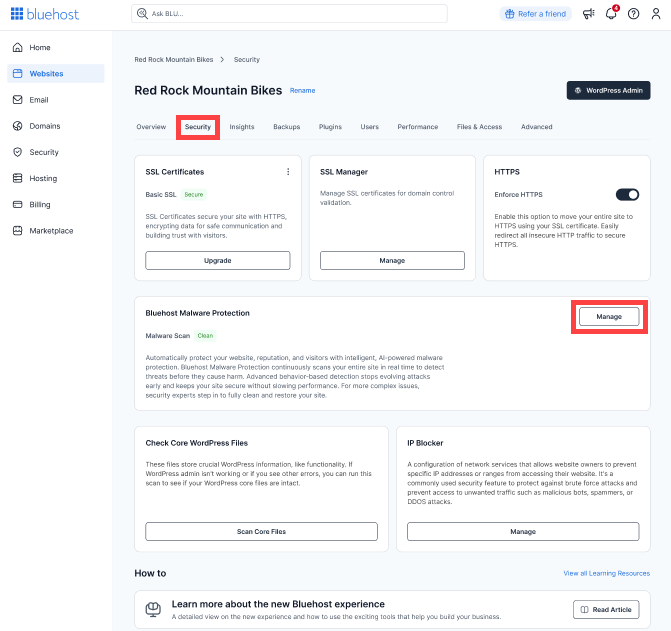
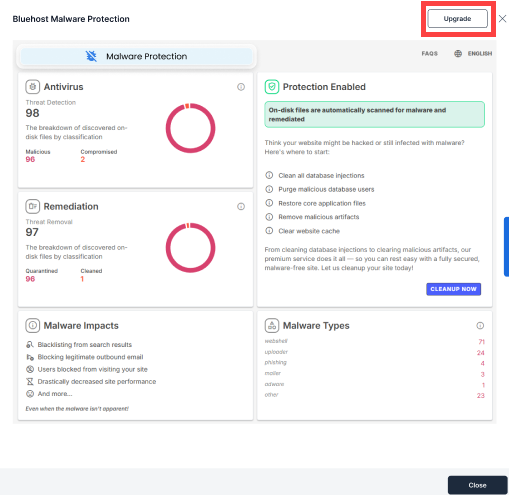
- Click Upgrade in the Bluehost Malware Protection window.
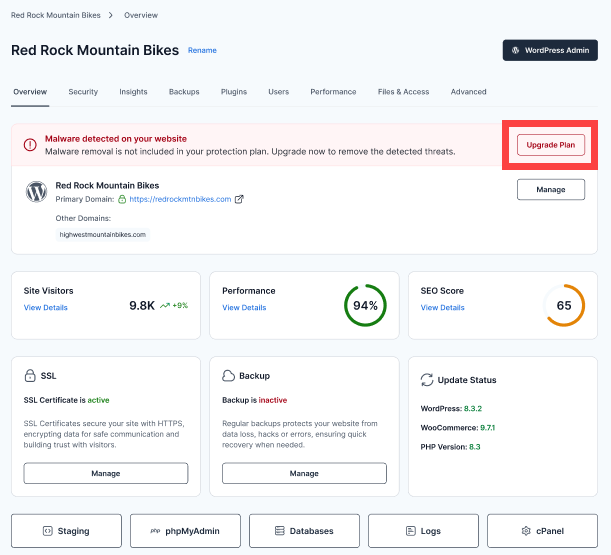
The Upgrade Plan button will be available in the Overview tab if your site is infected.
- On the next page, select the following:
- Select a Domain: The domain where you want to apply the Bluehost Complete Security plan.
- Terms: The billing term, which can be 1, 2, or 3 years.
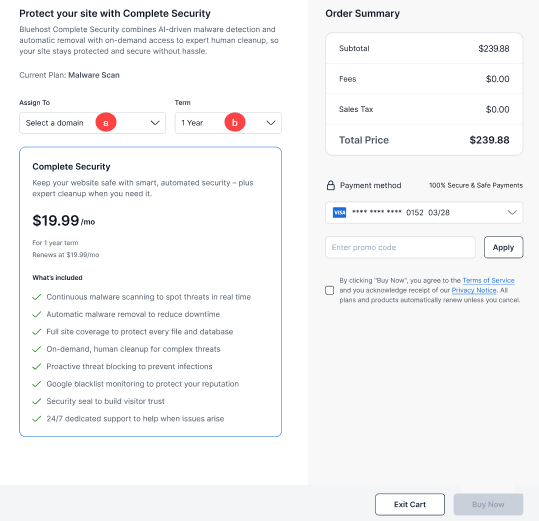
- Click Buy Now.
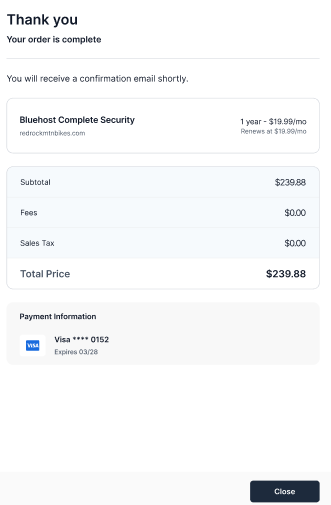
- You'll receive an order confirmation once the upgrade is successful.
Upgrading to a paid malware protection plan is a proactive step toward ensuring your website remains secure against evolving online threats. This investment helps maintain your site’s integrity and protects your visitors’ experience.
Summary
Protecting your website from malware threats is essential to maintaining its integrity. Bluehost offers several paid website security solutions to meet various security needs, ranging from basic malware scanning and cleanup to advanced AI-powered protection and comprehensive security suites. These services are available only for websites hosted with Bluehost. To protect multiple domains with Bluehost Complete Security, you must purchase a separate plan for each domain. It is easy to upgrade your security plan through the Bluehost Portal.
Related Articles
If you need further assistance, Bluehost Chat Support is available 24 hours a day, 7days a week while Bluehost Phone Support is available 7 days a week from 7 am-12 midnight EST.
- Chat Support - While on our website, you should see a CHAT bubble in the bottom right-hand corner of the page. Click anywhere on the bubble to begin a chat session.
- Phone Support -
- US: 888-401-4678
- International: +1 801-765-9400
You may also refer to our Knowledge Base articles to help answer common questions and guide you through various setup, configuration, and troubleshooting steps.