 ChatGPT,
  Claude,
  Gemini,
  Grok — all four for
 Bluehost Complete Security: How to Assign a Domain
The Complete Security Malware Protection Plan from Bluehost offers powerful website security designed to protect your domain from malware, cyber attacks, and other vulnerabilities. With features like proactive malware scanning, automatic malware removal, and timely security alerts, this security plan helps you keep your Bluehost website fully safe and secure.
In this guide, you will learn how to easily assign a security plan to a domain within your Bluehost account, activating robust protection for your website.
Important Information
- Single Domain Assignment: Each Complete Security Plan applies to one domain only.
- Multiple Domains Security: For securing multiple domains, you need to purchase a separate Complete Security Plan for each one.
- Exclusive Feature: Domain assignment functionality is available exclusively with the Complete Security Malware Protection Plan.
How to Assign Your Domain to the Complete Security Plan
Follow these simple steps to activate the Complete Security Malware Protection Plan for your specific Bluehost domain:
- Log in to your Bluehost Portal.
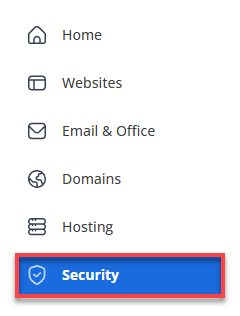
- Click Security on the left-side menu.
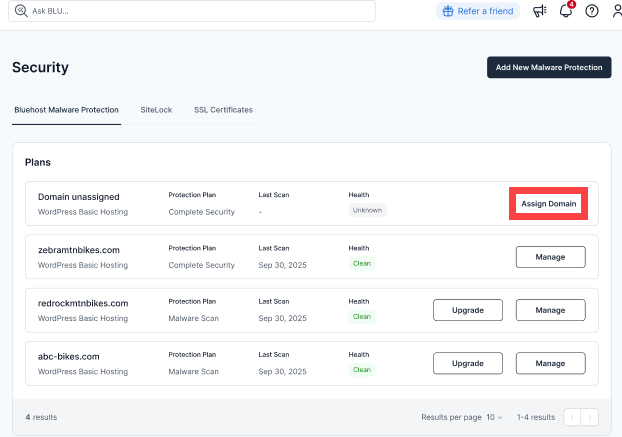
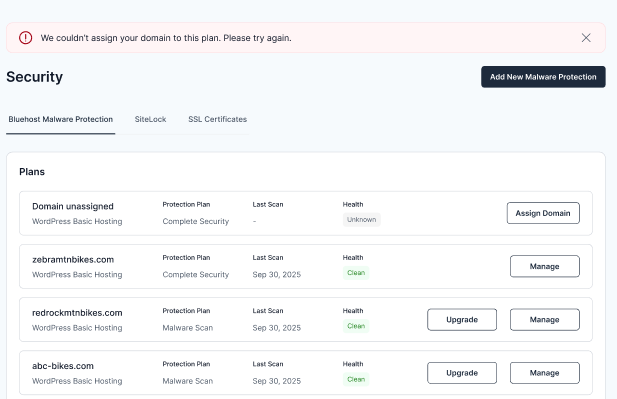
- Locate your Complete Security Malware Protection Plan under the list of security services. Click Assign Domain.
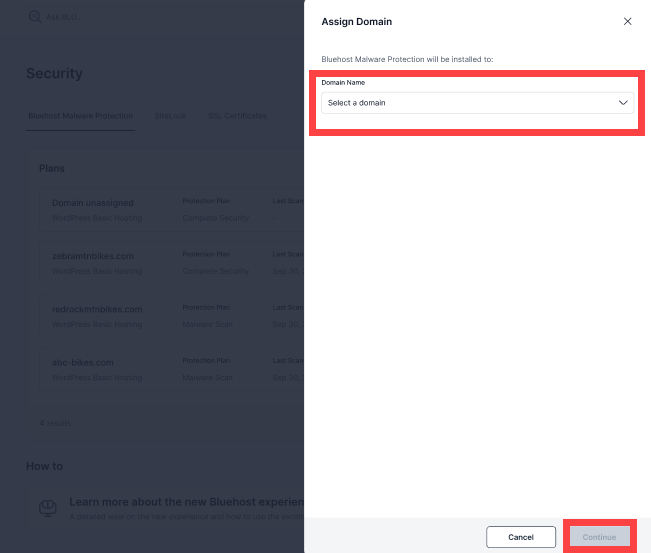
- Select the domain you want to protect from the dropdown menu or available options. Click Continue to confirm your selection and assign the security plan.
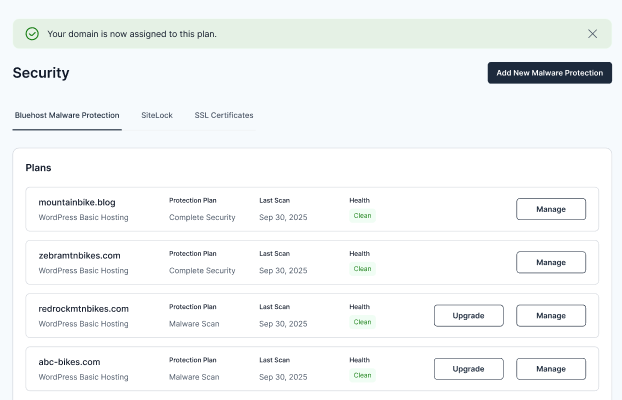
- If the assignment is successful, you will receive a confirmation message indicating your domain is now protected by the security plan.
Summary
Assigning the Complete Security Malware Protection Plan to your Bluehost domain is a significant step in enhancing the security of your website. This package includes constant malware scan, automatic removal of malware, and instant alerts for securing your website. Note that each package includes one domain.
Related Articles
If you need further assistance, Bluehost Chat Support is available 24 hours a day, 7days a week while Bluehost Phone Support is available 7 days a week from 7 am-12 midnight EST.
- Chat Support - While on our website, you should see a CHAT bubble in the bottom right-hand corner of the page. Click anywhere on the bubble to begin a chat session.
- Phone Support -
- US: 888-401-4678
- International: +1 801-765-9400
You may also refer to our Knowledge Base articles to help answer common questions and guide you through various setup, configuration, and troubleshooting steps.