 ChatGPT,
  Claude,
  Gemini,
  Grok — all four for
PHP Settings that Cannot be Modified
Shared hosting plans are hosted in carefully managed environments, which impose certain restrictions to ensure the server's stability. VPS and Dedicated hosting customers have the freedom to modify all settings in the php.ini file, as they do not face the same limitations as those on the Shared hosting plans.
PHP Limits on Shared Hosting
PHP has been configured to use the following settings on our Shared hosting.
- safe mode = Off (Cannot adjust)
- memory_limit = 256M (MAXIMUM)
- max_execution_time = 30 (MAXIMUM in seconds)
- max_input_time = 60 (MAXIMUM in seconds)
- post_max_size = 516M (MAXIMUM)
- upload_max_filesize = 512M (MAXIMUM)
- enable_dl = Off (Cannot adjust)
These limits are enforced at the server level to prevent excessive resource usage. We have found that most PHP scripts will work within these limits, and the scripts that require more resources are better suited for a VPS or Dedicated hosting.
PHP Settings on VPS and Dedicated Hosting Plans
On VPS and Dedicated servers, you can modify PHP settings without enforced limits.
Upgrade your PHP settings if your website needs:
- More memory
- Longer execution time
- Larger uploads
To update the PHP version:
- Log in to your WHM.
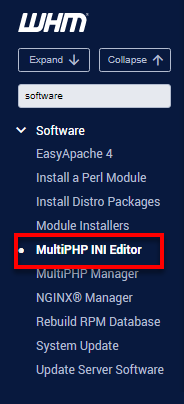
- Using the search bar on the left or in the top pane, search for MultiPHP INI Editor.
- Under the Basic Mode tab, select the PHP version you want to use from the dropdown menu.
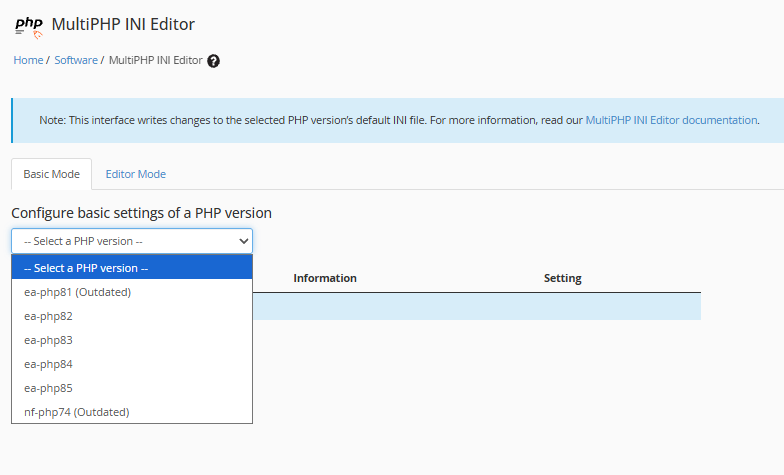
- Click Apply to save the changes.
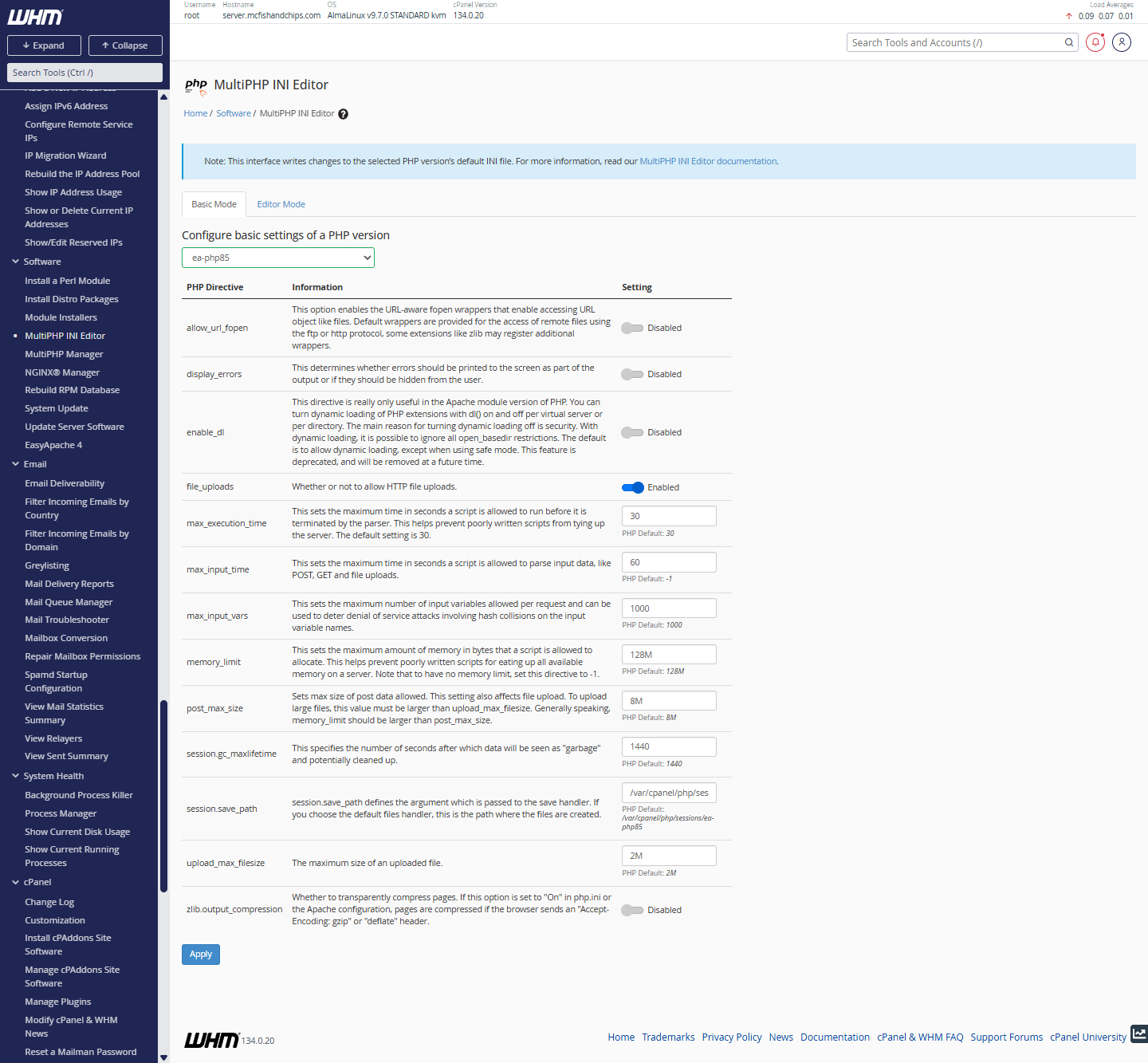
- Other PHP settings will be displayed once the preferred PHP version is selected.
Incorrect PHP values can cause high resource usage or server instability. It is recommended to only change settings if required by your application.
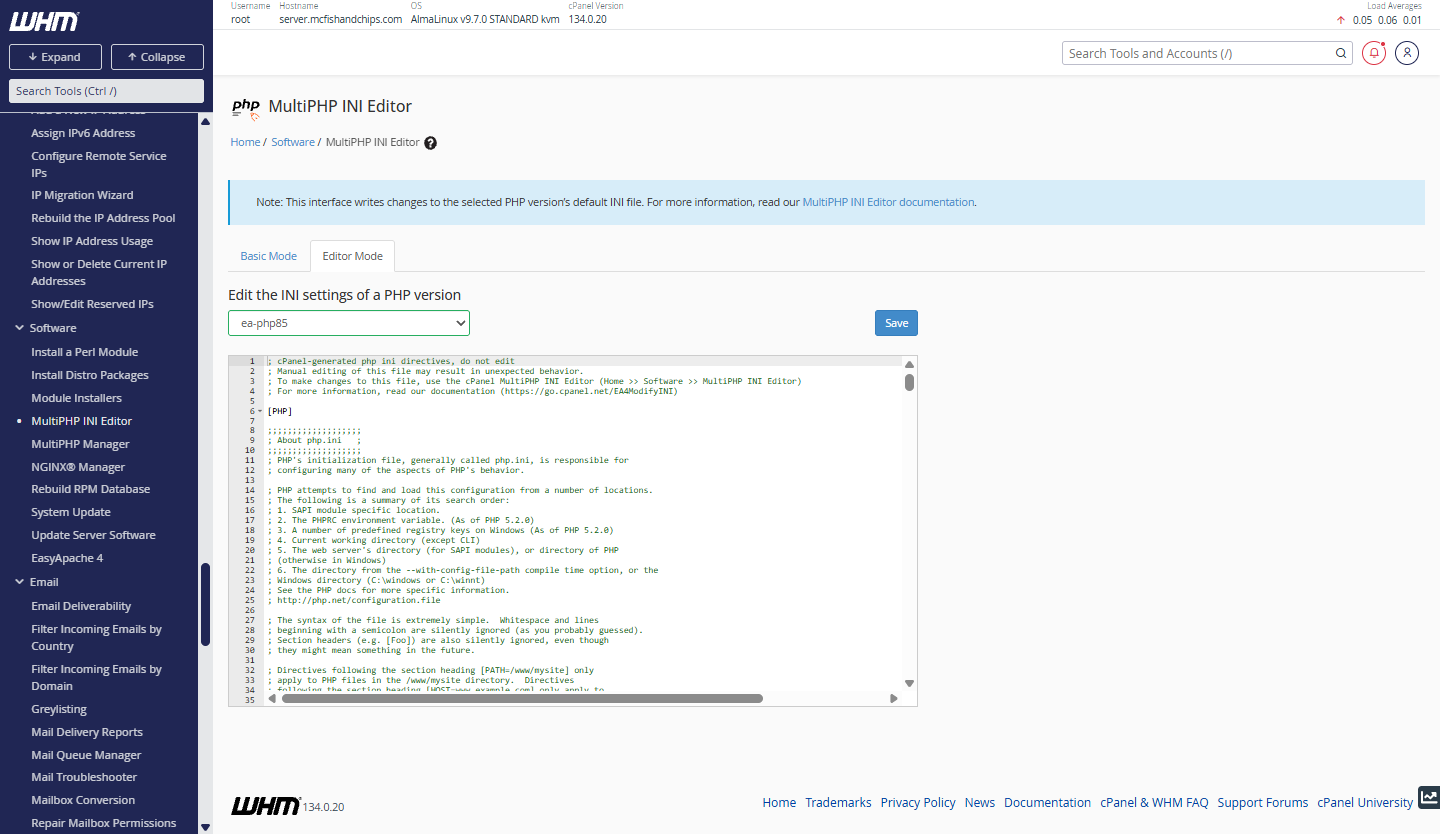
The following settings are found in the Basic Mode and Editor Mode tabs.
Basic Mode tab:
Editor Mode tab:
For more information about the PHP version and settings in VPS or Dedicated hosting, please visit the How to Change PHP Versions on VPS and Dedicated Servers article.
Summary
PHP settings that cannot be changed are typically found in Shared hosting plans, where server-level limits are enforced to maintain stability and performance for all users. While most PHP applications operate well within these limits, resource-intensive websites may require higher values. VPS and Dedicated hosting plans do not have these restrictions, allowing users full control over PHP settings through WHM. Those needing increased memory, longer execution times, or larger upload limits should consider upgrading to a VPS or dedicated server.
If you need further assistance, Bluehost Chat Support is available 24 hours a day, 7days a week while Bluehost Phone Support is available 7 days a week from 7 am-12 midnight EST.
- Chat Support - While on our website, you should see a CHAT bubble in the bottom right-hand corner of the page. Click anywhere on the bubble to begin a chat session.
- Phone Support -
- US: 888-401-4678
- International: +1 801-765-9400
You may also refer to our Knowledge Base articles to help answer common questions and guide you through various setup, configuration, and troubleshooting steps.