 ChatGPT,
  Claude,
  Gemini,
  Grok — all four for
 Reimage Your Server for LEMP Stack Installation
The LEMP stack is a popular open-source web development platform used to host high-performance websites and web applications. The acronym LEMP stands for:
- Linux: The operating system layer. Linux is an open-source, stable, and secure OS that forms the foundation for the stack.
- Nginx (pronounced "Engine-X"): The web server responsible for handling client requests efficiently. Known for its high performance and ability to serve many simultaneous connections, Nginx is ideal for busy sites.
- MySQL: The database management system that stores and manages website data. It is reliable, robust, and widely used for web applications.
- PHP: The server-side scripting language that generates dynamic content by processing scripts and interacting with the database. In LEMP, PHP commonly runs via PHP-FPM for efficient communication with Nginx.
How to Reimage Your Server for LEMP Stack Installation
This guide walks you through installing and setting up LEMP Stack using the Bluehost Portal.
This applies to both VPS and VDS.
- You can install only one application using the one-click installer.
- The system will automatically install Docker when reimaging to LEMP Stack.
- To change or delete your application, follow the guide: How to Change an Application. Create a backup of your existing applications or templates.
- To keep your current template, install the new application manually using SSH. Follow the same steps for both Self-Managed VPS and Virtual Dedicated Server (VDS). The system automatically selects the recommended operating system for LEMP Stack.
- Log in to your Bluehost Portal.
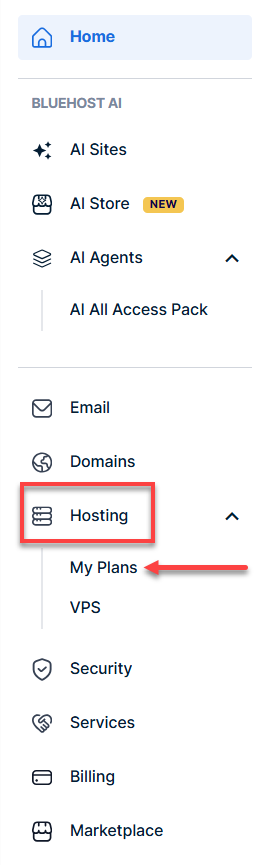
- In the left-hand menu, click Hosting, then select My Plans.
- Click the Manage button on the hosting package you want to reimage.

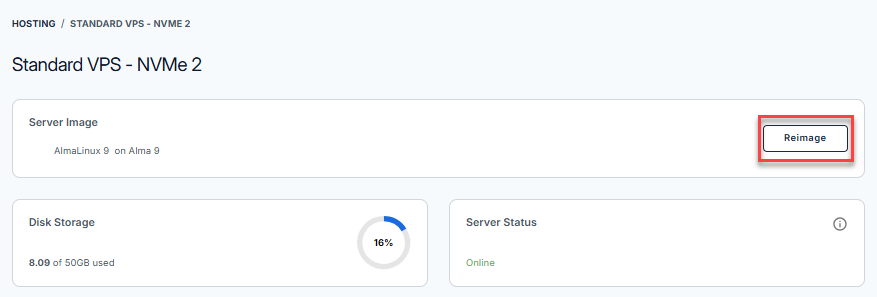
- Navigate to the Server Image section, then click the Reimage button.
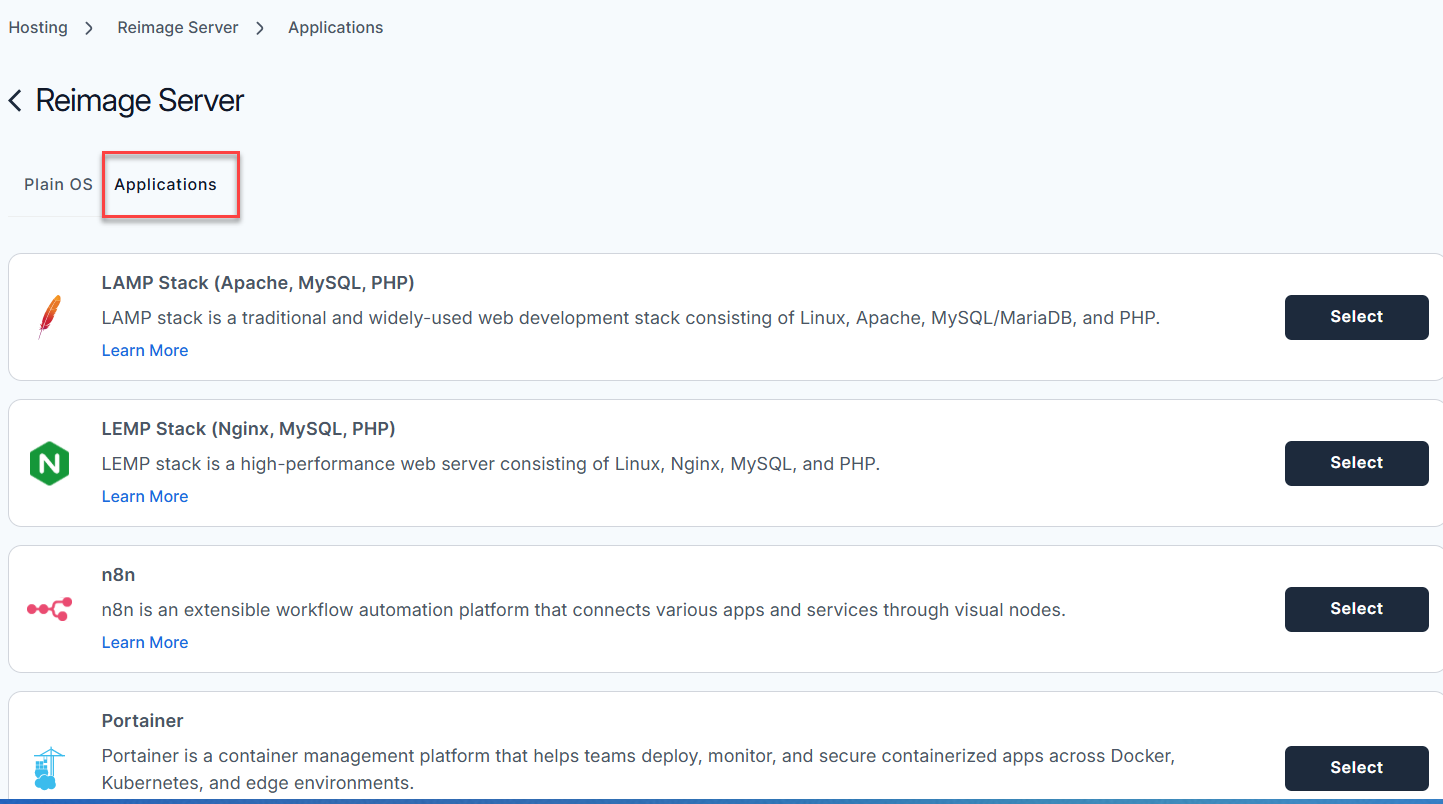
- Select the Applications tab.
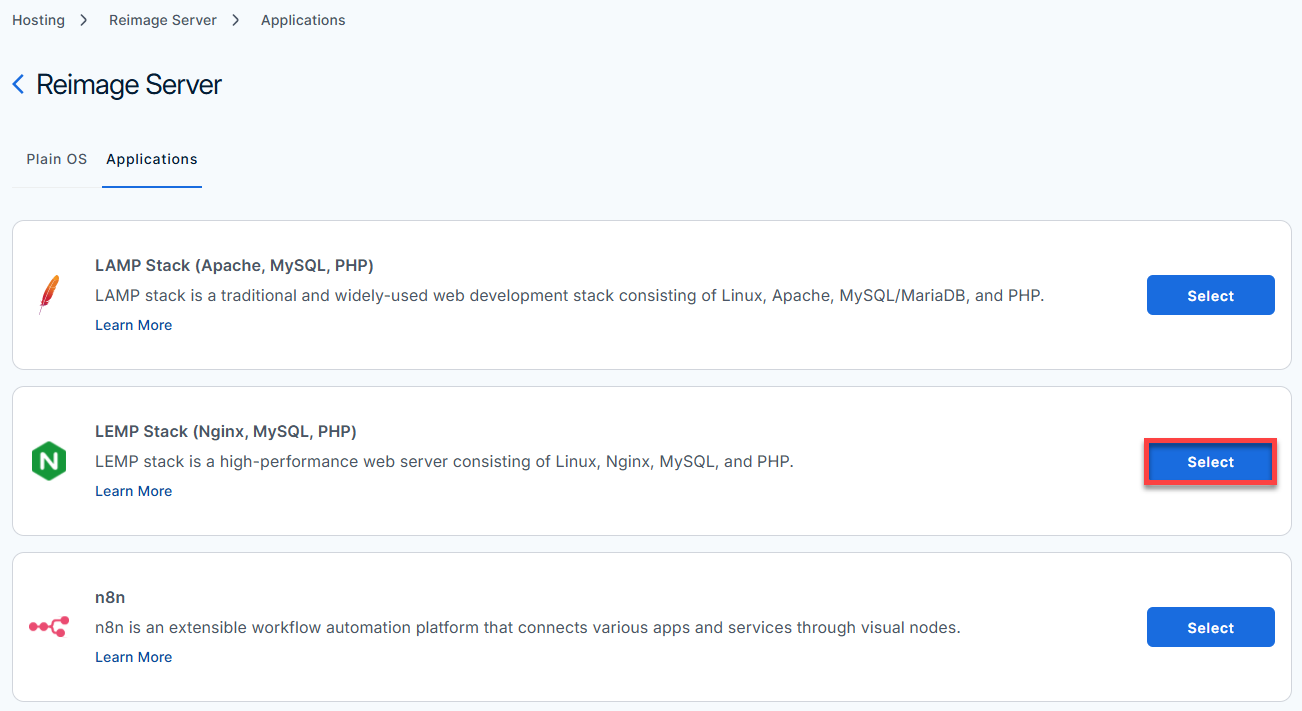
- From the list of available applications, find LEMP Stack and click Select.
- On the pop-up message, type reimage in the field, then click Proceed.
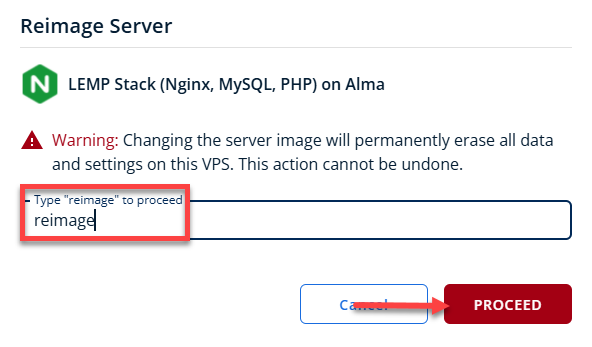
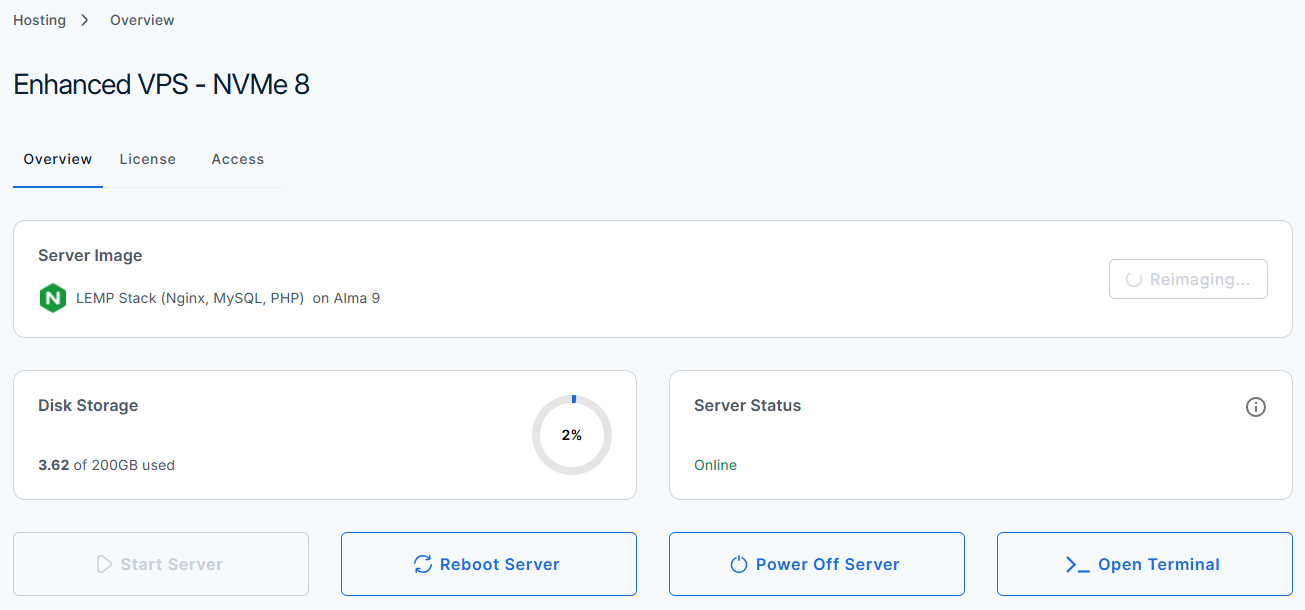
- Wait a few moments while the installation completes.

- Once completed, you will see LEMP Stack listed in the Server Image section.
Summary
The LEMP stack combines Linux, Nginx, MySQL, and PHP to create a robust, high-performance web server environment. By following the steps outlined in this guide, you can install and configure this stack on your Bluehost Self-Managed VPS and Virtual Dedicated Server (VDS) quickly. This setup is ideal for hosting dynamic websites and applications and offers excellent scalability and efficiency. For ongoing security and performance improvements, consider further optimizations like SSL setup, firewall tuning, and database refinements. With LEMP on your VPS or VDS, you have a solid foundation to build and grow your web projects.