 ChatGPT,
  Claude,
  Gemini,
  Grok — all four for
 Reimage Your Server for OpenClaw Installation
OpenClaw is a powerful management platform that helps you control and streamline your Self-Managed VPS or Virtual Dedicated Server (VDS) environment from a single dashboard. This guide shows you how to quickly install OpenClaw using the Bluehost Portal, so you can start managing your server efficiently and with confidence.
Here is a video that demonstrates how to install OpenClaw on a Self-Managed VPS hosting.
How to Reimage Your Server for OpenClaw Installation
To install OpenClaw:
This applies to both VPS and VDS.
- You can install only one application using the one-click installer.
- To change or delete your application, follow the guide: How to Change an Application. Create a backup of your existing applications or templates.
- To keep your current template, install the new application manually using SSH. Follow the same steps for both Self-Managed VPS and Virtual Dedicated Server (VDS). The system automatically selects the recommended operating system for OpenClaw.
- Log in to your Bluehost Portal.
- In the left-hand menu, click Hosting, then select My Plans.
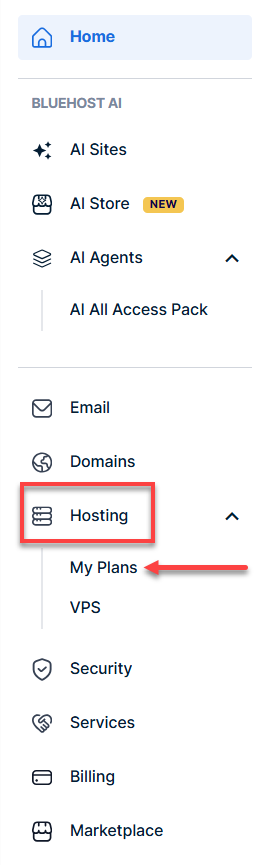
- Click the Manage button on the hosting package you want to reimage.

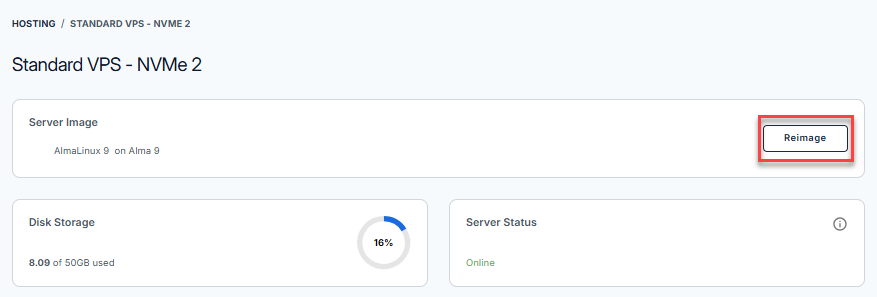
- Click the Reimage button.
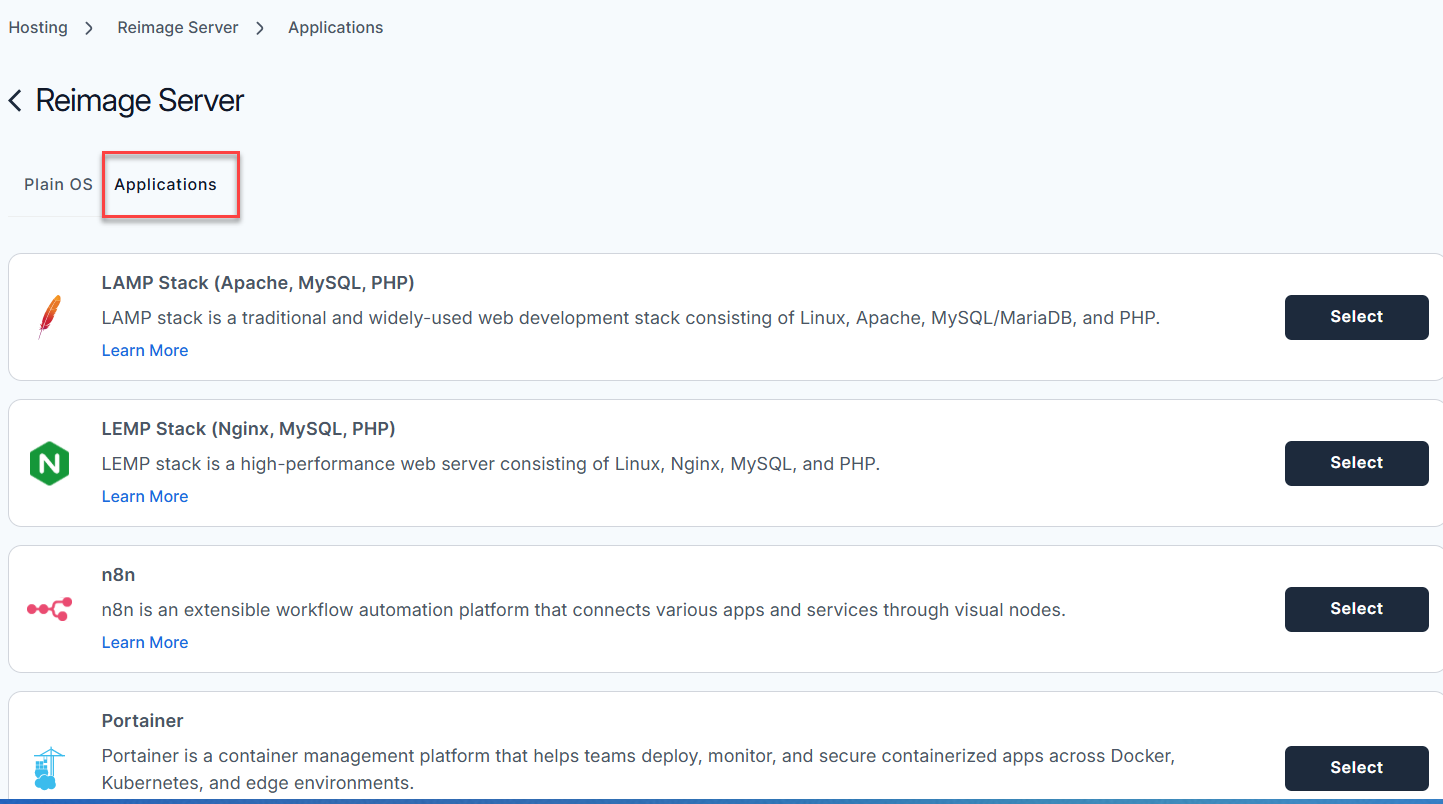
- Select the Applications tab.
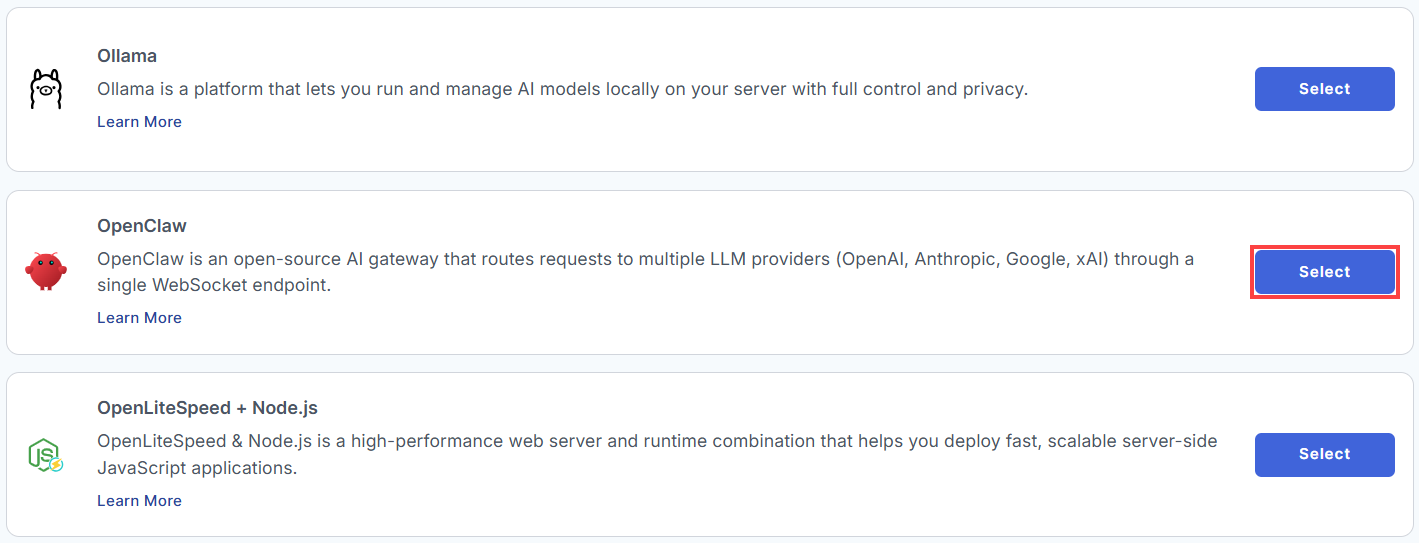
- From the list, locate OpenClaw and click Select.
- To confirm, please type "reimage" and then click Proceed to start the process.
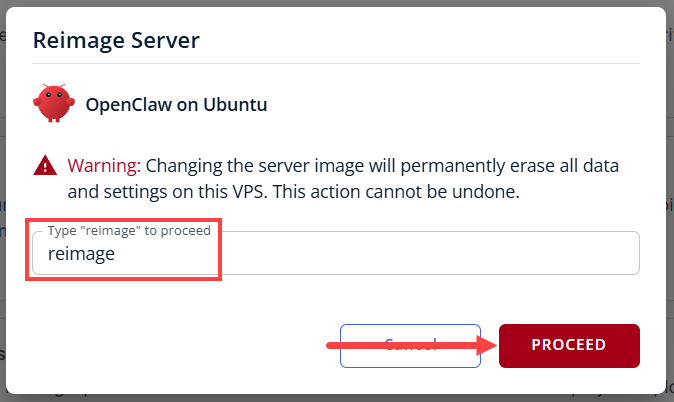
- Wait a few moments while the installation completes.

- Once completed, you will see OpenClaw listed in the Server Image section.
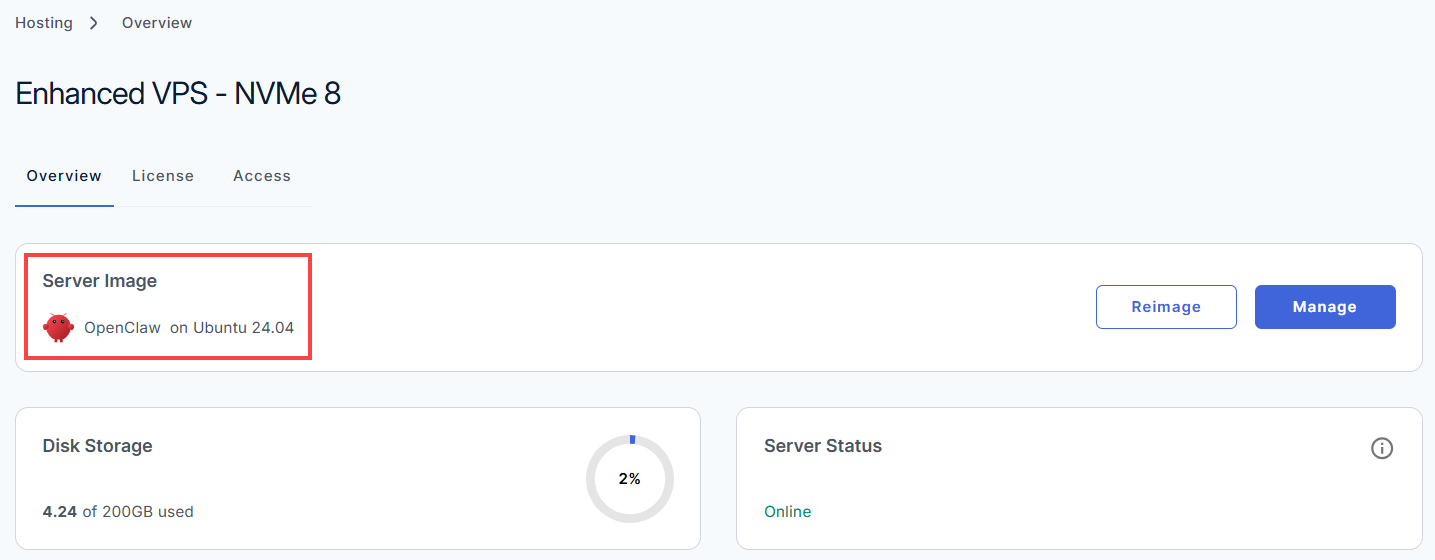
Access Your OpenClaw Dashboard
After installation completes:
- Log in to your Bluehost Portal.
- In the left-hand menu, click Hosting, then select My Plans.
- Click the hosting package where OpenClaw is installed, and click Manage.
- In the Overview tab, click Manage under the Server Image tab.
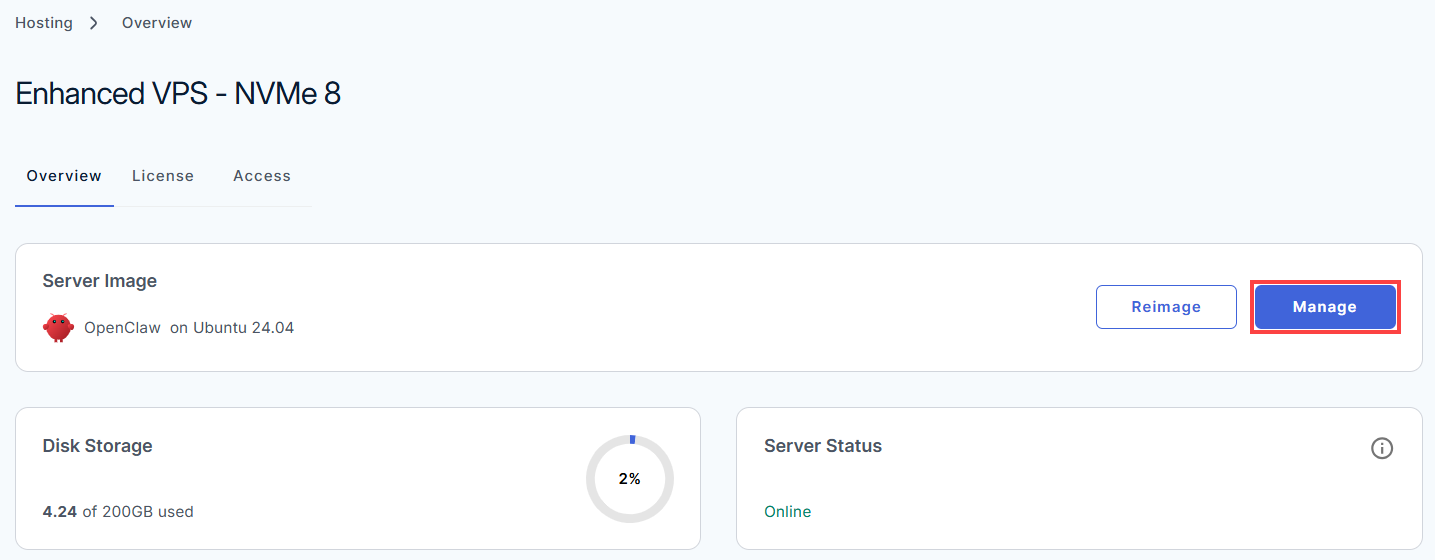
- The OpenClaw dashboard login page will open in a new browser tab.
Summary
OpenClaw is a powerful management platform that helps you control and streamline your Self-Managed VPS or Virtual Dedicated Server (VDS) environment from a single dashboard. This guide shows you how to quickly install OpenClaw using the Bluehost Portal, so you can start managing your server efficiently and with confidence.