 ChatGPT,
  Claude,
  Gemini,
  Grok — all four for
Purchase a Virtual Dedicated Server with Chatwoot on Ubuntu Installation
Chatwoot is a powerful open-source customer engagement platform that helps businesses manage customer conversations across multiple channels in one place. When hosted on a Bluehost Virtual Dedicated Server (VDS) running Ubuntu 24.04, you can deploy Chatwoot with full control over your environment, enhanced security, and the flexibility to customize your support operations to fit your business needs.
This article explains how to purchase a Bluehost Virtual Dedicated Server (VDS) hosting plan and set up and manage with Chatwoot.
Why Choose Chatwoot?
- Complete Control: Manage your own Chatwoot installation, customize configurations, and maintain full ownership of your customer data.
- Scalable Performance: Easily increase server resources as your customer support operations and communication volume grow.
- Open-Source Flexibility: Take advantage of a feature-rich, community-supported platform without costly licensing fees.
- Enhanced Security: Keep customer conversations protected with a self-hosted environment and secure communication channels.
- Seamless Integrations: Connect Chatwoot with your favorite business tools, CRMs, and productivity platforms to streamline workflows.
- Cost Efficiency: Reduce ongoing subscription costs by hosting your own customer engagement platform on a Bluehost Virtual Dedicated Server.
Uses of Chatwoot
Chatwoot is a customer engagement and support platform designed to help businesses manage customer conversations from multiple channels in one place. Some of its most common uses include:
- Customer Support: Handle customer inquiries, complaints, and support requests through a unified inbox. Assign conversations to team members and track resolutions.
- Live Chat for Websites: Add a live chat widget to your website to assist visitors in real time. Improve customer satisfaction and conversion rates.
- Omnichannel Communication: Manage conversations from channels such as website chat, email, WhatsApp, Facebook Messenger, Instagram, Telegram, and more from a single dashboard.
- Sales and Lead Generation: Engage with potential customers, answer product questions, and qualify leads before handing them off to sales teams.
- Team Collaboration: Use internal notes, conversation assignments, labels, and status tracking to streamline customer support workflows.
- Customer Relationship Management: View customer profiles, conversation history, and contact details to provide personalized support.
- Automated Support: Create automated messages, canned responses, and chatbots to reduce repetitive tasks and improve response times.
- Help Desk Operations: Organize customer inquiries into a ticket-like system for better tracking, prioritization, and resolution management.
- Performance Monitoring: Track key support metrics such as response times, resolution rates, and agent performance through built-in reports.
- Community and User Support: Manage conversations from users, members, or customers across different platforms while maintaining a centralized communication hub.
How to Purchase a Virtual Dedicated Server with Chatwoot Installation
Chatwoot can be installed on a Bluehost Virtual Dedicated Server (VDS). You can choose to have Chatwoot installed during the initial VDS purchase or install it manually at a later time.
- In your browser, go to https://www.bluehost.com.
- Click Hosting in the top menu, then select Virtual Dedicated Server.
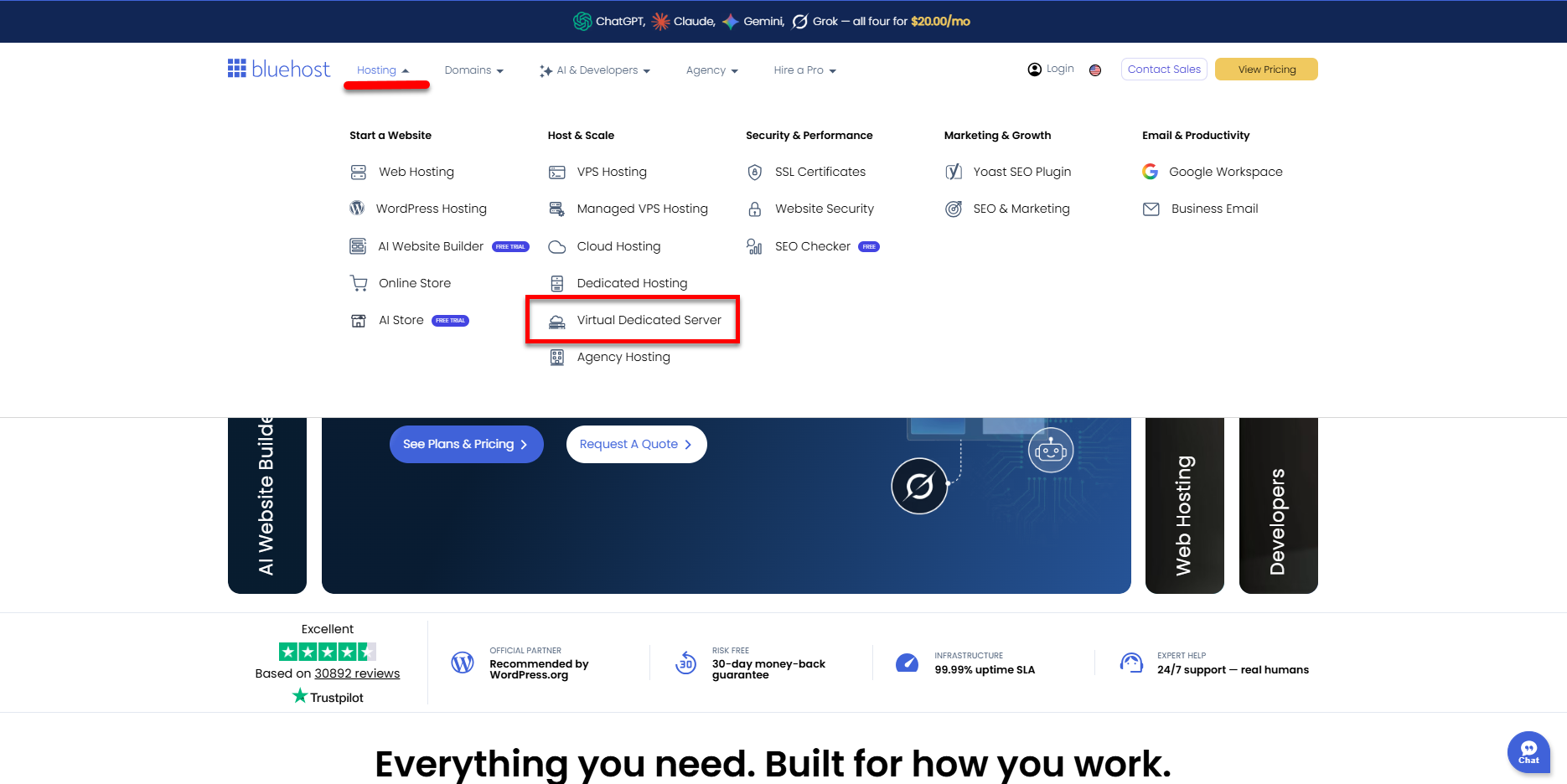
You can also go to this link directly: https://www.bluehost.com/vds-hosting.
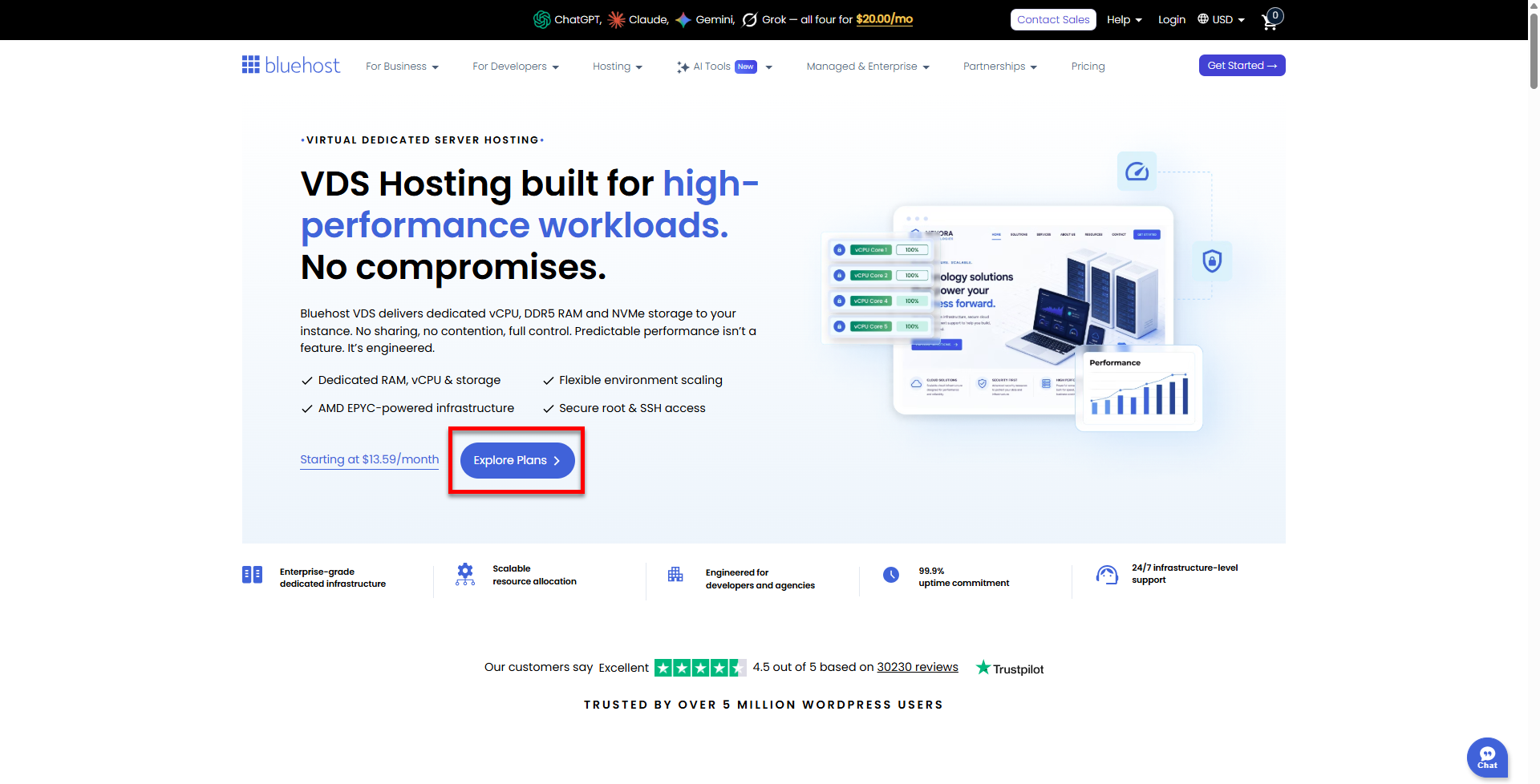
- On the Virtual Dedicated Server Hosting page, click Explore Plans. You can also scroll down to the hosting plans section.
- Choose a plan from either tab — Standard or High Performance — by clicking Choose Plan.
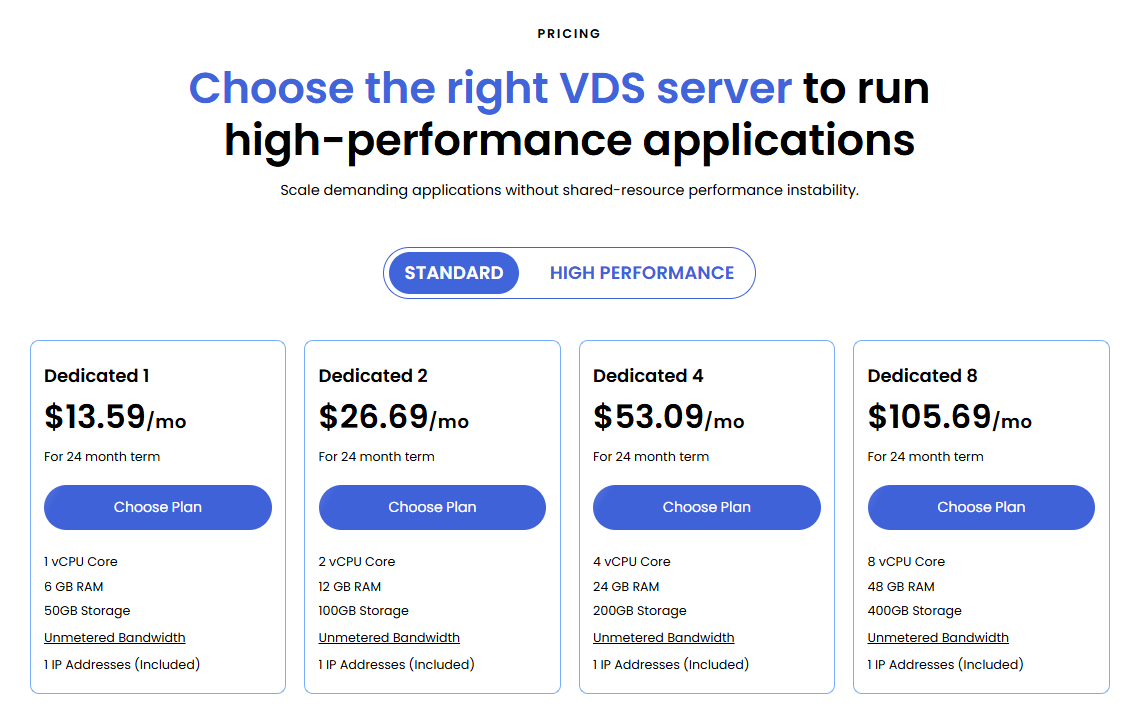 Pricing is subject to change. Please visit https://www.bluehost.com/vds-hosting for the current introductory/sign-up offer for the Bluehost Virtual Dedicated Server hosting. For the most up-to-date renewal pricing, visit your Bluehost Portal's Renewal Center.
 - On the next page, configure your VDS hosting to meet your requirements. The configuration options are divided into the following sections:
- Location: Select your data center in this section.
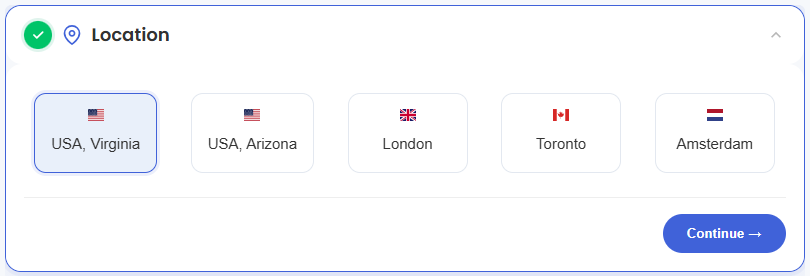
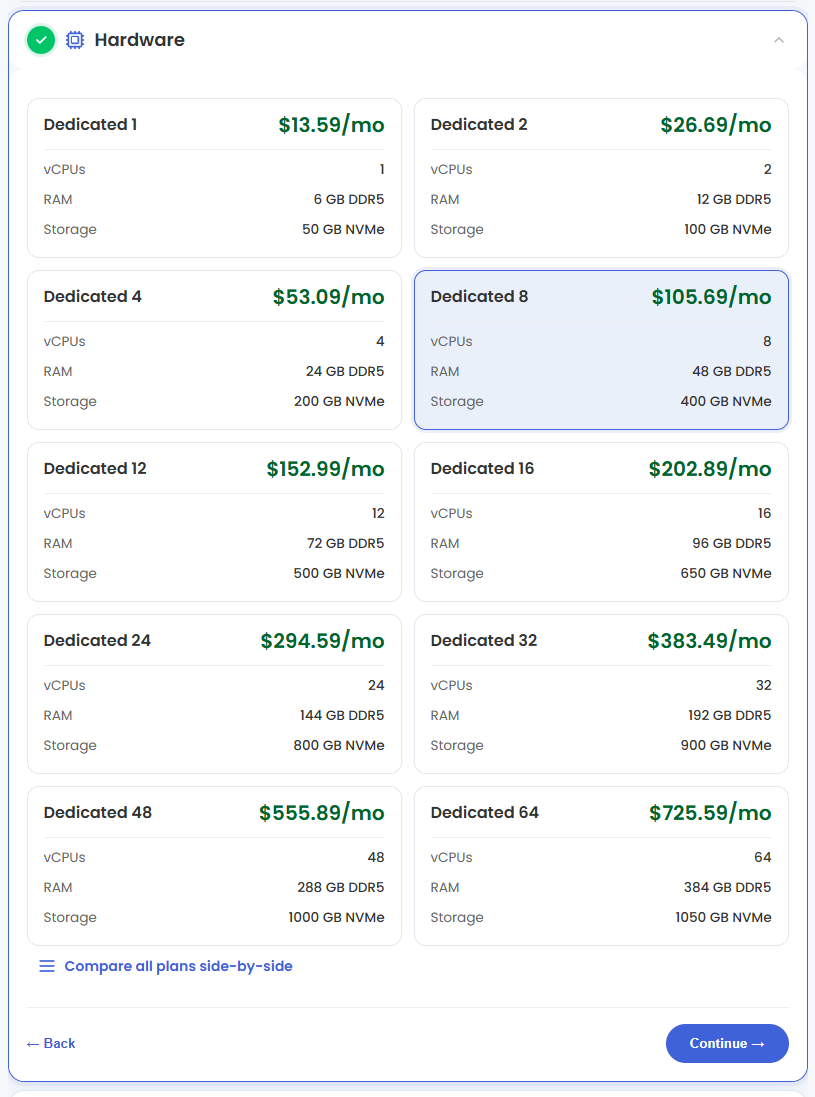
- Hardware: This section shows your pre-selected plan. You can also switch to another Virtual Dedicated Server plan in this section
- Software:
- Under the Application tab, click on Chatwoot.
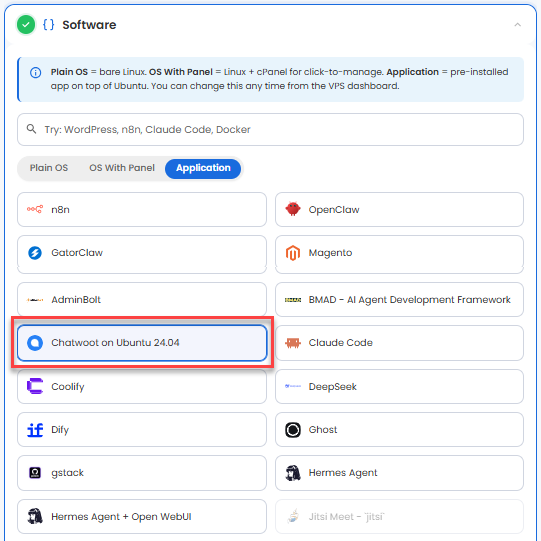 You can install only one application per purchase; the system will automatically select the best operating system for it.
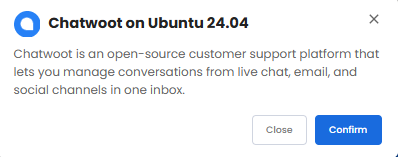
 - In the pop-up, click Confirm.
- Under the Application tab, click on Chatwoot.
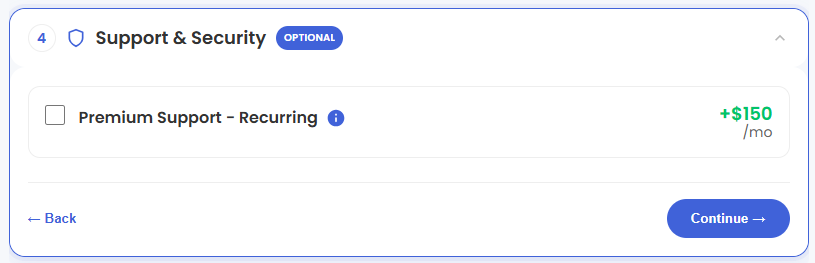
- Support & Security: You can add Premium Support - Recurring, which provides priority access to expert assistance and faster response times.
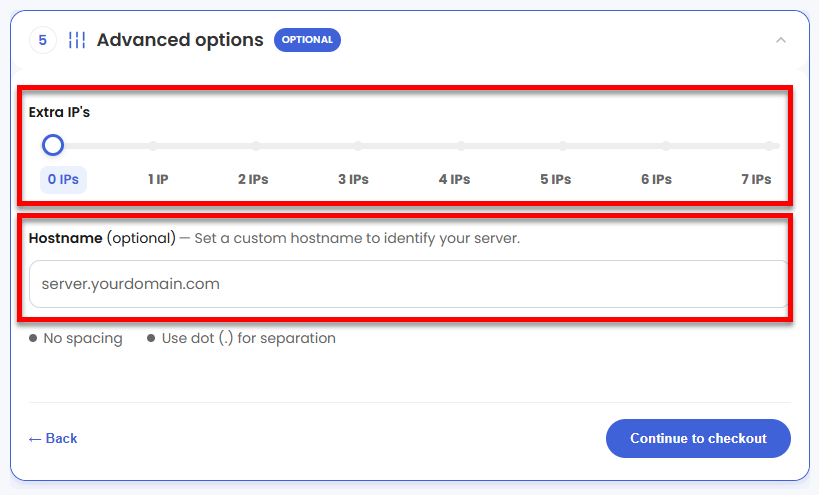
- Advanced Options:
- Extra IP's: You can add IP addresses for an additional fee. Pricing changes based on how many IPs you add.
- Hostname: Assign a custom hostname to identify your server. This is optional.
- Location: Select your data center in this section.
- Select your billing term and review your selected items on the right pane, along with the summarized total cost.
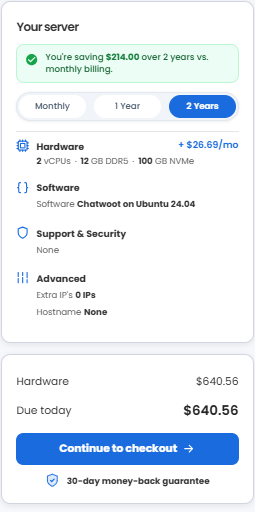
- Click Continue to checkout.
- Do the following on the Checkout page:
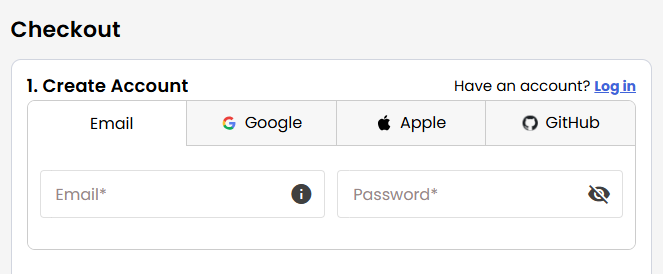
If you're new to Bluehost:- Create your Bluehost account by using your email address or by connecting with your Google, Apple, or GitHub account — whichever you prefer!
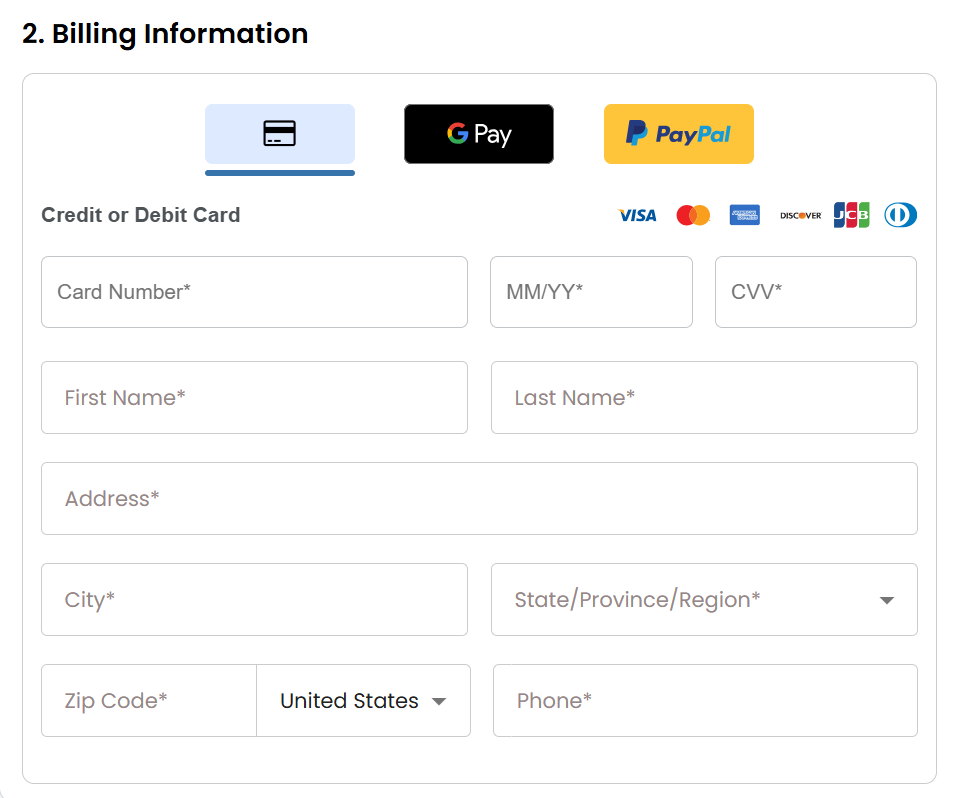
- Select your preferred payment method: credit card, Google Pay, or PayPal. Enter your billing information.
If you have an account with us, you will see your Bluehost login details when you are logged into your Bluehost Portal. If you are not logged in, please click the Log In link.
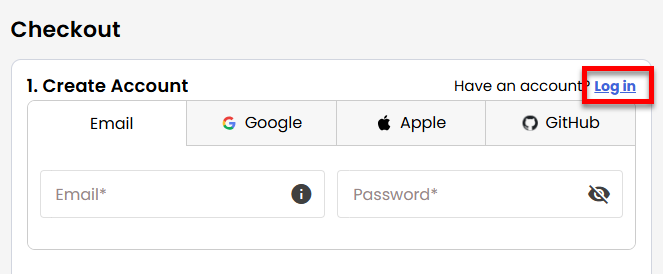
- Create your Bluehost account by using your email address or by connecting with your Google, Apple, or GitHub account — whichever you prefer!
- In the Shopping Cart, choose your billing term if you did not choose one on the previous page.
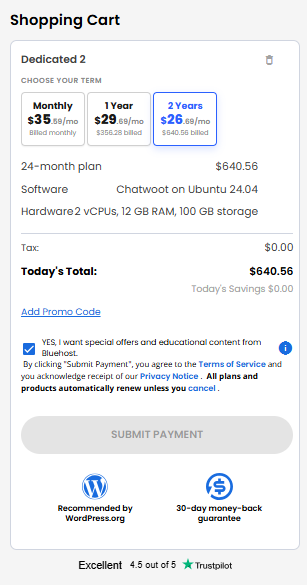
- Add a Promo code if you have one and then click Submit Payment to complete your purchase.
After completing the purchase, your VDS hosting will begin provisioning. You can access and manage your new VDS hosting in the Hosting tab of your Bluehost Portal.
Summary
Chatwoot empowers businesses to manage customer conversations across multiple channels from a single platform. With its unified inbox, automation tools, and collaborative features, teams can streamline customer support and engagement while maintaining full control over their data. When deployed on a Bluehost Virtual Dedicated Server (VDS), Chatwoot provides a scalable, secure, and cost-effective solution that delivers dedicated resources, enhanced performance, and the flexibility to customize your customer support environment to meet your business needs.