 ChatGPT,
  Claude,
  Gemini,
  Grok — all four for
 Guide to the Initial Setup of Yoast SEO Premium in WordPress
After activating Yoast SEO Premium in your Bluehost Portal, the next step is to complete the Yoast SEO Premium first‑time setup in WordPress.
The setup wizard walks you through essential SEO settings that help search engines correctly index and display your website in search results. This article will guide you through each step of the process so you can get your site SEO‑ready quickly and confidently.
We’ve created a video that walks you through how to set up Yoast SEO Premium in WordPress.
Why SEO Setup Is Important?
Using WordPress doesn’t automatically mean your site will appear in search results. Without proper SEO settings, search engines may have difficulty understanding, indexing, or ranking your content.
The Yoast SEO Premium first-time setup ensures your site is configured correctly from the start, helping improve search visibility and preventing common SEO issues.
How to Access Yoast SEO Premium's First-Time Setup Wizard
- Log in to your WordPress Dashboard.
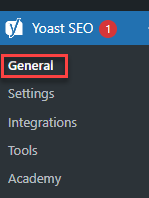
- Go to Yoast SEO and click General.
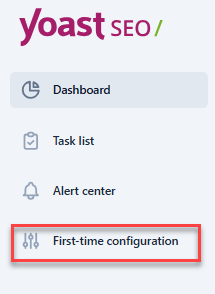
- Open the First-time Configuration page.
First-Time Setup Process Guide
The setup wizard guides you through the most important SEO settings step by step. You can return to this configuration at any time.
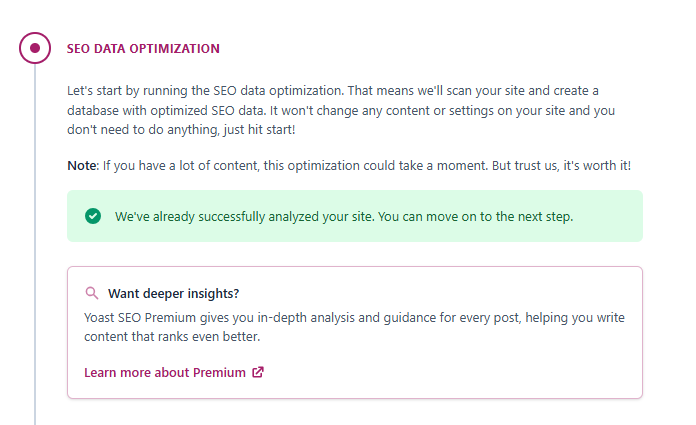
Step 1: Automatic SEO Data Optimization
At the start of the setup, Yoast SEO Premium automatically optimizes your site's existing SEO data. This ensures your current content is prepared for the latest SEO features before continuing with the setup.
Step 2: Site Representation
This helps search engines understand who’s behind your website and display your brand correctly in search results.
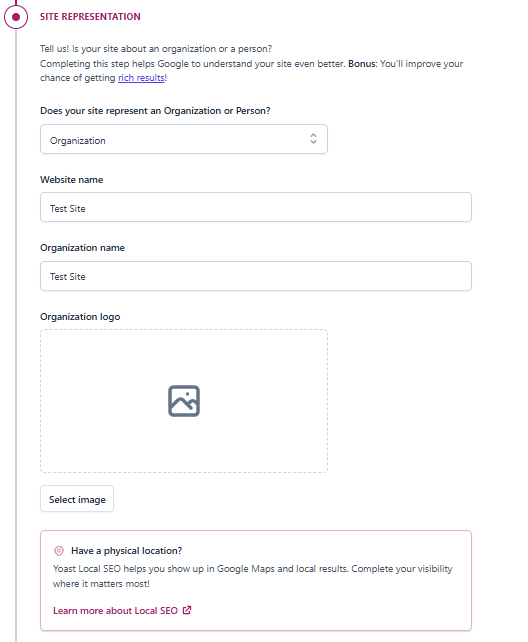
In this step, you can configure the following:
- Select whether your website represents: A person, or an organization.
- Enter your name or your business name
- Upload a logo or profile image (if available)
- Add relevant business or personal details
This information helps search engines understand who is responsible for your website and display it correctly in search results. Yoast SEO Premium automatically generates structured data based on your selection.
Step 3: Search Engine Visibility
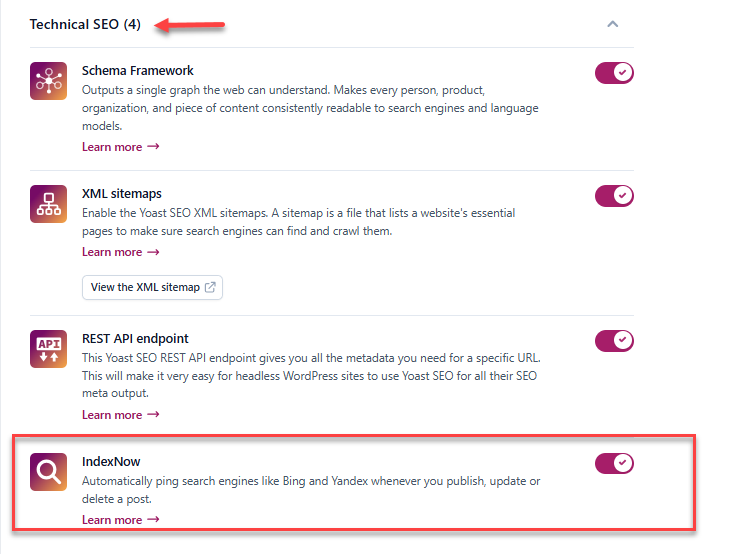
To appear in search results, your site must allow search engines to crawl and index its content. IndexNow notifies search engines when content is published or updated. This helps new or updated pages get indexed faster.
How to check if IndexNow is enabled:
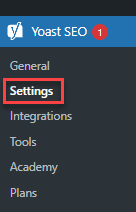
- Navigate to Yoast SEO, then click Settings.
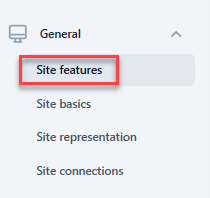
- Select Site Features.
- Navigate to the Technical SEO section and confirm that IndexNow is enabled.
Step 4: Configure Content Types
In this step, you define how different content types appear in search engines and on social media.
Where to configure Content Types:
- Navigate to Yoast SEO, then click Settings.
- Select Content Types.
From here, you can configure the following: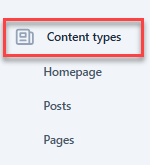
- Homepage: Set a default SEO Title, Meta Description, and Image.
These may appear in search results or when your site is shared on social platforms.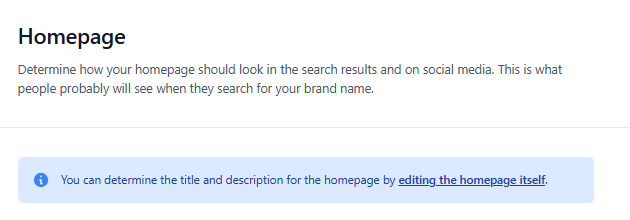
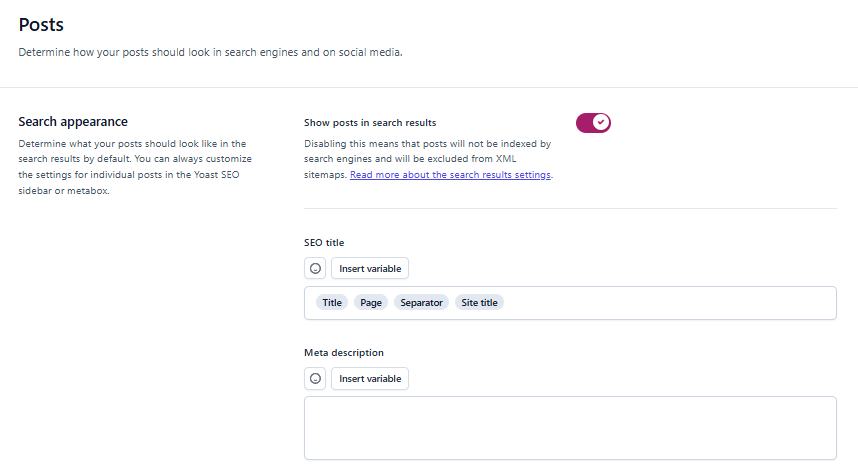
- Posts:
-
Blog Posts: Configure default SEO Titles and Descriptions
-
Social Media Posts: Set Titles, Descriptions, and Images used when posts are shared.
-
-
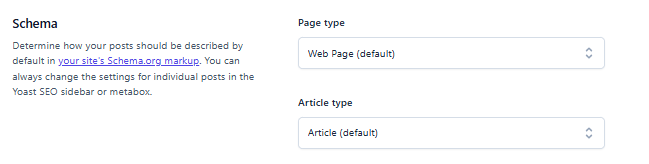
Schema Settings: Choose how your content is described for search engines. Schema provides additional context that helps search engines understand and display content correctly. You’ll find the same configuration options for Pages and Products, allowing consistent SEO settings across your site.
- Homepage: Set a default SEO Title, Meta Description, and Image.
Step 5: Complete the Setup
Once all steps are finished, your essential SEO configuration is complete. Your site is now ready to be crawled, indexed, and presented correctly in search results.
Summary
You’ve now completed the Yoast SEO Premium first‑time setup and configured the essential settings your site needs to be visible in search results. With search engines able to understand, crawl, and index your content correctly, your website is set up for better SEO performance from the start.
To continue improving your site’s search visibility, explore Yoast SEO Premium’s advanced features to further optimize your content, manage redirects, and enhance your overall SEO strategy.
If you need further assistance, Bluehost Chat Support is available 24 hours a day, 7days a week while Bluehost Phone Support is available 7 days a week from 7 am-12 midnight EST.
- Chat Support - While on our website, you should see a CHAT bubble in the bottom right-hand corner of the page. Click anywhere on the bubble to begin a chat session.
- Phone Support -
- US: 888-401-4678
- International: +1 801-765-9400
You may also refer to our Knowledge Base articles to help answer common questions and guide you through various setup, configuration, and troubleshooting steps.