 ChatGPT,
  Claude,
  Gemini,
  Grok — all four for
 How to Setup Remote Access Key in WHM
A Remote Access Key allows automated scripts, billing platforms, and other applications to communicate with Web Host Manager (WHM) for tasks such as creating, removing, or updating accounts. Modules are available in both Perl and PHP for applications built with those languages.
How to Generate an Access Key
- Log in to your Bluehost Portal.
- In the left-hand menu, click Hosting, then select My Plans.
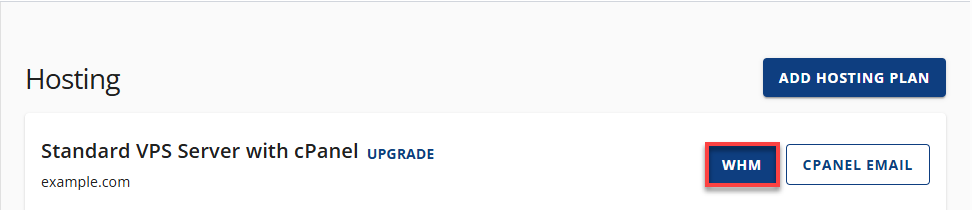
- On the hosting details page, click the WHM button.
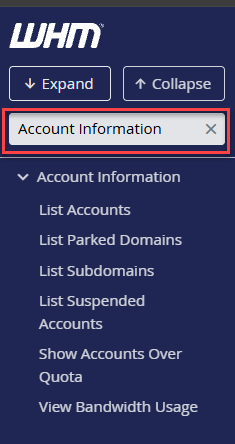
- Locate the Cluster section. The fastest way is by typing the keyword into the Search box on the left-side panel.
You can also use the Search box at the top of the interface.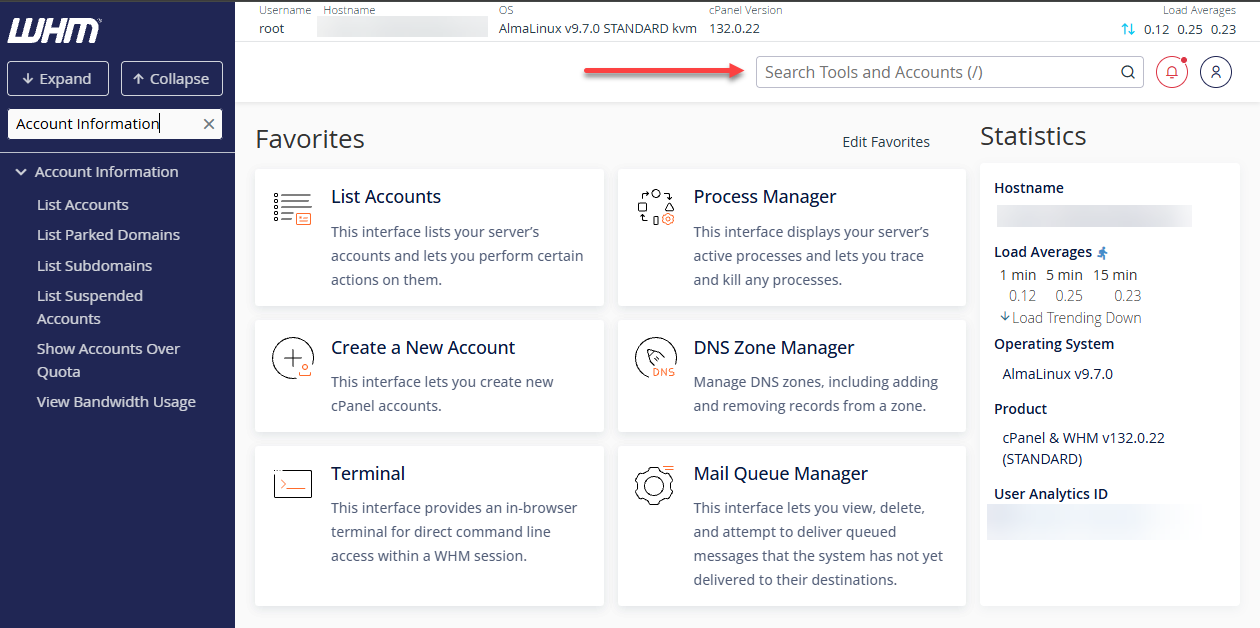
- Select Remote Access Key.
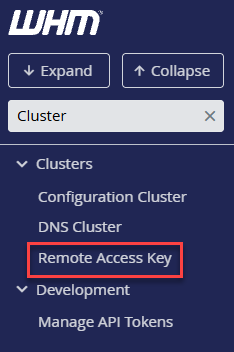
- Click the Generate New Key button to create a new access key.
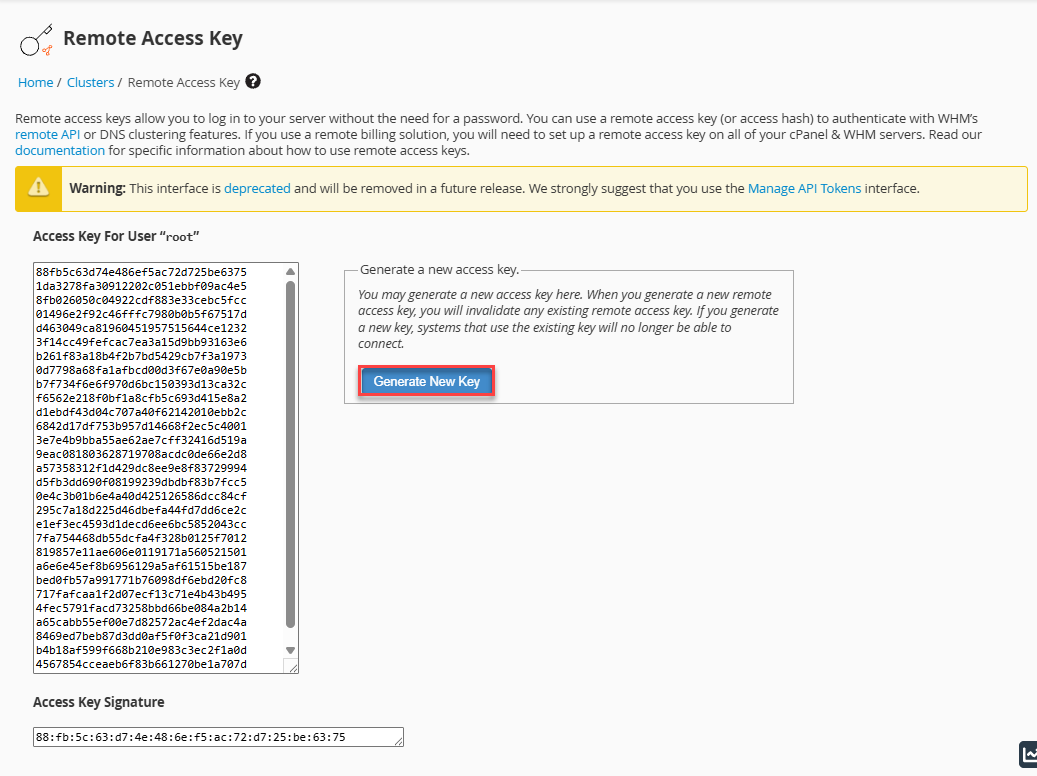
- Copy and paste the newly generated key into the appropriate file or location on your server.
Summary
Remote Access Keys provide a secure way for external applications and scripts to interact with WHM. By generating a new key, administrators can enable automated account management tasks such as creation, modification, and removal. This process ensures smooth integration with billing systems and other third-party tools while maintaining control over server access.
If you need further assistance, Bluehost Chat Support is available 24 hours a day, 7days a week while Bluehost Phone Support is available 7 days a week from 7 am-12 midnight EST.
- Chat Support - While on our website, you should see a CHAT bubble in the bottom right-hand corner of the page. Click anywhere on the bubble to begin a chat session.
- Phone Support -
- US: 888-401-4678
- International: +1 801-765-9400
You may also refer to our Knowledge Base articles to help answer common questions and guide you through various setup, configuration, and troubleshooting steps.