 ChatGPT,
  Claude,
  Gemini,
  Grok — all four for
 Moodle Installation and PHP Versions
Moodle is a platform used for managing courses, often referred to as a Learning Management System or Virtual Learning Environment. It is an open‑source web tool that allows teachers and trainers to build and run online classes, activities, and learning resources.
Moodle Installation Requirements
Moodle 3.11 is compatible with all of our servers as they are currently configured. You can install it through Softaculous, which is located in the Software/Services section of your cPanel. To run properly, Moodle needs PHP 7.4 or higher, and it’s best to use the latest PHP version supported by your hosting environment for optimal performance and security.
The article linked below offers more details on how to determine the most suitable PHP version for your setup and how to make the best use of it.
How to Install Moodle
- Log in to your Bluehost Portal.
- In the left-hand menu, click Hosting, then select My Plans.
- On the hosting details page, click the cPanel button.
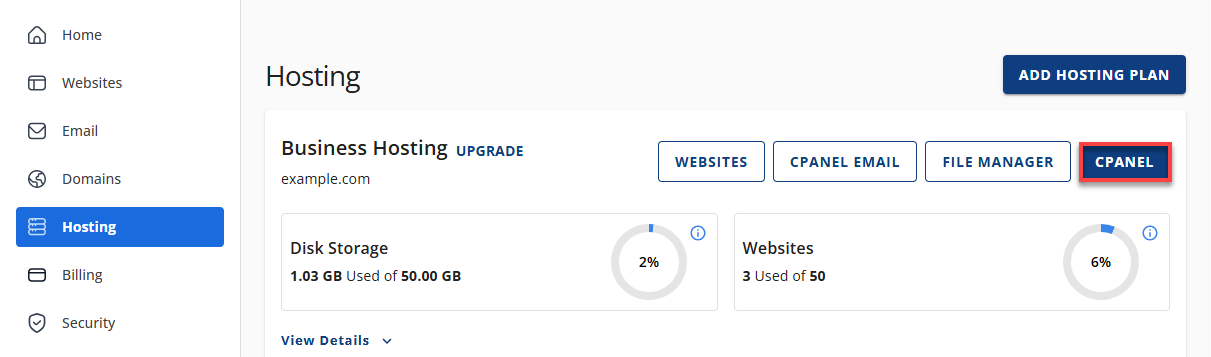
- Your cPanel will open in a new tab.
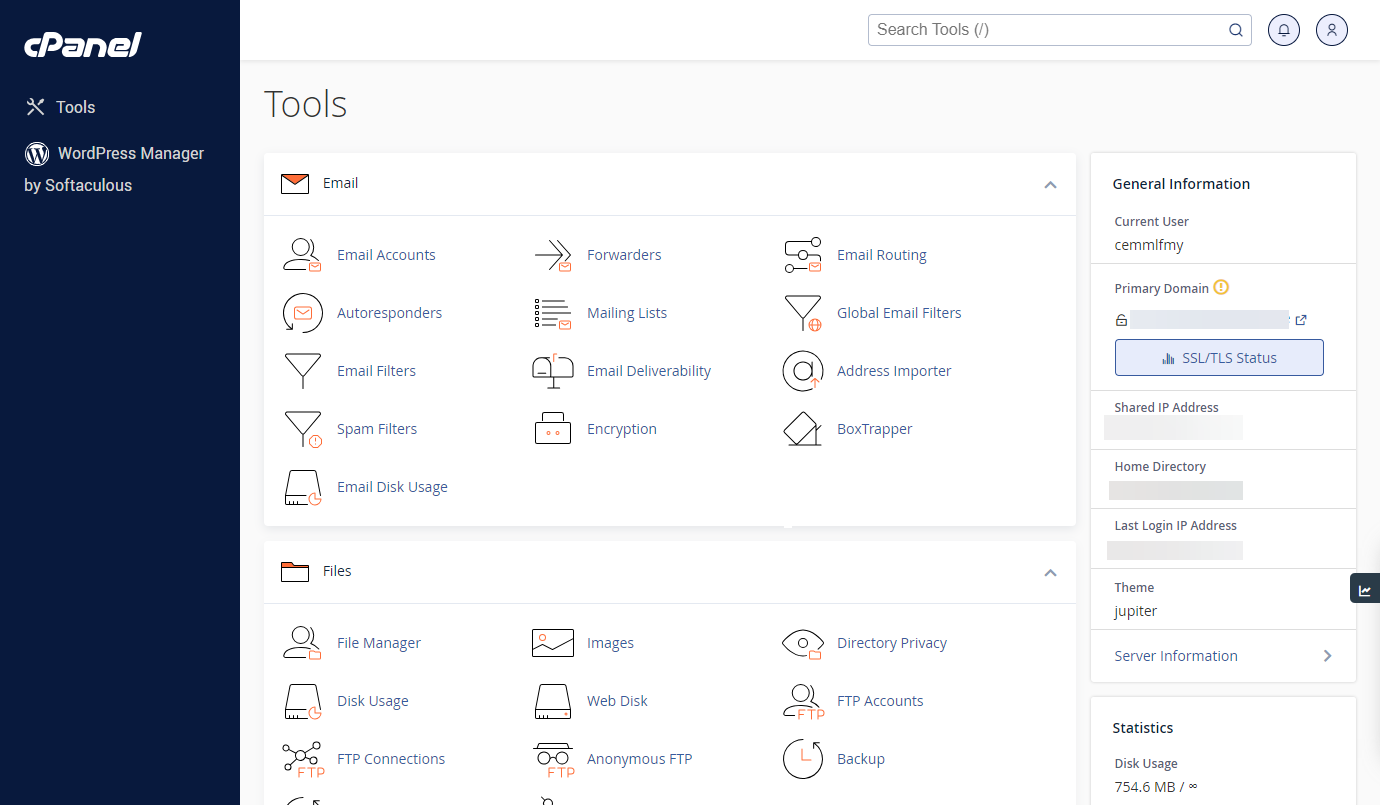
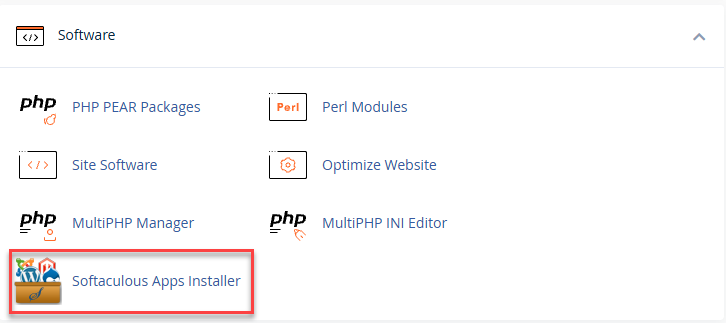
- Go to the Software section and click on Softaculous Apps Installer.
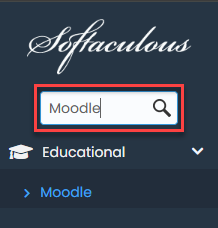
- Search Moodle using the search box in the upper left corner. Then, click on Install.
- Fill out the installation details.
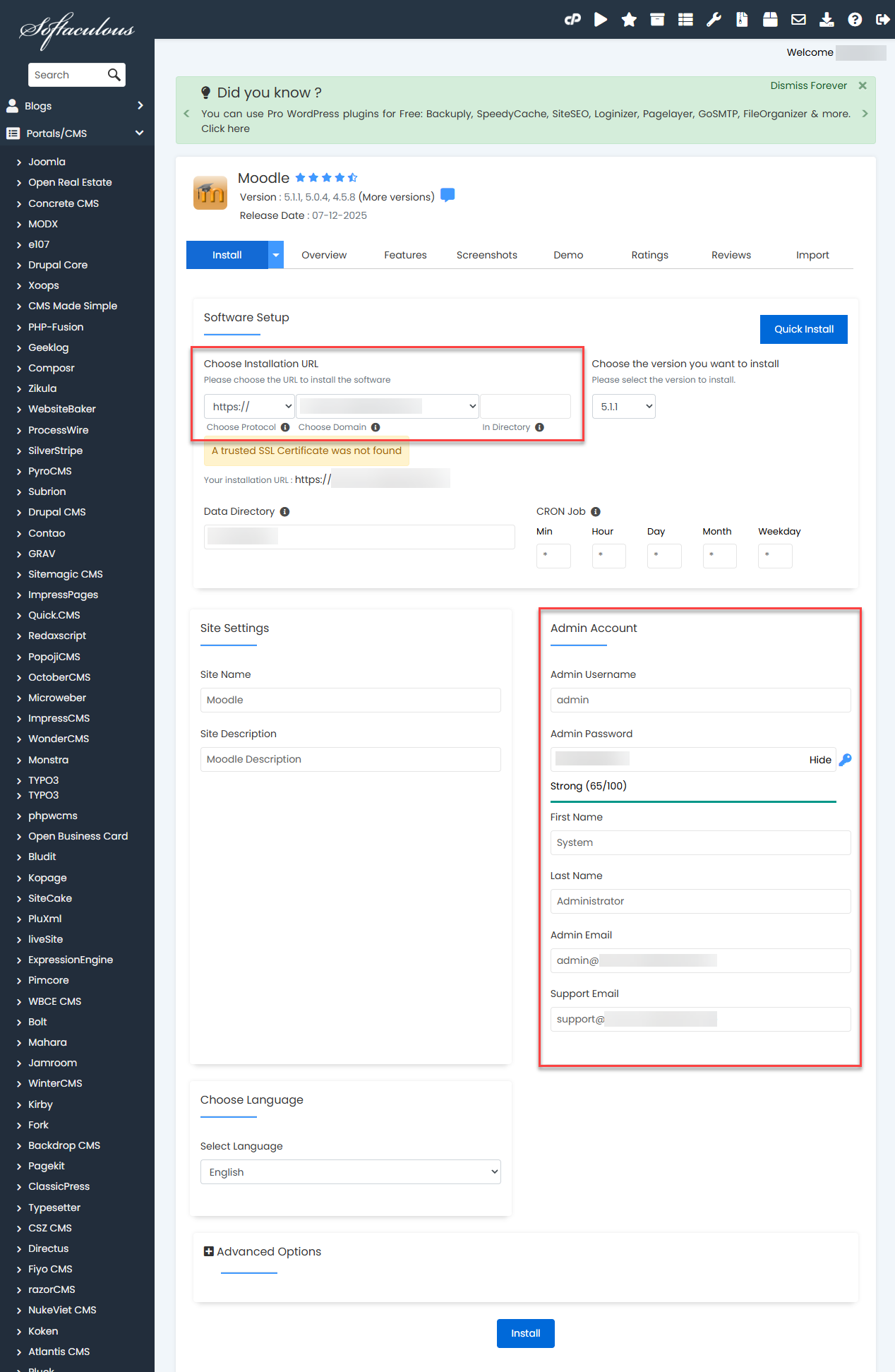
- Installation URL - Enter the domain name for the installation.
- Admin email address, username, and password - This will be used to log in to your Moodle dashboard.
- Click Install.
Summary
This article explains what Moodle is and outlines the requirements for installing Moodle 3.11, including the need for PHP 7.4 or higher (with PHP 8.1 as the minimum on Shared Hosting). It also provides links for checking your PHP version and gives quick, step‑by‑step instructions for installing Moodle through Softaculous on Linux servers.
If you need further assistance, Bluehost Chat Support is available 24 hours a day, 7days a week while Bluehost Phone Support is available 7 days a week from 7 am-12 midnight EST.
- Chat Support - While on our website, you should see a CHAT bubble in the bottom right-hand corner of the page. Click anywhere on the bubble to begin a chat session.
- Phone Support -
- US: 888-401-4678
- International: +1 801-765-9400
You may also refer to our Knowledge Base articles to help answer common questions and guide you through various setup, configuration, and troubleshooting steps.