 ChatGPT,
  Claude,
  Gemini,
  Grok — all four for
How to Install Premium WordPress Themes
Proper theme selection is key to a successful site, whether for an e-commerce site, blog, or personal portfolio. Free themes are a good start in building your dream site. However, Premium WordPress themes go beyond the basics and often stand out for their advanced features, deep customization, and dedicated support.
WordPress also offers a variety of free themes that can be installed and activated from the dashboard's theme directory. For more information, please refer to the WordPress - How to Install a New WordPress Theme from the Admin Dashboard article.
Install a Premium Theme from the WordPress Dashboard
If you purchased a theme on Bluehost's Marketplace, your theme files (in most cases) would be installed automatically.
- Method 1: Install a Premium Theme in the WordPress Theme Directory
- Method 2: Install a Premium Theme Manually
Method 1: Install a Premium Theme in the WordPress Theme Directory
- Log in to your Bluehost Portal.
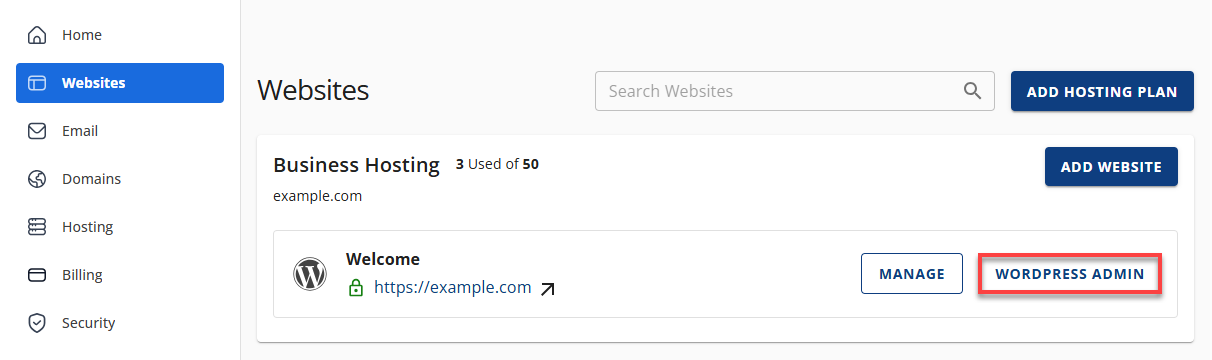
- In the left-hand menu, click Websites.
- Click the Edit Site button located next to the website you want to manage.
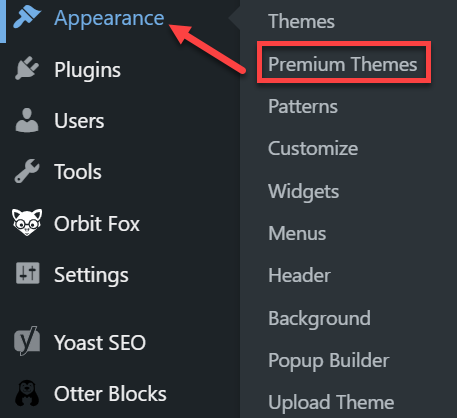
- In the WordPress dashboard, click the Appearance tab and then select Premium Themes.
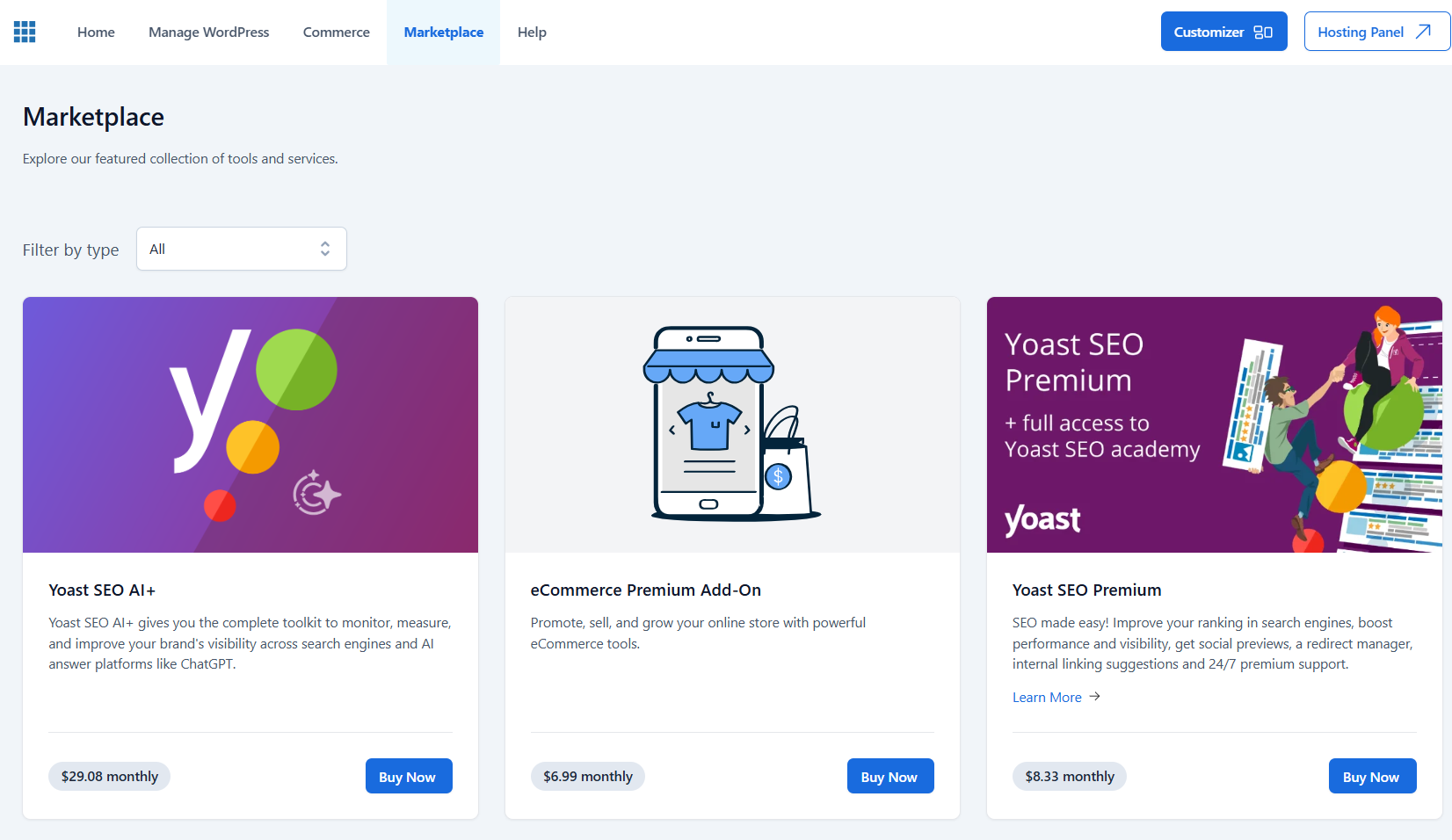
- Search for your preferred premium theme and then click the Buy Now button.
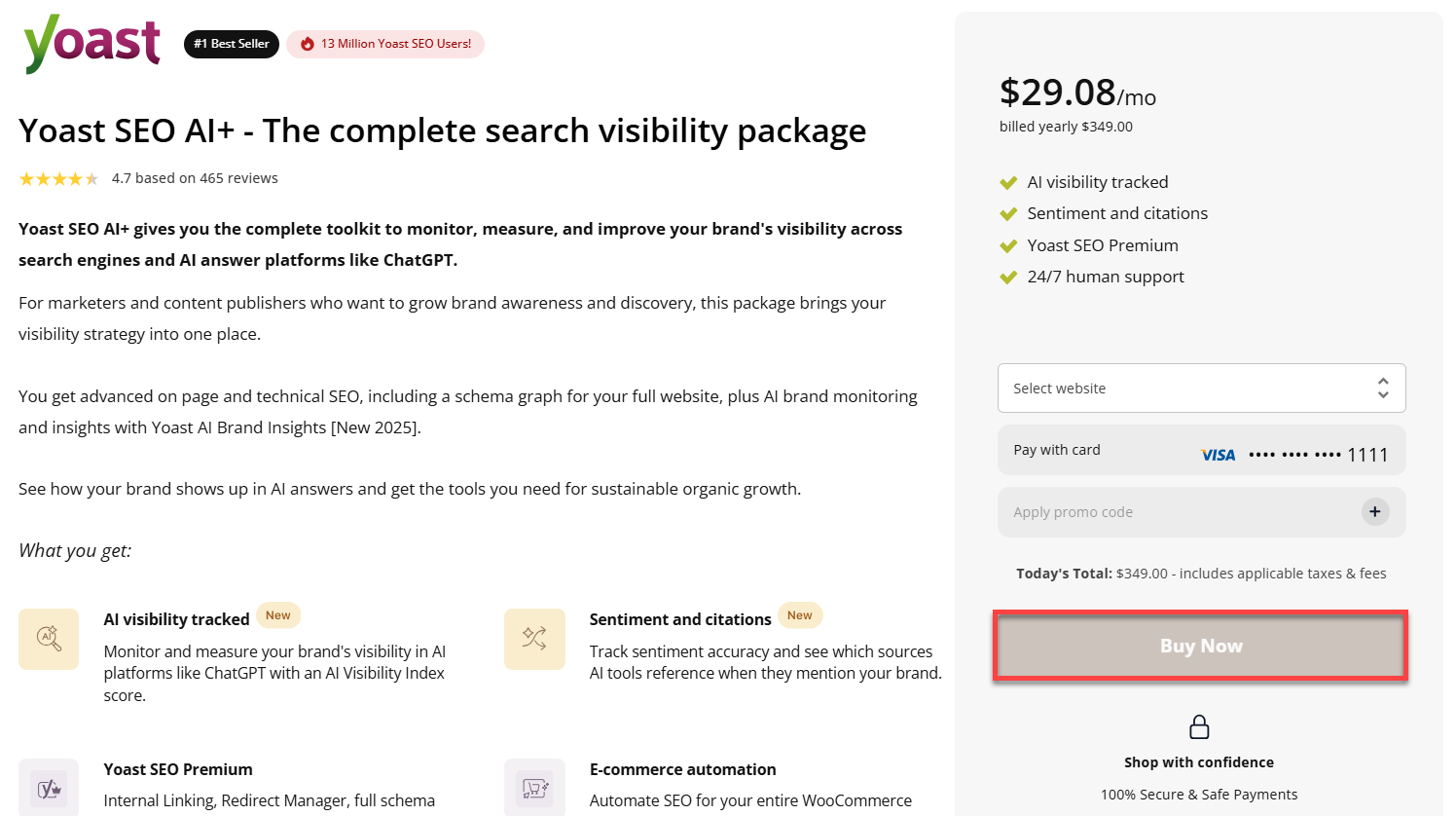
- Complete the payment transaction by clicking the Buy Now button.
- Once the purchase is complete, Install and then Activate.
Method 2: Install a Premium Theme Manually
Check in WordPress - How to Install a New WordPress Theme from the Admin Dashboard article for instructions on how to install a Premium Theme manually.
Theme Support
Please refer to the WordPress theme documentation for step-by-step instructions if you need further clarification.
Related Articles
Summary
When creating a website with WordPress, you have the flexibility to choose between free WordPress themes and Premium WordPress themes. Premium themes offer additional customization possibilities and direct support from theme creators so you can tailor your site to your exact needs. A Pro WordPress Live support subscription can be practical help if you need further support with website or theme customization. Our team is prepared to provide the guidance and support you need.
Learn more about optimizing your WordPress experience with our specialized WordPress Hosting solutions and discover how our WordPress Website Builder services can elevate your website's design and functionality.
If you need further assistance, Bluehost Chat Support is available 24 hours a day, 7days a week while Bluehost Phone Support is available 7 days a week from 7 am-12 midnight EST.
- Chat Support - While on our website, you should see a CHAT bubble in the bottom right-hand corner of the page. Click anywhere on the bubble to begin a chat session.
- Phone Support -
- US: 888-401-4678
- International: +1 801-765-9400
You may also refer to our Knowledge Base articles to help answer common questions and guide you through various setup, configuration, and troubleshooting steps.