 ChatGPT,
 Claude,
 Gemini,
 Grok — all four for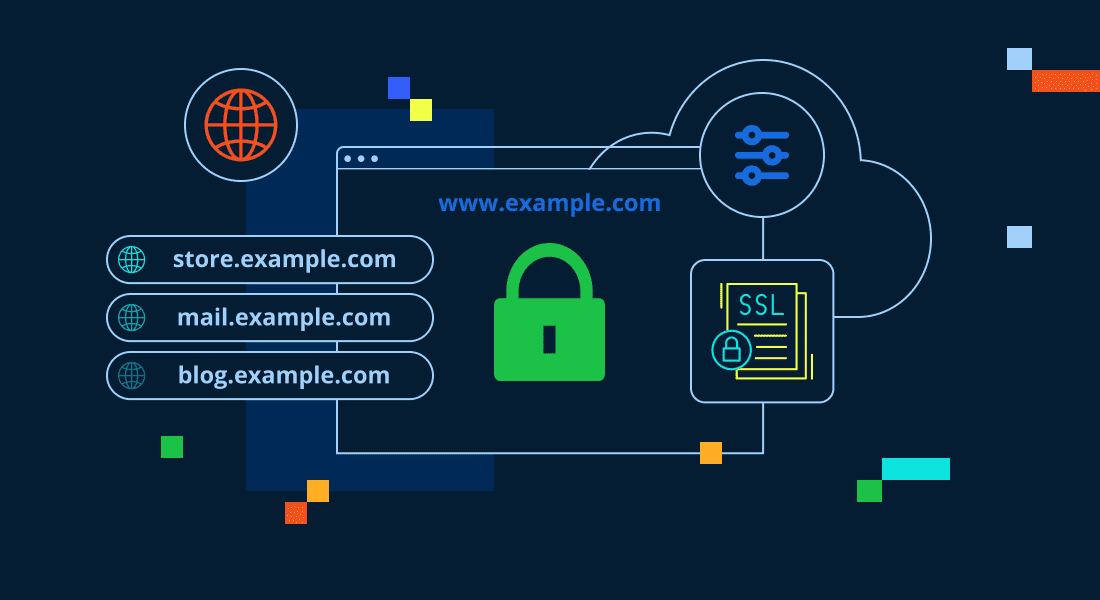
Key highlights:
- Wildcard SSL certificates use an asterisk (*) to secure unlimited first-level subdomains under a single certificate.
- Wildcard SSL is ideal for sites that add, remove or change subdomains frequently.
- A wildcard SSL certificate simplifies management with a single installation covering unlimited subdomains, one renewal date and one private key to secure.
- The “Blast Radius” security concern means one compromised private key affects all subdomains under that certificate.
- Wildcard certificates work best for scalable environments where subdomains share similar security requirements and management structures.
Managing SSL certificates for multiple subdomains often becomes a costly, time-consuming nightmare. Traditionally, every new subdomain requires its own certificate, separate validation and ongoing renewals. This administrative overhead distracts you from core business operations.
A wildcard SSL certificate offers an elegant solution to this complexity. It secures your primary domain and unlimited first-level subdomains using one unified certificate. Consequently, this technology has become essential for growing businesses, development teams and agencies managing multiple client environments.
Understanding what is a wildcard SSL certificate and how it works will help you make informed security decisions. This guide explains wildcard SSL functionality, coverage limitations, security considerations and practical implementation. You will learn when these certificates provide the best value versus alternative solutions.
What is a wildcard SSL certificate?
A wildcard SSL certificate provides encryption and authentication for a domain and all its first-level subdomains. It uses a special asterisk character in the Common Name field to indicate this broad coverage. Eliminating the need to purchase separate certificates for each subdomain saves significant time.
Conceptually, the wildcard SSL meaning centers on flexibility. You can create new subdomains without additional certificate purchases or installations. Any new first-level subdomain you add receives automatic protection from the existing certificate.
Businesses adopting microservices architectures or subdomain-based structures find this particularly valuable. Development teams and product divisions often require dedicated subdomains. A wildcard certificate accommodates this growth without certificate management becoming a bottleneck.
Simple definition: The power of the asterisk (*)
The asterisk acts as a placeholder matching any valid subdomain label. When you purchase a wildcard SSL, the Common Name appears as *.[domain].com. Browsers interpret this notation to mean the certificate applies to any single subdomain label preceding your domain.
Pattern matching drives the SSL wildcard certificate functionality. When a user visits shop.[domain].com, the server presents the wildcard certificate. The browser validates that “shop” matches the asterisk pattern and accepts the connection. This process repeats for blog.[domain].com, api.[domain].com or other variations.
Ultimately, this system provides both convenience and security. You maintain one certificate while securing an unlimited number of subdomain variations. The cryptographic protection remains identical to standard single-domain certificates.
Real-world example (Securing blog, store and mail subdomains)
Consider an eCommerce business operating [yourbrand].com that maintains separate subdomains for different functions. The company likely manages:
- A blog at blog.[yourbrand].com
- An online store at shop.[yourbrand].com
- Webmail running at mail.[yourbrand].com
Without a wildcard certificate, you would need three separate SSL certificates. Each requires individual purchase, installation, validation and annual renewal. Consequently, the administrative burden multiplies with every new subdomain launch.
A wildcard SSL certificate for *.[yourbrand].com covers all three subdomains automatically. You purchase one certificate, complete one validation and install it once. When you later add api.[yourbrand].com, it receives protection immediately without extra work.
Also read: How to Purchase or Renew SSL Certificates
What a wildcard SSL covers (and what it doesn’t)?
Understanding coverage limits prevents security gaps and ensures proper implementation. While the asterisk provides broad protection, it follows strict rules defined by certificate authorities. Administrators must not assume broader protection than what is technically supported.
Unlimited first-level subdomains
A wildcard certificate for *.[domain].com secures any first-level subdomain you create. Examples include:
- Standard pages: www, blog, shop, mail.
- Development environments: staging, dev, test.
- Infrastructure endpoints: api, cdn, portal.
The SSL certificate for domain and subdomain approach provides unlimited scalability at this first level. Whether you create 10 or 1,000 subdomains, the cost remains the same. Each receives equal encryption strength.
The limitation: Multi-level subdomains
However, wildcard certificates do not automatically cover multi-level subdomains. A certificate for *.[domain].com does not cover deeper structures like shop.blog.[domain].com. The asterisk matches exactly one subdomain label and cannot handle multiple labels separated by dots.
Organizations needing multi-level protection have specific options. You can purchase separate wildcard certificates for different levels, such as *.blog.[domain].com. Alternatively, you can use SAN certificates that explicitly list specific multi-level subdomains.
Does it cover the root domain ([example].com)?
Surprisingly, a wildcard certificate for *.[domain].com does not automatically cover the root domain. Because the asterisk requires a subdomain label to match, visiting [domain].com without a prefix triggers a security warning.
Most certificate authorities solve this during the purchase process. You can request a certificate that lists both *.[domain].com and [domain].com in the Subject Alternative Name field. Always verify root domain coverage before finalizing your purchase.
How does a wildcard SSL certificate work?
Wildcard SSL certificates function using the same cryptographic principles as standard certificates. The primary difference lies in how the certificate authority validates and encodes domain information.
Where the wildcard lives (CN and SAN fields)
The wildcard notation appears in the Common Name (CN) field as *.[domain].com. Modern certificates also utilize the Subject Alternative Name (SAN) extension for flexibility. This field lists the wildcard entry and often includes the root domain or specific names.
Wildcard matching rules (The “one label” rule)
Browser validation follows a strict “one label” rule. The asterisk must represent exactly one complete subdomain label, working from left to right. Consequently, a certificate for *.[domain].com validates shop.[domain].com but rejects shop.blog.[domain].com to maintain predictable security scopes.
Validation types (DV vs. OV)
Most wildcard certificates use Domain Validation (DV), verifying only that you control the domain via email or DNS. For example, For example, Bluehost offers Premium SSL certificates from DigiCert, including Wildcard DV SSL for websites that need to protect a primary domain and unlimited subdomains. Domain Validation verifies control of the domain before certificate issuance.
Organization Validation (OV) offers higher assurance by verifying business legitimacy. Conversely, Extended Validation (EV) is incompatible with wildcard notation. Organizations requiring EV assurance must use single-domain or multi-domain SAN certificates instead.
Also read: Types of SSL Certificates: Compare DV, OV & EV for Your Website’s Security
Do I need a wildcard SSL certificate?
Deciding requires analyzing your current architecture and future growth plans. You must balance administrative convenience against security isolation and cost efficiency. The following scenarios help clarify when wildcard certificates make sense.
You likely need one if (Scalability and management)
Website owners managing multiple subdomains find wildcard certificates extremely valuable. If you operate separate blog, shop and mail subdomains, one certificate simplifies management dramatically.
Development teams creating dev, staging and test environments also benefit significantly. Developers can spin up new testing subdomains without waiting for certificate procurement.
Finally, growing organizations planning expansion should consider this option proactively. The certificate accommodates future subdomains without additional costs, providing budget predictability.
You probably don’t need one if (Single sites and distinct roots)
Conversely, single-domain websites should stick to standard SSL certificates. If you only protect [yourbrand].com, a wildcard represents unnecessary expense.
Organizations managing distinct root domains like [distinctdomainone].com and [distinctdomaintwo].com need multi-domain SAN certificates instead. A wildcard cannot span multiple root domains. High-security environments requiring complete service isolation also typically avoid wildcards to limit potential risk.
Risks and trade-offs (The “Blast Radius” security concern)
The main security trade-off involves the private key. Because one key protects all subdomains, a compromise allows an attacker to impersonate every subdomain simultaneously.
This “Blast Radius” affects every subdomain from blog to api. Therefore, you must store the private key with exceptional care, using strict access controls. Many businesses find this risk acceptable for the operational benefits, while others prioritize isolation.
Wildcard SSL vs. other SSL types
SSL certificates come in several varieties designed for different use cases. Understanding how wildcard certificates compare to alternatives helps you select the optimal solution. Use this comparison to guide your decision.
| Feature | Single-Domain SSL | Wildcard SSL | Multi-Domain (SAN) SSL |
|---|---|---|---|
| Coverage | One specific domain (e.g., shop.[site].com) | One domain + unlimited subdomains (*.[site].com) | Multiple different domains & subdomains |
| Cost efficiency | Best for 1-2 specific sites | Best for 3+ subdomains | Best for multiple root domains |
| Maintenance | High (1 cert per site) | Low (1 cert for all) | Medium (Update to add domains) |
| Validation | DV, OV, EV | DV, OV (No EV) | DV, OV, EV |
Wildcard SSL vs. Single-Domain SSL
Single-domain certificates protect exactly one fully qualified domain name. Although they cost less individually, buying multiple single certificates can quickly exceed the price of a wildcard. With our Wildcard DV SSL priced at $19.99/month*, the investment usually pays off once you need to secure three or more subdomains.
Wildcard SSL vs. Multi-Domain (SAN) SSL
Multi-domain SAN certificates secure completely different domains simultaneously (e.g., [domainone].com and [domaintwo].com). Wildcards excel at vertical scaling (subdomains), while SANs excel at horizontal scaling (distinct brands). Some hybrid certificates combine both for maximum flexibility.
How to use a wildcard SSL certificate?
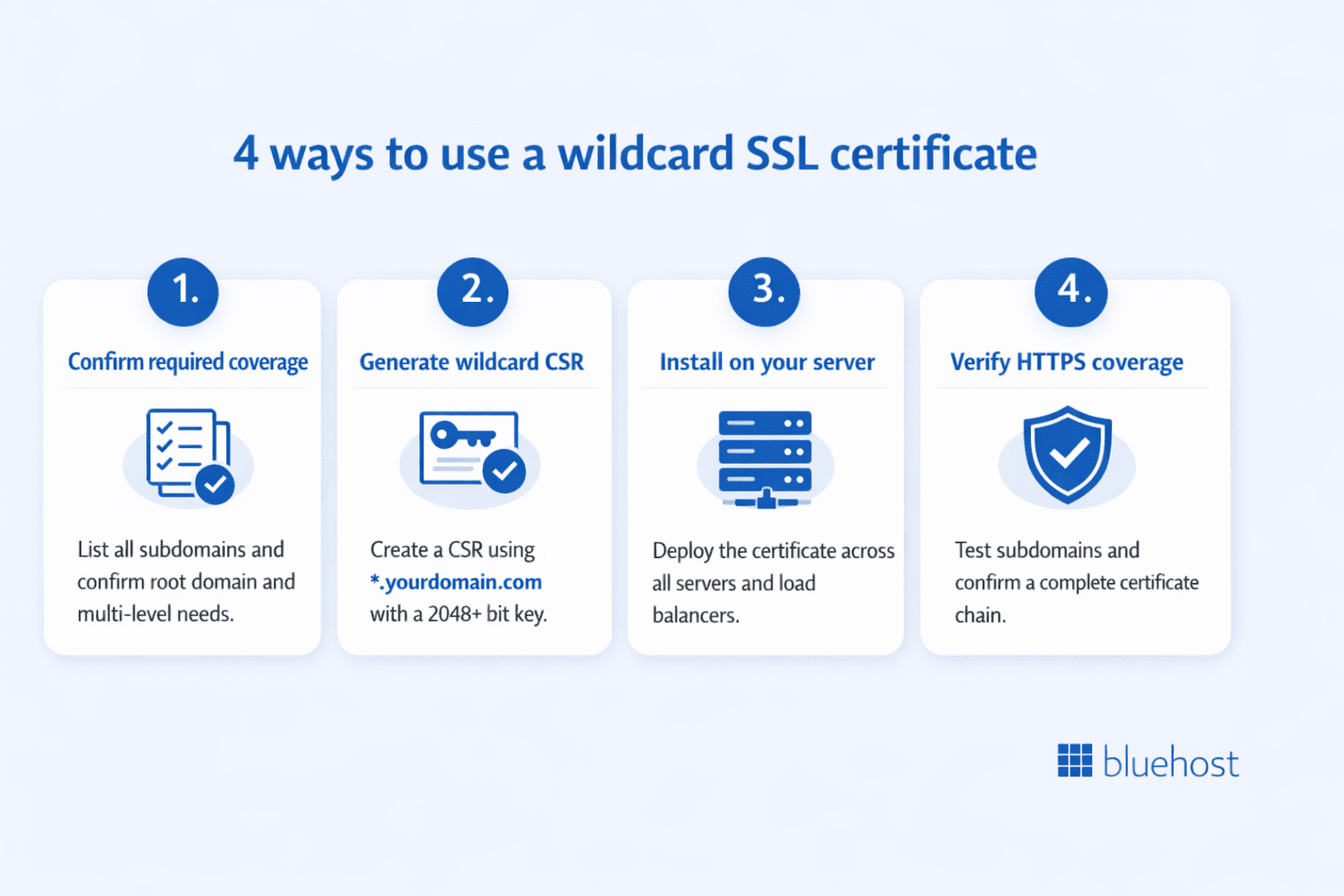
Implementing a wildcard SSL certificate involves several technical steps. Proper execution ensures full subdomain coverage and maintains security throughout the process. Follow this checklist to avoid common configuration errors.
Step 1: Confirm your required coverage
- Document every current subdomain requiring SSL protection.
- Verify if you need root domain coverage alongside subdomains.
- Check for multi-level subdomains like api.staging.[domain].com.
- Confirm alignment with your organization’s security isolation policies.
Step 2: Generate a CSR with the wildcard asterisk
Creating a Certificate Signing Request (CSR) is the first technical requirement. You must include the asterisk notation (e.g., *.[yourdomain].com) in the Common Name field. Ensure you use a 2048-bit or 4096-bit RSA key strength for sufficient security.
Step 3: Install the certificate on your server
Next, install the certificate on your primary web server and configure it to handle all subdomain requests. Apache servers require specific VirtualHost block configurations. For load-balanced environments, deploy the same certificate and private key across all servers.
Step 4: Verify HTTPS across subdomains
Finally, use online SSL testing tools to confirm the installation. Check that the certificate chain is complete to avoid browser warnings. Creating a temporary test subdomain helps validate that the wildcard pattern matching works correctly for future expansions.
Common wildcard SSL mistakes
Even experienced administrators make errors when implementing wildcard certificates. Understanding common mistakes helps you avoid security gaps. These issues often go undetected until users report connection failures.
Misunderstanding subdomain depth
Administrators frequently assume *.[domain].com covers multi-level structures like shop.blog.[domain].com. It does not. This misunderstanding creates security gaps where deeper subdomains remain unprotected. Always map your structure first to determine if you need multiple wildcards.
Forgetting to secure the private key
Since one key protects every subdomain, it represents a high-value target. Inadequate protection exposes your entire domain structure. Store private keys with restrictive file permissions or use hardware security modules (HSMs) for premium deployments.
The Bluehost SSL advantage
Bluehost provides Premium SSL certificates from DigiCert, a globally recognized certificate authority. Our Wildcard DV SSL certificate is designed to protect a primary domain and unlimited subdomains with one certificate, helping simplify SSL management for websites with multiple subdomains.
Premium security and transparent pricing
Priced at $19.99/month*, our Wildcard DV SSL includes 256-bit SSL encryption, site trust indicators and $10,000 warranty coverage. The certificate protects a primary domain and unlimited subdomains with one certificate, helping simplify SSL management as your website grows.
*Pricing mentioned is accurate as of September, 2026. For latest pricing, visit the official website.
Also read: A Guide to Free SSL Certificates with Let’s Encrypt
Simplified management and expert support
Premium SSL certificates provide flexible coverage options for websites with different security and subdomain requirements. Wildcard SSL can simplify certificate management by protecting a primary domain and unlimited subdomains with one certificate.
Final thoughts
Wildcard SSL certificates offer a powerful solution for securing multiple subdomains under a single certificate. The asterisk notation simplifies certificate management significantly, allowing you to protect unlimited first-level subdomains without the hassle of purchasing and configuring individual certificates for each one.
Keep in mind that wildcard certificates only cover one subdomain level and require careful private key management to minimize security risks. You’ll also need to ensure your root domain is properly protected through explicit configuration, as it isn’t automatically included in the wildcard coverage.
For businesses launching new subdomains regularly or managing scalable web environments, wildcard SSL certificates deliver exceptional value and efficiency.
Ready to secure your domains with a wildcard SSL certificate? Bluehost offers premium SSL solutions with easy installation and 24/7 expert support to keep your sites protected.
FAQs
A wildcard certificate for *.[domain].com does not automatically cover the root domain. The asterisk requires a subdomain label to match. You must explicitly request root domain coverage when purchasing. Most authorities can add [domain].com to the Subject Alternative Name field.
These certificates secure an unlimited number of first-level subdomains. You can create 100 or 1,000 subdomains without extra purchases. The limitation applies to depth, not quantity. Second-level subdomains require separate wildcard certificates or multi-domain SAN certificates.
Yes, you can install the same certificate on multiple servers without additional fees. This flexibility proves valuable for load-balanced or geographically distributed servers. Just ensure you transfer and store the private key securely across all environments.
Choose wildcard SSL when securing many subdomains under a single root domain. Conversely, select multi-domain SAN certificates when protecting multiple distinct root domains. Some certificates combine both approaches for maximum flexibility.

Write A Comment