 ChatGPT,
 Claude,
 Gemini,
 Grok — all four for
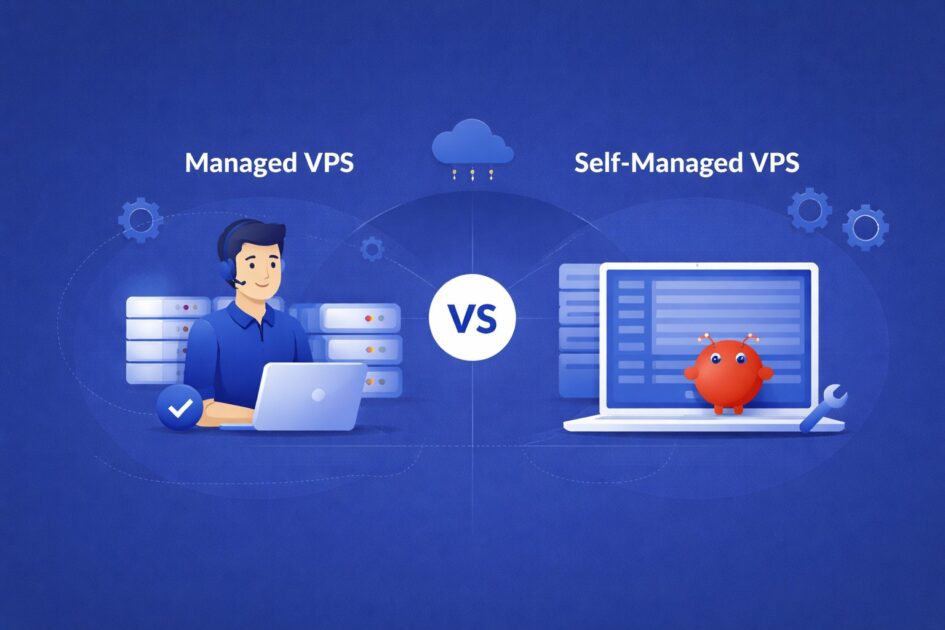
Key highlights
- Understand how OpenClaw benefits from VPS hosting to maintain uninterrupted AI automation workflows.
- Explore the core differences between managed and self-managed VPS setups to identify the best fit for your technical expertise.
- Uncover the true cost implications and security responsibilities associated with taking full control of your server environment.
- Learn why managed hosting saves time and reduces technical overhead for businesses and non-technical users.
- Know the optimal server architecture and hardware requirements to successfully scale your OpenClaw deployment.
OpenClaw operates as an AI-driven automation agent built to execute tasks continuously without requiring human intervention. Because it relies on reliable uptime, many users prefer to host OpenClaw on a Virtual Private Server (VPS) rather than their local computers. A VPS ensures that your automation processes remain active even if your personal device disconnects from the internet.
The type of VPS hosting you choose significantly impacts your monthly costs, security measures, level of control and ongoing maintenance responsibilities. Some users prefer a completely automated, hands-off experience, while others want total administrative authority over their server.
Understanding the differences between managed and self-managed VPS hosting will help you select the ideal environment for running OpenClaw seamlessly.
To make an informed decision, it helps to first explore what this AI tool does and why it requires a specific server infrastructure.
TL;DR: Managed vs self-managed VPS for OpenClaw
If you’re deciding between managed vs self-managed VPS for OpenClaw, the right choice comes down to control vs convenience.
| Factor | Self-managed VPS | Managed VPS |
| Control | Full root access and total server customization | Limited or guided access |
| Cost | Lower monthly cost | Higher monthly price |
| Maintenance | You manage updates, monitoring and security | Provider handles maintenance |
| Setup difficulty | Requires Linux/server knowledge | Beginner-friendly |
| Security management | Your responsibility | Provider-managed security |
| Best for | Developers, engineers and technical users | Businesses and non-technical teams |
What is OpenClaw and why it benefits from VPS hosting?
OpenClaw is a powerful, open-source AI assistant designed to automate complex workflows and manage tasks through popular messaging platforms like Slack, Discord and WhatsApp. Because it operates on infrastructure you control, it offers unparalleled privacy and flexibility.
When evaluating the choice between a managed vs self-managed vps for openclaw, understanding the underlying architecture is essential to ensuring the system remains responsive and efficient. The following components represent the core pillars of the OpenClaw environment:
- Gateway: Handles communication between OpenClaw and platforms like Slack, Discord or WhatsApp, ensuring messages reach the AI agent.
- Agent: The core AI engine that processes tasks and connects with models like GPT-4, Claude or Gemini.
- Memory: Stores conversation history and context so the assistant can provide consistent and personalized responses.
- Skills: Custom integrations and tools that allow OpenClaw to automate tasks and interact with external services.
Because OpenClaw is designed to run background tasks and manage complex automations 24/7, it requires a hosting environment with high uptime and consistent resources. A VPS ensures your OpenClaw agent remains active by providing the RAM and speed needed for uninterrupted AI tasks. This performance is maintained whether you choose a managed hosting approach or the granular control of a self-managed server.
This is precisely why many users choose VPS hosting for OpenClaw. A virtual private server offers dedicated computing resources, remote management capabilities and continuous operation, ensuring your AI assistant works perfectly even when your desktop is turned off.
Running OpenClaw on a VPS gives you a permanent, always-on machine. You can connect remotely, keep workflows running 24/7 and supply the necessary computing power without overloading your local hardware.
Ultimately, VPS hosting upgrades OpenClaw from a simple local experiment to a dependable, daily productivity tool.
Before comparing management styles, let’s look at how a Virtual Private Server provides the perfect foundation for this application.
Understanding VPS hosting for OpenClaw
A virtual private server relies on virtualization software to partition dedicated resources from a massive physical server. It provides you with your own isolated CPU processing power, memory and storage space.
This isolated setup is ideal for always-on applications like OpenClaw that require constant background execution and steady performance.
By utilizing VPS hosting, you unlock several key benefits:
- Dedicated system resources reserved exclusively for your workload
- Complete root-level and administrative access
- The ability to install necessary custom software dependencies
- Highly stable environments optimized for continuous uptime
- Flexible infrastructure that can easily scale as your usage grows
These features allow OpenClaw to process complex workflows without hitting the restrictive limits typically imposed by standard shared hosting plans.
Most standard OpenClaw deployments run smoothly on a Linux-based VPS equipped with:
- 2 to 4 virtual CPU cores
- 4 GB of RAM
- High-speed SSD storage
- Ubuntu or another stable Linux distribution
Of course, managing intensive, large-scale automation workflows will require upgrading these baseline specifications over time.
With the core requirements established, let’s evaluate the first hosting option: self-managed servers.
What is a self-managed VPS?
Selecting a self-managed VPS gives you absolute control and total responsibility over your server. You choose the operating system, configure the runtime environments, install packages, establish security rules and handle all performance monitoring. If your server goes offline, you are the one who has to troubleshoot and fix it.
For users with technical expertise, this unrestricted freedom is highly beneficial.
While taking on this workload isn’t for everyone, it provides distinct advantages that developers and power users appreciate.
Why some users prefer self-managed VPS hosting?
This manual approach offers incredible flexibility. A self-managed VPS is perfect for OpenClaw users who enjoy building and customizing their server infrastructure completely from scratch.
You maintain ultimate control over:
- The preferred operating system and underlying software environment
- Managing Docker containers or executing manual installations
- Setting up custom firewall rules and network access limits
- Optimizing server performance to suit your specific needs
- Deploying specialized third-party integrations and background scripts
Self-managed hosting is particularly attractive to developers, DevOps engineers and advanced users who need to tweak every parameter of their deployment.
It is also the most cost-effective option, offering significant savings for users who already know how to manage Linux servers.
However, this level of control requires a considerable time investment and technical know-how.
Where self-managed VPS can get tricky?
Having total freedom means you are entirely accountable for your server’s health and security.
When you operate a self-managed VPS, you are required to:
- Consistently install crucial operating system and security patches
- Actively monitor memory usage, CPU load and server uptime
- Configure and verify your own automated backup systems
- Troubleshoot and resolve complex technical errors on your own
- Secure sensitive login credentials, user data and API keys
- Properly manage SSH keys and complex firewall protocols
If you are accustomed to server administration, these tasks are straightforward. However, if your main goal is simply to build AI workflows, constant server upkeep can easily become a massive distraction.
A self-managed VPS offers immense power, but it demands persistent attention.
If the idea of manual server maintenance feels overwhelming, a managed solution is a much simpler alternative.
What is a managed VPS?
Managed VPS hosting is designed to be a frictionless experience. With this tier, the hosting provider takes care of the vast majority of ongoing server administration. A managed package typically includes operating system updates, automated security configurations, continuous monitoring, regular backups and dedicated technical support.
You get all the robust performance of a VPS, but with drastically reduced technical responsibilities.
By removing the DevOps workload, this hosting setup naturally appeals to specific demographics.
Why managed VPS hosting appeals to many OpenClaw users?
This supportive approach provides excellent peace of mind. A managed VPS is a massive time-saver for users who want to run OpenClaw on dedicated hardware without dedicating their week to server maintenance.
It is highly beneficial for users who want:
- Significantly faster deployment times
- Almost zero ongoing technical maintenance
- Expert support teams available to help troubleshoot issues
- Strong, automated security measures configured by default
- The freedom to focus purely on configuring AI agents rather than managing servers
This option is perfect for businesses, startup teams and non-technical users who need reliable VPS hosting for OpenClaw without turning server errors into massive headaches.
However, choosing this level of convenience does require making some specific tradeoffs.
The tradeoff with managed VPS hosting
Outsourcing your server management means sacrificing some granular control and paying a higher monthly premium.
Managed VPS plans cost more because the provider is actively spending resources to monitor, patch and support your infrastructure.
Additionally, you may lose some flexibility. Some managed providers restrict root-level access, block custom software packages or require you to use their specific deployment stacks.
While managed hosting is wonderfully simple, it can sometimes feel restrictive if your OpenClaw setup eventually requires deep, non-standard customizations.
To help clarify the decision, let’s look at a direct comparison between the two.
Managed vs self-managed VPS for OpenClaw: The biggest differences
The choice between a managed and a self-managed VPS for OpenClaw is fundamentally a choice between total control and maximum convenience. A self-managed plan offers unrestricted freedom, while a managed plan provides a safety net of technical support.
Here is a breakdown of the core differences:
| Feature | Self-managed VPS | Managed VPS |
| Server control | Full root-level access | Restricted or guided access |
| Maintenance | Entirely your responsibility | Handled by the hosting provider |
| Security setup | Manual configuration | Automated and provider-assisted |
| Cost | Highly affordable | Premium pricing |
| Setup complexity | Requires technical expertise | Simple and beginner-friendly |
| Best for | Developers and sysadmins | Businesses and non-technical users |
When deciding between managed and unmanaged VPS hosting for OpenClaw, the most important question to ask yourself is:
Do you want to manage a server, or do you solely want to manage your AI workflows?
Beyond the technical differences, your monthly budget will likely be the ultimate deciding factor.
Cost comparison of managed vs self-managed VPS
Cost is arguably the most noticeable difference between these two environments. Self-managed VPS plans are incredibly affordable because you are only paying for the raw computing resources. All the setup, security patching and daily maintenance are entirely up to you.
The price tag directly reflects the division of labor. Managed plans carry a higher monthly cost because the provider assumes the heavy lifting of keeping your server secure and operational.
| Hosting type | Average monthly cost | Included services & technical responsibilities |
| Self-managed VPS | $5–$20 | You handle server setup, OS updates, security patching and monitoring. |
| Managed VPS | $30–$100 | The provider manages infrastructure, automated backups, security and technical support. |
Choosing a self-managed VPS for OpenClaw keeps your operational costs very low, assuming you have the technical skills to maintain the environment safely.
On the other hand, a managed VPS justifies its higher cost by providing extensive support, 24/7 monitoring and automated maintenance, allowing you to run OpenClaw with complete peace of mind.
While financial considerations are important, protecting your information is an equally vital factor to weigh when comparing managed and self-managed VPS hosting for OpenClaw.
Security considerations when hosting OpenClaw on a VPS
Security must be a top priority when hosting an AI agent. OpenClaw connects to external APIs, messaging apps and databases. Because it has the power to execute scripts and read credentials, deploying it safely on a VPS requires strict precautions.
A poorly secured server can lead to leaked API keys, compromised user data or full server takeovers. You should always enforce these baseline security measures:
- SSH key authentication: Use cryptographic SSH keys to access your server instead of relying on vulnerable passwords.
- Firewall configuration: Set up strong firewall rules to strictly filter incoming and outgoing traffic.
- Restricted port access: Only open the specific network ports that OpenClaw and its dependencies actively need.
- Secure API key storage: Protect your API keys by using environment variables or robust secret management tools.
- Regular updates and monitoring: Keep your OS, Docker containers and software up to date while checking logs for unusual activity.
A managed VPS mitigates many of these risks automatically. The hosting provider will handle system patching, network monitoring and baseline security, keeping your OpenClaw instance protected even if you aren’t a security expert.
Once your server is locked down, you must ensure it can handle your automation volume.
Performance considerations for OpenClaw deployments
Ensuring your infrastructure can handle peak workloads is crucial as your workflows grow. While a basic OpenClaw setup is lightweight, hardware demands increase significantly when you run concurrent tasks, connect multiple integrations or process massive amounts of data.
A reliable OpenClaw server must be capable of providing:
- Smooth execution of simultaneous background tasks
- Stable and predictable RAM availability for holding context
- Fast NVMe/SSD read/write speeds for database retrieval
- Dependable network connectivity with low latency
- Sufficient hardware overhead to allow for scaling
Properly estimating your resource requirements takes planning. A server that feels incredibly fast during initial testing might struggle when you deploy complex business automation workflows.
While a basic VPS handles personal projects well, running enterprise-level OpenClaw deployments requires higher RAM allocations, more CPU cores and diligent performance monitoring.
Both managed and self-managed servers can deliver outstanding performance. The difference is simply whether you or the hosting provider is responsible for tracking metrics and upgrading hardware.
Taking these factors into account, let’s explore the specific scenarios where opting for a self-managed VPS for OpenClaw is the better choice.
When a self-managed VPS makes more sense for OpenClaw?
A self-managed VPS is the optimal choice if you require complete technical freedom and already possess strong server administration skills.
This route is highly recommended if you:
- Are comfortable working within the Linux command line
- Frequently deploy applications using Docker containers
- Need to establish non-standard or custom server environments
- Plan on engineering highly complex system integrations
- Prioritize absolute flexibility over guided convenience
- Want to keep your monthly hosting expenses to a bare minimum
This hosting framework is perfectly suited for developers, sysadmins and technical users who want to architect their own infrastructure and aren’t bothered by performing routine maintenance.
Typical use cases include:
- Building custom integrations with proprietary company software
- Running multi-step workflows that require vast external service connections
- Hosting AI sandbox environments designed for continuous configuration testing
- Deploying experimental automation logic in a fully unrestricted environment
Ultimately, a self-managed VPS is ideal for deeply customized, experimental or highly integrated OpenClaw setups.
On the other hand, there are scenarios where leaning on a provider is clearly the smarter choice.
When a managed VPS is the better option?
Running OpenClaw on a VPS provides strong performance and dedicated resources. However, managing a server also requires time and technical expertise. A managed VPS removes most of that operational burden.
Instead of configuring servers, applying security patches or monitoring uptime, the hosting provider handles these responsibilities for you. This allows OpenClaw users to focus on building and optimizing their AI agents.
For many teams, this approach provides several advantages:
- Faster setup so OpenClaw environments can be deployed quickly
- Minimal server maintenance, since updates and monitoring are handled automatically
- Built-in security protections configured and maintained by hosting experts
- Reliable backups and uptime monitoring to reduce risk and downtime
- Access to expert support when technical issues arise
This makes managed VPS hosting especially attractive for users who want the power of dedicated server resources without the complexity of managing infrastructure themselves.
Instead of spending time maintaining the server, teams can focus entirely on developing and scaling their OpenClaw workflows.
Best VPS setup architecture for OpenClaw
Structuring your server architecture properly ensures OpenClaw runs reliably, remains secure and is easy to scale. Because OpenClaw runs constant background tasks and parses external data, a well-planned deployment is key to avoiding crashes.
Example deployment setup:
- Ubuntu server: A rock-solid, widely supported Linux OS that pairs perfectly with modern development stacks.
- Docker container deployment: Running OpenClaw inside Docker isolates the application, making it simpler to update and secure.
- Reverse proxy configuration: Using Nginx or Traefik efficiently routes traffic, handles SSL certificates and improves security.
- Firewall protection: Blocking unused ports significantly reduces the risk of unauthorized access.
- Automated backups: Scheduling regular backups ensures your agent’s memory, databases and configuration settings are never lost.
- Server monitoring: Setting up monitoring tools helps you track CPU and RAM usage, alerting you to bottlenecks before they cause downtime.
Implementing this architecture enhances both stability and security. By isolating your applications and protecting the host environment, OpenClaw will perform flawlessly as your automation needs grow.
With the setup details covered, it is time to determine your best hosting option.
So, which option should you choose?
Making the final call between a managed and self-managed VPS for OpenClaw is a matter of balancing your technical comfort with your need for convenience.
Choose a self-managed VPS if you want:
- Total root-level control over your server
- To keep monthly operational costs as low as possible
- The flexibility to build custom, non-standard server configurations
- A developer-centric environment you can tailor exactly to your needs
Choose a managed VPS if you want:
- A rapid, stress-free deployment experience
- Virtually no ongoing server maintenance requirements
- Expert support available when technical issues occur
- A highly accessible platform optimized for business productivity
Neither hosting option is strictly better than the other in all cases.
The ideal VPS for your OpenClaw deployment depends on your current Linux skills, your operational budget, the complexity of your workflows and how much time you are willing to spend managing infrastructure.
Self-managed hosting offers the perfect blank canvas for engineers who want to build and manage highly customized AI environments.
Conversely, managed VPS hosting is the ultimate solution for teams that simply want to leverage OpenClaw’s automation power without thinking about server upkeep.
If you are looking for a powerful provider, one option stands out for its streamlined integration.
Why choose Bluehost for hosting OpenClaw?
Running OpenClaw requires a reliable infrastructure that can support continuous AI automation, workflow execution, and secure data handling. Bluehost self-managed VPS provides a stable environment where you can deploy and run OpenClaw with full control over your server, helping you navigate the choice between managed vs self-managed VPS for OpenClaw.
With Bluehost VPS, you get dedicated resources, strong performance and complete root access. Our one-click installation streamlines the setup process, making it easy to build and manage your own AI automation system while enjoying total administrative flexibility.
Using Bluehost VPS, you can:
- Run AI agents that automate workflows across tools and systems
- Create reusable prompt pipelines and automation processes
- Connect OpenClaw to APIs, internal tools, and business apps
- Execute scheduled or event-based AI tasks automatically
- Keep full control of your data with a self-hosted environment
Instead of relying on third-party AI platforms, Bluehost VPS lets you build a secure, private AI automation setup that fits your workflows and maximizes the performance potential of a self-managed VPS for OpenClaw.
With scalable infrastructure and full server control, Bluehost makes it easy to deploy, customize and grow your OpenClaw automation platform.
Final thoughts
Your hosting setup should match the level of control you want over your OpenClaw environment. A self-managed VPS gives you the flexibility to configure your server exactly how your workflows require. You can install custom tools, optimize performance and build advanced AI automations. It also keeps costs lower, but it requires you to handle updates, maintenance and security.
For developers and teams building powerful automation systems, this control is often the best fit.
To run OpenClaw smoothly, you also need reliable infrastructure. Bluehost self-managed VPS hosting provides dedicated resources, strong security and the flexibility needed to support demanding AI workflows.
Ready to build without limits? Explore Bluehost self-managed VPS hosting and start powering your OpenClaw deployment with performance you control.
FAQs
While a VPS isn’t strictly mandatory for running OpenClaw, it is typically the best method for ensuring your AI automations run constantly without interruption.
-You can run it locally on your PC, but utilizing a VPS guarantees:
-True 24/7 uptime independent of your home internet connection
-Easy remote access to your AI agent from anywhere in the world
-Dedicated computing power reserved just for automation
-Increased reliability for important business operations
-Local setups are fine for testing, but VPS hosting is essential for serious, continuous usage.
A standardized and highly effective OpenClaw setup generally includes:
-Ubuntu Linux as a stable base operating system
-Docker Engine for isolated, streamlined application deployments
-Node.js version 20 (or higher)
-Secure SSH key configuration for protected server access
-A strict firewall to block unauthorized network traffic
For most standard deployments, allocating 2 to 4 vCPUs and at least 4GB of RAM will ensure smooth operation.
Yes. Shared hosting platforms impose strict system permission limits and often terminate long-running background processes, which makes them incompatible with OpenClaw in many cases.
To operate effectively, OpenClaw requires:
-Deep, root-level server access
-The ability to execute continuous, persistent background scripts
-Permissions to install extensive custom software dependencies
Only a VPS (or a fully dedicated server) provides the required freedom and resources for these tasks.
Yes. OpenClaw is designed to support multiple distinct agents and simultaneous complex workflows seamlessly.
However, your ability to run multiple agents depends entirely on your server’s hardware, specifically:
-Your total available CPU processing power
-The amount of RAM you have to hold AI context
-Your server’s network bandwidth and speeds
-Any rate limits established by the third-party APIs you use
As you increase your automation workload, scaling up your VPS resources will become necessary.
Absolutely. One of OpenClaw’s primary strengths is its ability to interface with a wide variety of third-party platforms.
Common integrations include:
-Communication hubs like Slack, Discord and Microsoft Teams
-Knowledge management tools such as Notion or GitHub
-Custom pipelines built on webhooks and REST APIs
-Various productivity dashboards and internal company software
These integrations allow businesses to bring powerful AI agents directly into the workspaces their teams already rely on.
Yes. OpenClaw fully supports integration with locally hosted open-source AI models using tools like Ollama.
Using local language models offers several massive benefits:
-Greatly improved data privacy and overall security
-No reliance on external APIs or third-party cloud connections
-Elimination of expensive, per-token API billing models
However, be aware that running AI models locally requires more powerful hardware, usually demanding high RAM allocations and dedicated GPU processing power.
Scaling a growing OpenClaw deployment requires strategic server management:
-Upgrade your VPS plan to add more CPU cores and memory
-Split heavy workloads across multiple, specialized AI agents
-Optimize how often your agents ping external APIs to avoid rate limits
-Regularly monitor server performance to spot and fix bottlenecks early
Because VPS environments are highly flexible, you can usually upgrade your server’s hardware with just a few clicks in your hosting dashboard.
A self-managed VPS is highly preferred by engineering teams because it provides complete sovereignty over the AI infrastructure.
This level of autonomy allows teams to:
-Build incredibly unique, non-standard server environments
-Run additional custom background services without asking for permission
-Securely integrate OpenClaw with highly sensitive internal databases
-Maintain strict, 100% ownership over all their data and configurations
For skilled developers and technical organizations, this unmatched flexibility makes a self-managed VPS the ultimate hosting choice.

Write A Comment