 ChatGPT,
 Claude,
 Gemini,
 Grok — all four for
Key highlights
- Learn exactly which store tasks still need your attention after an AI builder finishes setup.
- Separate manual work from tasks an AI agent can monitor or resolve for you.
- Build a simple daily, weekly and monthly routine that keeps your store healthy.
- Spot the warning signs that signal you need managed eCommerce support, not just a checklist.
- Evaluate any AI store platform using questions that protect your revenue and ownership.
Launching a store with an AI prompt can take less than 5-10 minutes. Running it well is a different job entirely.
Most guidance stops at launch day, leaving new sellers unsure what to check next or who fixes what breaks.
Learning how to manage an AI-built online store means understanding which tasks still need a human, and which ones an AI agent can now handle for you.
This guide breaks down the full task list, shows how manual and AI-agent-assisted management differ, and provides a repeatable operating rhythm.
TL;DR: How to manage an AI-built online store after launch
An AI builder gets your store live, but orders, inventory, shipping and customer relationships still need ongoing attention. Some of that work, like flagging stuck payments or scoring catalog health, can now run through AI agents instead of manual audits. Pricing, brand voice and final approvals stay with you. A simple daily, weekly and monthly routine keeps things on track, and a managed eCommerce platform can absorb the repetitive monitoring so you focus on the business itself.
What actually needs management after your store goes live
An AI builder solves the setup problem. It does not solve the operating problem. Once your store is live, several categories of work start running in the background whether you check on them or not.
1. Order and payment monitoring
Every order moves through statuses like pending, on hold, processing or refunded. Left unwatched, a stuck payment or a failed charge can sit unnoticed for days. You also need to reconcile what your payment gateway reports against what your store shows, since a mismatch usually means a customer had a bad checkout experience.
2. Inventory and catalog upkeep
Stock levels drift the moment sales start coming in. Product listings that launched with placeholder descriptions or missing images stay unfinished unless someone revisits them. Miscategorized products also hurt discoverability on Google and other channels, quietly limiting how many customers ever see them.
3. Shipping and tax configuration checks
Shipping zones and rates that made sense at launch often stop matching your actual order volume or delivery area as the business grows. Tax settings need periodic review too, since a rate that was correct on day one can fall out of compliance as rules change or you start selling into new regions.
4. Customer relationship tracking
Repeat buyers deserve recognition, and customers who have gone quiet deserve a nudge before they disappear for good. Support questions also need a response window, since a delayed reply on a pending order often turns into a refund request.
None of this is a one-time task. It is a recurring set of responsibilities, and the next section shows how much of it can now shift from manual review to automated agent oversight.
Manual vs. AI-assisted store management: What changes after launch
Traditional WooCommerce administration puts every one of these checks on the merchant. AI store automation changes who does the watching, though not who makes the final call.
1. Tasks merchants have historically done by hand
Running a store the traditional way usually means auditing every product row for missing images or thin descriptions. It means manually checking each order status one at a time. It also means comparing your sales channel feeds against Google Shopping or Meta requirements to catch compliance issues before they block a listing.
2. Where AI agents now take direct action
Order monitoring agents can flag a stuck payment or a fulfillment delay with context attached, not just a bare notification. Catalog agents can score listing health and recommend specific fixes with the reasoning behind each one. Customer agents can identify a lapsing buyer before that revenue is actually lost, rather than after.
3. What still requires a human decision
Brand voice, pricing strategy and final approval on customer-facing changes remain your call. An agent can surface a recommendation or act on a clear instruction, but it does not set your prices or decide your brand tone. Strategic decisions stay with the store owner, and that division of labor is what makes agentic tools trustworthy rather than opaque.
The table below lays out that division across the tasks most likely to slip through the cracks.
| Task | Manual approach | AI-agent-managed approach | Who decides |
|---|---|---|---|
| Order issues | Check each order status individually | Agent flags stuck orders with context | Merchant approves the fix |
| Catalog quality | Audit listings row by row | Agent scores catalog health and suggests fixes | Merchant approves wording and images |
| Customer churn | Notice a drop in repeat orders eventually | Agent flags at-risk customers early | Merchant decides on outreach or offer |
| Pricing | Manually update prices across channels | Agent can execute a price change on instruction | Merchant sets the strategy |
That kind of task-ownership clarity matters more than any single feature. Once you know who is watching what, the next step is turning that division into a routine you actually follow.
How to manage an AI-built online store day to day
Knowing what needs attention is one thing. Building a repeatable AI store management workflow that fits inside a busy week is another. A simple cadence keeps small issues from turning into lost revenue.
1. Daily checks
Start the day by reviewing pending orders, a quick revenue snapshot and any alerts flagged by your store dashboard. This takes a few minutes if your agent has already prioritized what matters.
2. Weekly checks
Once a week, review your catalog health score, scan low-stock alerts and check which discount codes are close to expiring. This is also a good time to glance at customer messages that need a reply.
3. Monthly checks
Once a month, look at customer retention trends and how your listings are performing across Google Shopping or Meta. This is also the point to review your visibility in traditional search engines like Google and in AI-driven search tools such as ChatGPT and Perplexity, sometimes called Answer Engine Optimization (AEO).
4. Setting alert thresholds with AI agents
Not every data point deserves your attention. Configure what actually counts as urgent, such as a stuck order or a stockout risk on a bestseller, so your agent delivers a short priority list instead of a wall of minor notifications.
Consider a candle seller whose top-selling scent runs out of stock overnight. A basic alert just tells them stock hit zero. An agent-resolved workflow flags the risk before it happens, suggests a reorder quantity based on recent sales velocity, and can pause that listing on connected channels until stock returns. The outcome is the difference between a missed weekend of sales and a smooth restock. This kind of ongoing operational oversight is what AI eCommerce operations actually look like in practice, not a one-time setup checklist.
When to choose managed eCommerce services for an AI-built store
At some point, a checklist stops being enough. A few signs tell you it is time to look at managed eCommerce services for AI-built stores rather than continuing to check everything by hand.
Signs your store needs more than manual upkeep
Orders slipping through without notice, product listings that never get optimized after launch, and no visibility into which customers are at risk of leaving are all signs the manual approach has hit its limit. Data from the Baymard Institute reveals that the average cart abandonment rate across eCommerce stores sits near 70%. Unresolved friction points such as a confusing checkout process or missing shipping options elevate abandonment rates, signaling that effectively managing an AI-built online store requires automated maintenance rather than manual upkeep.
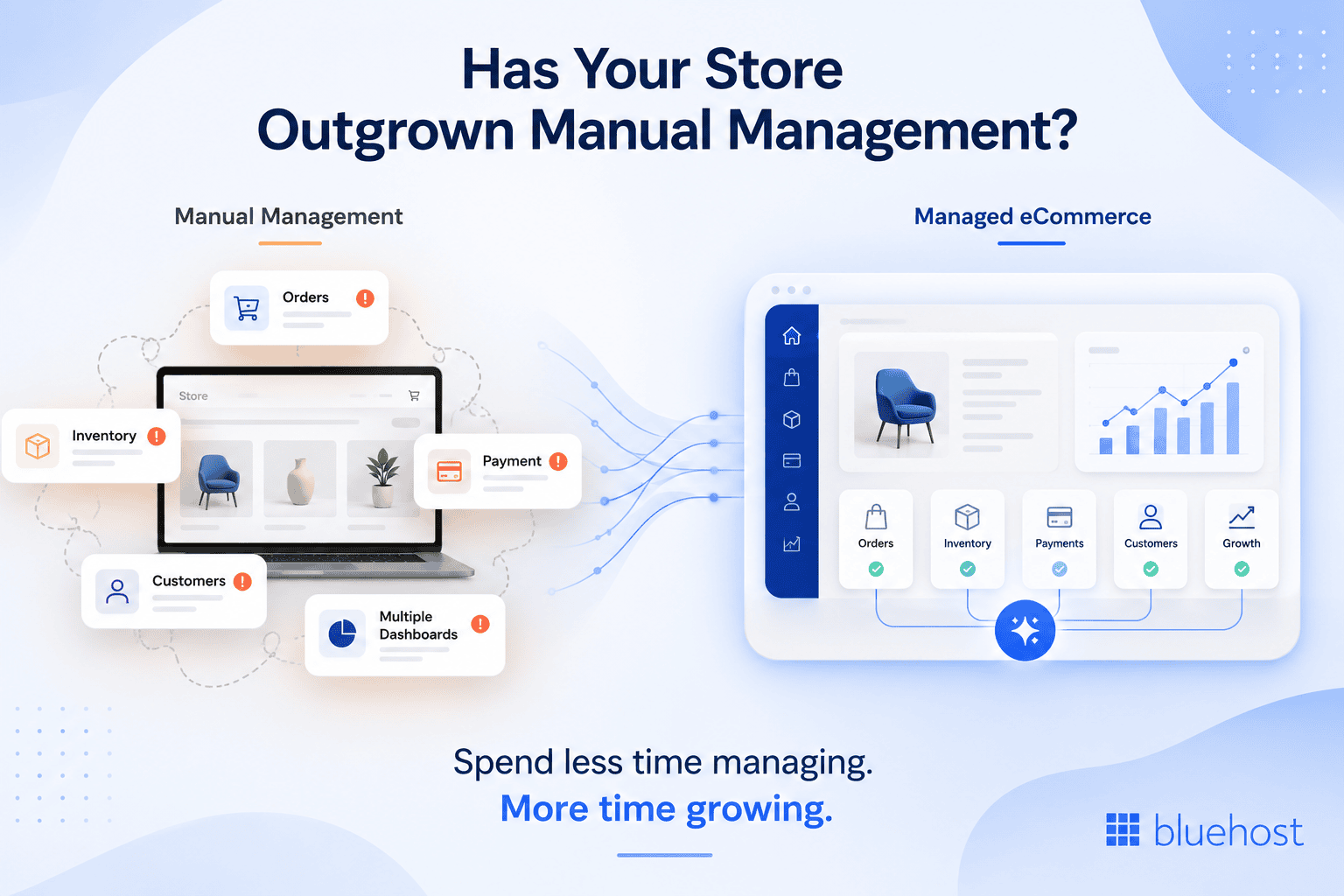
1. You’re spending more time managing than growing
If routine tasks like monitoring orders, updating products, checking inventory and troubleshooting issues consume most of your day, your store has likely outgrown manual management. As your business scales, operational work should not come at the expense of growth.
2. You’re constantly reacting to issues
Finding out about payment failures, inventory shortages or checkout problems only after they affect customers can lead to lost sales and a poor shopping experience. Managed eCommerce services help you stay ahead of issues instead of responding after the fact.
3. Your store runs on too many disconnected tools
Managing WooCommerce, payments, shipping, analytics and customer data across multiple dashboards makes it difficult to get a complete picture of your store. A unified platform simplifies operations and helps you make faster decisions.
4. You don’t have clear visibility into store performance
When it’s difficult to identify which products need attention, which customers are at risk of churning or which operational issues should be prioritised, it’s time to move beyond manual store management.
5. You need proactive store management, not just notifications
Many platforms notify you when something goes wrong, but still leave you to investigate and resolve every issue. Managed eCommerce services like Bluehost AI Store continuously monitor your store, prioritize what needs attention and help you focus on growing your business instead of managing day-to-day operations.
If you’re experiencing any of the following, it may be time to move from manual store management to a managed eCommerce platform.
What a managed, agentic platform adds?
Bluehost AI Store combines conversational store creation with agents that monitor orders, catalog health and customer behavior on a recurring schedule. Instead of requiring you to audit each area manually, the platform delivers a prioritized action plan sorted into what to do today, what to do this week and what to improve when time allows. Payments through Stripe come pre-configured, and shipping, discounts and sales channel connections sit inside one merchant-first workspace rather than a general website admin panel. That matters because you are running a store, not managing a website.
What to evaluate before choosing a provider?
Before committing to any platform, a few questions separate a genuine agentic system from a notification tool wearing an AI label.
- Does the platform act on flagged issues, or does it only report them and leave the fix to you?
- Does it charge added transaction fees on top of what your payment gateway already takes?
- Does it stay compatible with WooCommerce, so you are not locked into a closed system you cannot leave?
Those three questions expose the difference between a platform built to manage your store and one built to sell you more app subscriptions. Bluehost AI Store answers all three in the merchant’s favor: it acts rather than just alerts, it adds no platform transaction fees beyond your payment gateway’s own charges, and it runs on native WooCommerce so your catalog and order data stay yours. See how Bluehost AI Store manages orders, payments and catalog health after launch, and get started with Bluehost today.
How Bluehost agentic AI manages your eCommerce store to drive sales after launch
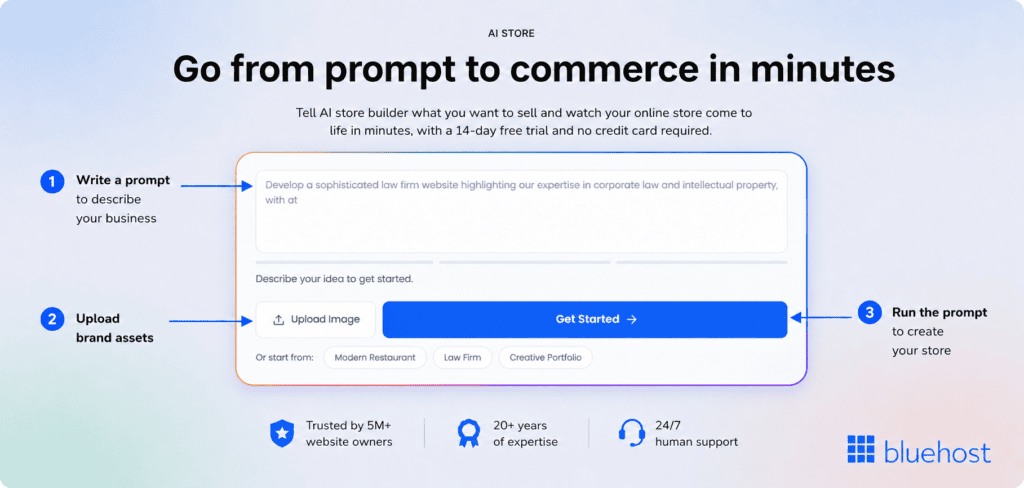
Bluehost AI Store runs daily eCommerce operations through conversational inputs and specialized AI agents.
The system operates on WordPress and WooCommerce while eliminating manual technical setups.
Six dedicated agents monitor inventory, customer activity, payment flows and active sales channels automatically.
The Coordinator Agent organizes findings from all agents into a prioritized daily Action Plan.
- Do Today
- Do This Week
- Improve When Possible
Agent Reports detail specific products, financial risk amounts and direct links to resolve identified issues quickly.
1. Autonomous management capabilities across AI agents
The table below outlines how each specialized AI agent operates and supports long-term store growth.
| AI agent | Operational scope | Core capabilities | Growth strengths |
|---|---|---|---|
| 1. Coordinator Agent | Store Health | Combines insights across agents into one prioritized daily Action Plan | Eliminates manual auditing |
| 2. Order Agent | Order Processing | Monitors pending orders and flags payment or fulfillment delays in real time | Protects daily revenue |
| 3. Catalog Agent | Product Listings | Analyzes listings, recommends fixes and verifies channel readiness | Improves product discovery |
| 4. Customer Agent | Buyer Retention | Tracks purchasing patterns and detects inactive repeat buyers early | Reduces customer churn |
| 5. Payments Agent | Checkout & Tax | Verifies Stripe connections, checks tax setups and tracks gateway health | Maintains active checkout |
| 6. Channels Agent | Multi-Channel Sales | Syncs product data automatically with Google Shopping and Meta Commerce | Expands market reach |
These automated features maintain store health while expanding search visibility across conventional and AI platforms.
Also read: Bluehost AI Store: Build & Run eCommerce Store With AI Agents
2. Search visibility optimization across traditional and AI search engines
Our platform automatically creates structured data for platforms like Google and Bing. We also optimize your eCommerce listings for conversational AI tools like ChatGPT and Perplexity. Automated schema generation helps shoppers discover your products across standard search engine results and AI responses.
3. High-speed bidirectional WooCommerce sync
We synchronize your store data bidirectionally with WooCommerce on our high-performance hosting infrastructure. Our automated background system processes data updates while you retain complete control over your store files. You keep the full power of WooCommerce without managing complex site code yourself.
4. Conversational AI chat for quick operations
Bluehost AI Chat answers queries on every page using real-time store performance data.
Store owners issue direct operational commands through simple conversational prompts.
- Which orders need attention today?
- Which products may run out soon?
- Which customers have not ordered in 60 days?
- Update all soy candle prices to $24
5. Multi-channel selling and platform benefits
Automatic synchronization updates products, order records, customer details and discount codes across connected channels.
You can connect Google Shopping and Meta Commerce directly within the Channels tab.
Bluehost AI Store preserves full WooCommerce compatibility so your business can scale without technical barriers.
Bluehost charges zero additional platform transaction fees beyond standard payment processor rates.
Build, run and grow your store with AI Store on Bluehost.
Also read: Bluehost AI Store: Getting Started with AI Store
Note: Bluehost AI Store can generate a storefront from a prompt in about 5-10 minutes, while completing products, payments and shipping for a functional store typically takes around 20-30 minutes.
Final thoughts
Managing an AI-built online store is an ongoing operational responsibility, not a task you finish on launch day. Orders keep arriving, listings keep needing attention and customers keep expecting a response.
What has changed is how much of that monitoring work an AI agent can now carry, from flagging a stuck payment to scoring your catalog before a customer ever notices a problem. Your job shifts from auditing everything yourself to reviewing prioritized recommendations and making the calls that matter.
If you are still checking every order status by hand, that is the clearest sign it is time to try a managed approach instead. Explore Bluehost AI Store to see how agentic monitoring fits your day-to-day and check out the FAQs below for common queries.
FAQs
No. Platforms like Bluehost AI Store handle products, orders, payments and shipping through conversation, so you never need to open WooCommerce settings directly. Advanced users can still access the underlying plugin ecosystem if they want deeper customization later.
A short daily glance at pending orders and alerts, a weekly review of catalog and stock health, and a monthly look at customer trends and search visibility covers most stores. Businesses with higher order volume may want a shorter daily cycle at first.
It depends on the task. Agents can take direct action on things like flagging a stuck order or executing a price change you have approved, but strategic decisions like pricing strategy or brand voice stay with you as the merchant.
A well-built order monitoring agent flags failed or stuck payments with context, such as which gateway step failed, so you can resolve it quickly instead of discovering the issue when a customer complains. Reconciling gateway status against your store records regularly helps catch these earlier.
Yes. A website builder focuses on getting a site or store live. A managed eCommerce service continues working after launch, monitoring orders, catalog health and customer behavior on an ongoing schedule rather than stopping once the store is published.

Write A Comment