 ChatGPT,
 Claude,
 Gemini,
 Grok — all four for
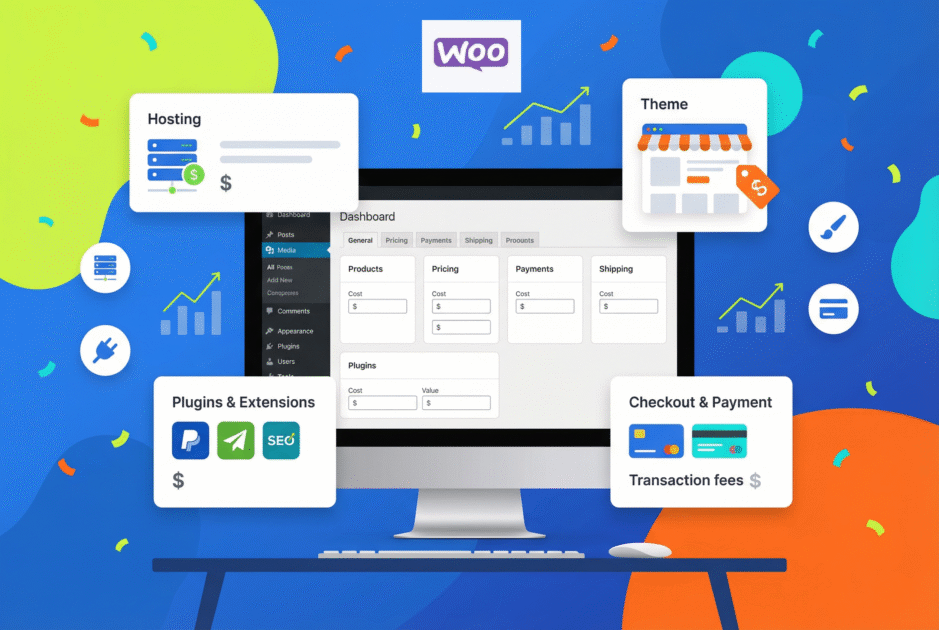
Key highlights
- Install the WooCommerce plugin to set up a fully functional online store without any initial software cost.
- Select from diverse themes to create a unique and professional look that fits your brand identity.
- Control your budget by utilizing free plugins and upgrading hosting plans only when necessary.
- Secure customer transactions with SSL certificates and optional security tools to safeguard sensitive data.
- Simplify store operations using the WooCommerce dashboard to manage products, payments and shipping efficiently.
Can you really launch a profitable store with no software bill? Many beginners ask, is WooCommerce free and expect a simple yes-or-no. The truth is clearer: the WooCommerce plugin itself is free to install, but a working, secure online shop needs other investments.
This guide walks you through the exact costs – hosting, domain names, themes, plugins and payment fees and shows practical budgets for starter, growing and high-traffic stores.
You’ll get clear examples, quick cost ranges and tips to keep expenses low without sacrificing performance. Let’s get started.
Is WooCommerce free?
Yes, WooCommerce is free to install. WooCommerce, at its core, is a free plugin that offers essential functionality to set up an online store. From product listings to essential payment gateways, you get the tools to manage a functional eCommerce site without paying for the plugin itself. However, while the WooCommerce plugin is free, running a successful store comes with additional costs – think hosting, domain registration and design.
| Component | Free? | Required? | Typical cost |
|---|---|---|---|
| WooCommerce plugin | Yes | Yes | $0 |
| WordPress | Yes | Yes | $0 |
| Hosting | No | Yes | $3-$30/month |
| Domain name | No | Yes | $10-$20/yr |
| SSL | Often free | Yes | $0-$70/yr |
| Themes | Free & paid | No | $0-$100 |
| Plugins | Free & paid | No | $0-$300/yr |
| Payment fees | No | Yes | 2.9% + fee |
In short, WooCommerce gives you a solid free foundation to launch your store, with costs scaling as your needs grow.
However, reliable hosting is what keeps your store fast, secure, and accessible to customers. Choosing a WooCommerce-optimized hosting plan ensures better performance, uptime, and room to scale as your business expands.
Find your perfect plan
Now, let’s break down exactly what features are included in the free WooCommerce plugin.
What comes with the free WooCommerce plugin?
The core WooCommerce plugin includes essential tools to run a basic online store without paying for the software itself.
Here’s what’s included at no cost:
- Unlimited product listings: Add physical or digital products with images, descriptions, categories and pricing.
- Shopping cart and checkout: Let customers add items, verify order details and complete checkout smoothly.
- Inventory management: Track stock levels, manage SKUs and set low-stock alerts.
- Payment integrations: Works with providers like Stripe and PayPal (transaction fees still apply).
- Shipping options: Configure flat rates, free shipping or location-based rules.
- Tax controls: Set regional tax rates and apply tax rules automatically.
- Coupons and discounts: Create promo codes, percentage discounts and fixed cart offers.
- Order management: View orders, update statuses and manage customer details.
These features allow you to run a functional store but hosting and a domain are still required to go live.
To better understand the overall investment, let’s move on to discuss how much a WooCommerce store costs.
What are the essential costs involved in launching a WooCommerce store?
While the plugin is free, you’ll encounter various ongoing costs when setting up and managing a WooCommerce store. These expenses can vary based on your explicit requirements and the size of your store. Let’s break down the significant expenses you should anticipate.
1. Domain registration
Every website requires a domain name and your WooCommerce store is no exception. A domain is your store’s web address (example, www.[yourstore].com), which plays a significant role in search engine optimization and branding. Typical cost for domain registration usually ranges between $10 and $20 per year. Although this can vary depending on the domain extension (.com, .net, .shop) and your chosen provider. For instance, a custom domain name like “[myonlinestore].com” can help boost your brand’s visibility and credibility, but at the same time, premium domains can cost more.
With Bluehost, finding and registering your ideal domain is seamless. You can search for your perfect store name and if you’re unsure, Bluehost’s AI-powered tools can even suggest domain names that align with your business vision. This way, you’ll not only get a domain that stands out but also one that supports your brand’s growth from the start.
Ready to secure a domain name that makes your brand stand out?
2. Hosting
The WooCommerce plugin does not include hosting. Because WooCommerce runs on WordPress, you must use a hosting service to store your website files, handle traffic and keep your store online. Hosting directly affects site speed, uptime, security and checkout performance.
There are different hosting levels depending on store size:
- Shared hosting: Entry-level option where multiple websites share one server. Costs typically range from $3-$10 per month. Suitable for small or new stores with low traffic.
- VPS (Virtual Private Server) hosting: Offers dedicated resources within a shared environment. Provides better performance and stability. Usually costs $20-$50 per month. Ideal for growing stores with steady traffic.
- Dedicated hosting: A full server reserved for your store. Designed for large businesses with high traffic and complex operations. Pricing generally starts around $80 per month and can exceed $200.
- Managed WooCommerce hosting: Hosting specifically optimized for WordPress and WooCommerce. Often includes performance tuning, security tools, backups and WooCommerce-specific support. Common price range is $20-$50 per month, depending on resources.
As your store grows, you may need to upgrade hosting to maintain fast load times and reliable checkout performance.
Looking for reliable hosting to power your WooCommerce store smoothly from day one?
Secure Sockets Layer (SSL) certificates are necessary to safeguard the information of your customers and foster confidence. Sensitive data, such as credit card details, is safeguarded when data is sent between your WooCommerce store and its visitors, thanks to an SSL certificate.
An SSL certificate ensures secure data transfer between your website and visitors, making it essential for eCommerce websites. Although some providers give free SSL certificates (Let’s Encrypt), paid SSL certificates frequently offer greater levels of validation and guarantee.
There are two primary options:
- Free SSL certificates: Many hosting providers include a basic SSL certificate in their packages, making it sufficient for most small stores.
- Paid SSL certificates: If you require more advanced security features, you can opt for a paid SSL certificate, which usually costs between $50 and $200 per year.
Having an SSL certificate is crucial for customer trust and improving your site’s SEO ranking since Google favors secure websites.
Ready to protect customer data, boost trust and improve conversions with a Premium SSL certificate?
In short, WooCommerce is free to install, but basic expenses such as domains, hosting and security form the real cost of running an online store. The flexibility lies in how much you spend and when you choose to upgrade, making WooCommerce adaptable to both small startups and large businesses.
Now that we’ve covered the basic costs, let’s explore how much designing a WooCommerce store typically costs.
How much does the design cost when setting up a WooCommerce store? Free vs. paid themes
When you first set up your WooCommerce store, one of the initial decisions you’ll need to make is its design. WooCommerce offers both free and paid themes to create a professional-looking store. But what’s the difference between the two and how do they affect the total WooCommerce costs?
1. Free WooCommerce themes
The free WooCommerce themes from the official WordPress repository offer a great starting point for beginners or small businesses. Themes like Storefront provide a clean, customizable design without any upfront cost. They are ideal if launching a simple store without too many advanced WooCommerce features.
The advantage of free WooCommerce themes is that there is obviously no cost and that you can allocate your budget elsewhere. The themes are easy to use for beginners. These free themes are regularly updated to remain compatible with the WooCommerce plugin.
However, there are limitations, such as limited customization options, which can restrict the look and feel of your store. Also, there are fewer advanced features compared to premium themes. You may need developer assistance if you want to add extensive customization.
For a small or medium-sized WooCommerce store, free themes are sufficient if your focus is on functionality rather than aesthetics.
2. Paid WooCommerce themes
Paid WooCommerce themes provide an extensive number of personalization possibilities for users who desire more ownership over their appearance. These themes include additional WooCommerce features and frequently have tools for improved SEO, security and speed built right in. Depending on the features and degree of support, a premium WooCommerce theme can cost anywhere from $30 to $100+ a year.
Benefits of paid WooCommerce themes include enhanced customization options and designs. Built-in advanced features like drag-and-drop builders, mega menus and responsive design are also available. You can also avail of ongoing support from theme developers, which can be crucial for resolving issues quickly.
The cost of paid WooCommerce themes is often justified by the design flexibility and functionality they bring to your store, significantly if you’re scaling or managing multiple stores.
With the design costs covered, let’s take a look at what expenses to expect when adding functionality through WooCommerce extensions and plugins.
How much does it cost to add functionality with WooCommerce extensions and plugins?
Beyond themes, WooCommerce can expand using a variety of free and paid plugins or extensions. These plugins can add essential features, automate processes and improve your store’s functionality. But, as with themes, understanding when to use a free plugin versus a paid one is essential to managing your WooCommerce costs.
1. Free vs. paid plugins
The WooCommerce ecosystem thrives on its large selection of plugins and extensions that enhance functionality. While there are essential free plugins, such as WooCommerce Shipping, you may need paid plugins to unlock advanced features.
Free plugins provide essential functionality to help your store operate smoothly. For instance, WooCommerce Shipping is a free extension that allows you to manage shipping methods, print shipping labels and set up shipping zones. Free plugins are great for startups or small stores that don’t require advanced functionality right away.
However, as your store grows, paid WooCommerce plugins are necessary to unlock premium features. For example:
- WooCommerce subscriptions: A paid plugin (YITH WooCommerce Subscription) that enables recurring payments, ideal for subscription-based businesses, can cost upwards of $199.99 annually.
- WooCommerce bookings: A premium plugin (YITH Booking and Appointment for WooCommerce) that allows customers to book appointments or services directly from your site, starting at $249.99 per year.
- YITH WooCommerce plugins: To add more functionality, you can opt for YITH WooCommerce plugins such as YITH WooCommerce Wishlist ($99.99 annually) and YITH WooCommerce Gift Cards ($129.99 annually). These are often bought together to enhance the customer experience and increase sales.

The cost of WooCommerce plugins varies greatly, but paid extensions typically offer more robust support and feature sets, making them a good investment as your business scales.
Also read:Check out 108 WooCommerce Extensions by YITH
2. Payment gateways and transaction fees
WooCommerce offers multiple payment gateway options, allowing you to choose between its native WooCommerce Payments or third-party solutions like Stripe and PayPal. The transaction fees for these services are usually around 2.9% + $0.30 per transaction, though these rates may vary depending on the payment provider.

One advantage of using WooCommerce Payments is that it fully integrates with the WooCommerce dashboard, providing a seamless experience for managing your store’s financials. However, third-party gateways might offer better rates for international transactions, so comparing transaction fees is crucial.
Additional costs to consider with payment gateways:
- Monthly fees for specific payment gateways.
- Additional charges for currency conversion or cross-border transactions.
- Developer fees for integrating custom payment solutions.
3. Shipping solutions
Shipping is another critical component of running a WooCommerce store and WooCommerce offers several solutions for setting up shipping labels, configuring shipping rates and integrating third-party carriers.
For example, you can use WooCommerce Shipping to print shipping labels directly from your WooCommerce dashboard. This service is free for USPS, but you will still need to pay for the shipping labels.
Other costs to consider:
- Multiple shipping rates: If you want to offer variable rates based on weight, dimensions or destination, you might need to purchase paid extensions.
- Third-party shipping services: Some stores integrate external shipping providers like FedEx or DHL, often with premium plugins.
Next, we’ll break down the recurring costs of keeping a WooCommerce store running smoothly.
How much does it cost to maintain a WooCommerce store on an ongoing basis?
Launching a WooCommerce store is only the first step. Once your store is live, there are ongoing costs that quietly run in the background. Keeping pages loading fast, payments secure and operations running without disruption. These recurring expenses vary by store size and activity, but they define the real, long-term cost of operating a WooCommerce business.
What are the recurring costs to maintain a WooCommerce store?
Maintaining a WooCommerce store involves several recurring costs that support performance, security and daily operations. The table below breaks down the key ongoing expenses and what they typically cover.
| Cost category | What it covers | Typical recurring cost |
|---|---|---|
| Web hosting | Keeps your WooCommerce store online, fast and secure; scales with traffic and products | $3–$10/month (small store)$20–$50/month (growing store)$80–$200+/month (high-traffic store) |
| Domain renewal | Annual renewal to retain ownership of your store’s web address | $10–$20/year |
| SSL certificate | Encrypts customer data and enables secure checkout | $0/year (often included)$50–$200/year (paid SSL) |
| Premium plugins & extensions | Adds advanced features like subscriptions, bookings, automation or advanced shipping | $50–$300 per plugin/year |
| Theme license renewal | Continued access to theme updates and developer support | $30–$100/year |
| Security tools | Malware protection, firewalls and monitoring | $0–$15/month |
| Backup services | Automated backups and restore options | $0–$10/month |
| Payment processing fees | Fees charged per transaction by payment gateways | ~2.9% + $0.30 per transaction |
| Ongoing maintenance (optional) | Regular updates, monitoring and technical support | $30–$150/month |
This table reflects the ongoing costs you continue paying to keep a WooCommerce store stable, secure and scalable over time.
Estimated monthly recurring cost (excluding transaction fees)
The ongoing cost of running a WooCommerce store depends on how large and complex your business becomes. As traffic, features and customer activity grow, your recurring expenses increase accordingly.
| Store size | Average monthly cost |
|---|---|
| Small store | $10–$30 |
| Growing store | $30–$100 |
| Advanced store | $100–$300+ |
These ranges show how WooCommerce scales with your business. You can start with minimal expenses and gradually invest more as your store expands and requires better performance, tools and support.
Get expert guidance in a 5-minute call
As you plan your store’s growth with ongoing maintenance costs, let’s first look at what different WooCommerce setups typically cost.
WooCommerce budgets for different types of online stores
WooCommerce is flexible, which means your cost depends on how serious your store is. Here’s what real setups typically look like.
| Store type | Typical use case | Hosting level | Themes & plugins | Extra tools needed | Estimated monthly cost |
| Blog | Content + affiliate links | Basic shared | Free theme, SEO plugin | Email tool | $10–$20 |
| Travel Blog | Guides + ads + images | Shared / optimized | Caching, image optimization | Security plugin | $15–$30 |
| Small Business Website | Services + contact forms | Shared / starter WooCommerce hosting | Premium theme, form builder | Backup tool | $20–$40 |
| Online Boutique | Selling fashion/products | Optimized WooCommerce hosting | Payment, shipping, product filters | Marketing plugin | $30–$75 |
| Wedding Photography | Portfolio + booking deposits | Shared / managed | Gallery plugin, booking tool | Image CDN | $25–$60 |
| Booking-Based Business | Appointments, rentals, classes | Managed / VPS | Booking + calendar plugins | SMS/email reminders | $50–$120 |
| Restaurant | Menu + online orders | Optimized hosting | Ordering, delivery plugins | Payment gateway | $40–$100 |
| Event Website | Ticket sales + schedules | Managed hosting | Event + ticketing plugins | Email automation | $40–$110 |
| Fitness / Coaching | Programs + memberships | Managed / VPS | Membership, subscription plugins | Video hosting tool | $60–$150 |
| Art Store | Prints + digital downloads | Shared / managed | Gallery + digital product plugin | Backup tool | $30–$70 |
| Auto Shop | Parts catalog + filters | VPS / managed | Product filter, inventory plugins | Performance optimization | $60–$160 |
| Non-Profit | Donations + campaigns | Shared / managed | Donation plugin, forms | Email marketing | $20–$60 |
Key takeaway: WooCommerce costs scale with your ambition
WooCommerce doesn’t lock you into fixed pricing. You start small, then pay more only when your store grows. This flexibility is what makes WooCommerce attractive compared to all-in-one platforms with mandatory monthly fees.
Next, let’s explore Bluehost’s WooCommerce hosting plans, thoughtfully designed to support your online store’s growth with optimized performance and reliable support.
Bluehost WooCommerce hosting plans: Tailored for your online store’s growth
At Bluehost, we offer dedicated WooCommerce hosting plans designed to provide everything you need to build, manage and scale your Woo store efficiently. Our WooCommerce pricing plans combine optimized performance, robust security and expert support to help you focus on growing your business.
Also read: Bluehost WooCommerce Hosting Plans Comparison
eCommerce Essentials plan 1.
Perfect for new and small WooCommerce stores, our eCommerce Essentials plan includes:
- Pre-installed WordPress and WooCommerce: Get your store up and running quickly with software ready to go.
- Free domain for one year: Secure your brand identity without additional upfront costs.
- Free SSL certificate: Ensure safe transactions and protect customer data.
- Optimized hosting environment: Tailored for small to medium traffic stores, delivering reliable speed and uptime.
- 24/7 dedicated WooCommerce and WordPress support: Access expert assistance anytime you need it.
- User-friendly WooCommerce dashboard: Easily manage products orders and payments from a centralized interface.
- Growth-focused pricing: Designed for businesses that need scalable infrastructure and long-term performance.
Want a high-performance environment to launch your WooCommerce store the right way?
eCommerce Premium plan 2.
Designed for growing stores with higher traffic and advanced needs, our eCommerce Premium plan offers:
- Enhanced server resources: Improved site speed and performance to handle increased visitors.
- Daily automated backups: Protect your store with reliable data recovery options.
- Advanced security features: Spam protection and additional layers of defense to keep your store secure.
- Marketing credits: Jumpstart your advertising efforts with included promotional funds.
- Priority support: Get faster responses from WooCommerce and WordPress experts.
- Scalable infrastructure: Easily adapt to growing traffic and complex store requirements.
- Access to premium WooCommerce tools: Unlock advanced extensions and integrations to expand your store’s functionality.
Need more speed, security and tools to support a growing WooCommerce store?
Choosing the right Bluehost WooCommerce hosting plan ensures your online store has the hosting solution to match its current scale and future growth. With us, you’re also set up for future growth and a secure, seamless shopping experience for your customers.
Ready to turn your idea into a WooCommerce store that sells?
Pick a WooCommerce hosting plan and turn your store idea into a live business today.
With Bluehost WooCommerce hosting plans set to support your store’s growth, let’s compare WooCommerce with other eCommerce platforms to see how it stacks up.
Is WooCommerce cheaper than other platforms?
WooCommerce can be more affordable than many hosted eCommerce platforms, but it depends on how you build and run your store. The key difference is pricing structure, not simply “cheaper vs. expensive.”
Cost comparison: WooCommerce vs. Other eCommerce platforms
When evaluating eCommerce platforms, the real difference often shows up over time. This comparison looks at how platforms differ in pricing model, hosting inclusion, transaction fees, customization level and overall suitability for different types of businesses.
| Platform | Pricing model | Hosting included | Transaction fees | Customization level | Suitable for |
| WooCommerce | Pay-as-you-go | No | Varies by payment gateway (example, 2.9% + $0.30 per transaction with WooCommerce Payments) | High (open-source and flexible) | Small to large businesses wanting full control and customization |
| Shopify | Fixed monthly fees ($29-$299) | Yes | Charges transaction fees unless using Shopify Payments | Moderate | Businesses preferring an all-in-one solution with predictable costs |
| Wix | All-inclusive plans starting at $17/month | Yes | Included in plan | Limited | Beginners wanting simplicity and ease of use |
| Squarespace | Fixed monthly fees ($16-$99) | Yes | Included in plan | Limited | Users valuing design and simplicity |
| BigCommerce | Fixed monthly fees (starting at $29) | Yes | Included in plan | Moderate | Larger businesses needing scalability and built-in features |
When evaluating WooCommerce, comparing it to other major eCommerce platforms is helpful. Each platform has its strengths and weaknesses; understanding these differences will help you make an informed decision.
1. WooCommerce vs. Shopify
Shopify offers an all-in-one solution with fixed monthly fees ranging from $29 to $299, depending on the plan. While this simplifies budgeting, it limits customization compared to WooCommerce. WooCommerce, on the other hand, uses a pay-as-you-go model, allowing you to control costs by only paying for the specific features you need.
Shopify also charges transaction fees unless you use Shopify Payments, while WooCommerce integrates with various payment gateways (including WooCommerce Payments) with no additional platform fees.
2. WooCommerce vs. Wix
Wix offers simplicity with all-inclusive plans, but WooCommerce’s flexibility and scalability are unmatched. While Wix is more accessible for beginners, WooCommerce allows for deeper customization.
Wix’s ease of use and all-inclusive plans attract many first-time store owners. However, WooCommerce offers much greater flexibility in terms of customization. Wix plans start at $17 per month for eCommerce functionality, while WooCommerce’s free core and flexible plugin system allow you to add features as needed without being locked into a fixed plan.
3. WooCommerce vs. Squarespace
Squarespace is known for its beautiful templates and simple interface. Its eCommerce plans range from $16 to $99 per month. While this provides convenience, it lacks the depth of customization that WooCommerce’s open-source platform offers.
WooCommerce, on the other hand, lets you control every aspect of your store’s design and functionality, which is a significant advantage if you want a highly customized online store.
4. WooCommerce vs. BigCommerce
BigCommerce offers fixed pricing plans that include hosting and features. In contrast, WooCommerce lets you build your store piece by piece, giving you control over costs but potentially adding complexity in managing multiple services.
BigCommerce offers enterprise-level features, with fixed monthly pricing plans starting at $29. Its scalability and built-in features make it a popular choice for larger businesses. However, WooCommerce’s customizable pricing structure can make it more cost-effective for small to medium enterprises, especially if you only need specific features.
WooCommerce offers flexible pricing and extensive customization options, making it a scalable solution for online stores of all sizes. Choosing between WooCommerce and other eCommerce platforms ultimately depends on your business goals, size and specific needs.
Disclaimer: Prices and features are subject to change; please verify with the providers for the most current information.
When is WooCommerce actually the cheaper choice?
WooCommerce tends to cost less when flexibility matters more than convenience.
It is a budget-friendly option if you:
- Want to start small and scale gradually without fixed monthly platform fees
- Prefer paying only for features you actually need
- Already use WordPress or manage multiple sites
- Run a content-driven store (blogs, SEO, memberships, digital products)
- Expect long-term growth, where flat-fee platforms become expensive
Why it’s cheaper: You control hosting, plugins and upgrades, costs grow only as your business grows.
Who should not use WooCommerce?
WooCommerce isn’t for everyone and that’s okay.
You may want to skip WooCommerce if you:
- Want an all-in-one solution with zero setup or maintenance
- Prefer fixed monthly pricing with no variable costs
- Don’t want to manage hosting, updates or plugins
- Need to launch extremely fast with minimal decisions
- Have no access to technical support or WordPress help
Better fit: Hosted platforms work better for users who value simplicity over control.
Next, let’s dive into 5 practical tips to cut WooCommerce store-building costs.
5 tips to minimize WooCommerce store building costs
Running a WooCommerce store doesn’t have to break the bank. With smart choices, you can minimize your costs while still creating a professional, functional store.
1. Using free plugins and themes effectively
WooCommerce offers a vast library of free plugins and themes that can be sufficient for small stores. Free WooCommerce themes like Storefront provide excellent functionality and design without the need for expensive customizations.
2. Scaling strategically over time
Start with the basics and upgrade as your store grows. Don’t invest in advanced WooCommerce features or premium plugins until you need them. This approach can help you avoid unnecessary upfront expenses.
3. Choosing scalable hosting and domains
Choose a hosting provider that delivers enterprise-grade performance, security and scalability from the start. At Bluehost, we offer WooCommerce hosting built to support high-traffic stores and complex operations without constant platform changes. When registering domains, choose strategically from the start to align with long-term brand growth rather than short-term savings.
4. Prioritize security and SEO early
Invest in security and SEO from the start. Using free security plugins and free versions of SEO tools like Yoast can ensure your store remains safe and visible in search engines without upfront costs. You can upgrade these tools as your business grows. At Bluehost, we offer both free and premium Yoast SEO solutions to our customers.
Looking to improve your rankings with smarter on-page SEO?
5. Taking advantage of WooCommerce extensions
WooCommerce offers many free and paid extensions that add functionality to your store. Carefully evaluate which extensions you need and use free options where possible.
By following these 5 tips, you can effectively reduce your WooCommerce store building costs without compromising on quality or functionality. Small changes in planning and strategy can make a big difference in your overall investment.
With smart planning and these cost-saving strategies, you’re now ready to take your WooCommerce store from idea to launch.
Final thoughts
Many store owners start with the same question – is WooCommerce free? It is, which lowers the barrier to entry. But running a store means planning for essentials like hosting, payments and design.
The upside? You stay in control of your spending. Start small, scale gradually and only add paid tools when growth demands it.
This pay-as-you-grow model is why WooCommerce works for both beginners and expanding brands.
To keep things simple while your store grows, get started with Bluehost WooCommerce hosting, built to support performance, security and smooth scaling from day one.
FAQs
While many wonder, “Is WordPress WooCommerce free?” the answer is yes for the plugin itself. However, running a WooCommerce store on WordPress involves additional costs like domain registration, hosting and optional premium themes or plugins. WooCommerce offers basic functionality completely free, but to build and maintain a successful online store, these extra expenses should be considered.
WooCommerce offers both free and paid themes and plugins. Free options provide basic functionality, but actual costs arise when you opt for premium plugins or themes. These premium add-ons provide advanced WooCommerce features, customization and integrations to enhance your store’s performance and design.
Unlike Shopify’s all-in-one pricing, WooCommerce offers more flexibility. You control the actual costs by choosing hosting, themes and plugins. Shopify has fixed monthly fees, while WooCommerce allows for a more customizable, pay-as-you-go approach; costs can vary widely.
At a minimum, you’ll need to cover actual costs like domain registration (around $10-$20/year) and web hosting (starting at $3-$10/month). Free themes and plugins can help you launch without significant WooCommerce fees, but premium options may add to your expenses.
WooCommerce does not include hosting. You’ll need to choose a separate hosting service for your store, which is a significant part of the cost. Depending on your selected provider and plan, hosting fees typically range from $3 to $30 per month.
Beyond basic setup, budget for payment processing fees, premium extensions for advanced functionality, email marketing tools, backup solutions, security services, theme customizations and potential developer costs. Transaction fees typically range from 2-3% per sale depending on your payment gateway.
WooCommerce can be cheaper because you control your hosting and tools. Shopify includes hosting in fixed monthly plans, which may cost more upfront. However, WooCommerce expenses vary based on plugins, themes, and performance needs.

Write A Comment