


Key highlights
- Learn what the ‘DNS entry already exists’ error means in web hosting.
- Understand why duplicate DNS zones and ownership conflicts trigger this issue.
- Fix the error safely using WHM DNS tools and structured checks.
- Identify advanced causes, such as DNS clusters and stale zone files.
- Prevent repeat errors during migrations, staging and domain changes.
Trying to add a domain to your VPS or Dedicated server and hitting the ‘DNS entry already exists’ error can be frustrating. It often appears without much explanation and blocks your setup immediately.
This error usually shows when you’re creating a new account, migrating a site or managing DNS (Domain Name System) manually. While it may look serious, it’s typically caused by duplicate or leftover DNS data on the server.
In this guide, we’ll explain what the error means, why it happens and how to fix it quickly without breaking your website or email services.
Quick overview: How to fix “DNS Entry Already Exists” error
Here is a quick summary of what causes the DNS entry already exists error and how you can fix them quickly.
| What you notice | Likely cause | Fastest fix |
| Domain fails to add in WHM | Existing DNS zone | Remove or reuse zone |
| Error after deleting account | Leftover DNS file | Clean up DNS zone |
| Domain listed under another user | Ownership conflict | Remove from other account |
| DNS works elsewhere but not here | Nameserver mismatch | Align DNS ownership |
| Error after migration | Duplicate imported zones | Audit and remove duplicates |
Now that you’ve identified the most likely cause of the error, the next step is resolving it safely. The fix depends on whether duplicate DNS zones, account conflicts, or DNS ownership mismatches are causing the issue.
But before that let’s walk through what exactly this is and what are the quickest and safest ways to fix the error without disrupting your setup.
What does the ‘DNS entry already exists’ error mean?
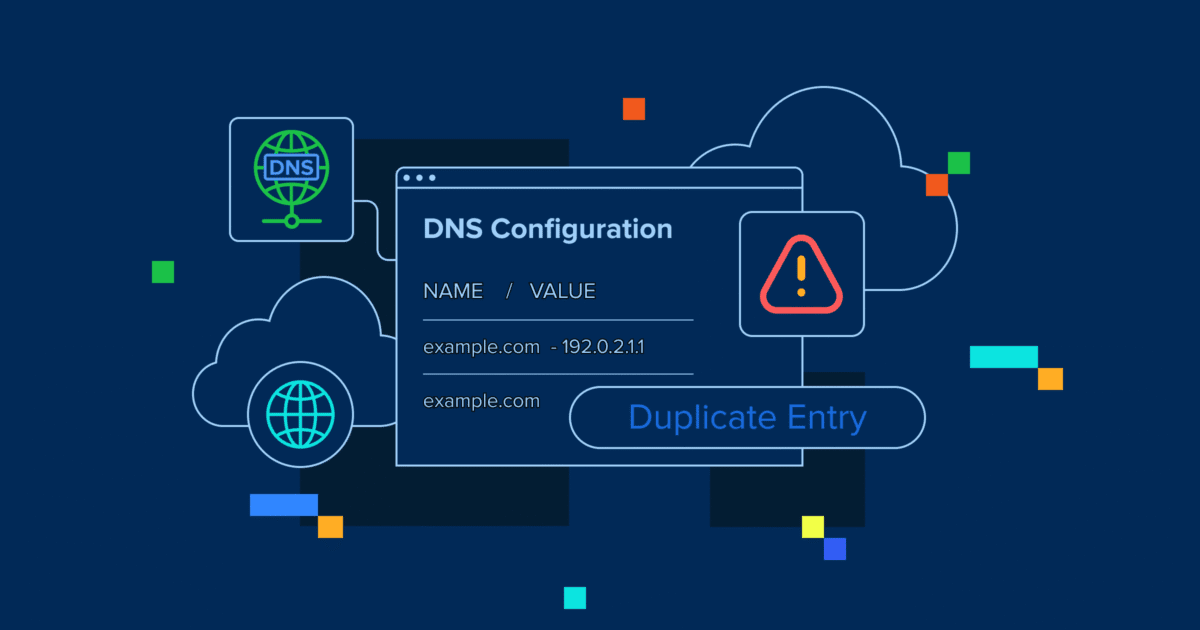
The ‘DNS entry already exists’ error occurs when your server tries to create a DNS zone or record a domain that already exists in its DNS database.
In simple terms, your server is saying:
“I already have DNS data for this domain, so I can’t create it again.”
That existing entry could be:
- A DNS zone created earlier
- A leftover zone from a deleted account
- A domain assigned to another user or reseller
- A zone imported during a site migration
To avoid conflicts and resolution issues, WHM (Web Host Manager) prevents duplicate DNS entries and shows this error instead.
Also read: cPanel overview: Your simple guide to mastering website management
How do you fix the ‘DNS entry already exists’ error quickly?
Once you understand why the error occurs, resolving it becomes much simpler. Most fixes involve checking existing DNS zones, cleaning up duplicates or aligning DNS ownership correctly.
Start with the steps below and move forward only if needed.
Step 1: Check if the domain already has a DNS zone on the server
Log in to WHM and navigate to the DNS management section.
Look for:
- The exact domain name
- Older zones created for testing or staging
- Zones added during previous migrations
If a DNS zone already exists, you may not need to create a new one. In many cases, editing or reusing the existing zone is enough.
Step 2: Remove or rename the duplicate zone safely
If the domain is not actively used on this server, you can remove the duplicate DNS zone.
Before removing anything, confirm:
- The domain is not pointing to a live website.
- Email services are not using the zone.
- You’ve noted key records like A, CNAME and MX.
If the domain is active, do not delete the zone. Instead, update the existing records to match your current configuration.
Step 3: Verify the domain isn’t already assigned to another account or reseller
Search all accounts on the server for the domain.
This error often appears when:
- The domain was previously hosted under a different user.
- A reseller account still owns the domain.
- A staging or development account wasn’t cleaned up.
If the domain exists elsewhere, remove it from that account before adding it again.
Step 4: Fix nameserver/DNS ownership conflicts
DNS conflicts also occur when a domain’s DNS is managed in more than one place.
Ask yourself:
- Is DNS managed at the registrar?
- Is the domain using Cloudflare or another CDN?
- Are you trying to manage DNS both externally and locally?
If you want your VPS or Dedicated server to manage DNS:
- Point the domain to your hosting nameservers.
- Remove conflicting external DNS management.
If DNS is managed elsewhere, avoid creating duplicate local zones unless required.
Step 5: Restart DNS services if records don’t apply after cleanup
After cleaning zones or resolving conflicts, restart DNS services from WHM.
This helps:
- Apply changes properly
- Clear cached DNS data
- Sync DNS updates
Once restarted, try adding the domain again.
Also read: What is premium DNS? A quick guide
Where do you usually see this error on VPS & Dedicated hosting?
You’re most likely to encounter this error when:
- Creating a new account in WHM
- Adding a domain to an existing account
- Managing DNS zones manually
- Migrating domains between servers
- Working with reseller or multi-domain setups
Because VPS and Dedicated hosting give you deeper DNS control (including WHM/root-level tools), these environments are more prone to duplication if cleanup isn’t done carefully.
Why does the ‘DNS entry already exists’ error happen?
In most cases, this error happens because the server already recognizes the domain in some form. The issue is rarely about the domain itself and almost always about DNS duplication or ownership confusion.
Most common causes
- Duplicate DNS zone already exists: The domain was added earlier
- Leftover DNS zone: Account removed, but zone file remains
- Domain assigned to another account or reseller: Common in shared VPS setups
- Nameserver mismatch: DNS managed externally but added locally
- Migration residue: Old DNS zones copied during server moves
- DNS cluster conflicts: Multiple servers claiming the same domain
Identifying the cause first helps you fix the issue safely without deleting active records.
What if the error still shows up after you remove duplicates?
If the error persists, the issue may be deeper than a simple duplicate zone.
- Check for hidden zone files or stale DNS configs
Sometimes DNS zones remain even after deletion.
This can happen due to:
- Incomplete account removal
- Cached DNS configurations
- Delayed cleanup during migrations
Review all DNS zones carefully and remove entries that are no longer required.
- Look for DNS cluster conflicts in multi-server setups
In multi-server or clustered environments, multiple servers may attempt to control the same DNS zone.
If that happens:
- Decide which server should be authoritative.
- Remove duplicate zones from secondary servers.
- Re-sync DNS cluster settings.
This step is especially important for Dedicated hosting users with advanced configurations.
How does Bluehost hosting simplify DNS management?
DNS issues like “DNS entry already exists” are easier to resolve when you have the right level of access and control. Bluehost Advanced Hosting plans are designed for troubleshooting, giving you the tools needed to identify and fix DNS conflicts quickly and safely.
Full root access allows manual zone removal
With Bluehost Dedicated hosting or VPS hosting, you have full root access, which means you’re not limited to automated tools or basic control panel actions. This level of access allows you to:
- Inspect existing DNS zone files directly on the server.
- Manually remove or correct duplicate DNS entries.
- Resolve DNS conflicts caused by incomplete account deletions or migrations.
- Clean up leftover DNS records that automated processes may miss.
Having direct server access makes it much easier to troubleshoot persistent DNS errors and restore proper domain functionality.
Isolated environments prevent neighbor DNS conflicts
Bluehost VPS or Dedicated hosting operates in isolated server environments, unlike shared hosting. This isolation ensures that:
- Other users cannot modify or interfere with your DNS settings.
- There are no cross-account DNS conflicts.
- Domain, website and email resolution remains stable and predictable.
If you manage multiple domains or regularly migrate sites between servers, this isolation significantly reduces the risk of DNS duplication errors and improves overall reliability.
How do you prevent the ‘DNS entry already exists’ error in the future?
You can avoid this error entirely by taking a few proactive steps to keep your DNS configuration clean and consistent.
- Keep DNS ownership clear and consistent.
- Remove unused DNS zones after migrations.
- Audit DNS zones before adding new domains.
- Avoid creating the same domain across multiple accounts.
- Standardize DNS workflows across environments.
- Review DNS cluster settings regularly.
Maintaining a clean DNS setup helps reduce troubleshooting time, prevents account creation issues and minimizes the risk of downtime.
Final thoughts
The ‘DNS entry already exists’ error may seem intimidating, but it’s usually caused by simple duplication or unclear DNS ownership. Once you identify existing zones, clean up unused entries and align where DNS is managed, the issue is often resolved in minutes.
Hosting environments with clear DNS tools make troubleshooting faster and reduce the risk of configuration mistakes. Bluehost includes DNS management features across its hosting plans to help prevent conflicts and simplify domain setup.
If you want fewer DNS roadblocks and smoother domain management, choosing the right Bluehost plan can make a difference.
Get started with Bluehost now!
FAQs
It means WHM already has a DNS zone or record for that domain and prevents creating a duplicate.
Yes, but only if the domain is not actively using that zone. Always verify before deleting.
Sometimes the account is removed, but the DNS zone remains, causing a conflict.
No. Cloudflare, as an external DNS provider, does not cause the WHM “DNS entry already exists” error. This error occurs only when there is a duplicate record in the local DNS zone file. Cloudflare can create confusion if DNS is managed in both places, but the conflict itself is strictly local to the server.
Server-side changes apply quickly, but global DNS propagation may take up to 24 hours.


Write A Comment