 ChatGPT,
 Claude,
 Gemini,
 Grok — all four for


Key highlights
- Learn how to use website templates effectively to create a professional, responsive site without advanced design or coding skills.
- Understand how Bluehost simplifies web design with AI website building, mobile optimization and easy customization options.
- Explore the benefits of responsive, mobile-friendly templates that enhance user experience and keep your website visually consistent.
- Know how to customize templates by adding brand content, adjusting layouts and setting global styles for cohesive design.
- Uncover how to launch, promote and maintain your website efficiently while saving time and focusing on business growth.
Creating a professional website is essential for building a strong online presence. But even with ready-made website templates, the process can still take time. You may need to choose the right layout, customize pages, add content, source images and adjust design elements like fonts, colors and spacing.
Website templates make this process easier by giving you a pre-designed starting point instead of a blank page. With the right template, beginners, business owners and creators can build a polished website faster without designing every section from scratch.
Bluehost makes this process even simpler with Bluehost AI Website Builder. Instead of manually selecting and editing a template, you can describe your website goals and let AI help create a professional site based on your input. The builder uses your business details, style preferences and website purpose to generate a starting point you can review, customize and publish.
In this guide, we’ll explain everything you need to know about templates. From how to use a website template step by step and what to customize, to how AI-powered tools like Bluehost AI Website Builder can help you launch faster.
Let’s get started!
What is a website template?
A website template is a pre-designed web layout that helps you build a professional website quickly without coding. It includes multiple page layouts, custom headers, a custom logo area and design features like three-column layouts and mobile-friendly structure. These modern templates are fully responsive, allowing you to easily create pages like your homepage, product listings and more using a consistent theme across your site.
A website template serves as a ready-made foundation for your website, a digital framework that defines how your site looks and functions. It includes essential design and layout elements such as:
- Homepage design that captures your brand identity and engages visitors.
- Multiple page layouts for sections like About, Services, Blog and Contact.
- Custom headers and logos to personalize your brand presence.
- Three-column layout or flexible grids for easy content organization.
- Product listing pages that help showcase items for online stores.
- Theme customization options for fonts, colors and navigation style.
Modern platforms like Wix Studio and WordPress themes offer fully responsive templates that automatically adjust to all screen sizes, ensuring a mobile-friendly experience.
This flexibility allows anyone, from beginners to professional designers, to create a visually appealing, search-optimized website that looks great on desktops, tablets and smartphones.
How to choose the right website templates?
Choosing the right website template is the first step toward building a professional, visually consistent and user-friendly site. Whether you’re learning how to use a website template or exploring how to make a web page template from scratch. The right design choice ensures your website looks cohesive, loads fast and works smoothly across devices.
Here are the three key ways to choose the right template:
- Match your brand’s style
- Consider functionality and user experience
- Design with accessibility in mind
Now, let’s discuss each of them in detail.
1. Match your brand’s style
Choose a template design that reflects your brand’s color palette, font styles and overall look. This will help create a consistent and custom design across all pages.
Some template designs come with pre-set color palettes and fonts; however, most allow flexibility, letting you adjust font sizes, colors and page layouts to match your brand’s identity.
2. Consider functionality and user experience
When selecting a template, consider its functionality and how it supports site navigation. Look for features like widgets, page layouts and design elements that improve user experience.
A well-chosen template will allow site visitor to easily find information, making the site user-friendly and intuitive to navigate.
3. Design with accessibility in mind
Choose a color scheme that’s readable on all screen sizes and devices. Additionally, make sure the font size and style are accessible for all users. Accessibility is a key part of creating a good design, as it helps to retain visitors and reduces the bounce rate.
Also read: Best Wix Competitors 2026: Top Website Builders to Try
How to customize your website templates?
Customizing your website template is the process of personalizing its design, layout and content to reflect your brand identity and business goals. It ensures your website looks unique, professional and aligned with your overall theme.
Here are the three key ways to customize your website template:
- Add your content and images
- Arrange elements to create a visual hierarchy
- Set global styles for consistency
Now, let’s discuss them in detail.
1. Add your content and images
Replace any placeholder text, images or videos in the template with content unique to your brand. This could include adding a logo, business tagline and page content written in your brand’s voice. Customizing these design elements allows you to make a template feel like an extension of your company.
2. Arrange elements to create a visual hierarchy
A great website template will provide different page layouts for specific needs, such as blog posts or landing pages. Use this to establish a visual hierarchy that makes it easy for visitors to find the most important information. For example, adjust font sizes for headings and subheadings to help guide the viewer’s eye.
3. Set global styles for consistency
To keep a same design across the entire website, define global styles like colors, fonts and font sizes. Most platforms allow you to set these once so they apply across all pages, ensuring every part of the site feels cohesive and on-brand.
Tips for creating an effective website using templates
Creating an effective website using templates means focusing on design clarity, user experience and mobile responsiveness to ensure your site performs well across all devices.
Here are the four key tips for creating an effective website using templates:
- Optimize for mobile and various screen sizes
- Design for scannability
- Avoid clutter for a clean design
- Use high-quality resources
Now, let’s discuss them in detail.
1. Optimize for mobile and various screen sizes
A responsive template automatically adjusts to fit different screen sizes, ensuring that your website looks good on any device. As mobile browsing increases, responsive design is essential for reaching a wider audience.
2. Design for scannability
Most users don’t read every word on a page they skim. Use short paragraphs, bullet points and images to make your content easy to digest. Choosing a simple, intuitive design with clear CTAs (call-to-actions) can encourage site visitor to take action, whether that’s reading a blog, subscribing or making a purchase.
3. Avoid clutter for a clean design
Avoid overloading pages with animations, widgets or too many design elements. A simple, clean layout keeps the focus on your content and enhances usability. Too many elements can distract or confuse visitors, so stick to what’s essential for a good design.
4. Use high-quality resources
Using free resources like high-quality images, graphics and icons enhances the look of your site. Many web templates come with resources, but you can also find additional options to suit your brand. Just make sure they align with your site’s color palette and style.
How to launch and promote your website template?
Launching and promoting your website template is the final step in ensuring your site is fully functional, visible online and continuously optimized for performance and audience engagement.
Here are the three key steps to launch and promote your website template successfully:
- Test across browsers and devices
- Promote using social media and content marketing
- Regularly update and maintain your site
Now, let’s discuss them in detail.
1. Test across browsers and devices
Before launching, test your website on different browsers and devices to ensure it displays correctly everywhere. This is crucial for providing a smooth experience across platforms and enhancing the site’s credibility.
2. Promote using social media and content marketing
Use social media, content marketing and email newsletters to drive traffic to your website. You can also create long-form content like blog posts or videos to attract visitors. Repurpose this content into social media posts to reach a larger audience.
3. Regularly update and maintain your site
Keep your website template up-to-date to ensure it remains secure and compatible with the latest browsers and devices. Updating your site’s content and design elements also keeps your brand fresh and relevant to site visitors.
By following these tips, using a website template becomes an efficient and effective way to build a great website.
With thoughtful customization, accessible design and strategic promotion, you can create a website that reflects your brand and meets the needs of your customers without needing extensive coding or design skills.
How to use Bluehost AI Website Builder to customize and launch your website faster?
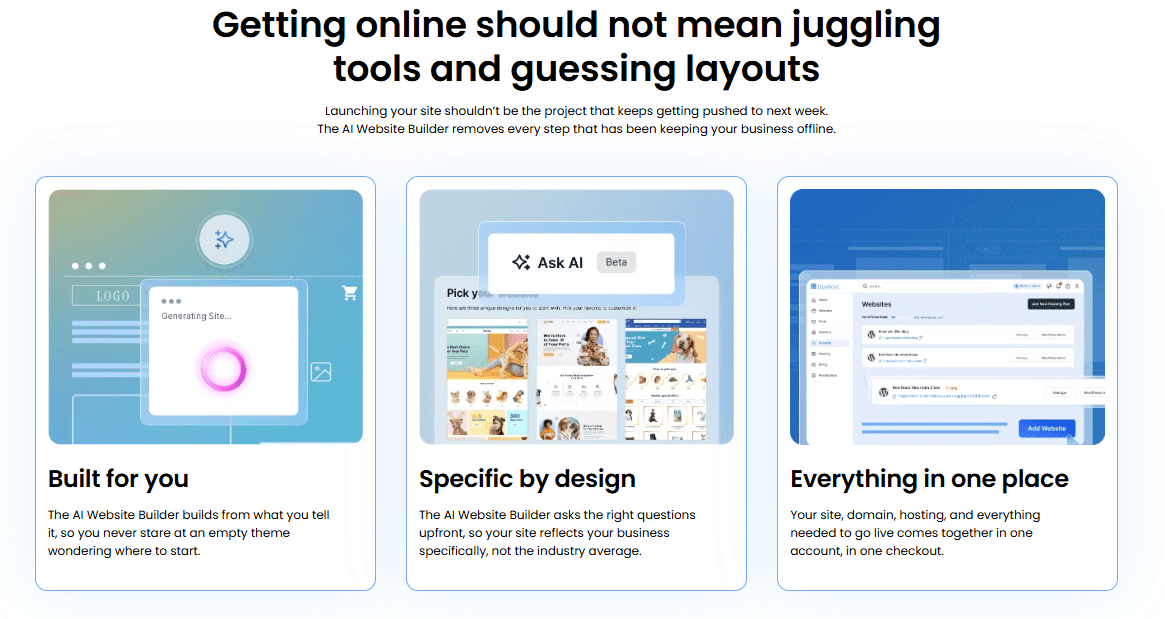
Website templates help you start with a ready-made layout, but you still need to customize the pages, replace placeholder content, add images, adjust design elements and prepare the site for launch. Bluehost AI Website Builder simplifies that process by helping you create a professional website from a simple prompt.
Instead of manually editing every section of a template, you can describe your website goals, business type and preferred style. The AI agent can ask follow-up questions, generate a complete styled website and show changes in real time as it builds.
Here’s how to use Bluehost AI Website Builder when creating a website:
1. Start with your website goal
Begin by telling the AI agent what kind of website you want to build. Include your business type, audience, services or products and the main action you want visitors to take.
Example prompt:
“Create a professional website for a local bakery that sells custom cakes, pastries and catering services. Use a warm, modern style with a homepage, menu page, about page, contact page and clear calls to action for visitors to place an inquiry.”
2. Let the AI ask follow-up questions
Bluehost AI Website Builder can ask guided questions to better understand your brand, goals and style before building the site. This helps create a more relevant first draft instead of a generic template.
3. Review the website as it builds
The AI agent builds the website in real time, so you can see sections appear as the site comes together. It can generate website copy and structure based on your business type and goals, giving you a stronger starting point than a blank template.
4. Customize with simple prompts
Once the site draft is ready, you can make changes by chatting with the AI agent. You can ask it to:
- Change a headline.
- Update page copy.
- Add a new page.
- Add a contact form.
- Replace or adjust images.
- Change text, images or layout elements.
- Create blog content for your site.
You can also upload a logo or visuals so the AI can help extract brand colors and tone for the website.
5. Choose a domain and publish
When you’re ready to launch, Bluehost AI Website Builder supports the publishing flow. You can choose from AI-generated domain suggestions, use an existing domain or search for another option. Then select a hosting plan, complete checkout and publish your website with Bluehost.
Bluehost AI Website Builder gives beginners, creators and business owners a faster way to move from idea to launch. Our builder keeps the ease of a website template but adds AI-assisted setup, real-time build visibility, domain options and hosting in one guided flow.
Build your website faster with Bluehost AI Website Builder.
Final thoughts
Website templates are one of the easiest ways to create a professional website without advanced design or coding skills. They give you a structured starting point, helping you build pages faster while keeping your design consistent across your site.
To get the best results, choose a responsive template that fits your brand, customize the fonts, colors, images and layout, then test your site across devices before publishing. Regular updates also help keep your website accurate, secure and useful for visitors.
If you want to build a website faster, our AI Website Builder can help you move from idea to launch with AI-assisted website creation, guided customization and Bluehost hosting in one flow.
Start building your professional website with Bluehost AI Website Builder today.
FAQs
Yes, you can absolutely use a website template without any coding knowledge. Most modern website builders are designed specifically for non-technical users, offering drag-and-drop editors that let you swap text, images and colors without touching a single line of code. With Bluehost AI Website Builder, you can take this even further by generating and adjusting layouts through simple text prompts. That said, basic familiarity with concepts like fonts, spacing and color contrast will help you produce a more polished result, even without coding skills.
The cost of using a website template ranges from completely free to several hundred dollars, depending on the platform and template quality. Free templates are widely available on platforms like WordPress.org, Wix and Canva, though they often come with limited customization or platform branding. Premium templates typically cost between $20 and $200 as a one-time purchase. Keep in mind that template costs are separate from hosting, domain registration and any premium plugins or apps you may need to add full functionality to your site.
A website template is a pre-designed layout that serves as a visual starting point for your site, while a website builder is the software platform you use to apply, edit and publish that template. Think of the builder as the tool and the template as the blueprint. Some builders like Wix or Squarespace bundle proprietary templates into their platform, whereas open-source systems like WordPress allow you to import templates from third-party marketplaces. You need a website builder to use a template, but a builder can also function without a pre-made template if you build from scratch.
Website templates vary significantly in their SEO-friendliness and not all templates are created equal. Well-coded templates load quickly, use semantic HTML structure and render properly on mobile devices, all of which are factors that search engines reward. Poorly built templates can include bloated code, render-blocking scripts or non-responsive layouts that hurt your rankings. Before committing to a template, check its PageSpeed score using Google’s free PageSpeed Insights tool and confirm it supports clean heading hierarchies and descriptive alt text for images. Choosing a reputable platform helps ensure baseline SEO standards are met.
Yes, you can switch website templates after your site is live, but the process requires careful planning to avoid disrupting your content or design. On most platforms, switching templates does not delete your text or images, but it will reset your layout, font choices and color settings, requiring you to restyle the site. Some platforms like WordPress allow relatively smooth theme switches, while others may require manually repositioning content blocks. It is best to preview the new template on a staging environment before applying it live, so visitors never see a broken or incomplete version of your site.
Bluehost AI Website Builder goes beyond generating a website draft. It uses a conversational AI agent that asks relevant questions, builds your website in real time and helps you make updates through simple prompts. Hosting, domain and support are included in one platform.
Yes. After your website is generated, you can continue customizing it using AI prompts. Simply describe the changes you want, such as updating content, adding pages or modifying layouts and the AI agent will make those updates for you.
No. Bluehost AI Website Builder is designed for beginners and small business owners with no coding or design experience. The AI guides you through setup, creates your website based on your input and helps manage updates through natural conversation.

Write A Comment