 ChatGPT,
  Claude,
  Gemini,
  Grok — all four for
 Bluehost AI Store: Check and Navigate AI Store Insights
Managing your Bluehost AI Store requires staying on top of inventory, customer behavior, and catalog health. Thanks to the new AI Insights features, you now have a built-in "Merchant Command Center" that constantly analyzes your store and provides clear, actionable next steps.
This article explains how to access and navigate the AI Insights tab in the AI Store dashboard, review its recommendations, and understand how they can help improve your store. It also includes a video walkthrough for additional guidance.
Step 1: Access the AI Store
- Log in to your Bluehost Portal.
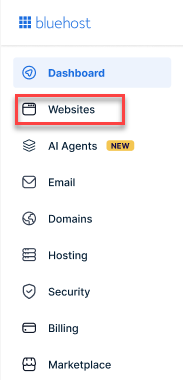
- From the left-hand menu, click the Websites tab.
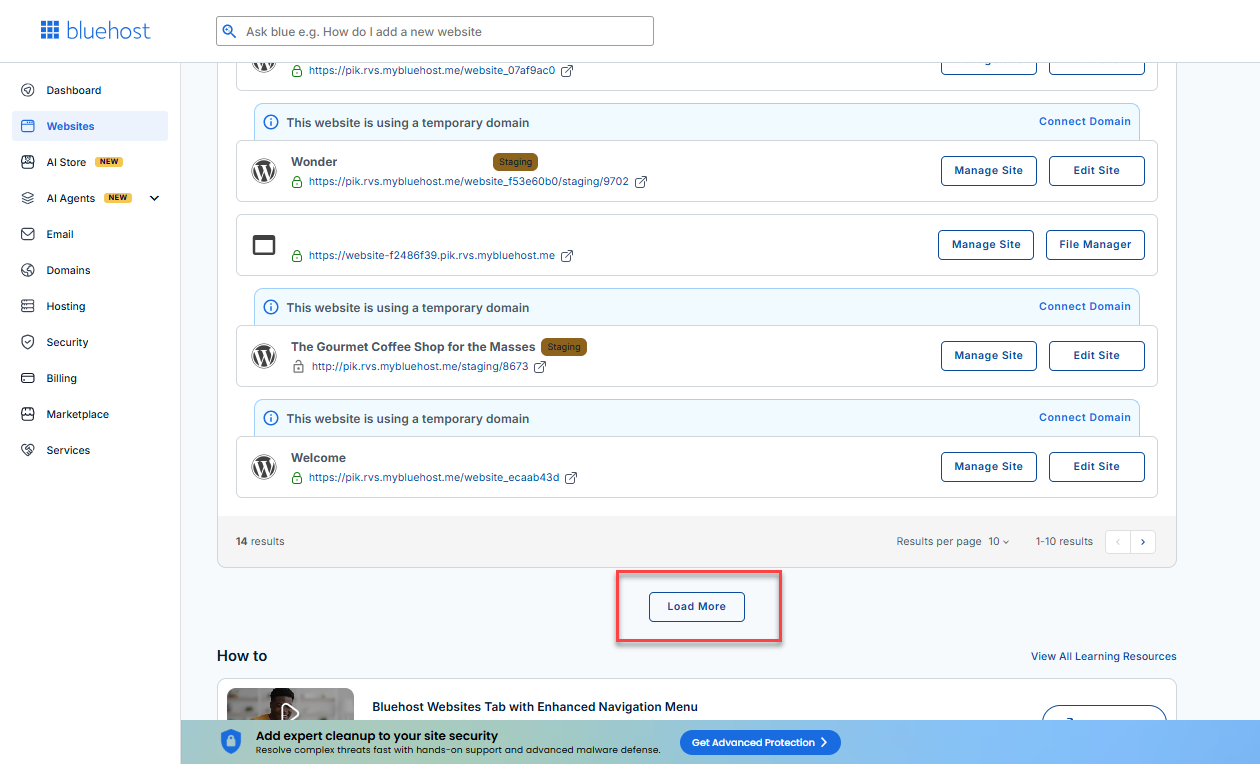
- Locate your Sell Online plan. If you have multiple websites, you need to scroll down and click the Load More link.
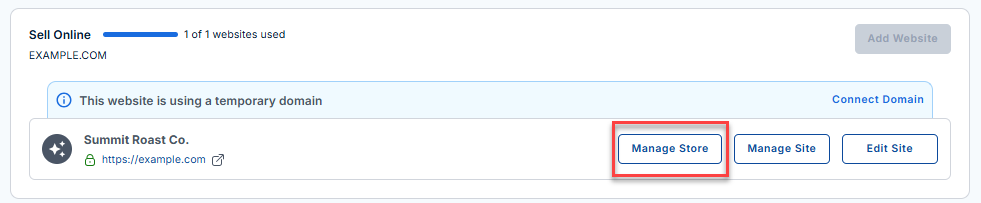
- Click the Manage Store button next to your site.
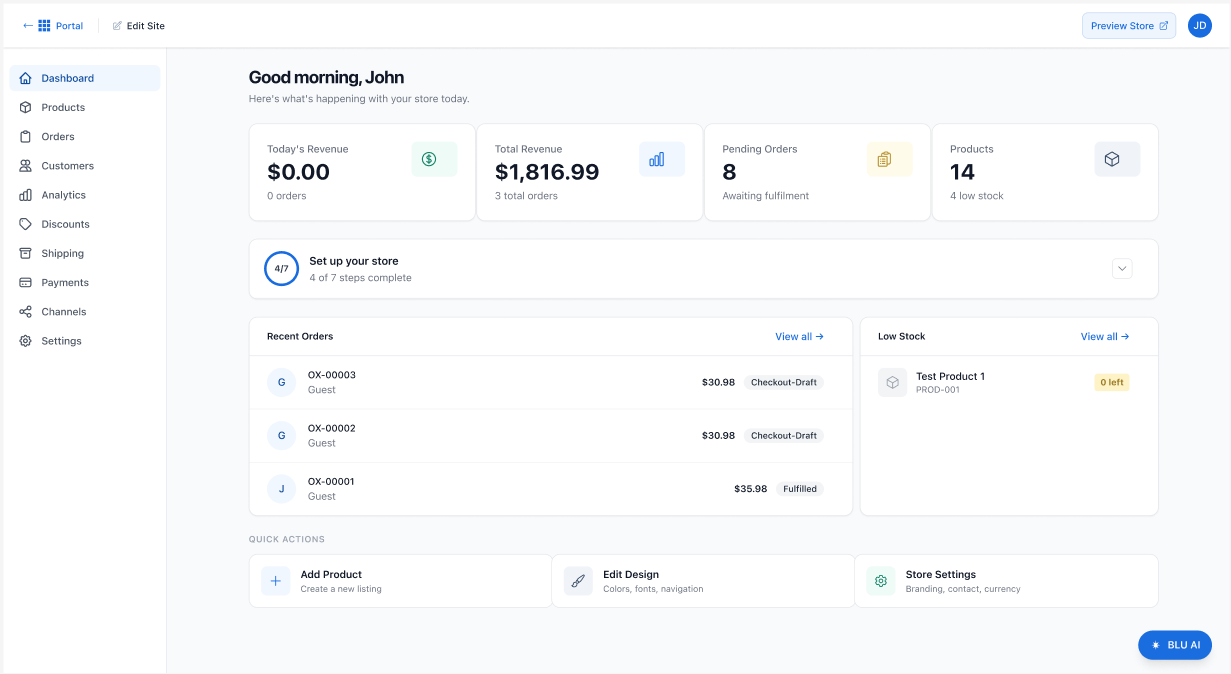
- You will be redirected to your Bluehost AI Store Dashboard.
Step 2: Navigate to AI Insights
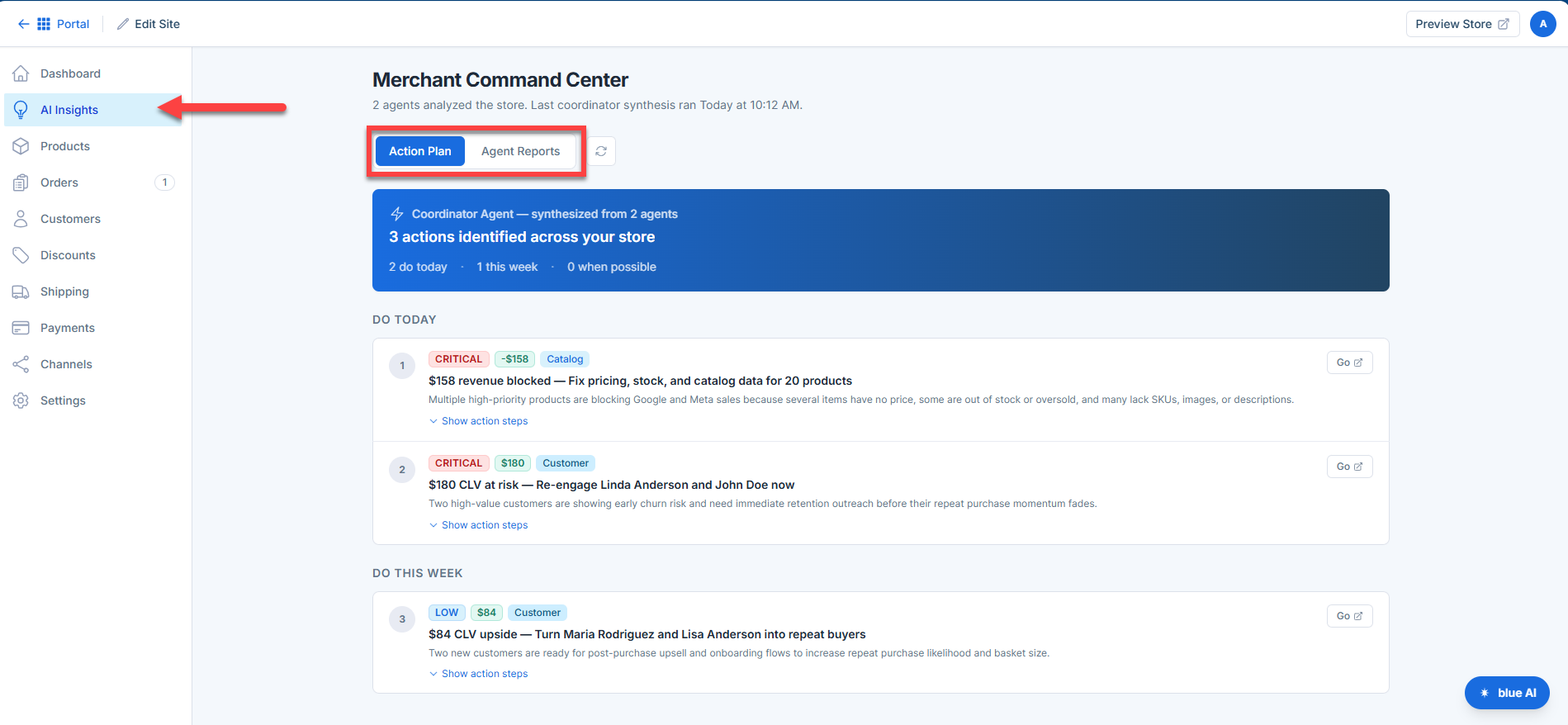
Once inside the AI Store dashboard, click the AI Insights tab.
This will open the Merchant Command Center, which serves as the central hub for all AI-generated recommendations and health checks for your store. At the top of this page, you will see two main tabs: Action Plan and Agent Reports.
Step 3: Check Your "Action Plan"
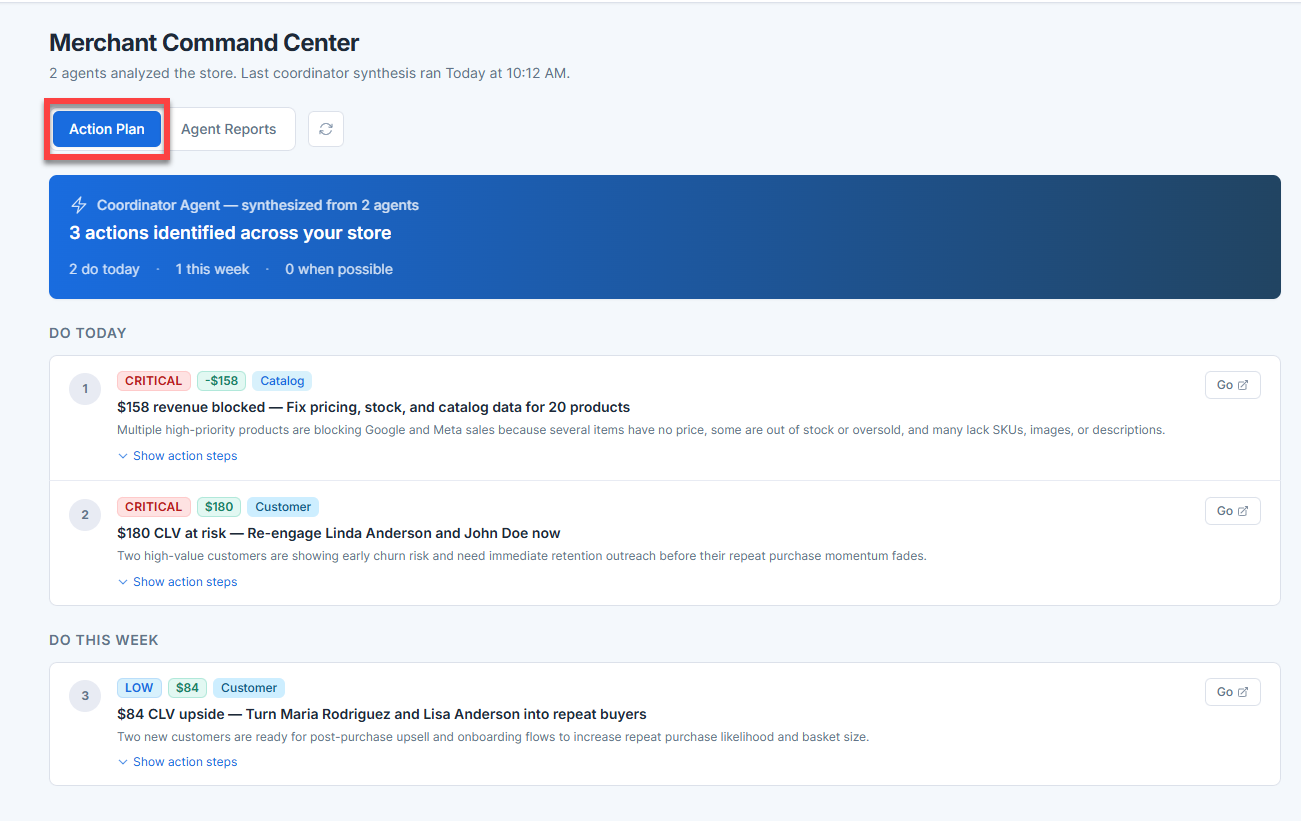
By default, the AI Insights page opens to the Action Plan tab. Think of this as an intelligent, prioritized to-do list for your store.
Step 4: Exploring "Agent Reports"
Next to the Action Plan, you can click on the Agent Reports tab. While the Action Plan tells you what actions to take, the Agent Reports tab shows which AI agents are identifying issues and provides insights into the overall health of specific areas of your store.
Agent Reports Features
This tab displays a comprehensive list of specialized AI agents that monitor different aspects of your business. Each agent card provides critical at-a-glance information:
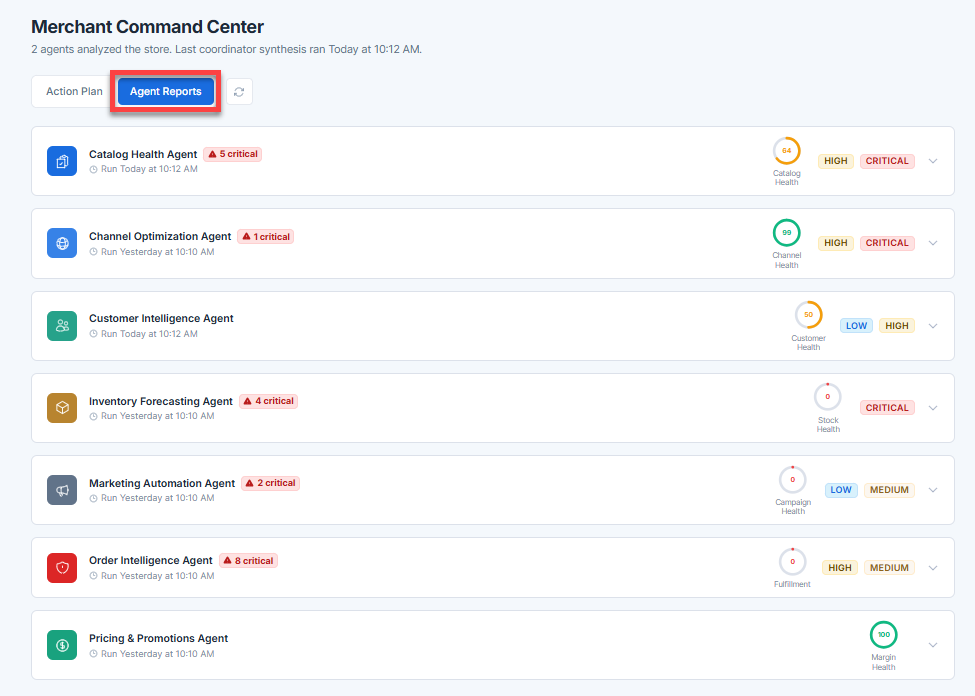
- List of Specialized Agents: The dashboard includes several specialized bots, including:
- Catalog Health Agent: Monitors product details, SKUs, and imagery.
- Channel Optimization Agent: Ensures your products are ready for sales channels like Google and Meta.
- Customer Intelligence Agent: Tracks customer lifetime value and churn risk.
- Inventory Forecasting Agent: Keeps an eye on stock levels.
- Marketing Automation Agent: Monitors campaign health.
- Order Intelligence Agent: Tracks fulfillment operations.
- Pricing and Promotions Agent: Ensures margins and pricing are optimized.
- Alerts: Red badges highlight immediate issues (like "5 critical").
- Last Run Timestamp: See exactly when the agent last checked your store. (Example: "Run Today at 10:12 AM").
- Health Scores and Status: A quick 0-100 dial and status tags (like HIGH or CRITICAL) show you exactly what needs your attention.
To learn more about the AI Action Plan, refer to the Bluehost AI Store: Understanding the AI Action Plan article.
Summary
The AI Insights feature empowers customers to efficiently manage their online stores by providing actionable recommendations and real-time health checks. By utilizing its features, you can quickly identify and resolve issues, optimize store performance, and maximize revenue. Regular use of these tools ensures your store remains healthy, competitive, and responsive to customer needs.
If you need further assistance, Bluehost Chat Support is available 24 hours a day, 7days a week while Bluehost Phone Support is available 7 days a week from 7 am-12 midnight EST.
- Chat Support - While on our website, you should see a CHAT bubble in the bottom right-hand corner of the page. Click anywhere on the bubble to begin a chat session.
- Phone Support -
- US: 888-401-4678
- International: +1 801-765-9400
You may also refer to our Knowledge Base articles to help answer common questions and guide you through various setup, configuration, and troubleshooting steps.