 ChatGPT,
  Claude,
  Gemini,
  Grok — all four for
 Bluehost Malware Protection Complete Security Plan: Purchase Guide
Bluehost offers the Malware Protection Complete Security Plan designed to automatically scan, detect, and remove malware threats while keeping your website secure 24/7.
In this article, we will walk you through purchasing the Malware Protection Complete Security plan from the Bluehost website.
We have created a video to guide you in purchasing the Complete Security plan through the Bluehost website.
To learn more about how to purchase Bluehost Malware Protection through your Bluehost Portal, check out this article: How to Purchase Bluehost Malware Protection in the Bluehost Portal
How to Purchase the Complete Security Plan
- In your browser, go to Bluehost.com.
- Click the For Hosting tab at the top menu, then select Website Security.
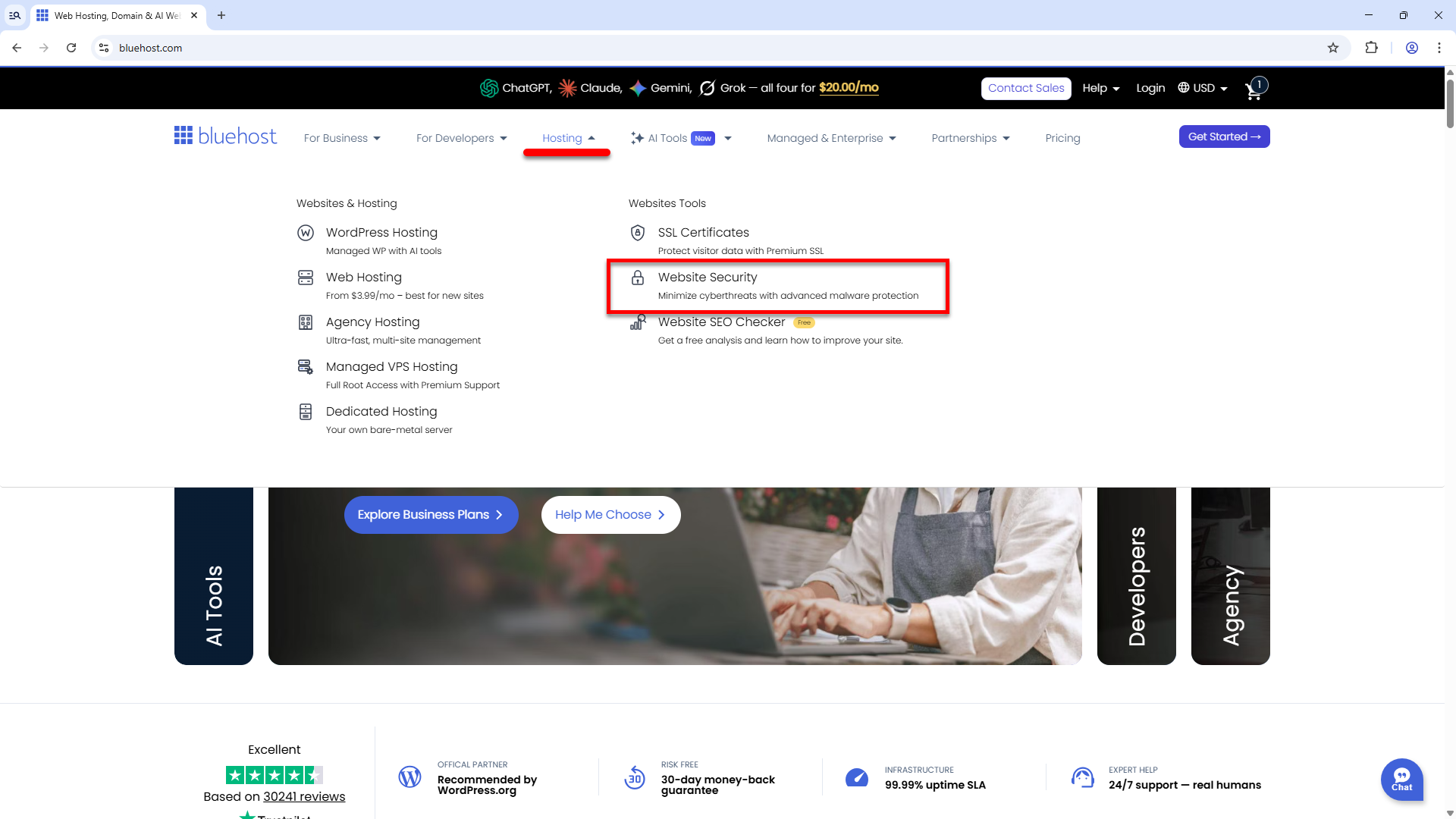
You can also visit https://www.bluehost.com/website-security directly.
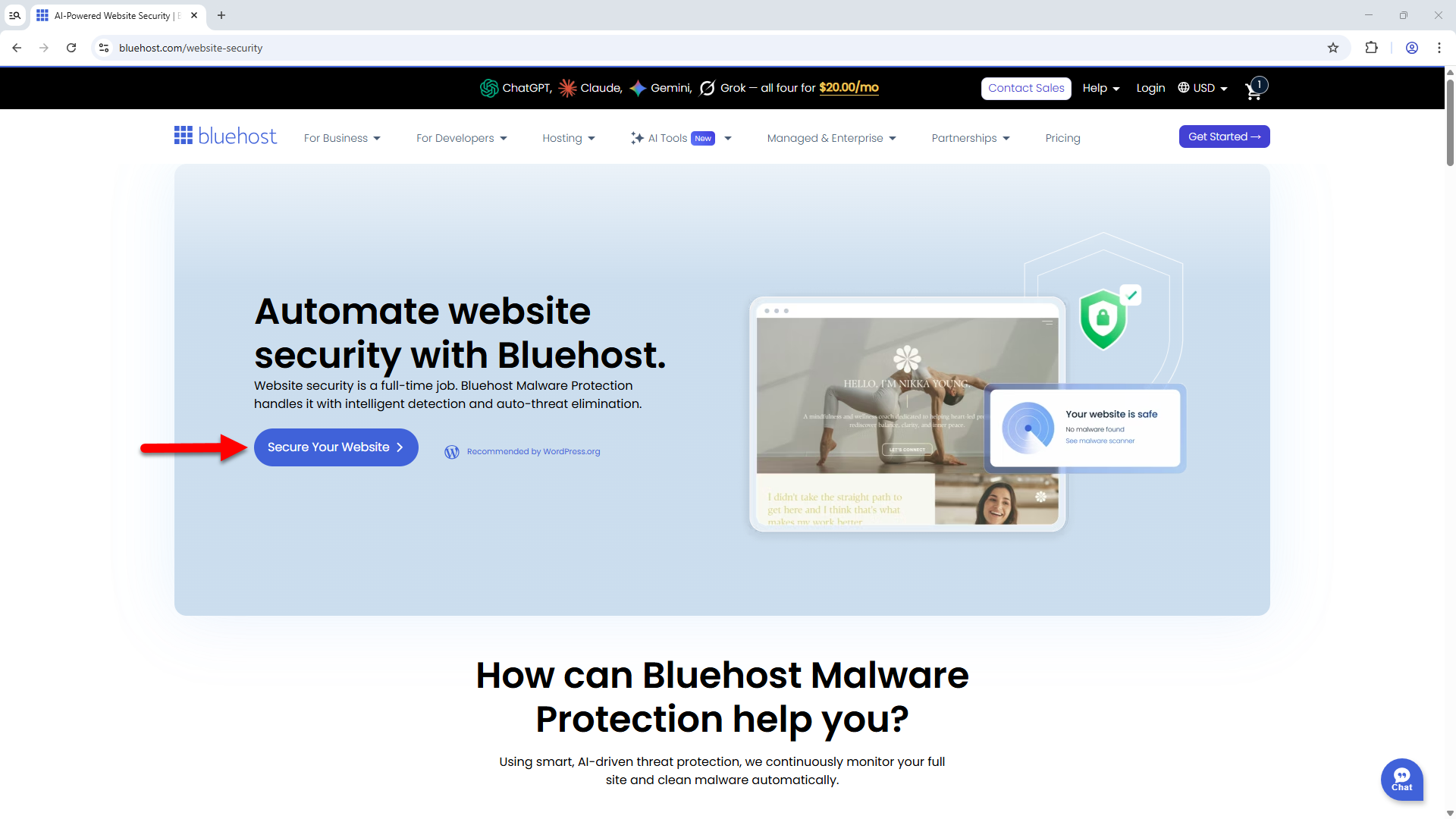
- Click the Secure Your Website button.
- Choose a domain to assign to your Malware Protection Complete Security service.
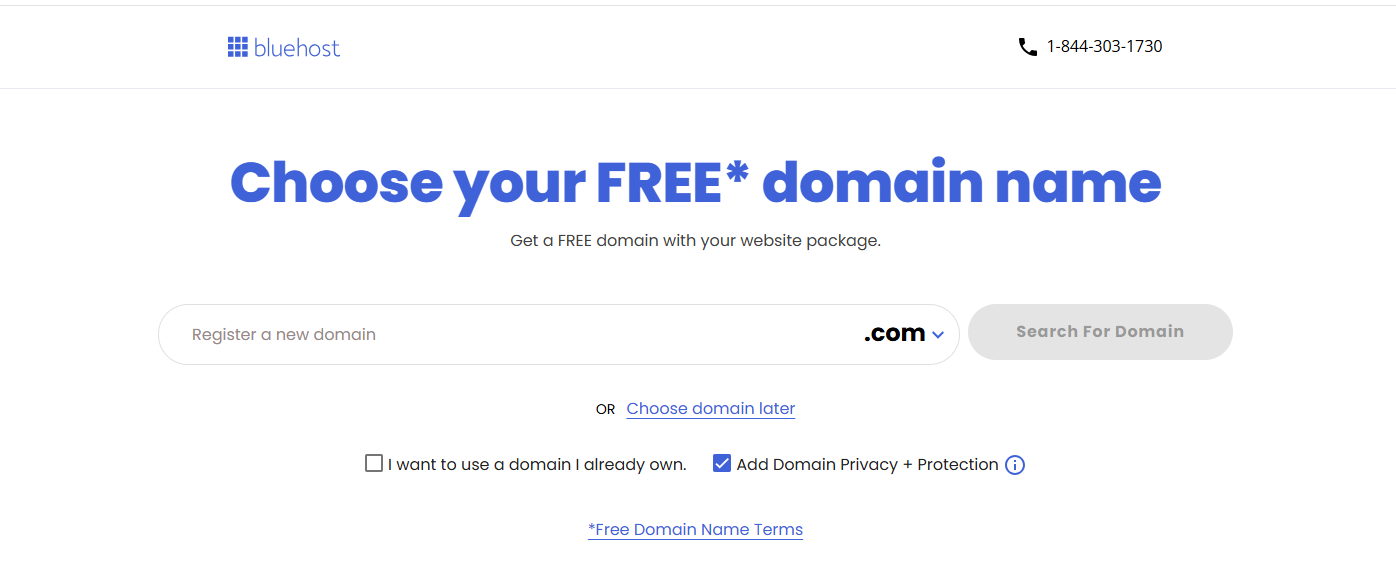
If you already have a domain that you would like to assign to your Complete Security plan, select "I want to use a domain I already own."
You can also choose a domain later if you prefer.
- On the Checkout page, create your Bluehost account with an email address and password or link it directly to your Google, Apple, or GitHub account.
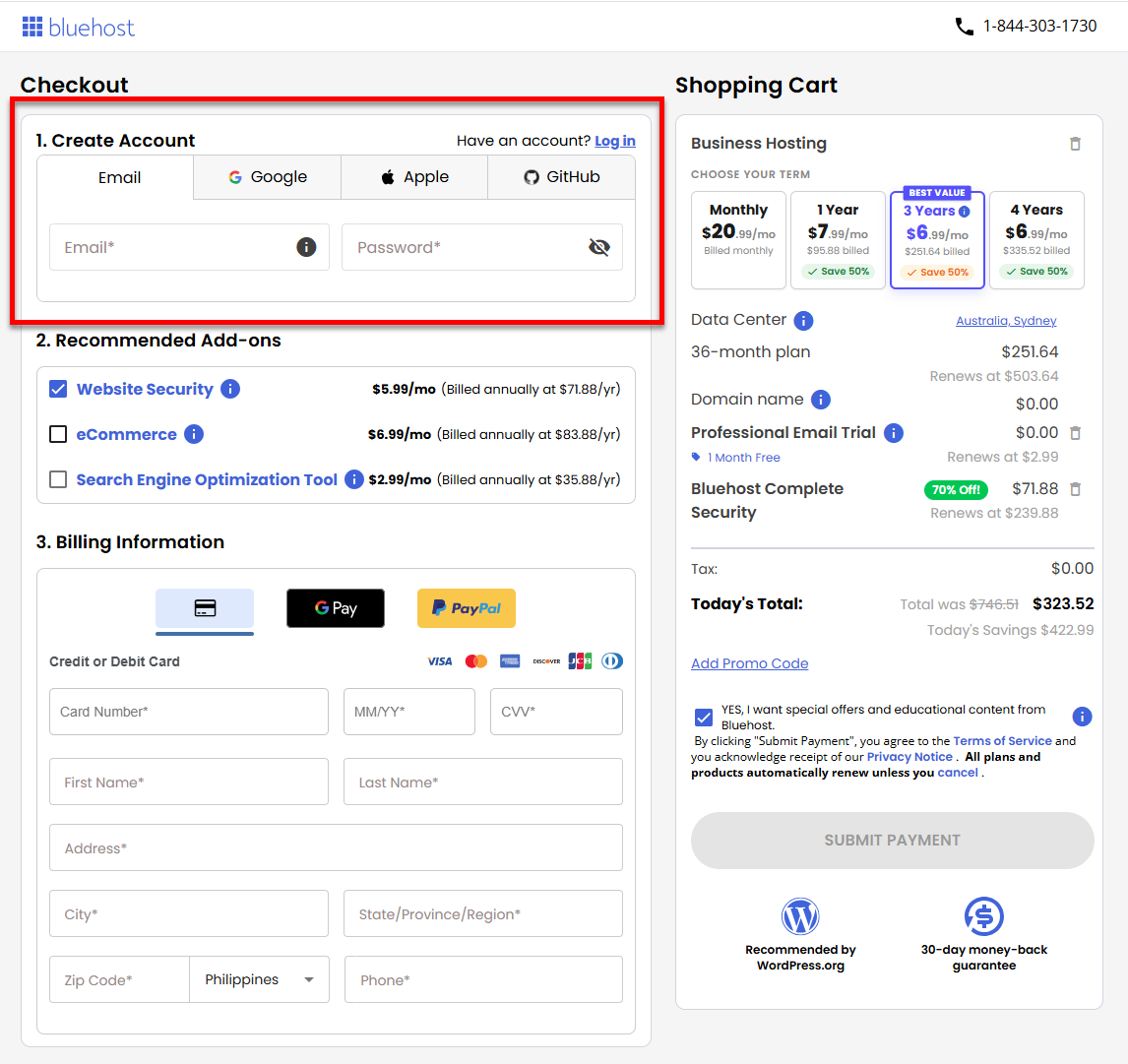
If you already have a Bluehost account and are not logged in yet, click the Log In link to sign in.
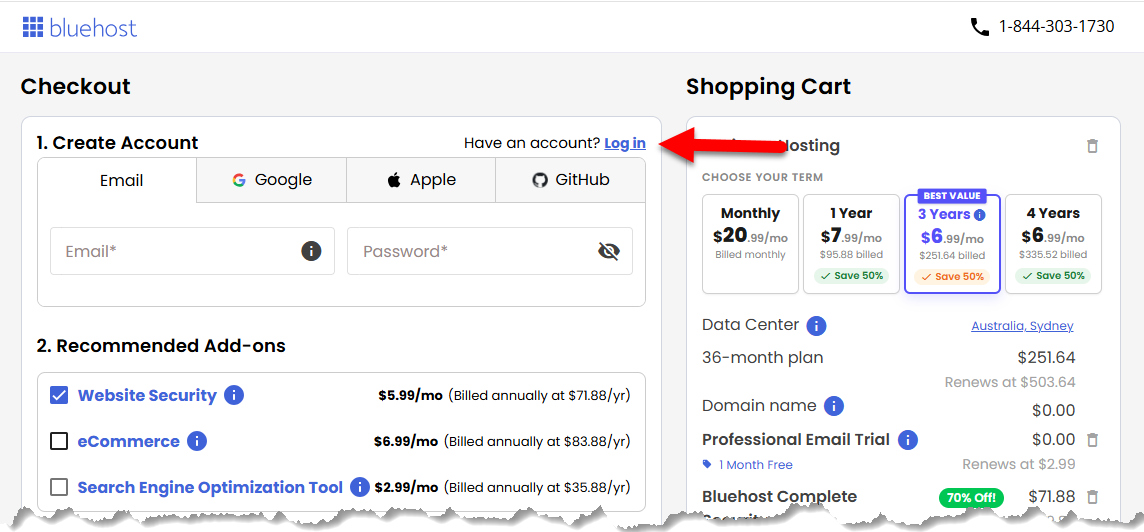
- Next, purchase other hosting essentials as add-ons!
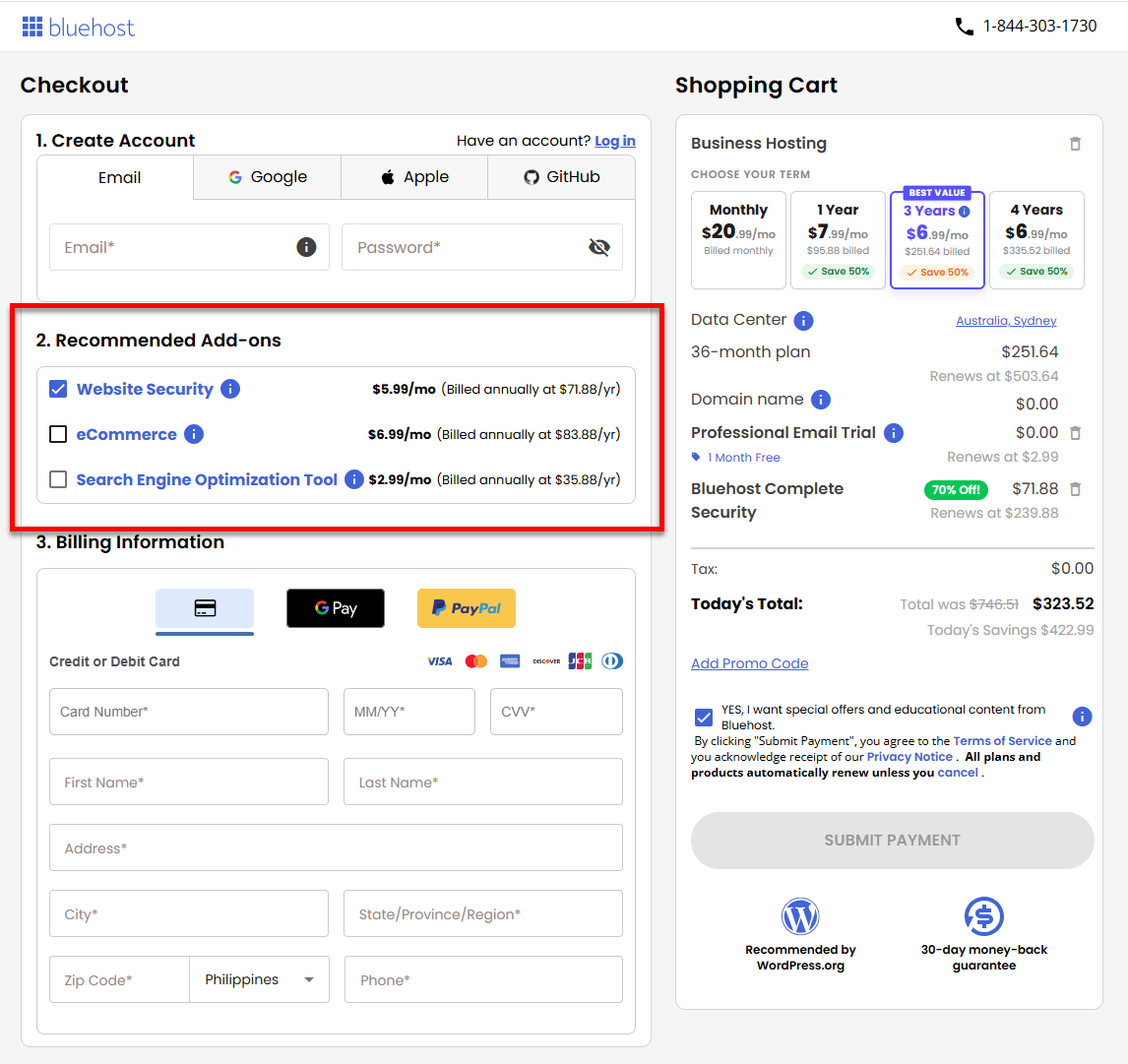
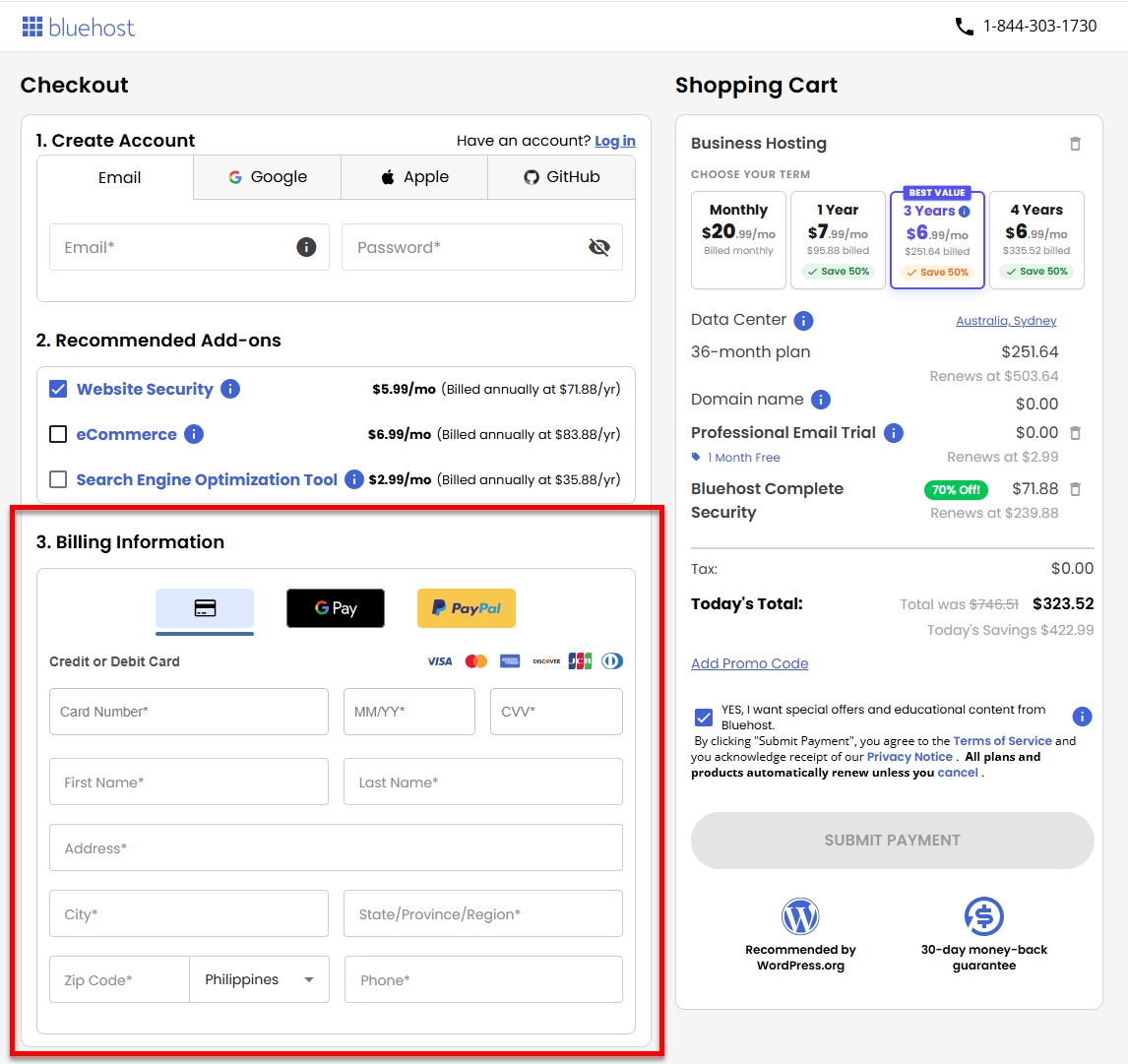
- Enter your Billing Information and then select your payment method.
- Choose the billing term for your Complete Security plan.
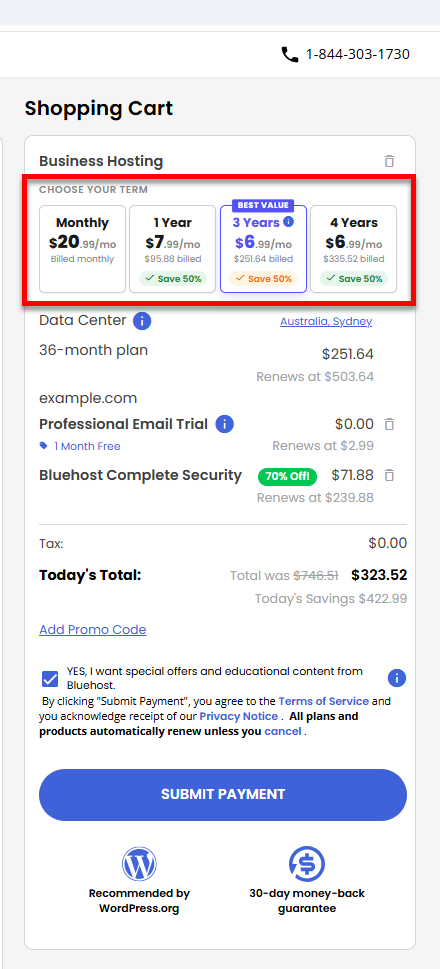
- Select your preferred data center.
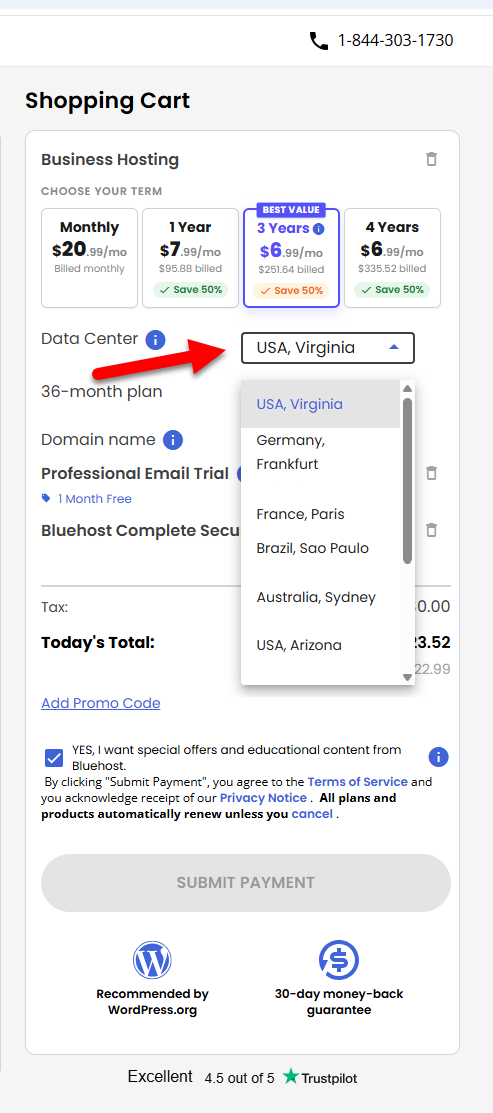
- Review the items in your cart, add a Promo Code if you have one available, then click the Submit Payment button to process your payment.
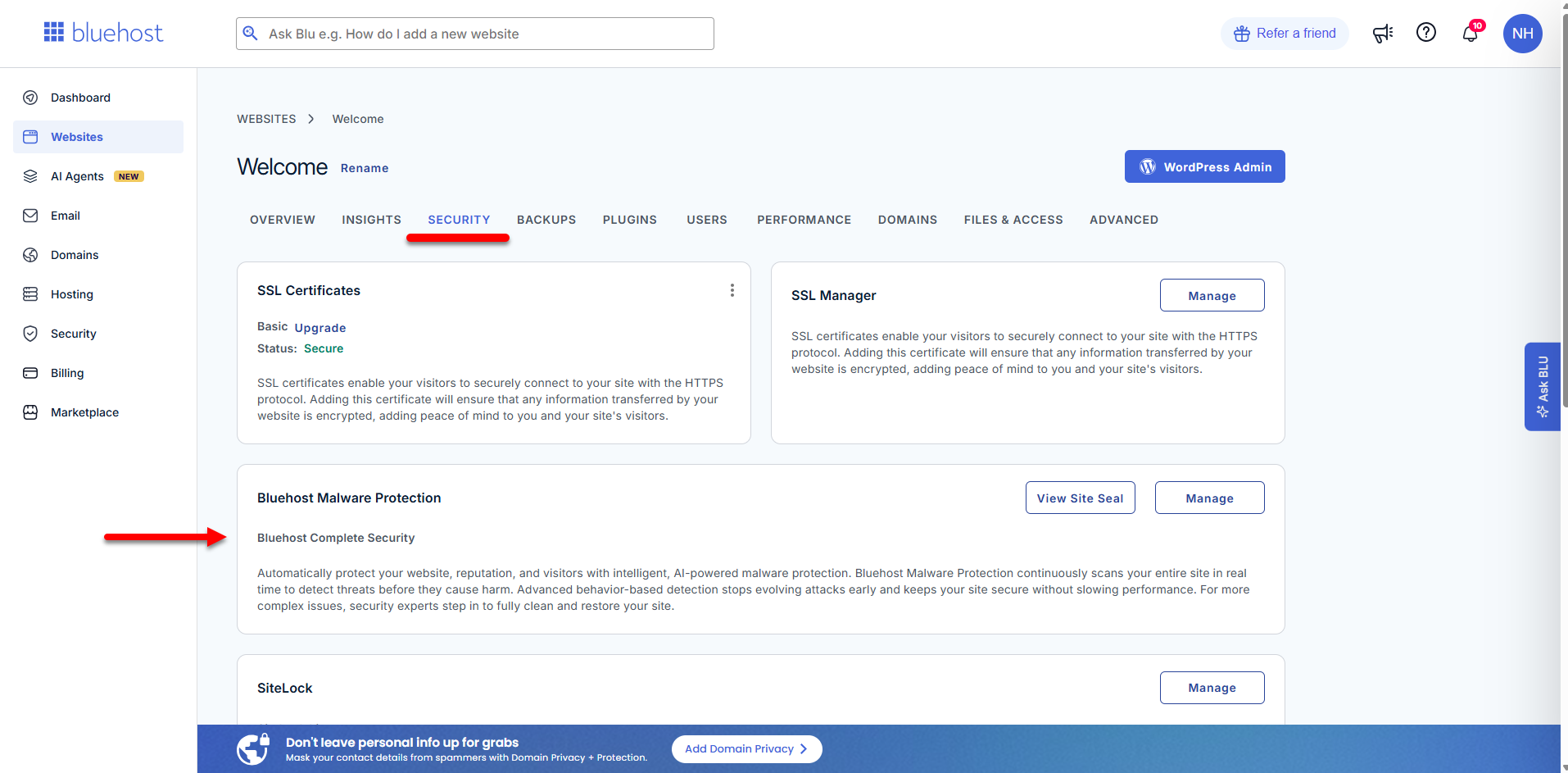
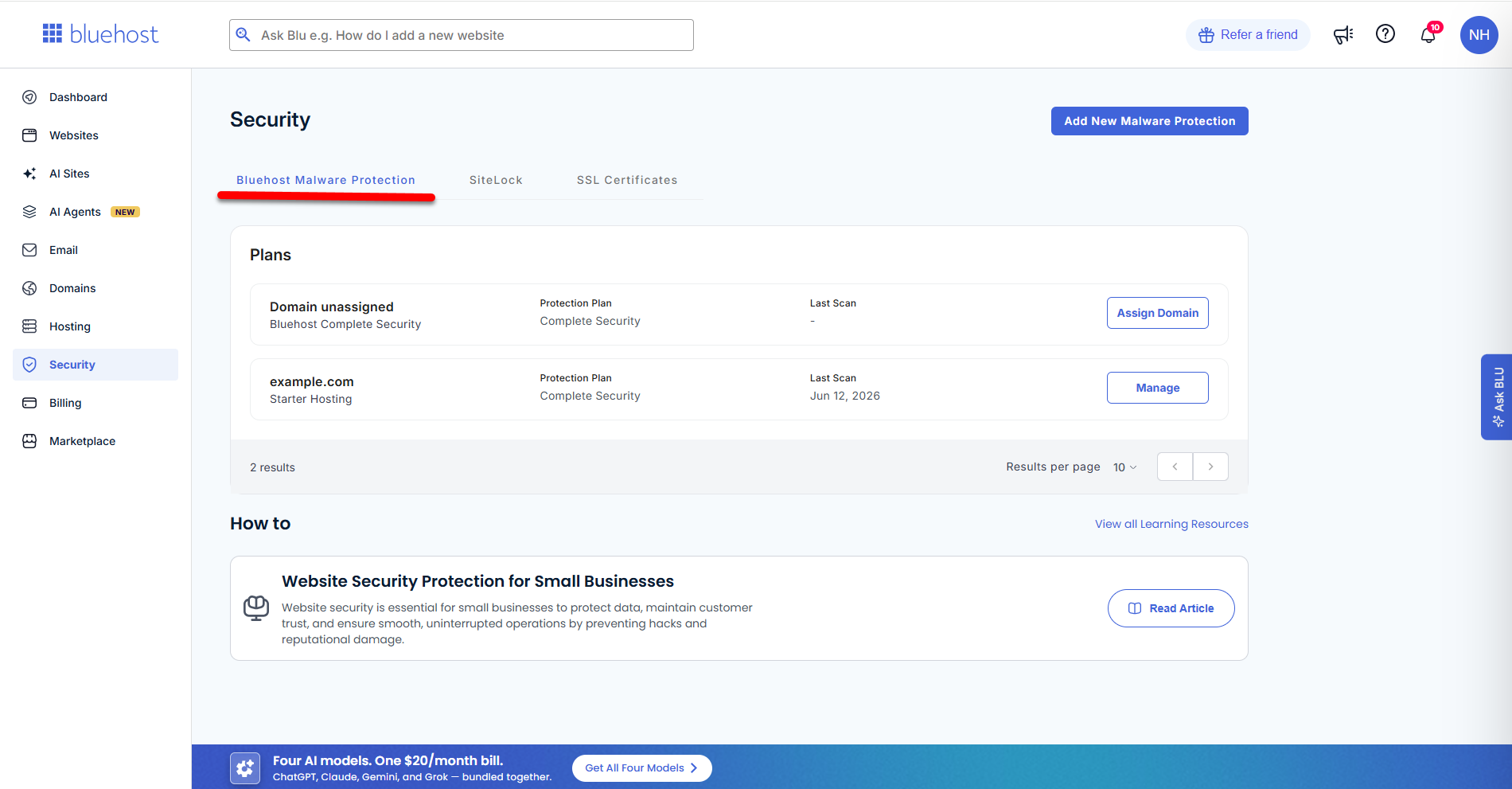
Your Malware Protection Complete Security plan is now accessible in your Bluehost Portal's Websites tab and Security tab.
Websites tab:
Security tab:
Summary
The Malware Protection Complete Security Plan from Bluehost provides comprehensive, 24/7 website security by automatically scanning, detecting, and removing malware threats. This article walks you through the step-by-step process of purchasing the Complete Security Plan directly from Bluehost, including selecting a domain, setting up your account, choosing billing options, and completing checkout. Once purchased, the plan can be easily managed from your Bluehost dashboard, ensuring your website stays protected at all times.
If you need further assistance, Bluehost Chat Support is available 24 hours a day, 7days a week while Bluehost Phone Support is available 7 days a week from 7 am-12 midnight EST.
- Chat Support - While on our website, you should see a CHAT bubble in the bottom right-hand corner of the page. Click anywhere on the bubble to begin a chat session.
- Phone Support -
- US: 888-401-4678
- International: +1 801-765-9400
You may also refer to our Knowledge Base articles to help answer common questions and guide you through various setup, configuration, and troubleshooting steps.