 ChatGPT,
  Claude,
  Gemini,
  Grok — all four for
 How to Purchase Bluehost Malware Protection in the Bluehost Portal
Bluehost offers a range of paid malware protection plans to suit different levels of security needs. You can easily purchase a plan directly from your Bluehost Portal using one of two convenient methods: via the Marketplace tab or the Security tab.
Bluehost Malware Protection Plans
- Malware Scan and Clean: Regular scanning to detect malware infections and prompt cleanup to safeguard your site.
- AI Malware Defense: Advanced service leveraging artificial intelligence to proactively detect and block malware threats in real time before they harm your website.
- Bluehost Complete Security: Premium package including all features of Malware Scan and Clean and AI Malware Defense, plus additional comprehensive security tools for full-spectrum protection.
Via the Marketplace Tab
- Log in to your Bluehost Portal.
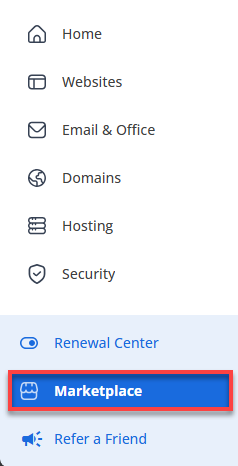
- Click Marketplace on the left-side menu.
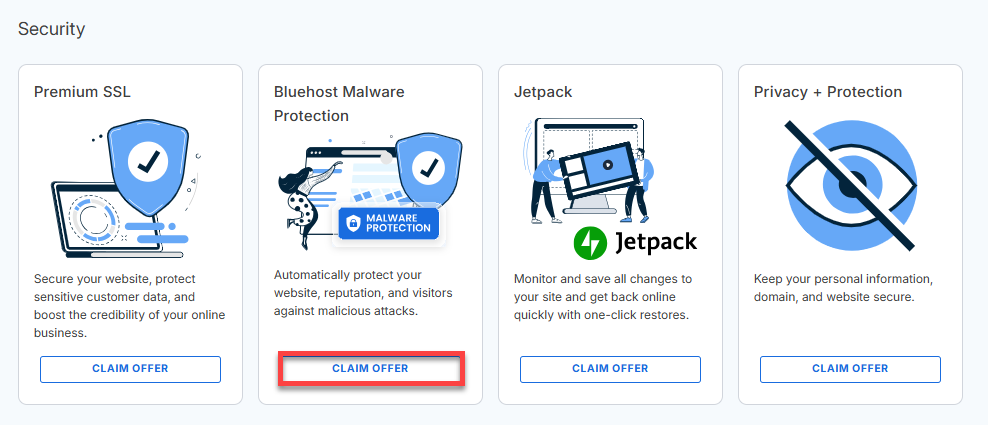
- Locate the Security section and click Claim Offer on the Bluehost Malware Protection tile.
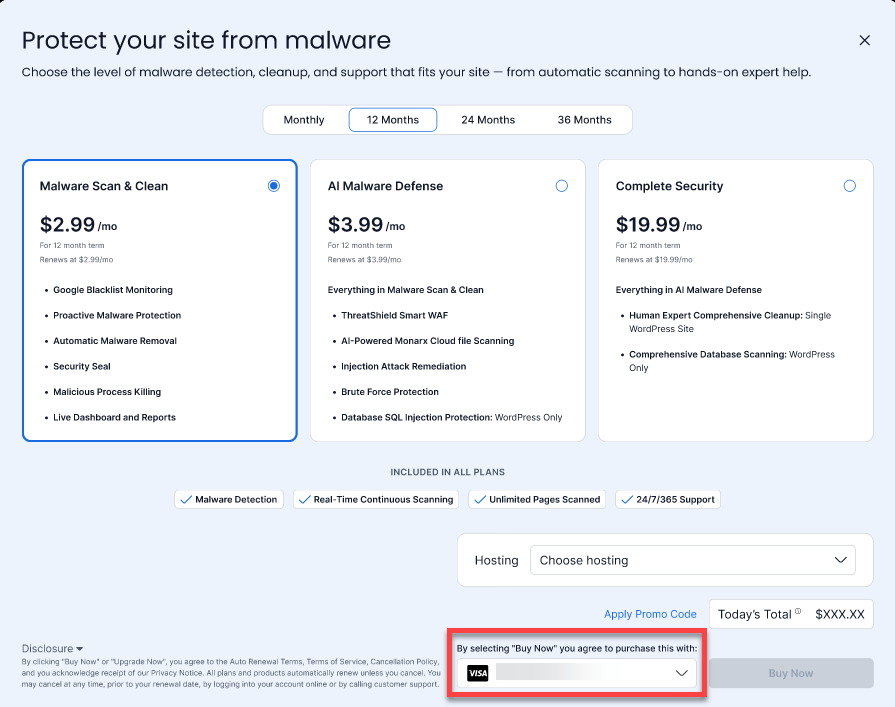
- You will be routed to the available plans —Malware Scan and Clean, AI Malware Defense, and Complete Security. Review the features, select the plan and terms that best fits your needs.
*Prices may change at any time. Please check the front-of-site or bluehost account for the most up-to-date pricing.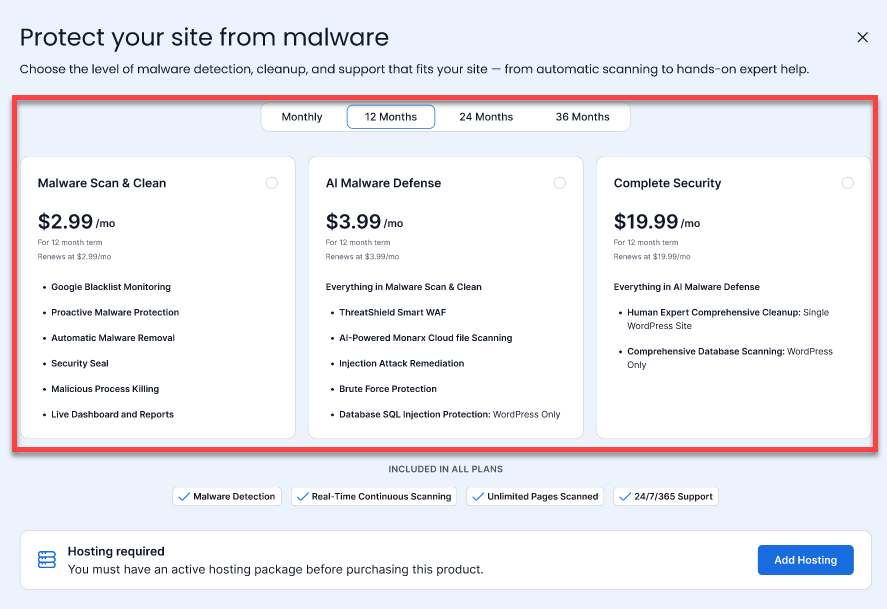
If you already have an active hosting plan, the option below will appear, allowing you to choose which hosting plan you want to apply Malware Protection to.
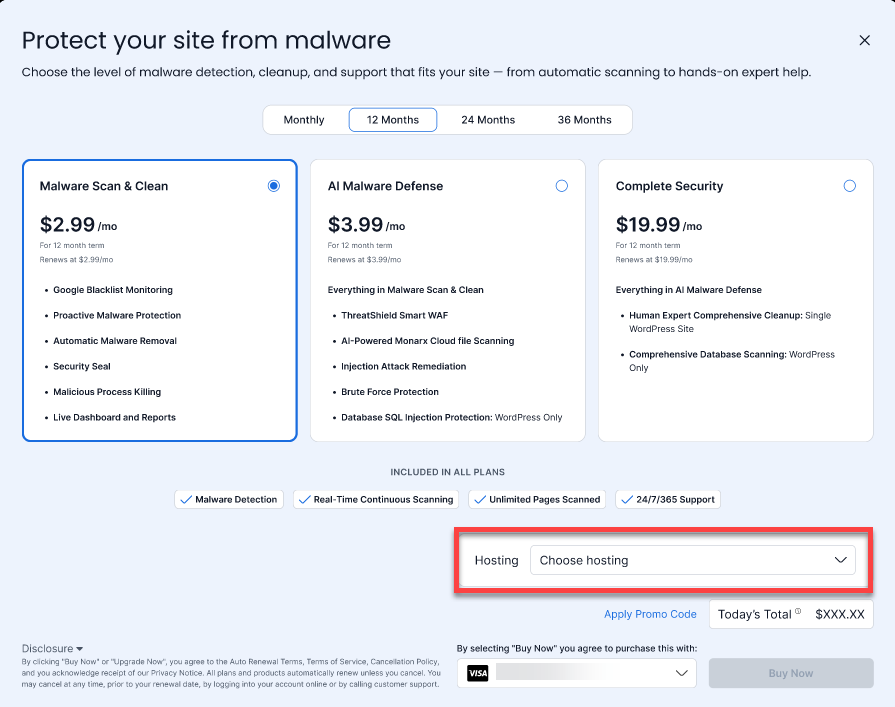
- Choose your payment method.
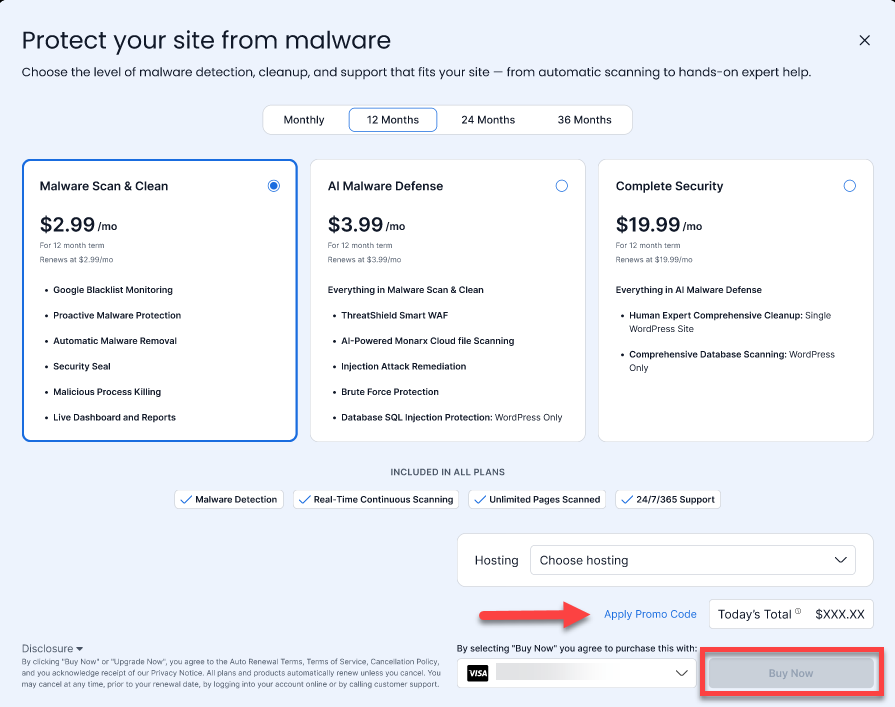
- Apply Promo Code if you have one available. Then, click the Buy Now button to complete your purchase. By clicking Buy Now, you agree to the terms and conditions.
Via the Security Tab
- Log in to your Bluehost Portal.
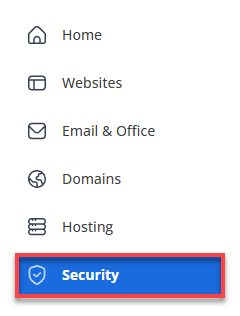
- Click Security on the left-side menu.
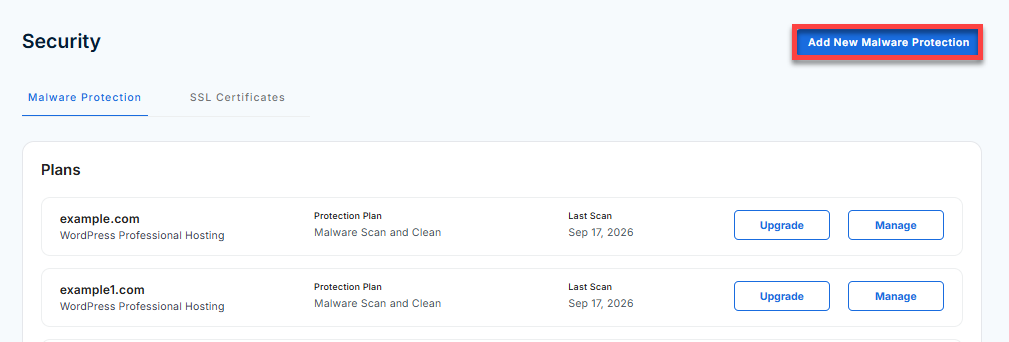
- Click the Add New Malware Protection option.
- The available plans—Malware Scan and Clean, AI Malware Defense, and Bluehost Complete Security—will be shown. Review the features and select the plan and terms that best fits your needs.
*Prices may change at any time. Please check the front-of-site or bluehost account for the most up-to-date pricing.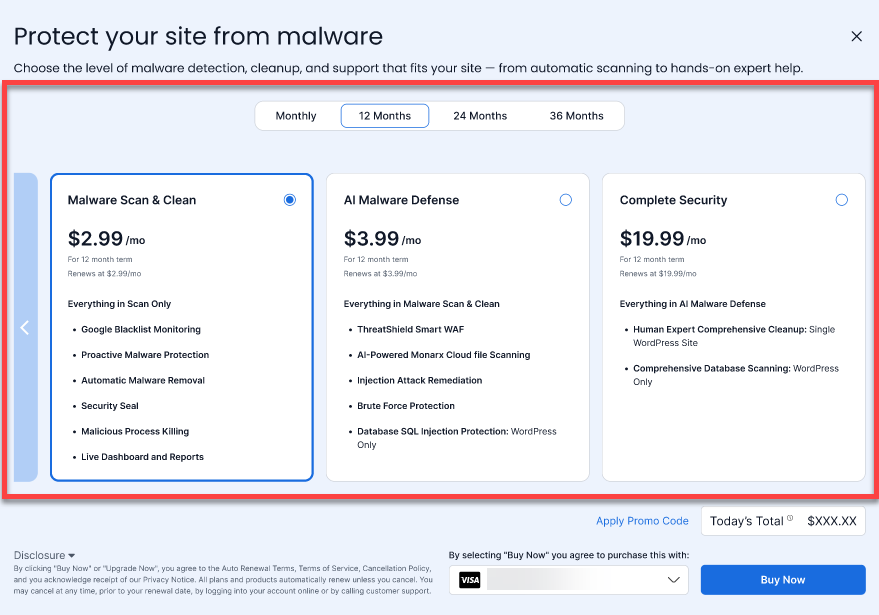
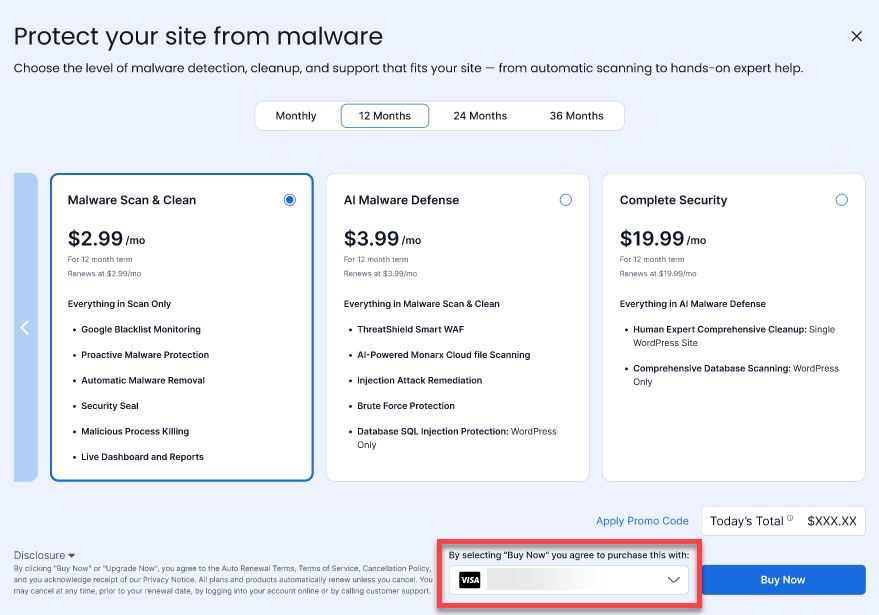
- Select your payment method.
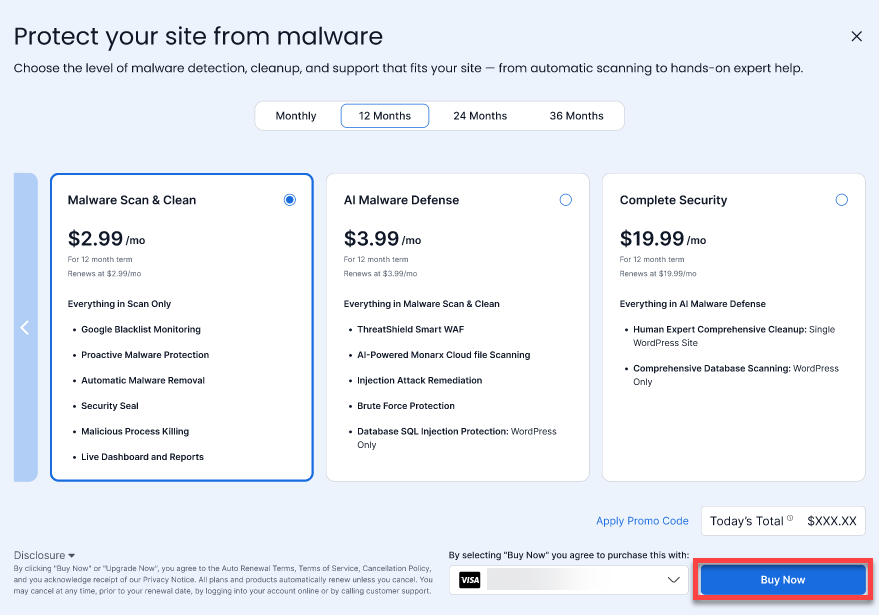
- Click the Buy Now button to complete your purchase. By clicking Buy Now, you agree to the terms and conditions.
Summary
Purchasing Bluehost Malware Protection is quick and easy through either the Marketplace or Security tab in your Bluehost Portal. Simply select your preferred plan, enter your payment details, and click Buy Now to activate comprehensive website security for your domain.
If you need further assistance, Bluehost Chat Support is available 24 hours a day, 7days a week while Bluehost Phone Support is available 7 days a week from 7 am-12 midnight EST.
- Chat Support - While on our website, you should see a CHAT bubble in the bottom right-hand corner of the page. Click anywhere on the bubble to begin a chat session.
- Phone Support -
- US: 888-401-4678
- International: +1 801-765-9400
You may also refer to our Knowledge Base articles to help answer common questions and guide you through various setup, configuration, and troubleshooting steps.