 ChatGPT,
  Claude,
  Gemini,
  Grok — all four for
 How to Use the Move & Access Tab for Domain Management
Every domain is associated with an owner who has the legal authority to manage permissions and grant access rights for the domain within the account. These management roles can be reorganized or delegated through specific options provided in the Move & Access tab. This functionality allows the domain owner to move the domain to another account, add specific users with defined access levels, or enable all users in the destination account to manage it for streamlined collaboration.
How to Access the Move and Access Tab
- Log in to your Bluehost Portal.
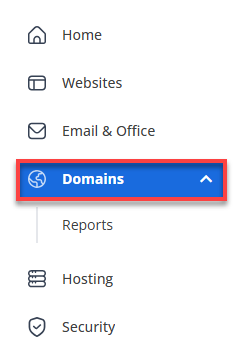
- In the left-hand menu, click Domains.
- If you have one domain in your account, you will be taken directly to the domain management panel.
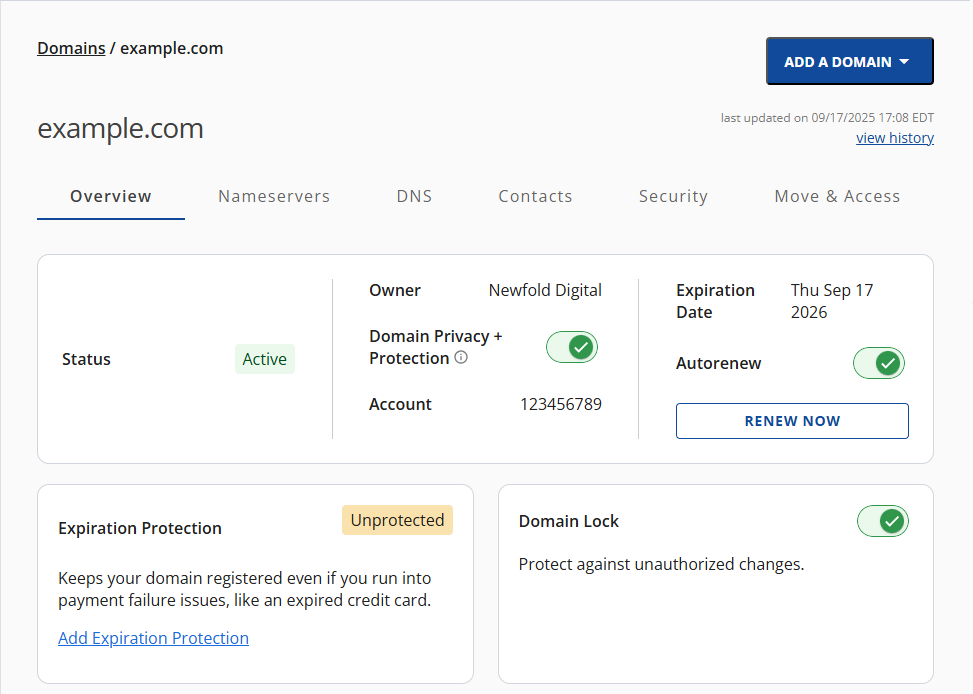
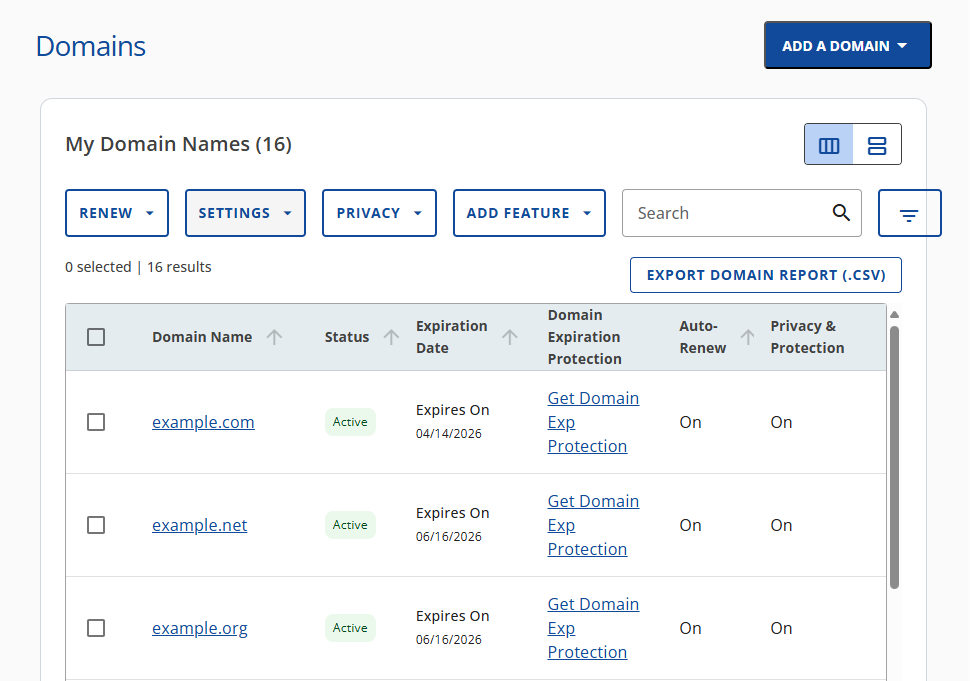
- If you have multiple domains in your account, click the domain you wish to manage to access the domain management panel.
- If you have one domain in your account, you will be taken directly to the domain management panel.
- Click the Move and Access tab.

- Under the Move and Access tab, you can perform the following actions to manage your Bluehost hosting account. These options make it easy to delegate responsibilities, transfer domains, and maintain secure access control—all from a single, user-friendly interface.
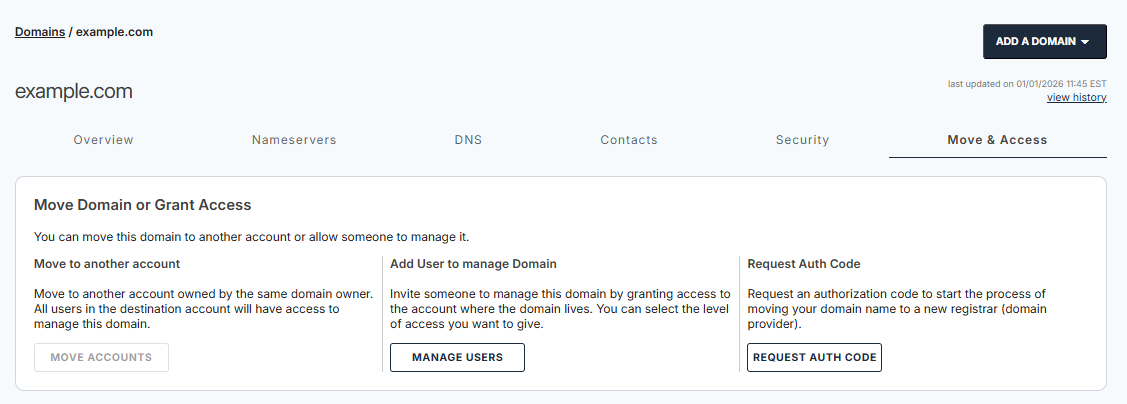
- Move to another account
Move the domain to another account owned by the same domain owner. Once moved, all users in the destination account will have access to manage the domain. Please visit the How to Transfer a Domain from One Account to Another article for more information.
- Add User to manage Domain
Invite someone to help manage the domain by granting them access to the account where the domain resides. You can select the level of access (e.g., admin, viewer) to ensure secure collaboration. Refer to this article for more details: How to Manage Users and Roles in Bluehost Portal.
- Request Auth Code
Start the process of transferring your domain to a new registrar by requesting an authorization code. This code is required for domain transfers outside of Bluehost. Check out the How to Get Your EPP Code from Bluehost article to learn more about the EPP code.
- Move to another account
Summary
The Move and Access tab is your central hub for managing domain ownership and permissions. Whether you're transferring a domain, delegating access, or preparing for a registrar change, this feature ensures your domain management remains flexible, secure, and efficient.
If you need further assistance, Bluehost Chat Support is available 24 hours a day, 7days a week while Bluehost Phone Support is available 7 days a week from 7 am-12 midnight EST.
- Chat Support - While on our website, you should see a CHAT bubble in the bottom right-hand corner of the page. Click anywhere on the bubble to begin a chat session.
- Phone Support -
- US: 888-401-4678
- International: +1 801-765-9400
You may also refer to our Knowledge Base articles to help answer common questions and guide you through various setup, configuration, and troubleshooting steps.