 ChatGPT,
  Claude,
  Gemini,
  Grok — all four for
 How to Add a DKIM Record
DKIM (DomainKeys Identified Mail) helps improve email deliverability by allowing receiving servers to verify that your emails are authorized and haven't been altered.
Follow the steps below to manually add a DKIM record for your domain.
Step 1: Check DKIM Status
- Log in to your Bluehost Portal.
- In the left-hand menu, click Hosting, then select My Plans.
- On the hosting details page, click the cPanel button.
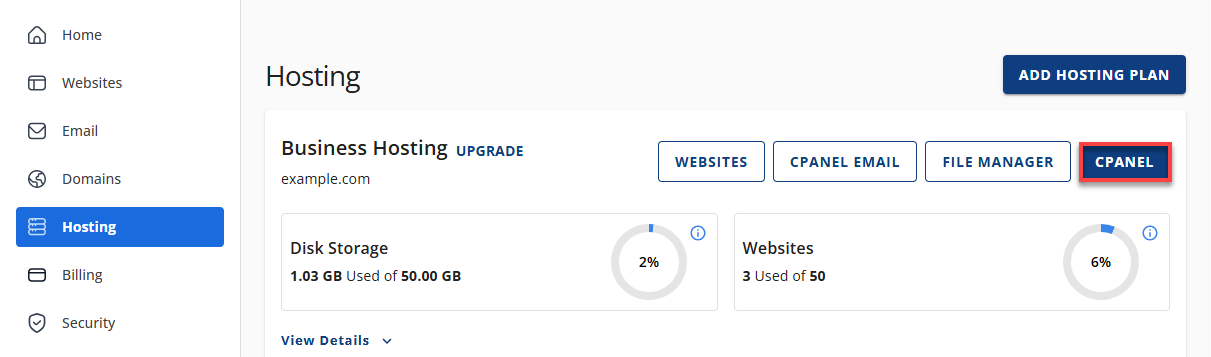
- Your cPanel will open in a new tab.
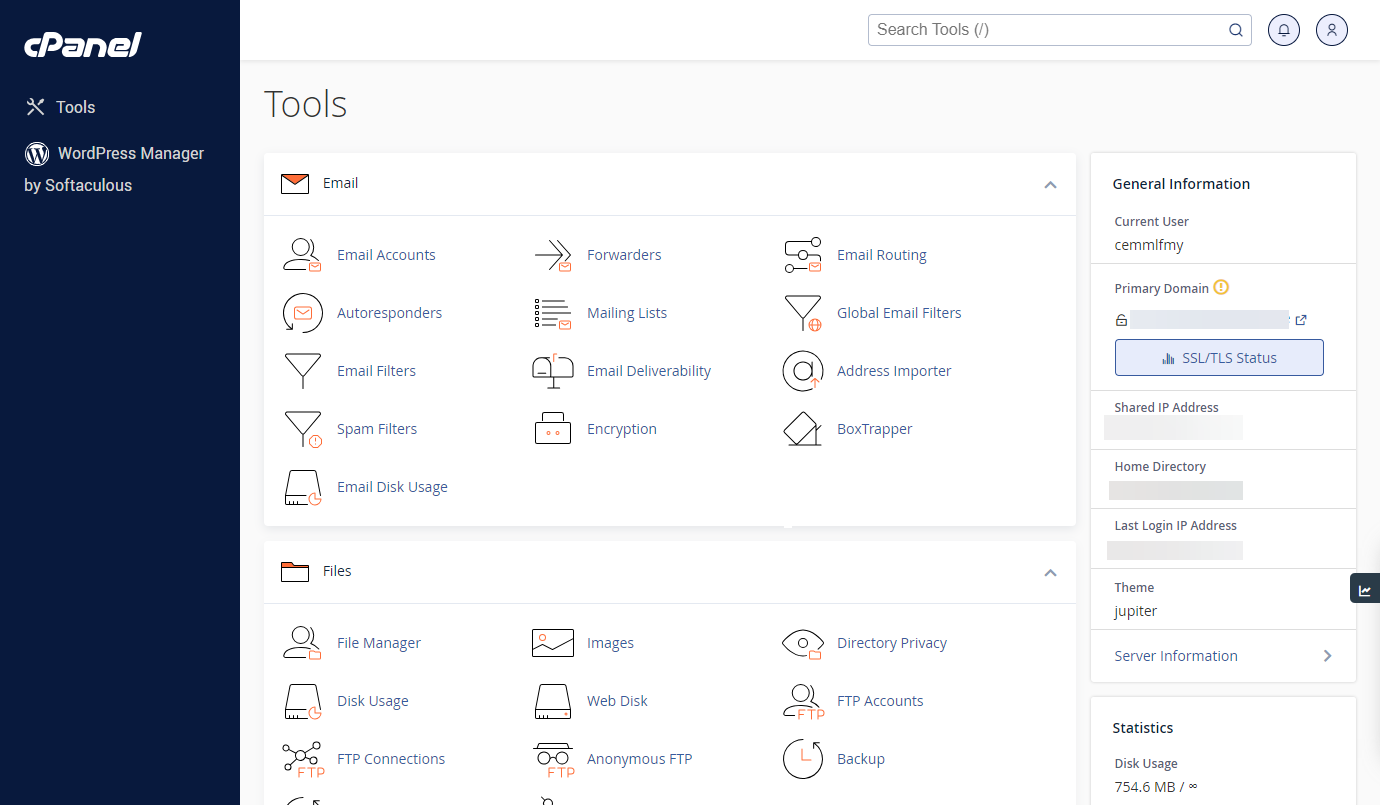
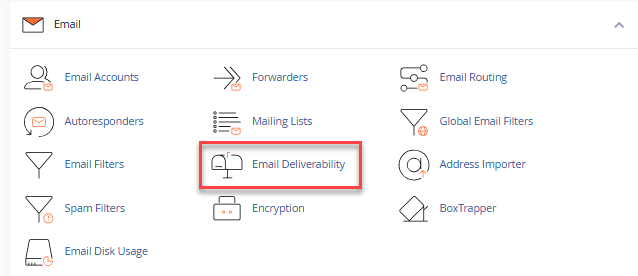
- Navigate to the Email section and select Email Deliverability.
- Locate the domain you want to configure.
- Click Manage next to the domain.
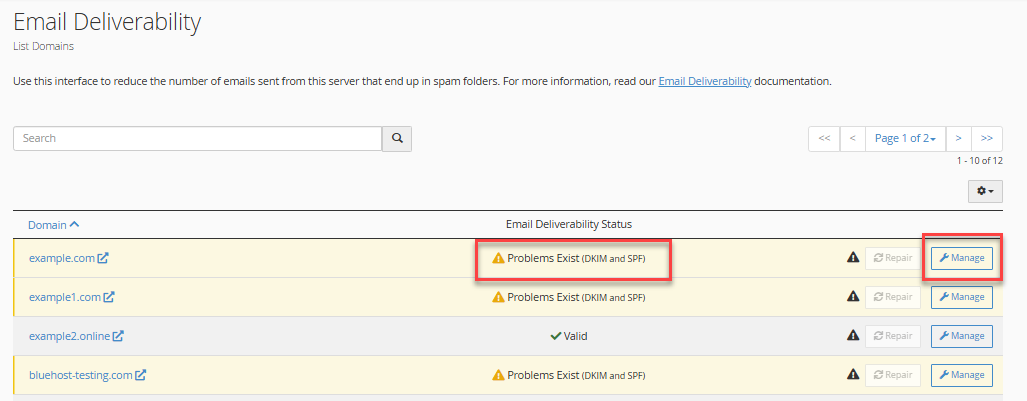
Important: If you see a yellow banner that says "Problems Exist (DKIM)", this means DKIM is not yet set up for the domain.
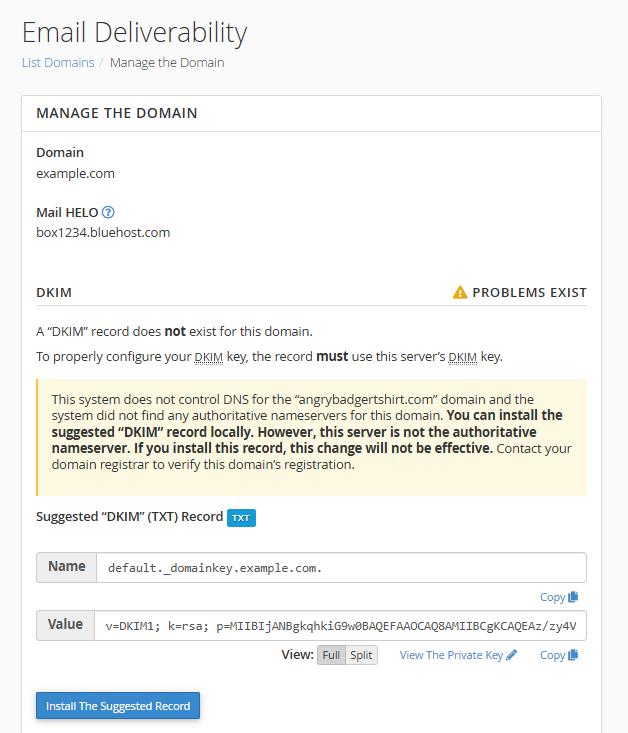
Step 2: Copy the Suggested DKIM Record
- Under the DKIM section, locate the Suggested DKIM (TXT) Record.
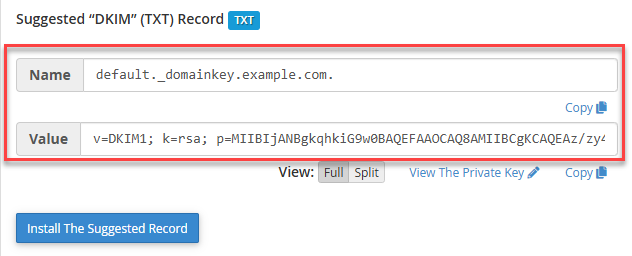
- Copy the following details:
- Name
- Value
Warning: Do not click the Install the Suggested Record button.
Step 3: Add the DKIM Record in the Bluehost Portal
- Log in to your Bluehost Portal.
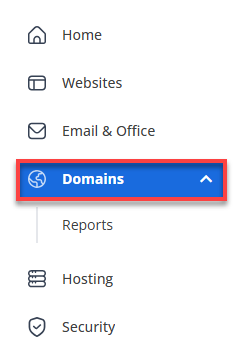
- In the left-hand menu, click Domains.
- If you have one domain in your account, you will be taken directly to the domain management panel.
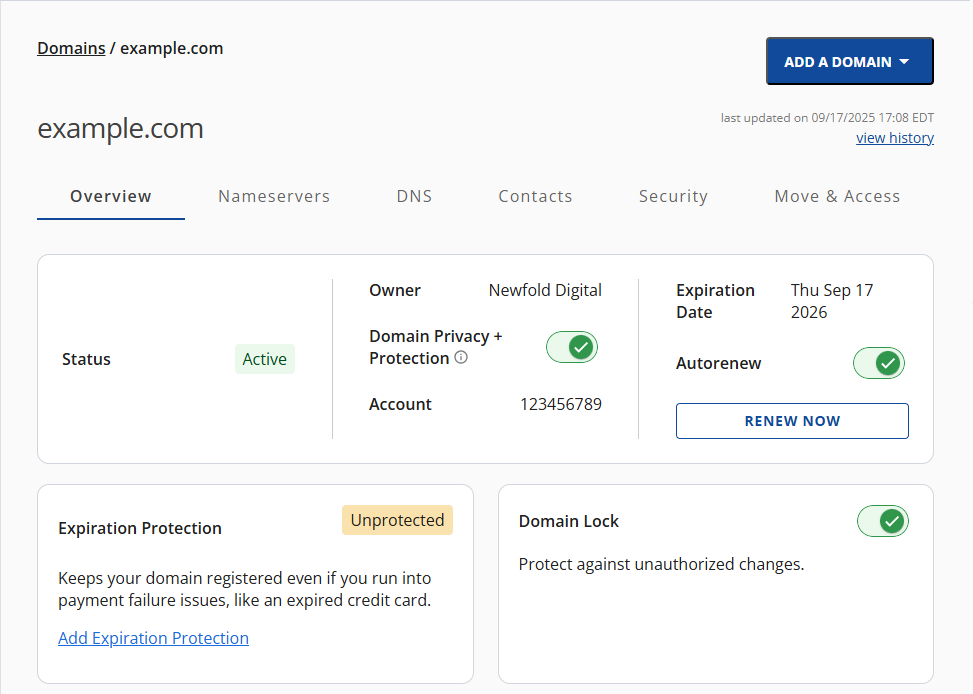
- If you have multiple domains in your account, click the domain you wish to manage to access the domain management panel.
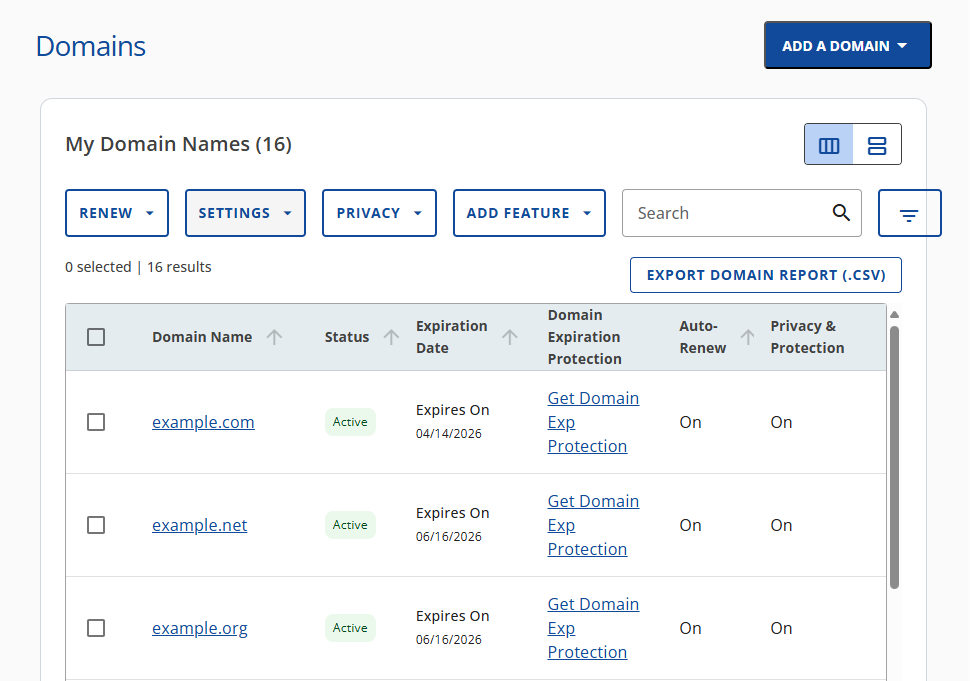
- If you have one domain in your account, you will be taken directly to the domain management panel.
- Go to the DNS tab.

- Click + Add Record.

- Select Single Record.
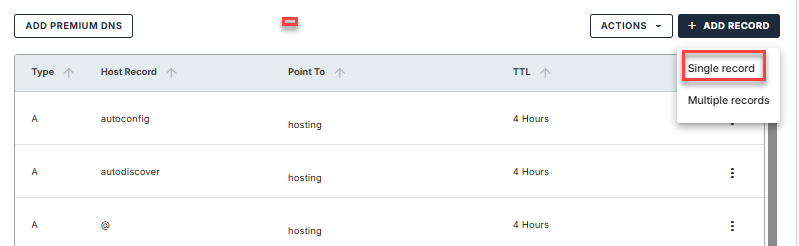
Step 4: Enter the DKIM Record Details
Fill in the fields as follows:
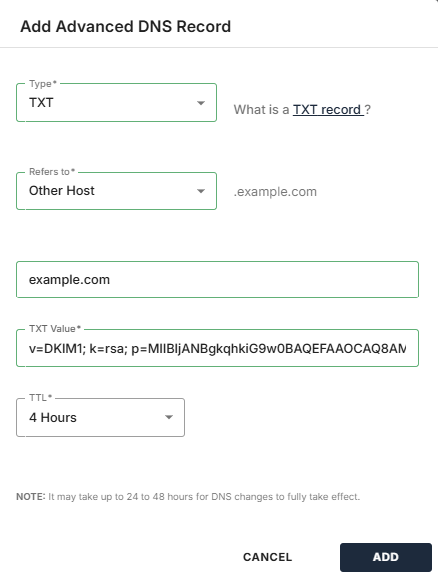
- Record Type: TXT
- Refers to: Other Host
- Host Name: Paste the Name you copied in Step 2.
- TXT Value: Paste the Value you copied in Step 2.
- Click Add to save the record.
Tip: Individual DNS record changes are typically applied within a few minutes but may take up to 8 hours to complete. Once processing is finished, the DKIM status should update automatically.
Summary
Adding a DKIM record helps authenticate your email and improve deliverability by verifying that messages sent from your domain are trusted by receiving mail servers. After completing the steps above, individual DNS record updates are typically processed within a few minutes but may take up to 8 hours to complete. Once the changes have been fully applied, the DKIM status should update automatically. Keeping your email authentication records up to date is an important step in maintaining a secure and reliable email experience.
If you need further assistance, Bluehost Chat Support is available 24 hours a day, 7days a week while Bluehost Phone Support is available 7 days a week from 7 am-12 midnight EST.
- Chat Support - While on our website, you should see a CHAT bubble in the bottom right-hand corner of the page. Click anywhere on the bubble to begin a chat session.
- Phone Support -
- US: 888-401-4678
- International: +1 801-765-9400
You may also refer to our Knowledge Base articles to help answer common questions and guide you through various setup, configuration, and troubleshooting steps.