 ChatGPT,
 Claude,
 Gemini,
 Grok — all four for
Key highlights
- Learn how 10 leading AI research tools compare across academic research, market research and data analysis.
- Understand which AI research tool fits your specific research task instead of picking one at random.
- Explore free and paid AI tools for research across every category so you can start without any upfront cost.
- Uncover practical workflows that combine two or three AI research tools for faster, more reliable results.
- Know when to verify AI output before using it for academic research or business decisions.
Research used to mean dozens of open tabs, a stack of PDFs and hours spent figuring out where to even start. That has changed. AI research tools now scan thousands of sources, summarize dense papers and pull together market research data in minutes instead of days.
Best AI research tool” does not mean the same thing for everyone though. A student writing a literature review needs something different from a marketer doing market research or an analyst working through spreadsheets. Most leading AI research tools in 2026 ground their answers in real, retrievable sources, which makes them more trustworthy than earlier AI tools. Still, verification matters, especially for academic or high-stakes work.
This guide ranks the 10 best AI tools for research in 2026, compares them side by side and breaks them down by use case so you can find the right fit for how you work.
What are AI research tools?
AI research tools are software powered by artificial intelligence that help users find, analyze and organize information faster and more accurately. Instead of spending hours searching through websites, academic journals, reports or datasets, these tools can summarize content, answer questions, identify key insights and recommend relevant sources within minutes.
Unlike traditional search engines, modern AI research assistants combine large language models (LLMs), real-time web search, academic databases and document analysis to deliver more contextual and actionable results. Many also support PDF uploads, spreadsheet analysis, citation tracking and automated summaries, making research more efficient across different tasks.
Today, AI tools for research are widely used by students, researchers, marketers and business analysts. Whether you’re conducting academic research, preparing research papers, performing market research or analyzing data, these tools streamline complex workflows, helping you spend less time gathering information and more time making informed decisions.
What are the benefits of AI research tools?

Whether you’re writing a thesis, planning a marketing campaign or analyzing business data, AI research tools can significantly reduce the time and effort required to complete research tasks. Here are some of their biggest advantages:
- Save hours of manual research: AI tools quickly scan articles, research papers and websites to surface the most relevant information, eliminating the need to sift through countless search results.
- Summarize complex information: Long reports, academic journals and technical documents can be condensed into easy-to-understand summaries, making it faster to grasp key concepts.
- Improve research accuracy: Many AI tools for academic research and AI tools for research papers provide citations or link directly to their sources, making it easier to verify information before using it.
- Analyze data more efficiently: The best AI tools for data analysis can identify trends, generate visualizations and answer questions about spreadsheets or datasets using natural language instead of formulas or code.
- Support better market research: AI tools for market research help businesses monitor competitors, track industry developments, analyze customer feedback and identify emerging trends more quickly than traditional methods.
- Boost productivity: By automating repetitive tasks such as note-taking, document comparison and information extraction, AI research assistants allow users to focus on critical thinking and decision-making instead of administrative work.
10 Best AI research tools at a glance
If you just want the quick answer, here is the shortlist of AI tools for research. Each one is best known for a specific job, so treat this as a starting point rather than a single ranked pick.
| Tool | Best For | Free plan | Starting price |
|---|---|---|---|
| ChatGPT | General research, drafting and brainstorming | Yes | $20/month (Plus) |
| Claude | Long document analysis and writing support | Yes | $20/month (Pro) |
| Gemini | Research inside Google Workspace | Yes | $19.99/month (Google AI Pro) |
| Perplexity | Real-time, cited web research | Yes | $20/month (Pro) |
| Elicit | Literature review and evidence synthesis | Yes | $49/month (Pro) |
| Consensus | Evidence-based Q&A from research papers | Yes | $12/month (Pro) |
| SciSpace | Reading and simplifying academic papers | Yes | $12/month (Premium) |
| Semantic Scholar | Free academic paper search and discovery | Yes | Free |
| NotebookLM | Summarizing and querying your own documents | Yes | Free (Plus tiers available) |
| Julius AI | Conversational data analysis and visualization | Yes | $16/month (Plus) |
If you find yourself bouncing between several of these tools, it may be worth reading up on the best AI assistants before committing to one. Instead of paying for ChatGPT Plus, Claude Pro and Gemini Advanced separately, some people use a bundled option like the Bluehost AI All Access Pack, which gives access to several leading AI assistants including ChatGPT, Claude, Gemini and Grok from a single dashboard and subscription. It is a practical option if you like comparing how different models answer the same research question without juggling multiple accounts and bills.
10 best AI research tool: Feature-by-feature comparison
Here is a closer look at what each AI research tool actually does well, where it falls short and who it is built for.
| Tool | Key features | Free plan | Limitations | Best for |
|---|---|---|---|---|
| ChatGPT | Web browsing, file uploads, data analysis mode, custom GPTs | Yes, limited | Can misstate facts on niche topics; free tier has usage caps | All-around research and drafting |
| Claude | Strong long-document reasoning, large context window, clear writing | Yes, limited | No built-in real-time web browsing on all plans | Analyzing long reports or papers |
| Gemini | Deep integration with Docs, Sheets and Gmail | Yes, limited | Best features tied to Google Workspace | Researchers already using Google tools |
| Perplexity | Cited, real-time answers with a source list on every response | Yes, limited | Not built for primary research or surveys | Fast, source-backed web research |
| Elicit | Extracts findings from papers and builds evidence tables | Yes, limited | Focused on academic literature only | Literature reviews and evidence synthesis |
| Consensus | Answers questions using findings from published studies | Yes, limited | Narrower database than general search | Quick answers backed by real studies |
| SciSpace | Simplifies and explains academic papers line by line | Yes, limited | Best suited to STEM and research papers | Reading dense papers faster |
| Semantic Scholar | Free search across 200 million-plus academic papers with citation graphs | Yes, fully free | No AI-generated summaries or Q&A | Discovering and tracking academic papers |
| NotebookLM | Summarizes and answers questions from your own uploaded sources | Yes, fully free | Limited to documents you provide | Synthesizing multiple sources into one workspace |
| Julius AI | Upload spreadsheets, ask questions in plain English, get auto-generated charts | Yes, limited | Best for structured data, not text research | Data analysis without writing code |
If data privacy is a factor in your decision, it is worth understanding how secure ChatGPT actually is and reading a broader breakdown of secure AI tools before uploading sensitive research or client data to any platform.
Explore best AI tools by use case
Best AI tools for academic research
Academic research usually follows a pattern: find relevant papers, evaluate the evidence, then connect related work. These AI tools for research are built specifically for that workflow and lean on literature review and citation management features that general chatbots do not have.
| Tool | What it does | Best for | Free plan | Standout feature |
|---|---|---|---|---|
| Semantic Scholar | Searches and organizes academic papers with citation graphs | Discovering relevant literature | Yes | Free access to more than 200 million papers |
| Elicit | Reads papers and extracts key findings into structured tables | Building a literature review | Yes | Auto-generates evidence tables across multiple studies |
| Consensus | Answers research questions using findings from published studies | Getting quick, evidence-based answers | Yes | Shows how many studies agree or disagree on a topic |
| SciSpace | Breaks down dense academic papers into plain-language explanations | Reading and understanding papers faster | Yes | Highlight-and-explain feature for confusing sections |
A common literature review workflow looks like this: search Semantic Scholar to find the core papers, run them through Elicit to extract findings, then use Consensus to check what the broader research says. Together these three AI tools for research cut what used to take days of reading down to a few focused hours.
Best AI tools for research papers
This category overlaps with academic research but covers a different stage: reading, summarizing and drafting rather than discovery. If you already have your sources and need to work through or write about them for a research paper, these tools are built for that.
| Tool | What it does | Best for | Free plan | Standout feature |
|---|---|---|---|---|
| SciSpace | Simplifies technical language and explains figures and equations | Understanding papers section by section | Yes | Works directly inside uploaded PDFs |
| NotebookLM | Synthesizes multiple uploaded papers into one searchable workspace | Combining several sources for a single project | Yes | Generates an audio overview of your sources |
| ChatGPT | Helps draft, outline and structure academic writing | Turning research notes into a first draft | Yes | Custom instructions for citation style and tone |
| Claude | Handles long documents with strong reasoning and clean prose | Reviewing and tightening long drafts | Yes | Large context window for full-paper analysis |
A quick caution here: AI tools are genuinely useful for drafting and summarizing academic research papers, but any AI-assisted writing should be reviewed against your institution’s or publication’s AI-use policy before submission. These tools help you think and write faster. They should not replace your own judgment or citation checks.
Best AI tools for market research
Marketers and business researchers care about speed: pulling competitor insights, industry trends and audience data together fast enough to actually act on them. General-purpose AI tools have become surprisingly capable here, especially ones with real-time web access. If you work in marketing more broadly, it is also worth browsing dedicated AI marketing tools and AI tools for affiliate marketing alongside the research-focused picks below.
| Tool | What it does | Best for | Free plan | Standout feature |
|---|---|---|---|---|
| Perplexity | Searches the live web and cites every source in its answers | Fast competitor and trend research | Yes | Every answer comes with a clickable source list |
| ChatGPT | Browses the web, analyzes uploaded reports and drafts summaries | General-purpose market research | Yes | Can combine web search with your own uploaded data |
| Claude | Synthesizes long reports and identifies patterns across documents | Digesting long industry reports | Yes | Strong at summarizing without losing nuance |
| Gemini | Pulls research directly into Docs and Sheets for teams | Teams already working in Google Workspace | Yes | Native integration with Google’s productivity suite |
A typical use case: a marketer preparing for a client pitch can use Perplexity to pull recent competitor moves with sources attached, then hand that summary to Claude or ChatGPT to turn into a polished positioning brief in under an hour. Treat these tools as accelerators rather than replacements for primary research. Outputs on fast-moving or niche topics still deserve a quick fact-check before they go into a client deck.
Best AI tools for data analysis
Not every research task is about text. Analysts and business owners often need to make sense of spreadsheets, and these AI research tools let you do that in plain English instead of writing formulas or code.
| Tool | What it does | Best for | Free plan | Standout feature |
|---|---|---|---|---|
| Julius AI | Upload a spreadsheet and ask questions in natural language | Non-technical users analyzing data | Yes | Auto-generates charts and visualizations from raw data |
| ChatGPT | Analyzes uploaded CSVs and spreadsheets and generates charts | General-purpose data exploration | Yes | Built-in data analysis mode with code running in the background |
| Claude | Reviews and explains structured data and reports | Interpreting data-heavy documents | Yes | Clear, readable explanations of complex datasets |
| Gemini | Analyzes data directly inside Google Sheets | Teams working in shared spreadsheets | Yes | Formula and chart suggestions inside Sheets itself |
One caveat worth repeating: AI-generated data interpretations are a great starting point but should be spot-checked before they inform a major business decision. Treat the output as a fast first pass rather than a final answer.
How to choose the right AI research assistant?
With this many AI research tools available, the easiest way to decide is to start with your task rather than the tool.
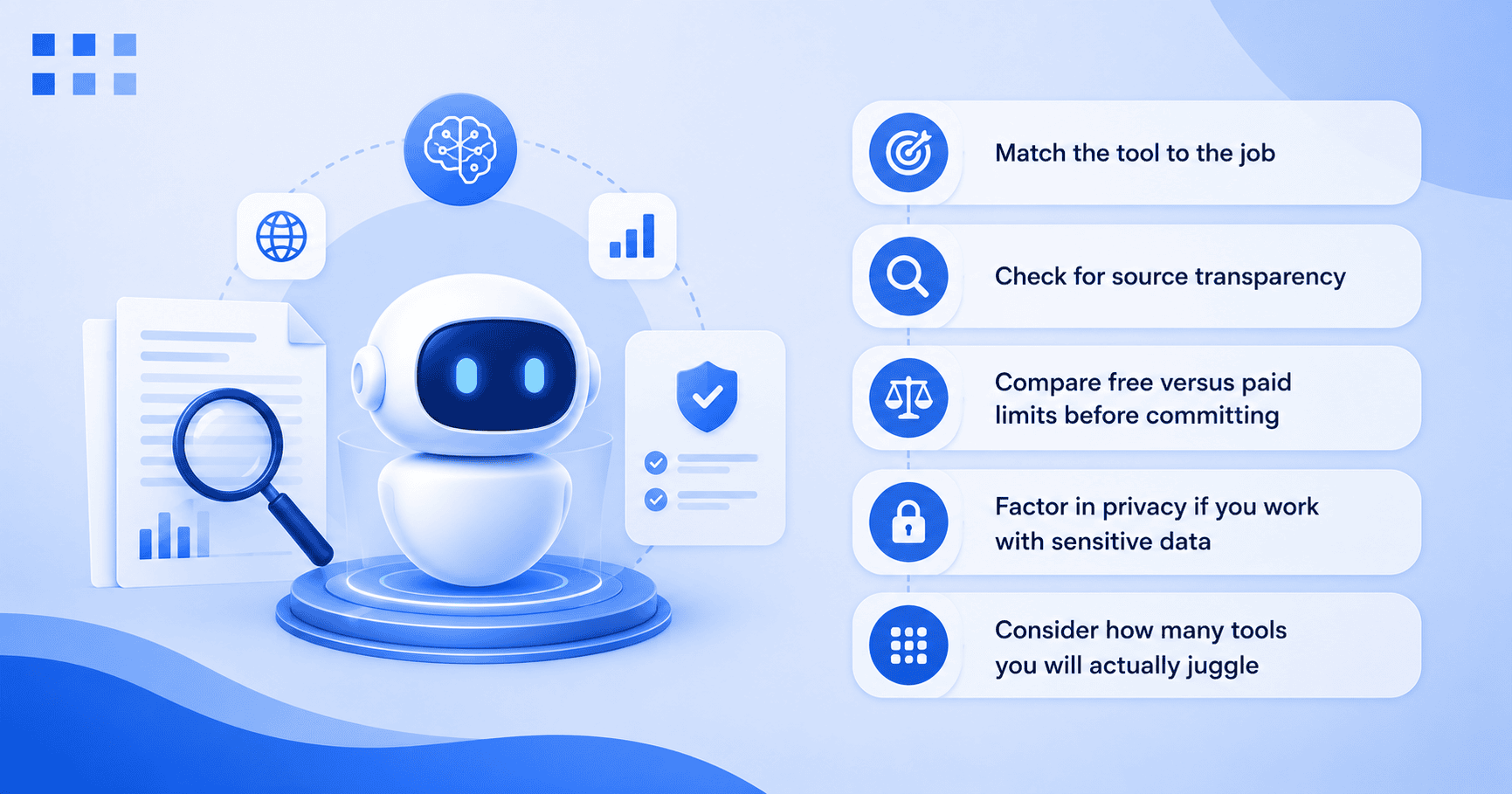
- Match the tool to the job: Discovering sources, writing drafts, analyzing data and tracking market trends are different tasks. The tool that is best at one usually is not the best at all of them.
- Check for source transparency: Tools that show their sources, like Perplexity, Elicit and Consensus, are easier to trust and verify, especially for academic research or client-facing work.
- Compare free versus paid limits before committing: Most AI tools for research on this list have a genuinely useful free tier, so test before you subscribe to anything.
- Factor in privacy if you work with sensitive data: If you are researching on behalf of a business, it is worth checking how private ChatGPT really is or exploring options built for secure AI use in business before uploading confidential material.
- Consider how many tools you will actually juggle: If you find yourself needing ChatGPT for one task, Claude for another and Gemini for a third, a bundled AI assistant for business can simplify things and make it easier to compare answers side by side.
Want a simpler AI research workflow?
No single AI tool is best for every research task. You might use Perplexity to find credible sources, Gemini to explore complex topics, Claude to analyze lengthy documents and ChatGPT to brainstorm or draft content. Instead of managing multiple subscriptions and switching between platforms, Bluehost AI All-Access Pack brings leading AI assistants into one unified dashboard.
With Bluehost AI All-Access Pack, you can:
- Access multiple leading AI models including ChatGPT, Claude, Gemini and Grok with a single subscription.
- Compare responses across models to choose the best output for research, writing, analysis or brainstorming.
- Generate cited reports faster using the built-in Research Agent.
- Create SEO-ready articles in minutes with the Article Writer.
- Turn research into presentations instantly using the Presentation Builder.
- Simplify your workflow with one dashboard, one login and one subscription instead of juggling multiple AI platforms.
Explore Bluehost AI All-Access Pack
Final thoughts
No single AI research tool does everything well and you do not need all 10. Most people only need two or three tools that cover their specific workflow: one for finding information, one for analyzing or writing and maybe one for data. A good starting point is a free tool like Semantic Scholar or NotebookLM, then layering in a paid tool once you know exactly what is missing from your workflow. For a wider look at how these tools fit into everyday work, this guide to AI productivity tools is a useful next read, and small business owners.
Ready to stop juggling AI subscriptions?
Testing 10 different tools one at a time takes real effort and even more of your budget. If you want to compare ChatGPT, Claude, Gemini and Grok side by side without paying for each one separately, the Bluehost AI All Access Pack gives you access to all of them from a single dashboard. Try it out and find the model that actually fits how you research.
FAQs
There is not one universal answer among AI tools for research. It depends on your task. ChatGPT and Claude are strong general-purpose choices, Perplexity is best for real-time cited web research and Semantic Scholar or Elicit are better fits for academic literature reviews.
Most AI research assistants on this list, including ChatGPT, Claude, Gemini, Perplexity, Elicit and NotebookLM, offer a usable free plan. Paid tiers typically unlock higher usage limits and more advanced features.
Yes. Tools like Semantic Scholar, Elicit, Consensus and SciSpace are AI tools for research built specifically for academic use, from finding papers to summarizing findings. Always verify citations and follow your institution’s AI-use policy.
Yes, especially for general research, drafting and summarizing. It is less specialized than academic research tools like Elicit but its flexibility makes it a strong all-around choice.
An AI search engine like Perplexity is an AI research tool built to fetch and cite real-time information from the web. A general AI chatbot like ChatGPT or Claude can browse the web too but it is also built for broader tasks like writing, analysis and conversation.
Not entirely. AI tools for research are excellent at synthesizing and summarizing information quickly but can still miss context or misstate details on fast-moving or niche topics. Traditional search is still useful for verification.
Accuracy has improved significantly, largely because most modern AI research tools ground their answers in real, retrievable sources rather than generating text from memory alone. Always verify citations and facts for critical or academic work.
Elicit is purpose-built for this. It extracts findings from multiple papers and organizes them into evidence tables, which speeds up the review process significantly.
Yes. AI tools for research like Perplexity and ChatGPT can pull together competitor and industry research quickly, which is especially useful for small teams without a dedicated research department.
It depends on how often you switch between models. If you regularly compare answers across ChatGPT, Claude and Gemini, a bundled option like the Bluehost AI All Access Pack can be more cost-effective and convenient than maintaining separate subscriptions.

Write A Comment