 ChatGPT,
  Claude,
  Gemini,
  Grok — all four for
Bluehost AI Editor for WordPress
Bluehost offers an interactive AI Editor for WordPress that helps you update and customize your AI-generated WordPress website using simple, natural language prompts. This makes it easy to personalize your site’s content and design without needing advanced coding or design skills.
The AI Editor for WordPress is available to all WordPress sites through the Bluehost Plugin. To learn more about installing and using the plugin, see: Unlocking WordPress: A Guide to the Bluehost Plugin.
With the AI Editor for WordPress, you can prompt the editor to:
- Add new page content - Create specific sections or new content on your page.
- Can edit page content - Update or refine existing sections or text.
- Remove page content - Delete specific sections or elements from a page.
- Edit/update site colors - Change the default color scheme used across your site.
How to Use the Bluehost AI Editor for WordPress
During Installation
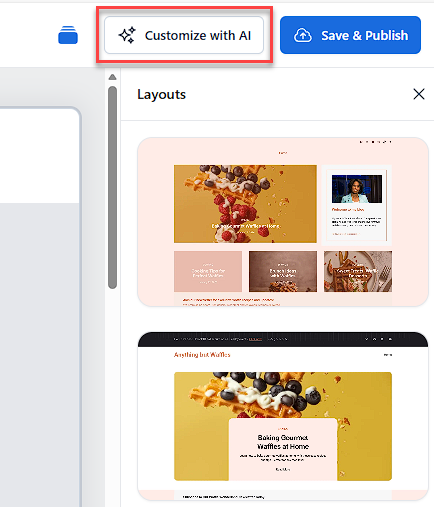
You can start using the AI Editor for WordPress as soon as your WordPress site is installed. During the final step of the onboarding process, click the Customize with AI button in the upper-right corner of the page. This opens the AI Editor, where you can begin entering prompts to customize your website.
Launch the AI Editor from Your WordPress Dashboard
Follow the steps below to access the Bluehost AI Editor for WordPress after installation:
- Log in to your Bluehost Portal.
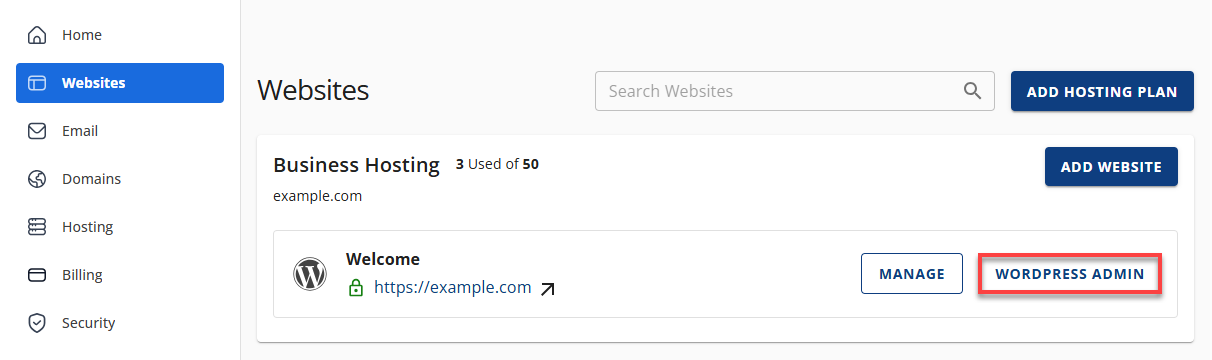
- In the left-hand menu, click Websites.
- Click the Edit Site button located next to the website you want to manage.
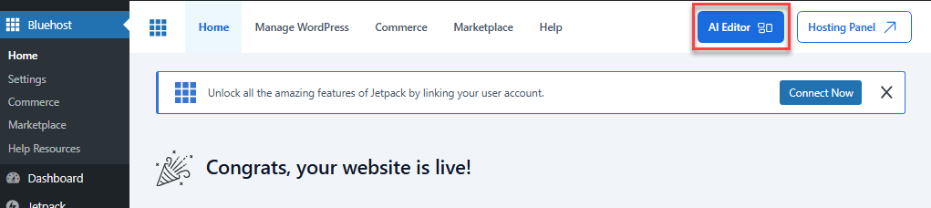
- Once logged in, in the Bluehost Plugin dashboard, click the AI Editor button at the upper right corner.
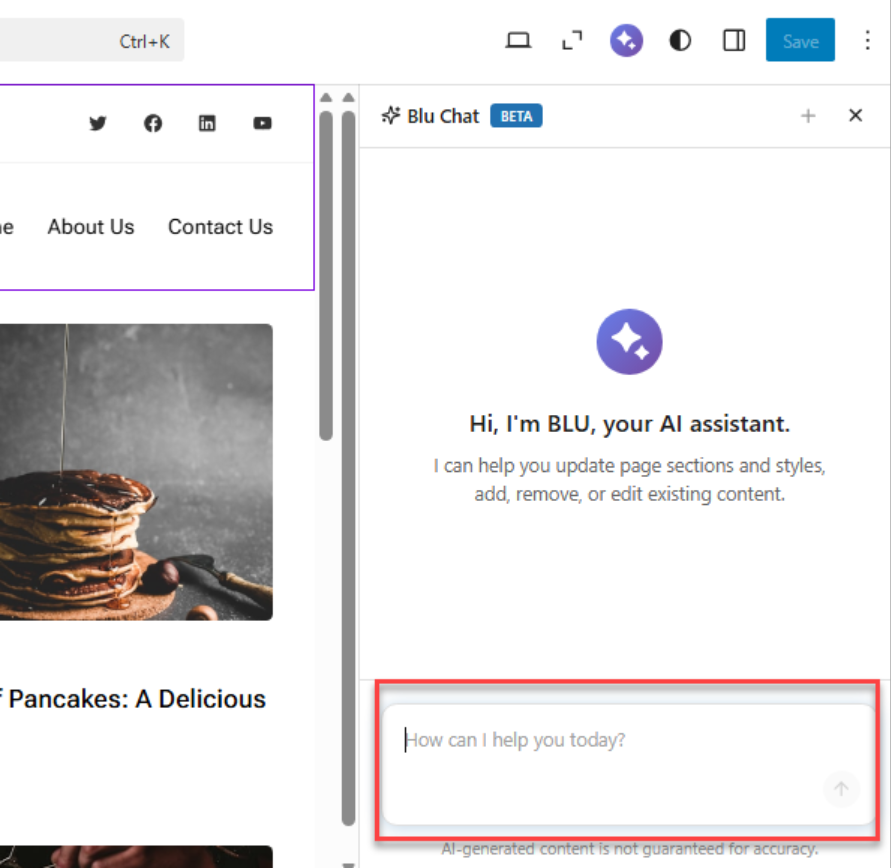
- You should see the AI Editor chat box and start writing prompts to use the AI site editor.
Summary
The Bluehost AI Editor for WordPress allows you to quickly customize your WordPress website using simple prompts. You can edit content, add or remove sections, and adjust site colors—all without technical expertise. The AI Editor is available to all WordPress sites through the Bluehost Plugin and can be accessed anytime from your WordPress dashboard.
If you need further assistance, Bluehost Chat Support is available 24 hours a day, 7days a week while Bluehost Phone Support is available 7 days a week from 7 am-12 midnight EST.
- Chat Support - While on our website, you should see a CHAT bubble in the bottom right-hand corner of the page. Click anywhere on the bubble to begin a chat session.
- Phone Support -
- US: 888-401-4678
- International: +1 801-765-9400
You may also refer to our Knowledge Base articles to help answer common questions and guide you through various setup, configuration, and troubleshooting steps.