 ChatGPT,
 Claude,
 Gemini,
 Grok — all four for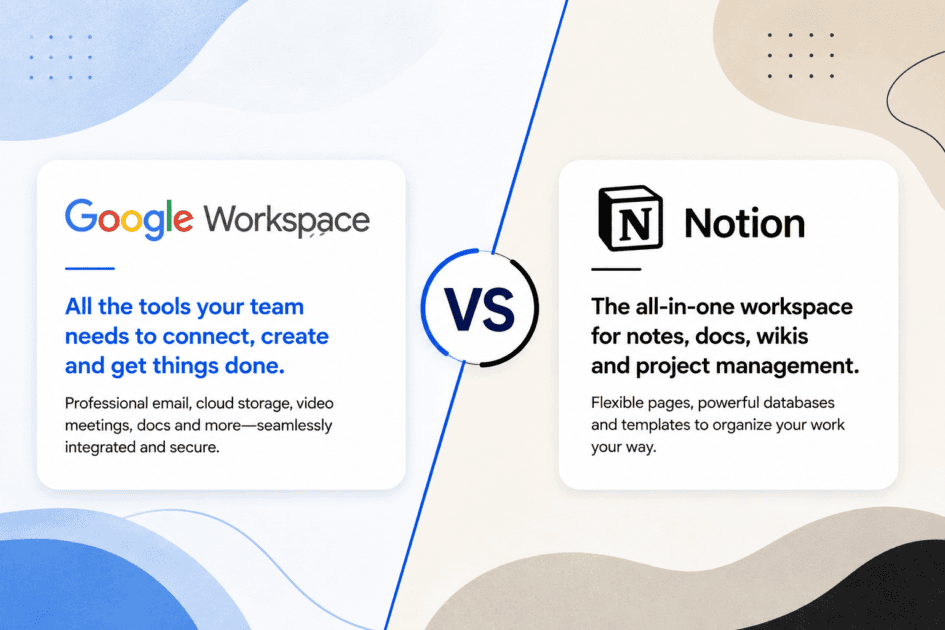
Key highlights
- Understand the fundamental differences between Google Workspace and Notion to choose the ideal platform for your business operations.
- Learn how Google Workspace excels in real-time document editing and communication while Notion shines in structured database organization.
- Uncover how each platform handles task management to keep your daily projects on track.
- Know which tool offers the best overall integration with your existing software stack to prevent workflow disruptions.
- Explore the pricing structures and deployment strategies to find the most cost-effective solution for your team.
Most teams do not run out of tools; they run out of clarity about which tool does what. Google Workspace and Notion are both category leaders, yet they solve entirely different problems. Understanding the difference between Google Workspace and Notion is the first step toward building a setup that actually supports how your team works. One platform is built around communication and document collaboration, the other around organizing information and managing projects. This comparison covers features, pricing, use cases and the moments when one tool outperforms the other, so you can make a well-informed choice.
Google Workspace vs Notion at a glance
Google Workspace is a cloud-based productivity suite built around Gmail, Google Docs, Drive, Meet and Calendar. Notion is a flexible workspace that combines notes, databases, wikis and project boards in one interface. The core difference is purpose: Google Workspace is built for communication and file collaboration, while Notion is built for organizing information and tracking work.
Most teams using both platforms treat them as complements. Replacing one with the other usually creates gaps that are difficult to fill.
What is Google Workspace?
Google Workspace, formerly G Suite, is Google’s subscription-based suite of cloud tools used by more than 3 billion accounts worldwide. Its strength is that communication, file storage and document editing all live in one tightly connected environment.
Key features
The platform includes Gmail for email, Google Meet for video conferencing, Google Chat for messaging, Docs and Sheets for collaborative editing, Drive for file storage and Calendar for scheduling. Google Workspace also includes Gemini AI across its apps, which can summarize email threads, draft responses and generate content inside Docs without any add-on cost on most paid plans.
Pros and limitations
The main advantages are reliability, a familiar interface and an all-in-one communication stack. The primary limitation is organizational depth. Google Drive folders become difficult to navigate at scale and there is no native way to build structured knowledge bases or relational databases. Google Tasks covers only basic project tracking and is not suited for managing complex workflows.
What is Notion?
Notion is a workspace platform that lets teams build notes, wikis, project boards and databases in a single interface. Founded in 2016, it is used by companies including Figma, Duolingo and Pixar for internal documentation and project management.
Key features
Notion’s block-based editor lets users combine text, tables, images, checklists and embeds on any page. Its database feature supports Kanban, timeline, calendar and gallery views, making project tracking visual and flexible. Notion AI, available as a paid add-on at $10 per member per month, handles writing assistance, page summarization and database auto-fill.
Pros and limitations
Notion’s flexibility is its defining quality. Teams that invest time in configuring their workspace gain a system tailored precisely to their workflows. The trade-off is a steeper setup curve; without clear structure from the start, workspaces become disorganized quickly. Notion has no built-in email, calendar or video tool, so it cannot function as a standalone communication platform.
Google Workspace vs Notion: Feature comparison
The table below places both platforms side by side across the features that affect daily team productivity most directly.
| Feature | Google Workspace | Notion |
|---|---|---|
| Document creation | Google Docs, Sheets, Slides | Block-based Notion pages |
| Project management | Google Tasks (basic) | Kanban, timeline, database views |
| Knowledge base | No native wiki tool | Full wiki and database capability |
| Communication | Gmail, Meet, Chat | None built-in |
| AI features | Gemini AI (included in paid plans) | Notion AI ($10/member/month add-on) |
| Integrations | 4,000+ via Google ecosystem | 70+ native integrations |
| Security and administration | Advanced admin controls, HIPAA, SOC 2 | SOC 2, SAML SSO on Business+ plans |
Which is easier to use?
Google Workspace has a significantly shorter onboarding curve. Teams already using Gmail can adopt Docs, Drive and Meet within hours, with no configuration required. The interface is consistent across all apps.
Notion requires upfront planning. Teams that skip the setup phase often end up with cluttered, hard-to-navigate workspaces within weeks. Notion’s template library helps, but getting real value from the platform takes time and intentional structure.
On customization, Notion leads clearly. Google Workspace follows a fixed structure, while Notion allows teams to build almost any organizational system they can design. The trade-off is setup time versus immediate readiness. Google Workspace wins for fast starts; Notion wins once a team has invested in configuration.
Pricing comparison
Both platforms offer free access with meaningful limitations and the paid plans serve different needs at different price points.
- Google Workspace has no free business tier. Personal Google accounts are free, but business features require Business Starter at $3.50 per user per month.
- Notion’s free plan supports unlimited pages and blocks for individuals, making it genuinely usable at no cost. Notion Plus starts at $10 per member per month and Notion Business at $15.
- AI add-on costs differ significantly: Gemini AI is included in most Google Workspace paid plans, while Notion AI costs an additional $10 per member per month on top of any paid tier.
For solo users and very small teams, Notion’s free plan provides better value. For teams that need professional email included, Google Workspace’s entry plan covers more ground for a lower per-user cost once AI is factored in.
Google Workspace vs Notion for different use cases
Best for freelancers
Notion’s free plan gives freelancers a complete client and project management system at no cost. Google Workspace makes more sense only when a professional email address tied to a custom domain is a priority.
Best for startups
Early-stage teams often start with Notion for documentation and internal wikis, then add Google Workspace when communication needs grow. Many high-growth teams run both from day one.
Best for remote teams
Remote teams that depend on real-time video and messaging benefit most from Google Workspace for communication. Notion handles async project documentation and process tracking for those same teams.
Best for agencies
Agencies managing multiple client accounts benefit from Notion’s database-driven project pipelines and client portals. Google Workspace handles client-facing email and file delivery.
Best for enterprises
Larger organizations typically rely on Google Workspace for its compliance certifications, admin controls and support infrastructure. Notion’s Enterprise plan adds SAML SSO and advanced permissions for organizations that want structured knowledge management alongside it.
Can Google Workspace replace Notion?
Google Workspace cannot fully replace Notion for teams that depend on structured databases, visual project boards or internal wikis. Google Sites provides a basic intranet option, but it lacks Notion’s relational databases, multiple views and flexible page hierarchy.
For teams whose primary need is document creation and real-time file collaboration, Google Workspace covers the essentials without requiring Notion at all. Teams that rely on structured SOPs – Standard Operating Procedures – client wikis or tracked project pipelines should not expect Google Workspace to fill that role.
Can Notion replace Google Workspace?
Notion cannot replace Google Workspace because it has no email, video conferencing or calendar tool. Teams that move entirely to Notion still need a communication platform, which most find in Gmail or Outlook regardless.
Notion can work as a near-complete solution for very small teams or solo users who handle communication through a tool like Slack and do not need professional email. For most business teams, Notion covers project and knowledge management but leaves a significant communication gap that requires a separate solution.
Why many teams use Google Workspace and Notion together?
The most productive setup for growing teams is rarely a choice between the two platforms. Google Workspace handles email, video meetings and spreadsheet-heavy deliverables. Notion handles internal documentation, project tracking and onboarding systems. Because Notion integrates natively with Google Drive, embedding Drive files inside Notion pages requires no third-party connector.
A typical combined workflow looks like this: project briefs arrive via Gmail, planning happens inside Notion databases and final deliverables are drafted in Google Docs and shared with clients from Drive. Startups, remote teams and agencies find this combination particularly effective because it assigns each tool the job it does best.
Google Workspace vs Notion: Pros and cons
Google Workspace pros and cons
Below are the clearest advantages and trade-offs for teams evaluating Google Workspace.
- Includes email, video, messaging and file storage in one subscription
- Familiar interface with minimal training required
- Gemini AI included at no extra cost in most paid plans
- No native project management or wiki tool beyond basic task lists
- Drive folder structure becomes difficult to manage at scale
Google Workspace works best when communication and document collaboration are the team’s primary daily activities.
Notion pros and cons
Notion’s strengths and limitations sit on opposite sides of the same coin: flexibility.
- Highly adaptable workspace that supports almost any organizational system
- Strong database, wiki and project tracking capabilities
- Generous free plan for individuals and small teams
- No built-in communication, email or calendar tools
- Requires significant setup time before it delivers consistent value
Teams that treat Notion as a long-term investment in their operating system tend to get far more out of it than those who expect immediate returns.
Final thoughts
Choosing the right platform for your team depends on where your daily work actually happens and what roadblocks slow down your progress. Overall, Google Workspace serves as the or primary hub if your daily operations center on email, video meetings and shared document collaboration, offering a reliable suite without setup overhead. Conversely, Notion excels when your team requires structured knowledge management, visual project tracking or a single source of truth for internal documentation. Many growing teams find success by running both platforms in tandem to keep communication and project organization aligned.
For most growing teams, framing this choice as a strict conflict misses the point because these two platforms address entirely different operational layers. The most practical path forward is to identify your biggest organizational bottleneck first, solve it with the appropriate tool and then introduce the complementary system as your requirements expand. If your immediate priority is establishing professional communication and collaborative workflows, get started with Google Workspace to build a reliable foundation for your business.
FAQs
Notion is better than Google Workspace for knowledge management, project tracking and building custom team workflows. Google Workspace is better for communication, professional email and document collaboration. Neither platform is universally superior; each excels in a different area of team productivity and many teams use both.
Notion can replace Google Docs for internal documentation and note-taking but is not the best fit for polished documents shared externally. Google Docs offers stronger formatting control, comment resolution and export options, which makes it more practical for professional deliverables sent to clients or external stakeholders.
Notion is significantly stronger for project management. Its Kanban boards, timeline views and relational database features give teams clear visibility into tasks and deadlines. Google Workspace’s native project tracking through Google Tasks is too limited for managing multi-stage projects or tracking work across a team.
Notion is better for internal documentation, SOPs and team wikis due to its structured page hierarchy and database linking. Google Docs is better for collaborative editing and external-facing documents. Many teams use Google Docs for client deliverables and Notion for internal reference material, with both serving distinct documentation needs.
Yes. Notion integrates directly with Google Workspace. You can embed Google Drive files inside Notion pages, sync Google Calendar events and use Google authentication for Notion login. The integration is native and covers the most common overlap between the two platforms without requiring a third-party connector.
Google Workspace offers better value for AI features because Gemini AI is included in most paid plans at no additional cost. Notion AI is a focused, capable tool for writing and database automation, but it costs an extra $10 per member per month. For cost-conscious teams, Google Workspace’s AI inclusion is a meaningful advantage.

Write A Comment