 ChatGPT,
 Claude,
 Gemini,
 Grok — all four for
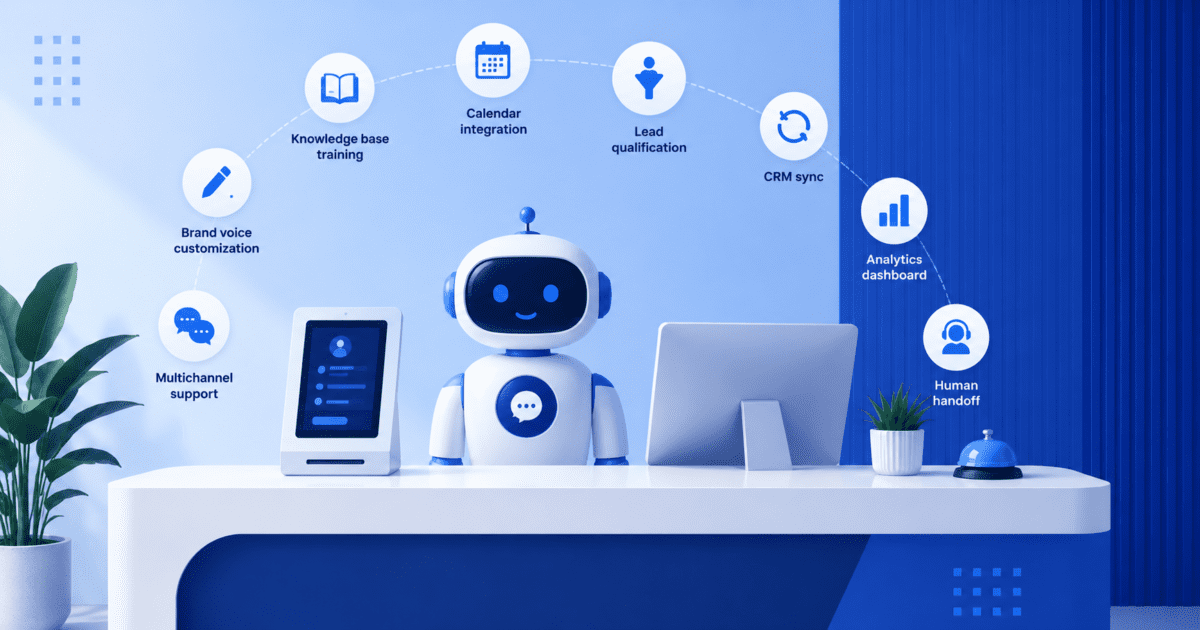
Key highlights
- Learn what front desk automation actually means and how it goes beyond a basic chatbot or answering service.
- Understand why missed calls and slow responses are quietly costing small businesses real revenue in 2026.
- Explore the core features and benefits that separate a genuinely useful automated front desk solution from a simple contact form.
- Uncover real front desk automation examples across industries such as healthcare, legal, home services and hospitality.
- Know what front desk automation costs and how to calculate a quick return on investment for your own business.
Here is a number worth sitting with for a second. Sixty two percent of calls to small businesses go unanswered and eighty five percent of those callers never call back. They just call the next business on the list.
That is not a staffing problem. It is a front desk problem and it costs businesses real money every day, often without anyone noticing. Front desk automation closes that gap, so more small businesses now answer every call, chat and booking request around the clock without extra hires.
The technology has matured fast. What used to mean a clunky phone tree now means a system that holds a natural conversation, checks your calendar and books a real appointment, all without anyone picking up the phone.
This guide covers what front desk automation is, how it works, its features, benefits, costs, examples and how the automated front desk tool helps a small business stop missing leads.
What is front desk automation?
Front desk automation is the use of software and AI-driven front desk tools to handle the tasks a receptionist or front office team would normally do by hand. That includes answering calls and messages, booking appointments, answering common questions, greeting visitors and routing urgent requests, all without a person needing to be available every single minute of the day.
It is broader than a single chatbot or answering service. Front desk automation can live on your phone line, your website chat widget, a lobby kiosk or all three at once and it is built to take real action rather than just collect a message.
| Traditional front desk task | The automated equivalent |
| Answering phones during business hours | An AI voice agent answers every call, day or night |
| Scheduling appointments by hand | A bot books, reschedules and cancels directly on your calendar |
| Answering the same questions over and over | A trained knowledge base answers instantly and consistently |
| Greeting visitors at a physical desk | A kiosk or virtual avatar checks guests in and notifies staff |
| Calling to confirm appointments | Automated texts or emails handle reminders and confirmations |
| Writing down caller details after the fact | Details are logged and synced to your CRM automatically |
One distinction worth making early. An old fashioned chatbot usually just collects a name and number and leaves the rest to a human. Front desk automation, done well, holds a real conversation, checks your calendar in real time and completes the action on its own.
The shift matters for two groups at once. Customers get an instant, accurate answer instead of a busy signal and your team stops losing hours to the same handful of questions every single day.
How front desk automation actually works?
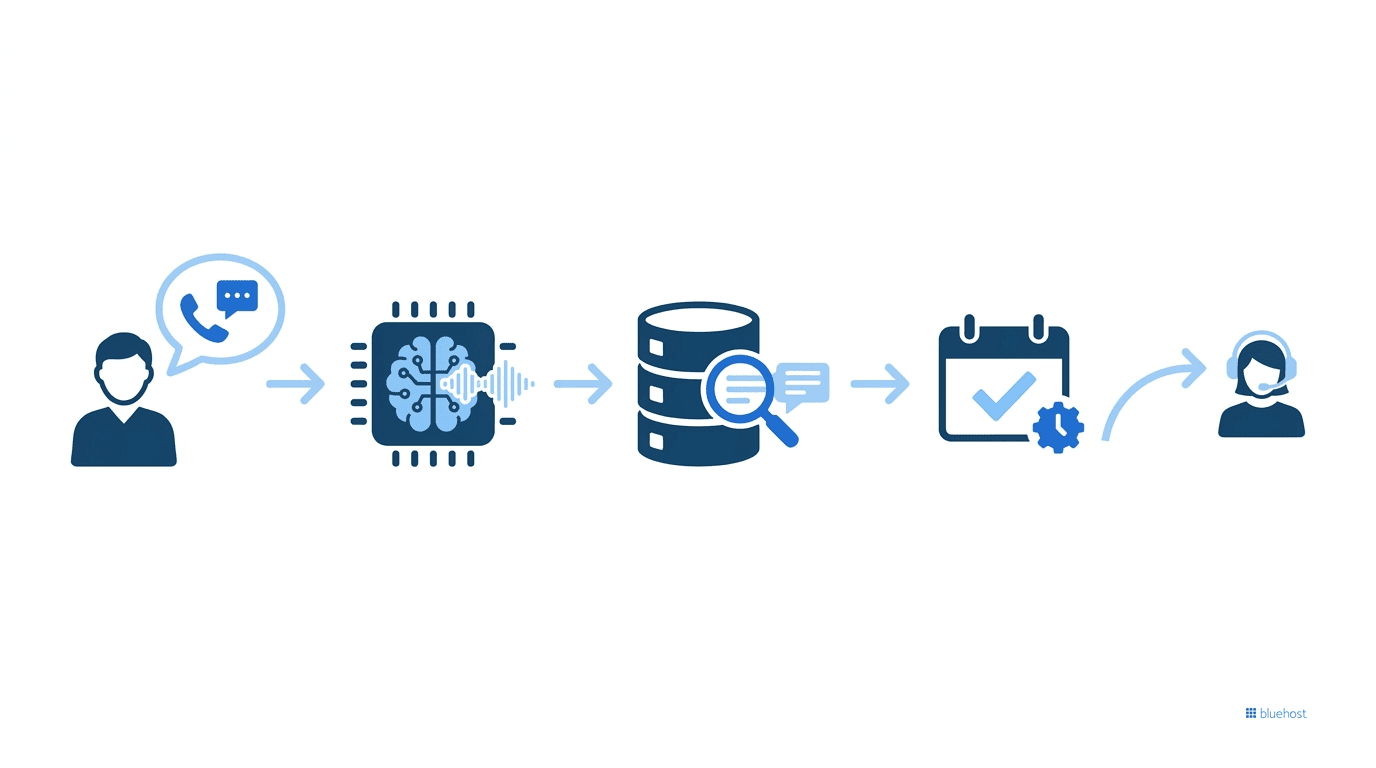
The mechanics are simpler than they sound. Most tools follow the same basic pattern.
- A customer calls, messages or walks up to a kiosk with a question or request
- The AI interprets what they actually want using natural language processing, the same technology behind modern voice assistants
- It pulls the answer from a knowledge base trained on your website and documents, or routes the request to the right workflow
- It completes the action itself, such as booking a slot, sending a confirmation or updating a record
- If the request is too complex or the caller is frustrated, it hands off to a real person instead of forcing them through a loop
That last point matters more than people expect. The goal is not to remove humans from the picture. It is to handle the repetitive, predictable requests so your team only steps in when a real conversation is needed.
Also read: AI Receptionist for Small Business: Your 24/7 Answering Service in 2026
AI receptionist vs automated reception desk vs front desk automation
These three terms get used interchangeably online, but they are not quite the same thing and knowing the difference helps when you are comparing tools.
| Term | What it usually means | Example |
| AI receptionist | Software that answers calls or chats the way a receptionist would | A phone or web based voice and chat agent |
| Automated reception desk | The physical or digital setup that replaces a staffed front desk | A lobby kiosk or check in tablet |
| Front desk automation | The overall practice of automating front desk tasks, software and hardware combined | An AI receptionist plus a booking system plus an automated reception desk |
In short, an AI receptionist is one piece of the puzzle. An automated reception desk is usually the hardware piece. Front desk automation is the umbrella term that covers the whole strategy.
Also read: Best AI Scheduling Assistant for Productivity: 2026 Picks
Why front desk automation matters right now
None of this is theoretical. The numbers behind it have gotten hard to ignore.
| What the data shows | Why it matters |
| 62% of small business calls go unanswered | Every missed call is a missed chance to win a customer |
| 85% of callers who get no answer never call back | Most of that lost business does not come back later, it goes to a competitor |
| The average small business loses an estimated $126,000 a year to unanswered calls | This is not a rounding error, it is real revenue walking out the door |
| 82% of small business owners had invested in AI tools by early 2026 | Adoption has moved well past the experimental stage |
| AI powered platforms now hold the largest share of the virtual front desk market | The shift away from staffed only desks is already underway |
| AI can handle a routine interaction for roughly $0.50 to $0.70 versus $6 to $8 for a human agent | The cost gap is large enough to change the math for almost any business |
Put plainly, customers expect an instant answer in 2026 and a business that cannot offer one is quietly losing money, not because of bad service, but because of no service at all.
Benefits of front desk automation
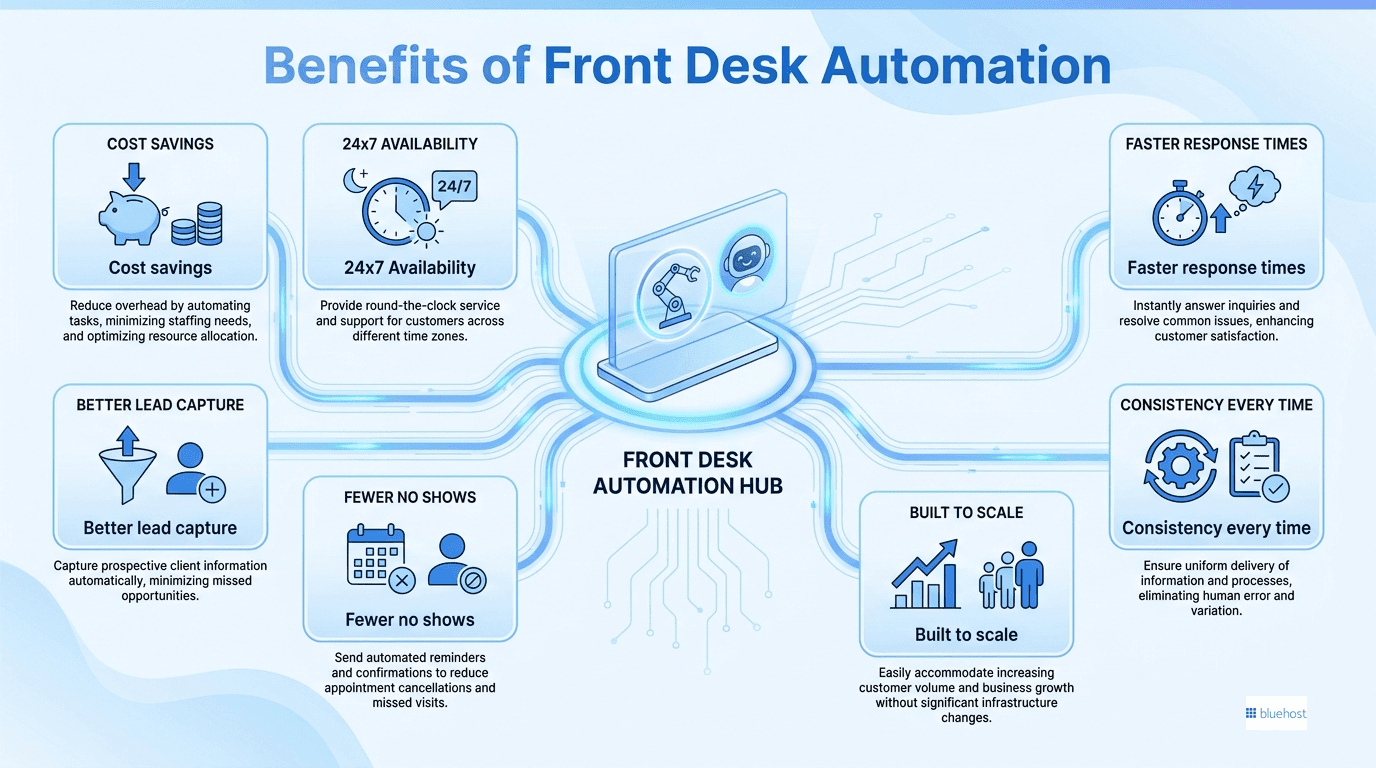
The appeal is not just about saving money, though that is part of it. Here is what businesses tend to notice first.
- Cost savings: A subscription tool typically costs a fraction of a full time salary, benefits and training.
- Round the clock availability: Calls and messages get answered nights, weekends and holidays, not just during business hours.
- Faster response times: Customers get an answer in seconds instead of waiting on hold or for a callback.
- Better lead capture: Every inquiry gets engaged and qualified instead of slipping through to voicemail.
- Fewer no shows: Automated reminders and easy rescheduling cut down on missed appointments.
- Consistency every time: Answers do not vary based on mood, workload or how busy the day has been.
- Built to scale: It handles one conversation or a hundred at once without any extra hiring.
| Cost factor | Human receptionist | AI receptionist tool |
| Typical annual cost | $35,000 or more including benefits and training | A few hundred to a few thousand dollars a year |
| Hours covered | Roughly 40 hours a week | 24 hours a day, 7 days a week |
| Sick days and vacation | Yes, coverage gaps are common | None |
| Concurrent conversations | One at a time | Effectively unlimited |
Front desk automation features worth looking for
Not every tool on the market is built the same way. These are the features that actually separate a useful system from a glorified contact form.
| Feature | What it does | Why it matters |
| Knowledge base training | Learns from your own website and documents | Answers stay accurate and on brand instead of generic |
| Calendar integration | Books, reschedules and cancels in real time | No double bookings and no manual back and forth |
| Lead qualification | Asks a few screening questions before handoff | Your team only talks to people who are a good fit |
| CRM sync | Logs caller details and notes automatically | No manual data entry after every conversation |
| Multichannel support | Works across phone, chat and text | Customers can reach you however they prefer |
| Brand voice customization | Lets you set the tone and persona | It sounds like a member of your team, not a script |
| Analytics dashboard | Tracks bookings, call volume and trends | You can see what is working and what needs a tweak |
| Human handoff | Detects frustration or complex requests | Nobody gets stuck talking to a wall when they need a person |
Front desk automation examples by industry
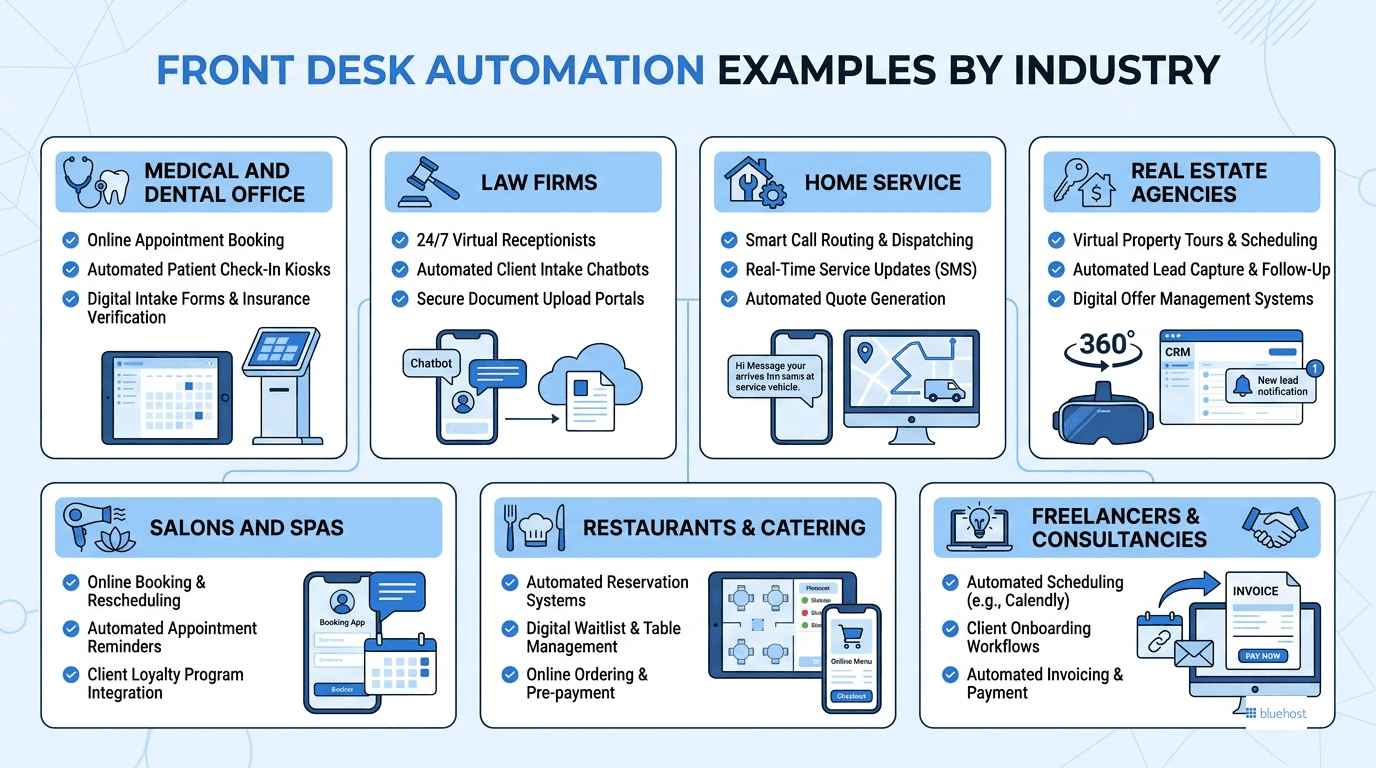
It helps to see how this plays out in practice. Here is what front desk automation actually looks like across a few common industries.
- Medical and dental offices: Patients book cleanings, reschedule visits and get reminder texts two days out, all without tying up the front desk phone line.
- Law firms: An after hours call from an anxious potential client gets a calm, structured intake conversation and a consultation lands directly on the attorney’s calendar by morning.
- Home services: A burst pipe call at 11pm gets captured, summarized and routed to the on call technician immediately instead of sitting in voicemail until business hours.
- Real estate agencies: Buyer and seller inquiries get qualified around the clock, so agents wake up to a list of pre screened leads instead of missed calls.
- Salons and spas: Clients book and rebook appointments without ever calling during business hours, freeing staff to focus on the chair in front of them.
- Restaurants and catering: Reservation requests, hours and menu questions get answered instantly, even during the dinner rush when nobody can pick up the phone.
- Freelancers and consultancies: A solo operator who cannot answer every inquiry personally still looks fully staffed to anyone visiting the website. AI for lead generation is one of the best ideas if you have limited manpower.
Notice the pattern across every one of those examples. The business is not cutting corners on service. It is making sure the first response a customer gets is fast and useful, whether that happens at 2pm on a Tuesday or 2am on a Sunday.
Also read: What Is Customer Service Automation? Guide for Business Owners
Automated reception desk: Software agents vs physical kiosks
Within front desk automation, there are two very different approaches and most businesses only need one of them.
| Approach | Typical cost and setup | Best fit |
| AI chat or voice agent (software only) | Low monthly cost, usually live in days | Service businesses, clinics, agencies and any business that takes calls or web inquiries |
| Physical kiosk with a virtual avatar | Higher upfront cost, includes hardware and badge printing | Corporate lobbies, government buildings and facilities that need visitor check in |
| Traditional staffed desk | Full time salary and benefits | Roles that need a constant in person, hands on presence |
Most small and mid sized service businesses get the bulk of the benefit from the software side alone, since their front desk problem is really a phone and web problem rather than a lobby problem.
What front desk automation costs
Pricing varies a lot depending on what you are comparing it to.
| Option | Typical monthly cost | What you get |
| Full time human receptionist | Roughly $2,900 or more once benefits and training are factored in | One person, one conversation at a time, during business hours |
| Basic DIY AI receptionist | $25 to $50 | Self serve setup, limited calls or minutes included |
| Mid tier AI tool with CRM | $100 to $300 | Higher call volume, CRM integration, more customization |
| Bluehost AI Receptionist | $25 per month with expert onboarding | Team-assisted setup, trained on your content, Google Calendar integration |
| Enterprise automation platform | Custom quote, often thousands | Large scale workflow automation across departments |
A simple way to think about return on investment: multiply your missed calls per day by your typical close rate and your average customer value, then multiply that by 30 for a monthly figure. Even capturing a small slice of that number back can help offset the monthly cost of the tool.
It is also worth remembering that the $35,000 plus salary figure for a human receptionist rarely tells the whole story. Add recruiting time, training, turnover and the coverage gaps that show up during lunch breaks, sick days and busy seasons and the true cost of a staffed only front desk is usually higher than the number on paper.
Bluehost AI Receptionist: front desk automation for small businesses
If you want a real example of front desk automation built specifically for small businesses rather than enterprise IT teams, the Bluehost AI Receptionist is worth a look.
It is trained directly on your own website and documents, so every answer it gives is specific to your business rather than pulled from generic data. It connects to your Google Calendar through secure OAuth, which means it manages real time availability and blackout dates instead of just collecting a message for someone to follow up on later. You can also set its tone and personality during setup, so it represents your brand rather than sounding like a stock script.
| At a glance | Details |
| Price | $25 per month, no setup fee |
| Setup | Handled by Bluehost’s onboarding team, typically live within days of content handoff |
| Integrations | Trained on your website and documents, full calendar integration through Google Calendar |
| Best for | Service-based small businesses, creative freelancers, agencies and appointment-based teams that lose leads after hours |
Getting it live follows a simple three step process.
- Share your goals and tell the team what your business does and what you want the agent to achieve
- Bluehost builds and trains your agent, connecting your calendar and configuring your brand voice
- Your agent goes live, capturing leads and supporting appointment bookings around the clock
It will not replace your sales team, and it is not meant to. It handles the routine questions and bookings so your team can spend their time on the conversations that actually need a person.
Common myths about front desk automation
A few objections come up in almost every conversation about this. Most of them were true five years ago and are not true anymore.
- Myth: it will sound robotic and drive customers away. Reality: modern systems are built on natural language processing and hold genuinely conversational exchanges, with a built in handoff to a human when needed.
- Myth: it replaces my whole team. Reality: it absorbs the repetitive, predictable volume so your team has more time for complex or high value conversations.
- Myth: it is too expensive for a small business. Reality: many tools cost less per month than the revenue from a single missed lead.
- Myth: setup takes weeks of technical work. Reality: managed, no code options can go live within days, with no coding required on your end.
How to roll out front desk automation: a simple step-by-step plan
- Define your one primary goal, whether that is booking more appointments, answering FAQs or capturing after hours leads
- Choose a tool that fits that specific goal rather than the one with the longest feature list
- Train it on your real content, including your website, FAQs and service details
- Connect your calendar and CRM so bookings and leads flow automatically
- Test it yourself before launch, then review call or chat transcripts every week or two and refine as you go
Also read: What Is an AI Receptionist and Which Tool Suits Your Business
Final thoughts
Front desk automation is not about removing the human touch from your business. It is about making sure nobody who calls, messages or walks through your door ever gets met with silence, even at 11pm on a Sunday.
Whether you start with a simple AI receptionist for your phone line or roll out a full automated reception desk for your lobby, the goal stays the same: capture every opportunity, answer instantly and free your team to focus on the work only a person can do.
If you are a small business looking for a straightforward place to start, the Bluehost AI Receptionist is built for exactly this. It is trained on your own content, connects directly to your calendar and goes live in days, all for $25 a month with no setup fee.
The businesses that win the next few years will not necessarily be the ones with the biggest budgets. They will be the ones who answer first, every time, no matter when the call comes in.
FAQs
It is the use of software and AI to handle front desk tasks such as answering calls and chats, booking appointments and routing requests, without needing a person available around the clock.
A basic chatbot usually just collects information for a human to follow up on later. An AI receptionist holds a real conversation, checks live data such as calendar availability and completes the action itself.
For most service based businesses, yes. The cost is usually far lower than a missed lead or a full time hire, and the setup for managed tools is fast. Businesses with high call or inquiry volume and limited staff bandwidth tend to see the fastest payoff.
Not typically. It is designed to absorb routine, repetitive work so your team can focus on the conversations that genuinely need a human touch, such as complex requests or high value relationships.
Basic tools start around $25 to $50 a month. More advanced setups with CRM integration and higher volume run from $100 to $300 a month or more, depending on the provider.
A well built system either escalates the conversation to a real team member or books time on someone’s calendar, so nothing important falls through the cracks.

Write A Comment