 ChatGPT,
 Claude,
 Gemini,
 Grok — all four for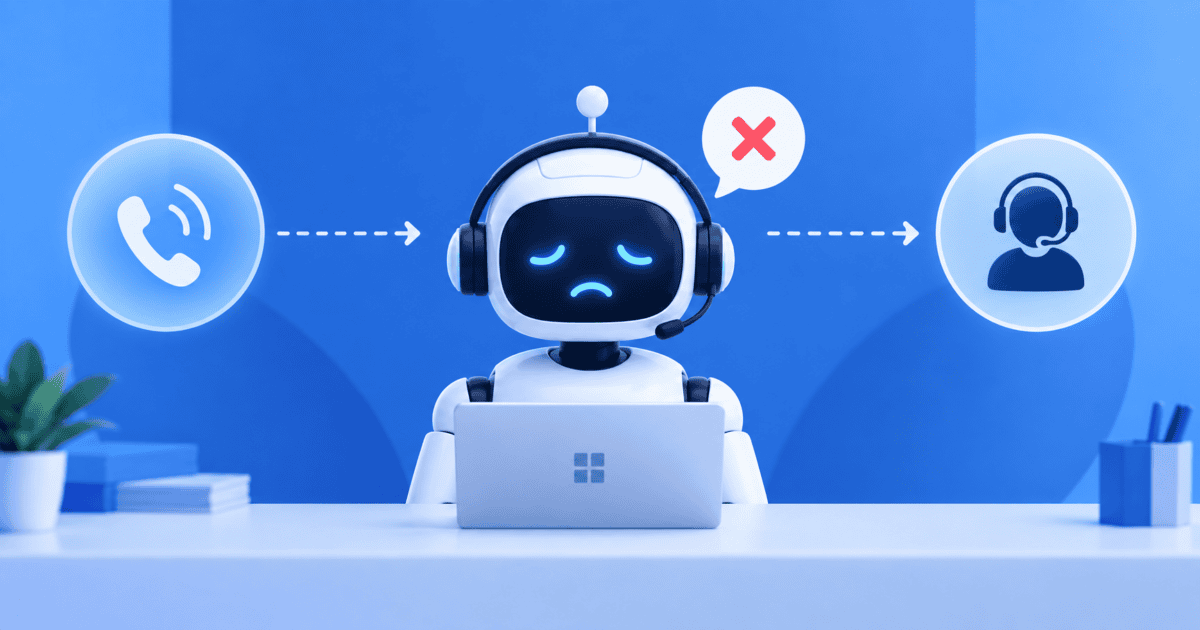
Key highlights
- Learn what a well-configured AI receptionist does the moment it cannot finish a caller’s request.
- Understand why AI receptionists reach their limits, from misheard speech to gaps in their knowledge base.
- Discover the fallback and escalation options that keep a stumped call from becoming a lost lead.
- Know how to judge reliability and compliance before you trust a platform with sensitive customer calls.
- See how Bluehost AI Receptionist supports 24/7 website conversations, lead capture and Google Calendar appointment management.
Almost every AI receptionist eventually meets a call it cannot finish. A caller asks something unusual, talks over background noise or simply needs a person and the software reaches its limit. So what happens when your AI receptionist can’t handle a call?
A well-built one does not guess or hang up. It recognizes the limit and follows a plan. It clarifies the request, captures the caller’s details or hands the conversation to a human.
That plan keeps callers, and the website conversations that would otherwise become missed calls, from being dropped. This guide explains why these systems reach their limits, how good ones recover and how to set up fallbacks you can trust.
What happens when your AI receptionist can’t handle a call?
When an AI receptionist can’t handle a call, a well-designed one does one of three things instead of guessing. It clarifies the request, captures the caller’s details and question or escalates to a human. That three-part pattern is the whole story in miniature.
The order matters. First, it tries to understand the caller by rephrasing or asking one focused question. If it still cannot help, it captures who the caller is and what they need.
If the situation calls for a person, it routes the conversation to your team with the details already collected.
The rest of this guide expands each step. You will see why the AI reaches its limit. You will also learn how it recovers in the moment and how to design the handoff so no one gets stranded.
Why AI receptionists reach their limits?
AI receptionists reach their limits for two main reasons. They cannot always understand the input, and they cannot always find the answer. These are different problems with different fixes.
The stakes are real. Missed or after-hours calls cost small businesses leads. That is why an AI receptionist for small business works to catch every one.
Knowing which one you are seeing tells you what to adjust. A misunderstanding points to input quality.
A wrong or missing answer points to the knowledge base. The two sections below break down each type.
When the AI mishears: accents, noise and unclear speech
Speech is messy. Regional accents, dialects, background noise, fast talking and cross-talk all make it harder for software to capture words correctly. A caller who says “I need help” gives the system very little to work with.
Ambiguous requests cause the same trouble. When a caller does not name a service, a date or a person, the AI has to interpret intent from thin information. These are well-documented limits of speech recognition and they show up most when the audio is poor or the request is vague.
The fix here is rarely more data. It is better recovery behavior, which you will see in the next section, so the AI confirms what it heard before it acts on it.
When the AI doesn’t know: knowledge gaps and out-of-scope requests
The second limit is knowledge. An AI receptionist answers from a trained knowledge base built on your business content. When a question falls outside that base, the AI has a gap.
Common gaps include a custom price quote, an undocumented policy exception or real-time information the system is not connected to. A gap should trigger a fallback, not an invented answer. The goal is to recognize the limit and route the caller, not to fill silence with a guess.
Also read: What Is an AI Receptionist? How It Works and the Best Tools to Use in 2026
How a good AI receptionist recovers in the moment?
Recovery happens before escalation. A capable AI receptionist does not repeat the same prompt louder. It slows down, rephrases the question and asks for one piece of information at a time.
It also confirms critical details out loud. For numbers, names and dates, a good system repeats them back so the caller can correct any mistake before it books or routes anything. When audio is poor, it acknowledges that and asks the caller to repeat or spell a word.
This “confirm before it acts” behavior is a quality signal worth looking for. Getting the details right is what makes the next step, whether that is a booking or a handoff, actually useful to your team.
How the AI knows when it’s stumped: confidence thresholds?
Behind the scenes, an AI receptionist scores how confident it is in each response. That confidence score is what decides whether it answers, asks a question or escalates.
A common setup uses three bands. When confidence is high, the AI answers directly. In a middle range, it asks a clarifying question.
When confidence is low, it stops and escalates rather than risk a wrong answer. These thresholds are an industry practice, not a regulatory standard and the exact numbers vary by platform.
The practical point for you is control. Confidence thresholds are a setting an owner or admin can tune, so the system leans toward asking or escalating when the stakes are high.
Fallback options when the AI can’t answer
A fallback is the planned next step when the AI cannot resolve a request on its own. This is the part of the setup that decides whether a hard call ends in a captured lead or a hang-up. Deciding these options in advance is what separates a reliable system from a frustrating one.
- Live transfer: send the caller to an available person during business hours, following rules you set for staffing.
- Message taking: record who the caller is, what they need and how to reach them, with full context attached.
- Callback scheduling: offer a specific time for a person to call back instead of leaving the caller waiting.
- Follow-up with next steps: share a booking link or the requested information so the caller can act right away.
- Caller-triggered escalation: let phrases like “talk to a person” route the conversation to a human immediately.
Capturing the caller’s details is what keeps the lead alive when the AI hands off.
Also read: AI Chatbot for Lead Generation: How to Get Qualified Leads Fast in 2026
When and how the AI should escalate to a human?
Some requests should go to a person quickly. Escalation triggers usually include emergencies, unresolved critical details, out-of-scope or sensitive requests and callers who sound frustrated. Routing should follow rules built around how your business actually works.
Handoff quality matters as much as the handoff itself. A good system passes a short summary along with the conversation, so your staff start informed instead of asking the caller to repeat everything. That is the difference between a warm handoff and a cold one.
Verizon customer experience research, a seven-country survey of consumers and executives published in 2025, points to why this path matters. It found 88% of consumers were satisfied with interactions handled mostly by human agents, compared with 60% for AI-driven ones.
The same Verizon survey found that 47% named the inability to reach a human as their top frustration with automated systems.
A hybrid model that keeps a clear route to a person is the realistic approach. Judge a platform by its handoff quality, not just by whether it can transfer.
Common AI receptionist failure points and how to prevent them?
Most failures fall into a handful of predictable patterns. The table below pairs each failure point with what a well-configured AI does and the step you take to prevent it.
| Failure point | What a well-configured AI does | How you prevent it |
|---|---|---|
| Mishears the caller | Confirms names, numbers and dates before acting | Enable confirmation prompts and test with varied accents |
| Question outside the knowledge base | Admits the gap and offers a next step | Add custom answers for the questions callers actually ask |
| Ambiguous request | Asks one focused clarifying question | Write prompts that gather the missing detail first |
| Emergency or urgent call | Escalates or routes to a person immediately | Define emergency triggers and a priority route |
| Sensitive or regulated request | Limits collection and hands off under your rules | Set data rules and a compliant escalation path |
| Platform outage | Cannot respond until service returns | Prepare a manual backup plan for downtime |
The pattern across every row is the same. A good system recognizes its limit and takes a safe next step, and your configuration decides how well it does that.
What happens when the platform itself goes down?
An AI receptionist depends on the platform staying online. If the service goes down, it cannot answer questions, capture details or book appointments until it comes back. Reliability is a failure mode worth planning for, even though it gets less attention than misunderstandings.
Service-level agreements or SLAs, describe expected uptime, but they are easy to misread. An SLA of 99.9% sounds close to perfect, yet it still allows roughly nine hours of downtime a year. That downtime could land during your busiest hours.
The takeaway is not simply to chase a bigger number. Look for redundancy and active monitoring, and prepare a manual backup plan. Decide in advance how inquiries get handled when the system is unavailable, so callers still reach you during an outage.
What callers experience and why honesty builds trust?
Put yourself in the caller’s seat. An honest “I don’t have that, but I can take a message or connect you” beats a confident wrong answer. Honesty keeps the conversation moving toward a resolution.
Fabrication does the opposite. A made-up answer can send a caller down the wrong path and damage trust in your business, which is especially risky in regulated work. A clean fallback keeps a stumped call from turning into a hang-up.
Transparency is a design choice, not a weakness. When the AI states its limit and offers a clear next step, the caller stays engaged. Your team gets a usable lead instead of a dropped one.
How to reduce failures over time?
Failures should shrink as you learn from real conversations. A setup built on deliberate training and regular review keeps getting better, while a thin one plateaus quickly. The same principle applies to any tool you adopt. This guide to using AI in your business covers human oversight for sensitive work.
The work splits into two habits: improving the knowledge base and monitoring what actually happens on calls. The two H3 sections below cover each.
Expand and refine the knowledge base
The knowledge base is one of the biggest levers on your failure rate. Add custom question-and-answer pairs for the gaps that keep coming up. Keep your hours, services and pricing current so the AI never answers from stale information.
Add the industry terms and jargon your callers use, so requests are matched correctly. Most important, use real call transcripts to close the specific gaps they reveal. Fix the gap the transcript shows you, not an imagined one.
Monitor, audit and close the loop
Review transcripts often at first, then settle into a steady cadence such as a weekly check. Early review catches problems while they are cheap to fix and teaches you how callers really phrase their needs.
Watch your escalation and fallback analytics to see which topics trigger failures most. Feed those findings straight back into training. That loop, from monitoring to knowledge-base updates, is what drives the failure rate down over time.
Are AI receptionists good enough to trust with your calls?
Yes, for the right work. AI receptionists handle routine, high-volume tasks well, including common questions, lead capture, scheduling and simple routing. People still do better on judgment, empathy, de-escalation and regulated intake.
That is why many small businesses using AI in customer service lean toward a hybrid model. Talkdesk, a customer-experience software vendor, fielded a survey in August 2025. That small business AI survey found that 51% of US small businesses have integrated AI into customer service. In the same Talkdesk survey, 94% said they plan to keep or grow their human service teams over the next two years.
A simple decision rule helps. Trust the AI with the routine, repetitive tail of your calls and conversations. Keep humans on the hard tail: the sensitive, urgent or complicated cases. Set your thresholds and escalation rules so the system leans toward a person whenever the stakes are high.
Staying compliant when calls go wrong
Compliance still applies at the AI’s limits. Even during a fallback or escalation, the system may collect personal details and in healthcare, legal or other regulated work those details carry legal weight. Treat this section as general guidance, not legal advice and confirm your obligations with a qualified advisor.
According to HHS guidance on business associates, an AI system that handles patient health information is a business associate under HIPAA. That means you need a signed business associate agreement or BAA, with the vendor before the system can access that data. The agreement should be paired with real safeguards such as encryption and audit logging.
A BAA is necessary, but it is not sufficient on its own. Your actual protections have to match what the agreement promises. If your work touches regulated data, confirm both the agreement and the safeguards before you route any sensitive information through the system.
How Bluehost AI Receptionist helps small businesses?
Bluehost AI Receptionist helps small businesses automate routine customer interactions, lead capture and appointment scheduling. It stays available 24/7, helping businesses respond to opportunities even when their team is unavailable.
Bluehost AI Receptionist include:
- 24/7 customer conversations: Answer supported questions and capture leads at any time using information from your business.
- Google Calendar integration: Let customers book, reschedule or cancel 30-minute appointment slots without a human coordinator.
- Knowledge base training: Train the AI on your business documents and resources for company-specific responses.
- Custom voice and tone: Define a brand personality and response style to keep customer interactions consistent.
- Real-time scheduling: Manage calendar availability and blackout dates through Google Calendar integration.
- Admin and analytics: Track chat history, bookings, session trends and frequently discussed topics.
- Professional Services support: Get help configuring goals and knowledge bases for a smoother setup and launch.
By automating routine questions and appointment management, Bluehost AI Receptionist can help your team spend more time on complex, higher-value work.
Final thoughts
When an AI receptionist reaches its limit, what happens next matters most. Clear fallback rules, accurate business information and human oversight help prevent difficult interactions from becoming missed opportunities.
For businesses looking to automate website questions and appointment scheduling, Bluehost AI Receptionist offers 24/7 conversations, knowledge-base-trained responses and Google Calendar appointment management.
Ready to simplify your front desk? Explore Bluehost AI Receptionist and automate more routine customer interactions.
FAQs
Some can. Many AI receptionists on the market are voice or phone systems that answer, route and place calls. Others, including the Bluehost AI Receptionist, are website-based assistants. The Bluehost AI Receptionist answers supported questions and books appointments through your website, not over the phone. It fits businesses whose front-desk work happens online.
Yes, a well-configured AI receptionist admits the gap instead of guessing. It might say it does not have that detail, then offer to take a message, book a time or connect the caller with a person. This honesty matters because a confident wrong answer damages trust far more than a clear handoff to your team.
Only if you configure it that way. An AI receptionist is not automatically HIPAA compliant. If it stores or processes patient health information, you need a signed business associate agreement with the vendor. You also need real safeguards such as encryption and access controls. The agreement alone does not make your setup compliant, because your protections have to match it.
During a full outage, the AI cannot answer, capture details or book appointments until service returns. That is why a manual backup plan matters. Decide in advance how inquiries get handled when the system is unavailable. That could mean forwarding to staff, a voicemail box or a simple contact form. Either way, callers still reach you.

Write A Comment